battery TOYOTA tC 2013 (in English) User Guide
[x] Cancel search | Manufacturer: TOYOTA, Model Year: 2013, Model line: tC, Model: TOYOTA tC 2013Pages: 484, PDF Size: 9.1 MB
Page 173 of 484
173
2-1. Driving procedures
2
When driving
tC_OM_OM21042U_(U)
■
If the engine does not start
The engine immobilizer system may not have been deactivated. ( P. 100)
■ Steering lock
After turning the “ENGINE START STOP” switch off and opening and closing
the doors, the steering wheel will be locked due to the steering lock function.
Operating the “ENGINE START STOP” switch again automatically cancels
the steering lock.
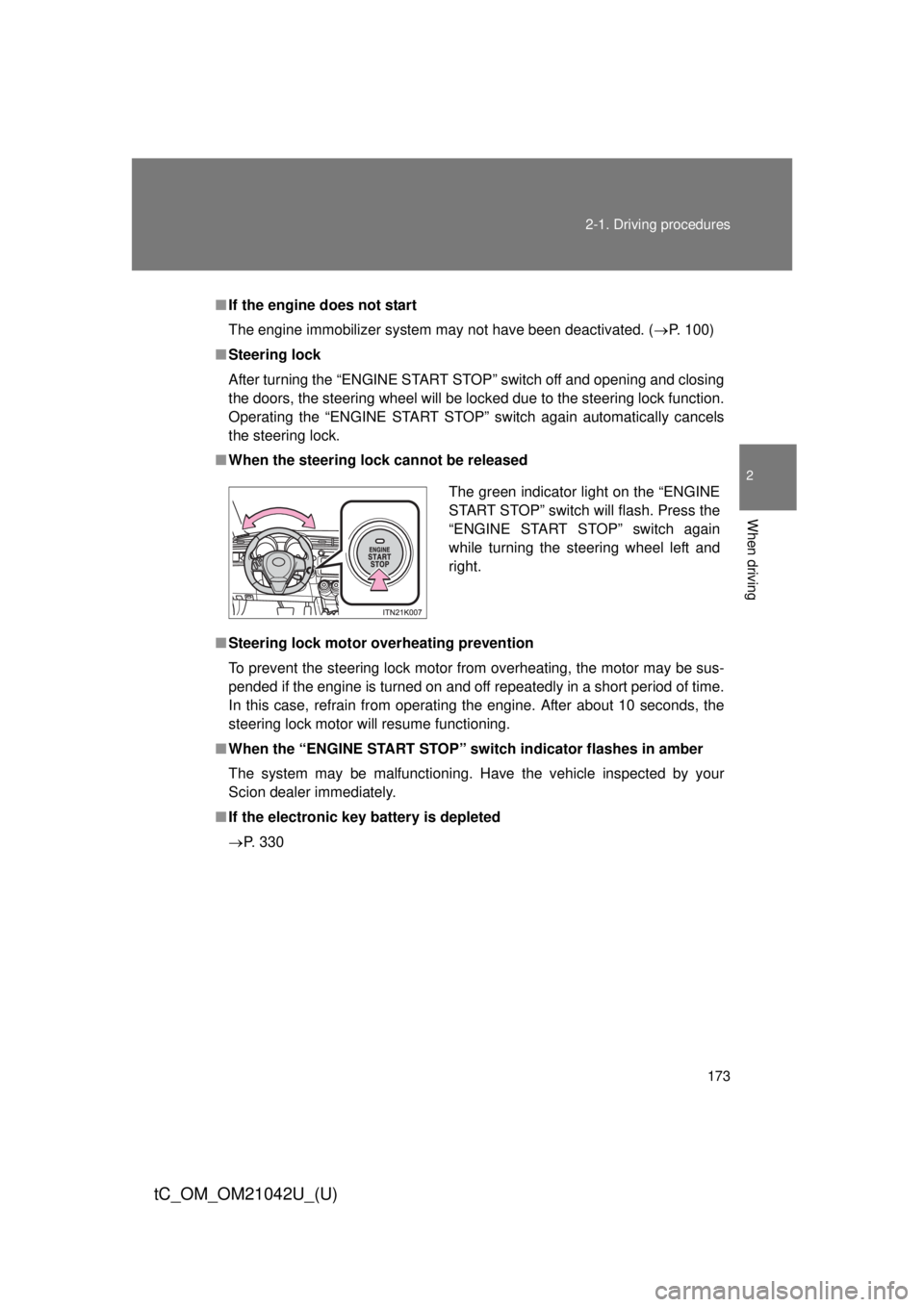
■ When the steering lock cannot be released
■ Steering lock motor overheating prevention
To prevent the steering lock motor from overheating, the motor may be sus-
pended if the engine is turned on and off repeatedly in a short period of time.
In this case, refrain from operating the engine. After about 10 seconds, the
steering lock motor will resume functioning.
■ When the “ENGINE START STOP” switch indicator flashes in amber
The system may be malfunctioning. Have the vehicle inspected by your
Scion dealer immediately.
■ If the electronic key battery is depleted
P. 330
The green indicator light on the “ENGINE
START STOP” switch will flash. Press the
“ENGINE START STOP” switch again
while turning the steering wheel left and
right.
Page 175 of 484

175
2-1. Driving procedures
2
When driving
tC_OM_OM21042U_(U)
NOTICE
■
To prevent battery discharge
● Do not leave the “ENGINE START STOP” switch in ACCESSORY or IGNI-
TION ON mode for long periods of time without the engine running.
● If the indicator on the “ENGINE START STOP” switch is illuminated, the
“ENGINE START STOP” switch is not off. When exiting the vehicle,
always check that the “ENGINE START STOP” switch is off.
● On vehicles with an automatic transmission, do not stop the engine when
the shift lever is in a position other than P. If the engine is stopped in
another shift lever position, the “ENGINE START STOP” switch will not be
turned off but instead be turned to ACCESSORY mode. If the vehicle is left
in ACCESSORY mode, battery discharge may occur.
■ When starting the engine
● Do not race a cold engine.
● If the engine becomes difficult to start or stalls frequently, have the engine
checked immediately.
■ Symptoms indicating a malfunctio n with the “ENGINE START STOP”
switch
If the “ENGINE START STOP” seems to be operating somewhat differently
than usual, such as the switch sticking slightly, there may be a malfunction.
Contact your Scion dealer immediately.
Page 200 of 484

200 2-3. Operating the lights and Windshield wipers
tC_OM_OM21042U_(U)
NOTICE
■To prevent battery discharge
Do not leave the lights on longer than necessary when the engine is not run-
ning.
Page 223 of 484
223
2-5. Driving information
2
When driving
tC_OM_OM21042U_(U)
Winter driving tips
Carry out the necessary preparations and inspections before driving
the vehicle in winter. Always drive the vehicle in a manner appropri-
ate to the prevailing weather conditions.
■ Pre-winter preparations
●Use fluids that are appropriate to the prevailing outside tem-
peratures.
• Engine oil
• Engine coolant
• Washer fluid
● Have a service technician inspect the level and specific grav-
ity of battery electrolyte.
● Have the vehicle fitted with four snow tires or purchase a set
of tire chains for the front tires.
Ensure that all tires are the same size and brand, and that chains
match the size of the tires.
Page 241 of 484
241
3-1. Using the air conditioning system
and defogger
3
Interior features
tC_OM_OM21042U_(U)
■Using the system in recirculated air mode
The windows will fog up more easily if recirculated air mode is used for an
extended period of time.
■ When
is selected for the air outlets used
For your driving comfort, air flowing to the feet may be warmer than air flow-
ing to the upper body depending on the temperature setting.
■ When outside air temperature is below 32 °F (0 °C)
The cooling and dehumidification function may not operate even when
is pressed.
■ Air conditioning odors
● During use, various odors from inside and outside the vehicle may enter
into and accumulate in the air conditioning system. This may then cause
odor to be emitted from the vents.
● To reduce potential odors from occurring:
It is recommended that the air conditioning system be set to outside air
mode prior to turning the vehicle off.
CAUTION
■ To prevent the windshield from fogging up
Do not use during cool air operation in extremely humid weather. The
difference between the temperature of the outside air and that of the wind-
shield can cause the outer surface of the windshield to fog up, blocking your
vision.
NOTICE
■To prevent battery discharge
Do not leave the air conditioning system on longer than necessary when the
engine is stopped.
Page 250 of 484

250 3-3. Using the interior lights
tC_OM_OM21042U_(U)
■Illuminated entry system
Vehicles without a smart key system
The lights automatically turn on/off according to the engine switch position,
whether the doors are locked/unlocked, and whether the doors are open/
closed.
Vehicles with a smart key system
The lights automatically turn on/off according to “ENGINE START STOP”
switch mode, the presence of the electronic key, whether the doors are
locked/unlocked, and whether the doors are open/closed.
■ To prevent battery discharge
If the interior lights remain on when the door is not fully closed and the inte-
rior light switch is in door position, the lights will go off automatically after 20
minutes.
■ Customization that can be configured at Scion dealer
Settings (e.g. The time elapsed before lights turn off) can be changed.
(Customizable features: P. 450)
Page 258 of 484
258
3-5. Other interior features
tC_OM_OM21042U_(U)
Clock
■The clock is displayed when
Vehicles without a smart key system
The engine switch is in the “ACC” or “ON” position.
Vehicles with a smart key system
The “ENGINE START STOP” switch is in ACCESSORY or IGNITION ON
mode.
■ When disconnecting and reco nnecting battery terminals
The time display will automatically be set to 1:00.
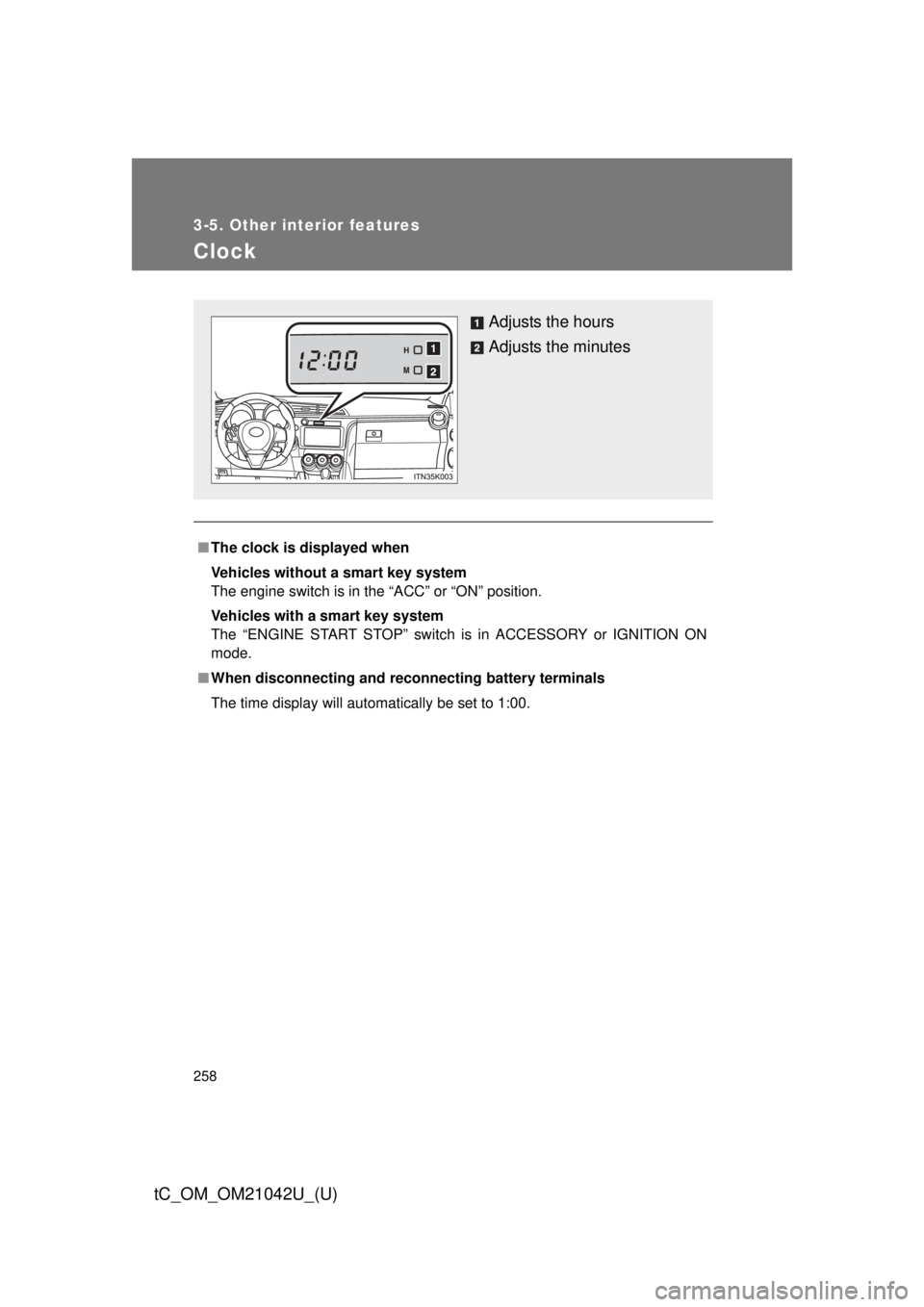
Adjusts the hours
Adjusts the minutes
Page 259 of 484
259
3-5. Other interior features
3
Interior features
tC_OM_OM21042U_(U)
Power outlet
■The power outlet can be used when
Vehicles without a smart key system
The engine switch is in the “ACC” or “ON” position.
Vehicles with a smart key system
The “ENGINE START STOP” switch is in ACCESSORY or IGNITION ON
mode.
NOTICE
■To avoid damaging the power outlet
Close the power outlet lid when the power outlet is not in use.
Foreign objects or liquids that enter the power outlet may cause a short cir-
cuit.
■ To prevent blown fuse
Do not use an accessory that uses more than 12 V 10 A.
■ To prevent battery discharge
Do not use the power outlet longer than necessary when the engine is not\
running.
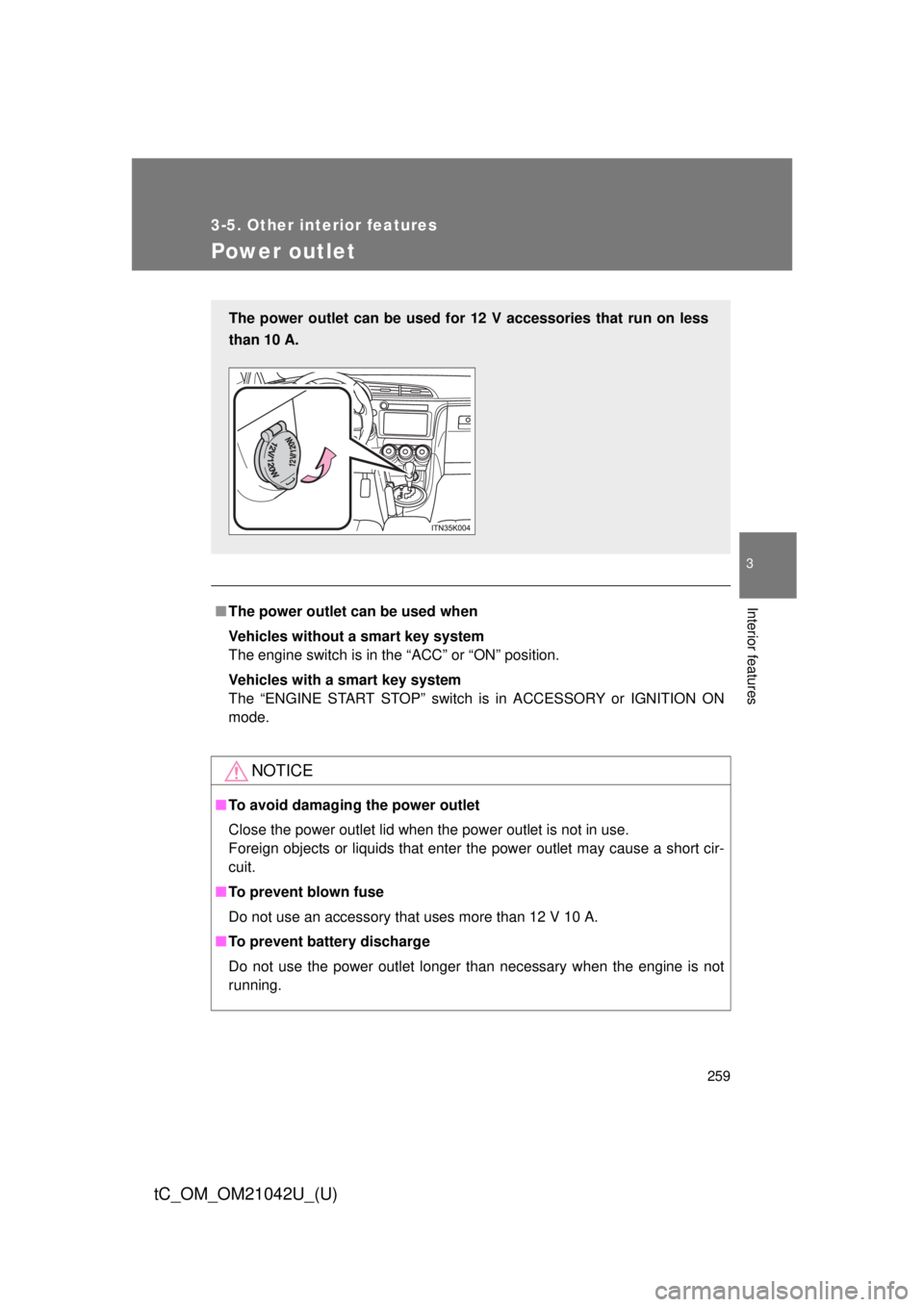
The power outlet can be used for 12 V accessories that run on less
than 10 A.
Page 261 of 484

261
3-5. Other interior features
3
Interior features
tC_OM_OM21042U_(U)
CAUTION
■
Burns
● Use caution when seating the following persons in a seat with the seat
heater on to avoid the possibility of burns:
• Babies, small children, the elderly, the sick and the physically chal-
lenged
• Persons with sensitive skin
• Persons who are fatigued
• Persons who have taken alcohol or drugs that induce sleep (sleeping drugs, cold remedies, etc.)
● Do not cover the seat with anything when using the seat heater.
Using the seat heater with a blanket or cushion increases the temperature
of the seat and may lead to overheating.
● Do not use the seat heater more than necessary. Doing so may cause
minor burns or overheating.
NOTICE
■To prevent seat heater damage
Do not put heavy objects that have an uneven surface on the seat and do
not stick sharp objects (needles, nails, etc.) into the seat.
■ To prevent battery discharge
Turn the seat heaters off when the engine is not running.
Page 271 of 484
Maintenance and care4
271
tC_OM_OM21042U_(U)
4-1. Maintenance and careCleaning and protecting
the vehicle exterior......... 272
Cleaning and protecting
the vehicle interior.......... 276 4-2. Maintenance
Maintenance
requirements .................. 279
General maintenance....... 282
Emission inspection and
maintenance (I/M)
programs ........................ 286
4-3. Do-it-yourself maintenance Do-it-yourself service
precautions .................... 287
Hood ................................ 292
Positioning a floor jack ..... 294
Engine compartment ........ 296
Tires ................................. 312
Tire inflation pressure ...... 323
Wheels ............................. 327
Wireless remote control/
electronic key battery ..... 330
Checking and replacing
fuses .............................. 334
Light bulbs........................ 345