air conditioning TOYOTA tC 2013 Owners Manual (in English)
[x] Cancel search | Manufacturer: TOYOTA, Model Year: 2013, Model line: tC, Model: TOYOTA tC 2013Pages: 484, PDF Size: 9.41 MB
Page 1 of 484

TABLE OF CONTENTS
1
tC_OM_OM21050U_(U)
1Before drivingAdjusting and operating features such as door locks,
mirrors, and steering column
2When drivingDriving, stopping and safe-driving information
3Interior
featuresAir conditioning as well as other interior features for a
comfortable driving experience
4Maintenance
and careCleaning and protecting your vehicle, performing do-it-
yourself maintenance, and maintenance information
5When trouble
arisesWhat to do if the vehicle needs to be towed, gets a flat
tire, or is involved in an accident
6Vehicle
specificationsDetailed vehicle information
7For ownersReporting safety defects for U.S. owners, and seat belt
and SRS airbag instructions for Canadian owners
IndexAlphabetical listing of information contained in this
manual
Page 3 of 484

1
2
3
4
5
6
7
3
tC_OM_OM21050U_(U)
2-3. Operating the lights and Windshield wipers
Headlight switch .................. 197
Windshield wipers and washer .............................. 201
Rear window wiper and washer .............................. 205
2-4. Using other driving systems Cruise control ...................... 208
Driving assist systems ........ 212
2-5. Driving information Cargo and luggage ............. 217
Vehicle load limits ............... 222
Winter driving tips ............... 223
Trailer towing ...................... 229
Dinghy towing (automatic transmission) .................... 230
Dinghy towing (manual transmission) .................... 231
3-1. Using the air conditioning system and defogger
Air conditioning system ....... 234
Rear window and outside rear view mirror
defoggers .......................... 242 3-2. Using the audio system
Using the AUX port/USB port ................................... 243
Using the steering wheel audio switches.................. 244
Using the microphone ........ 245
3-3. Using the interior lights Interior lights list ................. 246
• Personal/interior light main switch ...................... 247
• Personal/interior lights...... 248
• Interior light ...................... 249
3-4. Using the storage features List of storage features ....... 251
• Glove box ......................... 252
• Console box ..................... 253
• Auxiliary box ..................... 254
• Cup holders ...................... 254
• Bottle holders ................... 255
3-5. Other interior features Sun visors........................... 256
Vanity mirrors ..................... 257
Clock .................................. 258
Power outlet ....................... 259
Seat heaters ....................... 260
Sunshades ......................... 262
Assist grips ......................... 264
Floor mat ............................ 265
Luggage compartment features ............................ 267
3Interior features
Page 15 of 484
15
tC_OM_OM21050U_(U)
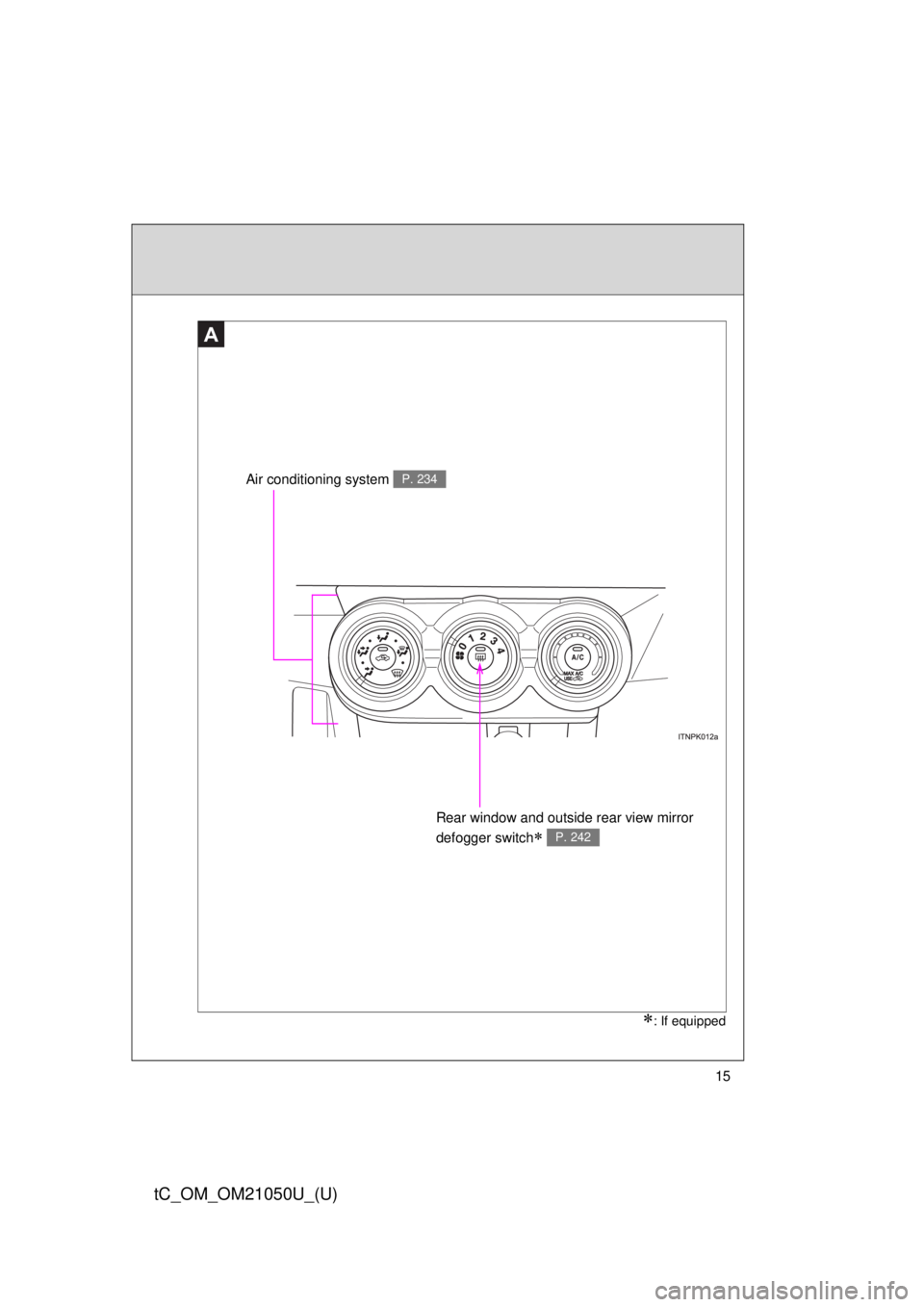
Air conditioning system P. 234
Rear window and outside rear view mirror
defogger switch
P. 242
A
: If equipped
Page 233 of 484
Interior features3
233
tC_OM_OM21050U_(U)
3-1. Using the air conditioning system and defogger
Air conditioning system .... 234
Rear window and outside rear view mirror
defoggers ....................... 242
3-2. Using the audio system Using the AUX port/USB port ........................ 243
Using the steering wheel audio switches ............... 244
Using the microphone ...... 245
3-3. Using the interior lights Interior lights list ............... 246
• Personal/interior light main switch .................... 247
• Personal/interior lights .............................. 248
• Interior light .................... 249 3-4. Using the storage features
List of storage features .... 251
• Glove box....................... 252
• Console box ................... 253
• Auxiliary box .................. 254
• Cup holders ................... 254
• Bottle holders ................. 255
3-5. Other interior features Sun visors ........................ 256
Vanity mirrors ................... 257
Clock ................................ 258
Power outlet ..................... 259
Seat heaters..................... 260
Sunshades ....................... 262
Assist grips....................... 264
Floor mat .......................... 265
Luggage compartment features .......................... 267
Page 234 of 484
234
tC_OM_OM21050U_(U)
3-1. Using the air conditioning system and defogger
Air conditioning system
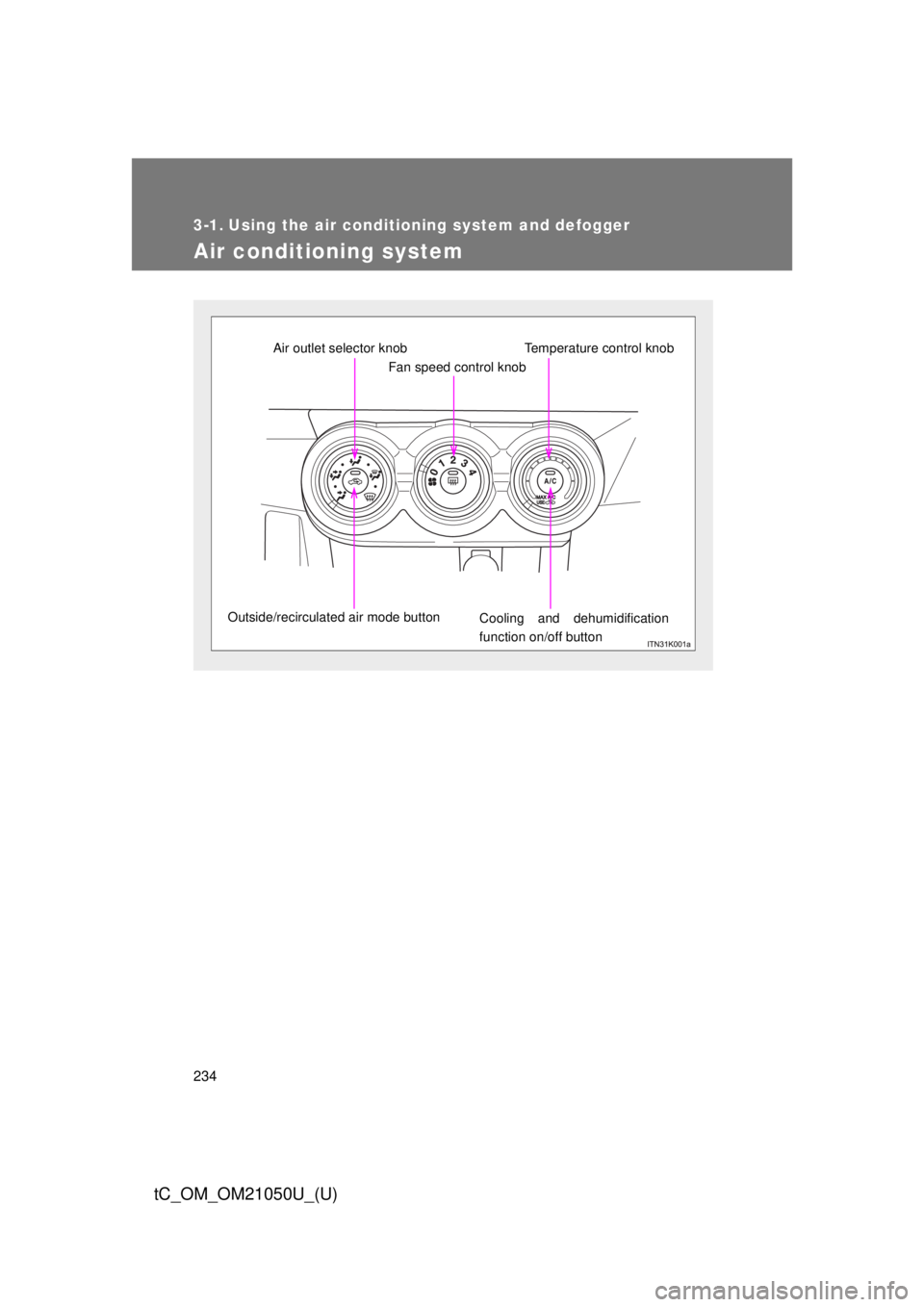
Fan speed control knob
Air outlet selector knob
Outside/recirculated air mode button Cooling and dehumidification
function on/off buttonTemperature control knob
Page 235 of 484
235
3-1. Using the air conditioning system
and defogger
3
Interior features
tC_OM_OM21050U_(U)
Adjusting the settings
■ Basic setting
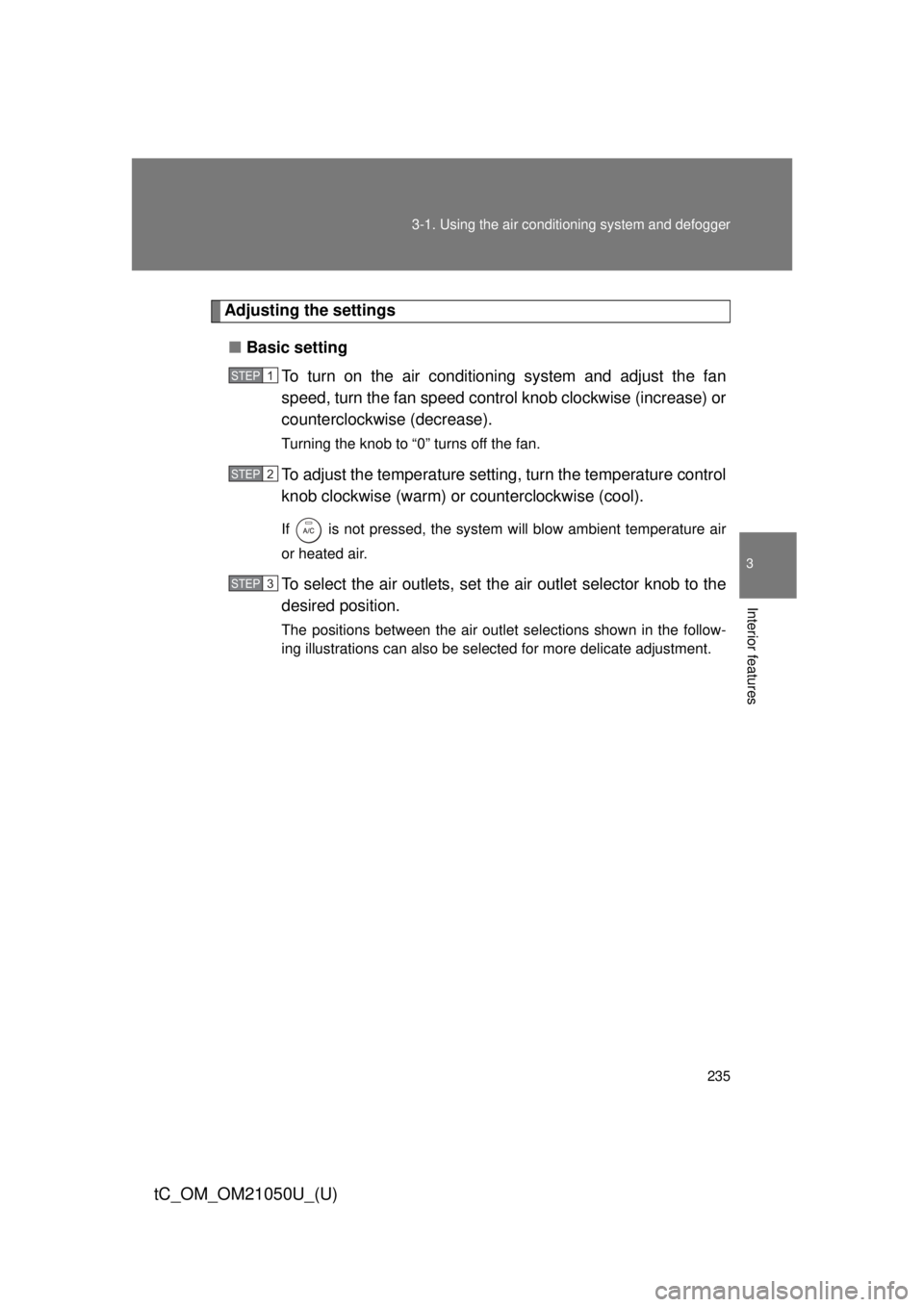
To turn on the air conditioning system and adjust the fan
speed, turn the fan speed control knob clockwise (increase) or
counterclockwise (decrease).
Turning the knob to “0” turns off the fan.
To adjust the temperature setting, turn the temperature control
knob clockwise (warm) or counterclockwise (cool).
If is not pressed, the system will blow ambient temperature air
or heated air.
To select the air outlets, set th e air outlet selector knob to the
desired position.
The positions between the air outlet selections shown in the follow-
ing illustrations can also be selected for more delicate adjustment.
STEP 1
STEP 2
STEP 3
Page 236 of 484
236 3-1. Using the air conditioning system and defogger
tC_OM_OM21050U_(U)
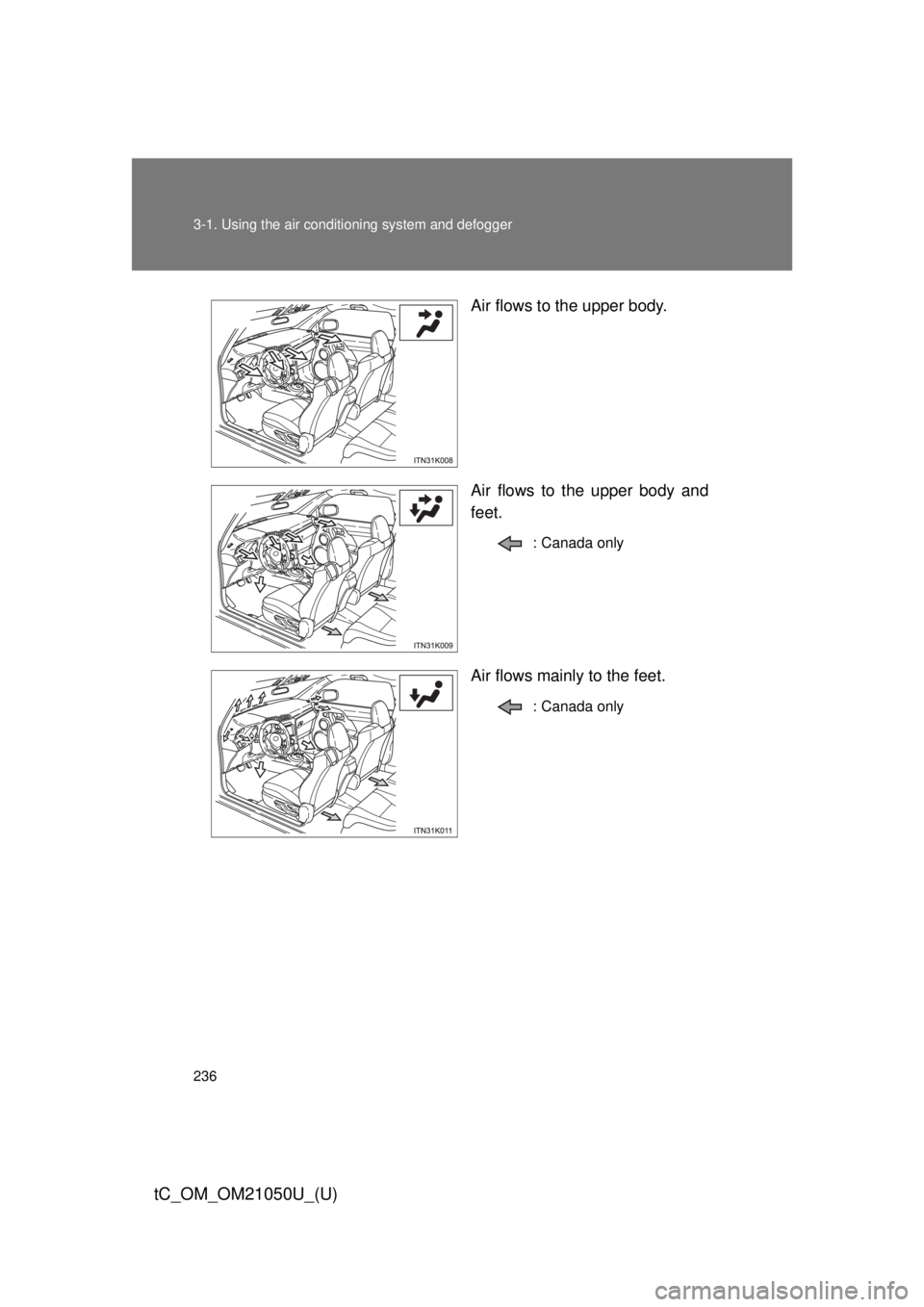
Air flows to the upper body.
Air flows to the upper body and
feet.
: Canada only
Air flows mainly to the feet.
: Canada only
Page 237 of 484
237
3-1. Using the air conditioning system
and defogger
3
Interior features
tC_OM_OM21050U_(U)
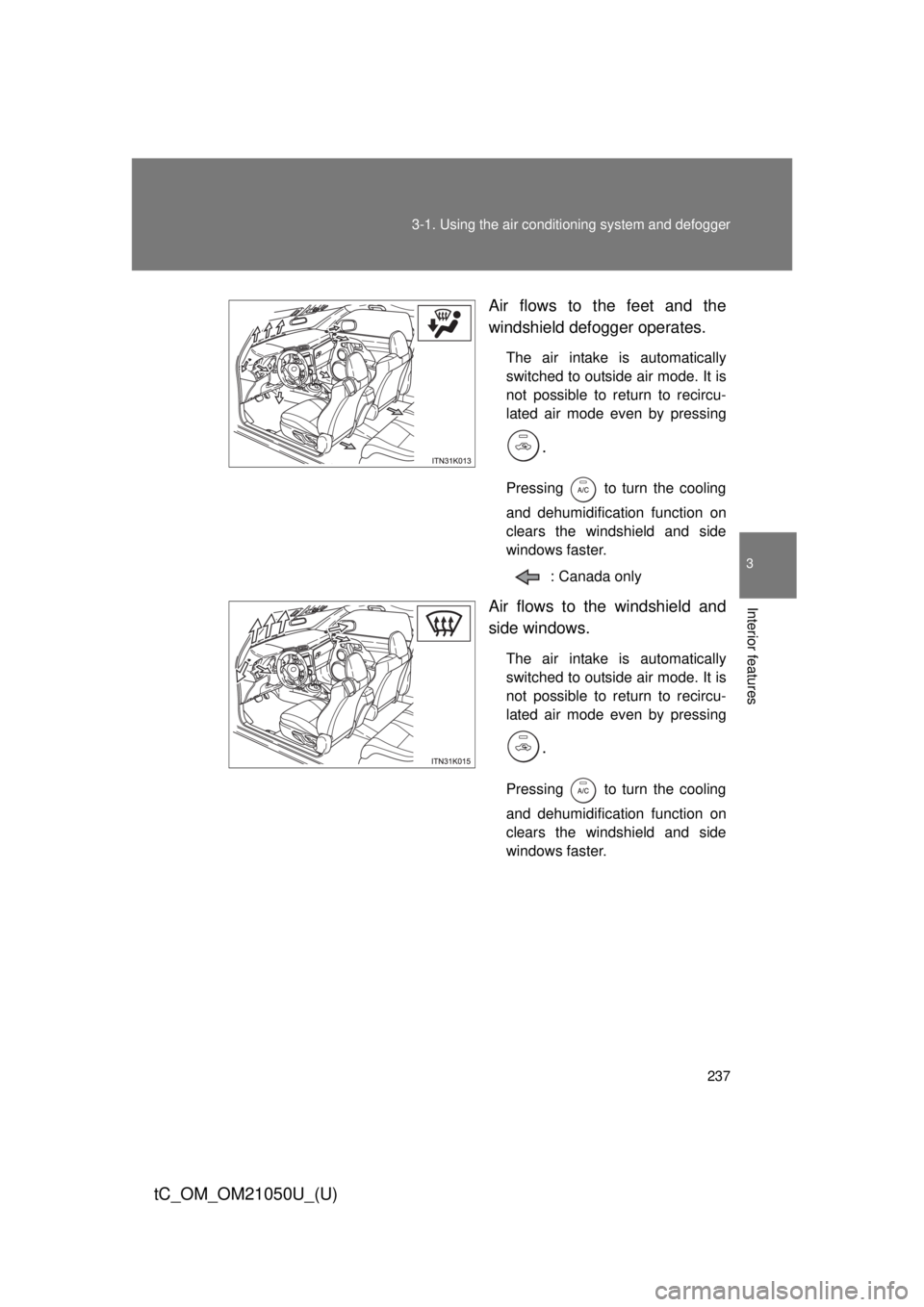
Air flows to the feet and the
windshield defogger operates.
The air intake is automatically
switched to outside air mode. It is
not possible to return to recircu-
lated air mode even by pressing
.
Pressing to turn the cooling
and dehumidification function on
clears the windshield and side
windows faster.
: Canada only
Air flows to the windshield and
side windows.
The air intake is automatically
switched to outside air mode. It is
not possible to return to recircu-
lated air mode even by pressing
.
Pressing to turn the cooling
and dehumidification function on
clears the windshield and side
windows faster.
Page 238 of 484

238 3-1. Using the air conditioning system and defogger
tC_OM_OM21050U_(U)
■Switching between outside air and recirculated air modes
Press .
The mode switches between outside air mode (introduces air from out-
side the vehicle) (indicator off) and recirculated air mode (recycles air
inside the vehicle) (indicator on) each time the button is pressed.
Page 239 of 484
239
3-1. Using the air conditioning system
and defogger
3
Interior features
tC_OM_OM21050U_(U)
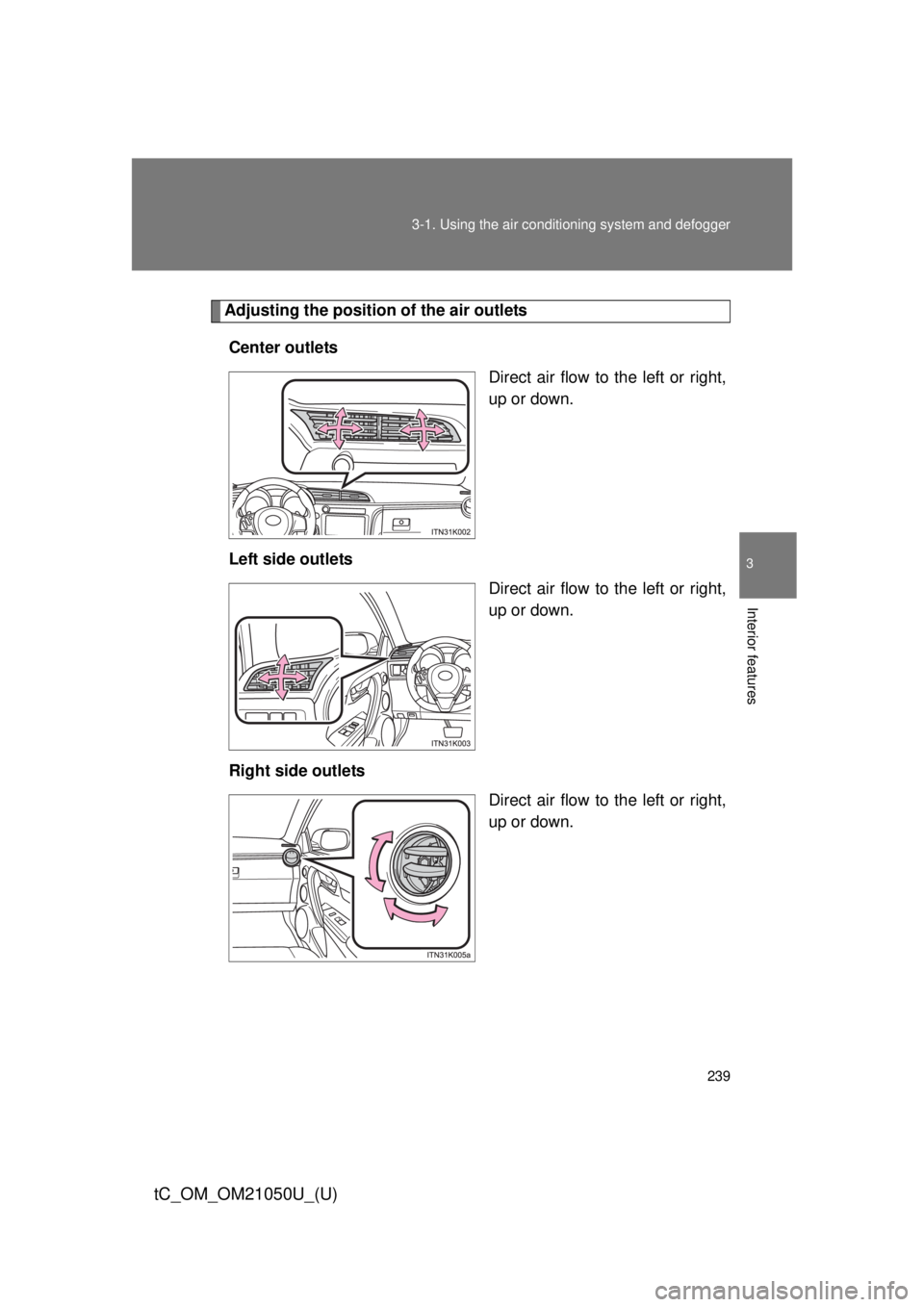
Adjusting the position of the air outlets
Center outlets Direct air flow to the left or right,
up or down.
Left side outlets Direct air flow to the left or right,
up or down.
Right side outlets Direct air flow to the left or right,
up or down.