brake light TOYOTA tC 2013 Owners Manual (in English)
[x] Cancel search | Manufacturer: TOYOTA, Model Year: 2013, Model line: tC, Model: TOYOTA tC 2013Pages: 484, PDF Size: 9.41 MB
Page 2 of 484

TABLE OF CONTENTSIndex
2
tC_OM_OM21050U_(U)
1-1. Key informationKeys ..................................... 28
1-2. Opening, closing and locking the doors
Smart key system................. 32
Wireless remote control ....... 50
Side doors ............................ 55
Back door ............................. 62
1-3. Adjustable components (seats, mirrors, steering
wheel)
Front seats ........................... 68
Rear seats ............................ 74
Head restraints ..................... 76
Seat belts ............................. 78
Steering wheel ..................... 85
Anti-glare inside rear view mirror .................................. 86
Outside rear view mirrors ..... 87
1-4. Opening and closing the windows and moon roof
Power windows .................... 89
Moon roof ............................. 91
1-5. Refueling Opening the fuel tank cap .... 95 1-6. Theft deterrent system
Engine immobilizer system .............................. 100
Theft prevention labels (for U.S.A.) ....................... 103
1-7. Safety information Correct driving posture ....... 104
SRS airbags ....................... 106
Front passenger occupant classification system ......... 120
Child restraint systems ....... 126
Installing child restraints ..... 132
2-1. Driving procedures Driving the vehicle .............. 148
Engine (ignition) switch (vehicles without a smart
key system) ...................... 163
Engine (ignition) switch (vehicles with a smart key
system) ............................. 167
Automatic transmission ...... 176
Manual transmission........... 183
Turn signal lever ................. 185
Parking brake ..................... 186
Horn .................................... 187
2-2. Instrument cluster Gauges and meters ............ 188
Indicators and warning lights ................................. 192
1Before driving
2When driving
Page 147 of 484
When driving2
147
tC_OM_OM21050U_(U)
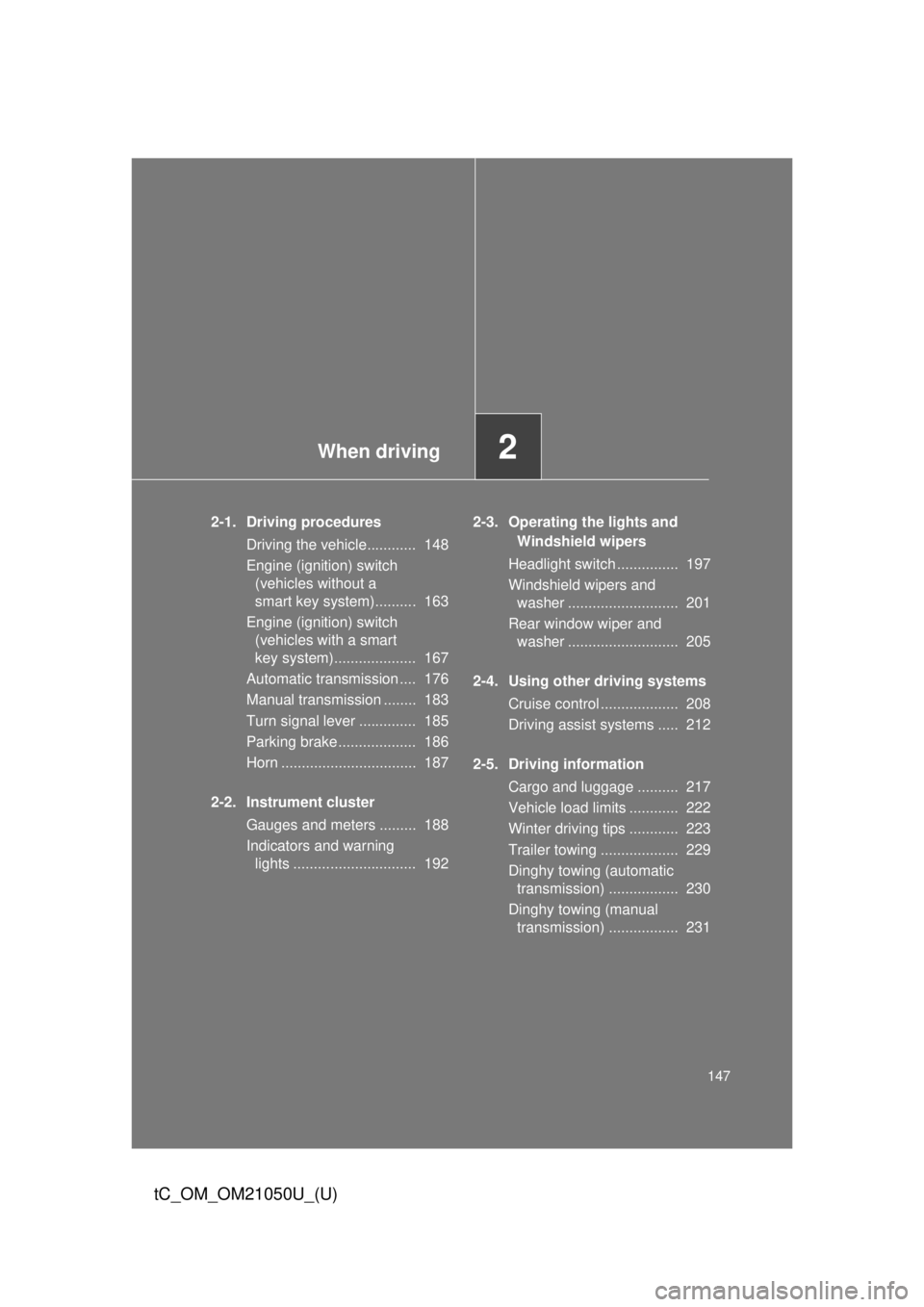
2-1. Driving proceduresDriving the vehicle............ 148
Engine (ignition) switch (vehicles without a
smart key system).......... 163
Engine (ignition) switch (vehicles with a smart
key system).................... 167
Automatic transmission .... 176
Manual transmission ........ 183
Turn signal lever .............. 185
Parking brake ................... 186
Horn ................................. 187
2-2. Instrument cluster Gauges and meters ......... 188
Indicators and warning lights .............................. 192 2-3. Operating the lights and
Windshield wipers
Headlight switch ............... 197
Windshield wipers and washer ........................... 201
Rear window wiper and washer ........................... 205
2-4. Using other driving systems Cruise control ................... 208
Driving assist systems ..... 212
2-5. Driving information Cargo and luggage .......... 217
Vehicle load limits ............ 222
Winter driving tips ............ 223
Trailer towing ................... 229
Dinghy towing (automatic transmission) ................. 230
Dinghy towing (manual transmission) ................. 231
Page 150 of 484
150 2-1. Driving procedures
tC_OM_OM21050U_(U)
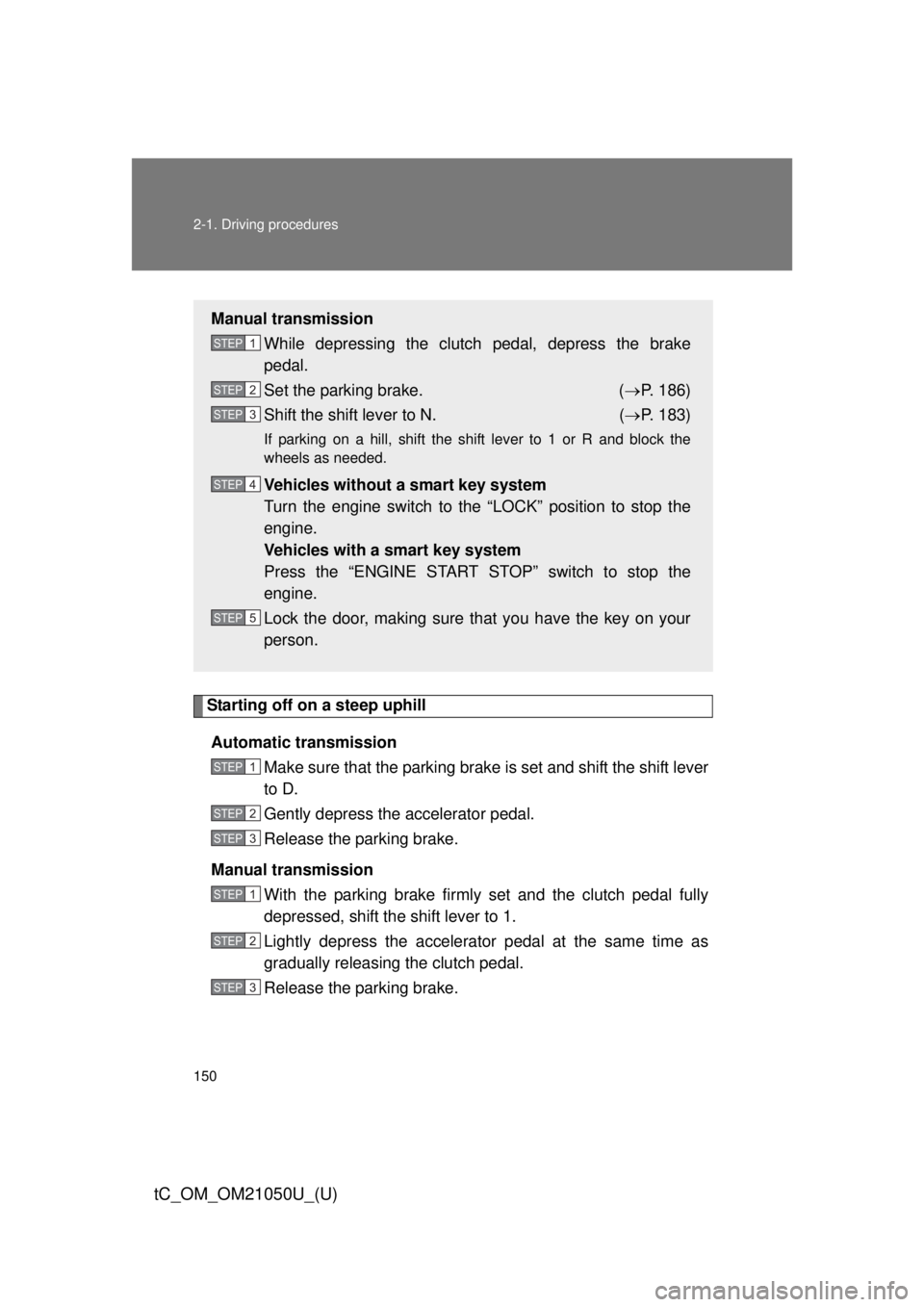
Starting off on a steep uphillAutomatic transmission Make sure that the parking brake is set and shift the shift lever
to D.
Gently depress the accelerator pedal.
Release the parking brake.
Manual transmission With the parking brake firmly set and the clutch pedal fully
depressed, shift the shift lever to 1.
Lightly depress the accelerator pedal at the same time as
gradually releasing the clutch pedal.
Release the parking brake.
Manual transmissionWhile depressing the clutch pedal, depress the brake
pedal.
Set the parking brake. ( P. 186)
Shift the shift lever to N. ( P. 183)
If parking on a hill, shift the shift lever to 1 or R and block the
wheels as needed.
Vehicles without a smart key system
Turn the engine switch to the “LOCK” position to stop the
engine.
Vehicles with a smart key system
Press the “ENGINE START STOP” switch to stop the
engine.
Lock the door, making sure that you have the key on your
person.
STEP 1
STEP 2
STEP 3
STEP 4
STEP 5
STEP 1
STEP 2
STEP 3
STEP 1
STEP 2
STEP 3
Page 153 of 484

153
2-1. Driving procedures
2
When driving
tC_OM_OM21050U_(U)
CAUTION
■
When starting the vehicle
On vehicles with an automatic transmission, always keep your foot on the
brake pedal while stopped with the engine running. This prevents the vehicle
from creeping.
■ When driving the vehicle
● Do not drive if you are unfamiliar with the location of the brake and accel-
erator pedals to avoid depressing the wrong pedal.
• Accidentally depressing the accelerator pedal instead of the brake
pedal will result in sudden acceleration that may lead to an accident
that could result in death or serious injury.
• When backing up, you may twist your body around, leading to a diffi- culty in operating the pedals. Make sure to operate the pedals properly.
• Make sure to keep a correct driving posture even when moving the vehicle only slightly, allowing you to depress the brake and accelerator
pedals properly.
• Depress the brake pedal using your right foot. Depressing the brake pedal using your left foot may delay response in an emergency, result-
ing in an accident.
● Do not drive the vehicle over or st op the vehicle near flammable materials.
The exhaust system and exhaust gases can be extremely hot. These hot
parts may cause a fire if there is any flammable material nearby.
● On vehicles with an automatic transmission, do not let the vehicle roll
backward while the shift lever is in a driving position, or roll forward while
the shift lever is in R.
Doing so may cause the engine to stall or lead to poor brake and steering
performance, resulting in an accident or damage to the vehicle.
Page 155 of 484
155
2-1. Driving procedures
2
When driving
tC_OM_OM21050U_(U)
CAUTION
●
Do not adjust the position of the steering wheel, the seat, or the inside or
outside rear view mirrors while driving.
Doing so may result in a loss of vehicle control that can cause accidents,
resulting in death or serious injury.
● Always check that all passengers’ arms, heads or other parts of their body
are not outside the vehicle, as this may result in death or serious injury.
● Do not drive in excess of the speed limit. Even if the legal speed limit per-
mits it, do not drive over 85 mph (140 km/h) unless your vehicle has high-
speed capability tires. Driving over 85 mph (140 km/h) may result in tire
failure, loss of control and possible injury. Be sure to consult a tire dealer
to determine whether the tires on your vehicle are high-speed capability
tires or not before driving at such speeds.
■ When driving on slippery road surfaces
● Sudden braking, acceleration and steering may cause tire slippage and
reduce your ability to control the vehicle, resulting in an accident.
● Sudden changes in engine speed, such as engine braking caused by up-
shifting or down-shifting, may cause the vehicle to skid, resulting in an
accident.
● After driving through a puddle, lightly depress the brake pedal to make
sure that the brakes are functioning properly. Wet brake pads may prevent
the brakes from functioning properly. If the brakes on only one side are wet
and not functioning properly, steering control may be affected, resulting in
an accident.
■ When shifting the shift lever
On vehicles with an automatic transmission, be careful not to shift the shift
lever with the accelerator pedal depressed.
Shifting the shift lever to a gear other than P or N may lead to unexpected
rapid acceleration of the vehicle that may cause an accident and result in
death or serious injury.
Page 186 of 484
186
2-1. Driving procedures
tC_OM_OM21050U_(U)
Parking brake
■Usage in winter time
See “Winter driving tips” for parking brake usage in winter time. ( P. 223)
NOTICE
■Before driving
Fully release the parking brake.
Driving the vehicle with the parking brake set will lead to brake components
overheating, which may affect braking performance and increase brake
wear.
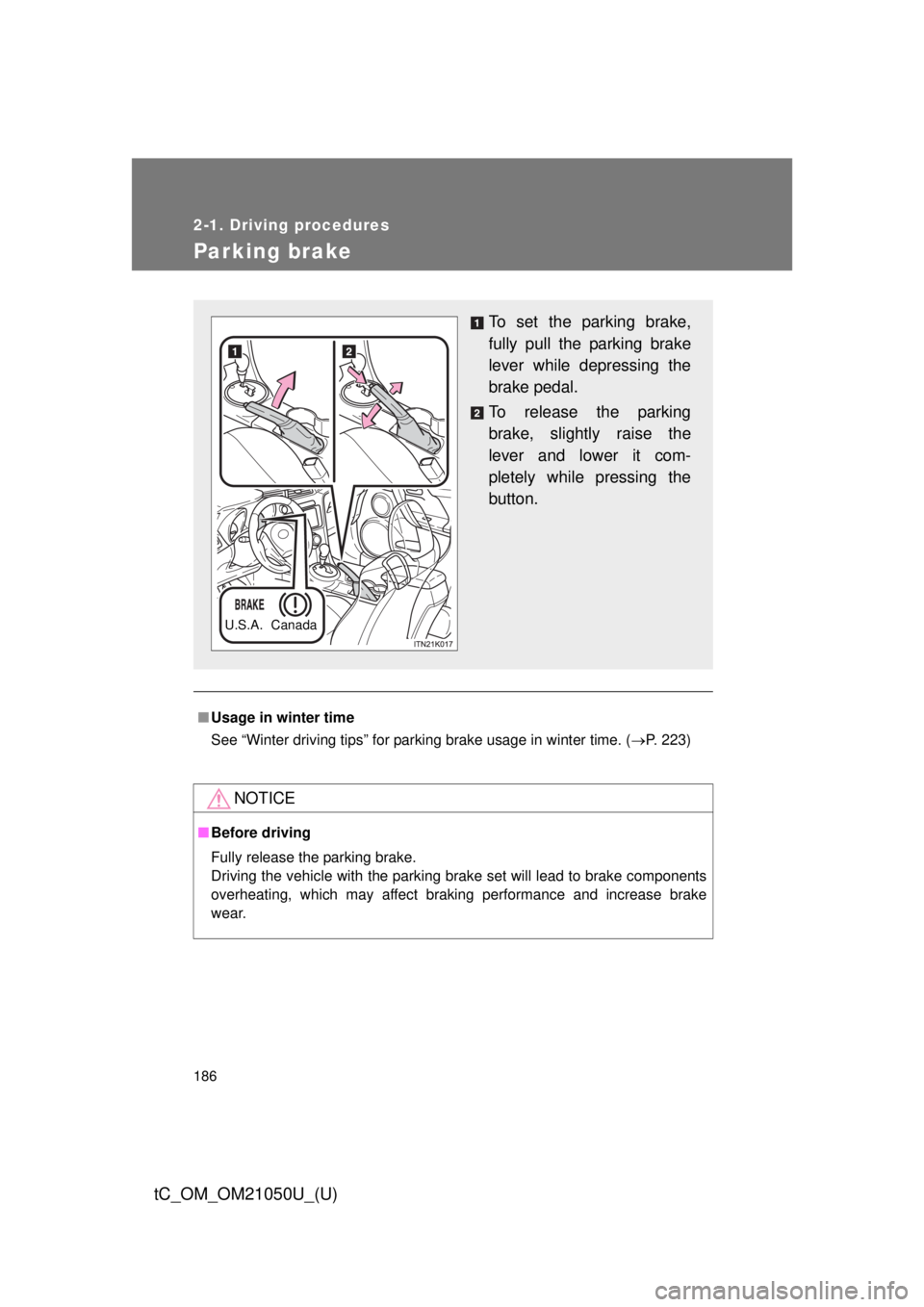
To set the parking brake,
fully pull the parking brake
lever while depressing the
brake pedal.
To release the parking
brake, slightly raise the
lever and lower it com-
pletely while pressing the
button.
U.S.A. Canada
Page 199 of 484
199
2-3. Operating the lights and Windshield wipers
2
When driving
tC_OM_OM21050U_(U)
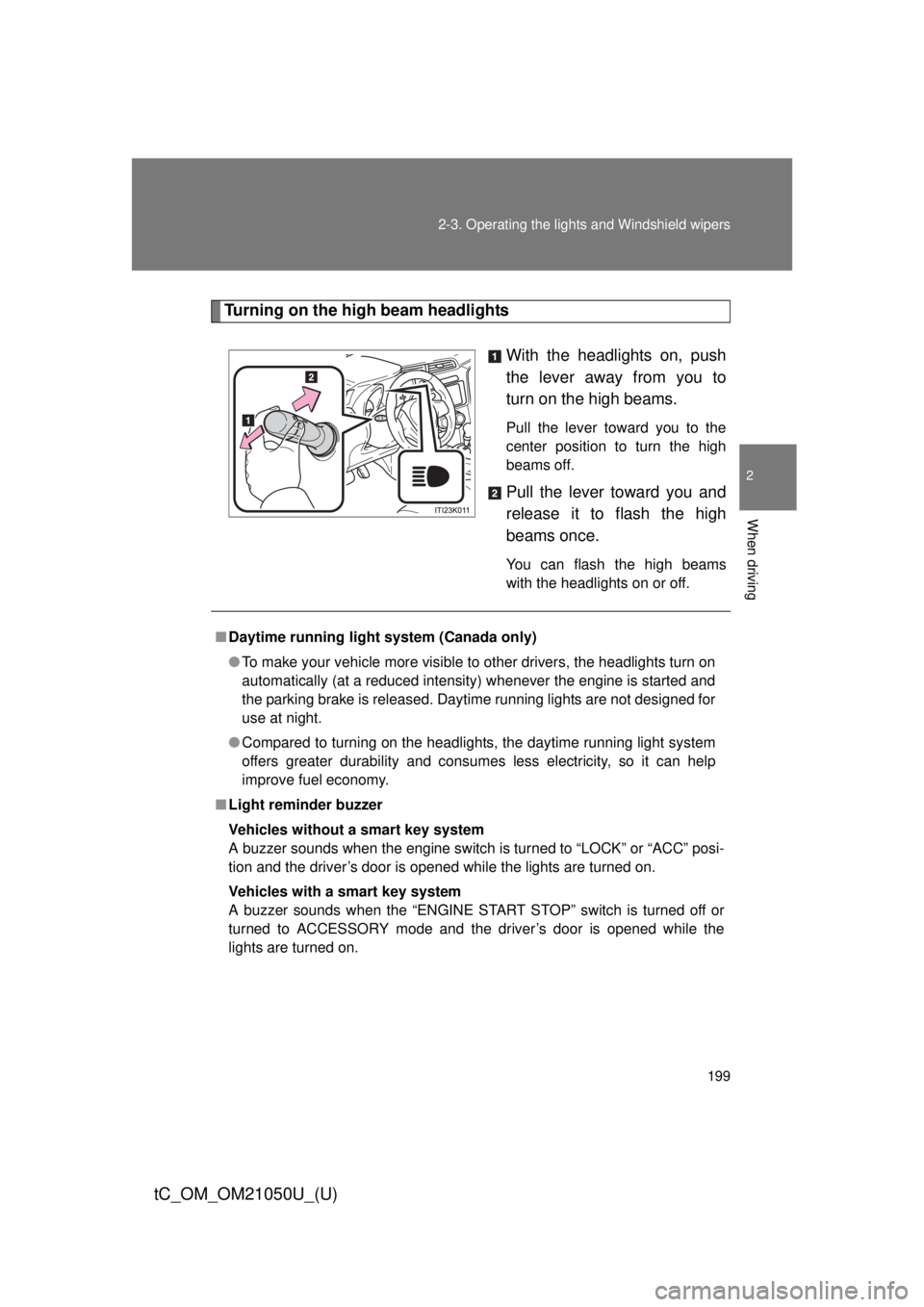
Turning on the high beam headlights
With the headlights on, push
the lever away from you to
turn on the high beams.
Pull the lever toward you to the
center position to turn the high
beams off.
Pull the lever toward you and
release it to flash the high
beams once.
You can flash the high beams
with the headlights on or off.
■Daytime running light system (Canada only)
● To make your vehicle more visible to other drivers, the headlights turn on
automatically (at a reduced intensity) whenever the engine is started and
the parking brake is released. Daytime running lights are not designed for
use at night.
● Compared to turning on the headlights, the daytime running light system
offers greater durability and consumes less electricity, so it can help
improve fuel economy.
■ Light reminder buzzer
Vehicles without a smart key system
A buzzer sounds when the engine switch is turned to “LOCK” or “ACC” posi-
tion and the driver’s door is opened while the lights are turned on.
Vehicles with a smart key system
A buzzer sounds when the “ENGINE START STOP” switch is turned off or
turned to ACCESSORY mode and the driver’s door is opened while the
lights are turned on.
Page 212 of 484
212
2-4. Using other driving systems
tC_OM_OM21050U_(U)
Driving assist systems
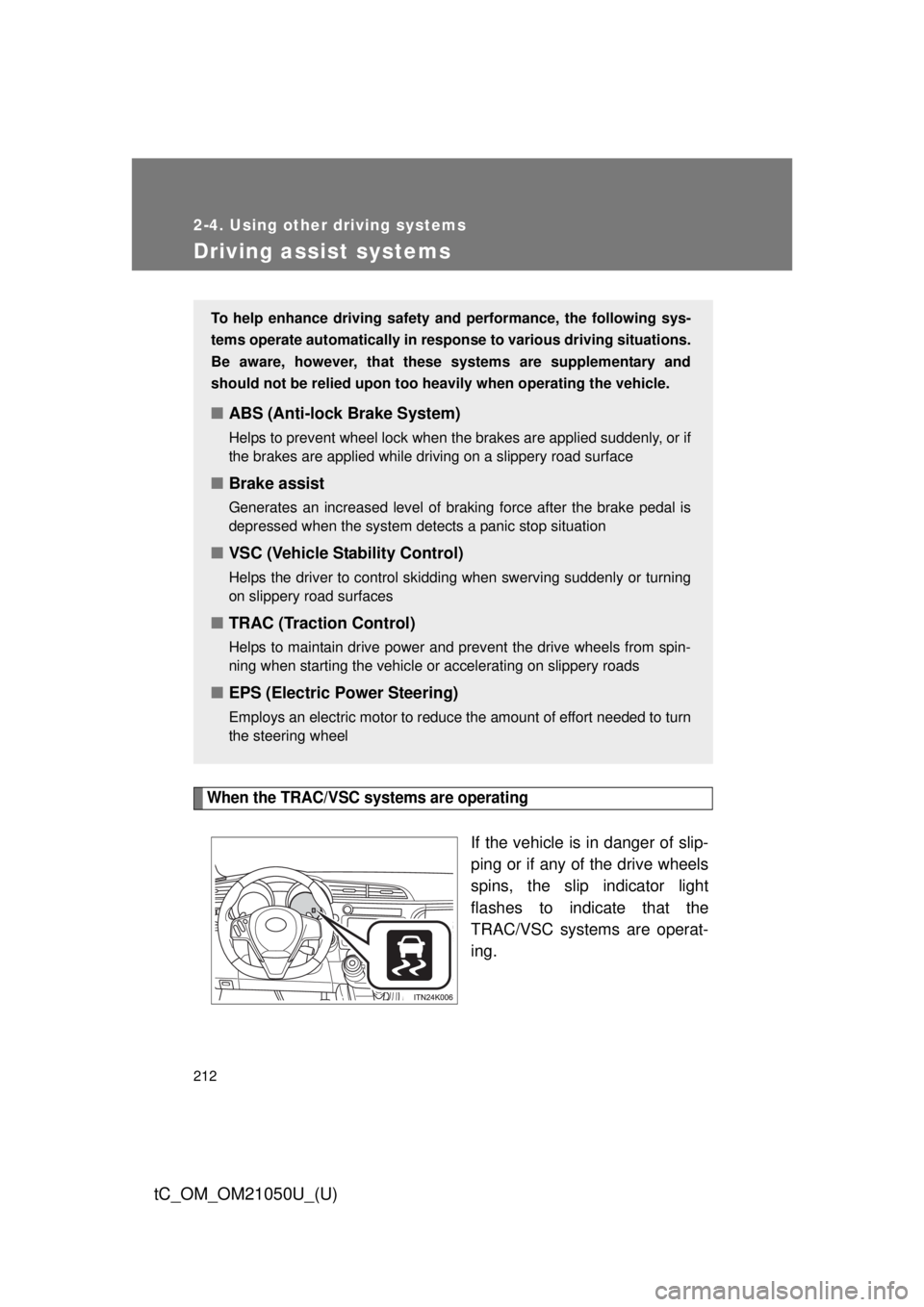
When the TRAC/VSC systems are operating
If the vehicle is in danger of slip-
ping or if any of the drive wheels
spins, the slip indicator light
flashes to indicate that the
TRAC/VSC systems are operat-
ing.
To help enhance driving safety and performance, the following sys-
tems operate automatically in res ponse to various driving situations.
Be aware, however, that these systems are supplementary and
should not be relied upon too h eavily when operating the vehicle.
■ABS (Anti-lock Brake System)
Helps to prevent wheel lock when the brakes are applied suddenly, or if
the brakes are applied while driving on a slippery road surface
■Brake assist
Generates an increased level of braking force after the brake pedal is
depressed when the system detects a panic stop situation
■VSC (Vehicle Stability Control)
Helps the driver to control skidding when swerving suddenly or turning
on slippery road surfaces
■TRAC (Traction Control)
Helps to maintain drive power and prevent the drive wheels from spin-
ning when starting the vehicle or accelerating on slippery roads
■EPS (Electric Power Steering)
Employs an electric motor to reduce the amount of effort needed to turn
the steering wheel
Page 214 of 484

214 2-4. Using other driving systems
tC_OM_OM21050U_(U)
■Sounds and vibrations caused by the ABS, brake assist, VSC and
TRAC
● A sound may be heard from the engine compartment when the engine is
started or just after the vehicle begins to move. This sound does not indi-
cate that a malfunction has occurred in any of these systems.
● Any of the following conditions may occur when the above systems are
operating. None of these indicates that a malfunction has occurred.
• Vibrations may be felt through the vehicle body and steering.
• A motor sound may be heard after the vehicle comes to a stop.
• The brake pedal may pulsate slightly after the ABS is activated.
• The brake pedal may move down slightly after the ABS is activated.
■ EPS operation sound
When the steering wheel is operated, a motor sound (whirring sound) may
be heard. This does not indicate a malfunction.
■ Reactivation of the TRAC/VSC systems after turning off the engine
Turning off the engine after turning off the TRAC/VSC systems will automati-
cally reactivate them.
■ Reactivation of the TRAC system linked to vehicle speed
When only the TRAC system is turned off, the TRAC system will turn on
when vehicle speed increases. However, when both TRAC and VSC sys-
tems are turned off, the systems will not turn on even when vehicle speed
increases.
■ Reduced effectiveness of the EPS system
The effectiveness of the EPS system is reduced to prevent the system from
overheating when there is frequent steering input over an extended period of
time. The steering wheel may feel heavy as a result. Should this occur,
refrain from excessive steering input or stop the vehicle and turn the engine
off. The EPS system should return to normal within 10 minutes.
Page 284 of 484

284 4-2. Maintenance
tC_OM_OM21050U_(U)
Head restraints• Do the head restraints move
smoothly and lock securely?
Indicators/buzzers • Do the indicators and buzzers
function properly?
Lights • Do all the lights come on?
Parking brake • Does the parking brake lever
move smoothly?
• When parked on a slope and the parking brake is on, is the vehicle
securely stopped?
Seat belts • Do the seat belts operate
smoothly?
• The seat belts should not be dam- aged.
Seats • Do the seat controls operate
properly?
Steering wheel • Does the steering wheel rotate
smoothly?
• Does the steering wheel have the correct amount of free play?
• There should not be any strange sounds coming from the steering
wheel.
ItemsCheck points