cruise control TOYOTA tC 2013 Owners Manual (in English)
[x] Cancel search | Manufacturer: TOYOTA, Model Year: 2013, Model line: tC, Model: TOYOTA tC 2013Pages: 484, PDF Size: 9.41 MB
Page 3 of 484

1
2
3
4
5
6
7
3
tC_OM_OM21050U_(U)
2-3. Operating the lights and Windshield wipers
Headlight switch .................. 197
Windshield wipers and washer .............................. 201
Rear window wiper and washer .............................. 205
2-4. Using other driving systems Cruise control ...................... 208
Driving assist systems ........ 212
2-5. Driving information Cargo and luggage ............. 217
Vehicle load limits ............... 222
Winter driving tips ............... 223
Trailer towing ...................... 229
Dinghy towing (automatic transmission) .................... 230
Dinghy towing (manual transmission) .................... 231
3-1. Using the air conditioning system and defogger
Air conditioning system ....... 234
Rear window and outside rear view mirror
defoggers .......................... 242 3-2. Using the audio system
Using the AUX port/USB port ................................... 243
Using the steering wheel audio switches.................. 244
Using the microphone ........ 245
3-3. Using the interior lights Interior lights list ................. 246
• Personal/interior light main switch ...................... 247
• Personal/interior lights...... 248
• Interior light ...................... 249
3-4. Using the storage features List of storage features ....... 251
• Glove box ......................... 252
• Console box ..................... 253
• Auxiliary box ..................... 254
• Cup holders ...................... 254
• Bottle holders ................... 255
3-5. Other interior features Sun visors........................... 256
Vanity mirrors ..................... 257
Clock .................................. 258
Power outlet ....................... 259
Seat heaters ....................... 260
Sunshades ......................... 262
Assist grips ......................... 264
Floor mat ............................ 265
Luggage compartment features ............................ 267
3Interior features
Page 16 of 484
16
tC_OM_OM21050U_(U)
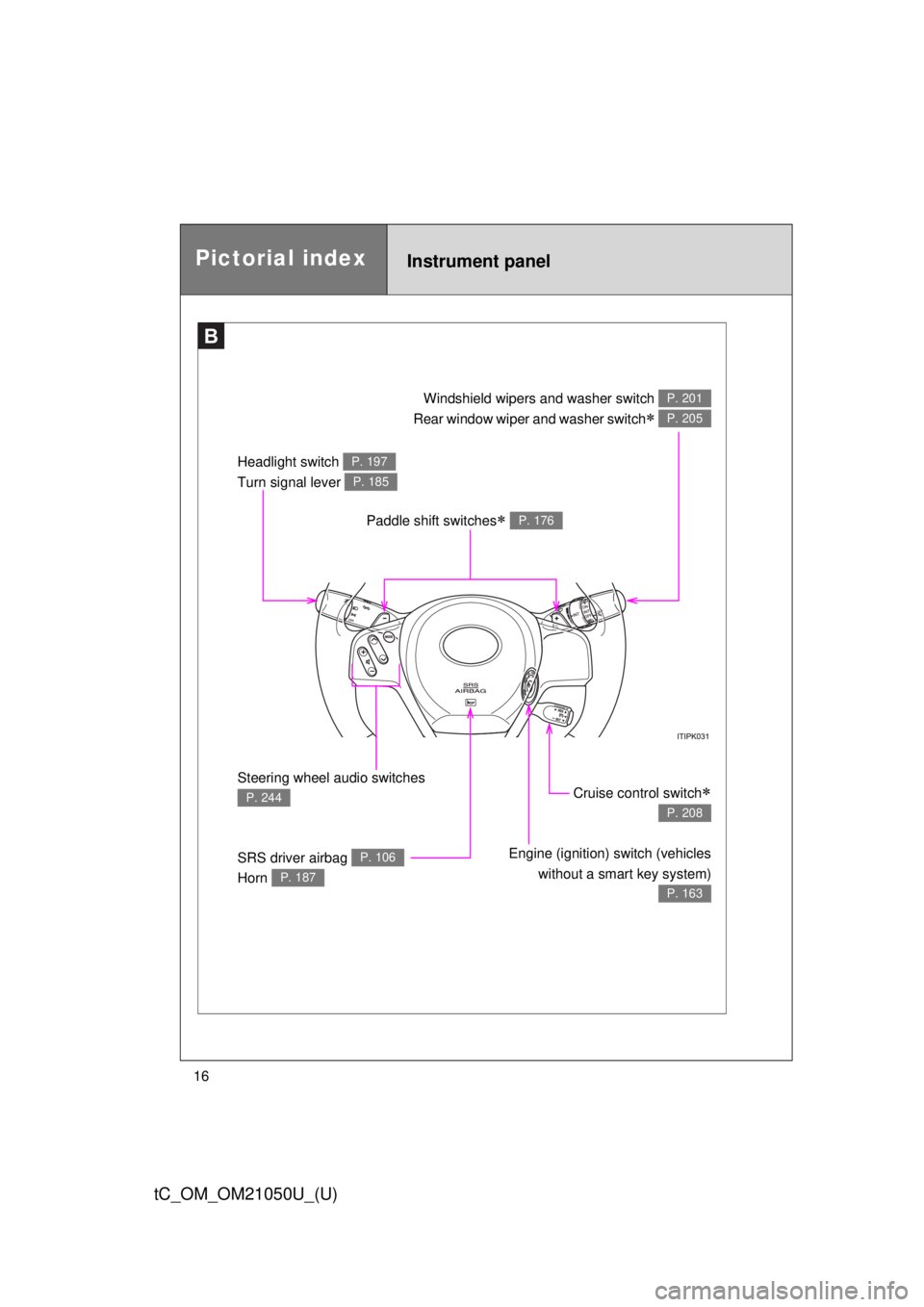
Paddle shift switches P. 176
Headlight switch
Turn signal lever P. 197
P. 185
Steering wheel audio switches
P. 244
SRS driver airbag
Horn P. 106
P. 187
Cruise control switch
P. 208
Engine (ignition) switch (vehicleswithout a smart key system)
P. 163
Windshield wipers and washer switch
Rear window wiper and washer switch
P. 201
P. 205
B
Instrument panelPictorial index
Page 21 of 484

21
tC_OM_OM21050U_(U)
Installation of a mobile two-way radio system
The installation of a mobile two-way radio system in your vehicle could affect
electronic systems such as:
●Multi-port fuel injection system/sequential multi-port fuel injection system
● Cruise control system
● Anti-lock brake system
● SRS airbag system
● Seat belt pretensioner system
Be sure to check with your Scion dealer for precautionary measures or spe-
cial instructions regarding installation of a mobile two-way radio system.
Page 147 of 484
When driving2
147
tC_OM_OM21050U_(U)
2-1. Driving proceduresDriving the vehicle............ 148
Engine (ignition) switch (vehicles without a
smart key system).......... 163
Engine (ignition) switch (vehicles with a smart
key system).................... 167
Automatic transmission .... 176
Manual transmission ........ 183
Turn signal lever .............. 185
Parking brake ................... 186
Horn ................................. 187
2-2. Instrument cluster Gauges and meters ......... 188
Indicators and warning lights .............................. 192 2-3. Operating the lights and
Windshield wipers
Headlight switch ............... 197
Windshield wipers and washer ........................... 201
Rear window wiper and washer ........................... 205
2-4. Using other driving systems Cruise control ................... 208
Driving assist systems ..... 212
2-5. Driving information Cargo and luggage .......... 217
Vehicle load limits ............ 222
Winter driving tips ............ 223
Trailer towing ................... 229
Dinghy towing (automatic transmission) ................. 230
Dinghy towing (manual transmission) ................. 231
Page 182 of 484

182 2-1. Driving procedures
tC_OM_OM21050U_(U)
■When driving with the cruise control system
The engine brake will not operate in the S mode, even when downshifting to
5 or 4. ( P. 208)
■ AI-SHIFT
AI-SHIFT automatically selects the suitable gear according to driver perfor-
mance and driving conditions.
AI-SHIFT automatically operates when the shift lever is in the D position.
(Shifting the shift lever to the S position cancels the function.)
On declines, there may be case where the vehicle shifts down automatically
to obtain engine braking. As a result of the downshifting, the engine speed
may increase.
■ If the “S” indicator does not come on even after shifting the shift lever
to S position
This may indicate a malfunction in the automatic transmission system. Have
the vehicle inspected by your Scion dealer immediately.
(In this situation, the transmission will operate in the same manner as when
the shift lever is in the D position.)
■ Downshifting restrictions warning buzzer
To help ensure safety and driving performance, downshifting operation may
sometimes be restricted. In some circumstances, downshifting may not be
possible even when the shift lever or a paddle shift switch (if equipped) is
operated. (The warning buzzer will sound twice.)
■ If the shift lever cannot be shifted from P
P. 403
CAUTION
■When driving on slippery road surfaces
Do not accelerate or shift gears suddenly.
Sudden changes in engine braking may cause the vehicle to spin or skid,
resulting in an accident.
Page 193 of 484
193
2-2. Instrument cluster
2
When driving
tC_OM_OM21050U_(U)
■
Indicators
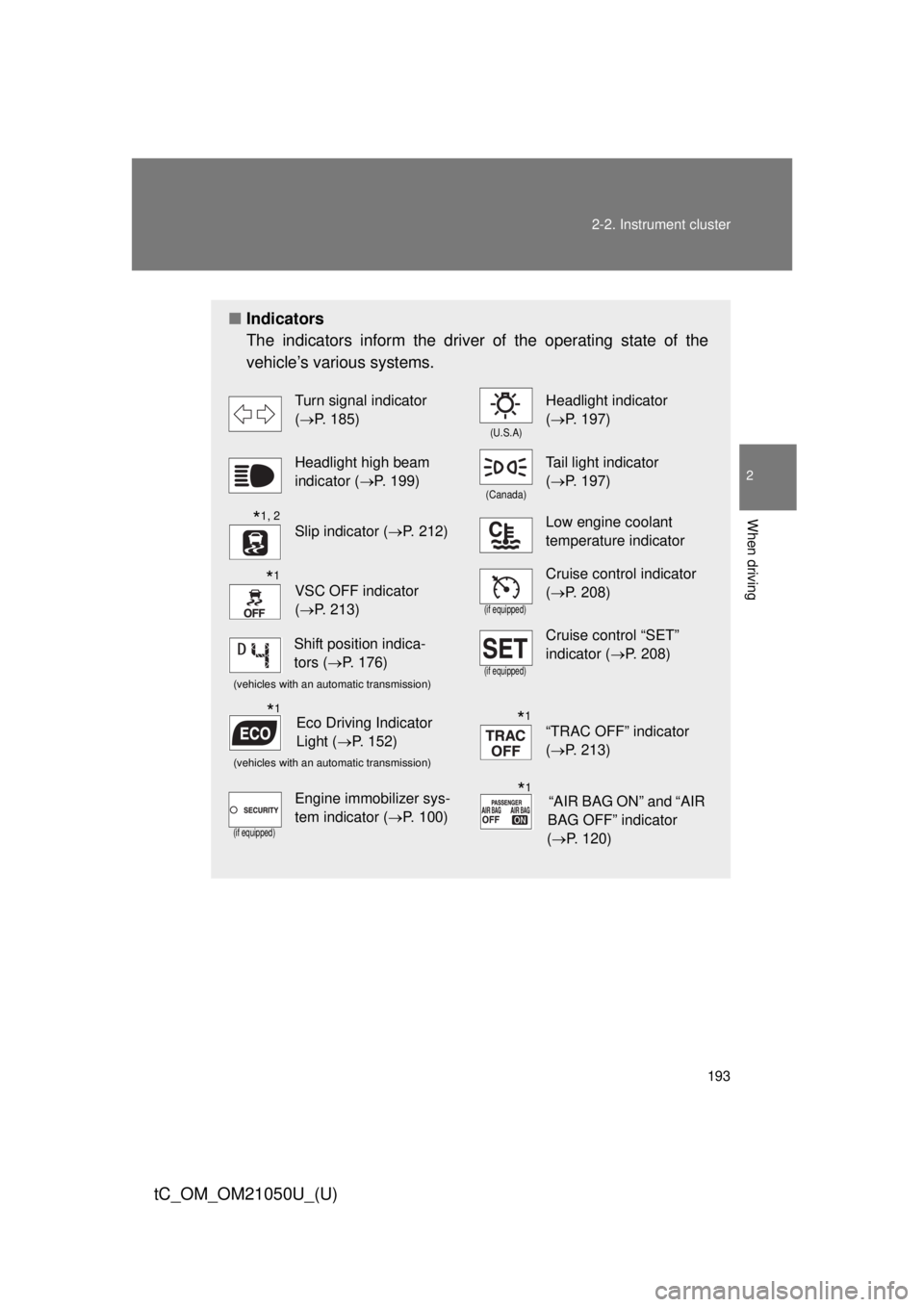
The indicators inform the driver of the operating state of the
vehicle’s various systems.
Turn signal indicator
(P. 185)
(U.S.A)
Headlight indicator
(P. 197)
Headlight high beam
indicator ( P. 199)
(Canada)
Tail light indicator
(P. 197)
Slip indicator ( P. 212)Low engine coolant
temperature indicator
VSC OFF indicator
(P. 213)
(if equipped)
Cruise control indicator
(P. 208)
(vehicles with an automatic transmission)(if equipped)
Cruise control “SET”
indicator ( P. 208)
(vehicles with an automatic transmission)
“TRAC OFF” indicator
(P. 213)
(if equipped)
Engine immobilizer sys-
tem indicator ( P. 100)
*1, 2
*1
Shift position indica-
tors (P. 176)
Eco Driving Indicator
Light ( P. 152)*1*1
“AIR BAG ON” and “AIR
BAG OFF” indicator
( P. 120)*1
Page 208 of 484
208
tC_OM_OM21050U_(U)
2-4. Using other driving systems
Cruise control
: If equipped
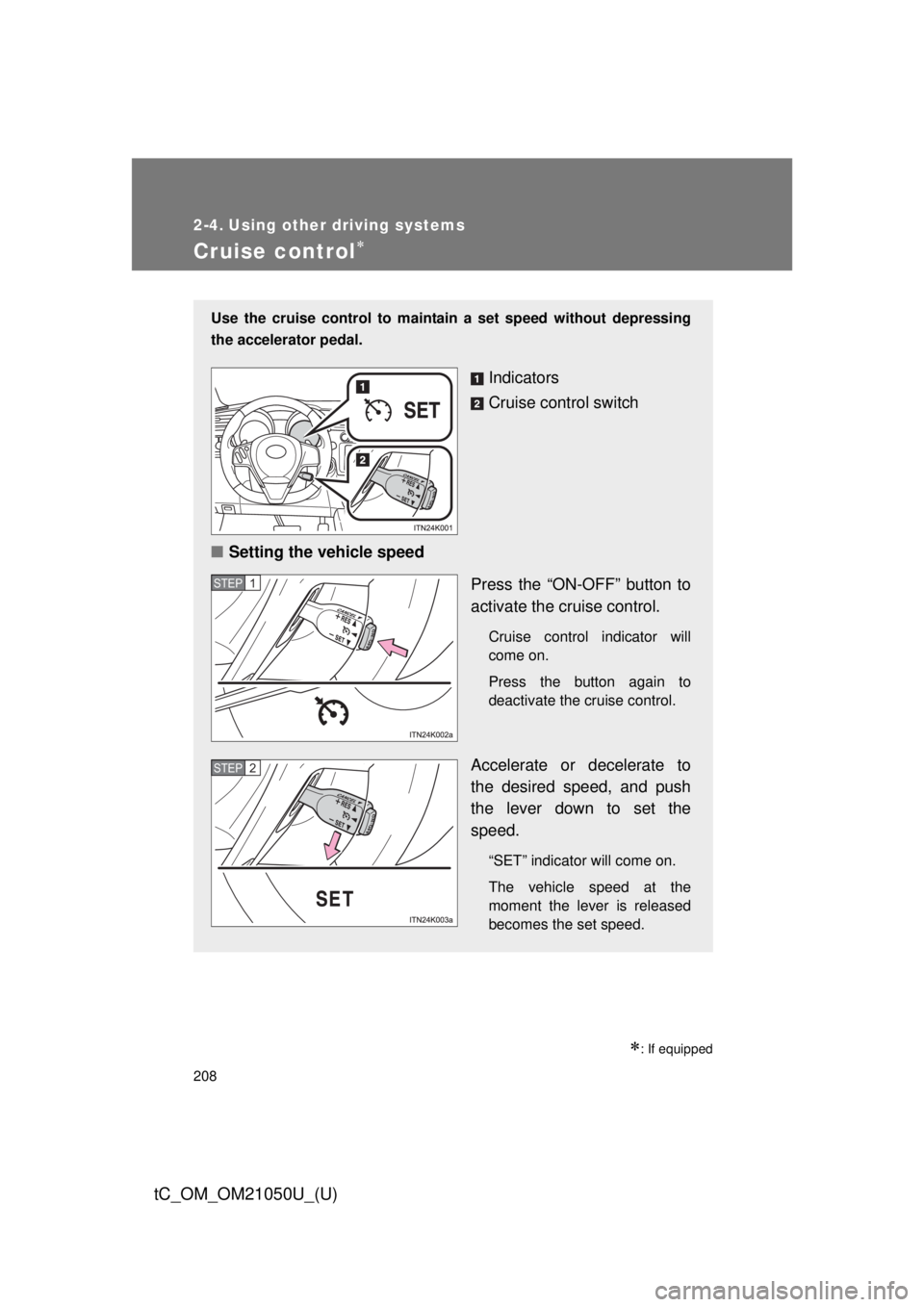
Use the cruise control to maintain a set speed without depressing
the accelerator pedal.
Indicators
Cruise control switch
■ Setting the vehicle speed
Press the “ON-OFF” button to
activate the cruise control.
Cruise control indicator will
come on.
Press the button again to
deactivate the cruise control.
Accelerate or decelerate to
the desired speed, and push
the lever down to set the
speed.
“SET” indicator will come on.
The vehicle speed at the
moment the lever is released
becomes the set speed.
STEP 1
STEP 2
Page 210 of 484

210 2-4. Using other driving systems
tC_OM_OM21050U_(U)
■Cruise control can be set when
● The shift lever is in the D or range 4 or higher of S has been selected.
(vehicles with an automatic transmission)
● Range 4 or higher has been selected by using the paddle shift switch.
(vehicles with a paddle shift switch)
● Vehicle speed is above approximately 25 mph (40 km/h).
■ Accelerating
The vehicle can be accelerated normally. After acceleration, the set speed
resumes.
■ Automatic cruise control cancelation
Cruise control will stop maintaining the vehicle speed in any of the following
situations.
● Actual vehicle speed falls more than approximately 10 mph (16 km/h)
below the preset vehicle speed.
At this time, the memorized set speed is not retained.
● Actual vehicle speed is below approximately 25 mph (40 km/h).
● VSC is activated.
■ If the cruise control indicator light flashes
Press the “ON-OFF” button once to deactivate the system, and then press
the button again to reactivate the system.
If the cruise control speed cannot be set or if the cruise control cancels
immediately after being activated, there may be a malfunction in the cruise
control system. Have the vehicle inspected by your Scion dealer.
Page 211 of 484
211
2-4. Using other
driving systems
2
When driving
tC_OM_OM21050U_(U)
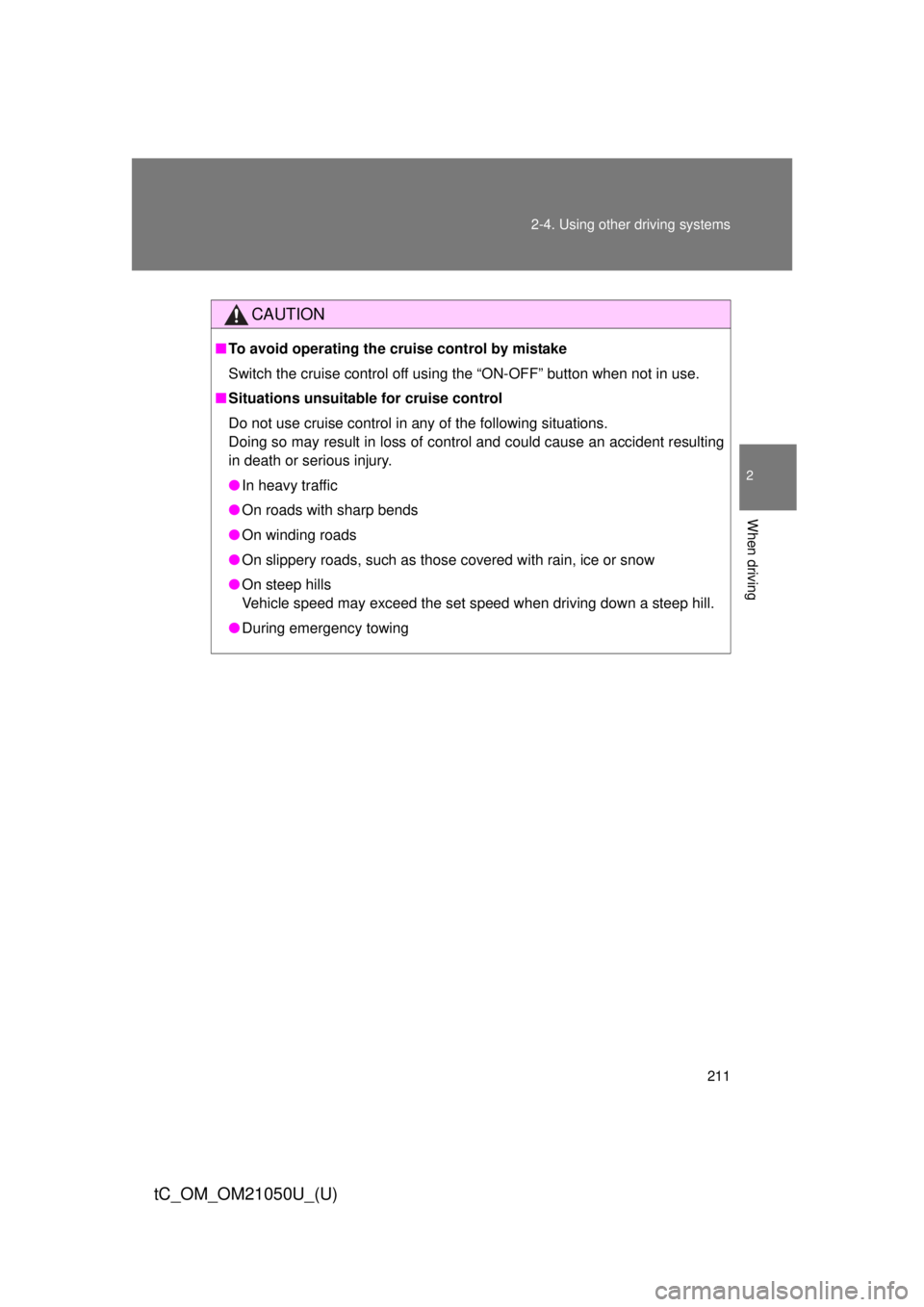
CAUTION
■To avoid operating the cruise control by mistake
Switch the cruise control off using the “ON-OFF” button when not in use.
■ Situations unsuitable for cruise control
Do not use cruise control in any of the following situations.
Doing so may result in loss of control and could cause an accident resulting
in death or serious injury.
● In heavy traffic
● On roads with sharp bends
● On winding roads
● On slippery roads, such as those covered with rain, ice or snow
● On steep hills
Vehicle speed may exceed the set speed when driving down a steep hill.
● During emergency towing
Page 370 of 484
370 5-2. Steps to take in an emergency
tC_OM_OM21050U_(U)
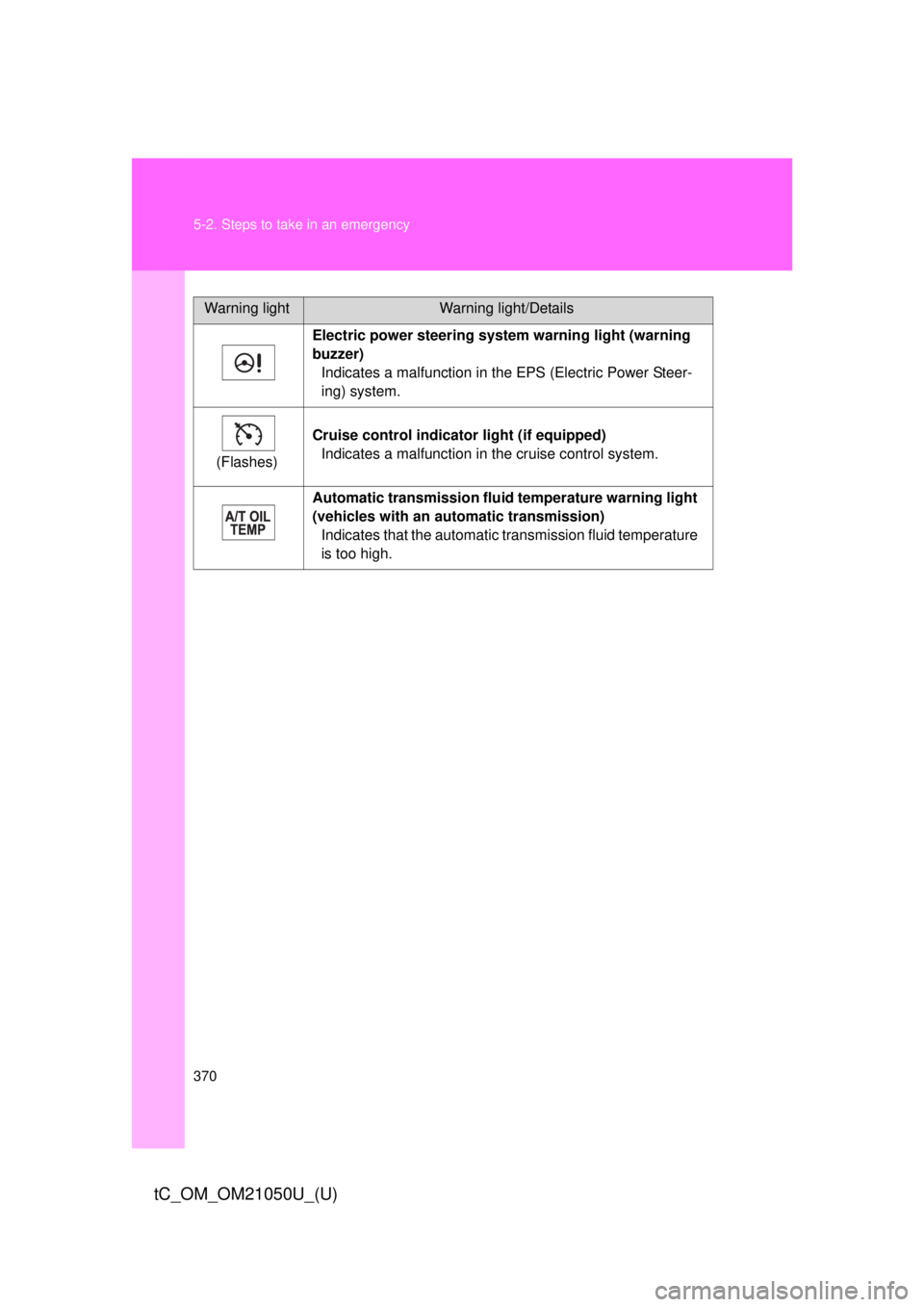
Electric power steering system warning light (warning
buzzer)Indicates a malfunction in the EPS (Electric Power Steer-
ing) system.
(Flashes) Cruise control indicator
light (if equipped)
Indicates a malfunction in the cruise control system.
Automatic transmission flui d temperature warning light
(vehicles with an auto matic transmission)
Indicates that the automatic transmission fluid temperature
is too high.
Warning lightWarning light/Details