TOYOTA TUNDRA 2010 2.G Navigation Manual
TUNDRA 2010 2.G
TOYOTA
TOYOTA
https://www.carmanualsonline.info/img/14/6830/w960_6830-0.png
TOYOTA TUNDRA 2010 2.G Navigation Manual
Page 282 of 328
SETUP
282
2010 TUNDRA Navigation from April.09 Prod.(OM34481U)
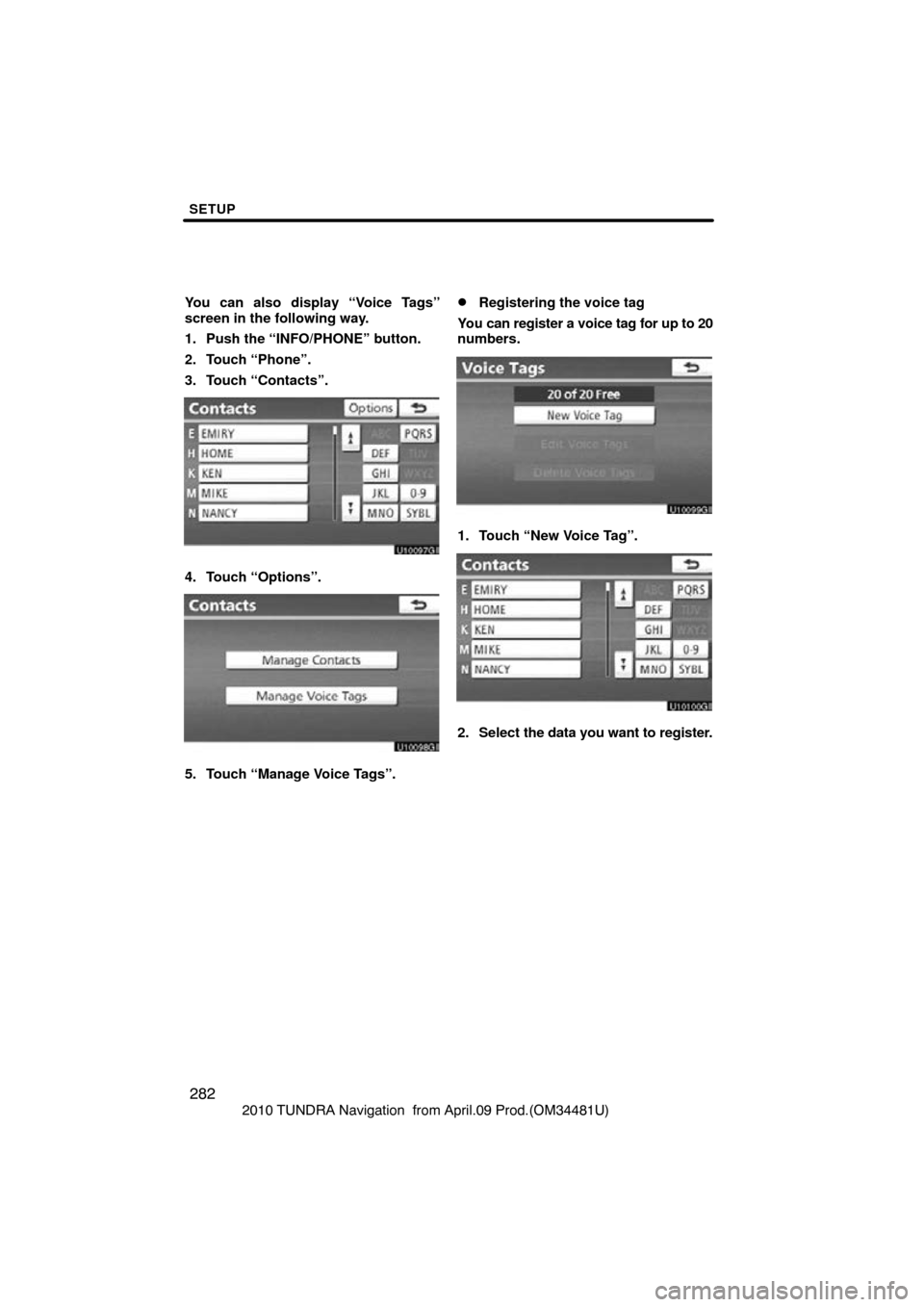
You can also display “Voice Tags”
screen in the following way.
1. Push the “INFO/PHONE” button.
2. Touch “Phone”.
3. Touch “Contacts”.
4. Touch “Options”.
5. Touch “Manage Voice Tags”.
�Registering the voice tag
You can register a voice tag for up to 20
numbers.
1. Touch “New Voice Tag”.
2. Select the data you want to register.
Page 284 of 328
SETUP
284
2010 TUNDRA Navigation from April.09 Prod.(OM34481U)
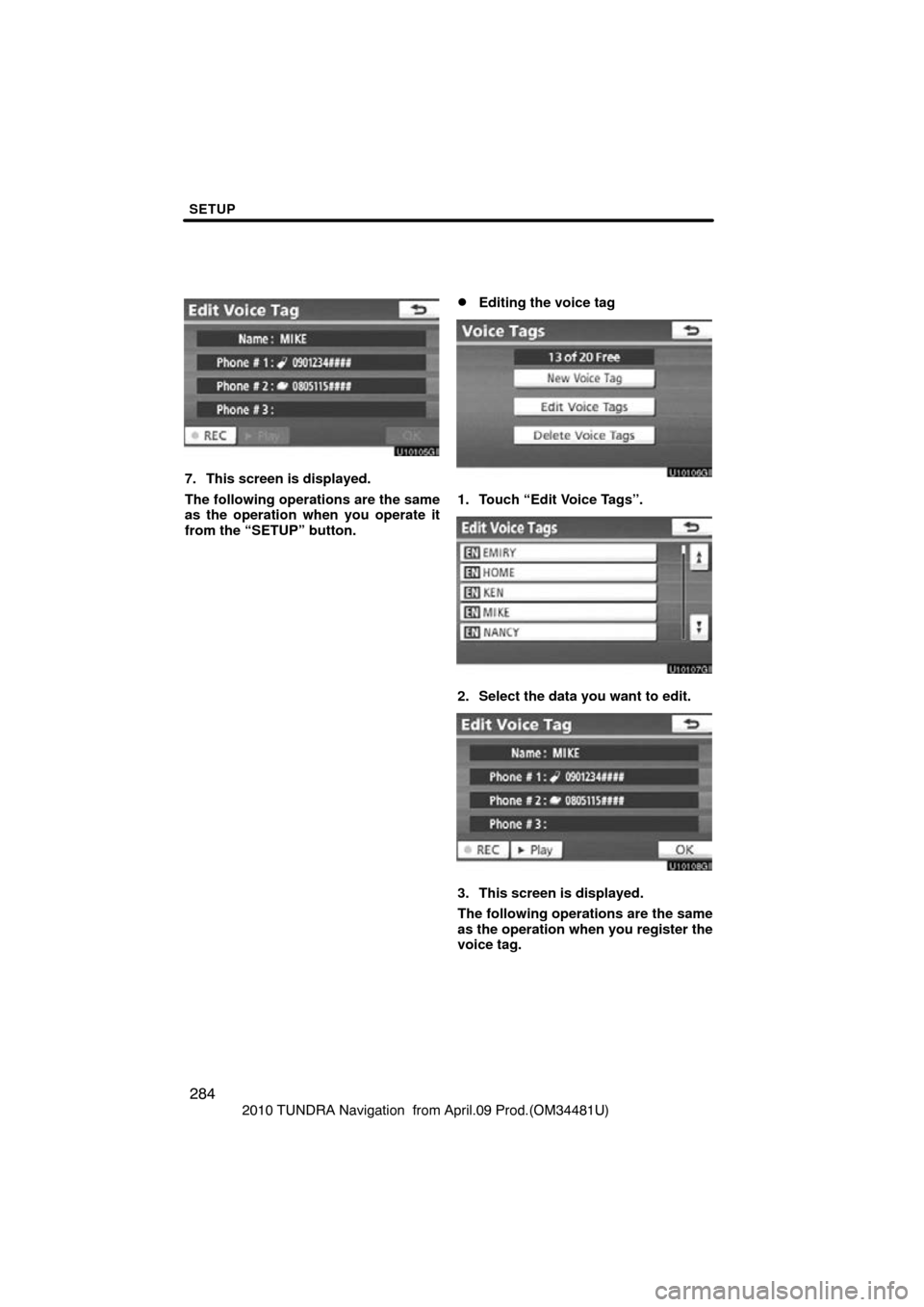
7. This screen is displayed.
The following operations are the same
as the operation when you operate it
from the “SETUP” button.
�Editing the voice tag
1. Touch “Edit Voice Tags”.
2. Select the data you want to edit.
3. This screen is displayed.
The following operations are the same
as the operation when you register the
voice tag.
Page 285 of 328
SETUP
285
2010 TUNDRA Navigation from April.09 Prod.(OM34481U)
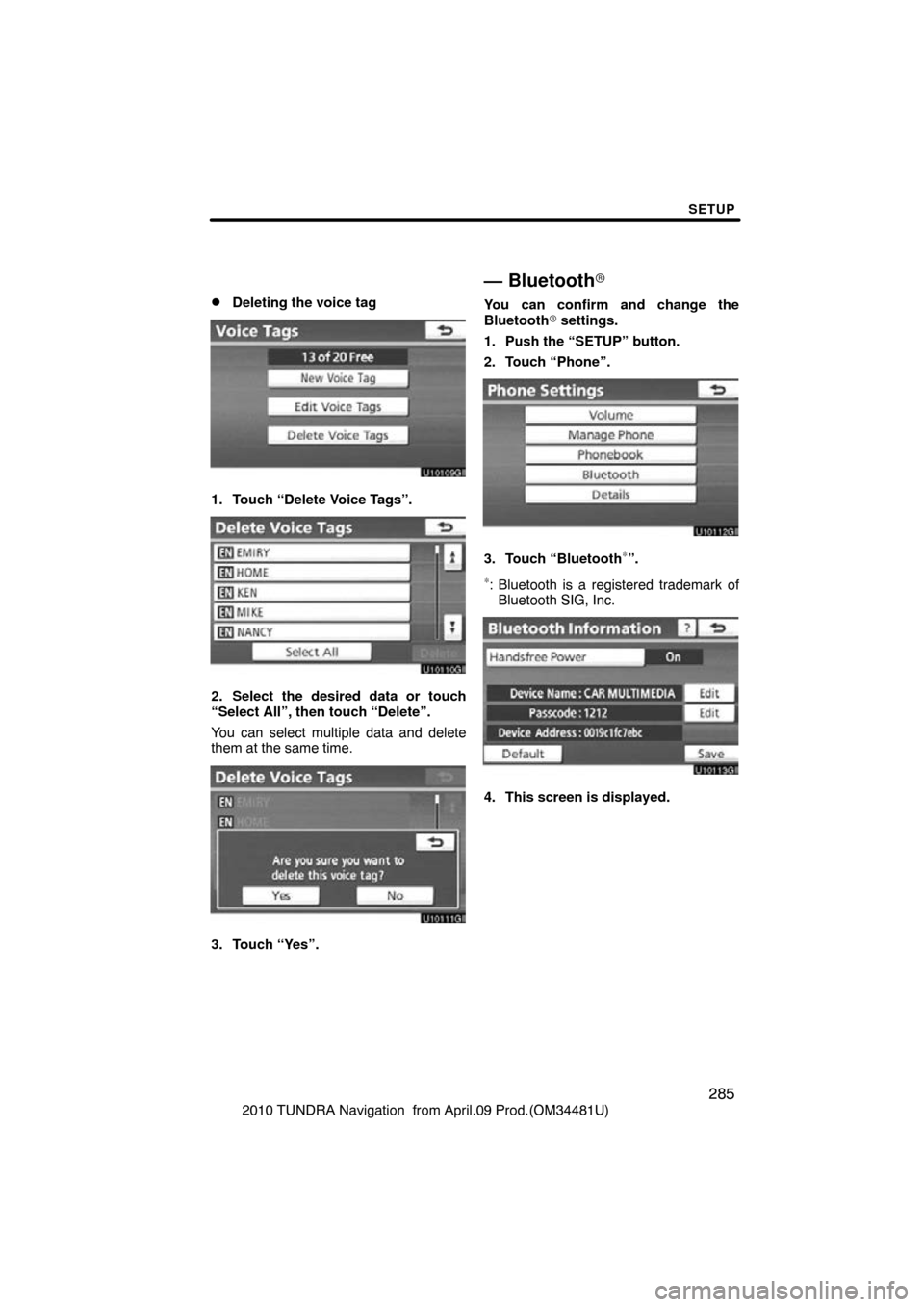
�Deleting the voice tag
1. Touch “Delete Voice Tags”.
2. Select the desired data or touch
“Select All”, then touch “Delete”.
You can select multiple data and delete
them at the same time.
3. Touch “Yes”.
— Bluetooth�
You can confirm and change the
Bluetooth� settings.
1. Push the “SETUP” button.
2. Touch “Phone”.
3. Touch “Bluetooth∗”.
∗: Bluetooth is a registered trademark of Bluetooth SIG, Inc.
4. This screen is displayed.
Page 286 of 328

SETUP
286
2010 TUNDRA Navigation from April.09 Prod.(OM34481U)
The information displays the following
items.
“Device Name”
The name in the Bluetooth�
. . . . .
network. You can change it.
“Passcode” The password when you regis-
. . . . .
ter your cellular phone in the
system. You can change it.
“Device Address” The address peculiar to the
. . . . .
system. You can not change it.
If the same device name is
displayed on the screen of
your phone, refer to it.
If you want to change the settings, refer
to the following pages.
When you change the settings, touch
“Save” after changing them.
�Changing the Bluetooth � settings
You can change the Bluetooth� set-
tings according to the following proce-
dures.
Changing the handsfree power
The “Handsfree Power” display shows
the following state.
When “Handsfree Power” is “On” :
The Bluetooth � phone is automatically
connected when you turn the engine
switch to the “ACC” or “ON” position.
When “Handsfree Power” is “Off” :
The Bluetooth � phone is disconnected,
and the system will not connect to it next
time.
You can select the state of “Handsfree
Power”.
On: The auto connection is turned on.
Off: The auto connection is turned off.
You can not change the state from “On”
into “Off” while driving.
Page 287 of 328
SETUP
287
2010 TUNDRA Navigation from April.09 Prod.(OM34481U)
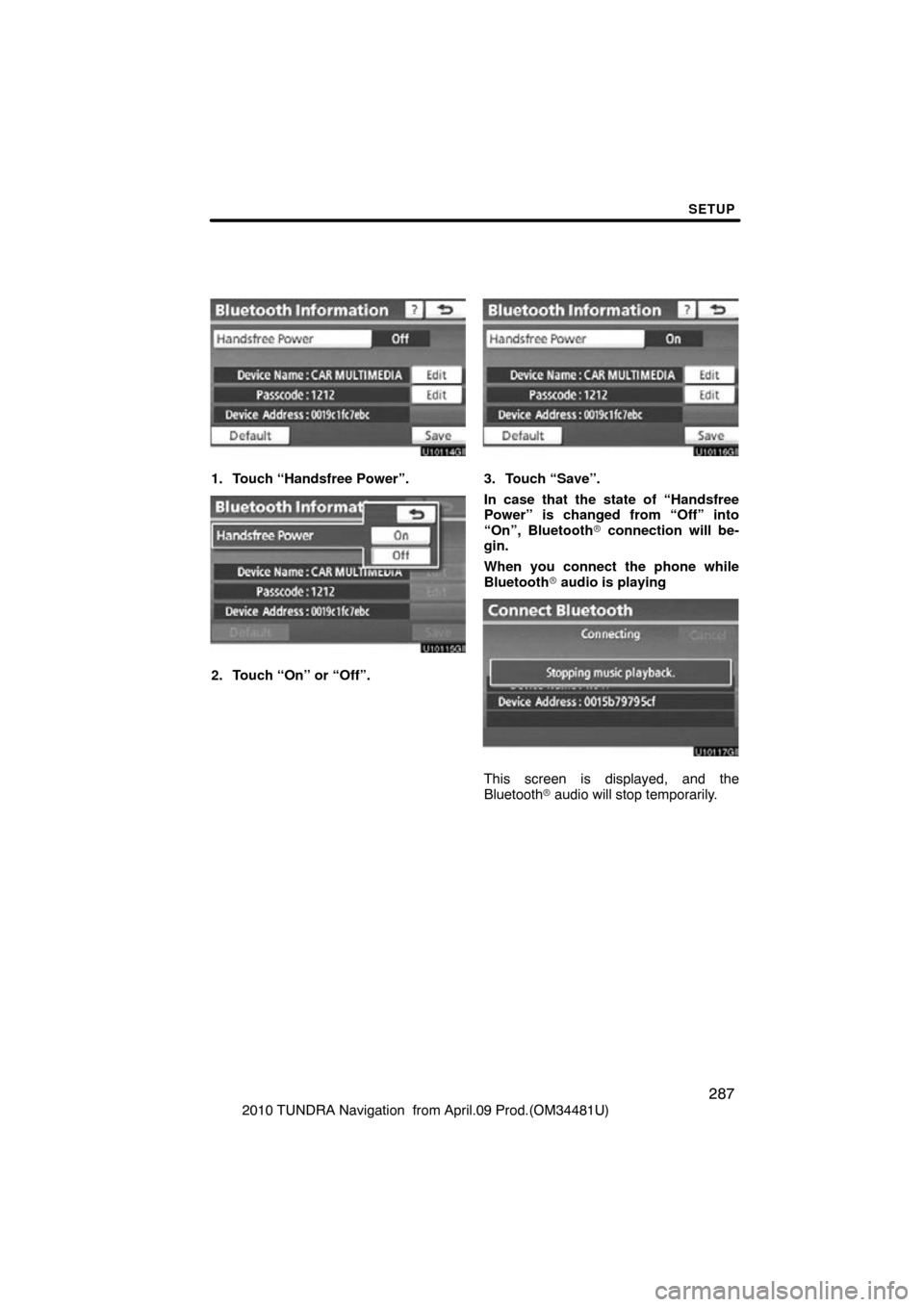
1. Touch “Handsfree Power”.
2. Touch “On” or “Off”.
3. Touch “Save”.
In case that the state of “Handsfree
Power” is changed from “Off” into
“On”, Bluetooth� connection will be-
gin.
When you connect the phone while
Bluetooth � audio is playing
This screen is displayed, and the
Bluetooth � audio will stop temporarily.
Page 289 of 328
SETUP
289
2010 TUNDRA Navigation from April.09 Prod.(OM34481U)
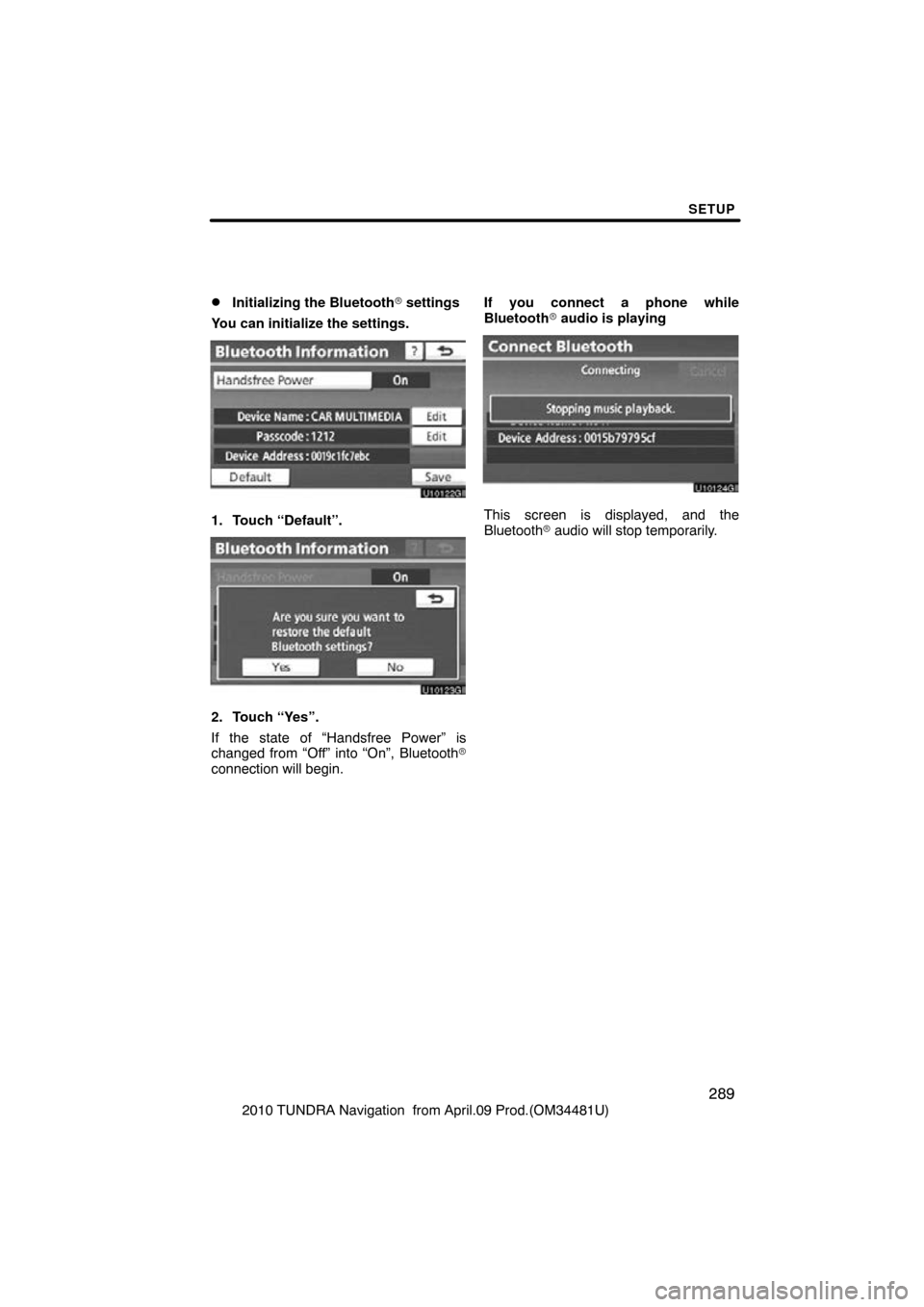
�Initializing the Bluetooth� settings
You can initialize the settings.
1. Touch “Default”.
2. Touch “Yes”.
If the state of “Handsfree Power” is
changed from “Off” into “On”, Bluetooth�
connection will begin. If you connect a phone while
Bluetooth
� audio is playing
This screen is displayed, and the
Bluetooth � audio will stop temporarily.
Page 290 of 328
SETUP
290
2010 TUNDRA Navigation from April.09 Prod.(OM34481U)
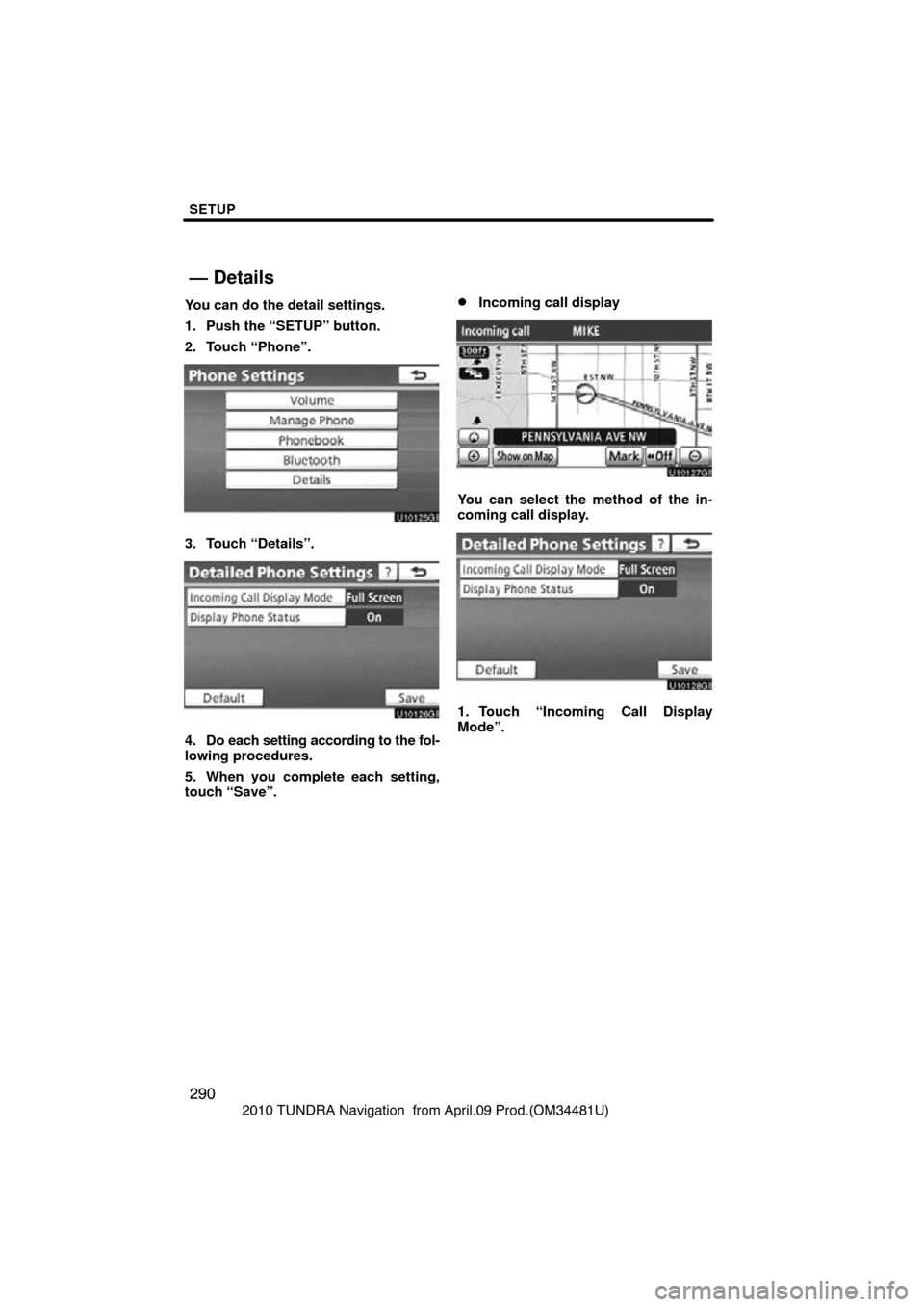
You can do the detail settings.
1. Push the “SETUP” button.
2. Touch “Phone”.
3. Touch “Details”.
4. Do each setting according to the fol-
lowing procedures.
5. When you complete each setting,
touch “Save”.
�Incoming call display
You can select the method of the in-
coming call display.
1. Touch “Incoming Call Display
Mode”.
— Details
Page 291 of 328
SETUP
291
2010 TUNDRA Navigation from April.09 Prod.(OM34481U)
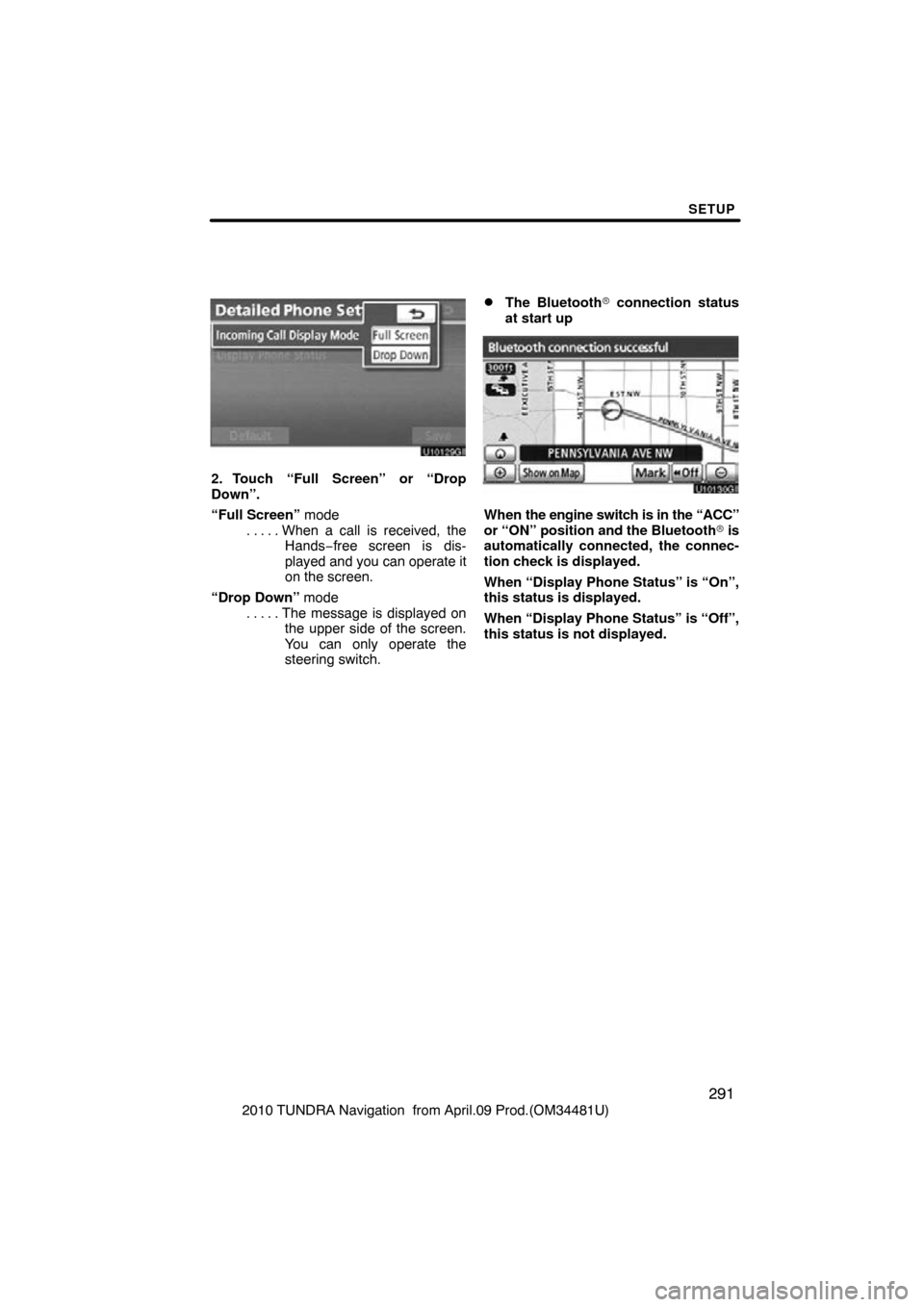
2. Touch “Full Screen” or “Drop
Down”.
“Full Screen” modeWhen a call is received, the
. . . . .
Hands −free screen is dis-
played and you can operate it
on the screen.
“Drop Down” mode The message is displayed on
. . . . .
the upper side of the screen.
You can only operate the
steering switch.
�The Bluetooth� connection status
at start up
When the engine switch is in the “ACC”
or “ON” position and the Bluetooth � is
automatically connected, the connec-
tion check is displayed.
When “Display Phone Status” is “On”,
this status is displayed.
When “Display Phone Status” is “Off”,
this status is not displayed.
Page 292 of 328
SETUP
292
2010 TUNDRA Navigation from April.09 Prod.(OM34481U)
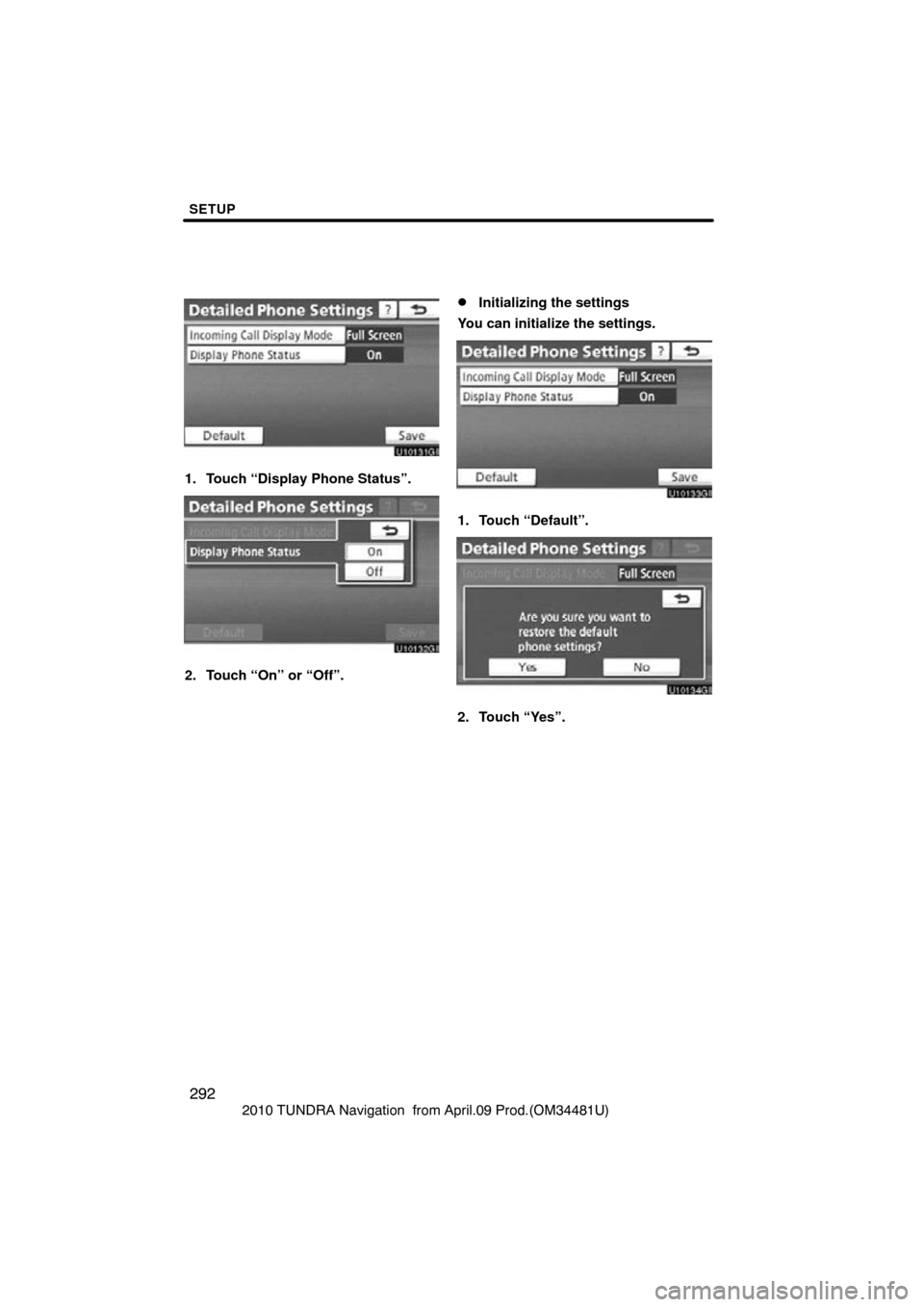
1. Touch “Display Phone Status”.
2. Touch “On” or “Off”.
�Initializing the settings
You can initialize the settings.
1. Touch “Default”.
2. Touch “Yes”.
Page 293 of 328
SETUP
293
2010 TUNDRA Navigation from April.09 Prod.(OM34481U)
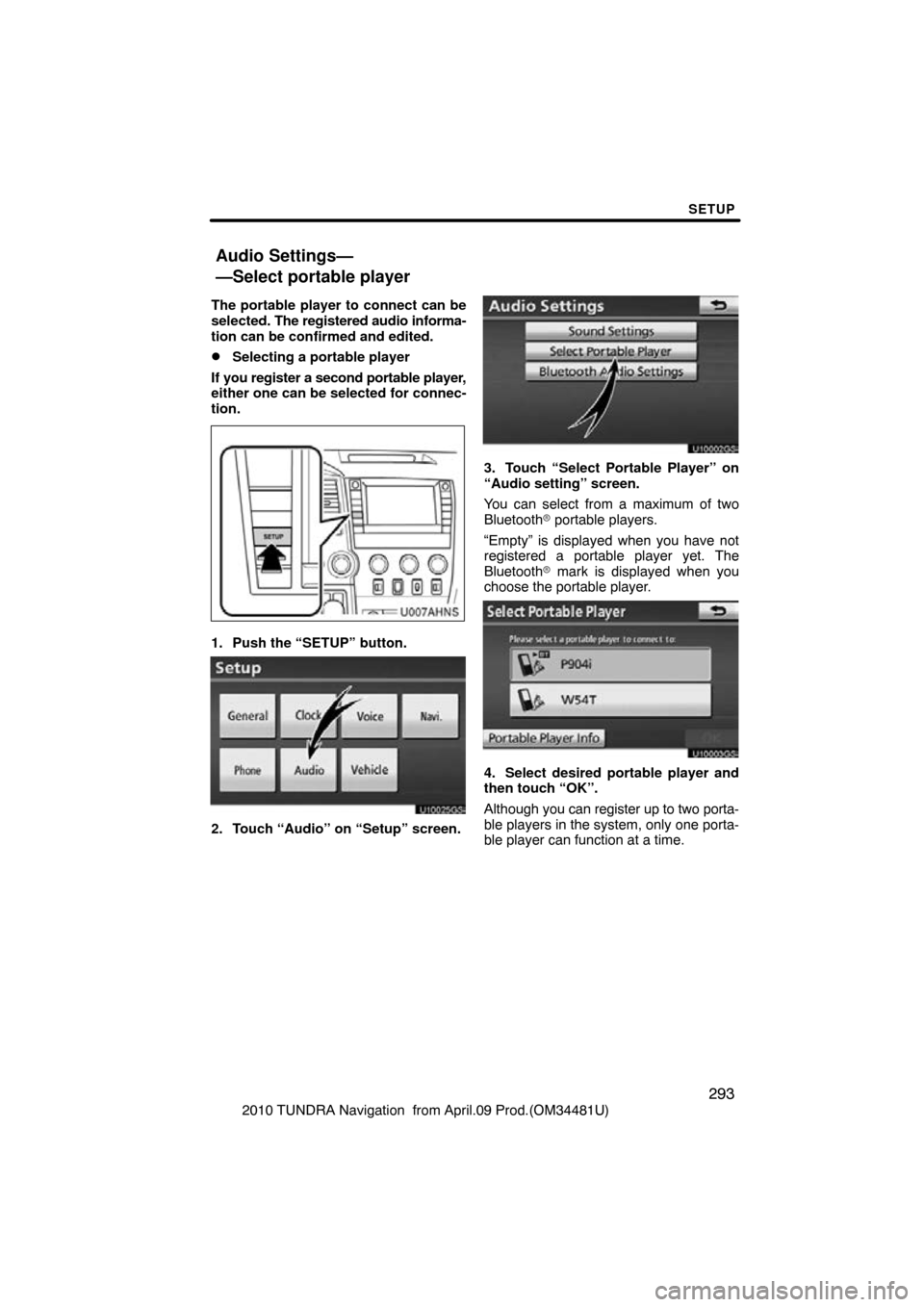
The portable player to connect can be
selected.
The registered audio informa-
tion can be confirmed and edited.
�Selecting a portable player
If you register a second portable player,
either one can be selected for connec-
tion.
U007AHNS
1. Push the “SETUP” button.
U10025GS
2. Touch “Audio” on “Setup” screen.
U10002GS
3. Touch “Select Portable Player” on
“Audio setting” screen.
You can select from a maximum of two
Bluetooth � portable players.
“Empty” is displayed when you have not
registered a portable player yet. The
Bluetooth � mark is displayed when you
choose the portable player.
U10003GS
4. Select desired portable player and
then touch “OK”.
Although you can register up to two porta-
ble players in the system, only one porta-
ble player can function at a time.
Audio Settings—
—Select portable player