TOYOTA TUNDRA 2012 2.G Repair Manual
TUNDRA 2012 2.G
TOYOTA
TOYOTA
https://www.carmanualsonline.info/img/14/6834/w960_6834-0.png
TOYOTA TUNDRA 2012 2.G Repair Manual
Page 379 of 744
379
3-3. Using the Bluetooth
® audio system
3
Interior and exterior features
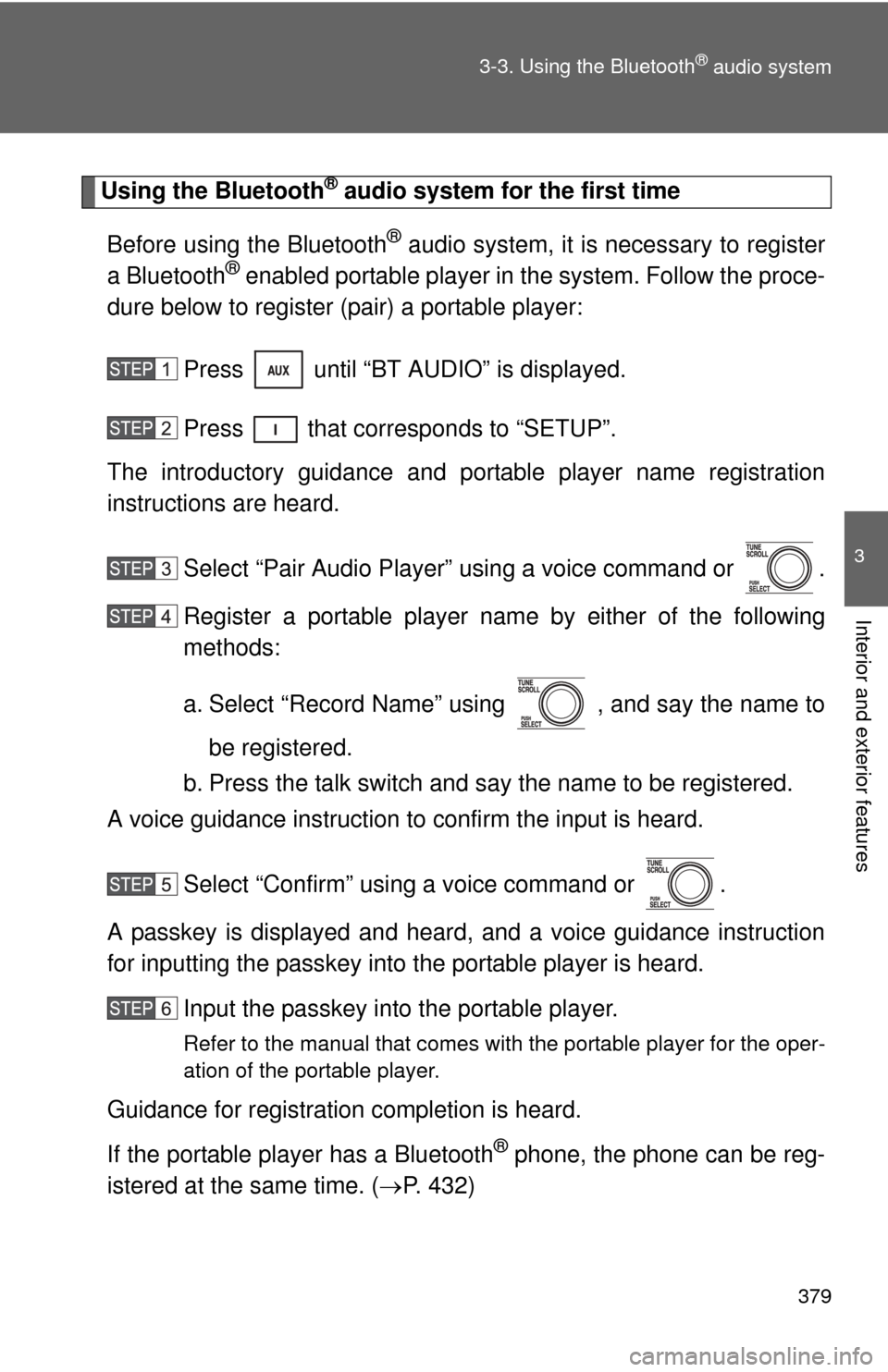
Using the Bluetooth® audio system for the first time
Before using the Bluetooth
® audio system, it is necessary to register
a Bluetooth® enabled portable player in the system. Follow the proce-
dure below to register (pair) a portable player:
Press until “BT AUDIO” is displayed.
Press that corresponds to “SETUP”.
The introductory guidance and port able player name registration
instructions are heard.
Select “Pair Audio Player” using a voice command or .
Register a portable player nam e by either of the following
methods:
a. Select “Record Name” using , and say the name to
be registered.
b. Press the talk switch and say the name to be registered.
A voice guidance instruction to confirm the input is heard.
Select “Confirm” using a voice command or .
A passkey is displayed and heard, and a voice guidance instruction
for inputting the passkey into the portable player is heard. Input the passkey into the portable player.
Refer to the manual that comes with the portable player for the oper-
ation of the portable player.
Guidance for registration completion is heard.
If the portable player has a Bluetooth
® phone, the phone can be reg-
istered at the same time. ( P. 432)
Page 380 of 744
380 3-3. Using the Bluetooth
® audio system
Menu list of the Bluetooth® audio system
■ Normal operation
“BT•A Setup” can be canceled by pres sing the on-hook switch or saying
the voice comm and, “Cancel”.
First
menuSecond menuThird menuOperation detail
“Setup” “BT
•A
Setup” “Pair Audio Player” Registering a portable player
“Select Audio
Player”
Selecting a portable player to
be used
“Change Name” Changing the registered
name of a portable player
“List Audio Players”Listing the registered portable
players
“Set Passkey” Changing the passkey
“Delete Audio” Deleting a registered portable
player
“System
Setup” “Guidance
Vo l u m e”
Setting voice guidance vol-
ume
“Device Name” Displaying the Bluetooth
®
device address and name
“Initialize” Initializing the system
Page 382 of 744
382
3-3. Using the Bluetooth® audio system
Operating a Bluetooth® enabled portable player
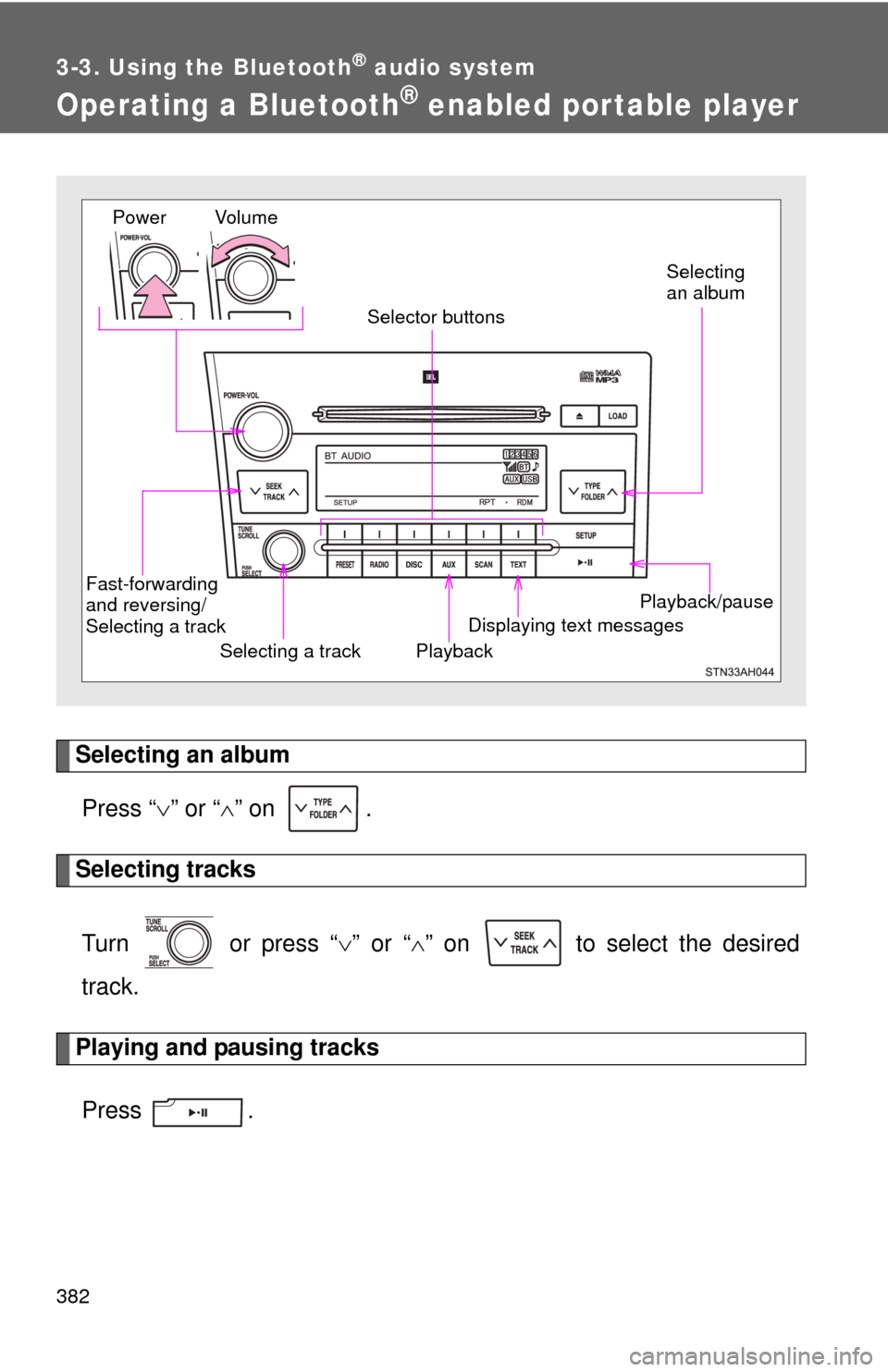
Selecting an albumPress “ ” or “ ” on .
Selecting tracks
Turn or press “ ” or “ ” on to select the desired
track.
Playing and pausing tracks
Press .
Playback/pause
Displaying text messages
Selecting a track
Selecting
an album
Fast-forwarding
and reversing/
Selecting a track Playback
Vo l u m e
Power
Selector buttons
Page 383 of 744
383
3-3. Using the Bluetooth
® audio system
3
Interior and exterior features
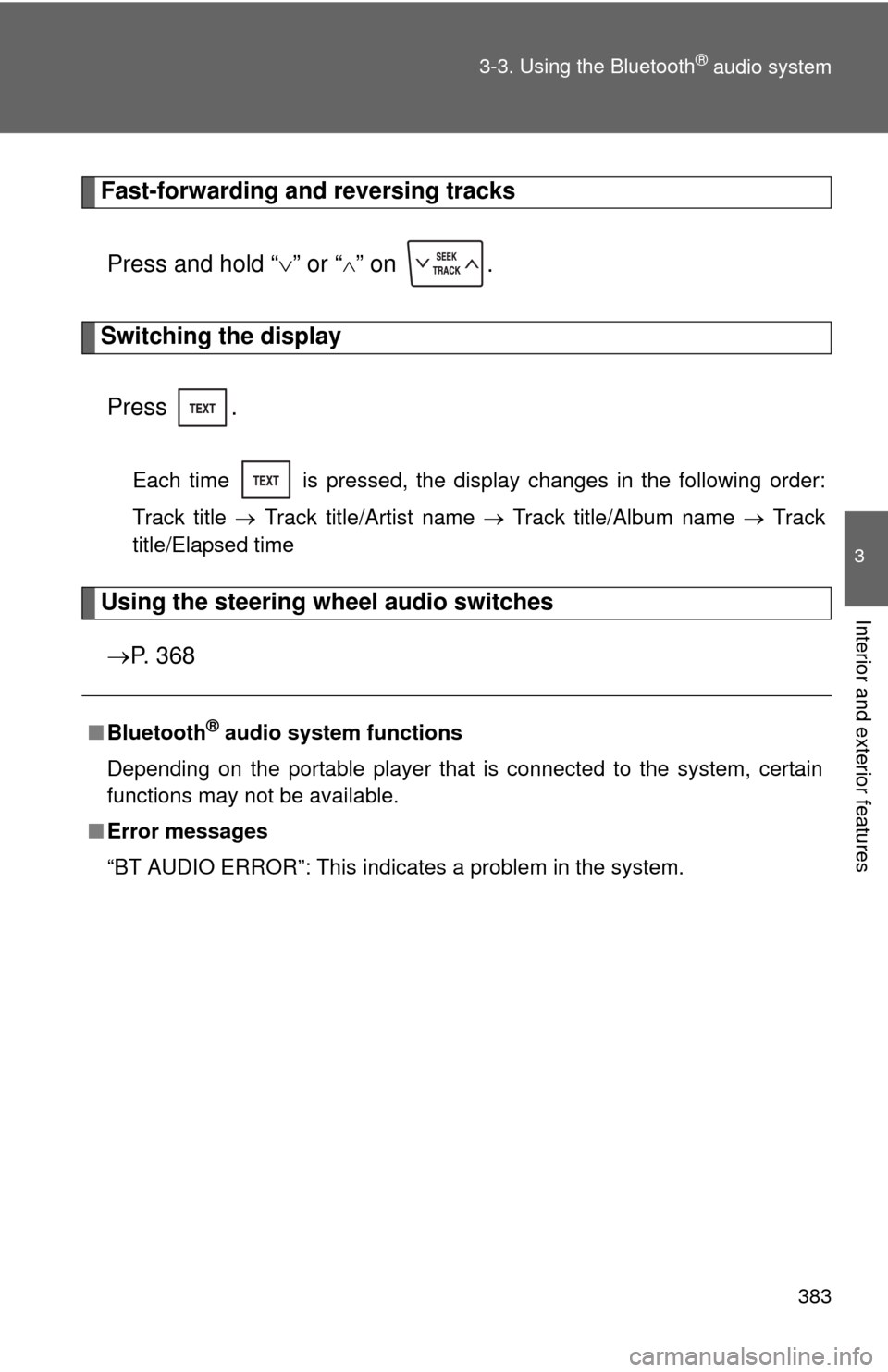
Fast-forwarding and reversing tracks
Press and hold “ ” or “
” on .
Switching the display
Press .
Each time is pressed, the display changes in the following order:
Track title Track title/Artist name Track title/Album name Track
title/Elapsed time
Using the steering wheel audio switches
P. 3 6 8
■Bluetooth® audio system functions
Depending on the portable player that is connected to the system, certain
functions may not be available.
■ Error messages
“BT AUDIO ERROR”: This indicates a problem in the system.
Page 384 of 744
384
3-3. Using the Bluetooth® audio system
Setting up a Bluetooth® enabled por table player
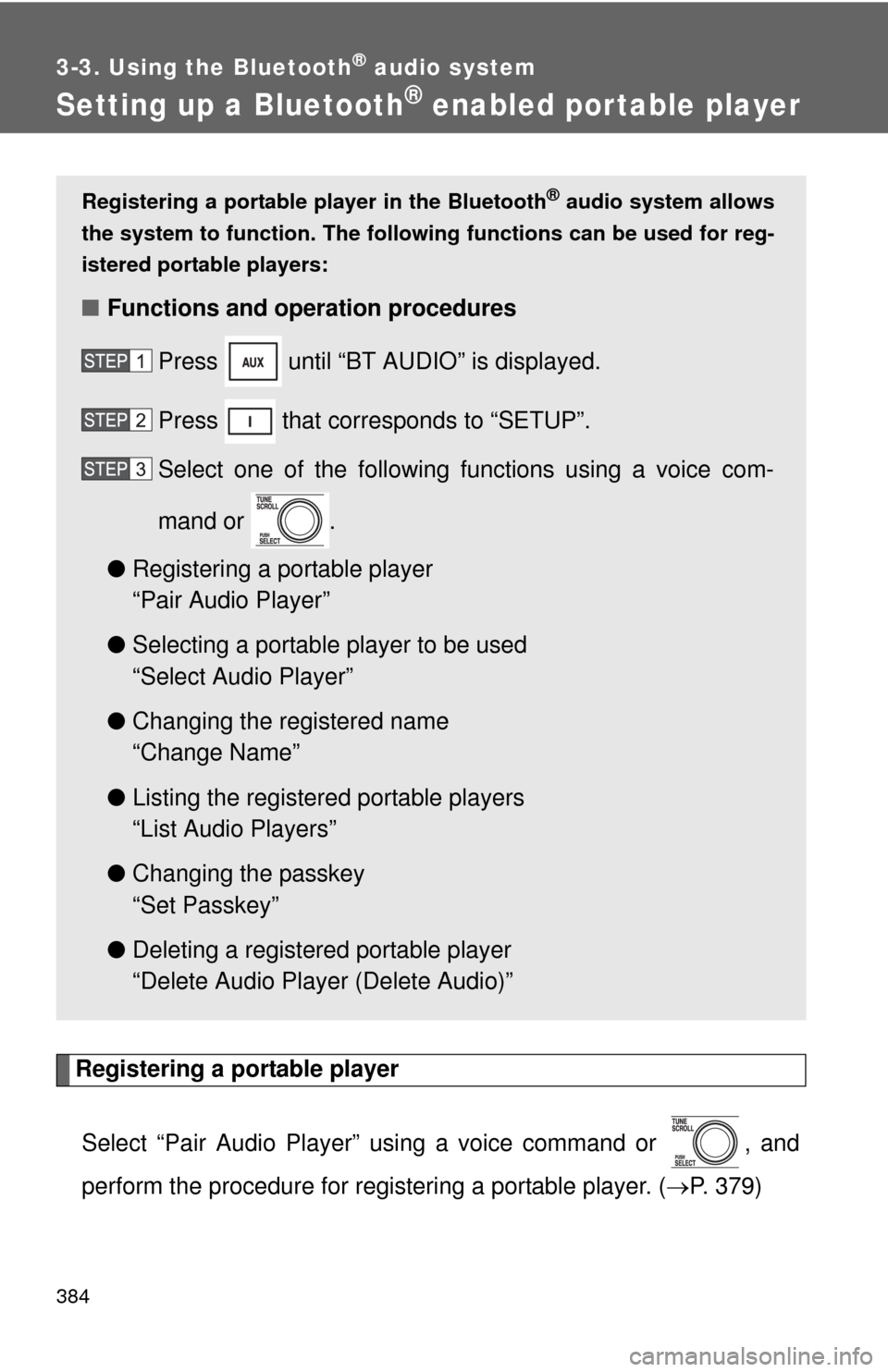
Registering a portable playerSelect “Pair Audio Player” using a voice command or , and
perform the procedure for registering a portable player. ( P. 379)
Registering a portable player in the Bluetooth® audio system allows
the system to function. The followin g functions can be used for reg-
istered portable players:
■ Functions and operation procedures
Press until “BT AUDIO” is displayed.
Press that corresponds to “SETUP”.
Select one of the following functions using a voice com-
mand or .
● Registering a portable player
“Pair Audio Player”
● Selecting a portable player to be used
“Select Audio Player”
● Changing the registered name
“Change Name”
● Listing the registered portable players
“List Audio Players”
● Changing the passkey
“Set Passkey”
● Deleting a registered portable player
“Delete Audio Player (Delete Audio)”
Page 389 of 744
389
3-3. Using the Bluetooth® audio system
3
Interior and exterior features
Bluetooth® audio system setup
■System setup items and operation procedures
●Setting voice guidance volume
1. “Setup” 2. “System Setup” 3. “Guidance Volume”
( P. 447)
● Displaying the Bluetooth
® device address and name
1. “Setup” 2. “System Setup” 3. “Device Name”
( P. 448)
● Initialization
1. “Setup” 2. “System Setup” 3. “Initialize”
( P. 448)
Page 390 of 744
390
3-4. Using the rear audio/video system
Rear seat entertainment system
: If equipped
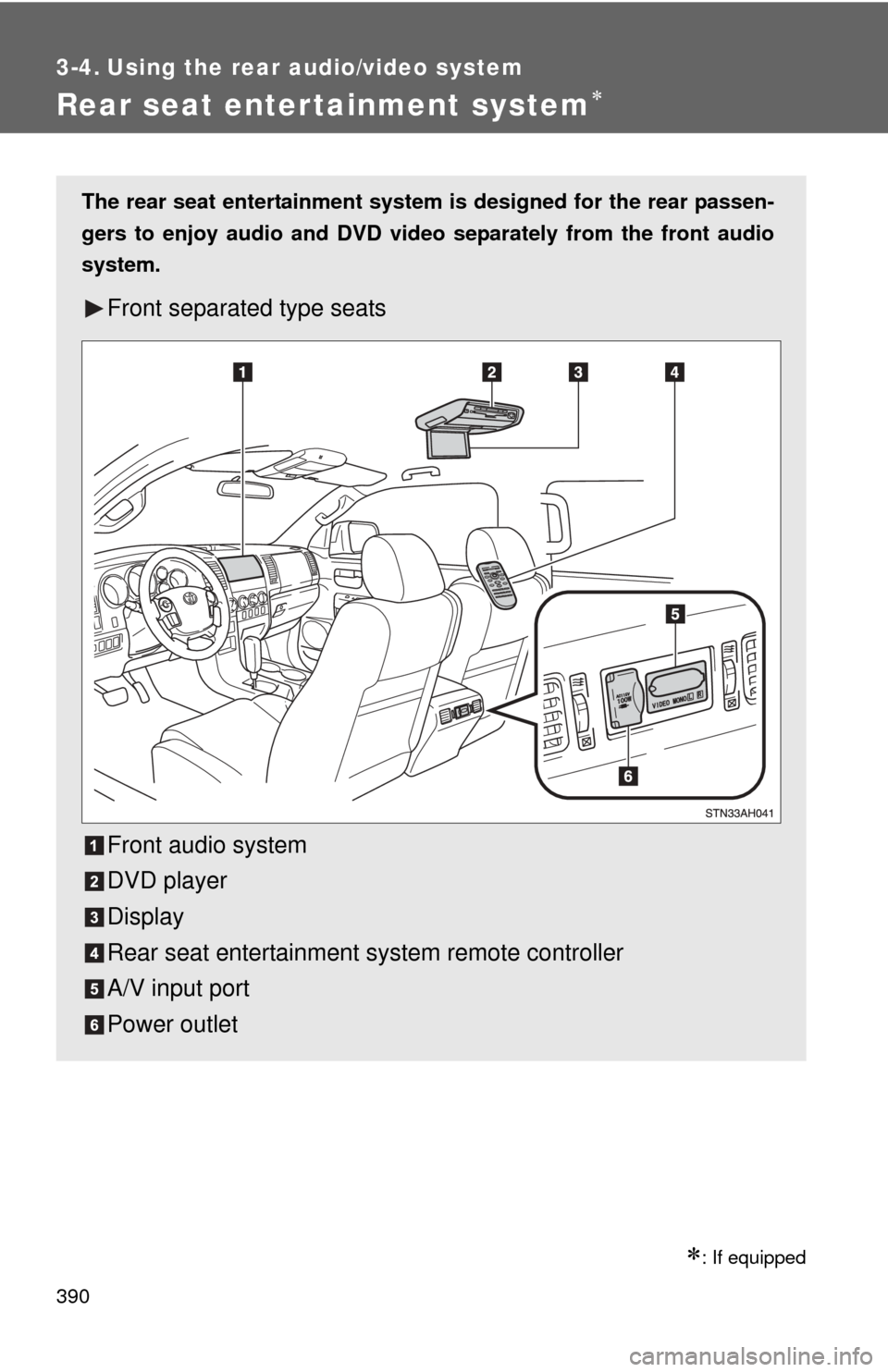
The rear seat entertainment system is designed for the rear passen-
gers to enjoy audio and DVD vide o separately from the front audio
system.
Front separated type seats
Front audio system
DVD player
Display
Rear seat entertainment system remote controller
A/V input port
Power outlet
Page 391 of 744
391
3-4. Using the rear audio/video system
3
Interior and exterior features
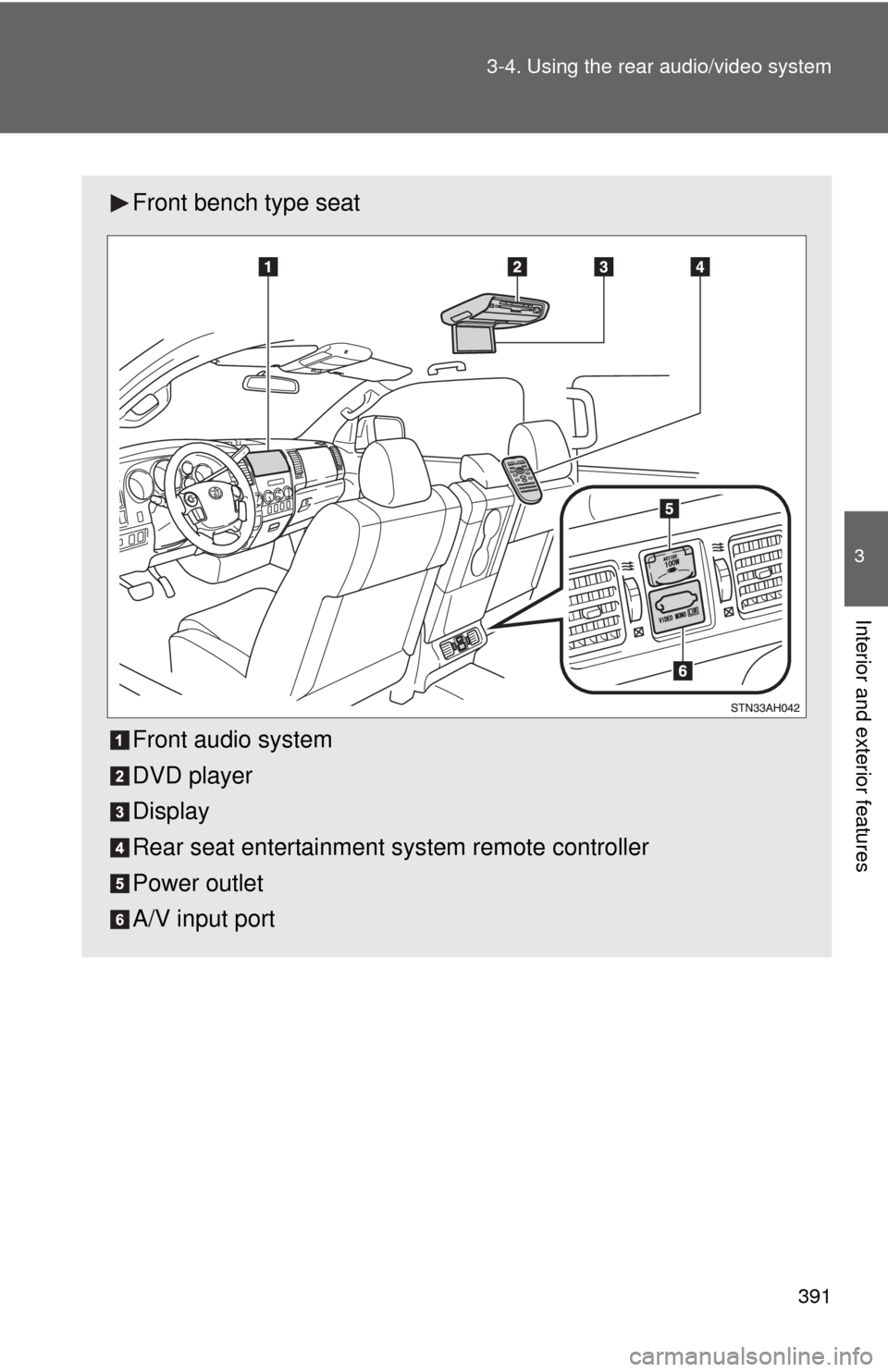
Front bench type seat
Front audio system
DVD player
Display
Rear seat entertainment system remote controller
Power outlet
A/V input port
Page 392 of 744
392 3-4. Using the rear audio/video system
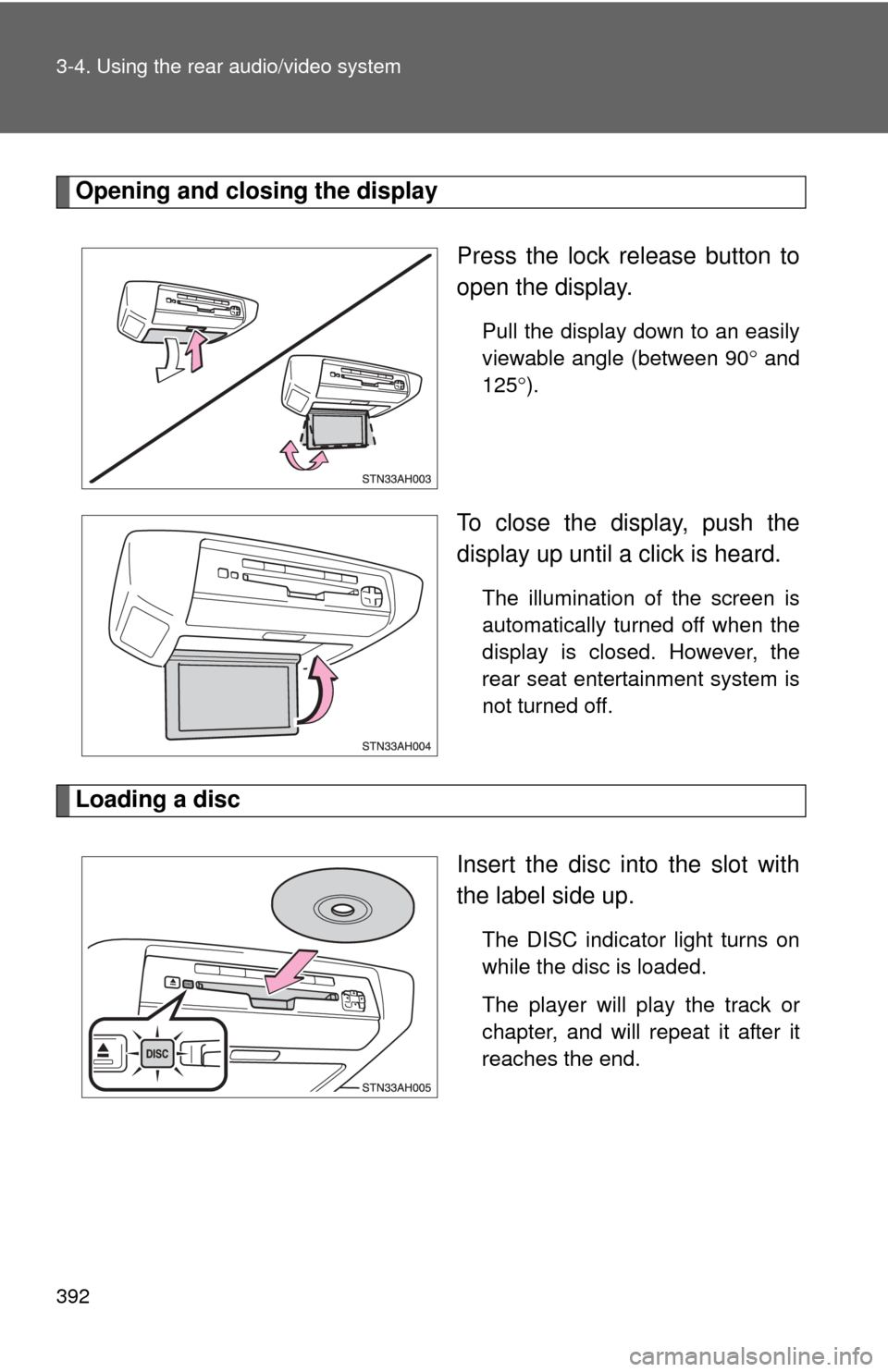
Opening and closing the displayPress the lock release button to
open the display.
Pull the display down to an easily
viewable angle (between 90 and
125 ).
To close the display, push the
display up until a click is heard.
The illumination of the screen is
automatically turned off when the
display is closed. However, the
rear seat entertainment system is
not turned off.
Loading a disc
Insert the disc into the slot with
the label side up.
The DISC indicator light turns on
while the disc is loaded.
The player will play the track or
chapter, and will repeat it after it
reaches the end.
Page 394 of 744
394 3-4. Using the rear audio/video system
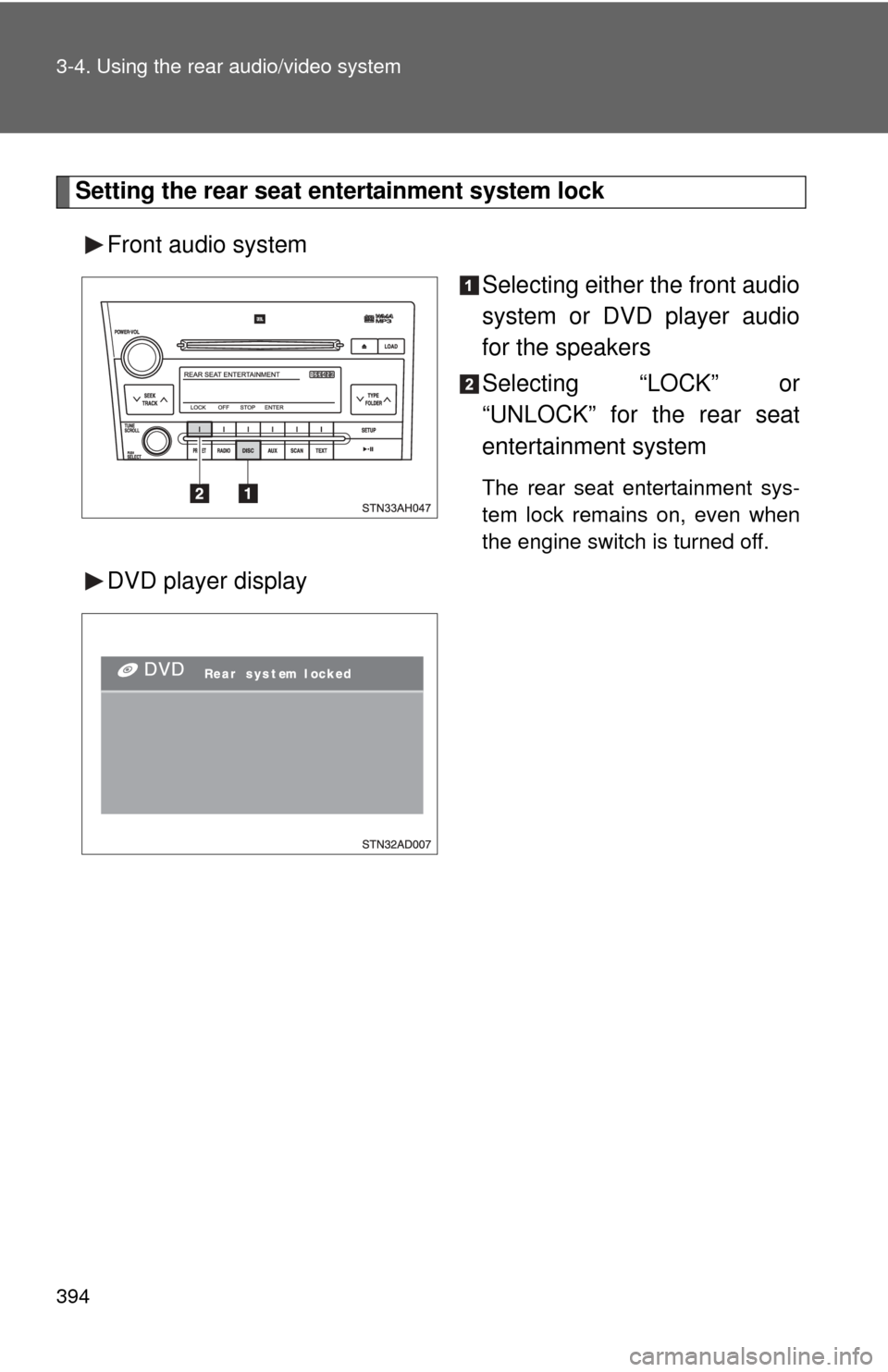
Setting the rear seat entertainment system lockFront audio system Selecting either the front audio
system or DVD player audio
for the speakers
Selecting “LOCK” or
“UNLOCK” for the rear seat
entertainment system
The rear seat entertainment sys-
tem lock remains on, even when
the engine switch is turned off.
DVD player display