display TOYOTA TUNDRA 2012 2.G Service Manual
[x] Cancel search | Manufacturer: TOYOTA, Model Year: 2012, Model line: TUNDRA, Model: TOYOTA TUNDRA 2012 2.GPages: 744, PDF Size: 15.3 MB
Page 326 of 744
326 3-2. Using the audio system
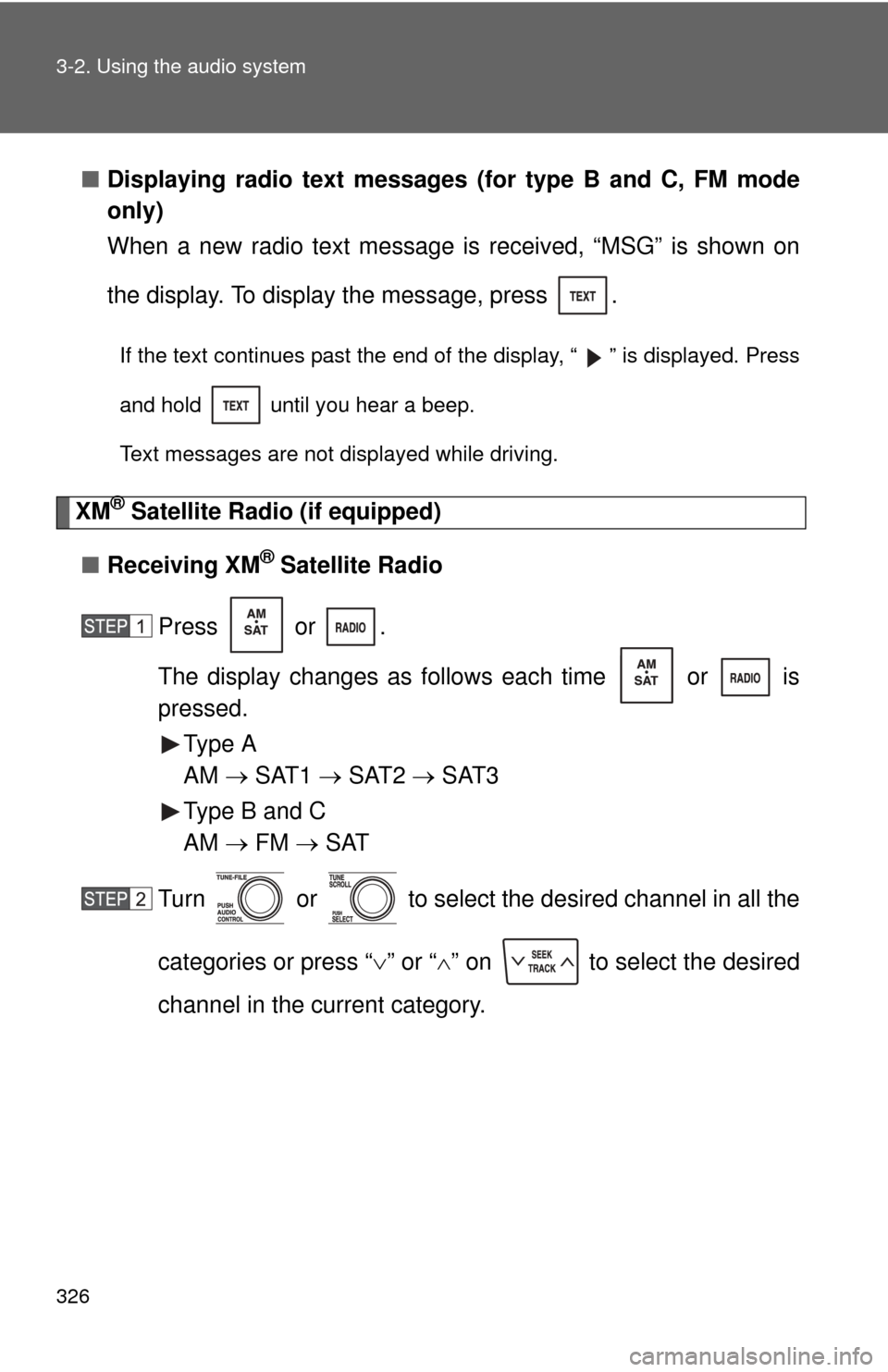
■Displaying radio text messages (for type B and C, FM mode
only)
When a new radio text message is received, “MSG” is shown on
the display. To display the message, press .
If the text continues past the end of the display, “ ” is displayed. Press
and hold until you hear a beep.
Text messages are not displayed while driving.
XM® Satellite Radio (if equipped)
■ Receiving XM
® Satellite Radio
Press or .
The display changes as follows each time or is
pressed. Type A
AM SAT1 SAT2 SAT3
Type B and C
AM FM SAT
Turn or to select the desired channel in all the
categories or press “ ” or “ ” on to select the desired
channel in the current category.
Page 328 of 744
328 3-2. Using the audio system
■Displaying text information
Press .
Each time is pressed, the display changes in the following order:
Type A
Channel name Title (song/program title) Name (artist name/feature)
Channel number.
Type B and C
Title (song/program title) Title (song/program title)Name (artist name/
feature).
Page 332 of 744
332
3-2. Using the audio system
Using the CD player
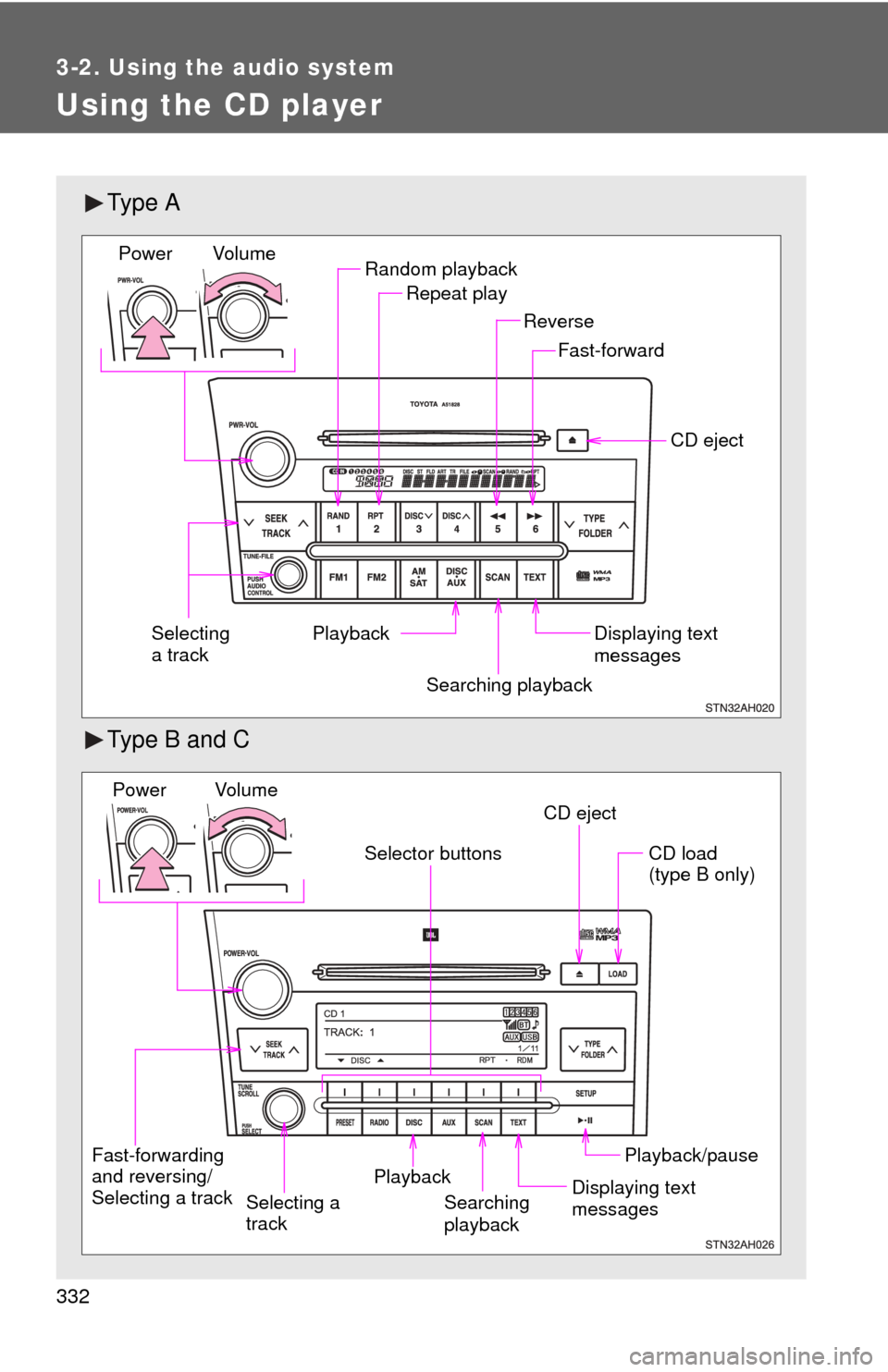
Ty p e A
Type B and C
Random playbackRepeat play
Playback CD eject
Displaying text
messages
Selecting
a track
Fast-forward
Reverse
Searching playback
Vol u m e
Power
CD eject
Fast-forwarding
and reversing/
Selecting a track Searching
playbackCD load
(type B only)
Playback/pause
Displaying text
messages
Selector buttons
Playback
Vo l u m e
Power
Selecting a
track
Page 334 of 744
334 3-2. Using the audio system
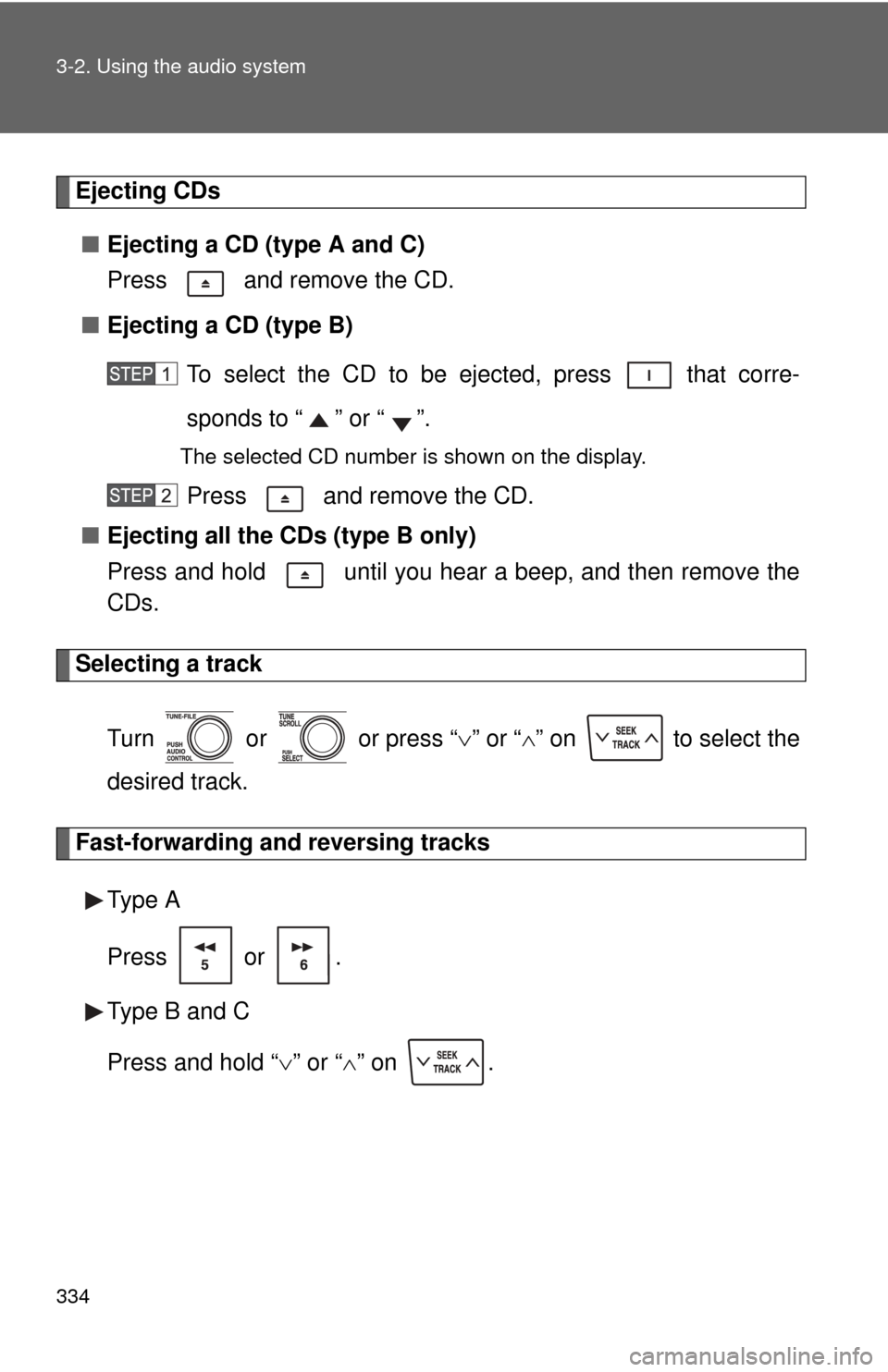
Ejecting CDs■ Ejecting a CD (type A and C)
Press and remove the CD.
■ Ejecting a CD (type B)
To select the CD to be ej ected, press that corre-
sponds to “ ” or “ ”.
The selected CD number is shown on the display.
Press and remove the CD.
■ Ejecting all the CDs (type B only)
Press and hold until you hear a beep, and then remove the
CDs.
Selecting a track
Turn or or press “ ” or “ ” on to select the
desired track.
Fast-forwarding and reversing tracks
Type A
Press or .
Type B and C
Press and hold “ ” or “ ” on .
Page 337 of 744
337
3-2. Using the audio system
3
Interior and exterior features
Switching the display
Press .
Each time is pressed, the display changes in the following order: Type A
Track no./Elapsed time CD title Track name.
Type B and C
Track title Track name/Artist name Track name/Elapsed time.
■Display (type A only)
Up to 12 characters can be displayed at a time.
If there are 13 characters or more, pressing and holding for 1 second
or more will display the remaining characters.
A maximum of 24 characters can be displayed.
If is pressed for 1 second or more again or has not been pressed for 6
seconds or more, the display will return to the first 12 characters.
Depending on the contents recorded, the characters may not be displayed
properly or may not be displayed at all.
Page 341 of 744
341
3-2. Using the audio system
3
Interior and exterior features
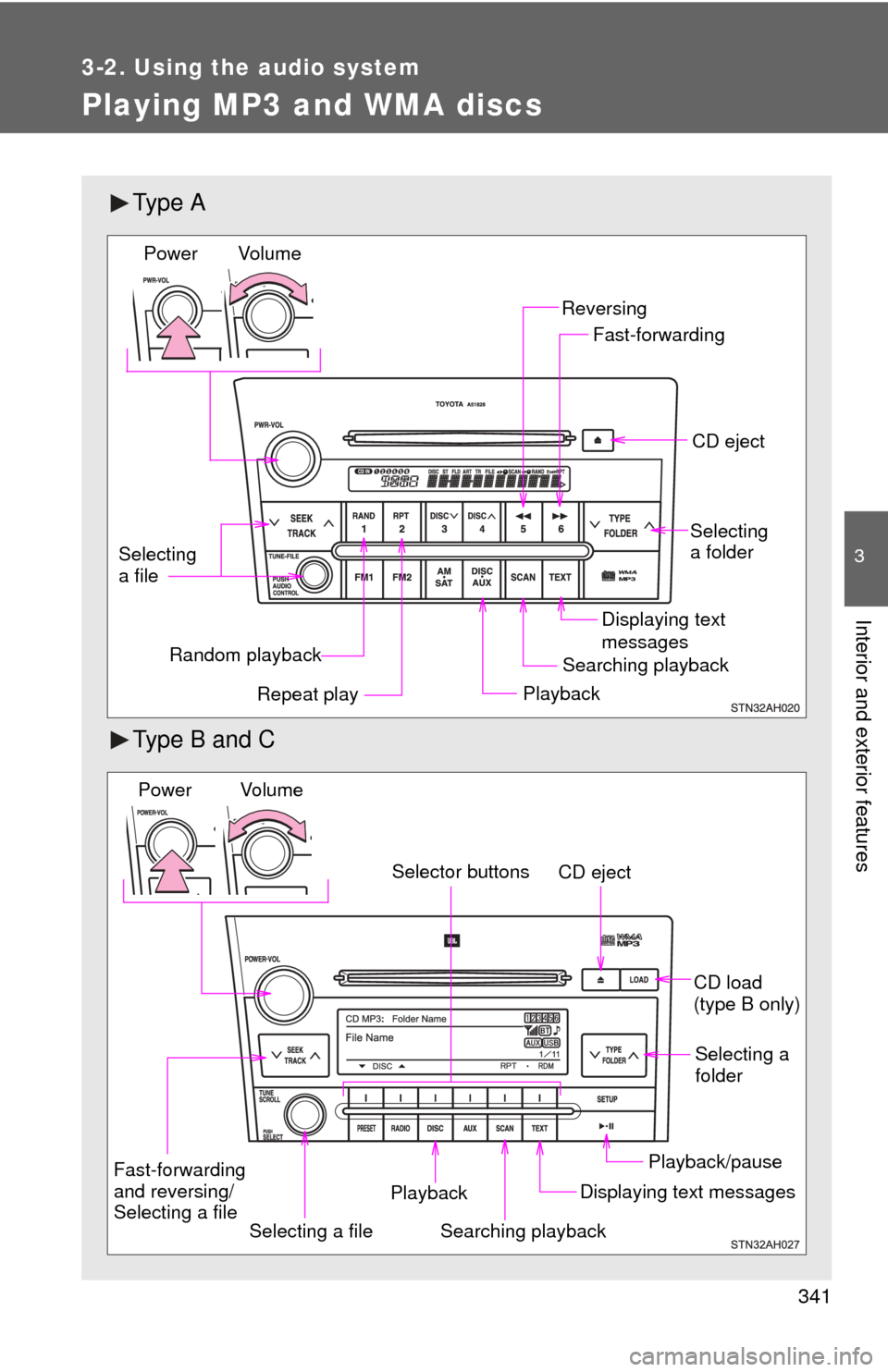
Playing MP3 and WMA discs
Ty p e A
Type B and C
Random playbackPlaybackCD eject
Displaying text
messages
Selecting
a file
Repeat play
Searching playback Selecting
a folder
Reversing
Fast-forwarding
Vol u m e
Power
CD eject
Searching playback Selecting a
folder
CD load
(type B only)
Playback/pause
Displaying text messages
Selecting a file
Selector buttons
Fast-forwarding
and reversing/
Selecting a file Playback
Vo l u m e
Power
Page 344 of 744
344 3-2. Using the audio system
Repeat play■ Repeating a file
Press or that corresponds to “RPT”.
To cancel, press the button again.
■Repeating all of the files in a folder
Type A
Press and hold until you hear a beep.
To cancel, press the button again.
Type B and C
Press that corresponds to “RPT” twice.
To cancel, press the button again.
■Repeating all of the files in a disc (type B only)
Press that corresponds to “RPT” three times.
To cancel, press the button again.
Switching the display
Press .
Each time is pressed, the display changes in the following order: Type A
Folder no./File no./Elapsed time Folder name File name Album
title (MP3 only) Track title Artist name.
Type B and C
Track title Track title/Artist name Track title/Album name Track
title/Elapsed time.
Page 345 of 744
345
3-2. Using the audio system
3
Interior and exterior features
■
Display
P. 337
■ Error messages
“CD CHECK”: This indicates a problem either with the CD or inside the
player. The CD may be dirty, damaged or inserted up-side
down.
“WAIT” or “PLEASE WAIT”:Operation has stopped due to a high tempera- ture inside the player. Wait for a while and then
press or . Contact your Toyota
dealer if the CD still cannot be played.
■ Discs that can be used
P. 338
■ CD player protection feature
P. 338
■ If CDs are left inside the CD player or in the ejected position for
extended periods
P. 338
■ Lens cleaners
P. 338
Page 347 of 744
347
3-2. Using the audio system
3
Interior and exterior features
●
Compatible media
Media that can be used for MP3 and WMA playback are CD-Rs and CD-
RWs.
Playback in some instances may not be possible, depending on the status
of the CD-R or CD-RW. Playback may not be possible or the audio may
jump if the disc is scratched or marked with fingerprints.
● Compatible disc formats
The following disc formats can be used.
• Disc formats: CD-ROM Mode 1 and Mode 2
CD-ROM XA Mode 2, Form 1 and Form 2
• File formats: ISO9660 Level 1, Level 2, (Romeo, Joliet) MP3 and WMA files written in any format other than those listed above
may not play correctly, and their file names and folder names may not
be displayed correctly.
Items related to standards and limitations are as follows.
• Maximum directory hierarchy: 8 levels
• Maximum length of folder names/file names: 32 characters
• Maximum number of folders: 192 (including the root)
• Maximum number of files per disc: 255
● File names
The only files that can be recognized as MP3/WMA and played are those
with the extension .mp3 or .wma.
● Multi-sessions
As the audio system is compatible with multi-sessions, it is possible to play
discs that contain MP3 and WMA files. However, only the first session can
be played.
● ID3 and WMA tags
ID3 tags can be added to MP3 files, making it possible to record the track
title and artist name, etc.
The system is compatible with ID3 Ver. 1.0, 1.1, and Ver. 2.2, 2.3 ID3 tags.
(The number of characters is based on ID3 Ver. 1.0 and 1.1.)
WMA tags can be added to WMA files, making it possible to record the
track title and artist name in the same way as with ID3 tags.
Page 349 of 744
349
3-2. Using the audio system
3
Interior and exterior features
Operating an iPod
: If equipped
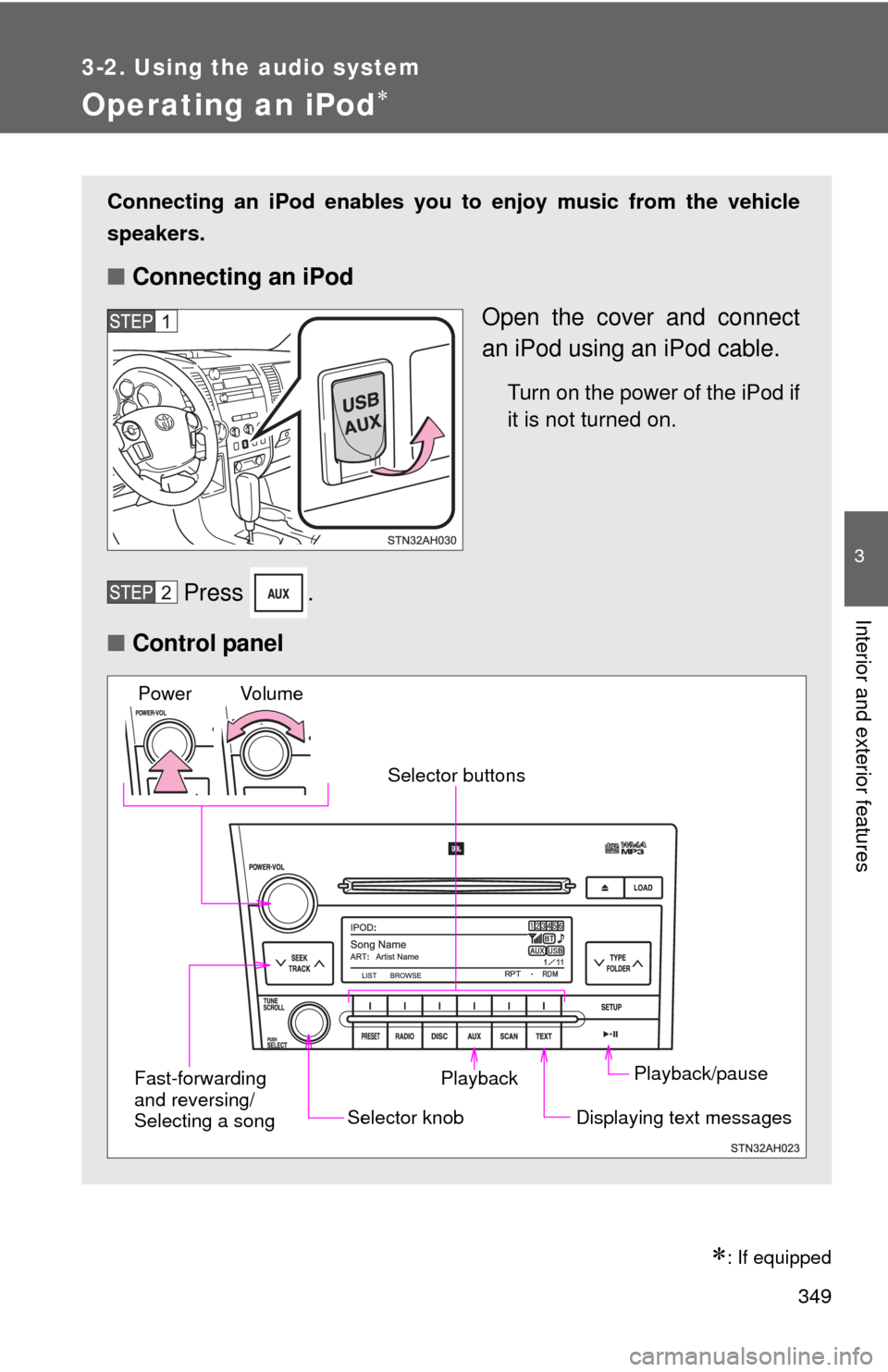
Connecting an iPod enables you to enjoy music from the vehicle
speakers.
■ Connecting an iPod
Open the cover and connect
an iPod using an iPod cable.
Turn on the power of the iPod if
it is not turned on.
Press .
■ Control panel
Playback/pause
Displaying text messages
Selector knob
Selector buttons
Fast-forwarding
and reversing/
Selecting a song Playback
Vo l u m e
Power