Key TOYOTA TUNDRA 2013 2.G Owner's Manual
[x] Cancel search | Manufacturer: TOYOTA, Model Year: 2013, Model line: TUNDRA, Model: TOYOTA TUNDRA 2013 2.GPages: 752, PDF Size: 15.87 MB
Page 179 of 752
179
2-1. Driving procedures
2
When driving
■
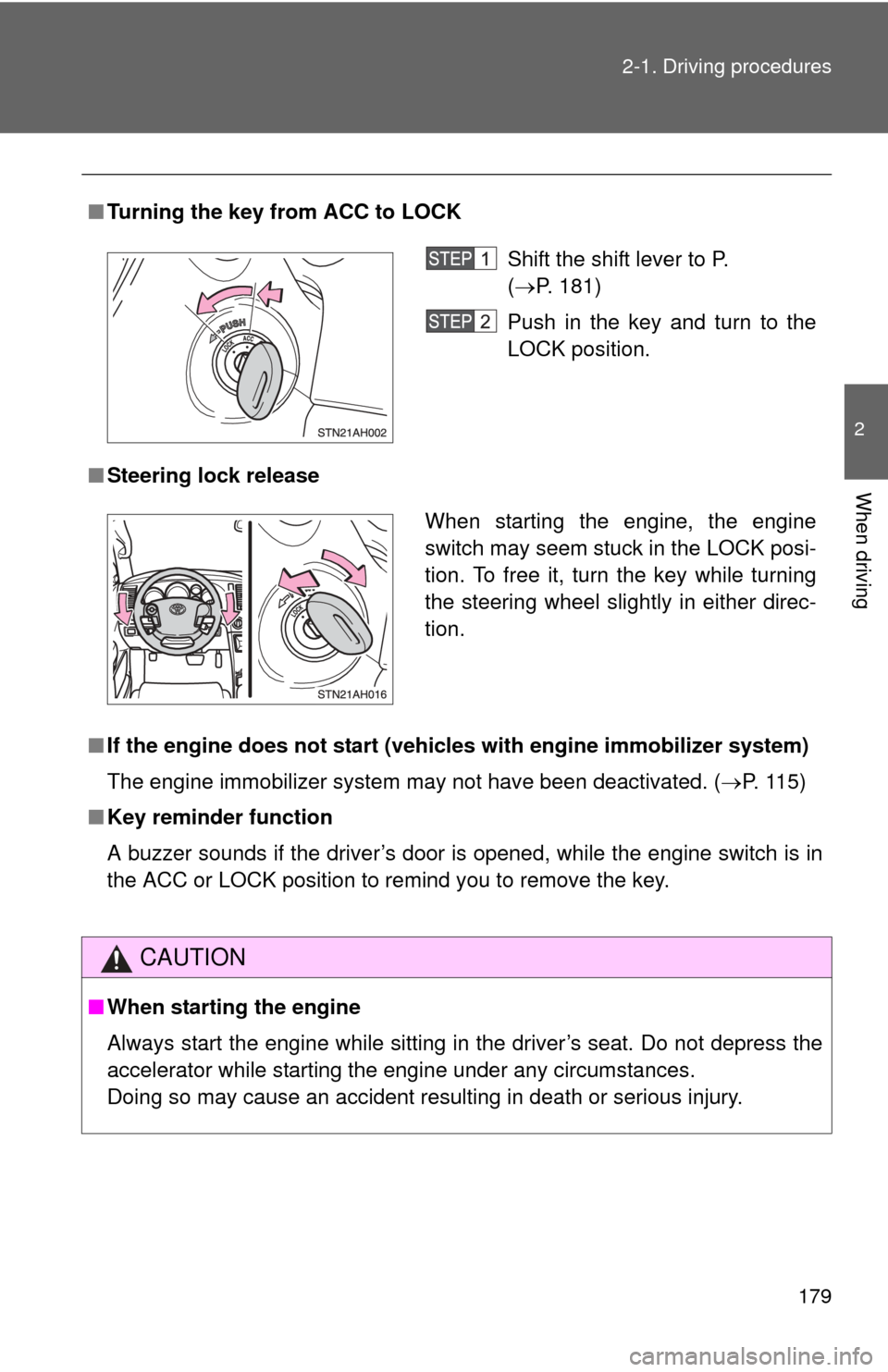
Turning the key from ACC to LOCK
■ Steering lock release
■ If the engine does not start (vehic les with engine immobilizer system)
The engine immobilizer system may not have been deactivated. ( P. 115)
■ Key reminder function
A buzzer sounds if the driver’s door is opened, while the engine switch is in
the ACC or LOCK position to remind you to remove the key.
CAUTION
■When starting the engine
Always start the engine while sitting in the driver’s seat. Do not depress the
accelerator while starting the engine under any circumstances.
Doing so may cause an accident resulting in death or serious injury.
Shift the shift lever to P.
(P. 181)
Push in the key and turn to the
LOCK position.
When starting the engine, the engine
switch may seem stuck in the LOCK posi-
tion. To free it, turn the key while turning
the steering wheel slightly in either direc-
tion.
Page 203 of 752

203
2-2. Instrument cluster
2
When driving
Feature customization
The vehicle can be customized while the vehicle is stopped.
Press the SETUP button to select the item you want to cus-
tomize unit.
UNITS
KEYLESS ENTRY FEEDBACK
KEYLESS ENTRY RELOCK TIMER
KEYLESS ENTRY ALL DOORS UNLOCK
DOOR AUTO LOCKING
DOOR AUTO UNLOCKING
HEADLAMPS AUTO OFF TIMER
COURTESY LAMPS OFF TIMER
LANGUAGE
DEFAULT SETTING
Page 204 of 752

204 2-2. Instrument cluster
Press the SELECT RESET button to customize the items.
ItemsScreen textSelect in this order
To select
US (ENGLISH)
or METRIC
(P. 205)
UNITS
Door lock/
unlock warning
functionKEYLESS ENTRY
FEEDBACK
Time for auto-
matic door lock
functionKEYLESS ENTRY
RELOCK TIMER
Double switch
operation to
unlock all the
doorsKEYLESS ENTRY
ALL DOORS
UNLOCK
Automatic door
locking functionDOOR AUTO
LOCKING
Automatic door
unlocking func-
tionDOOR AUTO
UNLOCKING
Time period
before lights
turn off (if a door
is opened and
closed, and
engine switch is
in ACC or
LOCK)
HEADLAMPS AUTO
OFF TIMER
Time period
before lights
turn offCOURTESY LAMPS
OFF TIMER
METRIC
US (ENGLISH)
LAMPS + TONE*LAMPS
TONE
OFF
60 SECONDS*120 SECONDS
30 SECONDS OFF
2 PRESSES*1 PRESS
SHIFT OUT
OF PARKABOVE 12 MPH*
(20 km/h)
OFF
SHIFT TO PARK*DRIVER DOOR
OPEN
OFF
30 SECONDS*60 SECONDS
90 SECONDS
0 SECONDS
15 SECONDS*30 SECONDS
8 SECONDS
Page 379 of 752
379
3-3. Using the Bluetooth
® audio system
3
Interior and exterior features
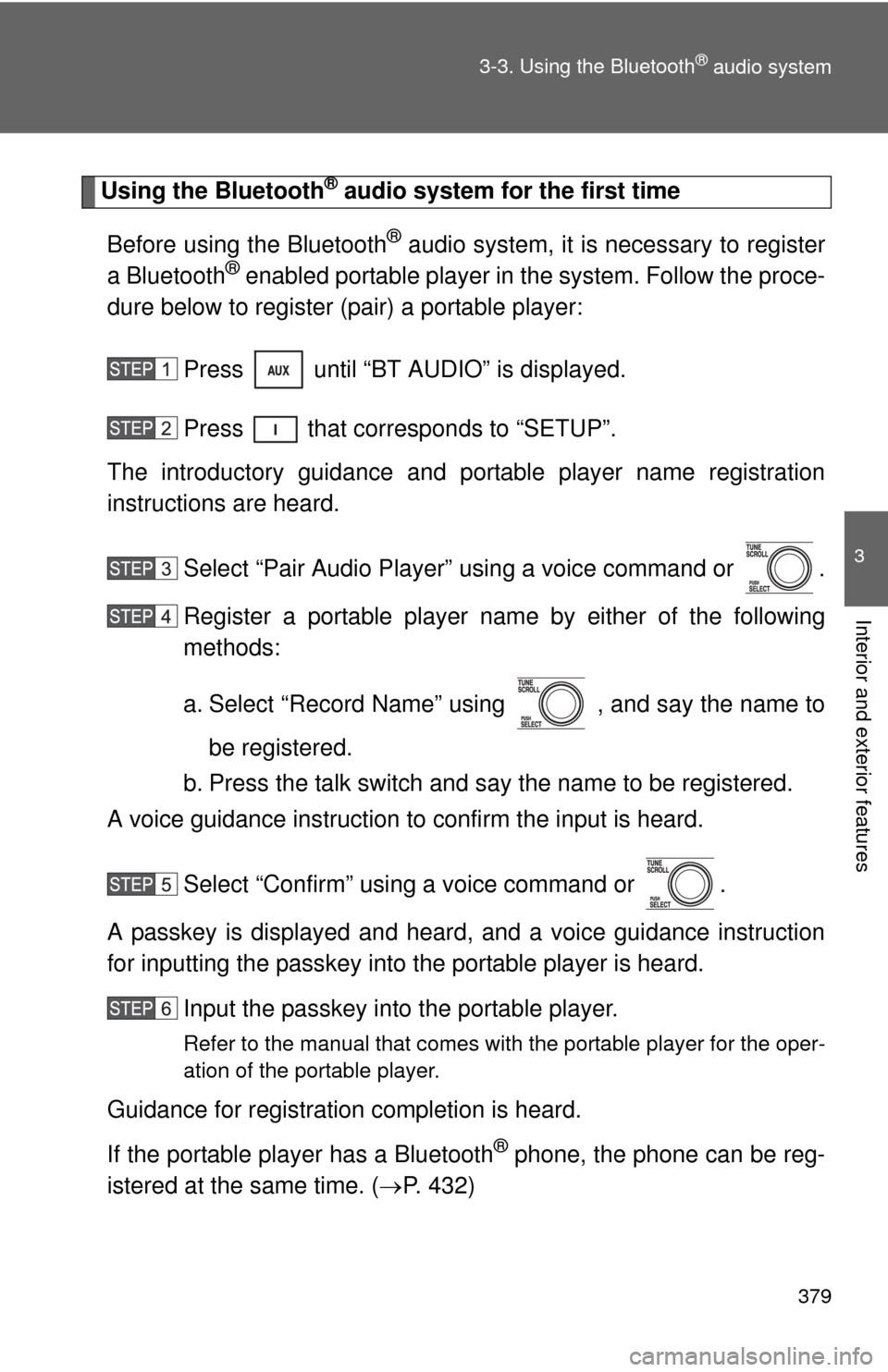
Using the Bluetooth® audio system for the first time
Before using the Bluetooth
® audio system, it is necessary to register
a Bluetooth® enabled portable player in the system. Follow the proce-
dure below to register (pair) a portable player:
Press until “BT AUDIO” is displayed.
Press that corresponds to “SETUP”.
The introductory guidance and port able player name registration
instructions are heard.
Select “Pair Audio Player” using a voice command or .
Register a portable player nam e by either of the following
methods:
a. Select “Record Name” using , and say the name to
be registered.
b. Press the talk switch and say the name to be registered.
A voice guidance instruction to confirm the input is heard.
Select “Confirm” using a voice command or .
A passkey is displayed and heard, and a voice guidance instruction
for inputting the passkey into the portable player is heard. Input the passkey into the portable player.
Refer to the manual that comes with the portable player for the oper-
ation of the portable player.
Guidance for registration completion is heard.
If the portable player has a Bluetooth
® phone, the phone can be reg-
istered at the same time. ( P. 432)
Page 380 of 752
380 3-3. Using the Bluetooth
® audio system
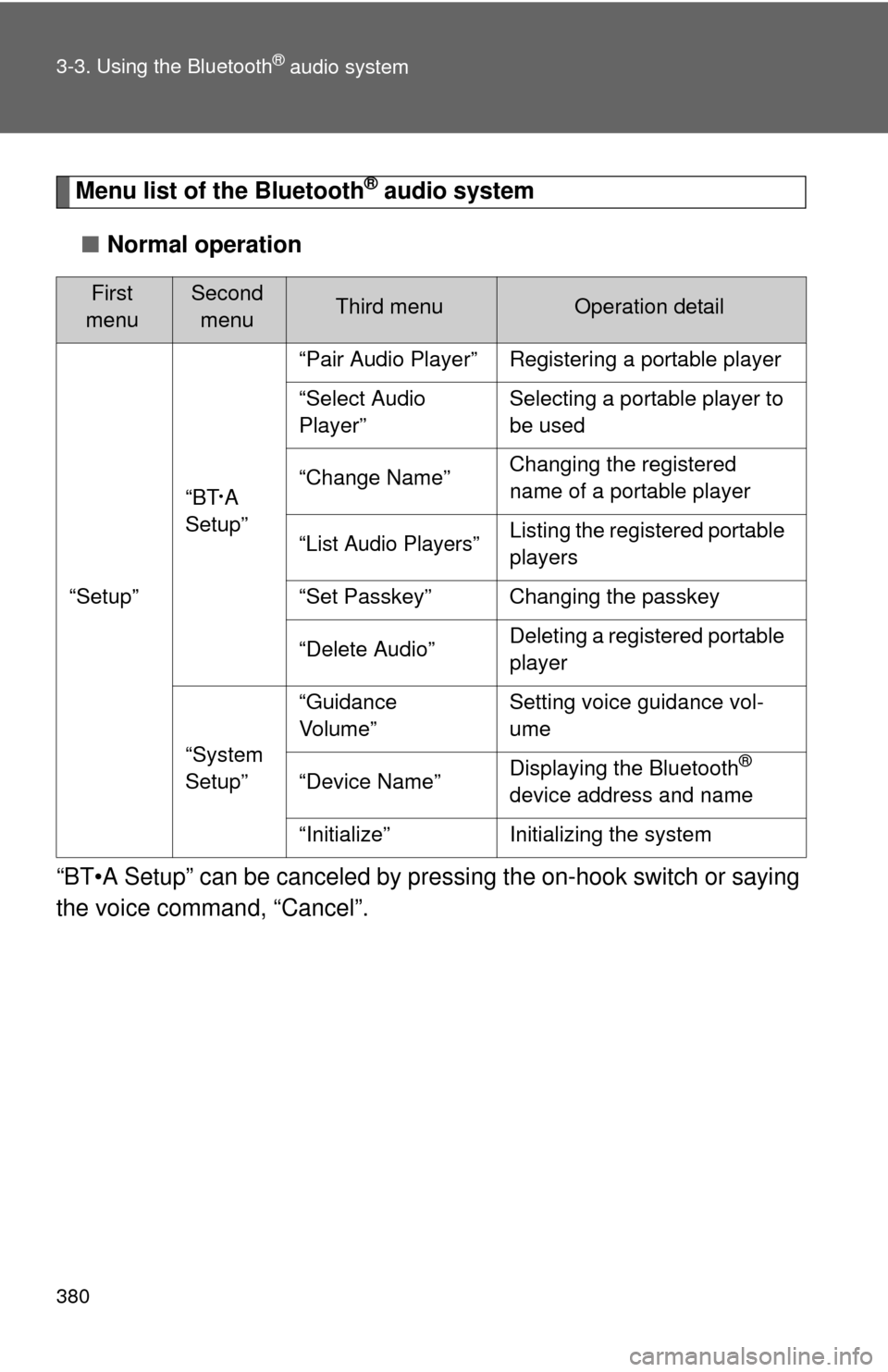
Menu list of the Bluetooth® audio system
■ Normal operation
“BT•A Setup” can be canceled by pres sing the on-hook switch or saying
the voice comm and, “Cancel”.
First
menuSecond menuThird menuOperation detail
“Setup” “BT
•A
Setup” “Pair Audio Player” Registering a portable player
“Select Audio
Player”
Selecting a portable player to
be used
“Change Name” Changing the registered
name of a portable player
“List Audio Players”Listing the registered portable
players
“Set Passkey” Changing the passkey
“Delete Audio” Deleting a registered portable
player
“System
Setup” “Guidance
Vo l u m e”
Setting voice guidance vol-
ume
“Device Name” Displaying the Bluetooth
®
device address and name
“Initialize” Initializing the system
Page 381 of 752
381
3-3. Using the Bluetooth
® audio system
3
Interior and exterior features
■
When using a voice command
For numbers, say a combination of single digits from zero to nine.
Say the command correctly and clearly.
■ The system may not recognize your voice in the following situations:
●When driving on rough roads
● When driving at high speeds
● When air is blowing out of the vents onto the microphone
● When the air conditioning fan emits a loud noise
■ Operations that cannot be performed while driving
●Operating the system with
● Registering a portable player to the system
■ Changing the passkey
P. 387
Page 384 of 752
384
3-3. Using the Bluetooth® audio system
Setting up a Bluetooth® enabled por table player
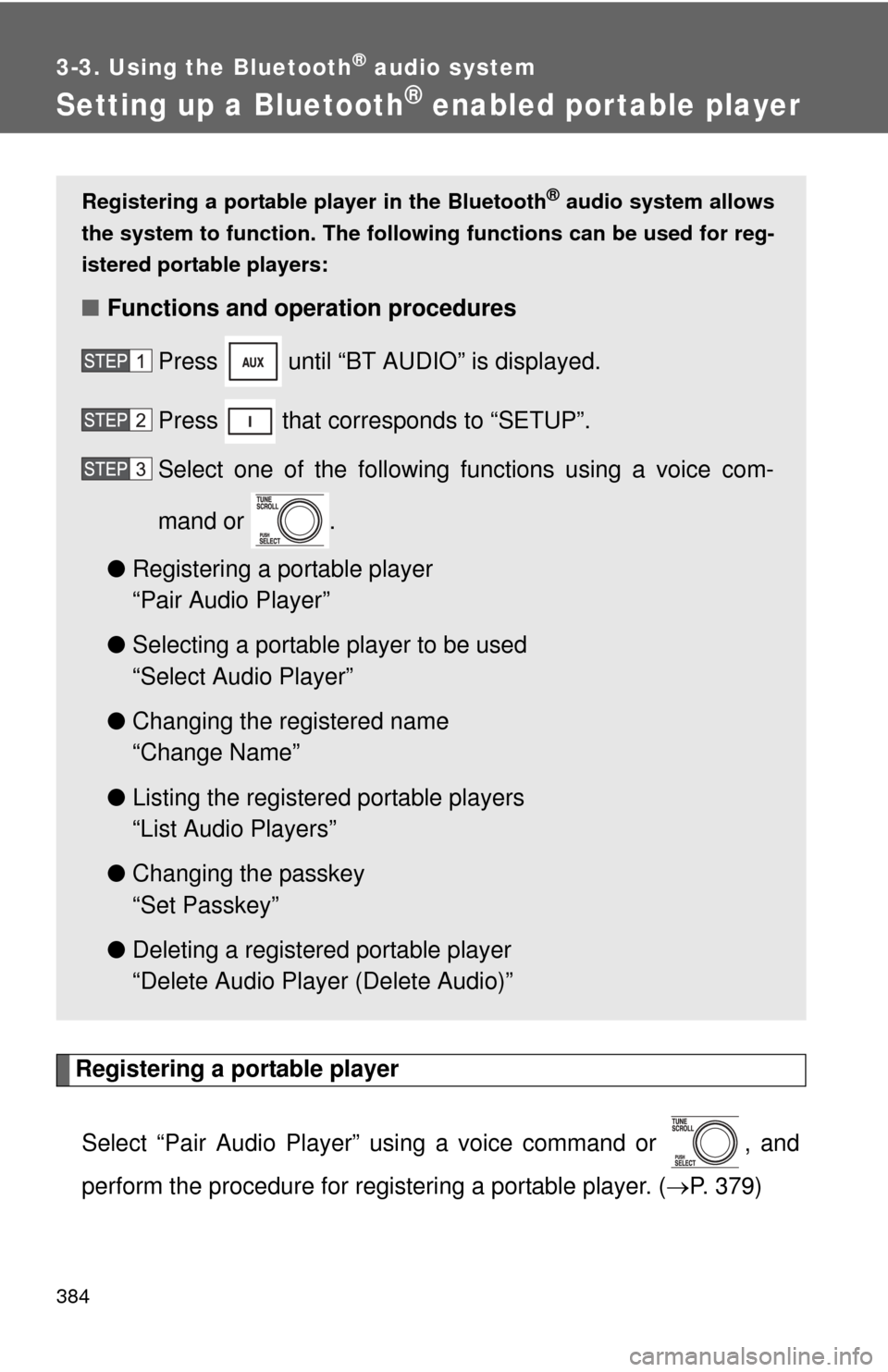
Registering a portable playerSelect “Pair Audio Player” using a voice command or , and
perform the procedure for registering a portable player. ( P. 379)
Registering a portable player in the Bluetooth® audio system allows
the system to function. The followin g functions can be used for reg-
istered portable players:
■ Functions and operation procedures
Press until “BT AUDIO” is displayed.
Press that corresponds to “SETUP”.
Select one of the following functions using a voice com-
mand or .
● Registering a portable player
“Pair Audio Player”
● Selecting a portable player to be used
“Select Audio Player”
● Changing the registered name
“Change Name”
● Listing the registered portable players
“List Audio Players”
● Changing the passkey
“Set Passkey”
● Deleting a registered portable player
“Delete Audio Player (Delete Audio)”
Page 387 of 752
387
3-3. Using the Bluetooth
® audio system
3
Interior and exterior features
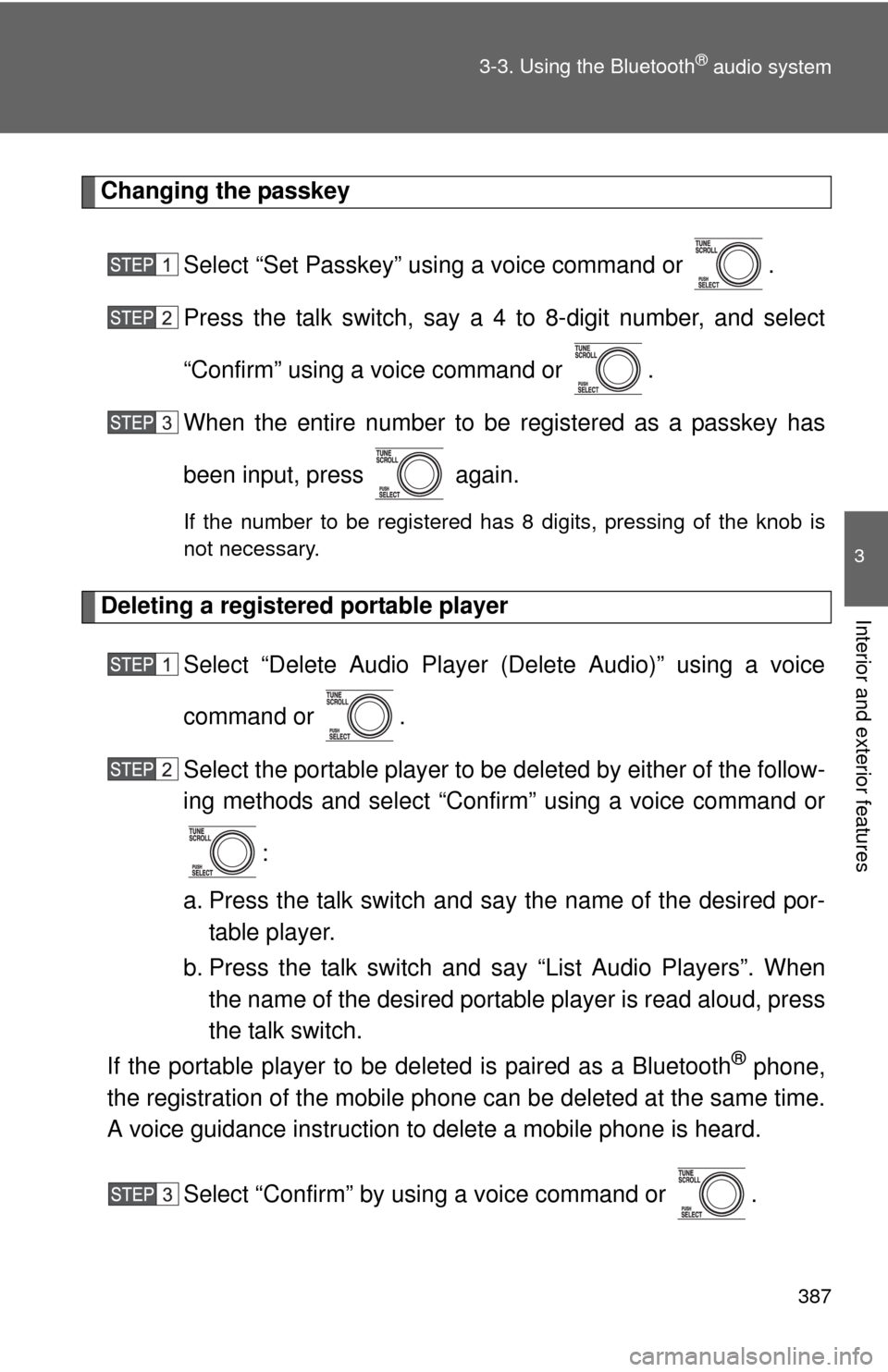
Changing the passkey
Select “Set Passkey” using a voice command or .
Press the talk switch, say a 4 to 8-digit number, and select
“Confirm” using a voice command or .
When the entire number to be registered as a passkey has
been input, press again.
If the number to be registered has 8 digits, pressing of the knob is
not necessary.
Deleting a registered portable playerSelect “Delete Audio Player (Delete Audio)” using a voice
command or .
Select the portable player to be deleted by either of the follow-
ing methods and select “Confirm” using a voice command or
:
a. Press the talk switch and say the name of the desired por- table player.
b. Press the talk switch and say “List Audio Players”. When
the name of the desired portable player is read aloud, press
the talk switch.
If the portable player to be deleted is paired as a Bluetooth
® phone,
the registration of the mobile phone can be deleted at the same time.
A voice guidance instruction to delete a mobile phone is heard.
Select “Confirm” by using a voice command or .
Page 427 of 752
427
3-5. Using the hand
s-free phone system (for cellular phone)
3
Interior and exterior features
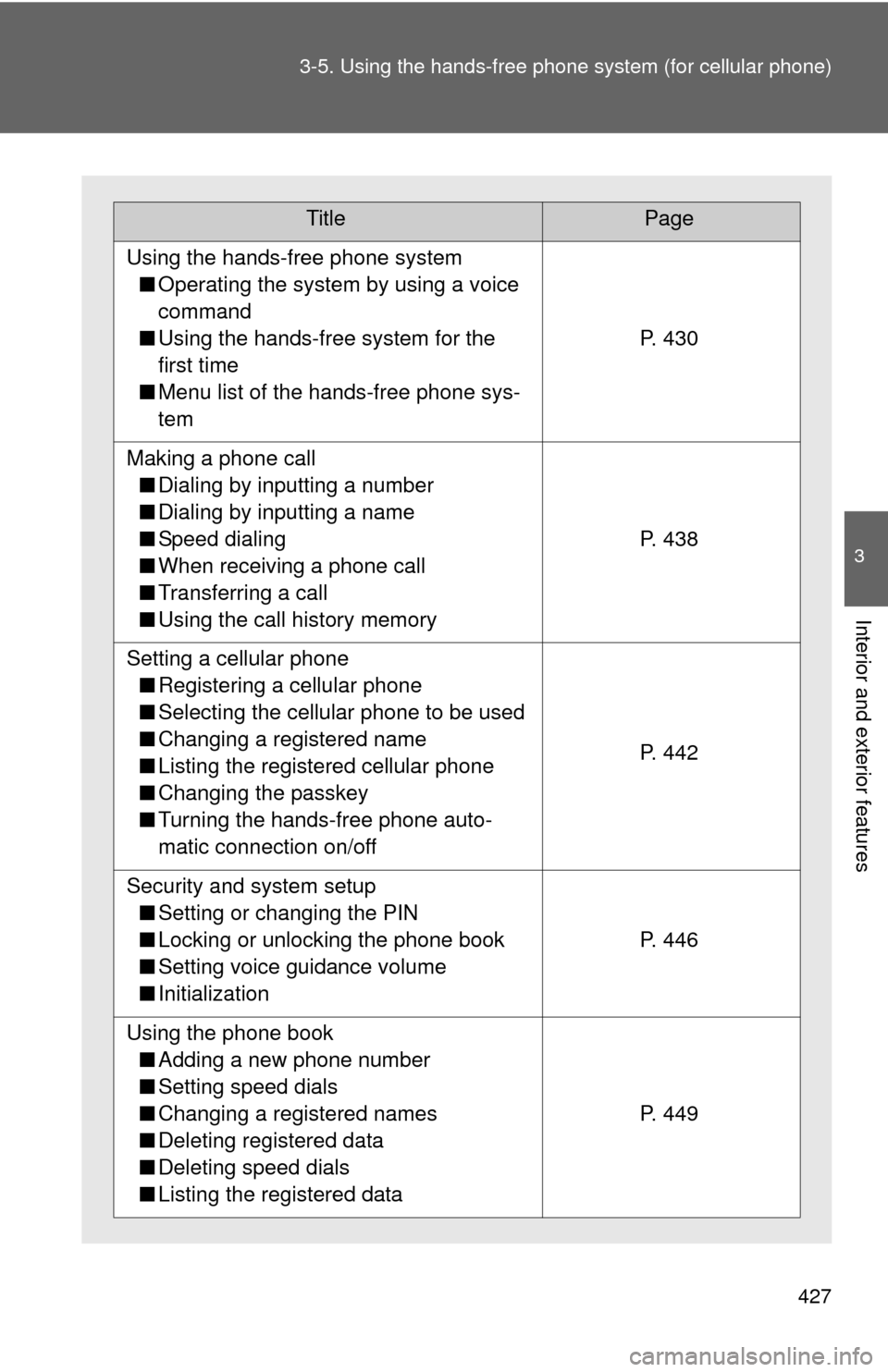
TitlePage
Using the hands-free phone system
■ Operating the system by using a voice
command
■ Using the hands-free system for the
first time
■ Menu list of the hands-free phone sys-
tem
P. 430
Making a phone call
■ Dialing by inputting a number
■ Dialing by inputting a name
■ Speed dialing
■ When receiving a phone call
■ Transferring a call
■ Using the call history memory
P. 438
Setting a cellular phone
■ Registering a cellular phone
■ Selecting the cellular phone to be used
■ Changing a registered name
■ Listing the registered cellular phone
■ Changing the passkey
■ Turning the hands-free phone auto-
matic connection on/off
P. 442
Security and system setup
■ Setting or changing the PIN
■ Locking or unlocking the phone book
■ Setting voice guidance volume
■ Initialization
P. 446
Using the phone book
■ Adding a new phone number
■ Setting speed dials
■ Changing a registered names
■ Deleting registered data
■ Deleting speed dials
■ Listing the registered data
P. 449
Page 433 of 752
433
3-5. Using the hand
s-free phone system (for cellular phone)
3
Interior and exterior features
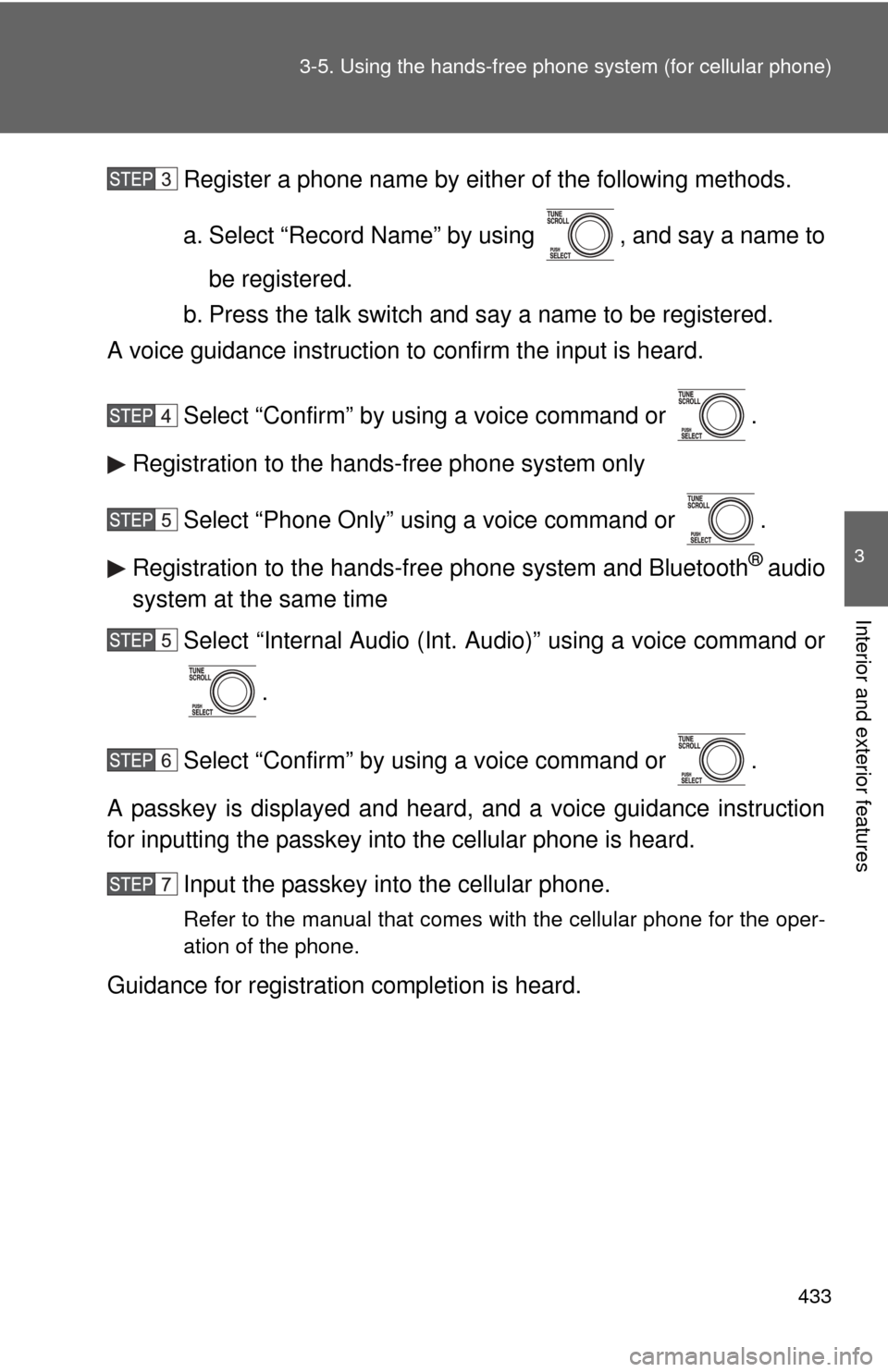
Register a phone name by either of the following methods.
a. Select “Record Name” by using , and say a name to
be registered.
b. Press the talk switch and say a name to be registered.
A voice guidance instruction to confirm the input is heard.
Select “Confirm” by using a voice command or .
Registration to the hands-free phone system only
Select “Phone Only” using a voice command or .
Registration to the hands-free phone system and Bluetooth
® audio
system at the same time
Select “Internal Audio (Int. Audio)” using a voice command or
.
Select “Confirm” by using a voice command or .
A passkey is displayed and heard, and a voice guidance instruction
for inputting the passkey into the cellular phone is heard. Input the passkey into the cellular phone.
Refer to the manual that comes with the cellular phone for the oper-
ation of the phone.
Guidance for registration completion is heard.