engine TOYOTA TUNDRA 2014 2.G Owner's Manual
[x] Cancel search | Manufacturer: TOYOTA, Model Year: 2014, Model line: TUNDRA, Model: TOYOTA TUNDRA 2014 2.GPages: 576, PDF Size: 10.54 MB
Page 92 of 576
922. Instrument cluster
■Average fuel consumption
Displays the average fuel consumption since the function was reset
• The function can be reset by pushing the “TRIP/INFO” button forlonger than 1 second when the average fuel consumption is dis-
played.
• Use the displayed average fuel consumption as a reference.
■
Driving range
Displays the estimated approxim ate distance that can be driven
with the quantity of fuel remaining
• This distance is computed based on your average fuel consumption.
As a result, the actual distance that can be driven may differ from that
displayed.
• When only a small amount of fuel is added to the tank, the display
may not be updated.
When refueling, turn the engine switch off. If the vehicle is refueled
without turning the engine switch off, the display may not be updated.
■
Outside temperature
P. 3 7 6
■When disconnecting and reco nnecting battery terminals
The following information data will be reset:
● Trip meters “A” and “B”
● Average fuel consumption
● Driving range
■ Liquid crystal display
Small spots or light spots may appear on the display. This phenomenon is
characteristic of liquid crystal displays, and there is no problem continuing to
use the display.
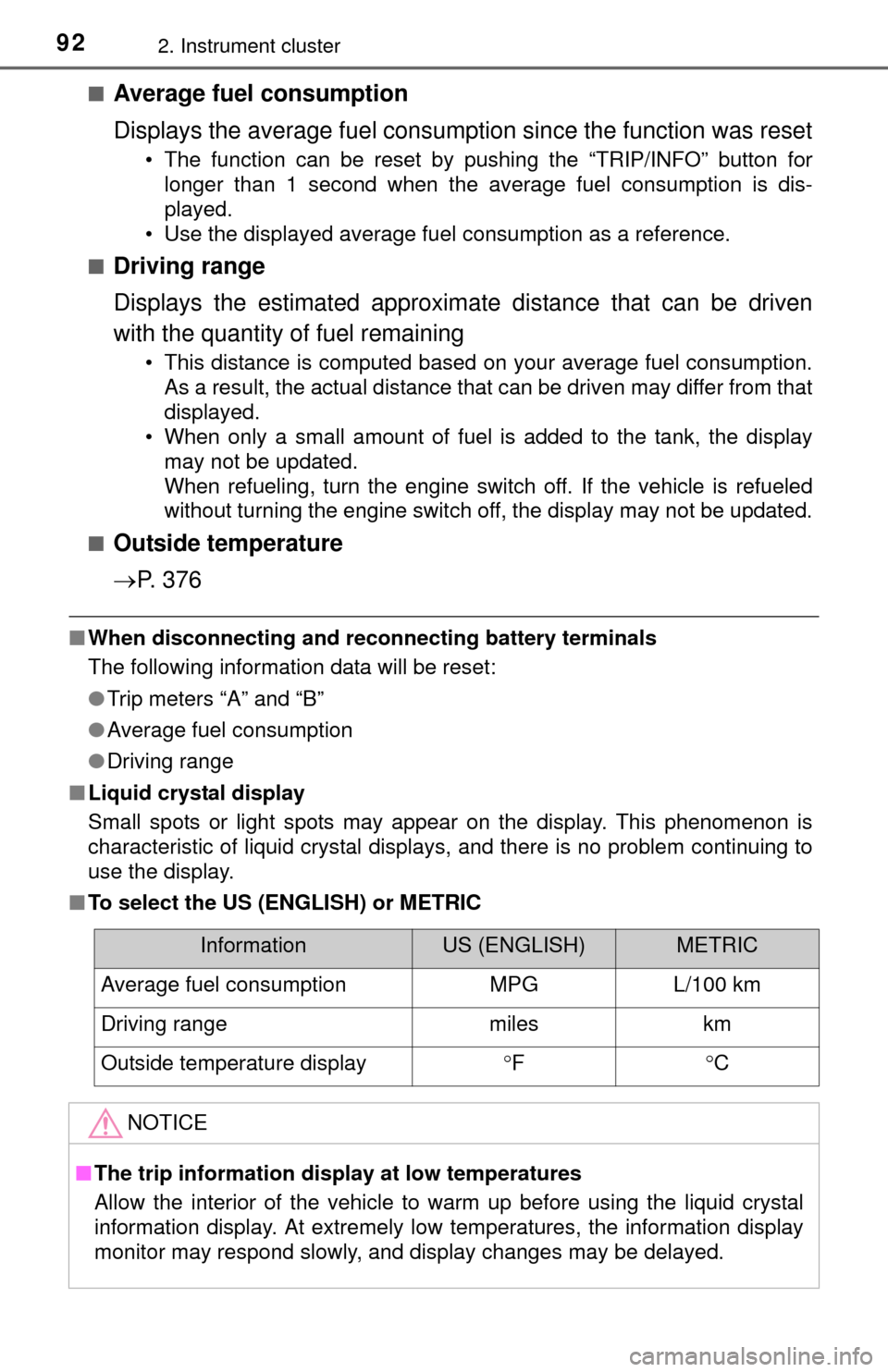
■ To select the US (ENGLISH) or METRIC
InformationUS (ENGLISH)METRIC
Average fuel consumptionMPGL/100 km
Driving rangemileskm
Outside temperature displayFC
NOTICE
■ The trip information display at low temperatures
Allow the interior of the vehicle to warm up before using the liquid crystal
information display. At extremely low temperatures, the information display
monitor may respond slowly, and display changes may be delayed.
Page 94 of 576
942. Instrument cluster
■Odometer
Displays the total distance the vehicle has been driven
■Trip meters “A” and “B”
Displays the distance the vehicle has been driven since the meter
was last reset. Trip meters “A” and “B” can be used to record and
display different distances independently.
Pushing and holding the “ODO/TRIP” button will reset the trip meter that
is currently displayed.
■
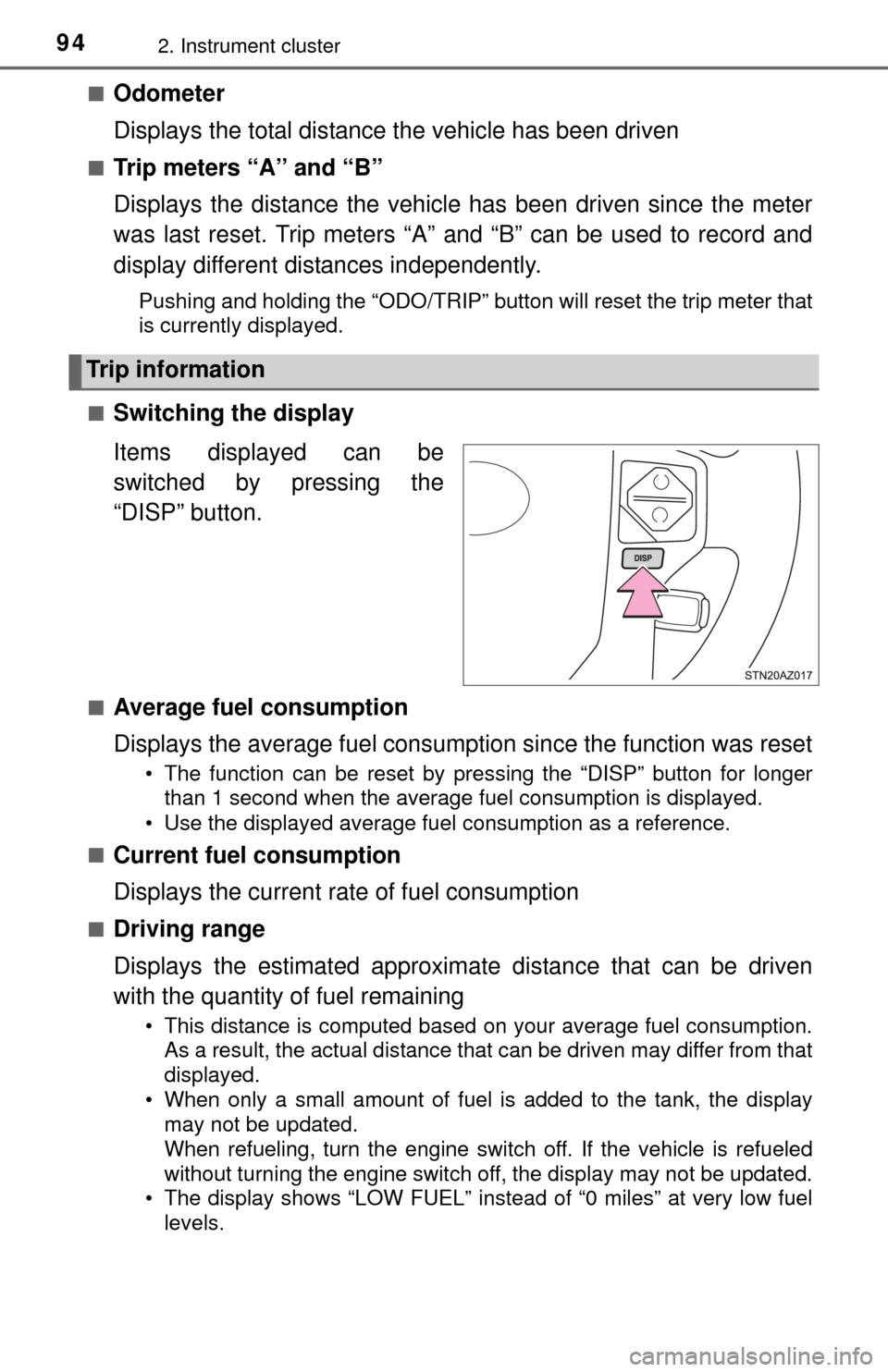
Switching the display
Items displayed can be
switched by pressing the
“DISP” button.
■Average fuel consumption
Displays the average fuel consumption since the function was reset
• The function can be reset by pressing the “DISP” button for longer than 1 second when the average fuel consumption is displayed.
• Use the displayed average fuel consumption as a reference.
■
Current fuel consumption
Displays the current rate of fuel consumption
■Driving range
Displays the estimated approxim ate distance that can be driven
with the quantity of fuel remaining
• This distance is computed based on your average fuel consumption.
As a result, the actual distance that can be driven may differ from that
displayed.
• When only a small amount of fuel is added to the tank, the display may not be updated.
When refueling, turn the engine switch off. If the vehicle is refueled
without turning the engine switch off, the display may not be updated.
• The display shows “LOW FUEL” instead of “0 miles” at very low fuel
levels.
Trip information
Page 95 of 576
952. Instrument cluster
2
Instrument cluster
■Elapsed time
Displays the elapsed time since the engine was started
■Average vehicle speed
Displays the average vehicle speed since the engine was started
■Outside temperature
P. 3 7 6
■Settings display
P. 9 5
■Display off
A blank screen is displayed
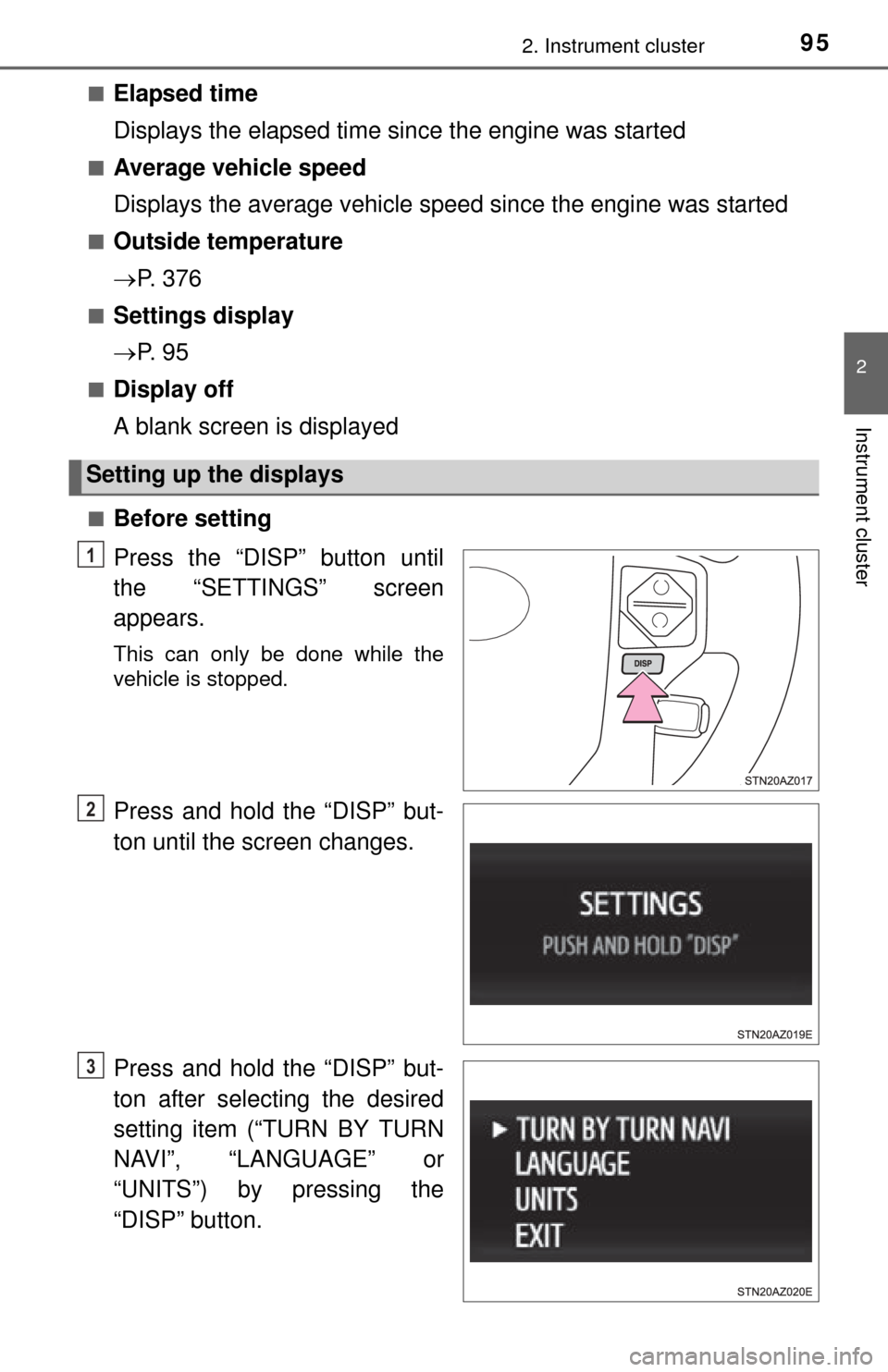
■Before setting
Press the “DISP” button until
the “SETTINGS” screen
appears.
This can only be done while the
vehicle is stopped.
Press and hold the “DISP” but-
ton until the screen changes.
Press and hold the “DISP” but-
ton after selecting the desired
setting item (“TURN BY TURN
NAVI”, “LANGUAGE” or
“UNITS”) by pressing the
“DISP” button.
Setting up the displays
1
2
3
Page 100 of 576
1003-1. Key information
Keys
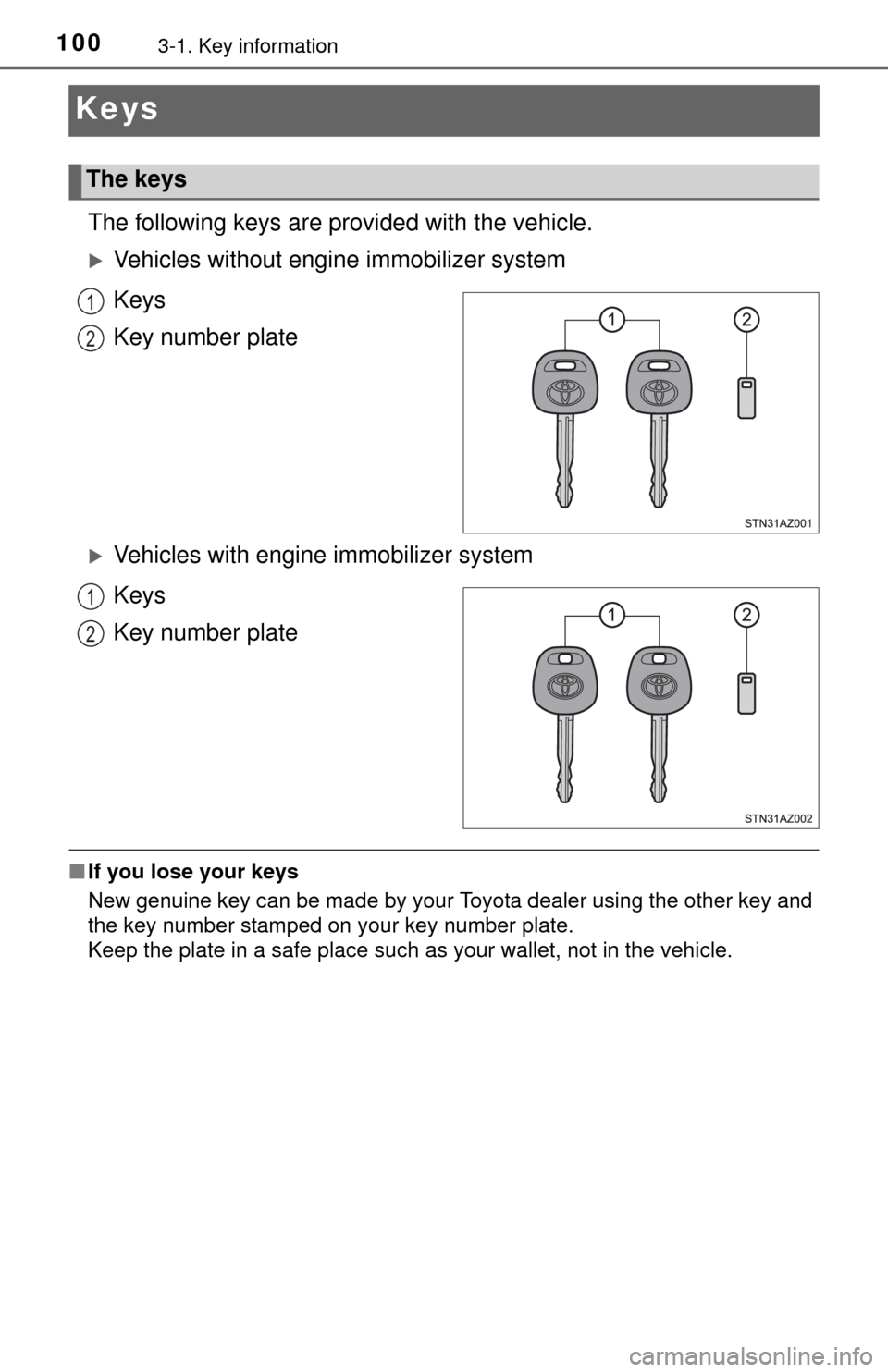
The following keys are provided with the vehicle.
Vehicles without engine immobilizer system
Keys
Key number plate
Vehicles with engine immobilizer system
Keys
Key number plate
■ If you lose your keys
New genuine key can be made by your Toyota dealer using the other key and
the key number stamped on your key number plate.
Keep the plate in a safe place such as your wallet, not in the vehicle.
The keys
1
2
1
2
Page 101 of 576

1013-1. Key information
3
Operation of each component
NOTICE
■To prevent key damage (vehicles with engine immobilizer system)
● Do not drop the keys, subject them to strong shocks or bend them.
● Do not expose the keys to high temperatures for long periods of time.
● Do not get the keys wet or wash them in an ultrasonic washer, etc.
● Do not attach metallic or magnetic materials to the keys or place the keys
close to such materials.
● Do not place the keys near objects that produce magnetic fields, such as
TVs, audio systems and induction cooker s, or medical electrical equip-
ment, such as low-frequency therapy equipment.
Page 105 of 576
1053-2. Opening, closing and locking the doors
3
Operation of each component
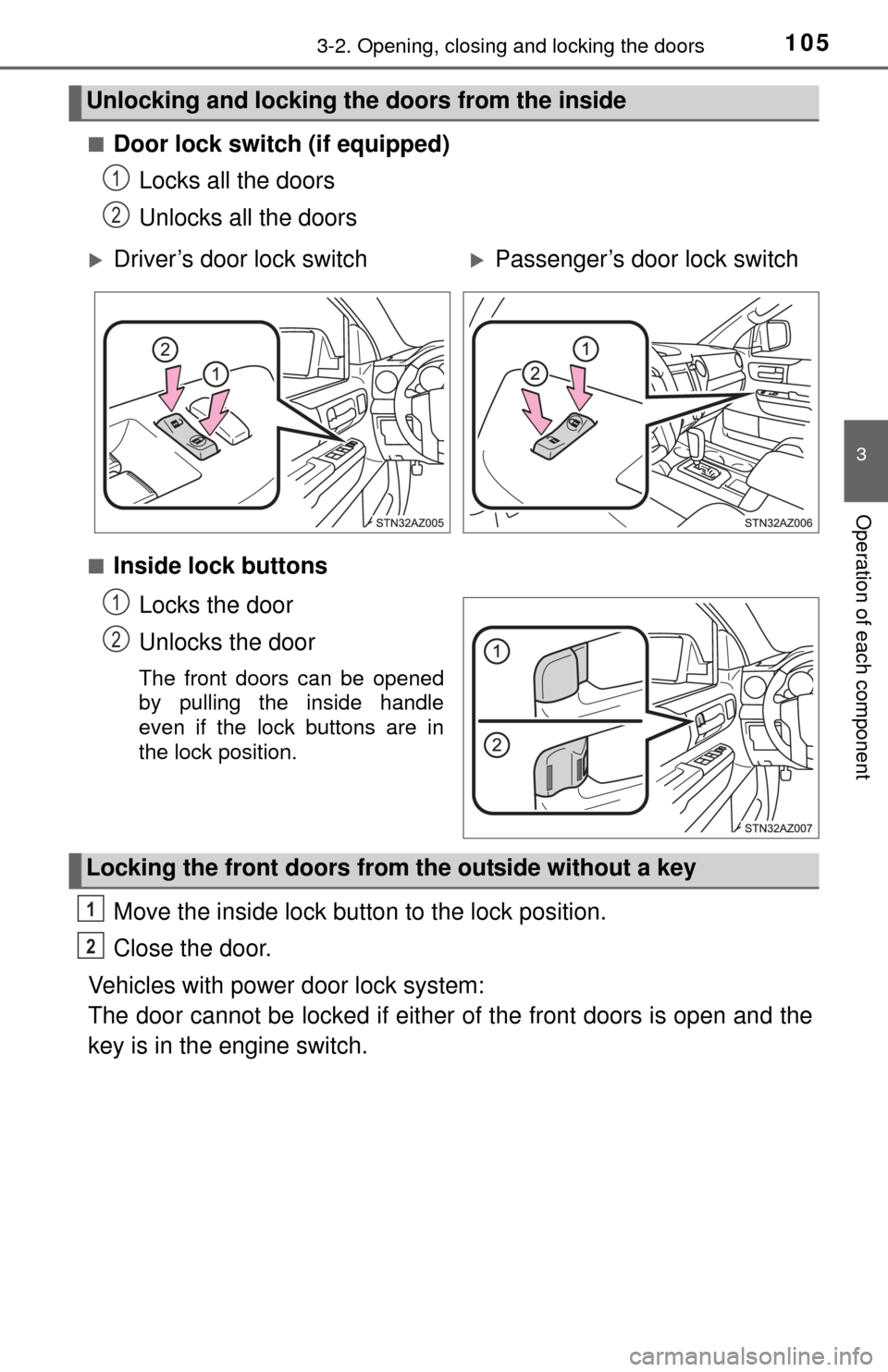
■Door lock switch (if equipped)Locks all the doors
Unlocks all the doors
■Inside lock buttons
Locks the door
Unlocks the door
The front doors can be opened
by pulling the inside handle
even if the lock buttons are in
the lock position.
Move the inside lock button to the lock position.
Close the door.
Vehicles with power door lock system:
The door cannot be locked if either of the front doors is open and the
key is in the engine switch.
Unlocking and locking the doors from the inside
1
2
Driver’s door lock switchPassenger’s door lock switch
1
2
Locking the front doors from the outside without a key
1
2
Page 106 of 576
1063-2. Opening, closing and locking the doors
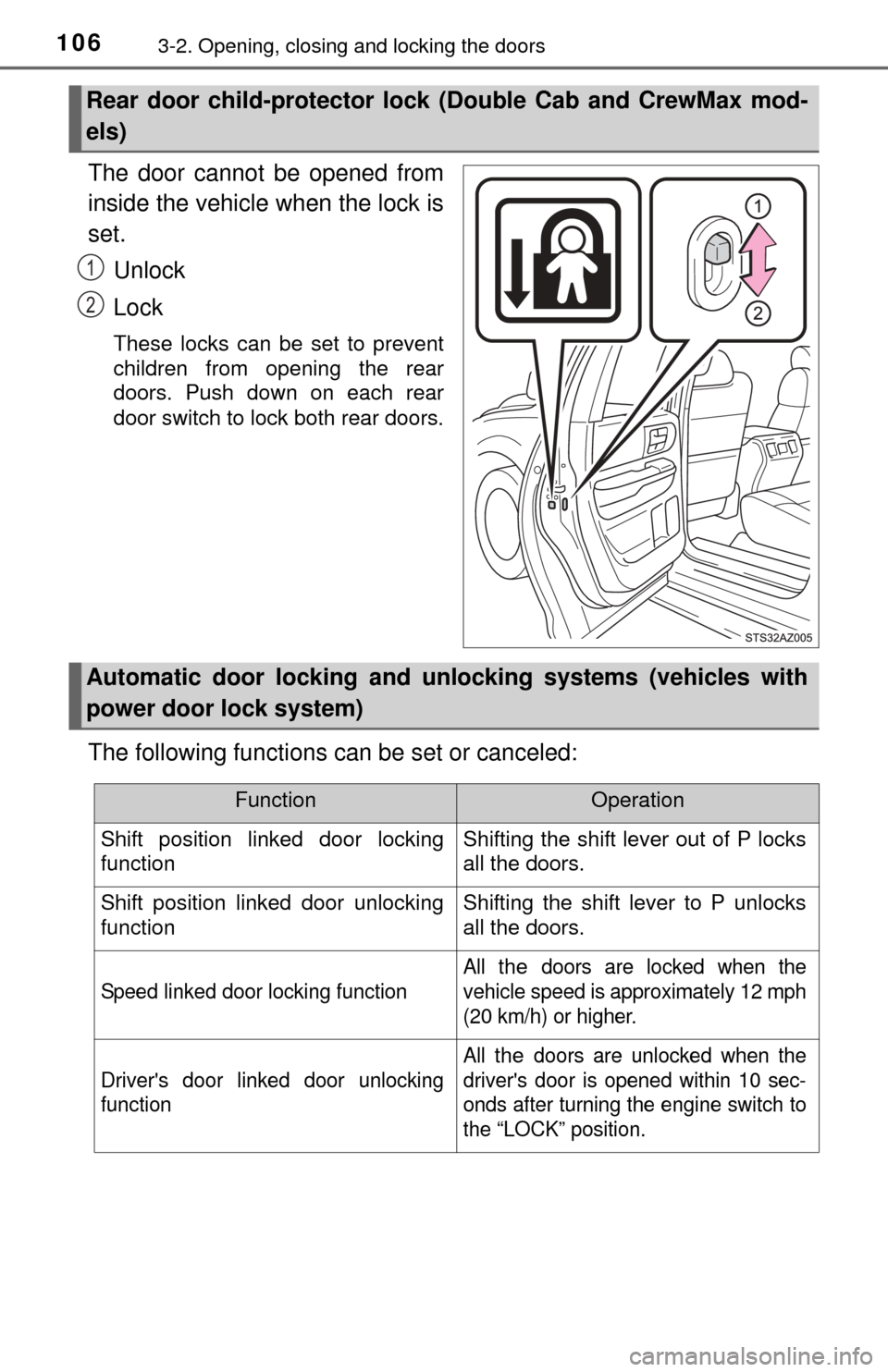
The door cannot be opened from
inside the vehicle when the lock is
set.Unlock
Lock
These locks can be set to prevent
children from opening the rear
doors. Push down on each rear
door switch to lock both rear doors.
The following functions can be set or canceled:
Rear door child-protector lock (Double Cab and CrewMax mod-
els)
1
2
Automatic door locking and unl ocking systems (vehicles with
power door lock system)
FunctionOperation
Shift position linked door locking
functionShifting the shift lever out of P locks
all the doors.
Shift position linked door unlocking
functionShifting the shift lever to P unlocks
all the doors.
Speed linked door locking function
All the doors are locked when the
vehicle speed is approximately 12 mph
(20 km/h) or higher.
Driver's door linked door unlocking
function
All the doors are unlocked when the
driver's door is opened within 10 sec-
onds after turning the engine switch to
the “LOCK” position.
Page 115 of 576
1153-3. Adjusting the seats
3
Operation of each component
■Power easy access system (vehicles with driving position memory)
The driver’s seat and steering wheel move in accordance with engine switch
position and the driver’s seat belt condition. ( P. 118)
CAUTION
■When adjusting the seat position
● Take care when adjusting the seat position to ensure that other passen-
gers are not injured by the moving seat.
● Do not put your hands under the seat or near the moving parts to avoid
injury.
Fingers or hands may become jammed in the seat mechanism.
■ Seat adjustment
● To reduce the risk of sliding under the lap belt during a collision, do not
recline the seat more than necessary.
If the seat is too reclined, the lap belt may slide past the hips and apply
restraint forces directly to the abdomen, or your neck may contact the
shoulder belt, increasing the risk of death or serious injury in the event of
an accident.
Adjustments should not be made while driving as the seat may unexpect-
edly move and cause the driver to lose control of the vehicle.
● Manual seat type only: After adjusting the seat, make sure that the seat is
locked in position.
■ When adjusting the seat positions
Make sure to leave enough space around the feet so they do not get stuck.
Page 118 of 576
1183-3. Adjusting the seats
Driving position memor y (driver’s seat)
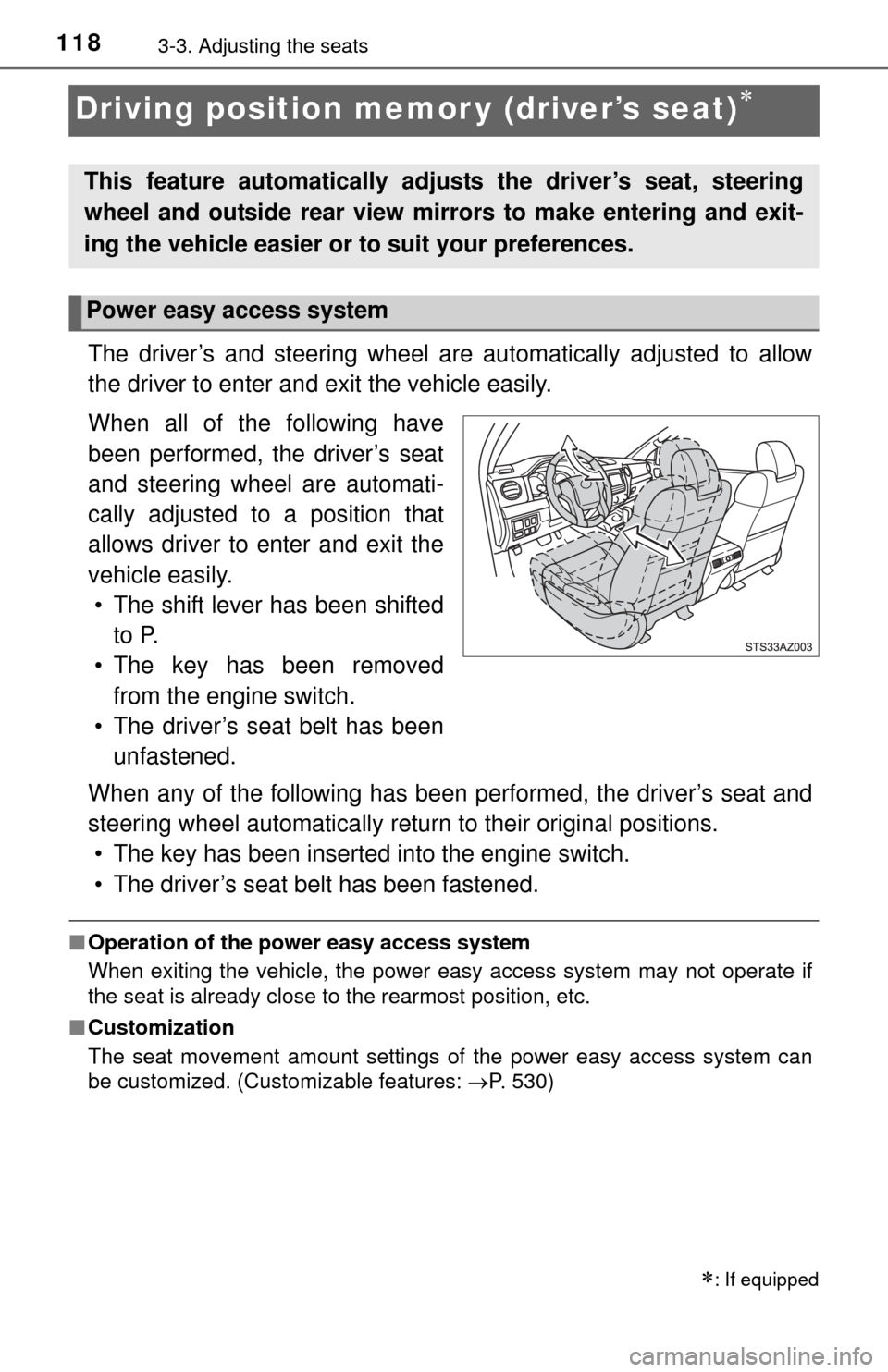
The driver’s and steering wheel are automatically adjusted to allow
the driver to enter and exit the vehicle easily.
When all of the following have
been performed, the driver’s seat
and steering wheel are automati-
cally adjusted to a position that
allows driver to enter and exit the
vehicle easily. • The shift lever has been shifted to P.
• The key has been removed from the engine switch.
• The driver’s seat belt has been unfastened.
When any of the following has been performed, the driver’s seat and
steering wheel automatically retu rn to their original positions.
• The key has been inserted into the engine switch.
• The driver’s seat belt has been fastened.
■ Operation of the power easy access system
When exiting the vehicle, the power easy access system may not operate if
the seat is already close to the rearmost position, etc.
■ Customization
The seat movement amount settings of the power easy access system can
be customized. (Customizable features: P. 530)
: If equipped
This feature automatically adjusts the driver’s seat, steering
wheel and outside rear view mirrors to make entering and exit-
ing the vehicle easier or to suit your preferences.
Power easy access system
Page 119 of 576
1193-3. Adjusting the seats
3
Operation of each component
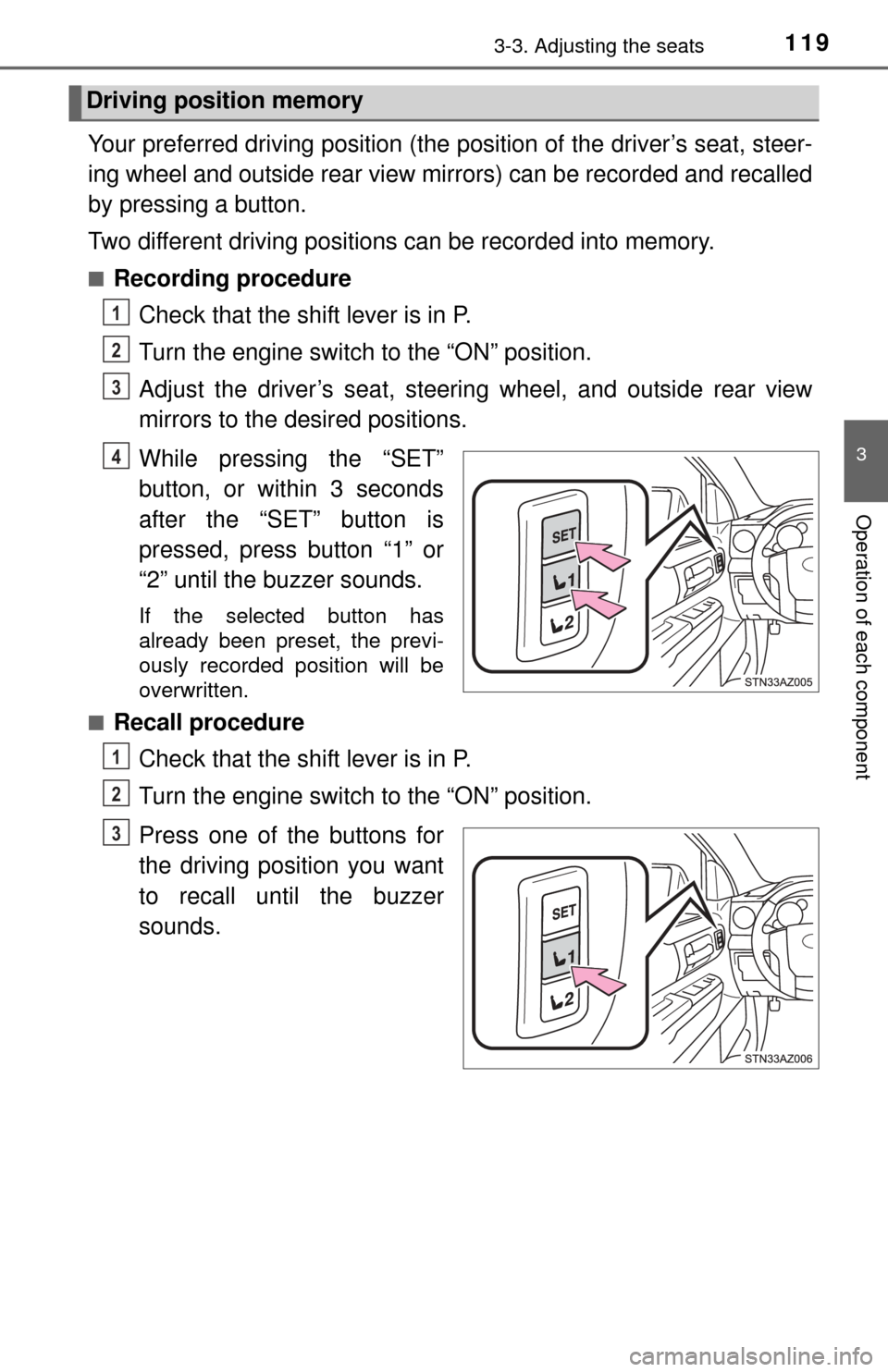
Your preferred driving position (the position of the driver’s seat, steer-
ing wheel and outside rear view mirrors) can be recorded and recalled
by pressing a button.
Two different driving positions can be recorded into memory.
■Recording procedureCheck that the shift lever is in P.
Turn the engine switch to the “ON” position.
Adjust the driver’s seat, steering wheel, and outside rear view
mirrors to the desired positions.
While pressing the “SET”
button, or within 3 seconds
after the “SET” button is
pressed, press button “1” or
“2” until the buzzer sounds.
If the selected button has
already been preset, the previ-
ously recorded position will be
overwritten.
■
Recall procedure
Check that the shift lever is in P.
Turn the engine switch to the “ON” position.
Press one of the buttons for
the driving position you want
to recall until the buzzer
sounds.
Driving position memory
1
2
3
4
1
2
3