clock TOYOTA TUNDRA 2016 2.G Owners Manual
[x] Cancel search | Manufacturer: TOYOTA, Model Year: 2016, Model line: TUNDRA, Model: TOYOTA TUNDRA 2016 2.GPages: 588, PDF Size: 13.44 MB
Page 5 of 588
5
1
9 8
7 5 4
3
2
10
6
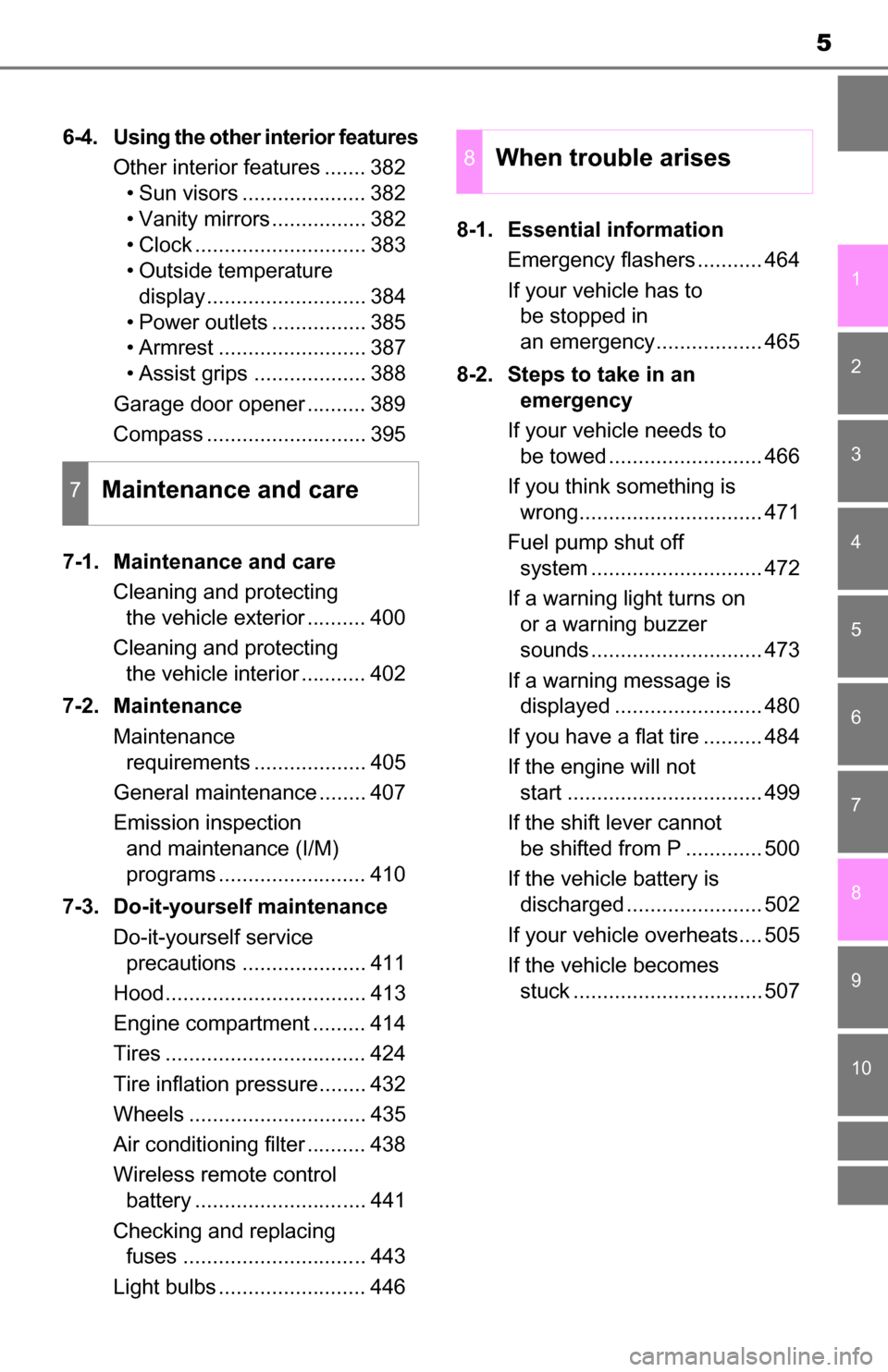
6-4. Using the other interior featuresOther interior features ....... 382• Sun visors ..................... 382
• Vanity mirrors................ 382
• Clock ............................. 383
• Outside temperature
display........................... 384
• Power outlets ................ 385
• Armrest ......................... 387
• Assist grips ................... 388
Garage door opener .......... 389
Compass ........................... 395
7-1. Maintenance and care Cleaning and protecting the vehicle exterior .......... 400
Cleaning and protecting the vehicle interior ........... 402
7-2. Maintenance Maintenance requirements ................... 405
General maintenance ........ 407
Emission inspection and maintenance (I/M)
programs ......................... 410
7-3. Do-it-yourself maintenance Do-it-yourself service precautions ..................... 411
Hood.................................. 413
Engine compartment ......... 414
Tires .................................. 424
Tire inflation pressure........ 432
Wheels .............................. 435
Air conditioning filter .......... 438
Wireless remote control battery ............................. 441
Checking and replacing fuses ............................... 443
Light bulbs ......................... 446 8-1. Essential information
Emergency flashers ........... 464
If your vehicle has to be stopped in
an emergency.................. 465
8-2. Steps to take in an emergency
If your vehicle needs to be towed .......................... 466
If you think something is wrong............................... 471
Fuel pump shut off system ............................. 472
If a warning light turns on or a warning buzzer
sounds ............................. 473
If a warning message is displayed ......................... 480
If you have a flat tire .......... 484
If the engine will not start ................................. 499
If the shift lever cannot be shifted from P ............. 500
If the vehicle battery is discharged ....................... 502
If your vehicle overheats.... 505
If the vehicle becomes stuck ................................ 507
7Maintenance and care
8When trouble arises
Page 261 of 588
2615-2. Setup
5
Multimedia
General settings
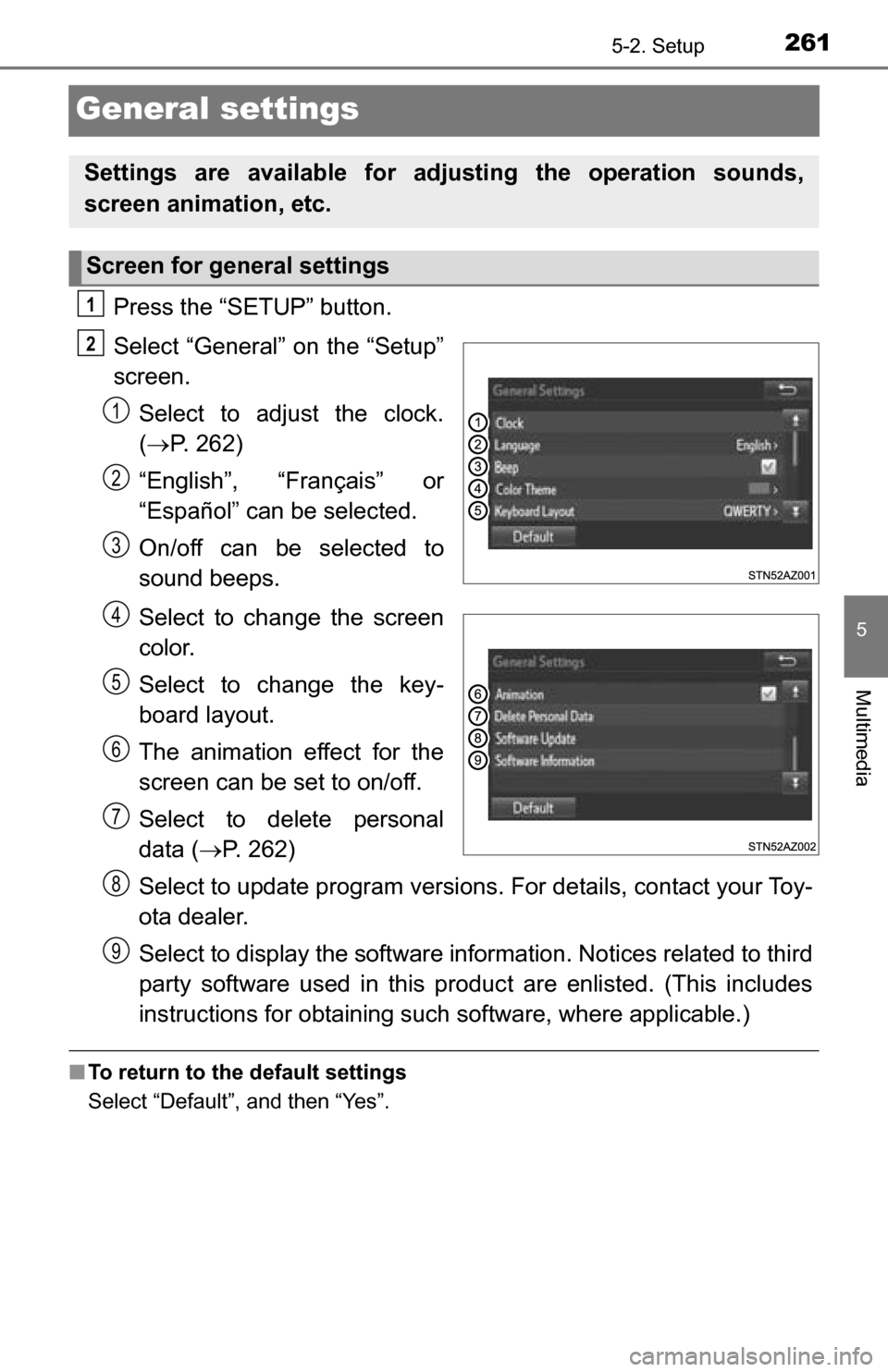
Press the “SETUP” button.
Select “General” on the “Setup”
screen.Select to adjust the clock.
( P. 262)
“English”, “Français” or
“Español” can be selected.
On/off can be selected to
sound beeps.
Select to change the screen
color.
Select to change the key-
board layout.
The animation effect for the
screen can be set to on/off.
Select to delete personal
data ( P. 262)
Select to update program versions. For details, contact your Toy-
ota dealer.
Select to display the software info rmation. Notices related to third
party software used in this produc t are enlisted. (This includes
instructions for obta ining such software, where applicable.)
■To return to the default settings
Select “Default”, and then “Yes”.
Settings are available for adjusting the operation sounds,
screen animation, etc.
Screen for general settings
1
2
1
2
3
4
5
6
7
8
9
Page 262 of 588
2625-2. Setup
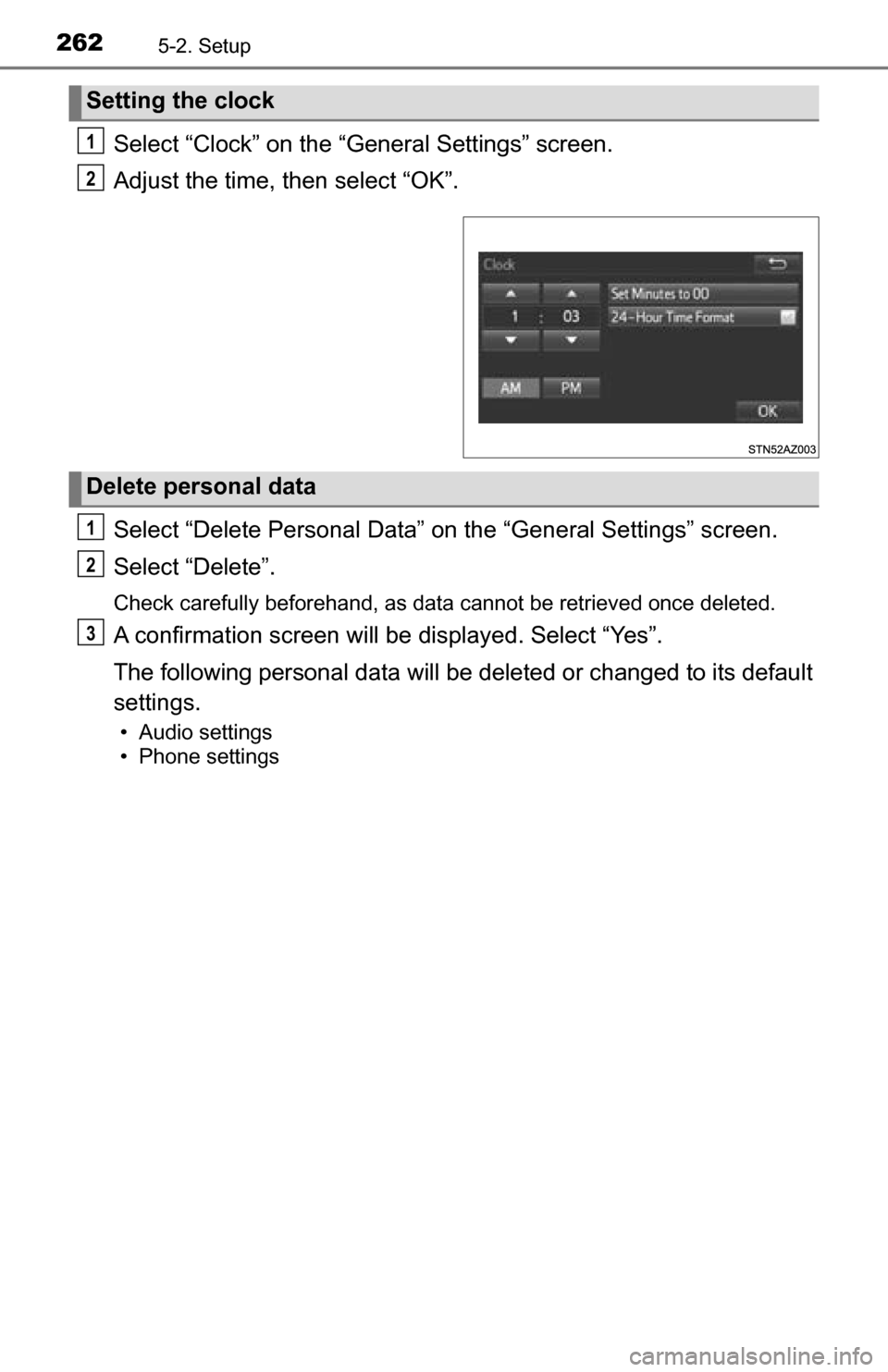
Select “Clock” on the “General Settings” screen.
Adjust the time, then select “OK”.
Select “Delete Personal Data” on the “General Settings” screen.
Select “Delete”.
Check carefully beforehand, as data cannot be retrieved once deleted.
A confirmation screen will be displayed. Select “Yes”.
The following personal data will be deleted or changed to its default
settings.
• Audio settings
• Phone settings
Setting the clock
1
2
Delete personal data
1
2
3
Page 343 of 588
343
6Interior features
6-1. Using the air conditioning system
Manual air conditioning system............................. 344
Automatic air conditioning system............................. 351
Seat heaters/ seat ventilators ................ 358
6-2. Using the interior lights Interior lights list ................ 361• Personal/interior lightsmain switch ................... 362
• Personal/interior
lights ............................. 362
• Cargo lamp main switch ............................ 363 6-3. Using the storage features
List of storage features ..... 364• Glove box...................... 366
• Console box (front separated type seat) ..... 367
• Card holder ................... 368
• Map holder (front bench type seat) ........... 370
• Pen holder .................... 371
• Tissue pocket................ 372
• Overhead console......... 373
• Cup holders .................. 374
• Bottle holders ................ 376
• Auxiliary boxes (front bench type seat) ........... 377
• Storage box .................. 379
Luggage compartment features ........................... 381
6-4. Using the other interior features Other interior features ....... 382• Sun visors ..................... 382
• Vanity mirrors................ 382
• Clock ............................. 383
• Outside temperature display........................... 384
• Power outlets ................ 385
• Armrest ......................... 387
• Assist grips ................... 388
Garage door opener.......... 389
Compass ........................... 395
Page 344 of 588
3446-1. Using the air conditioning system
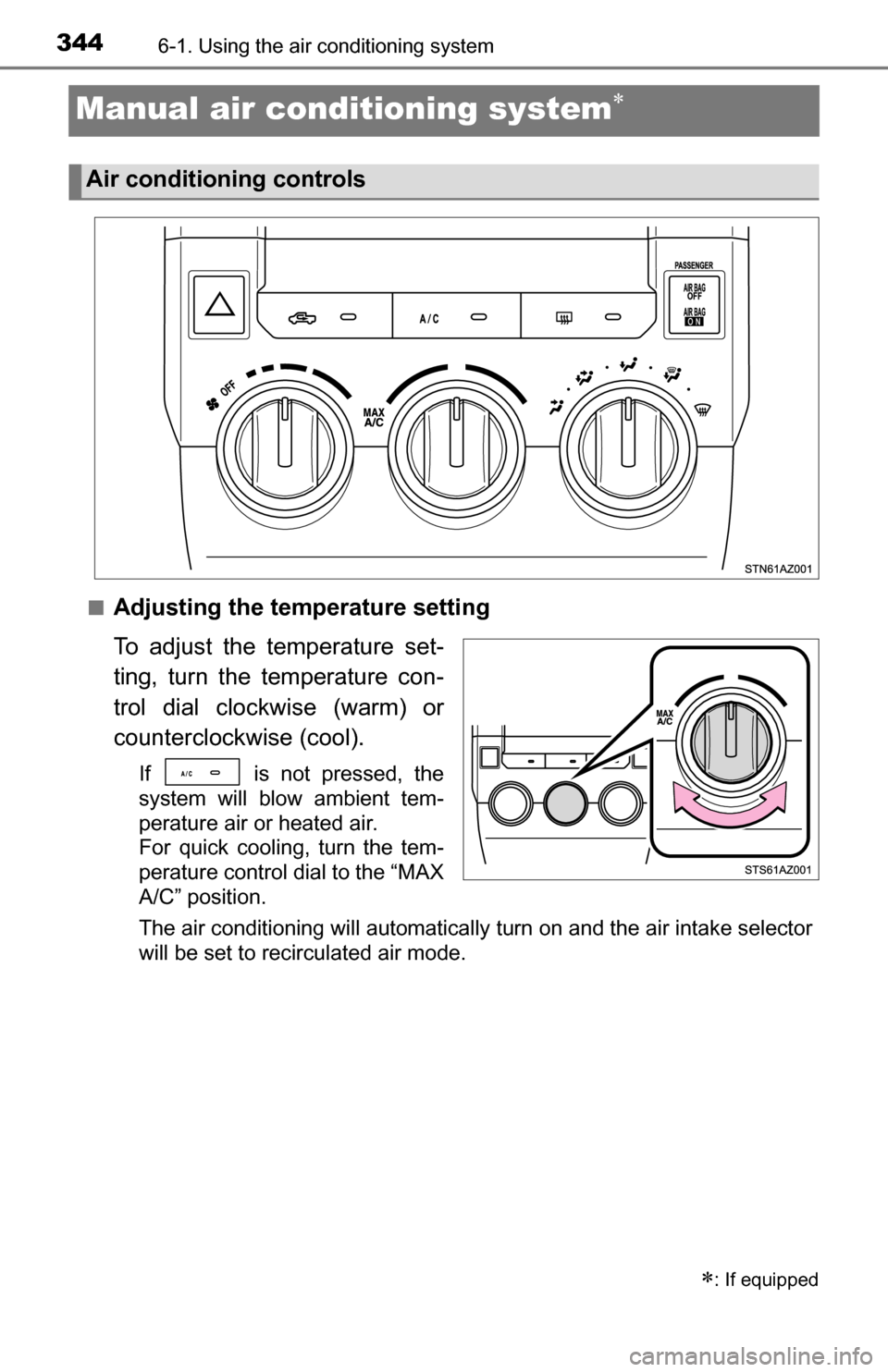
Manual air conditioning system
■Adjusting the temperature setting
To adjust the temperature set-
ting, turn the temperature con-
trol dial clockwise (warm) or
counterclockwise (cool).
If is not pressed, the
system will blow ambient tem-
perature air or heated air.
For quick cooling, turn the tem-
perature control dial to the “MAX
A/C” position.
The air conditioning will automatically turn on and the air intake selector
will be set to recirculated air mode.
: If equipped
Air conditioning controls
Page 345 of 588
3456-1. Using the air conditioning system
6
Interior features
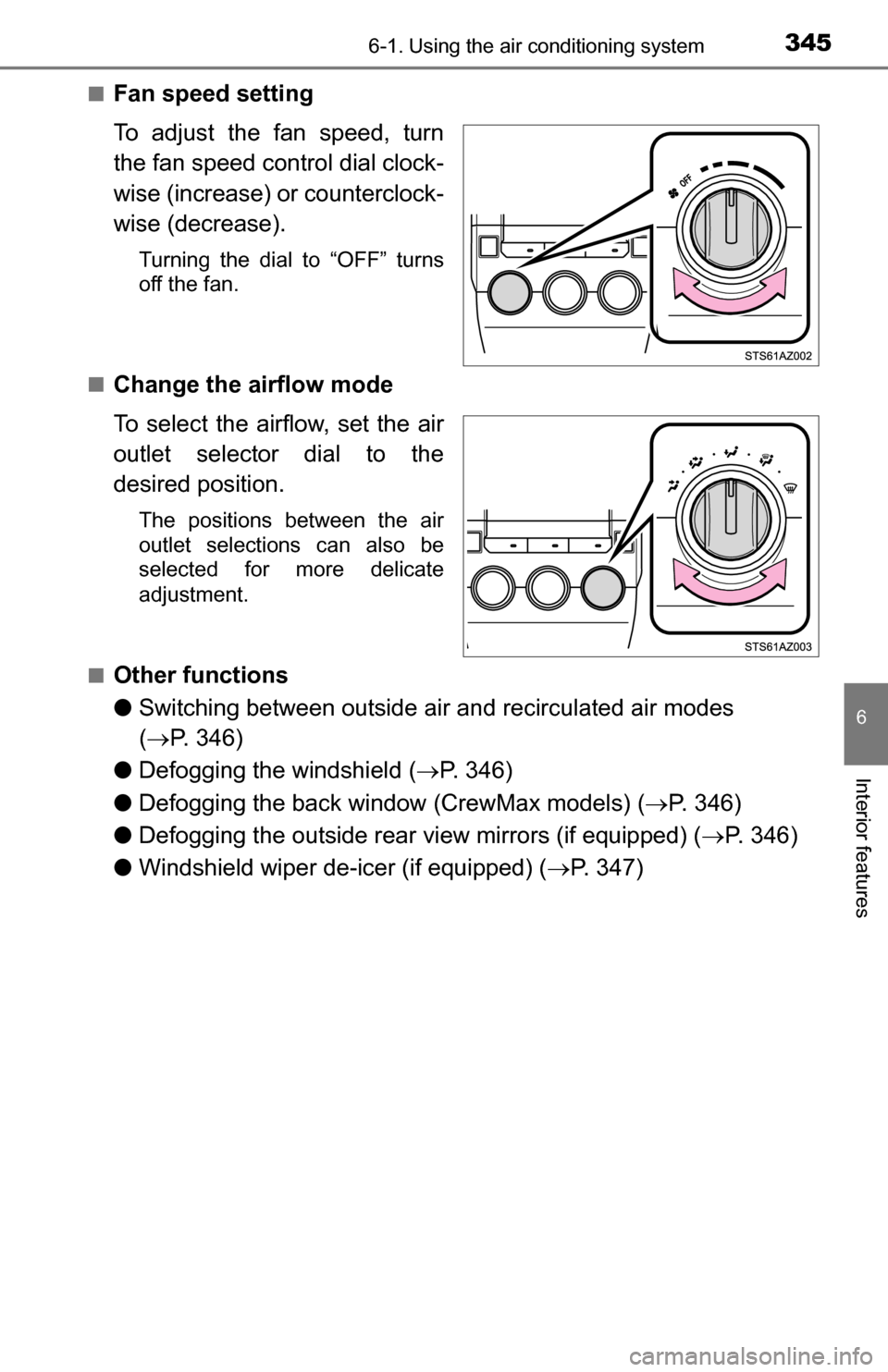
■Fan speed setting
To adjust the fan speed, turn
the fan speed control dial clock-
wise (increase) or counterclock-
wise (decrease).
Turning the dial to “OFF” turns
off the fan.
■
Change the airflow mode
To select the airflow, set the air
outlet selector dial to the
desired position.
The positions between the air
outlet selections can also be
selected for more delicate
adjustment.
■
Other functions
● Switching between outside ai r and recirculated air modes
( P. 346)
● Defogging the windshield ( P. 346)
● Defogging the back window (CrewMax models) ( P. 346)
● Defogging the outside rear view mirrors (if equipped) ( P. 346)
● Windshield wiper de-icer (if equipped) ( P. 347)
Page 351 of 588
3516-1. Using the air conditioning system
6
Interior features
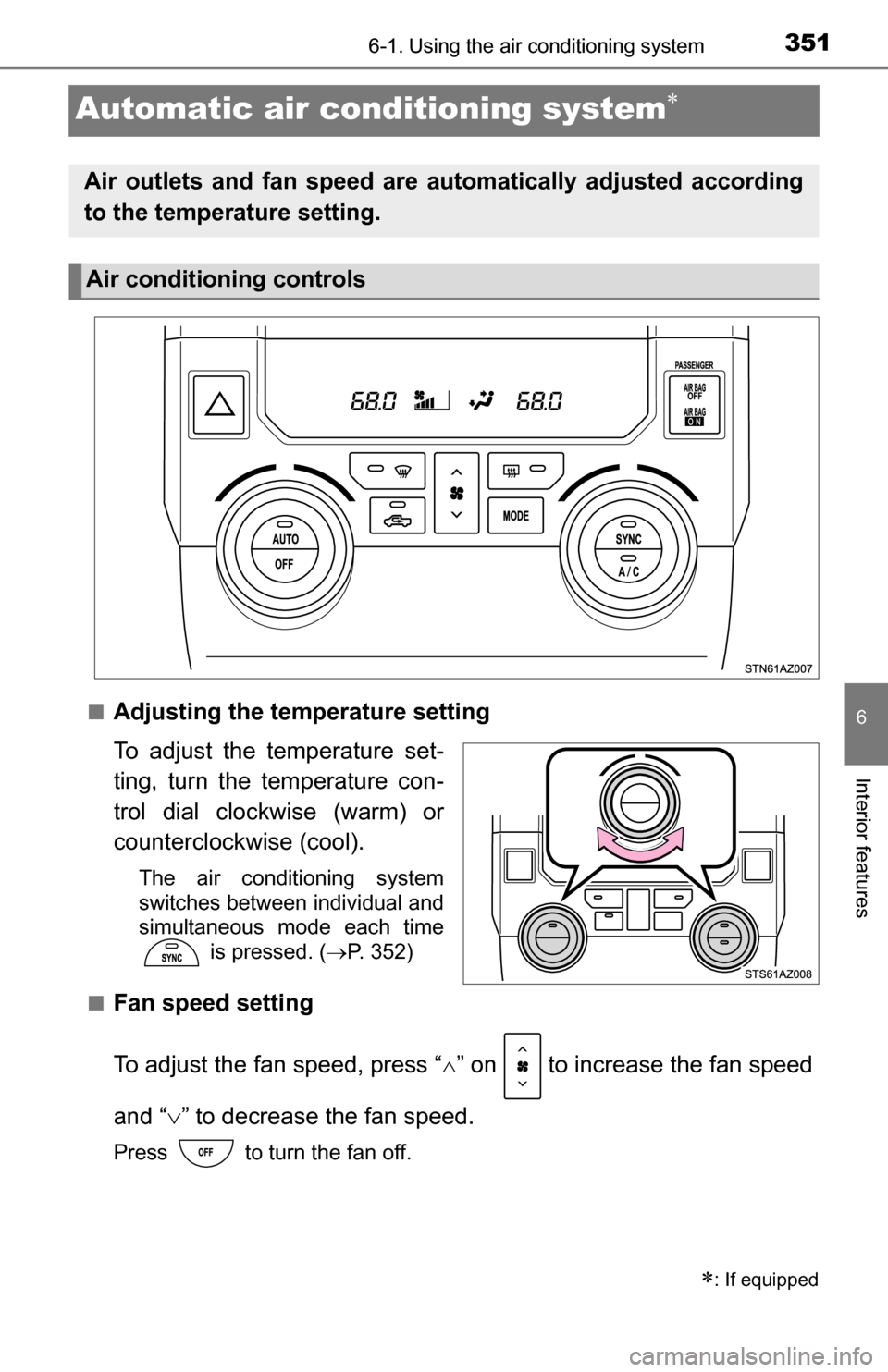
Automatic air conditioning system
■Adjusting the temperature setting
To adjust the temperature set-
ting, turn the temperature con-
trol dial clockwise (warm) or
counterclockwise (cool).
The air conditioning system
switches between individual and
simultaneous mode each time
is pressed. ( P. 352)
■
Fan speed setting
To adjust the fan speed, press “ ” on to increase the fan speed
and “ ” to decrease the fan speed.
Press to turn the fan off.
: If equipped
Air outlets and fan speed are automatically adjusted according
to the temperature setting.
Air conditioning controls
Page 380 of 588
3806-3. Using the storage features
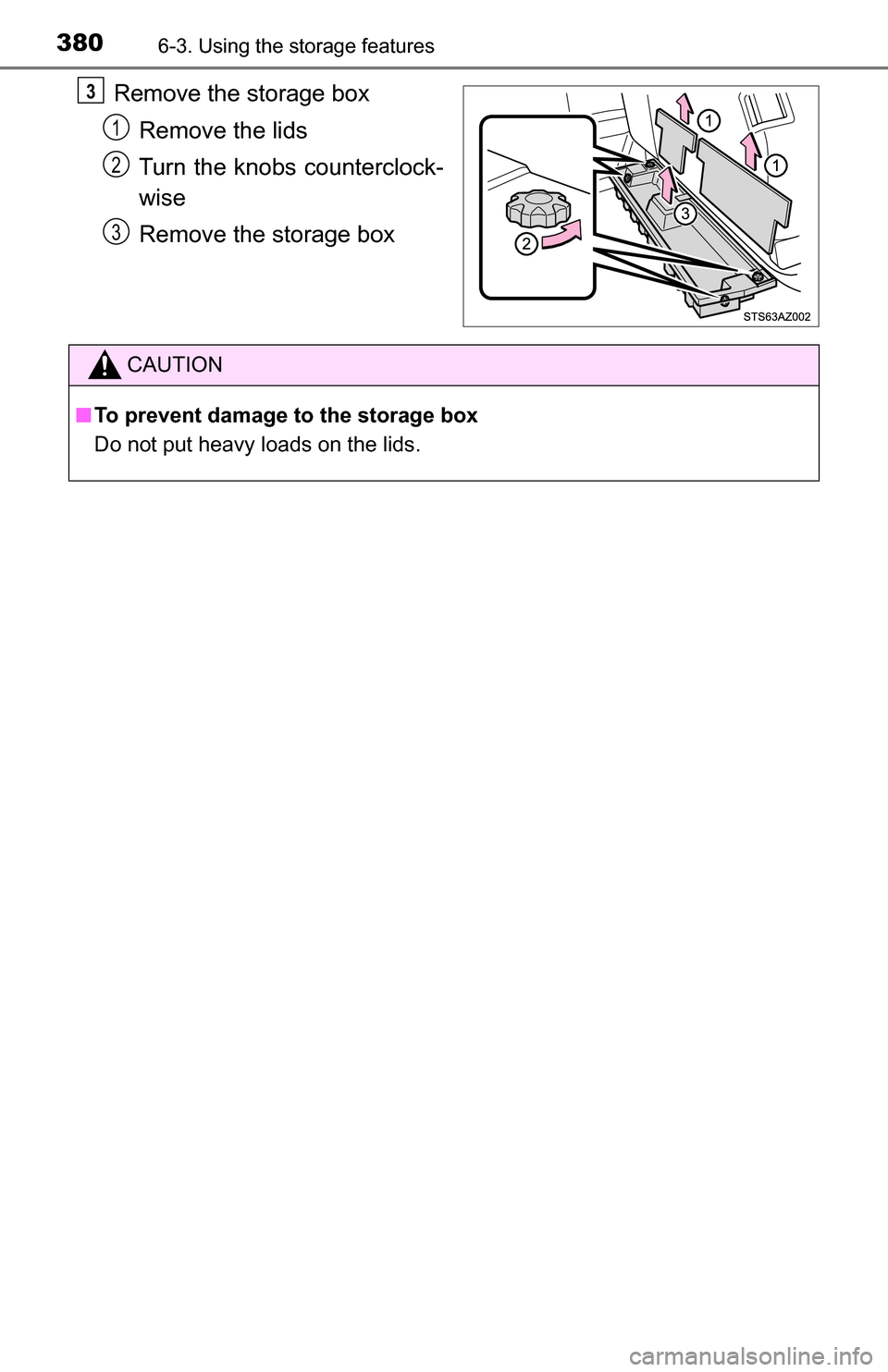
Remove the storage boxRemove the lids
Turn the knobs counterclock-
wise
Remove the storage box3
1
2
3
CAUTION
■ To prevent damage to the storage box
Do not put heavy loads on the lids.
Page 383 of 588
3836-4. Using the other interior features
6
Interior features
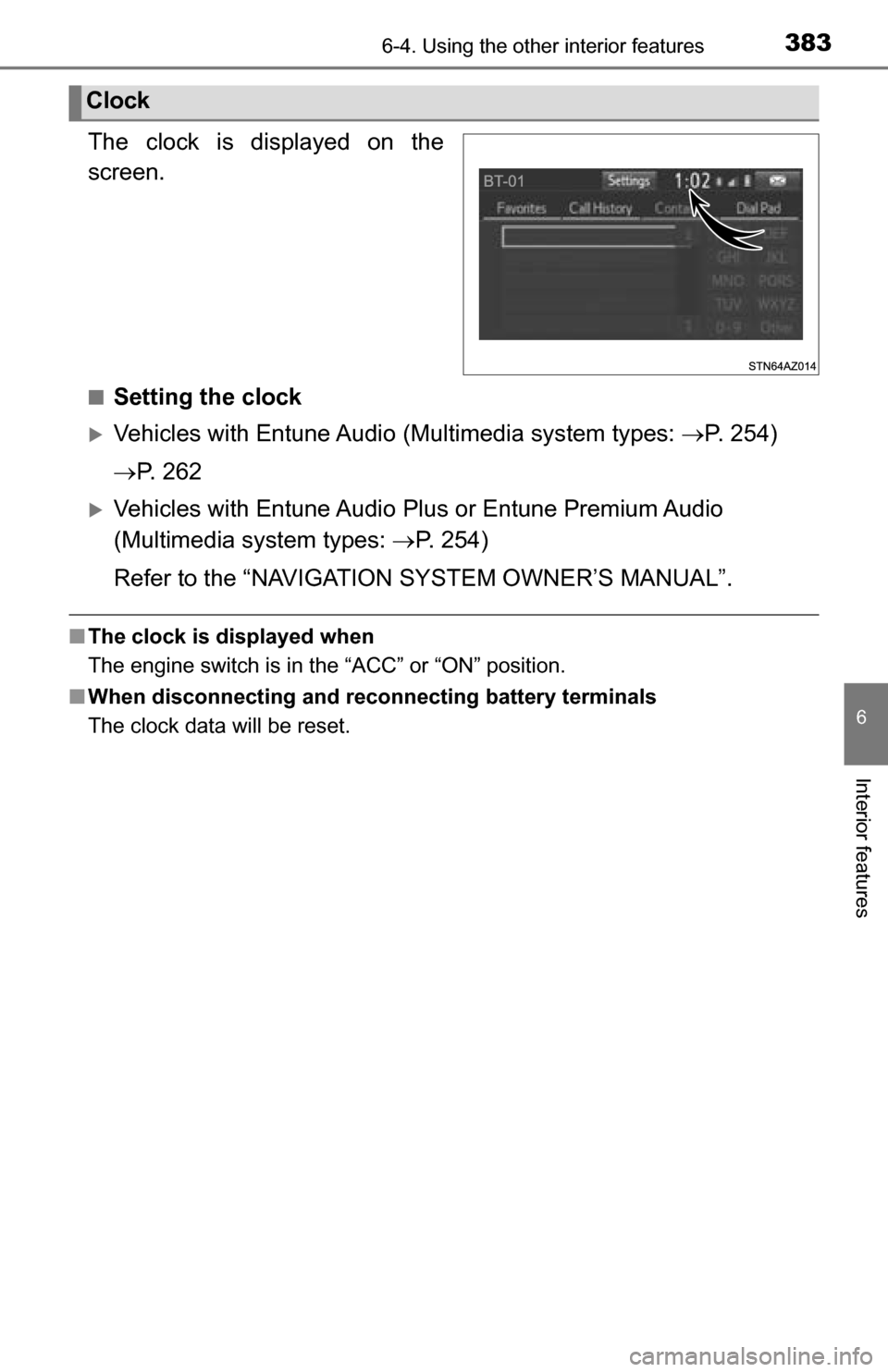
The clock is displayed on the
screen.
■Setting the clock
Vehicles with Entune Audio (Multimedia system types: P. 254)
P. 2 6 2
Vehicles with Entune Audio Plus or Entune Premium Audio
(Multimedia system types: P. 254)
Refer to the “NAVIGATION SYSTEM OWNER’S MANUAL”.
■ The clock is displayed when
The engine switch is in the “ACC” or “ON” position.
■ When disconnecting and reco nnecting battery terminals
The clock data will be reset.
Clock
Page 416 of 588
4167-3. Do-it-yourself maintenance
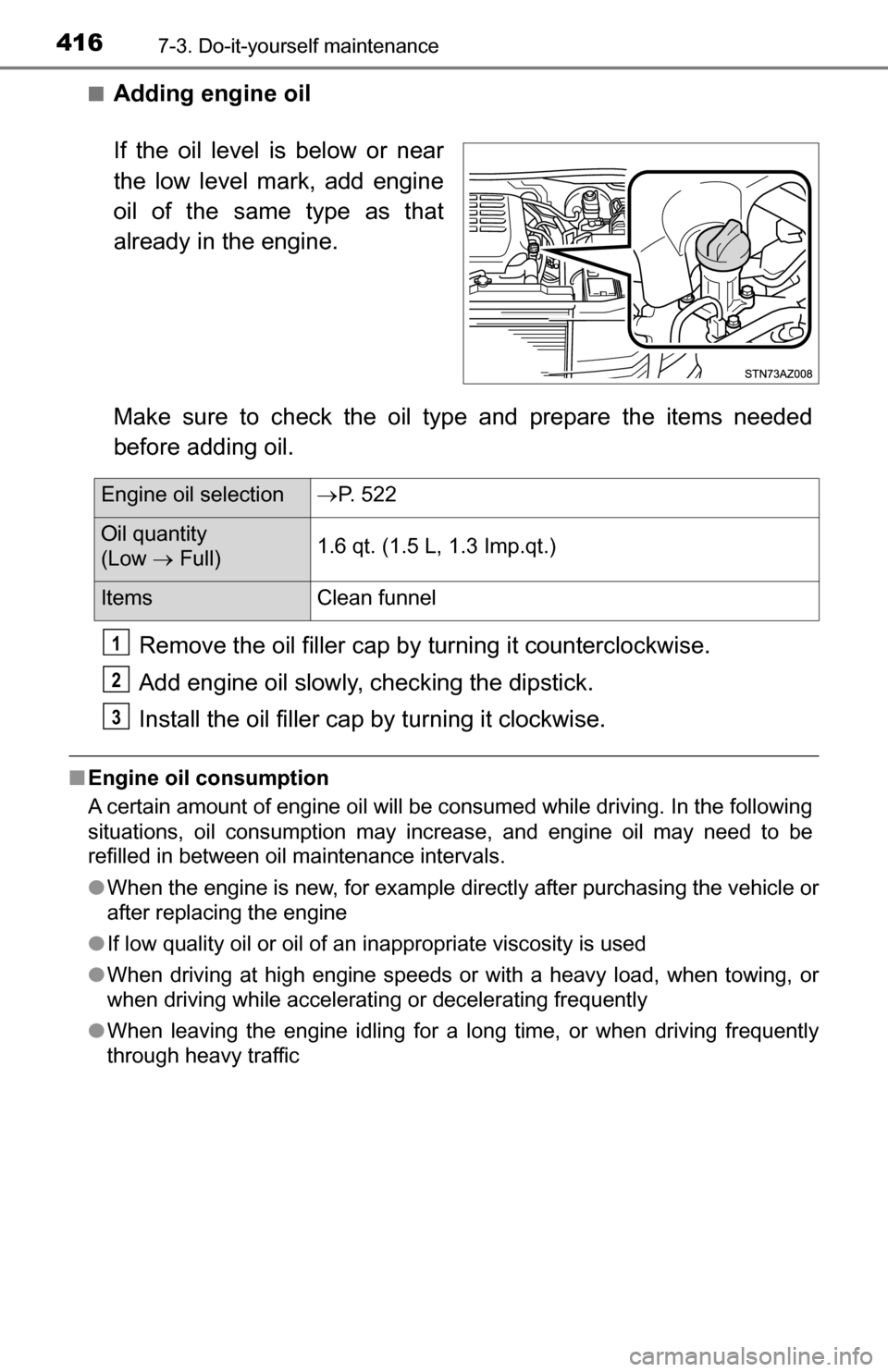
■Adding engine oil
Make sure to check the oil type and prepare the items needed
before adding oil.Remove the oil filler cap by turning it counterclockwise.
Add engine oil slowly, c hecking the dipstick.
Install the oil filler cap by turning it clockwise.
■Engine oil consumption
A certain amount of engine oil will be consumed while driving. In the following
situations, oil consumption may increase, and engine oil may need to be
refilled in between oil maintenance intervals.
●When the engine is new, for example directly after purchasing the vehicle or
after replacing the engine
● If low quality oil or oil of an inappropriate viscosity is used
● When driving at high engine speeds or with a heavy load, when towing, or
when driving while accelerating or decelerating frequently
● When leaving the engine idling for a long time, or when driving frequently
through heavy traffic
If the oil level is below or near
the low level mark, add engine
oil of the same type as that
already in the engine.
Engine oil selection P. 522
Oil quantity
(Low Full) 1.6 qt. (1.5 L, 1.3 Imp.qt.)
Items
Clean funnel
1
2
3