engine TOYOTA TUNDRA 2017 2.G User Guide
[x] Cancel search | Manufacturer: TOYOTA, Model Year: 2017, Model line: TUNDRA, Model: TOYOTA TUNDRA 2017 2.GPages: 588, PDF Size: 10.76 MB
Page 77 of 588
771-1. For safe use
1
For safety and security
Exhaust gas precautions
Harmful substance to the human body is included in exhaust
gases if inhale.
CAUTION
Exhaust gases include harmful carbon monoxide (CO), which is colorless and
odorless. Observe the following precautions.
Failure to do so may cause exhaust gases to enter the vehicle and may lead
to an accident caused by light-headedness, or may lead to death or a serious
health hazard.
■Important points while driving
● Double Cab and CrewMax models: Keep the back window closed.
● Double Cab and CrewMax models: If you smell exhaust gases in the vehi-
cle even when the back window is closed, open the windows and have the
vehicle inspected at your Toyota dealer as soon as possible.
● Toyota does not recommend occupying the rear cargo area when it is fitted
with a slide-in camper, camper shell or other type cover while the engine is
running. This caution applies to both driving and stopped or parked situa-
tions with the engine running. Particular care should be taken to prevent
exhaust gases from entering camper bodi es, trailers or other enclosures
on or around your vehicle. If exhaust fumes are detected, open all win-
dows and thoroughly ventilate the area.
■ When parking
● If the vehicle is in a poorly ventilated area or a closed area, such as a
garage, stop the engine.
● Do not leave the vehicle with the engine on for a long time.
If such a situation cannot be avoided, park the vehicle in an open space
and ensure that exhaust fumes do not enter the vehicle interior.
● Do not leave the engine running in an area with snow build-up, or where it
is snowing. If snowbanks build up around the vehicle while the engine is
running, exhaust gases may collect and enter the vehicle.
■ Exhaust pipe
The exhaust system needs to be checked periodically. If there is a hole or
crack caused by corrosion, damage to a joint or abnormal exhaust noise, be
sure to have the vehicle inspected and repaired by your Toyota dealer.
Page 78 of 588
781-2. Theft deterrent system
Engine immobilizer system∗
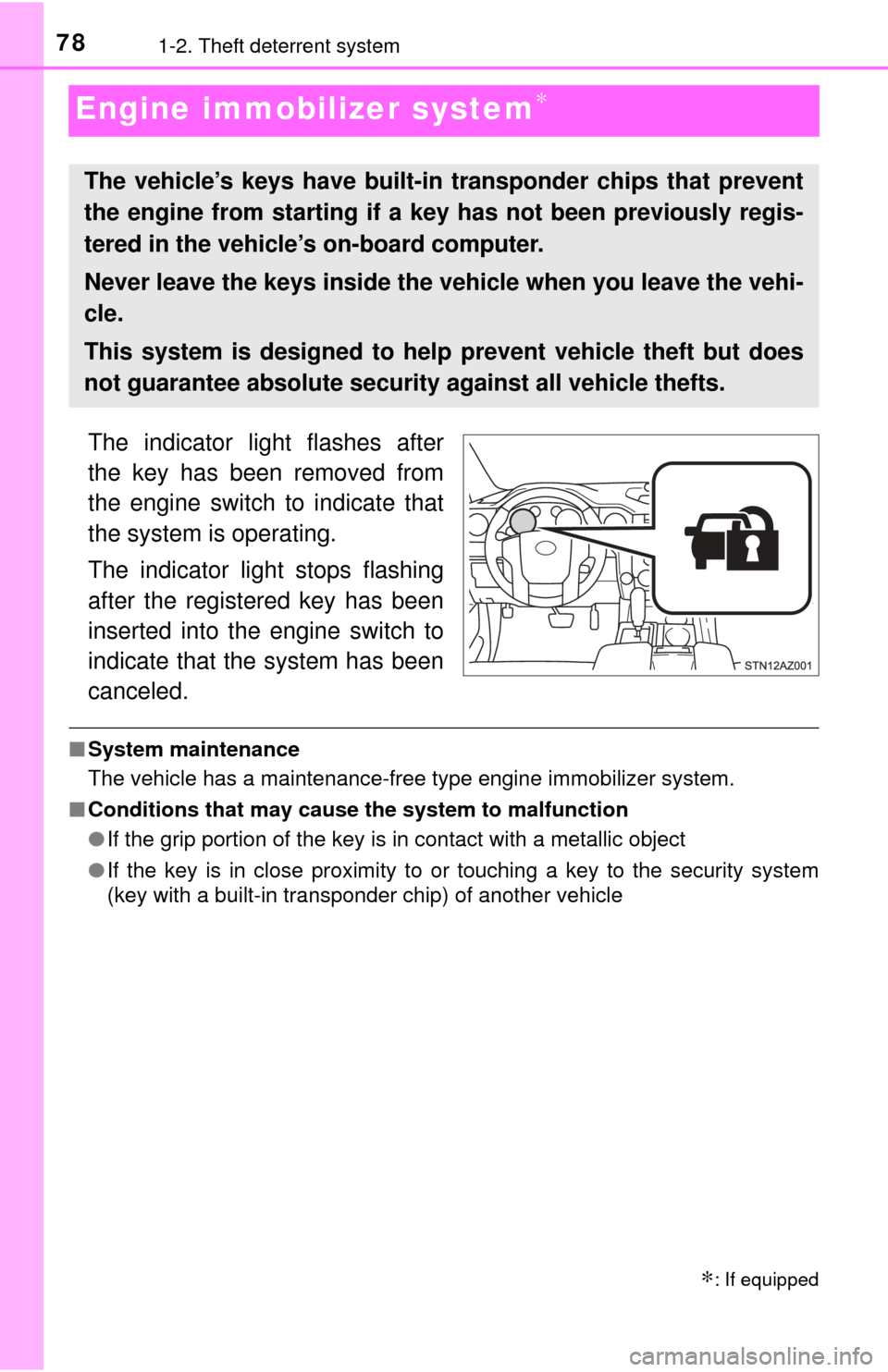
The indicator light flashes after
the key has been removed from
the engine switch to indicate that
the system is operating.
The indicator light stops flashing
after the registered key has been
inserted into the engine switch to
indicate that the system has been
canceled.
■System maintenance
The vehicle has a maintenance-free type engine immobilizer system.
■ Conditions that may cause the system to malfunction
●If the grip portion of the key is in contact with a metallic object
● If the key is in close proximity to or touching a key to the security system
(key with a built-in transponder chip) of another vehicle
∗: If equipped
The vehicle’s keys have built-in transponder chips that prevent
the engine from starting if a key has not been previously regis-
tered in the vehicle’s on-board computer.
Never leave the keys inside the vehicle when you leave the vehi-
cle.
This system is designed to help prevent vehicle theft but does
not guarantee absolute security against all vehicle thefts.
Page 80 of 588
801-2. Theft deterrent system
Alarm∗
The alarm uses light and sound to give an alert when an intrusion is
detected.
The alarm is triggered in the following situations when the alarm is
set:
●A locked door is unlocked or opened in any way other than using a
key or wireless remote control. (The doors will lock again automati-
cally.)
● The hood is opened.
● Vehicles with the glass breakage sensor: The side windows are
tapped or broken.
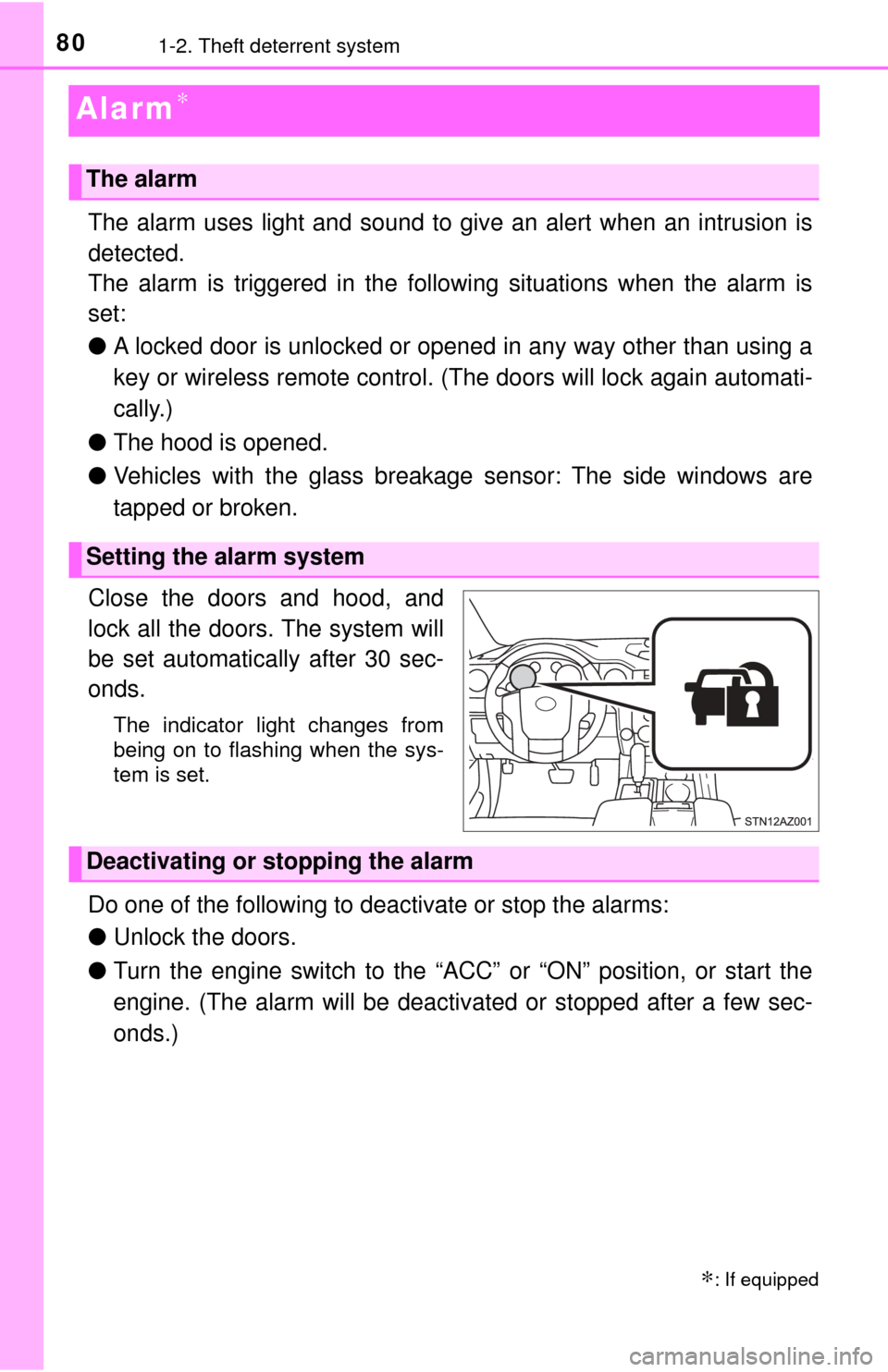
Close the doors and hood, and
lock all the doors. The system will
be set automatically after 30 sec-
onds.
The indicator light changes from
being on to flashing when the sys-
tem is set.
Do one of the following to d eactivate or stop the alarms:
● Unlock the doors.
● Turn the engine switch to the “ACC” or “ON” position, or start the
engine. (The alarm will be deactivated or stopped after a few sec-
onds.)
∗: If equipped
The alarm
Setting the alarm system
Deactivating or stopping the alarm
Page 85 of 588
852. Instrument cluster
2
Instrument cluster
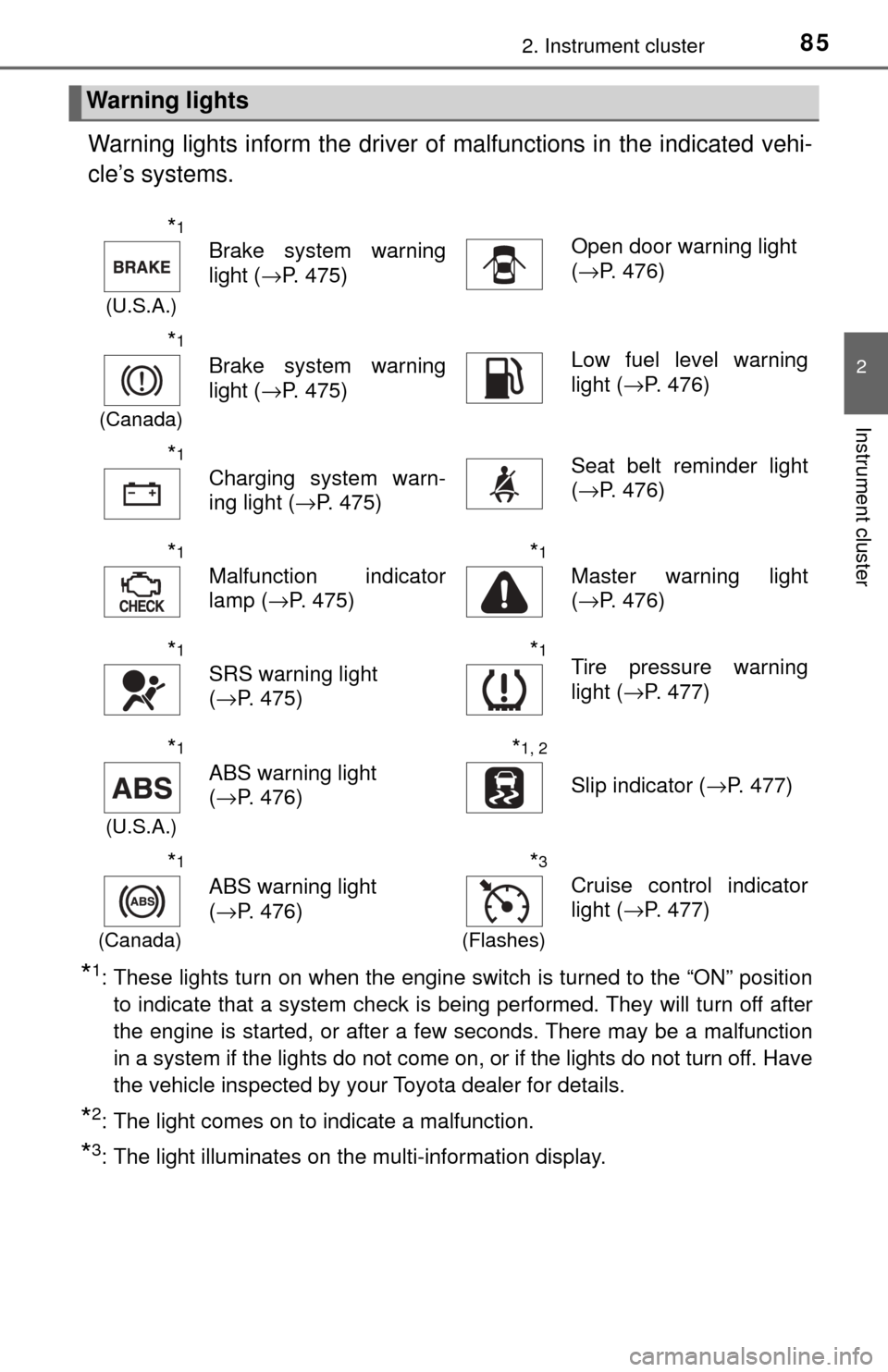
Warning lights inform the driver of malfunctions in the indicated vehi-
cle’s systems.
*1: These lights turn on when the engine switch is turned to the “ON” position to indicate that a system check is being performed. They will turn off after
the engine is started, or after a few seconds. There may be a malfunction
in a system if the lights do not come on, or if the lights do not turn off. Have
the vehicle inspected by your Toyota dealer for details.
*2: The light comes on to indicate a malfunction.
*3: The light illuminates on the multi-information display.
Warning lights
*1
(U.S.A.)
Brake system warning
light ( →P. 475)Open door warning light
(→P. 476)
*1
(Canada)
Brake system warning
light ( →P. 475)Low fuel level warning
light (→P. 476)
*1
Charging system warn-
ing light ( →P. 475)Seat belt reminder light
(→P. 476)
*1
Malfunction indicator
lamp ( →P. 475)
*1
Master warning light
(→P. 476)
*1
SRS warning light
(→P. 475)
*1Tire pressure warning
light ( →P. 477)
*1
(U.S.A.)
ABS warning light
(→P. 476)
*1, 2
Slip indicator ( →P. 477)
*1
(Canada)
ABS warning light
(→P. 476)
*3
(Flashes)
Cruise control indicator
light ( →P. 477)
Page 87 of 588
872. Instrument cluster
2
Instrument cluster
*1: These lights turn on when the engine switch is turned to the “ON” positionto indicate that a system check is being performed. They will turn off after
the engine is started, or after a few seconds. There may be a malfunction
in a system if the lights do not come on, or if the lights do not turn off. Have
the vehicle inspected by your Toyota dealer for details.
*2: The light flashes to indicate that the system is operating.
*3: In order to confirm operation, the BS M outside rear view mirror indicators
illuminate in the following situations:
• When the engine switch is turned to the “ON” position while the BSM main switch is set to ON.
• When the BSM main switch is set to ON while the engine switch is in the “ON” position.
If the system is functioning correctly, the BSM outside rear view mirror indi-
cators will turn off after a few seconds.
If the BSM outside rear view mirror indicators do not illuminate or do not
turn off, there may be a malfunction with the system.
If this occurs, have the vehicle inspected by your Toyota dealer.
*4: The light illuminates on the outside rear view mirrors.
*5: The light illuminates on the center panel.
*6: The light illuminates on the multi-information display.
CAUTION
■ If a safety system warning light does not come on
Should a safety system light such as the ABS and SRS warning light not
come on when you start the engine, this could mean that these systems are
not available to help protect you in an accident, which could result in death
or serious injury. Have the vehicle inspected by your Toyota dealer immedi-
ately if this occurs.
Page 88 of 588
882. Instrument cluster
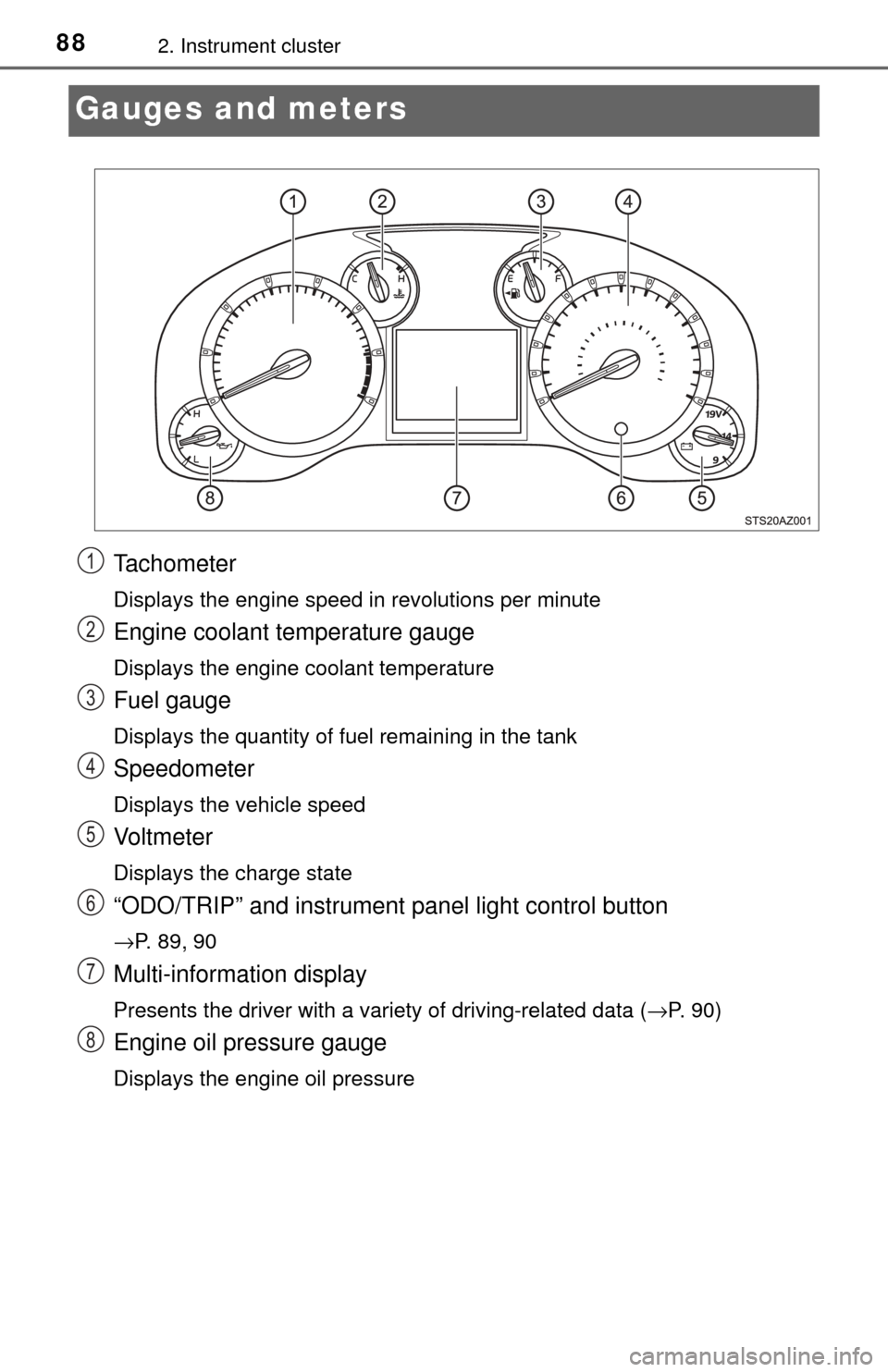
Gauges and meters
Tachometer
Displays the engine speed in revolutions per minute
Engine coolant temperature gauge
Displays the engine coolant temperature
Fuel gauge
Displays the quantity of fuel remaining in the tank
Speedometer
Displays the vehicle speed
Vo l t m e t e r
Displays the charge state
“ODO/TRIP” and instrument panel light control button
→P. 89, 90
Multi-information display
Presents the driver with a variety of driving-related data (→P. 90)
Engine oil pressure gauge
Displays the engine oil pressure
1
2
3
4
5
6
7
8
Page 89 of 588
892. Instrument cluster
2
Instrument cluster
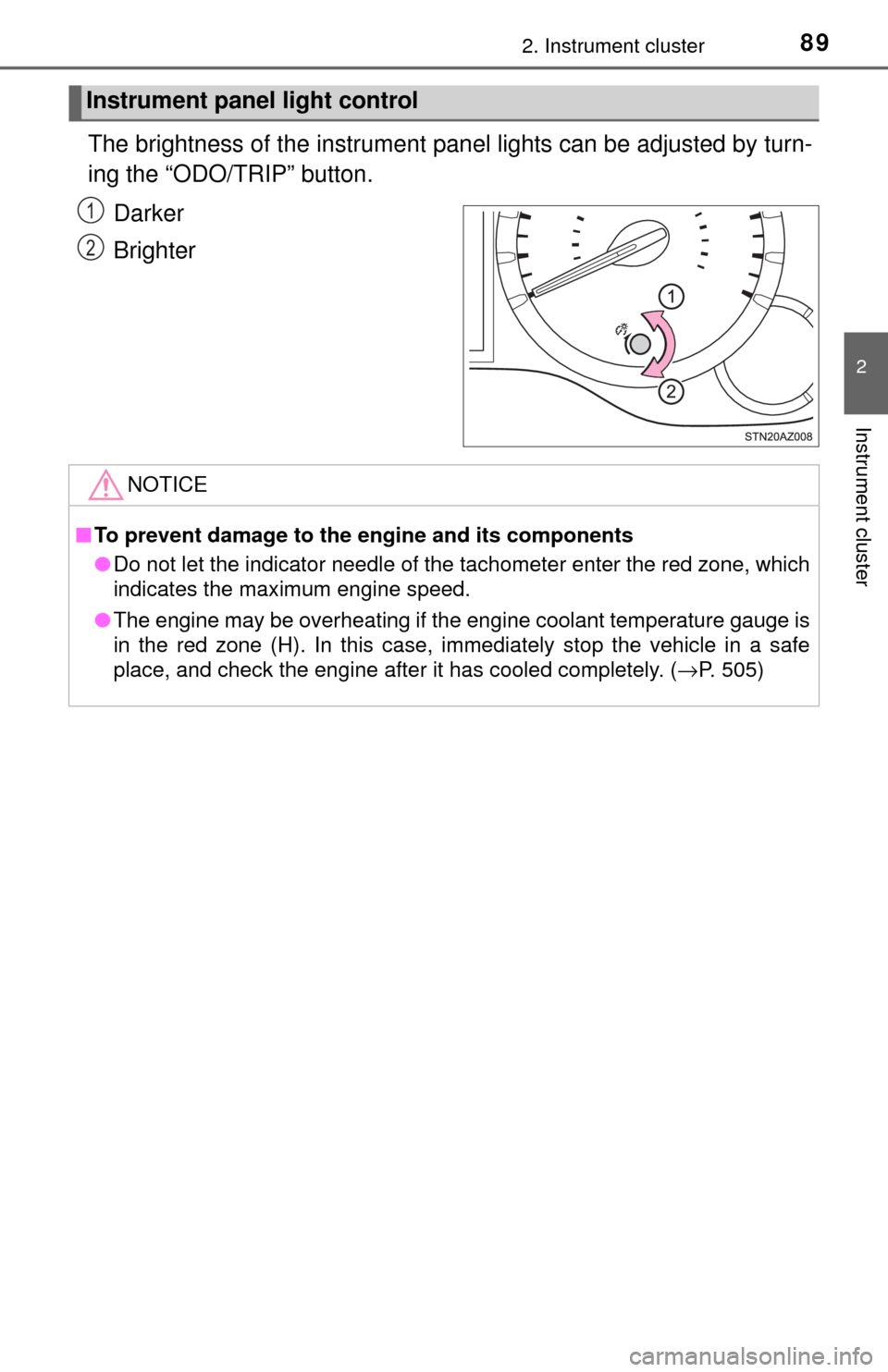
The brightness of the instrument panel lights can be adjusted by turn-
ing the “ODO/TRIP” button.
Darker
Brighter
Instrument panel light control
1
2
NOTICE
■To prevent damage to the engine and its components
● Do not let the indicator needle of the tachometer enter the red zone, which
indicates the maximum engine speed.
● The engine may be overheating if the engine coolant temperature gauge is
in the red zone (H). In this case, immediately stop the vehicle in a safe
place, and check the engine after it has cooled completely. (→ P. 505)
Page 91 of 588
912. Instrument cluster
2
Instrument cluster
■Odometer
Displays the total distance the vehicle has been driven
■Trip meters “A” and “B”
Displays the distance the vehicle has been driven since the meter
was last reset. Trip meters “A” and “B” can be used to record and
display different distances independently.
Pushing and holding the “ODO/TRIP” button will reset the trip meter that
is currently displayed.
■
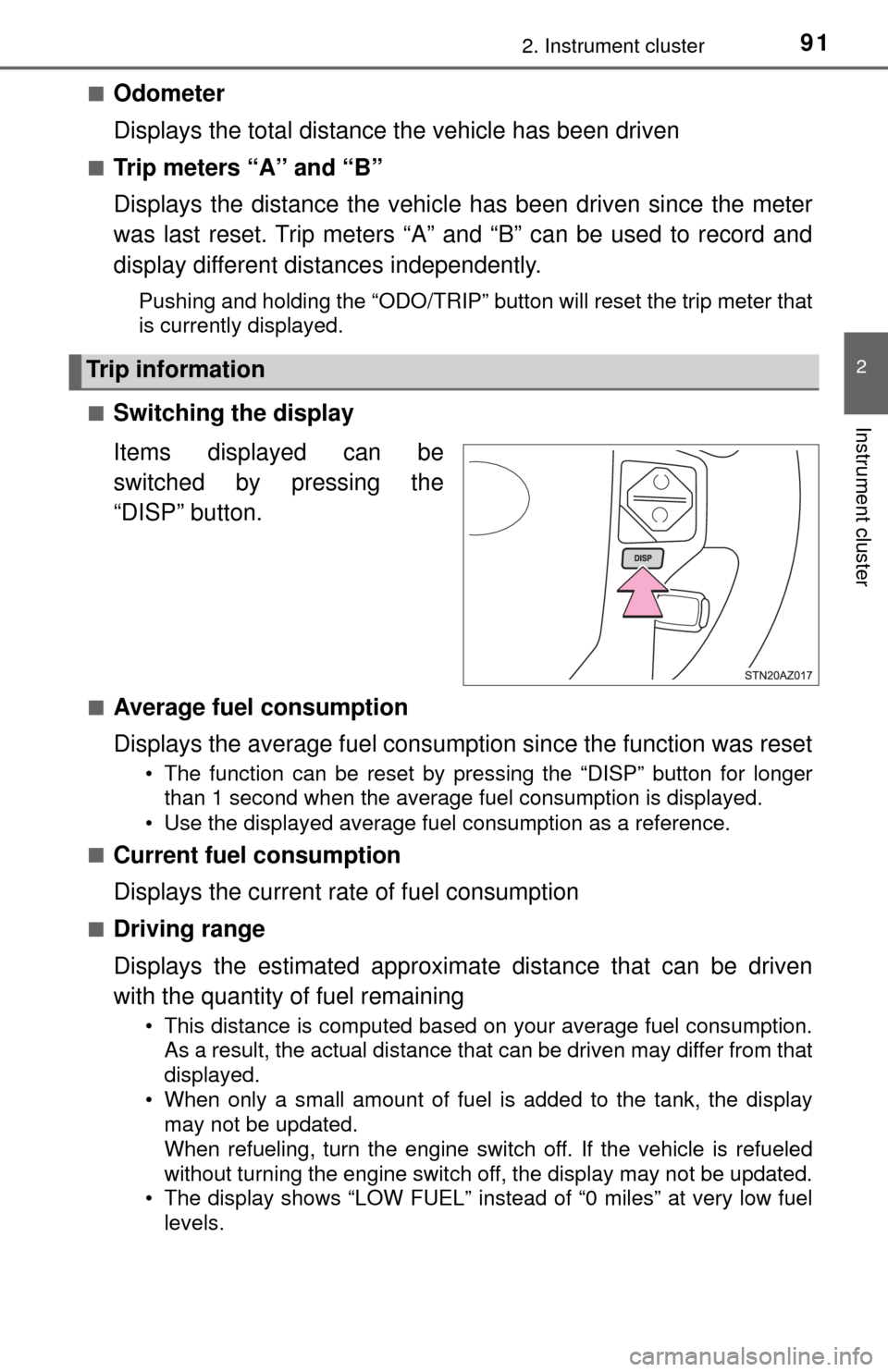
Switching the display
Items displayed can be
switched by pressing the
“DISP” button.
■Average fuel consumption
Displays the average fuel consumption since the function was reset
• The function can be reset by pressing the “DISP” button for longer than 1 second when the average fuel consumption is displayed.
• Use the displayed average fuel consumption as a reference.
■
Current fuel consumption
Displays the current rate of fuel consumption
■Driving range
Displays the estimated approxim ate distance that can be driven
with the quantity of fuel remaining
• This distance is computed based on your average fuel consumption. As a result, the actual distance that can be driven may differ from that
displayed.
• When only a small amount of fuel is added to the tank, the display may not be updated.
When refueling, turn the engine switch off. If the vehicle is refueled
without turning the engine switch off, the display may not be updated.
• The display shows “LOW FUEL” instead of “0 miles” at very low fuel
levels.
Trip information
Page 92 of 588
922. Instrument cluster
■Elapsed time
Displays the elapsed time since the engine was started
■Average vehicle speed
Displays the average vehicle speed since the engine was started
■Outside temperature
→P. 3 8 6
■Settings display
→P. 9 2
■Display off
A blank screen is displayed
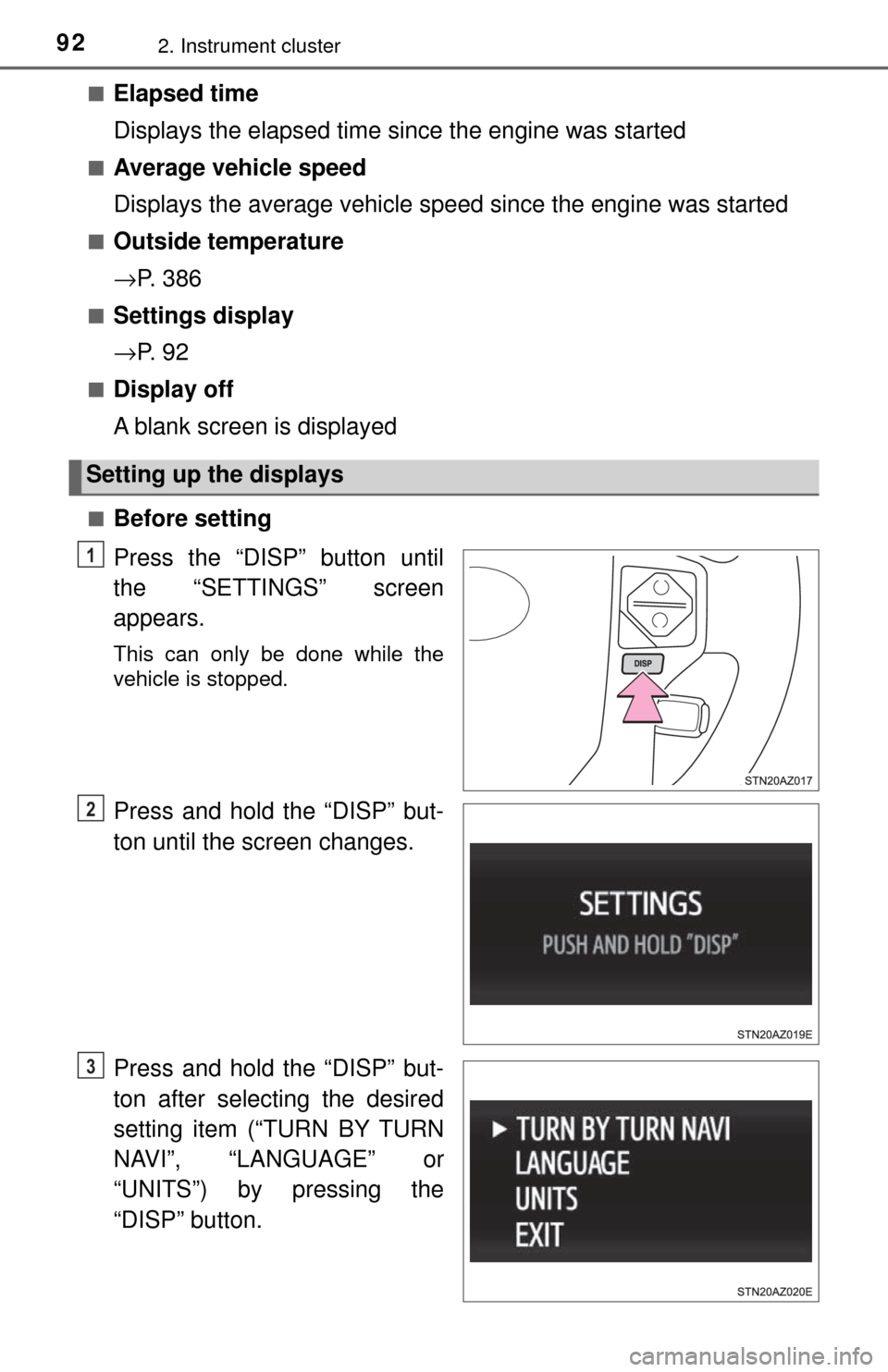
■Before setting
Press the “DISP” button until
the “SETTINGS” screen
appears.
This can only be done while the
vehicle is stopped.
Press and hold the “DISP” but-
ton until the screen changes.
Press and hold the “DISP” but-
ton after selecting the desired
setting item (“TURN BY TURN
NAVI”, “LANGUAGE” or
“UNITS”) by pressing the
“DISP” button.
Setting up the displays
1
2
3
Page 98 of 588
983-1. Key information
Keys
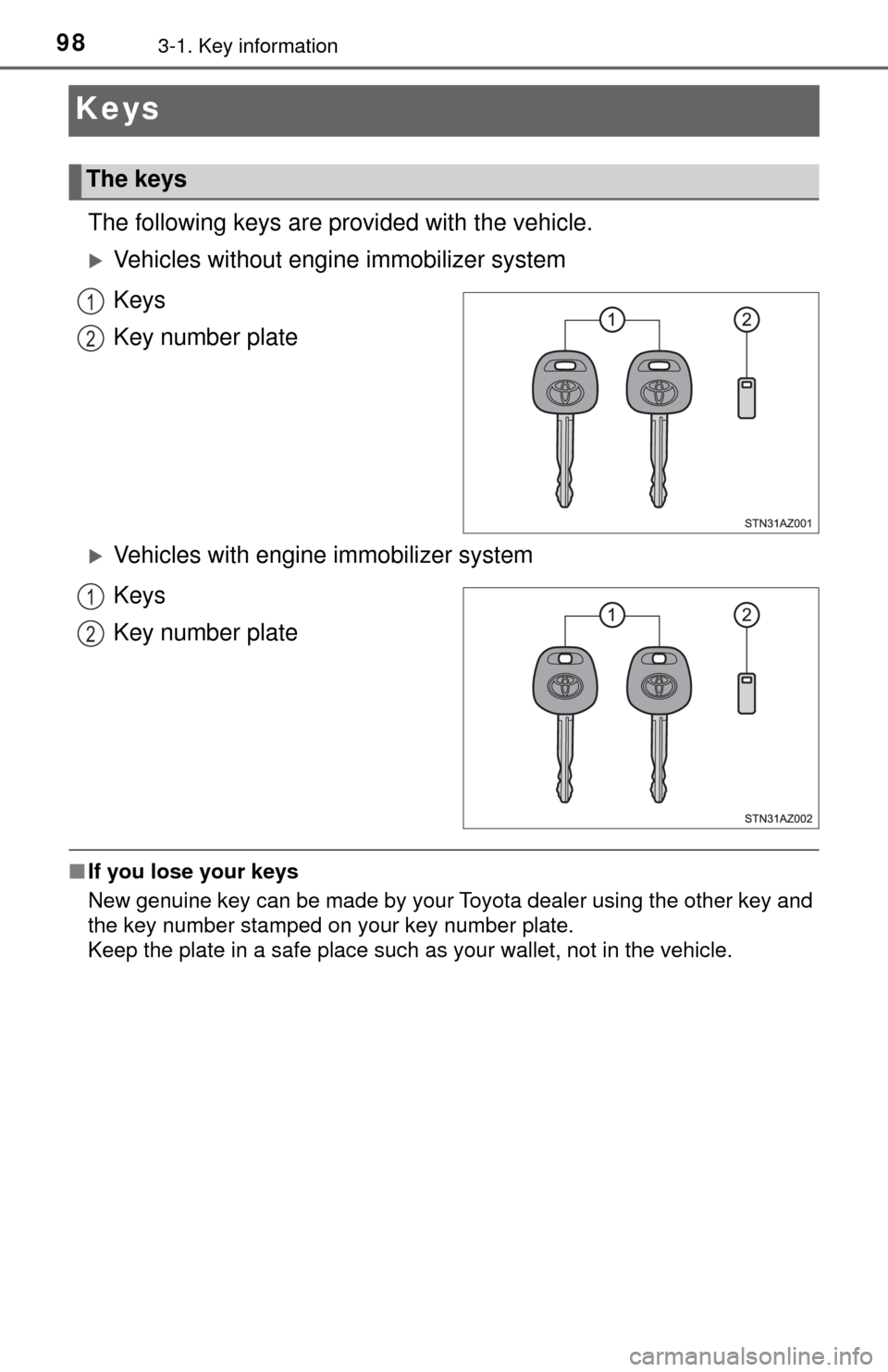
The following keys are provided with the vehicle.
Vehicles without engine immobilizer system
Keys
Key number plate
Vehicles with engine immobilizer system
Keys
Key number plate
■ If you lose your keys
New genuine key can be made by your Toyota dealer using the other key and
the key number stamped on your key number plate.
Keep the plate in a safe place such as your wallet, not in the vehicle.
The keys
1
2
1
2