key battery TOYOTA TUNDRA HYBRID 2022 User Guide
[x] Cancel search | Manufacturer: TOYOTA, Model Year: 2022, Model line: TUNDRA HYBRID, Model: TOYOTA TUNDRA HYBRID 2022Pages: 618, PDF Size: 19.91 MB
Page 196 of 618
1964-2. Driving procedures
Owners Manual_USA_M0C031_en
■Starting the hybrid system by
starter motor
●When the fuel lid is opened and
closed (such as re-fueling)
●When the outside temperature is
extremely cold (th e hybrid system
may be started by starter motor)
■Sounds and vibrations specific
to a Hybrid Electric Vehicle
P. 7 5
■If the 12-volt battery is dis-
charged
The hybrid system cannot be started
using the smart key system. Refer
to P.529 to restart the hybrid sys-
tem.
■Electronic key battery depletion
P. 1 1 0
■Conditions affecting operation
P. 1 3 0
■Notes for the entry function
P. 1 3 0
■If “Smart Key System Malfunc-
tion See Owner’s Manual” is
displayed on the multi-informa-
tion display
The system may be malfunctioning.
Have the vehicle inspected by your
Toyota dealer immediately.
■When “Check Fuel Cap” is dis-
played on the multi-information
display
P. 2 2 3
■If the “READY” indicator does
not come on
In the event that the “READY” indi-
cator does not come on even after
performing the proper procedures
for starting the vehicle, contact your
Toyota dealer immediately.
■If the hybrid system is malfunc-
tioning
P. 5 1 1
■Electronic key battery
P.485
■Operation of the power switch
●If the switch is not pressed shortly
and firmly, the power switch mode
may not change o r the hybrid sys-
tem may not start.
●If attempting to restart the hybrid
system immediately after turning
the power switch to OFF, the
hybrid system may not start in
some cases. After turning the
power switch to OF F, please wait
a few seconds before restarting
the hybrid system.
■Customization
If the smart key system has been
deactivated in a customized setting,
refer to P.527.
WARNING
■When starting the hybrid sys-
tem
Always start the hybrid system
while sitting in the driver’s seat.
Do not depress t he accelerator
pedal while starting the hybrid
system under any circumstances.
Doing so may cause an accident
resulting in death o r serious injury.
NOTICE
■When starting the hybrid sys-
tem
If the hybrid system becomes diffi-
cult to start, have your vehicle
checked by your Toyota dealer
immediately.
Page 212 of 618
2124-3. Operating the lights and wipers
Owners Manual_USA_M0C031_enand may cause the automatic head-
light system to malfunction.
■Automatic light off system
●When the headlights are on: The
headlights and tail
lights turn off
30 seconds after the driver’s door
is opened and clos ed if the power
switch is turned to ACC or off.
(The lights turn off immediately if
on the key is pressed after all
the doors are closed.)
●When only the tail lights are on:
The tail lights tu rn off automati-
cally if the power switch is turned
to ACC or OFF and the driver’s
door is opened.
To turn the lights on again, turn the
power switch to ON, or turn the light
switch off once and then back to or .
■Light reminder buzzer
A buzzer sounds when the power
switch is turned to ACC or OFF and
the driver’s door is opened while the
lights are turned on.
■When unlock the doors (wel-
come lamp) (If equipped)
When the doors are unlocked using
the entry function or wireless remote
control, the front parking lights and
tail lights turn o n automatically.
When the light switch is in the AUTO
position and the surrounding area is
dark, this function will operate.
■Automatic headlight leveling
system (if equipped)
The level of the headlights is auto-
matically adjusted according to the
number of passengers and the load-
ing condition of the vehicle to
ensure that the headlights do not
interfere with other road users.
■Windshield wiper linked head-
light illumination
When driving during daytime with
the headlight swit ch turned to , if the windshield wipers are
used, the headlights will turn on
automatically after several seconds
to help enhance the visibility of your
vehicle.
■12-volt battery-saving function
In order to prevent the 12-volt bat-
tery of the vehicle from discharging,
if the headlights and/or tail lights are
on when the power switch is turned
to OFF the 12-volt battery-saving
function will operate and automati-
cally turn off all the lights after
approximately 20 minutes. When
the power switch is turned to ON,
the 12-volt battery-saving function
will be disabled.
When any of the following are per-
formed, the 12-volt battery-saving
function is canceled once and then
reactivated. All the lights will turn off
automatically 20 minutes after the
12-volt battery-saving function has
been reactivated:
●When the headlight switch is oper-
ated
●When a door is opened or closed
■Customization
Some functions can be customized.
( P.561)
NOTICE
■To prevent 12-volt battery dis-
charge
Do not leave the lights on longer
than necessary when the hybrid
system is not operating.
Page 410 of 618
4125-2. Using the interior lights
Owners Manual_USA_M0C031_enopened or closed while the shift
lever is in P, D or R.
The trailer hitch light turns on when
the door or tailgate is opened or
closed while the shift lever is in P or
R. trailer hitch light will turn off
when shift lever in D.
“ON”
The cargo lamp, bed lamp, trailer
hitch light turns o
n while the shift
lever is in P or R. Only cargo lamp
and bed lamp turns on while shift
lever is in D.
■Illuminated entry system
The lights automatically turn on/off
according to the power switch
mode, the presence of the elec-
tronic key, whether the doors are
locked/unlocked, and whether the
doors are open/closed.
■To prevent the 12-volt battery
from being discharged
If the follo wing lights remain on
when the door is not fully closed and
the main switch i s in the “DOOR”
position, the lights will go off auto-
matically after 20 minutes:
●Personal/interior lights
●Cargo lamp
●Bed lamp
●Trailer hitch light
■The personal/interior lights may
turn on automatically when
If any of the SRS airbags deploy
(inflate) or in the event of a strong
rear impact, the personal/interior
lights will turn on automatically.
The personal/interior lights will turn
off automatically after approximately
20minutes.
The personal/interior lights can be
turned off manually. However, in
order to help prev ent further colli-
sions, it is recommended that they be left on until safety can be
ensured.
(The personal/interior lights may not
turn on automatically depending on
the force of the impact and condi-
tions of the collision.)
■Customization
Some functions can be customized.
( P.561)
NOTICE
■To prevent 12-volt battery dis-
charge
Do not leave the lights on longer
than necessary when the hybrid
system is off.
■Removing light lenses
Never remove the lens for the
personal/interior lights. Otherwise,
the lights will be damaged. If a
lens needs to be removed, con-
tact your Toyota dealer.
Page 423 of 618
4255-4. Using the other interior features
Owners Manual_USA_M0C031_en
5
Interior features
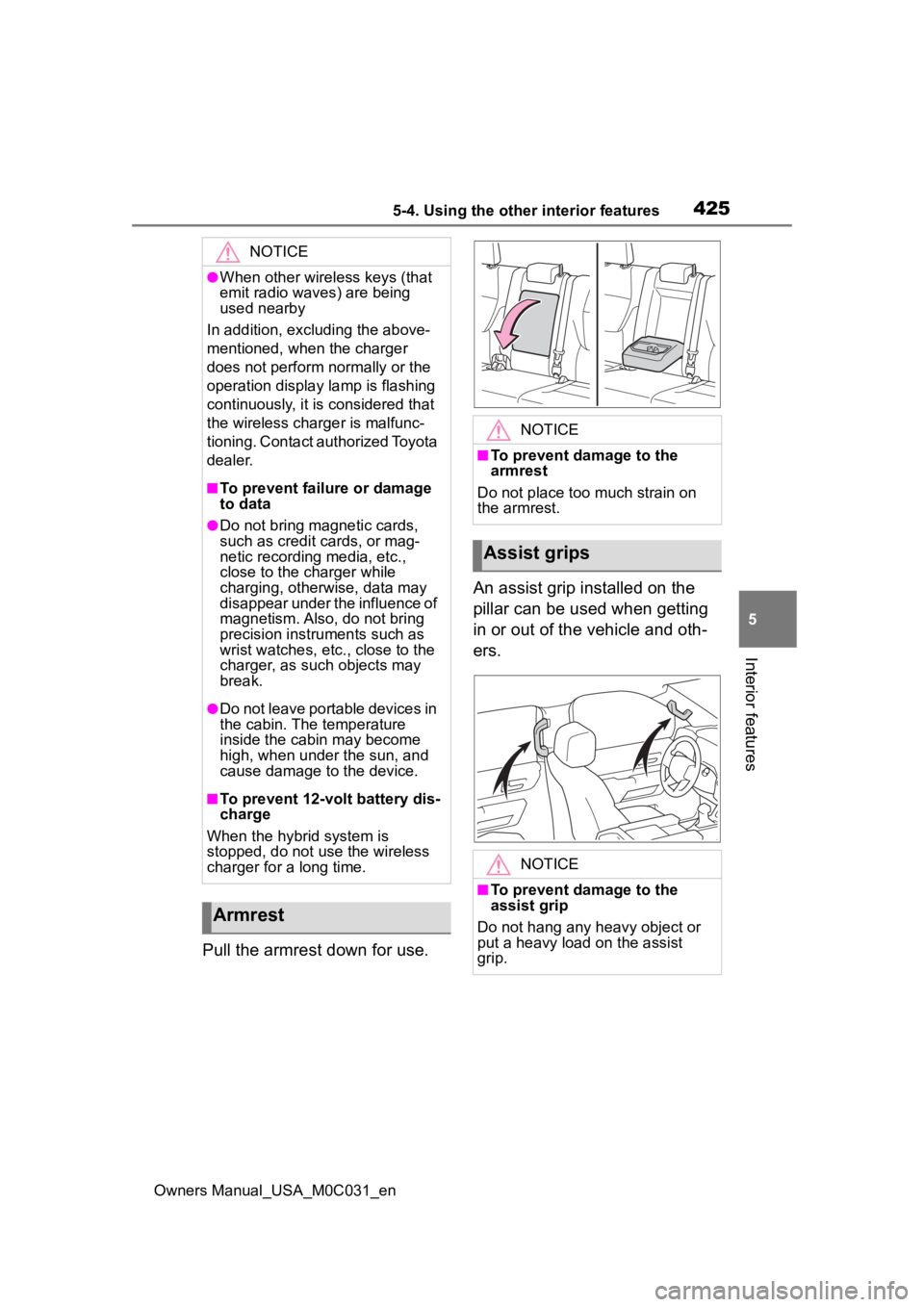
Pull the armrest down for use. An assist grip installed on the
pillar can be used when getting
in or out of the vehicle and oth-
ers.
NOTICE
●When other wireless keys (that
emit radio waves) are being
used nearby
In addition, excl uding the above-
mentioned, when the charger
does not perform normally or the
operation display lamp is flashing
continuously, it is considered that
the wireless charger is malfunc-
tioning. Contact authorized Toyota
dealer.
■To prevent failu re or damage
to data
●Do not bring magnetic cards,
such as credit cards, or mag-
netic recording media, etc.,
close to the charger while
charging, otherwise, data may
disappear under the influence of
magnetism. Also, do not bring
precision instruments such as
wrist watches, etc ., close to the
charger, as such objects may
break.
●Do not leave portable devices in
the cabin. The temperature
inside the cabin may become
high, when under the sun, and
cause damage to the device.
■To prevent 12-volt battery dis-
charge
When the hybrid system is
stopped, do not use the wireless
charger for a long time.
Armrest
NOTICE
■To prevent damage to the
armrest
Do not place too much strain on
the armrest.
Assist grips
NOTICE
■To prevent damage to the
assist grip
Do not hang any heavy object or
put a heavy load on the assist
grip.
Page 439 of 618
441
Owners Manual_USA_M0C031_en
6
6
Maintenance and care
Maintenance and care
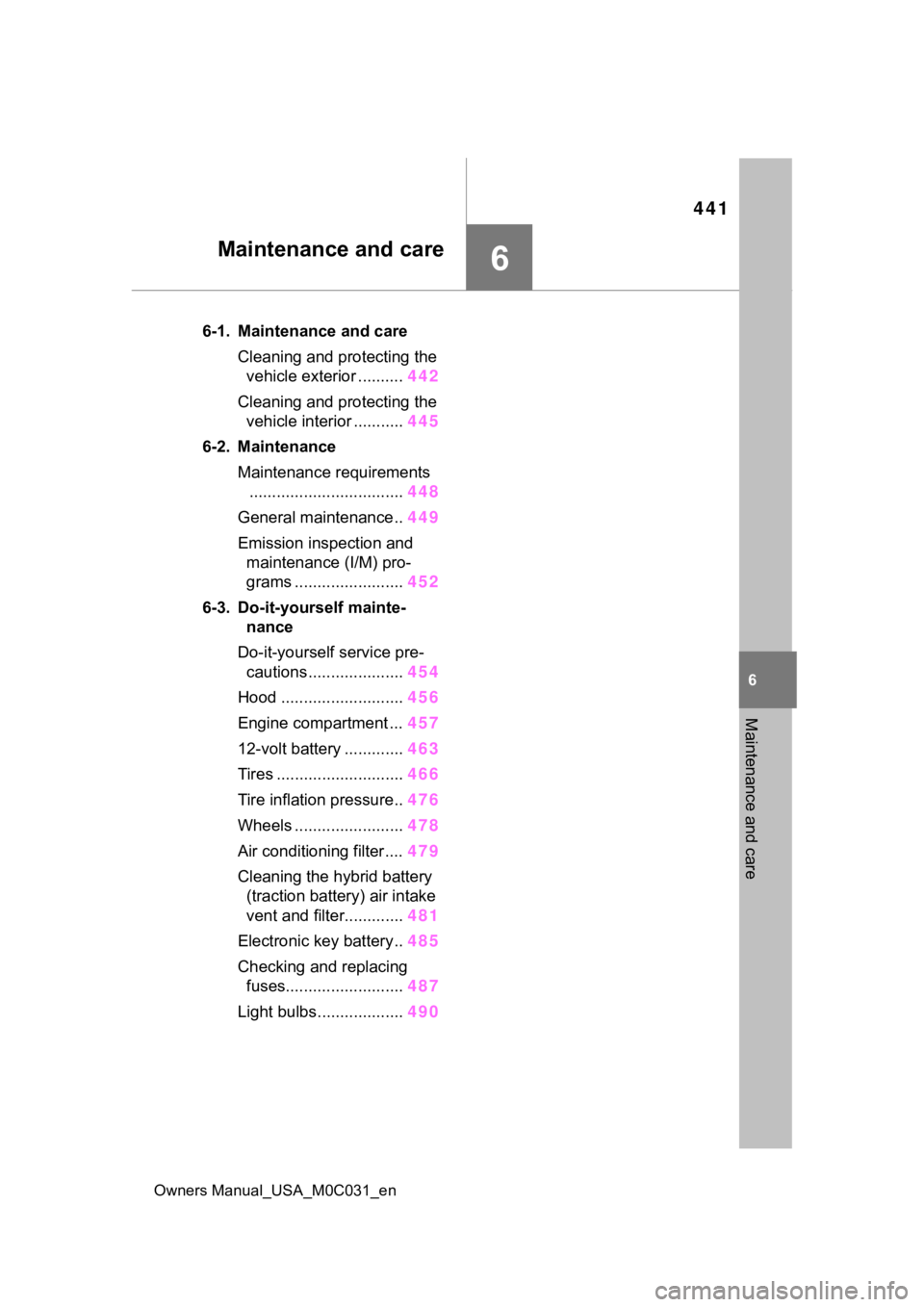
6-1. Maintenance and careCleaning and protecting the vehicle exterior .......... 442
Cleaning and protecting the vehicle interior ........... 445
6-2. Maintenance Maintenance requirements.................................. 448
General maintenance.. 449
Emission inspection and maintenance (I/M) pro-
grams ........................ 452
6-3. Do-it-yourself mainte- nance
Do-it-yourself service pre- cautions ..................... 454
Hood ........................... 456
Engine compartment ... 457
12-volt battery ............. 463
Tires ............................ 466
Tire inflation pressure.. 476
Wheels ......... ...............478
Air conditioning filter .... 479
Cleaning the hybrid battery (traction battery) air intake
vent and filter............. 481
Electronic key battery.. 485
Checking and replacing fuses.......................... 487
Light bulbs................... 490
Page 440 of 618
4426-1. Maintenance and care
Owners Manual_USA_M0C031_en
6-1.Maintenance and care
Working from top to bottom,
liberally apply water to the
vehicle body, wheel wells and
underside of the vehicle to
remove any dirt and dust.
Wash the vehicle body using
a sponge or soft cloth, such
as a chamois.
For hard-to-remove marks,
use car wash soap and rinse
thoroughly with water.
Wipe away any water.
Wax the vehicle when the
waterproof coating deterio-
rates.
If water does not bead on a clean
surface, apply wax when the vehi-
cle body is cool.
■Automatic car washes
●Fold the mirrors before washing
the vehicle.
Start washing from the front of the
vehicle. Extend the mirrors before
driving.
●Brushes used in automatic car
washes may scratch the vehicle
surface, parts (wheel, etc.) and
harm your vehicle’s paint.
■High pressure car washes
As water may enter the cabin, do
not bring the nozzle tip near the
gaps around the doors or perimeter
of the windows, or spray these
areas continuously.
■When using a car wash
If the door handle becomes wet
while the electronic key is within the
effective range, the door may lock
and unlock repeatedly. In that case,
follow the following correction pro-
cedures to wash the vehicle:
●Place the key in a position 6 ft. (2
m) or more separate from the
vehicle while the vehicle is being
washed. (Take care to ensure that
the key is not stolen.)
●Set the electronic key to battery-
saving mode to disable the Smart
key system. ( P.129)
■Wheels and wheel ornaments
●Remove any dirt immediately by
using a neutral detergent.
●Wash detergent off with water
immediately after use.
●To protect the paint from damage,
make sure to obs erve the follow-
ing precautions.
• Do not use acidic, alkaline or abrasive detergent
• Do not use hard brushes
• Do not use detergent on the wheels when they are hot, such
as after driving or parking in hot
weather
■Brake pads and calipers
Rust may form if the vehicle is
parked with wet brake pads or disc
rotors, causing them to stick. Before
parking the vehicle after it is
washed, drive slo wly and apply the
brakes several times to dry the
parts.
■Bumpers and wheel arch mold-
ings
Do not scrub with abrasive cleaners.
Cleaning and protect-
ing the vehicle exte-
rior
Perform cleaning in a man-
ner appropriate to each
component and its material.
Cleaning instructions
Page 452 of 618
4546-3. Do-it-yourself maintenance
Owners Manual_USA_M0C031_en
6-3.Do-it-yourself maintenance
Do-it-yourself ser vice
precautions
If you perform maintenance
by yourself, be sure to fol-
low the correct procedure
as given in these sections.
Maintenance
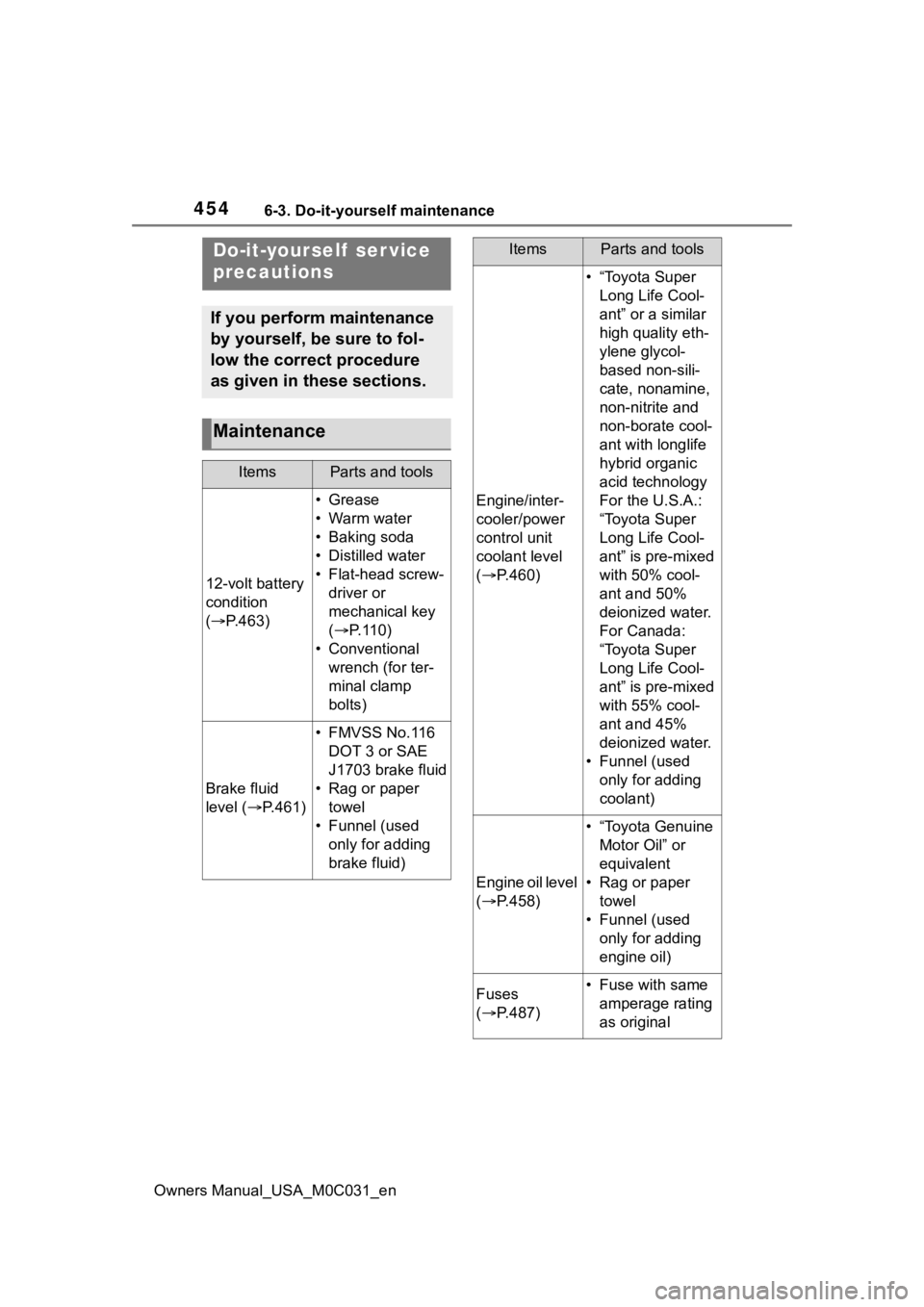
ItemsParts and tools
12-volt battery
condition
( P.463)
•Grease
•Warm water
• Baking soda
• Distilled water
• Flat-head screw-
driver or
mechanical key
( P. 1 1 0 )
• Conventional wrench (for ter-
minal clamp
bolts)
Brake fluid
level ( P.461)
• FMVSS No.116
DOT 3 or SAE
J1703 brake fluid
• Rag or paper towel
• Funnel (used only for adding
brake fluid)
Engine/inter-
cooler/power
control unit
coolant level
( P.460)
• “Toyota Super
Long Life Cool-
ant” or a similar
high quality eth-
ylene glycol-
based non-sili-
cate, nonamine,
non-nitrite and
non-borate cool-
ant with longlife
hybrid organic
acid technology
For the U.S.A.:
“Toyota Super
Long Life Cool-
ant” is pre-mixed
with 50% cool-
ant and 50%
deionized water.
For Canada:
“Toyota Super
Long Life Cool-
ant” is pre-mixed
with 55% cool-
ant and 45%
deionized water.
• Funnel (used only for adding
coolant)
Engine oil level
( P.458)
• “Toyota Genuine
Motor Oil” or
equivalent
• Rag or paper towel
• Funnel (used only for adding
engine oil)
Fuses
( P.487)• Fuse with same
amperage rating
as original
ItemsParts and tools
Page 461 of 618
4636-3. Do-it-yourself maintenance
Owners Manual_USA_M0C031_en
6
Maintenance and care
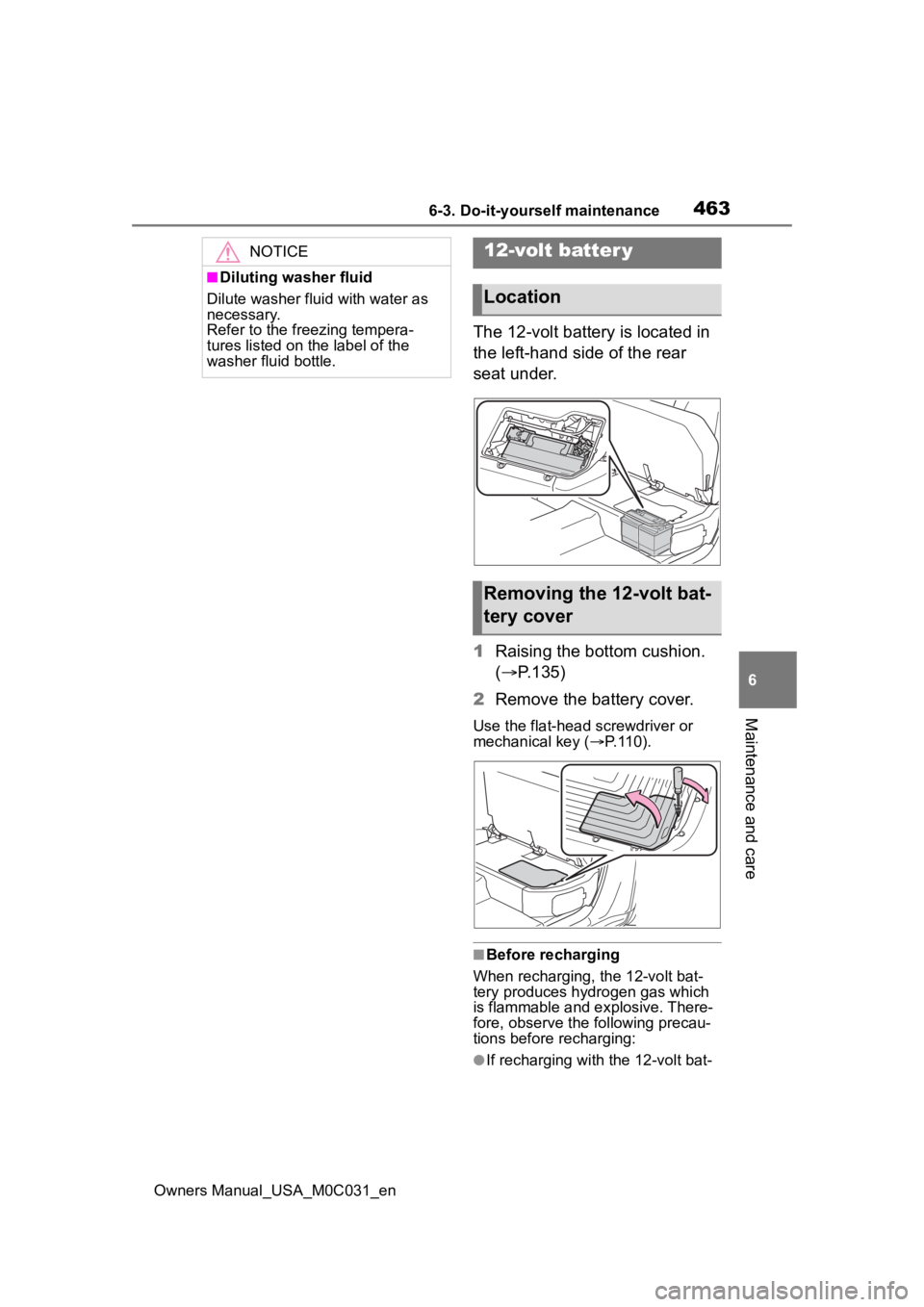
The 12-volt battery is located in
the left-hand side of the rear
seat under.
1 Raising the bottom cushion.
( P.135)
2 Remove the battery cover.
Use the flat-head screwdriver or
mechanical key ( P.110).
■Before recharging
When recharging, the 12-volt bat-
tery produces hydrogen gas which
is flammable and explosive. There-
fore, observe the following precau-
tions before recharging:
●If recharging with the 12-volt bat-
NOTICE
■Diluting washer fluid
Dilute washer fluid with water as
necessary.
Refer to the freezing tempera-
tures listed on the label of the
washer fluid bottle.
12-volt batter y
Location
Removing the 12-volt bat-
tery cover
Page 462 of 618
4646-3. Do-it-yourself maintenance
Owners Manual_USA_M0C031_entery installed on the vehicle, be
sure to disconnect the ground
cable.
●Make sure the charger is off when
connecting and disconnecting the
charger cables to
the 12-volt bat-
tery.
■After recharging/reconnecting
the 12-volt battery
●Unlocking the doors using the
smart key system may not be pos-
sible immediately after reconnect-
ing the 12-volt battery. If this
happens, use the wireless remote
control or the mechanical key to
lock/unlock the doors.
●Start the hybrid system with the
power switch in ACC. The hybrid
system may not start with the
power switch turned off. However,
the hybrid system will operate nor-
mally from the second attempt.
●The power switch mode is
recorded by the vehicle. If the 12-
volt battery is reconnected, the
vehicle will return the power
switch mode to the status it was in
before the 12-volt battery was dis-
connected. Make sure to turn off
the power switch before discon-
necting the 12-volt battery. Take
extra care when connecting the
12-volt battery if the power switch
mode prior to discharge is
unknown.
●When the 12-volt b attery is recon-
nected, start the hybrid system,
depress the brake pedal, and con-
firm that it is possible to shift into
each shift position.
If the system will not start even after
multiple attempts, contact your Toy-
ota dealer.
WARNING
■Chemicals in the 12-volt bat-
tery
The 12-volt battery contains poi-
sonous and corrosive sulfuric acid
and may produce hydrogen gas
which is flammable and explosive.
To reduce the risk of death or seri-
ous injury, take the following pre-
cautions while working on or near
the 12-volt battery:
●Do not cause sparks by touch-
ing the 12-volt battery terminals
with tools.
●Do not smoke or light a match
near the 12-volt battery.
●Avoid contact with eyes, skin
and clothes.
●Never inhale or swallow electro-
lyte.
●Wear protective safety glasses
when working near the 12-volt
battery.
●Keep children away from the
12-volt battery.
■Where to safely charge the
12-volt battery
Always charge the 12-volt battery
in an open area. Do not charge
the 12-volt battery in a garage or
closed room where there is insuf-
ficient ventilation.
■Emergency measures regard-
ing electrolyte
●If electrolyte gets in your eyes
Flush your eyes with clean
water for at least 15 minutes
and get immediate medical
attention. If possible, continue
to apply water with a sponge or
cloth while traveling to the near-
est medical facility.
Page 483 of 618
4856-3. Do-it-yourself maintenance
Owners Manual_USA_M0C031_en
6
Maintenance and care
■If the electronic key battery is
depleted
The following symptoms may occur:
●The smart key system and wire-
less remote contr ol will not func-
tion properly.
●The operational range will be
reduced.
Flathead screwdriver
Small flathead screwdriver
Lithium battery CR2450
■Use a CR2450 lithium battery
●Batteries can be purchased at
your Toyota dealer, local electrical
appliance shops or camera stores.
●Replace only with the same or
equivalent type recommended by
the manufacturer.
●Dispose of used ba tteries accord-
ing to local laws.
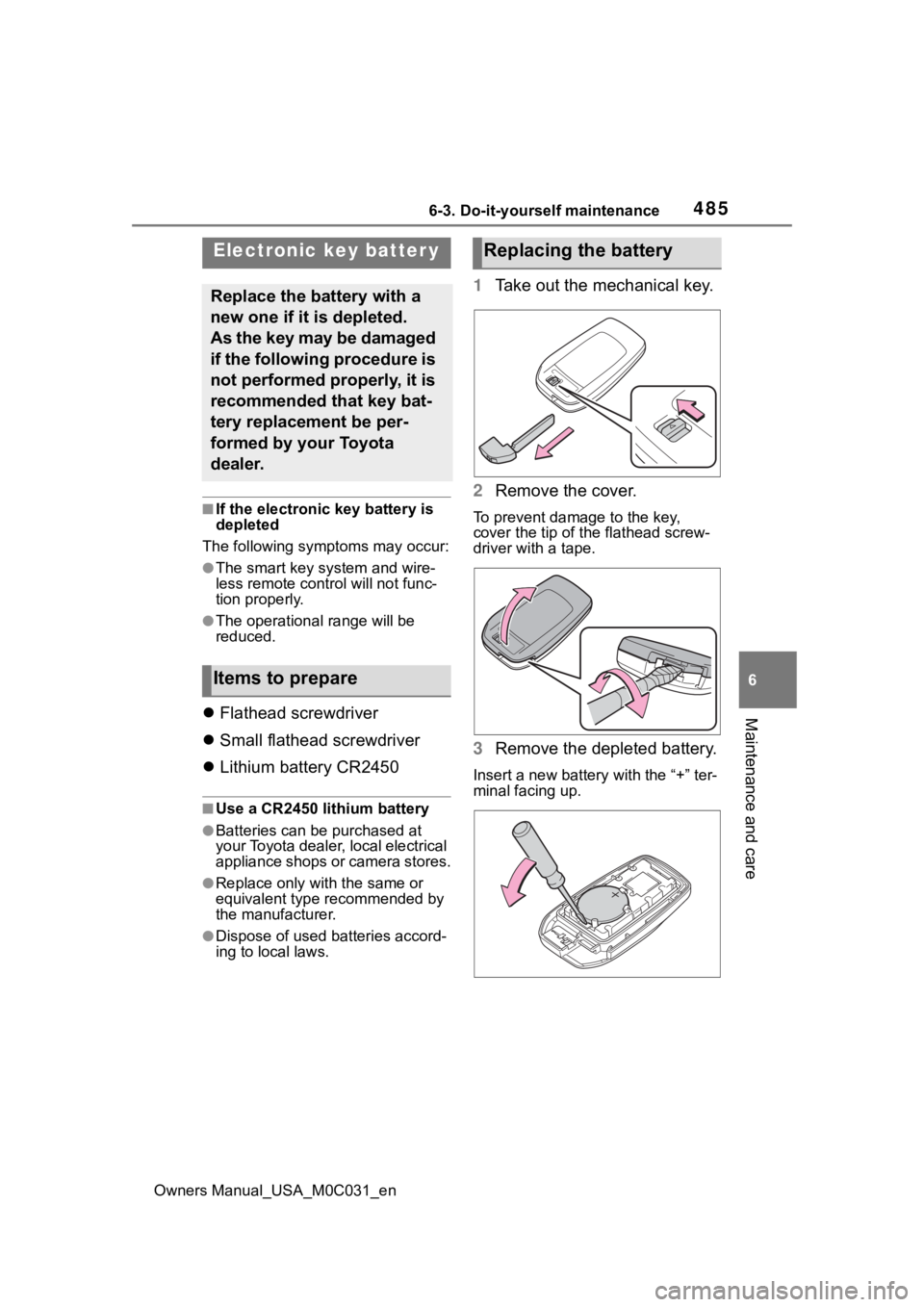
1 Take out the mechanical key.
2 Remove the cover.
To prevent damage to the key,
cover the tip of the flathead screw-
driver with a tape.
3Remove the depleted battery.
Insert a new battery with the “+” ter-
minal facing up.
Electronic key batter y
Replace the battery with a
new one if it is depleted.
As the key may be damaged
if the following procedure is
not performed properly, it is
recommended that key bat-
tery replacement be per-
formed by your Toyota
dealer.
Items to prepare
Replacing the battery