display TOYOTA URBAN CRUISER 2014 User Guide
[x] Cancel search | Manufacturer: TOYOTA, Model Year: 2014, Model line: URBAN CRUISER, Model: TOYOTA URBAN CRUISER 2014Pages: 544, PDF Size: 16.77 MB
Page 203 of 544
203
2-2. Instrument cluster
2
When driving
URBAN CRUISER_OM_OM52F47E_(EE)
●
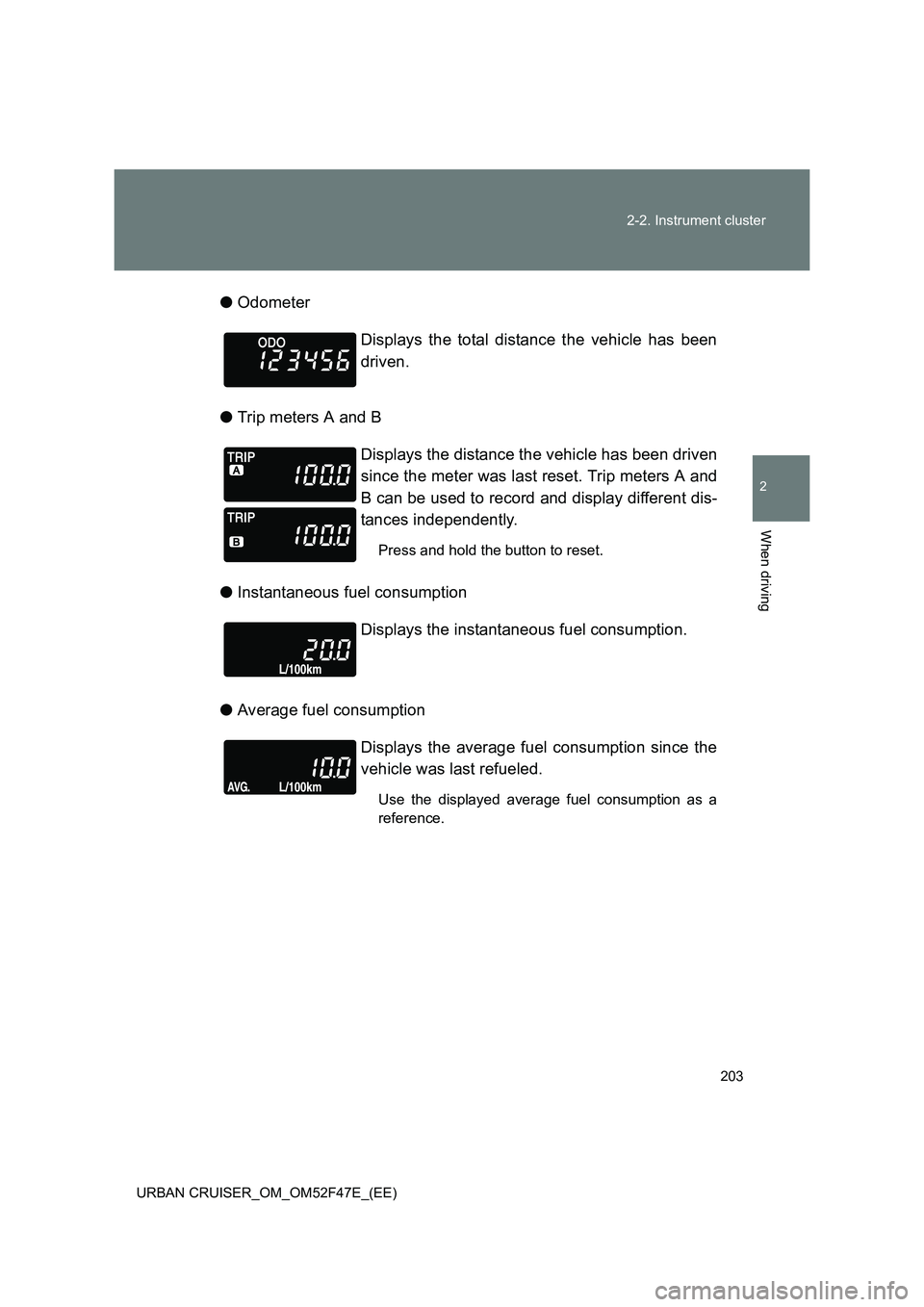
Odometer
● Trip meters A and B
● Instantaneous fuel consumption
● Average fuel consumption Displays the total distance the vehicle has been
driven.
Displays the distance the vehicle has been driven
since the meter was last reset. Trip meters A and
B can be used to record and display different dis-
tances independently.
Press and hold the button to reset.
Displays the instantaneous fuel consumption.
Displays the average fuel consumption since the
vehicle was last refueled.
Use the displayed average fuel consumption as a
reference.
Page 204 of 544
204
2-2. Instrument cluster
URBAN CRUISER_OM_OM52F47E_(EE)
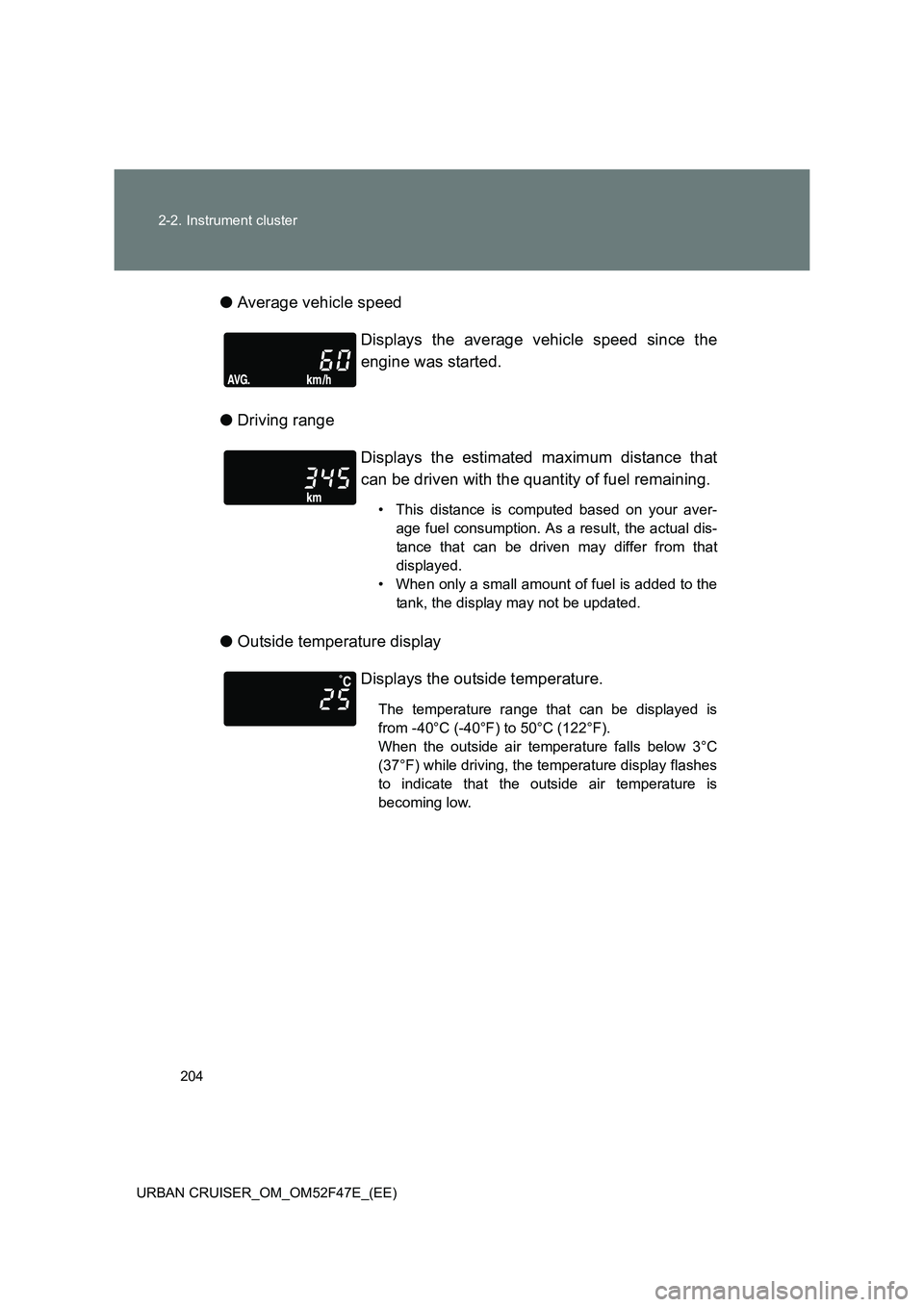
● Average vehicle speed
● Driving range
● Outside temperature display Displays the average vehicle speed since the
engine was started.
Displays the estimated maximum distance that
can be driven with the quantity of fuel remaining.
• This distance is computed based on your aver-
age fuel consumption. As a result, the actual dis-
tance that can be driven may differ from that
displayed.
• When only a small amount of fuel is added to the tank, the display may not be updated.
Displays the outside temperature.
The temperature range that can be displayed is
from -40°C (-40°F) to 50°C (122°F).
When the outside air temperature falls below 3°C
(37°F) while driving, the temperature display flashes
to indicate that the outside air temperature is
becoming low.
Page 205 of 544
205
2-2. Instrument cluster
2
When driving
URBAN CRUISER_OM_OM52F47E_(EE)
●
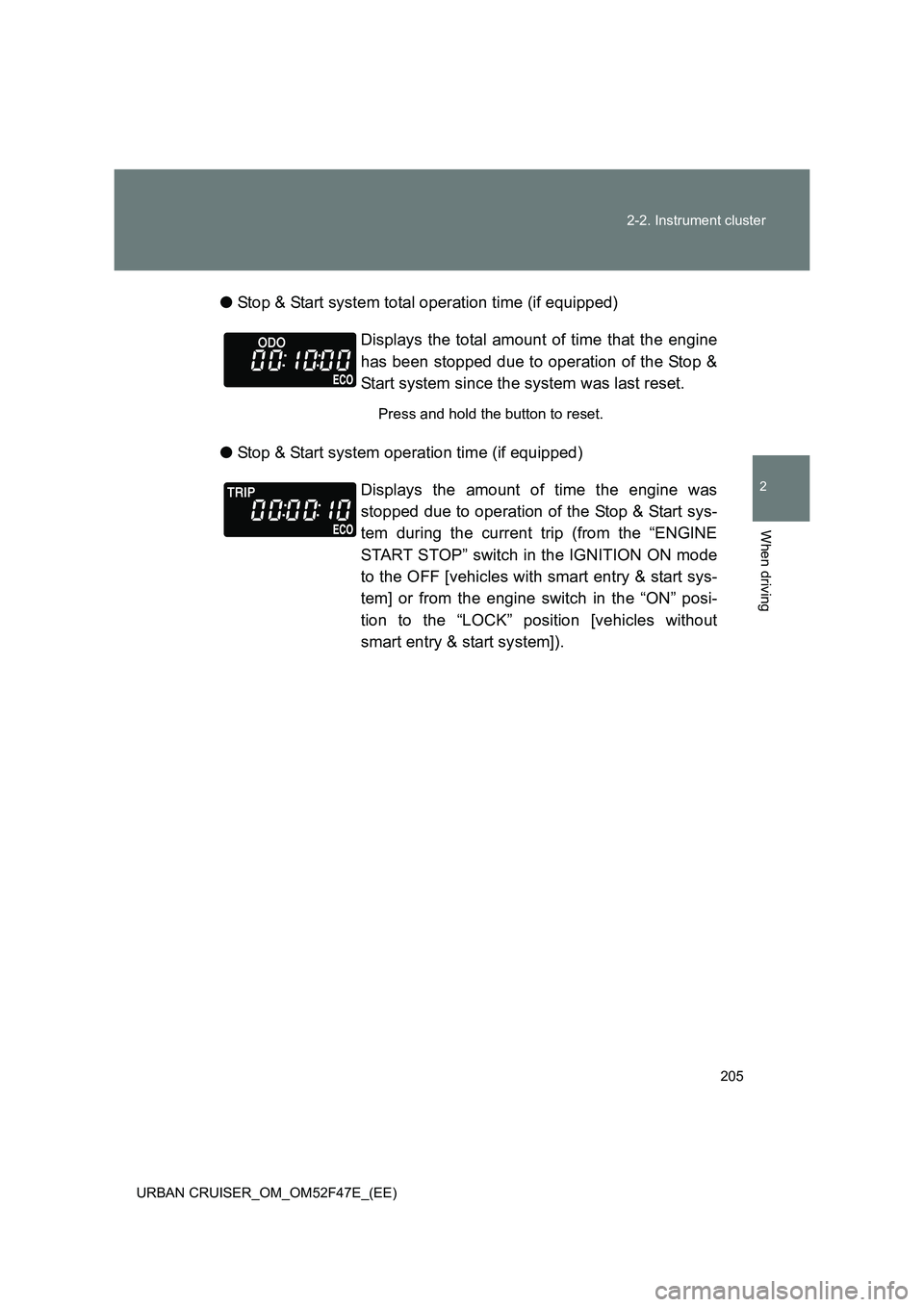
Stop & Start system total operation time (if equipped)
● Stop & Start system operation time (if equipped) Displays the total amount of time that the engine
has been stopped due to operation of the Stop &
Start system since the system was last reset.
Press and hold the button to reset.
Displays the amount of time the engine was
stopped due to operation of the Stop & Start sys-
tem during the current trip (from the “ENGINE
START STOP” switch in the IGNITION ON mode
to the OFF [vehicles with smart entry & start sys-
tem] or from the engine switch in the “ON” posi-
tion to the “LOCK” position [vehicles without
smart entry & start system]).
Page 206 of 544
206
2-2. Instrument cluster
URBAN CRUISER_OM_OM52F47E_(EE)
■ Outside temperature display
●In the following situations, the correct outside temperature may not be
displayed, or the display may take longer than normal to change.
• When stopped, or driving at low speeds (less than 20 km/h [12 mph])
• When the outside temperature has changed suddenly (at the entrance/
exit of a garage, tunnel, etc.)
● When “--” is displayed, the system may be malfunctioning.
Take your vehicle to any authorized Toyota dealer or repairer, or another
duly qualified and equipped professional.
NOTICE
■ The multi-information disp lay at low temperatures
Allow the interior of the vehicle to warm up before using the liquid crystal
information display. At extremely low temperatures, the information display
monitor may respond slowly, and display changes may be delayed.
Page 221 of 544
221
2-4. Using other driving systems
2
When driving
URBAN CRUISER_OM_OM52F47E_(EE)
■
Hood
If the hood is opened while the engine is stopped by the Stop & Start system,
the engine cannot be restarted by the Stop & Start system or the automatic
engine start function. Restart the engine with the engine switch or the
“ENGINE START STOP” switch operation. ( →P. 185, 181)
■ Stop & Start system warning buzzer
If the engine is stopped by the Stop & Start system and either of the following
actions is performed, the “ECO” indicator will flash and a buzzer will sound a
warning:
●The driver’s door is opened.
● The shift lever is shifted into a position other than “N” with the clutch
pedal released.
■ If the “ECO” indicator continues to flash
The Stop & Start system may be malfunctioning. Contact any authorized
Toyota dealer or repairer, or anot her duly qualified and equipped profes-
sional.
■ If the windshield is fogged up while the engine is stopped by the Stop
& Start system
● Vehicles with a manual air condi tioning system: Restart the engine by
clutch pedal operation ( →P. 217) and then press to turn the air
conditioning on and set the air outlet selection dial to . ( →P. 254)
● Vehicles with an automatic air condi tioning system: Turn the windshield
defogger on. (The engine will start due to the automatic engine start func-
tion.) ( →P. 263)
If the windshield fogs up frequently, press the “ECO OFF” switch to deac-
tivate the system.
■ The Stop & Start system operation time and Stop & Start system total
operation time display
→ P. 205
Page 259 of 544
259
3-1. Using the air conditioning system and defogger
3
Interior features
URBAN CRUISER_OM_OM52F47E_(EE)
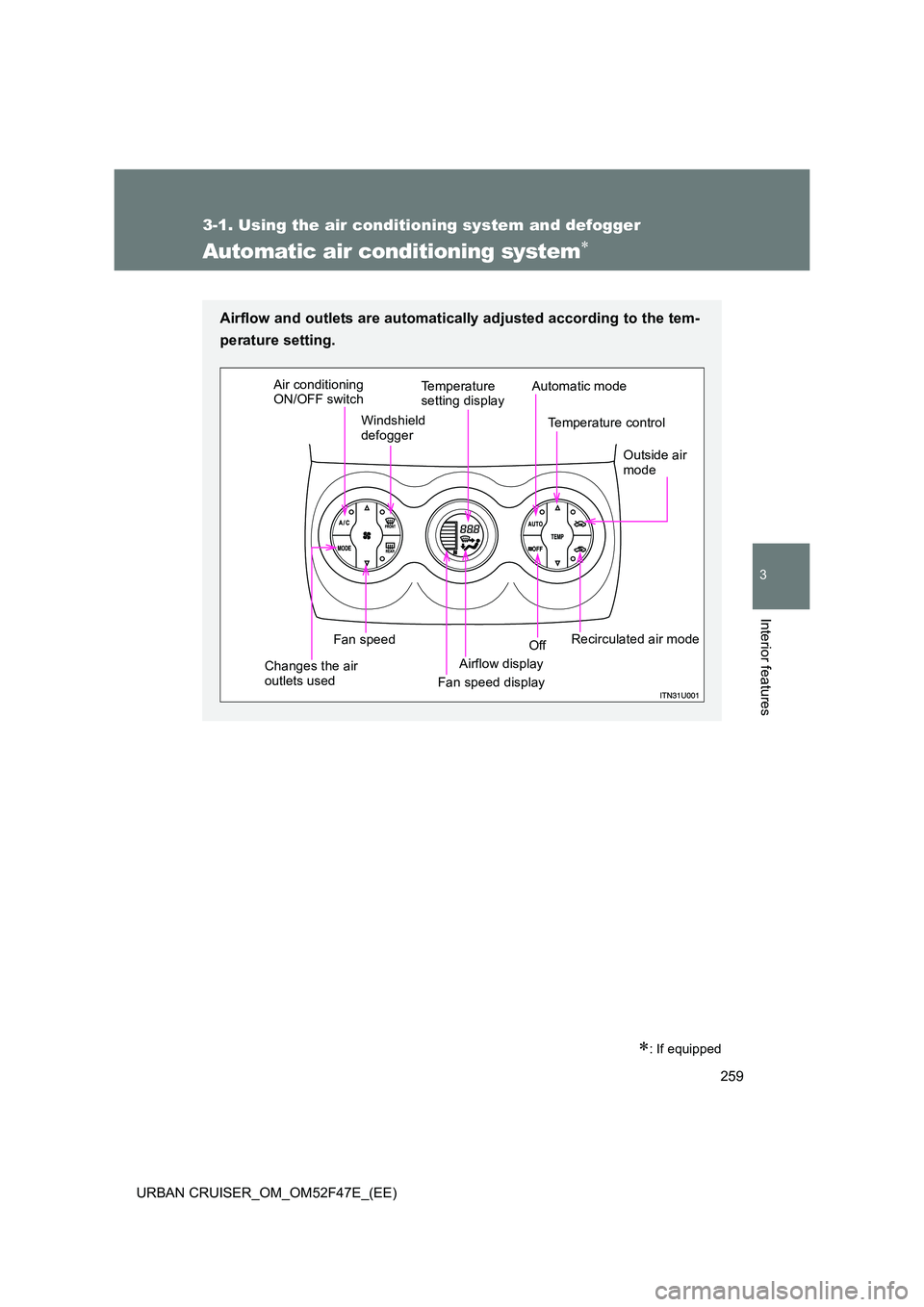
Automatic air conditioning system∗
∗: If equipped
Airflow and outlets are automatically adjusted according to the tem-
perature setting.
Temperature
setting display
Temperature control
Airflow display
Windshield
defogger
Outside air
mode
Fan speed display Off
Fan speed
Air conditioning
ON/OFF switch
Automatic mode
Recirculated air mode
Changes the air
outlets used
Page 260 of 544
260
3-1. Using the air conditioning system and defogger
URBAN CRUISER_OM_OM52F47E_(EE)
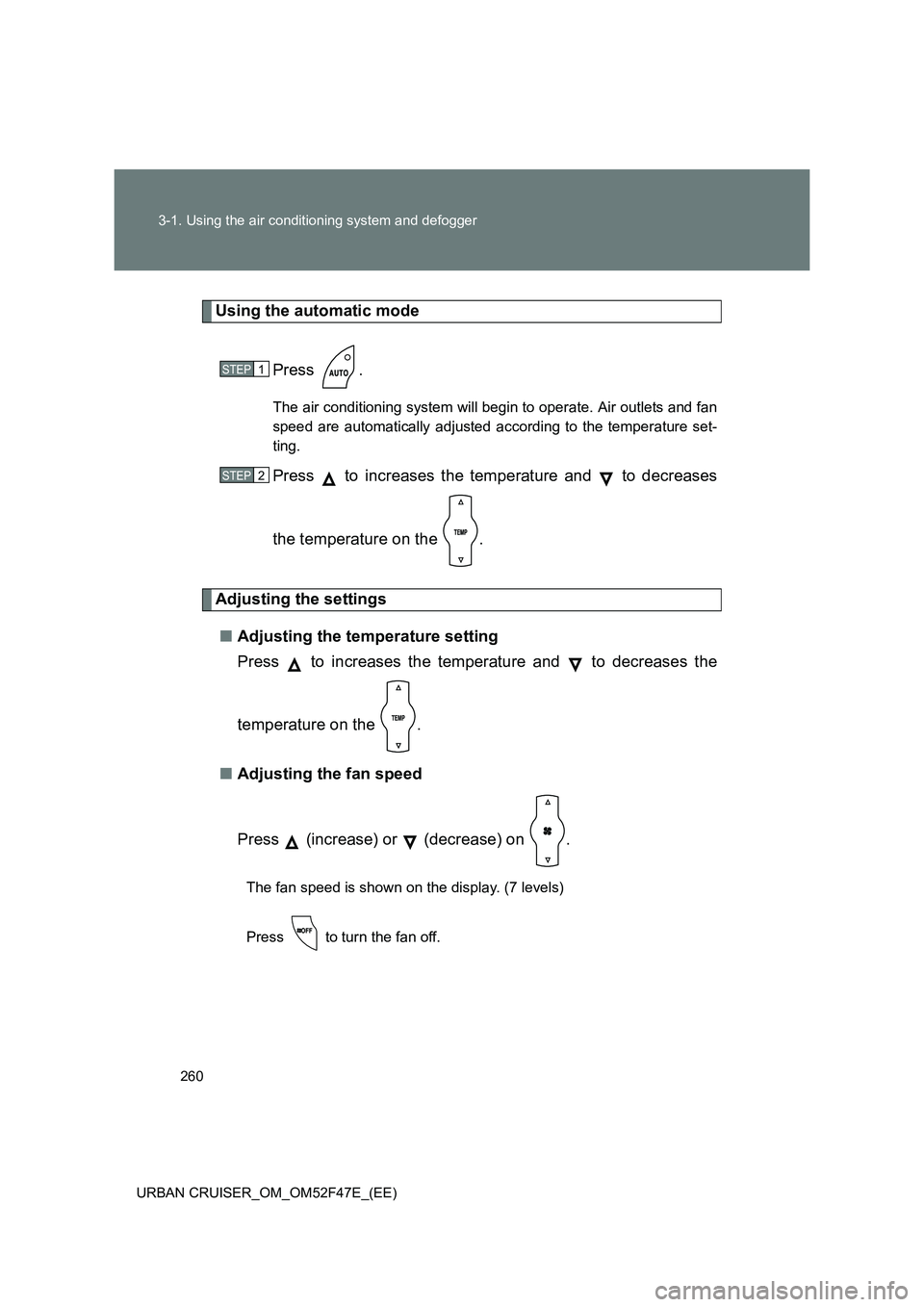
Using the automatic mode Press .
The air conditioning system will begin to operate. Air outlets and fan
speed are automatically adjusted according to the temperature set-
ting.
Press to increases the temperature and to decreases
the temperature on the .
Adjusting the settings■ Adjusting the temperature setting
Press to increases the temperature and to decreases the
temperature on the .
■ Adjusting the fan speed
Press (increase) or (decrease) on .
The fan speed is shown on the display. (7 levels)
Press to turn the fan off.
STEP1
STEP2
Page 276 of 544
276
3-2. Using the audio system
URBAN CRUISER_OM_OM52F47E_(EE)
■ Specifying program type
Press .
Each time is pressed, the program type changes in the order of
“NEWS” →“SPORTS” →“TALK” →“POP” →“CLASSICS”.
■ Traffic information
Press .
TP mode: The system automatically switches to traffic information
when a broadcast with a traffic information signal is
received.
The station returns to the previous one when the traffic infor-
mation ends.
TA mode: Traffic information can be heard only when a signal is
received. The system switches to the mute mode when
a signal is not received. In the CD or MP3/WMA mode,
the system automatically switches to traffic information
when a signal is received.
The audio system returns to the mute, CD or MP3/WMA
mode when the traffic information ends.
The audio system mode changes as follows each time is
pressed.
FM modes: TP →TA →OFF
Modes other than the radio modes: TA →OFF
■ Emergency broadcast reception mode
“ALARM” appears in the display in the event that an emergency
broadcast is received, and the emergency broadcast is aired.
Page 278 of 544
278
3-2. Using the audio system
URBAN CRUISER_OM_OM52F47E_(EE)
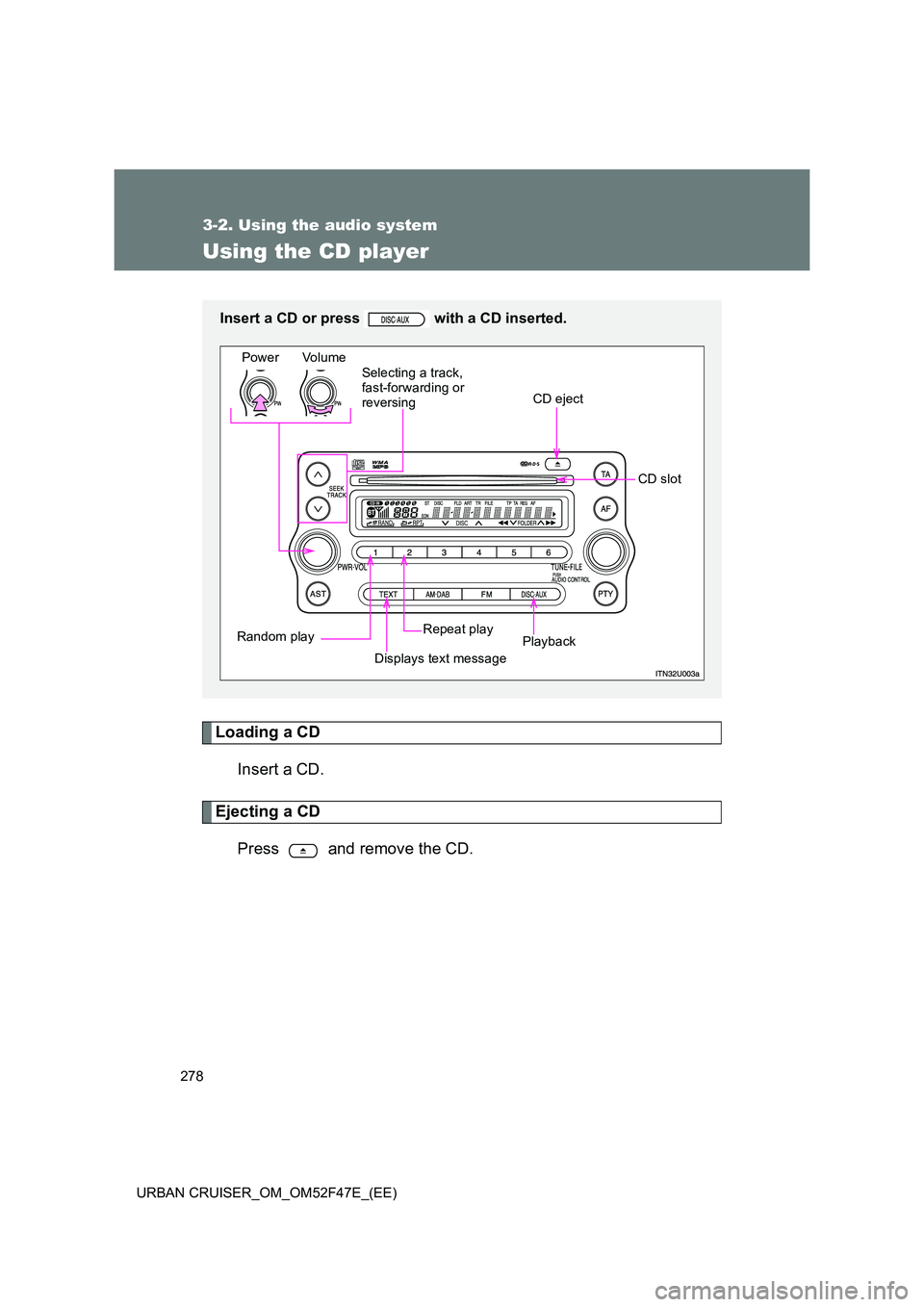
Using the CD player
Loading a CDInsert a CD.
Ejecting a CD
Press and remove the CD.
Insert a CD or press with a CD inserted.
Power Volume
CD eject
Playback
Repeat play
Displays text message
Random play Selecting a track,
fast-forwarding or
reversing
CD slot
Page 279 of 544
279
3-2. Using the audio system
3
Interior features
URBAN CRUISER_OM_OM52F47E_(EE)
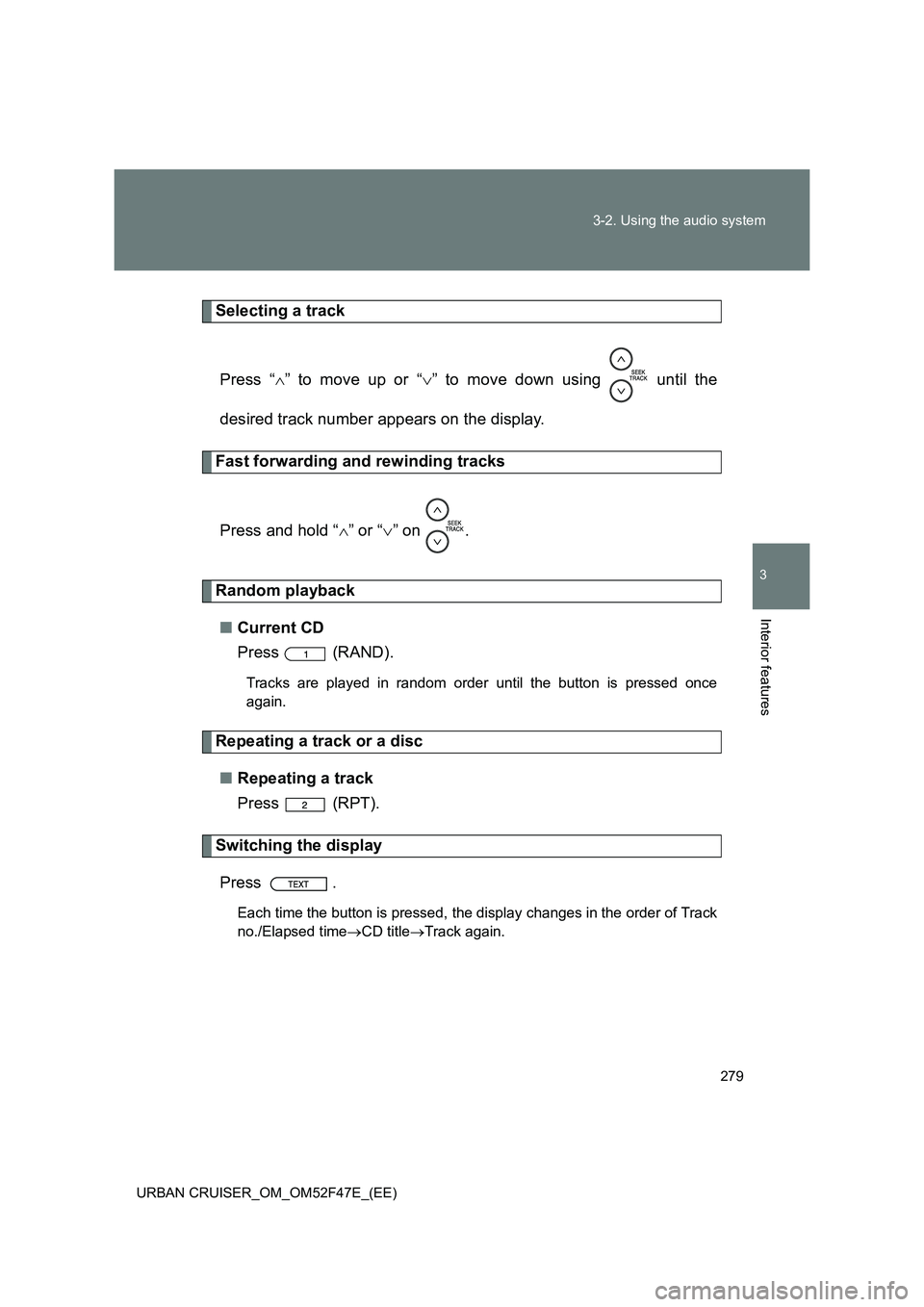
Selecting a track
Press “ ∧” to move up or “ ∨” to move down using until the
desired track number appears on the display.
Fast forwarding and rewinding tracks
Press and hold “ ∧” or “ ∨” on .
Random playback
■ Current CD
Press (RAND).
Tracks are played in random order until the button is pressed once
again.
Repeating a track or a disc
■ Repeating a track
Press (RPT).
Switching the display
Press .
Each time the button is pressed, the display changes in the order of Track
no./Elapsed time →CD title →Track again.