display TOYOTA URBAN CRUISER 2014 Owner's Manual
[x] Cancel search | Manufacturer: TOYOTA, Model Year: 2014, Model line: URBAN CRUISER, Model: TOYOTA URBAN CRUISER 2014Pages: 544, PDF Size: 16.77 MB
Page 280 of 544
280
3-2. Using the audio system
URBAN CRUISER_OM_OM52F47E_(EE)
■ Display
Up to 12 characters can be displayed at a time.
If there are 13 characters or more, pressing and holding for 1 sec-
ond or more will display the remaining characters.
A maximum of 24 characters can be displayed.
If is pressed for 1 second or more again or has not been pressed
for 6 seconds or more, the display will return to the first 12 characters.
Depending on the contents recorded, the characters may not be displayed
properly or may not be displayed at all.
■ Canceling random and repeat playback
Press
(RAND) or (RPT) again.
Page 285 of 544
285
3-2. Using the audio system
3
Interior features
URBAN CRUISER_OM_OM52F47E_(EE)
Playing back MP3 and WMA discs
Loading and ejecting MP3 and WMA discsRefer to the section entitled “Using the CD player” for details.
( → P. 278)
Selecting a folder
Press ( ∨) or ( ∧) to select the desired folder.
To return to the first folder, press and hold ( ∨) until you hear a beep.
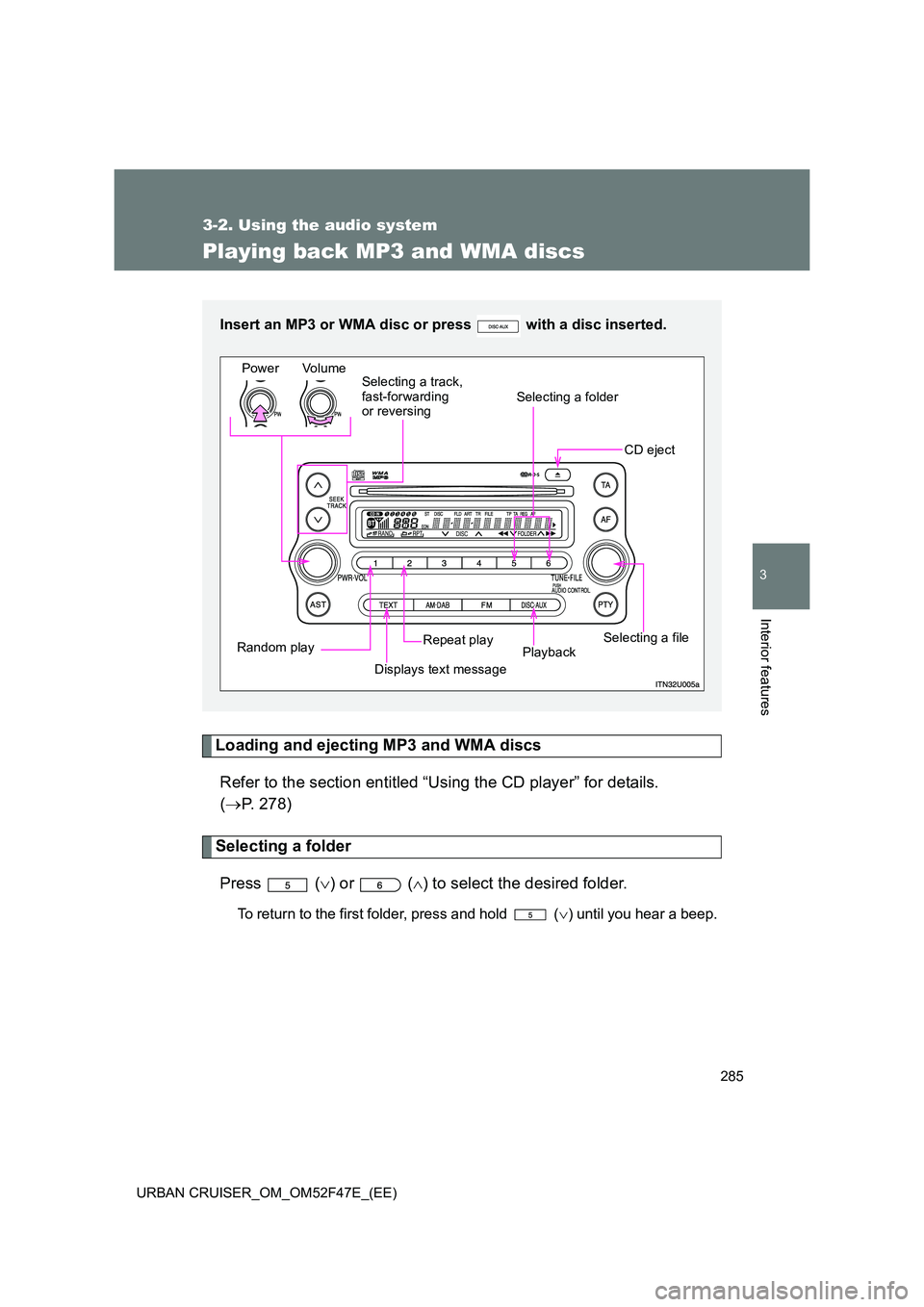
Insert an MP3 or WMA disc or press with a disc inserted.
Power Volume
CD eject
Selecting a file
Playback
Repeat play
Displays text message
Random play Selecting a track,
fast-forwarding
or reversing
Selecting a folder
Page 287 of 544
287
3-2. Using the audio system
3
Interior features
URBAN CRUISER_OM_OM52F47E_(EE)
Switching the display
Press .
Each time the switch is pressed, the display changes in the order of
Folder no./File no./Elapsed time →Folder name →File name →Album title
(MP3 only) →Track title →Artist name.
■Display
Up to 12 characters can be displayed at a time.
If there are 13 characters or more, pressing and holding for 1 sec-
ond or more will display the remaining characters.
A maximum of 24 characters can be displayed.
If is pressed for 1 second or more again or has not been pressed
for 6 seconds or more, the display will return to the first 12 characters.
Depending on the contents recorded, the characters may not be displayed
properly or may not be displayed at all.
■ Canceling random and repeat playback
Press
(RAND) or (RPT) again.
Page 291 of 544
291
3-2. Using the audio system
3
Interior features
URBAN CRUISER_OM_OM52F47E_(EE)
●
Compatible disc formats
The following disc formats can be used.
• Disc formats: CD-ROM Mode 1 and Mode 2
CD-ROM XA Mode 2, Form 1 and Form 2
• File formats: ISO9660 Level 1, Level 2, (Romeo, Joliet) MP3 and WMA files written in any format other than those listed above
may not play correctly, and their file names and folder names may not
be displayed correctly.
Items related to standards and limitations are as follows.
• Maximum directory hierarchy: 8 levels
• Maximum length of folder names/file names: 32 characters
• Maximum number of folders: 192 (including the root)
• Maximum number of files per disc: 255
● File names
The only files that can be recognized as MP3/WMA and played are those
with the extension .mp3 or .wma.
● Multi-sessions
As the audio system is compatible with multi-sessions, it is possible to play
discs that contain MP3 and WMA files. However, only the first session can
be played.
● ID3 and WMA tags
ID3 tags can be added to MP3 files, making it possible to record the track
title and artist name, etc.
The system is compatible with ID3 Ver. 1.0, 1.1, and Ver. 2.2, 2.3 ID3 tags.
(The number of characters is based on ID3 Ver. 1.0 and 1.1.)
WMA tags can be added to WMA files, making it possible to record the
track title and artist name in the same way as with ID3 tags.
Page 293 of 544
293
3-2. Using the audio system
3
Interior features
URBAN CRUISER_OM_OM52F47E_(EE)
Optimal use of the audio system
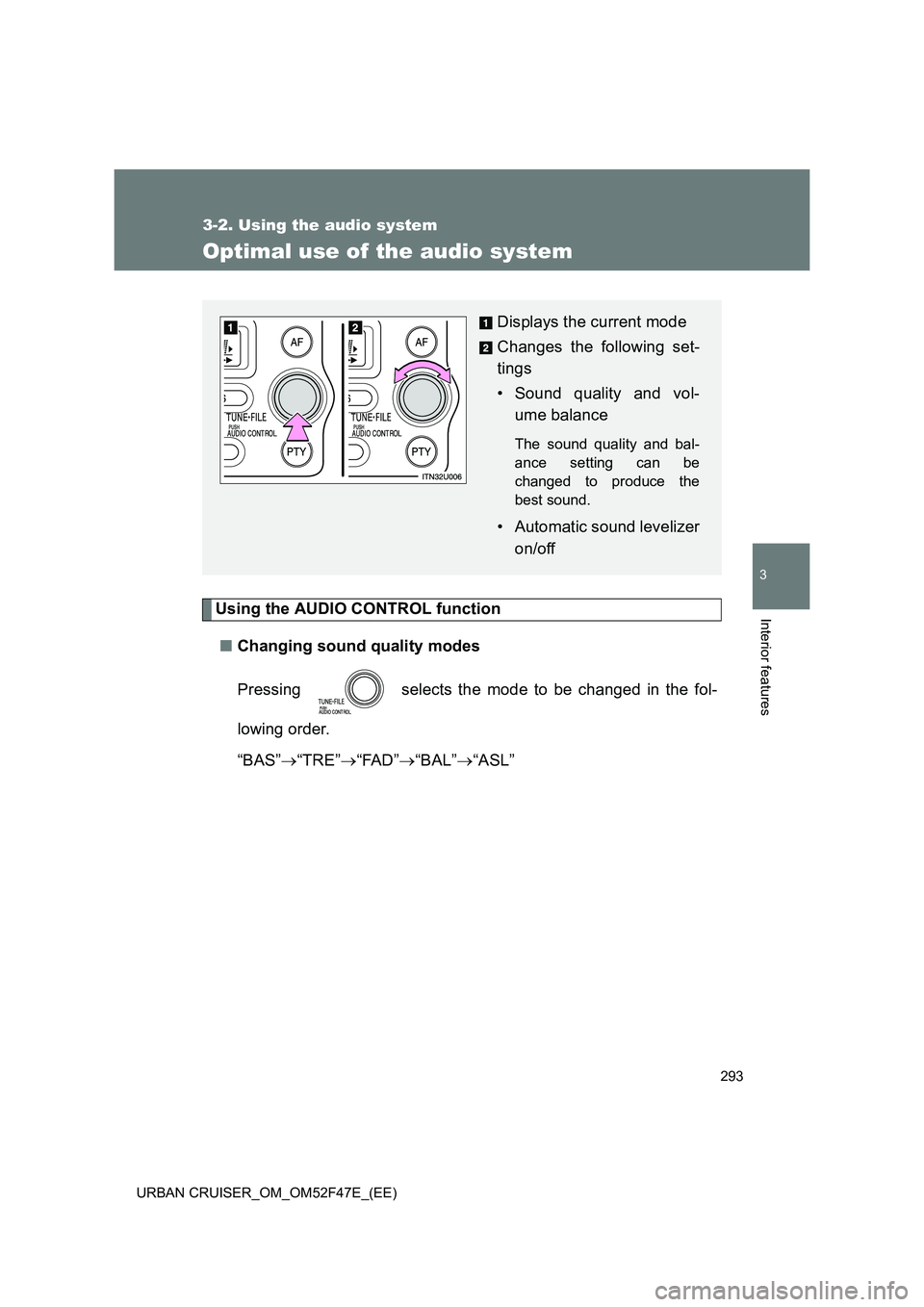
Using the AUDIO CONTROL function■ Changing sound quality modes
Pressing selects the mode to be changed in the fol-
lowing order.
“BAS” →“TRE” →“FAD” →“BAL” →“ASL”
Displays the current mode
Changes the following set-
tings
• Sound quality and vol-
ume balance
The sound quality and bal-
ance setting can be
changed to produce the
best sound.
• Automatic sound levelizer
on/off
Page 294 of 544
294
3-2. Using the audio system
URBAN CRUISER_OM_OM52F47E_(EE)
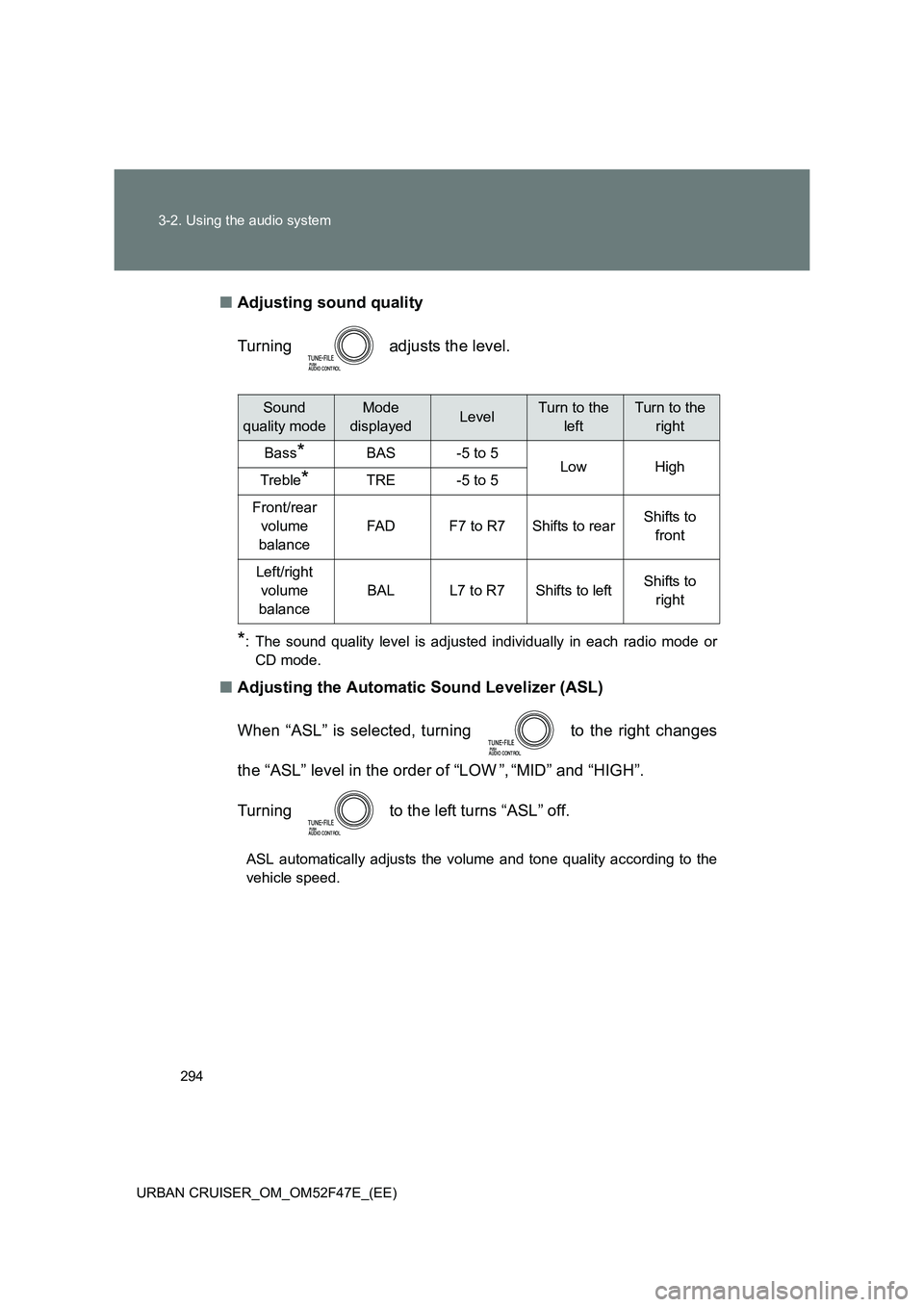
■ Adjusting sound quality
Turning adjusts the level.
*: The sound quality level is adjusted individually in each radio mode or
CD mode.
■ Adjusting the Automatic Sound Levelizer (ASL)
When “ASL” is selected, turning to the right changes
the “ASL” level in the order of “LOW ”, “MID” and “HIGH”.
Turning to the left turns “ASL” off.
ASL automatically adjusts the volume and tone quality according to the
vehicle speed.
Sound
quality modeMode
displayedLevelTurn to the leftTurn to the right
Bass*BAS-5 to 5LowHighTreble*TRE-5 to 5
Front/rear volume
balance
FA DF7 to R7Shifts to rearShifts to front
Left/right volume
balance
BALL7 to R7Shifts to leftShifts to right
Page 300 of 544
300
3-3. Using the hands-free system (for cellular phone)
URBAN CRUISER_OM_OM52F47E_(EE)
■ Conditions under which the system will not operate
●If using a cellular phone that does not support Bluetooth
®.
● If the cellular phone is switched off.
● If you are outside service range.
● If the cellular phone is not connected.
● If the cellular phone’s battery is low.
■ Bluetooth
® antenna
The antenna is built into the display. If the cellular phone is behind the seat
or in the console box, or touching or covered by metal objects, connection
status may deteriorate.
■ Signal status
This display may not correspond exactly with the cellular phone itself.
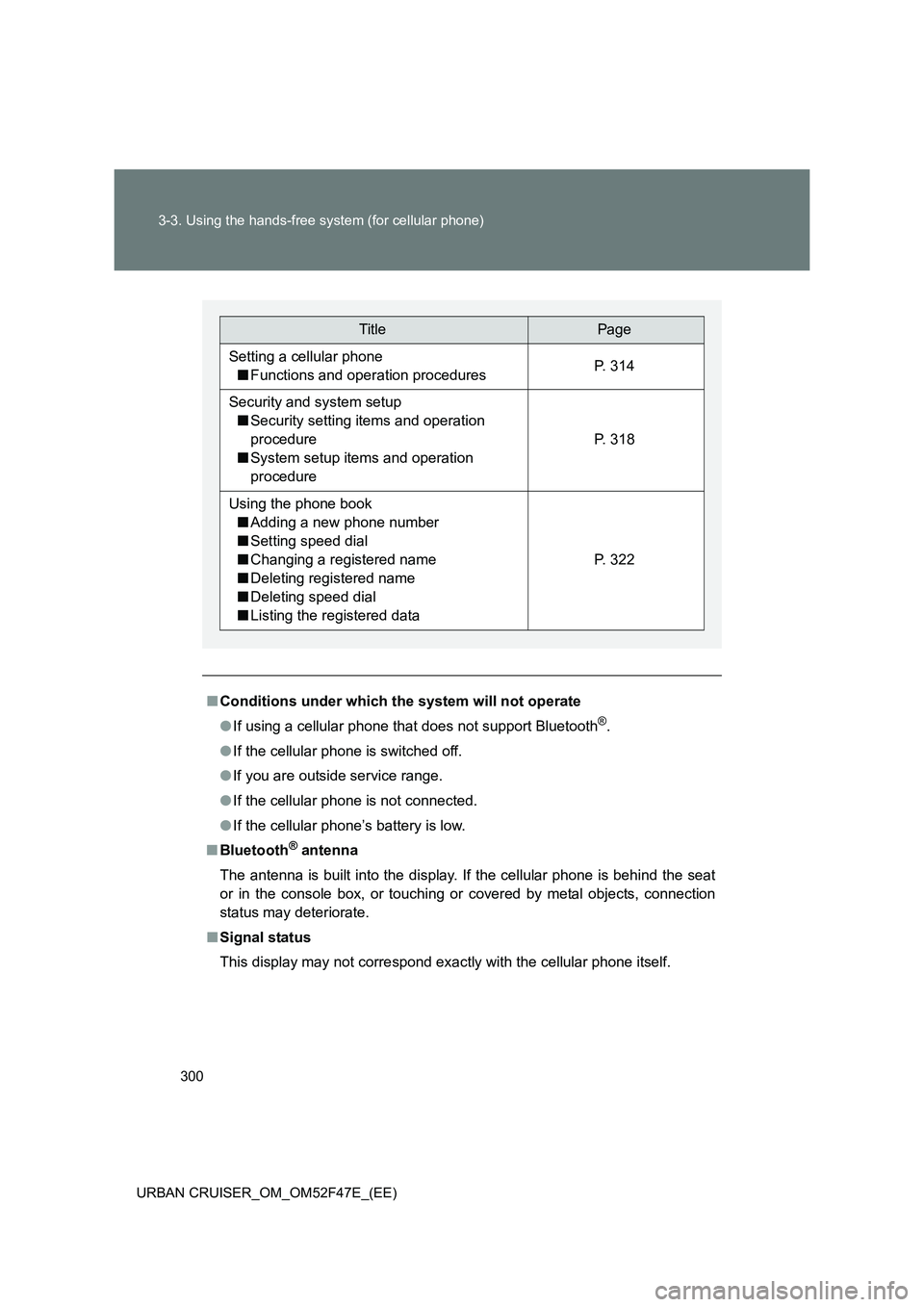
TitlePage
Setting a cellular phone
■ Functions and operation proceduresP. 314
Security and system setup
■ Security setting items and operation
procedure
■ System setup items and operation
procedure
P. 318
Using the phone book
■ Adding a new phone number
■ Setting speed dial
■ Changing a registered name
■ Deleting registered name
■ Deleting speed dial
■ Listing the registered data
P. 322
Page 306 of 544
306
3-3. Using the hands-free system (for cellular phone)
URBAN CRUISER_OM_OM52F47E_(EE)
Using the hands-free system
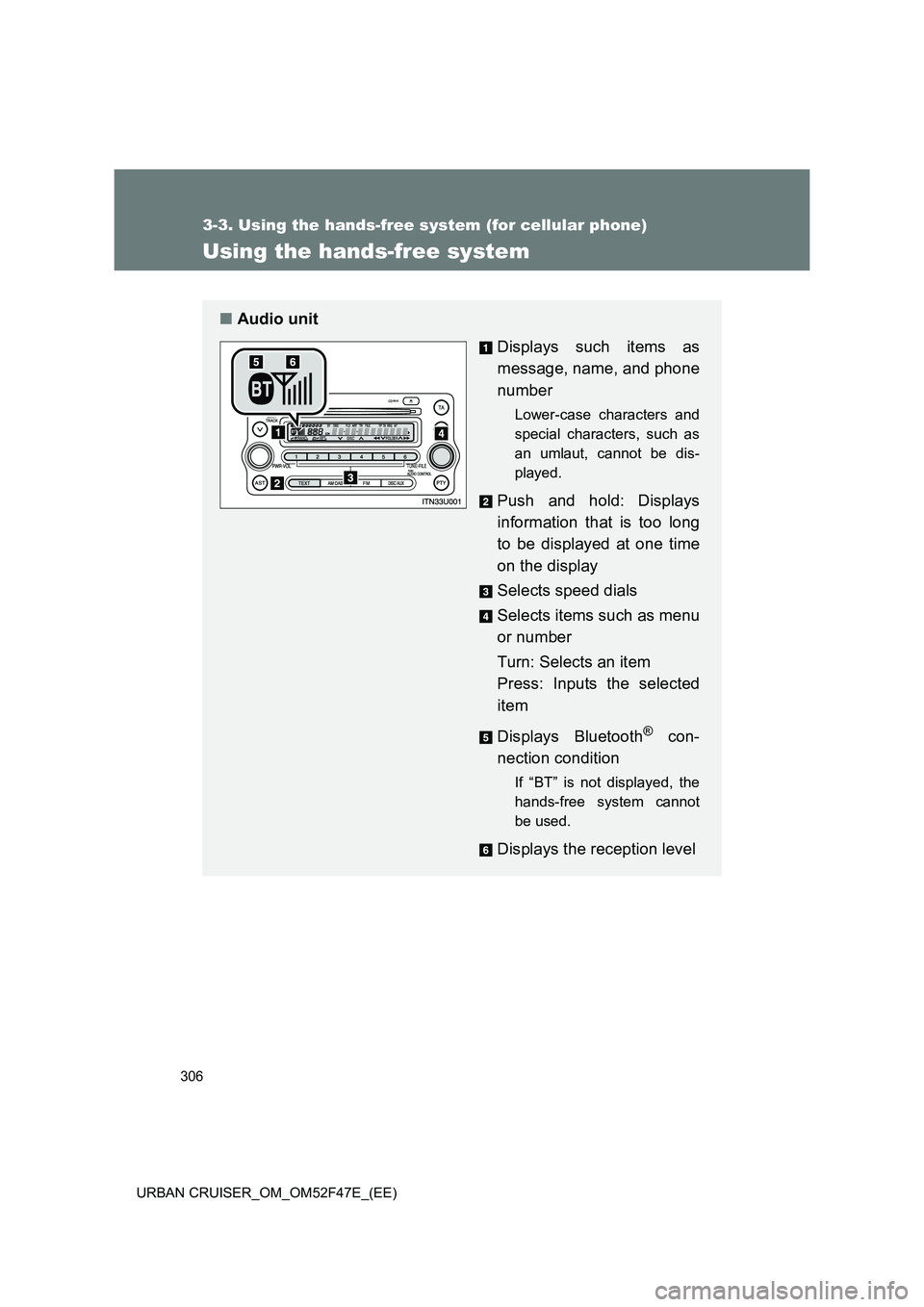
■Audio unit
Displays such items as
message, name, and phone
number
Lower-case characters and
special characters, such as
an umlaut, cannot be dis-
played.
Push and hold: Displays
information that is too long
to be displayed at one time
on the display
Selects speed dials
Selects items such as menu
or number
Turn: Selects an item
Press: Inputs the selected
item
Displays Bluetooth
® con-
nection condition
If “BT” is not displayed, the
hands-free system cannot
be used.
Displays the reception level
Page 308 of 544
308
3-3. Using the hands-free system (for cellular phone)
URBAN CRUISER_OM_OM52F47E_(EE)
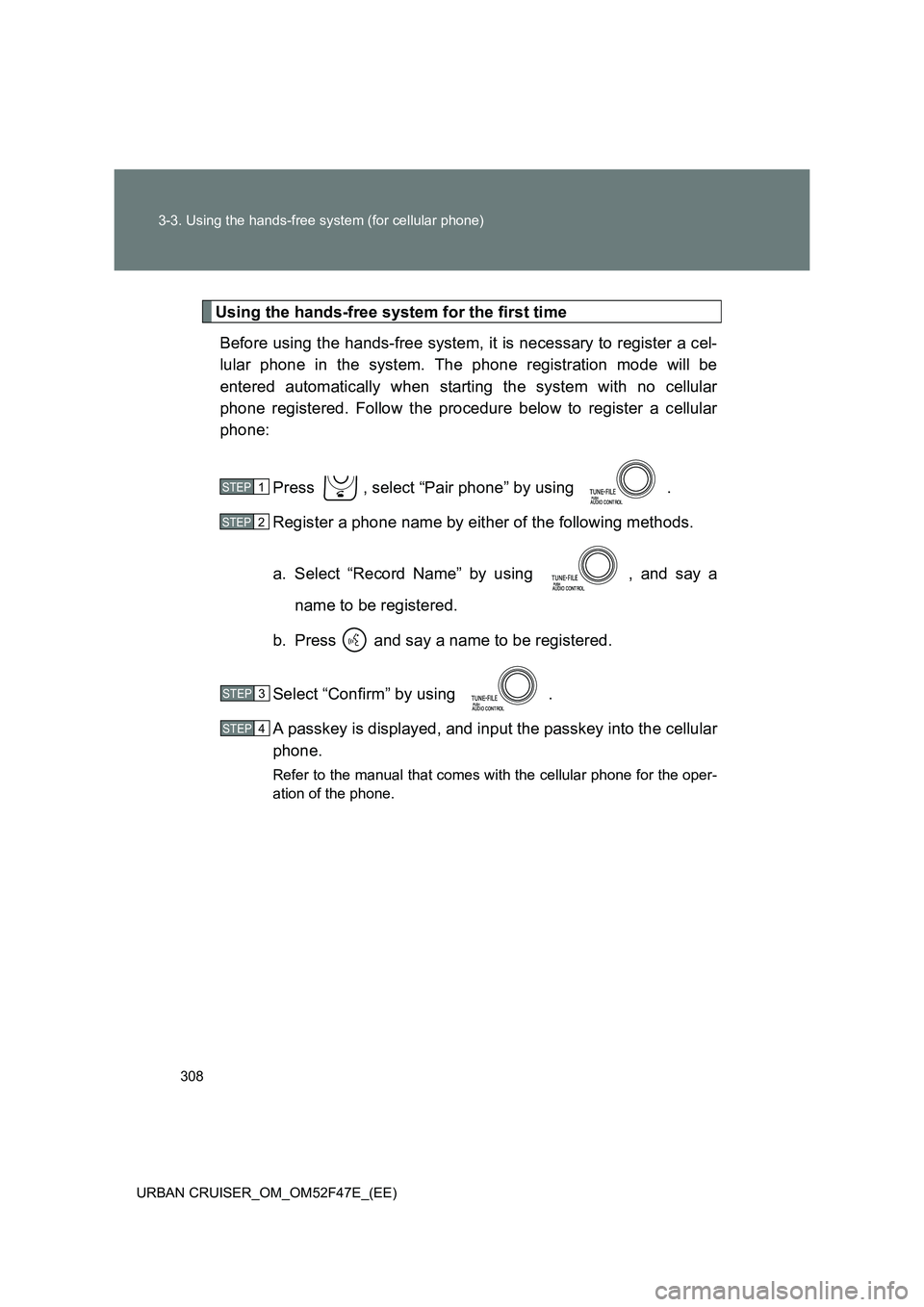
Using the hands-free system for the first time Before using the hands-free system, it is necessary to register a cel-
lular phone in the system. The phone registration mode will be
entered automatically when starting the system with no cellular
phone registered. Follow the procedure below to register a cellular
phone:
Press , select “Pair phone” by using .
Register a phone name by either of the following methods.
a. Select “Record Name” by using , and say aname to be registered.
b. Press and say a name to be registered.
Select “Confirm” by using .
A passkey is displayed, and input the passkey into the cellular
phone.
Refer to the manual that comes with the cellular phone for the oper-
ation of the phone.
STEP1
STEP2
STEP3
STEP4
Page 310 of 544
310
3-3. Using the hands-free system (for cellular phone)
URBAN CRUISER_OM_OM52F47E_(EE)
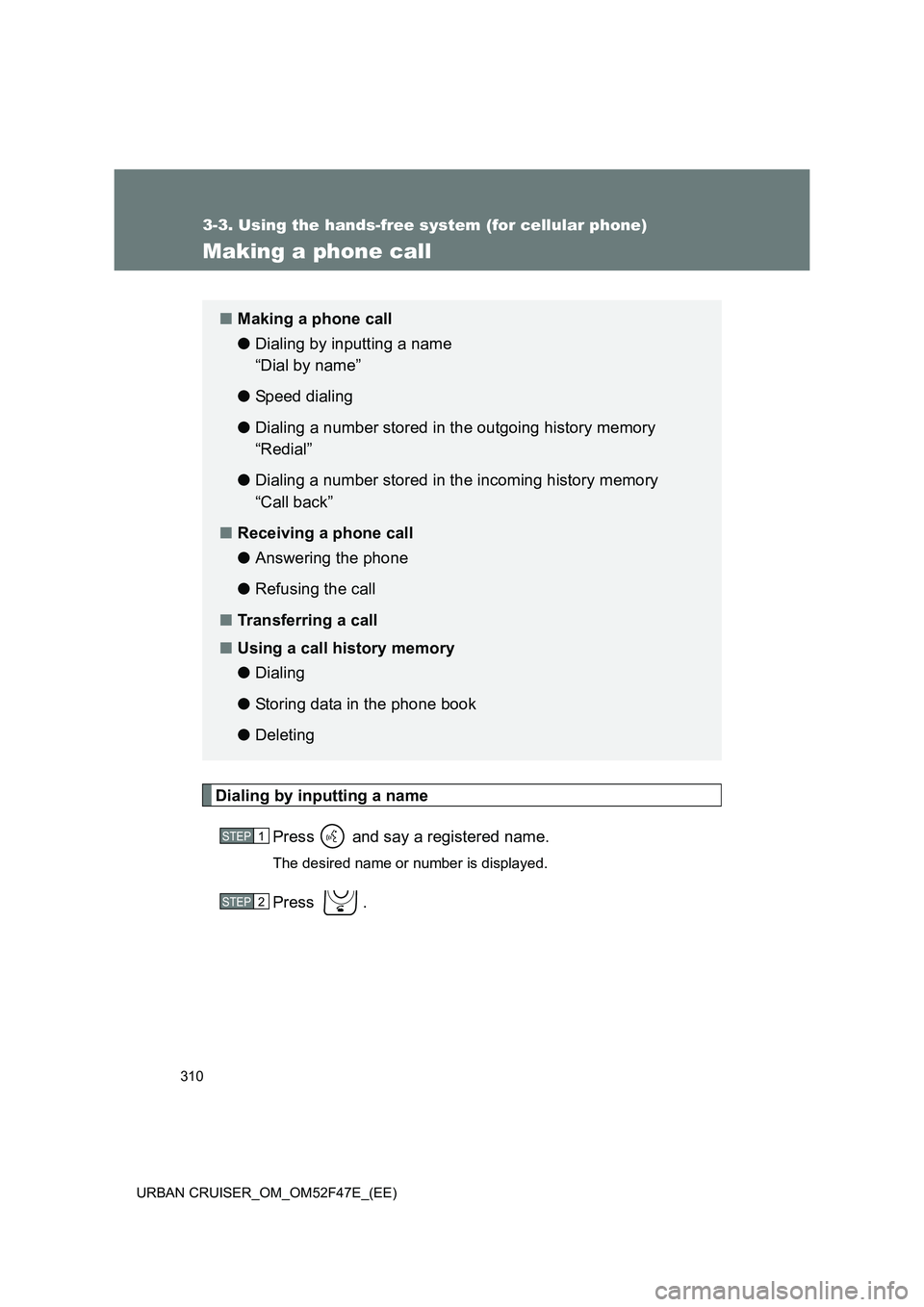
Making a phone call
Dialing by inputting a namePress and say a registered name.
The desired name or number is displayed.
Press .
■Making a phone call
● Dialing by inputting a name
“Dial by name”
● Speed dialing
● Dialing a number stored in the outgoing history memory
“Redial”
● Dialing a number stored in the incoming history memory
“Call back”
■ Receiving a phone call
● Answering the phone
● Refusing the call
■ Transferring a call
■ Using a call history memory
● Dialing
● Storing data in the phone book
● Deleting
STEP1
STEP2