rear entertainment TOYOTA VENZA 2009 Owners Manual (in English)
[x] Cancel search | Manufacturer: TOYOTA, Model Year: 2009, Model line: VENZA, Model: TOYOTA VENZA 2009Pages: 620, PDF Size: 11.43 MB
Page 3 of 620
1
2
3
4
5
6
7
3
VENZA_U (OM73004U)
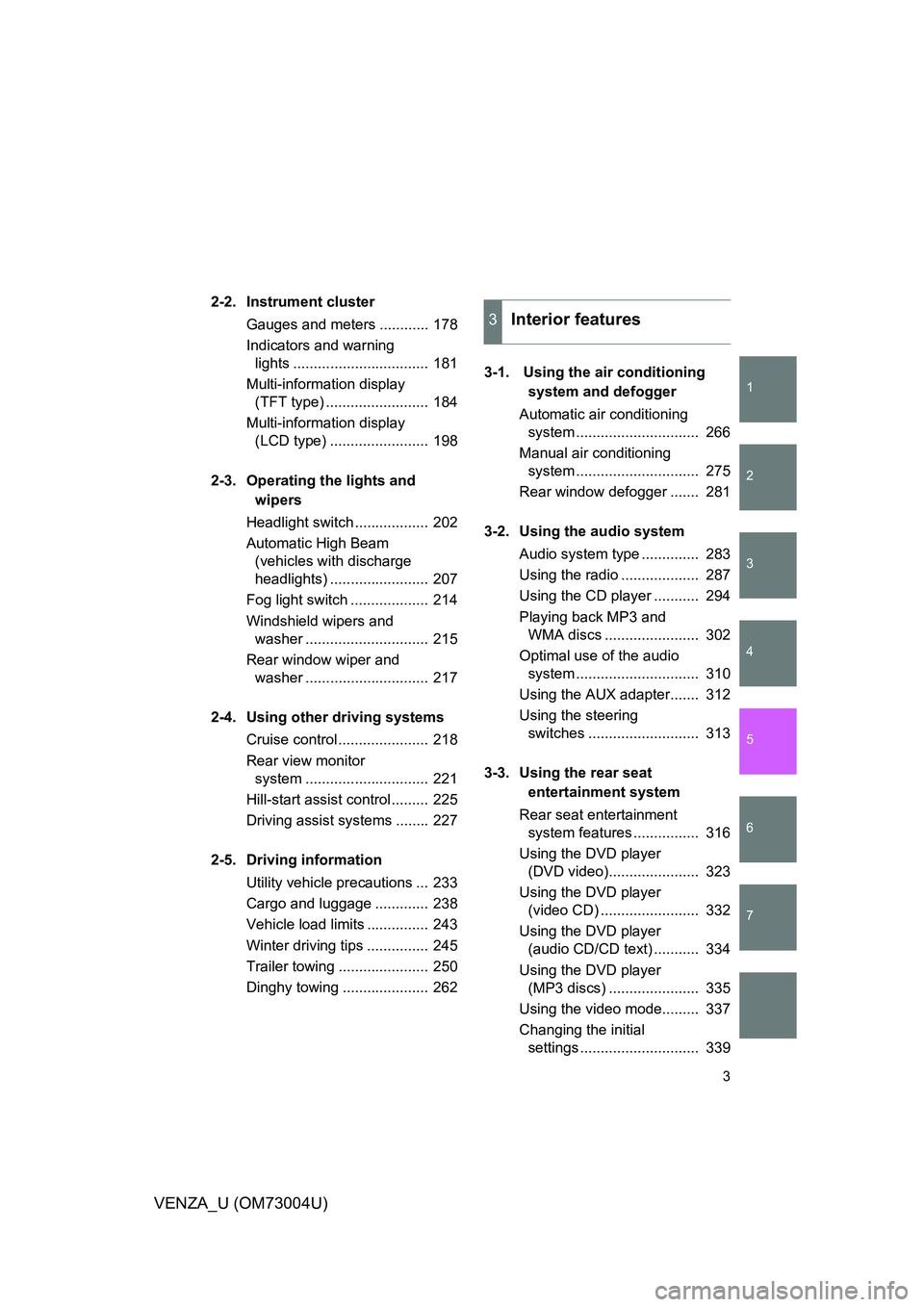
2-2. Instrument clusterGauges and meters ............ 178
Indicators and warning lights ................................. 181
Multi-information display (TFT type) ......................... 184
Multi-information display (LCD type) ........................ 198
2-3. Operating the lights and wipers
Headlight switch .................. 202
Automatic High Beam (vehicles with discharge
headlights) ........................ 207
Fog light switch ................... 214
Windshield wipers and washer .............................. 215
Rear window wiper and washer .............................. 217
2-4. Using other driving systems Cruise control ...................... 218
Rear view monitor system .............................. 221
Hill-start assist control ......... 225
Driving assist systems ........ 227
2-5. Driving information Utility vehicle precautions ... 233
Cargo and luggage ............. 238
Vehicle load limits ............... 243
Winter driving tips ............... 245
Trailer towing ...................... 250
Dinghy towing ..................... 262 3-1. Using the air conditioning
system and defogger
Automatic air conditioning system .............................. 266
Manual air conditioning system .............................. 275
Rear window defogger ....... 281
3-2. Using the audio system Audio system type .............. 283
Using the radio ................... 287
Using the CD player ........... 294
Playing back MP3 and WMA discs ....................... 302
Optimal use of the audio system .............................. 310
Using the AUX adapter....... 312
Using the steering switches ........................... 313
3-3. Using the rear seat entertainment system
Rear seat entertainment system features ................ 316
Using the DVD player (DVD video)...................... 323
Using the DVD player (video CD) ........................ 332
Using the DVD player (audio CD/CD text) ........... 334
Using the DVD player (MP3 discs) ...................... 335
Using the video mode......... 337
Changing the initial settings ............................. 339
3Interior features
Page 11 of 620
11
VENZA_U (OM73004U)
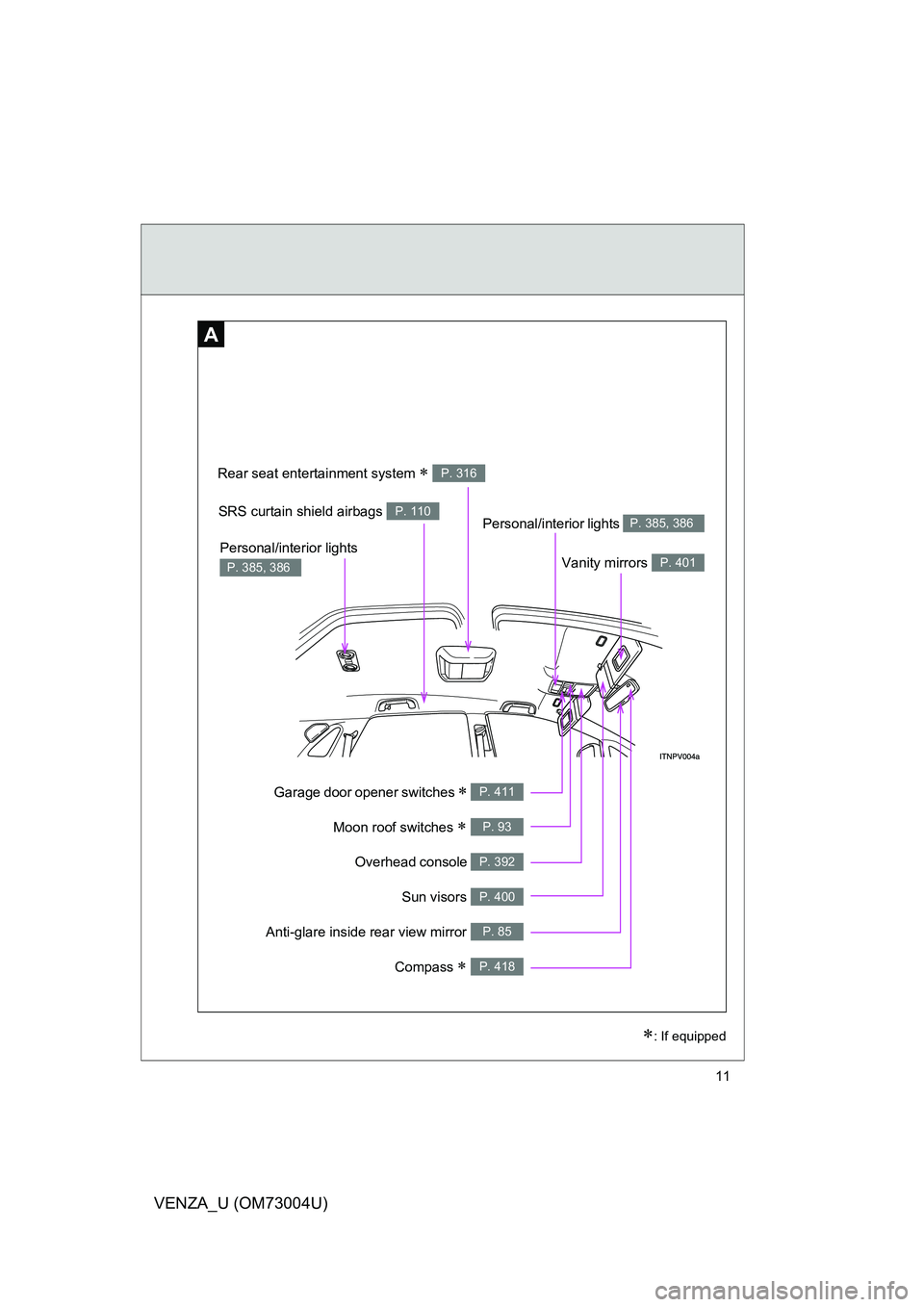
Overhead console P. 392
Garage door opener switches P. 411
Anti-glare inside rear view mirror P. 85
Moon roof switches P. 93
Vanity mirrors P. 401
SRS curtain shield airbags P. 110
Sun visors P. 400
A
Personal/interior lights P. 385, 386
Personal/interior lights
P. 385, 386
Rear seat entertainment system P. 316
: If equipped
Compass P. 418
Page 265 of 620
Interior features3
265
VENZA_U (OM73004U)
3-3. Using the rear seat entertain-ment system
Rear seat entertainment system features ............. 316
Using the DVD player (DVD video) ................... 323
Using the DVD player (video CD)...................... 332
Using the DVD player (audio CD/CD text) ........ 334
Using the DVD player (MP3 discs)
..................... 335
Using the video mode ...... 337
Changing the initial settings .......................... 339
3-4. Using the hands-free system (for cellular phone)
Hands-free system (for cellular phone) ......... 348
Using the hands-free system ........................... 351
Making a phone call ......... 359
Setting a cellular phone ... 365
Security and system setup .............................. 371
Using the phone book ...... 375 3-5. Using the interior lights
Interior lights list ............... 384
• Personal/interior light main switch .................... 385
• Personal/interior lights and luggage
compartment light .......... 386
3-6. Using the storage features List of storage features .... 388
• Glove box....................... 389
• Console boxes ............... 390
• Overhead console .......... 392
• Cup holders ................... 393
• Bottle holders ................. 395
• Auxiliary boxes ............... 396
3-7. Other interior features Sun visors ........................ 400
Vanity mirror..................... 401
Power outlets ................... 402
Seat heaters..................... 405
Armrest ............................ 407
Floor mats ........................ 408
Luggage compartment features .......................... 409
Garage door opener......... 411
Compass .......................... 418
Page 316 of 620
316
VENZA_U (OM73004U)
3-3. Using the rear seat enter tainment system
Rear seat entertainment system features
: If equipped
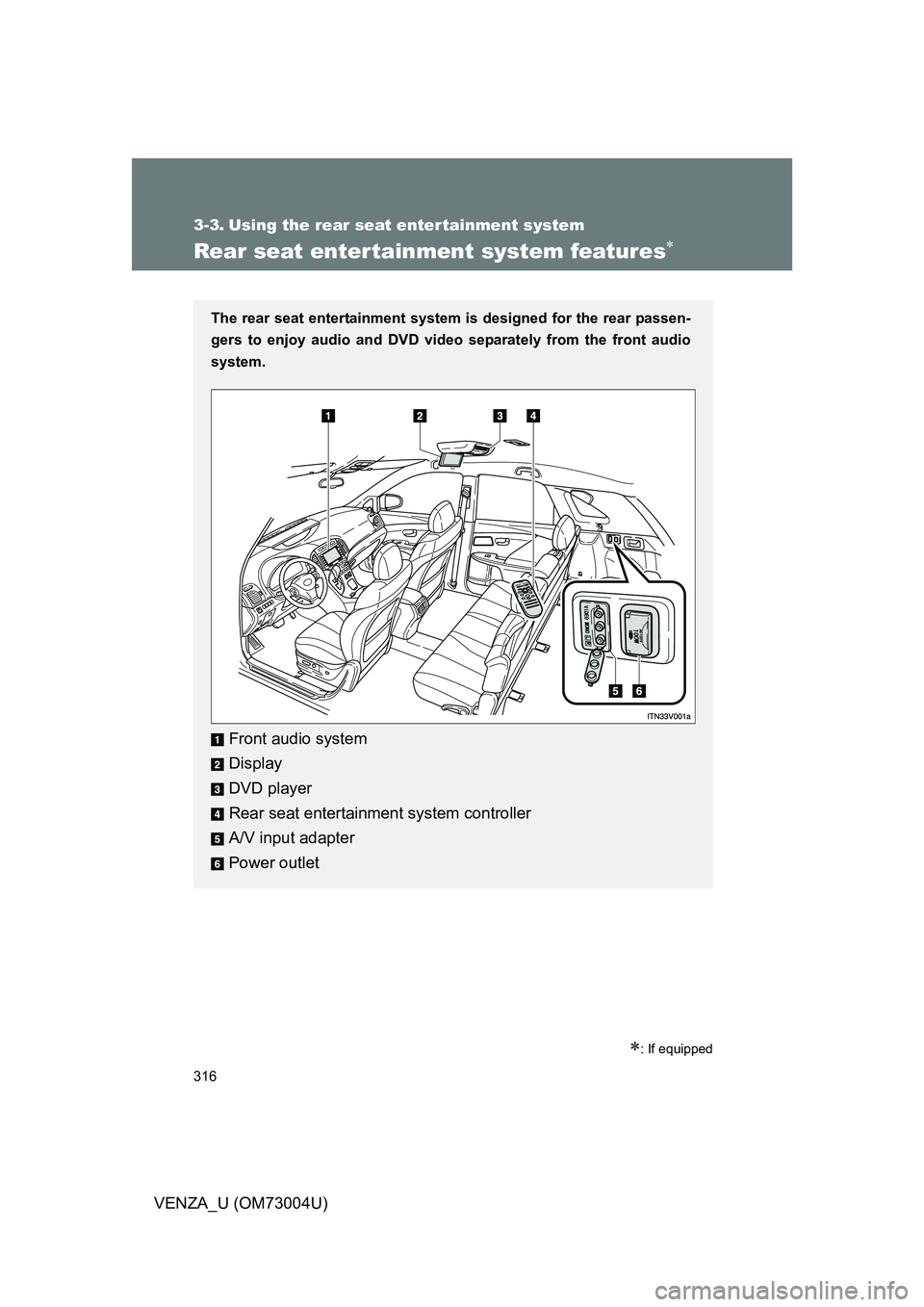
The rear seat entertainment system is designed for the rear passen-
gers to enjoy audio and DVD vide o separately from the front audio
system.
Front audio system
Display
DVD player
Rear seat entertainment system controller
A/V input adapter
Power outlet
Page 317 of 620
317
3-3. Using the rear seat entertainment system
3
Interior features
VENZA_U (OM73004U)
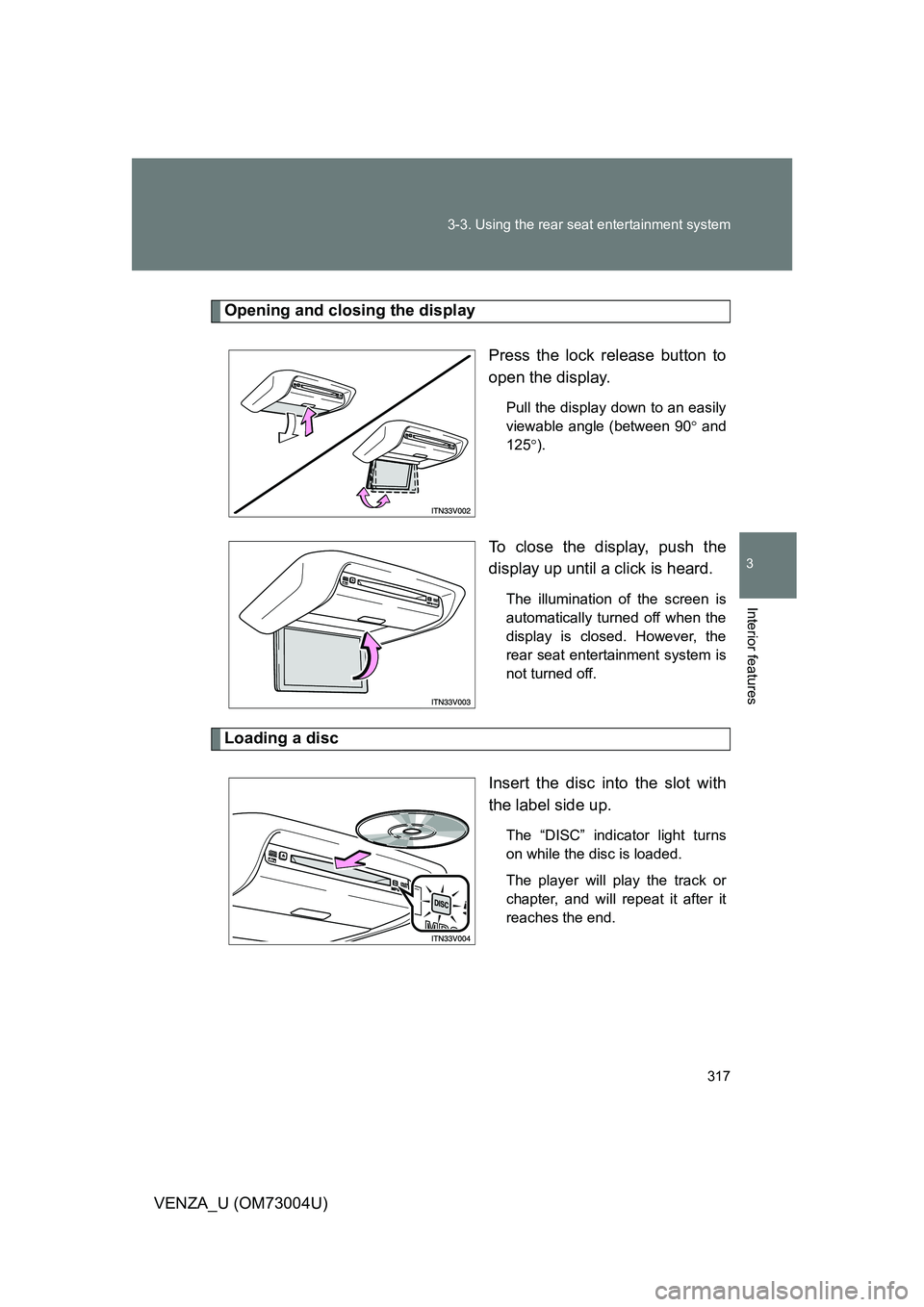
Opening and closing the display
Press the lock release button to
open the display.
Pull the display down to an easily
viewable angle (between 90 and
125 ).
To close the display, push the
display up until a click is heard.
The illumination of the screen is
automatically turned off when the
display is closed. However, the
rear seat entertainment system is
not turned off.
Loading a disc
Insert the disc into the slot with
the label side up.
The “DISC” indicator light turns
on while the disc is loaded.
The player will play the track or
chapter, and will repeat it after it
reaches the end.
Page 318 of 620
318 3-3. Using the rear seat entertainment system
VENZA_U (OM73004U)
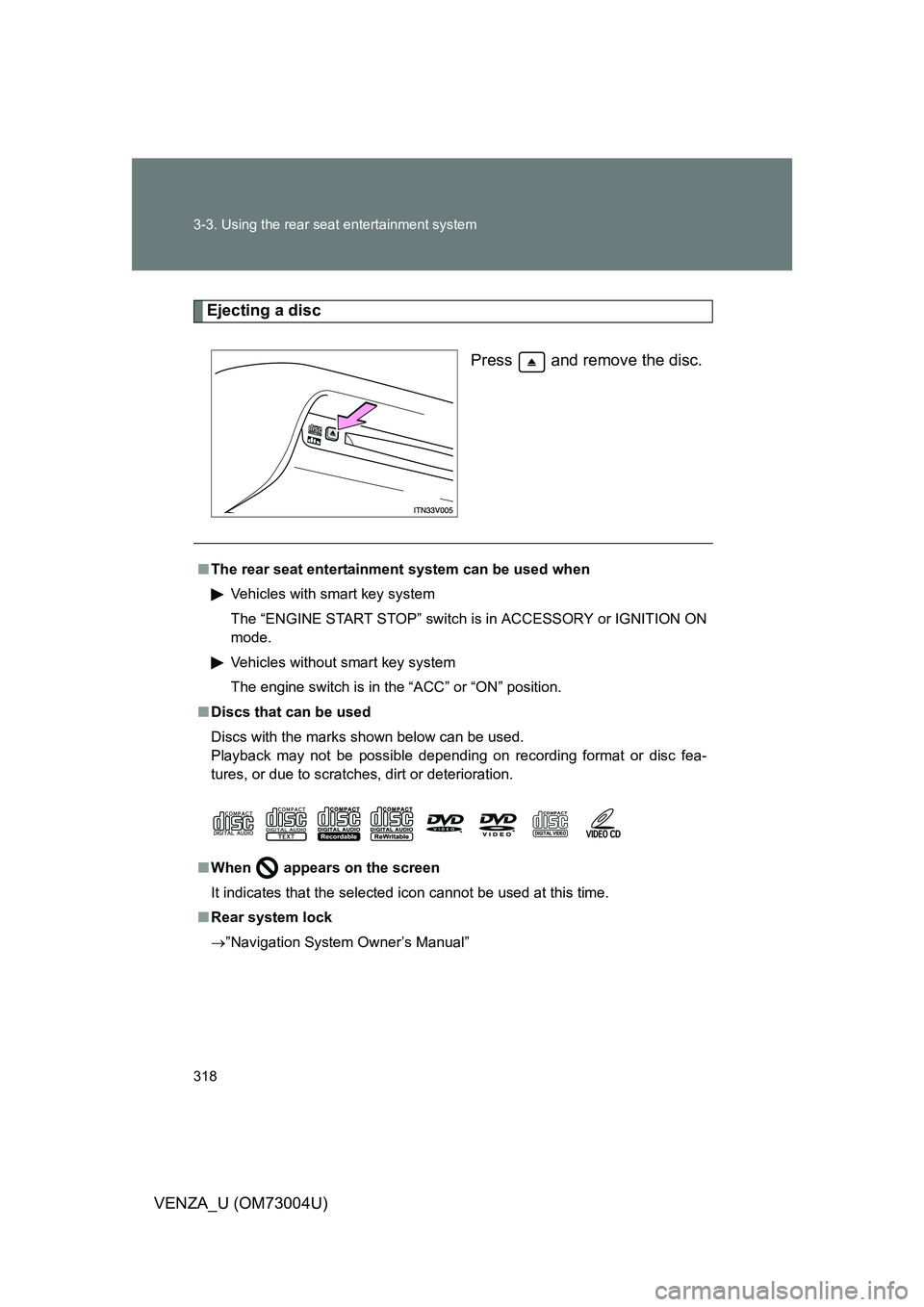
Ejecting a discPress and remove the disc.
■The rear seat entertainmen t system can be used when
Vehicles with smart key system
The “ENGINE START STOP” switch is in ACCESSORY or IGNITION ON
mode.
Vehicles without smart key system
The engine switch is in the “ACC” or “ON” position.
■ Discs that can be used
Discs with the marks shown below can be used.
Playback may not be possible depending on recording format or disc fea-
tures, or due to scratches, dirt or deterioration.
■ When
appears on the screen
It indicates that the selected icon cannot be used at this time.
■ Rear system lock
”Navigation System Owner’s Manual”
Page 319 of 620
319
3-3. Using the rear seat entertainment system
3
Interior features
VENZA_U (OM73004U)
■
If a disc is removed from the fr ont audio system while the rear seat
entertainment system is in use
The rear seat entertainment system will be turned off.
■ Error messages
DISC CHECK: Indicates that the disc is dirty, damaged or was inserted
upside down. Clean the disc or insert it correctly.
REGION CODE ERROR: Indicates that the DVD region code is not set
properly.
DVD ERROR: Indicates that there is a problem inside the player. Eject the
disc. Set the disc again.
If the malfunction still exists, take the vehicle to your Toyota
dealer.
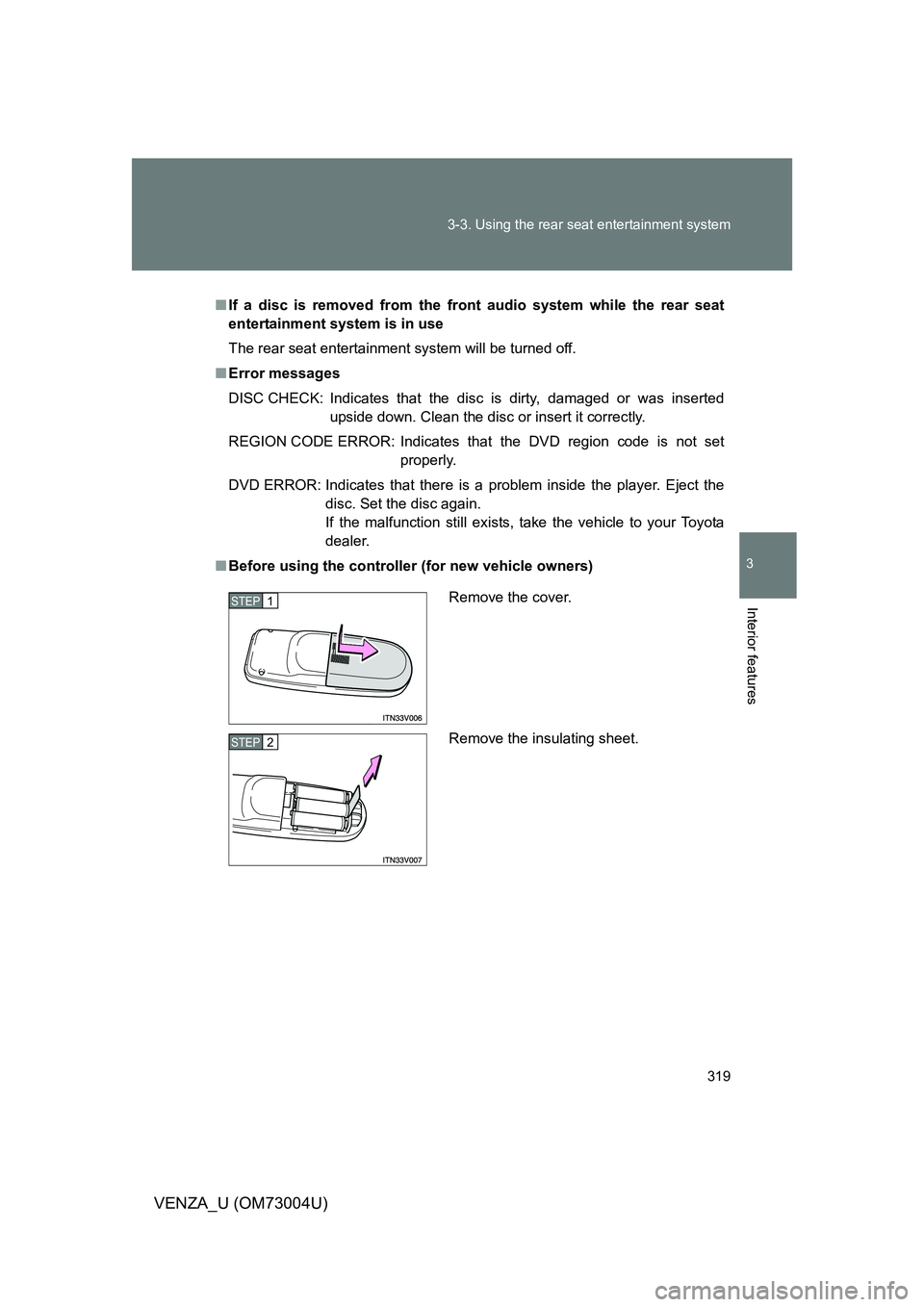
■ Before using the controller (for new vehicle owners)
Remove the cover.
Remove the insulating sheet.STEP1
STEP2
Page 320 of 620
320 3-3. Using the rear seat entertainment system
VENZA_U (OM73004U)
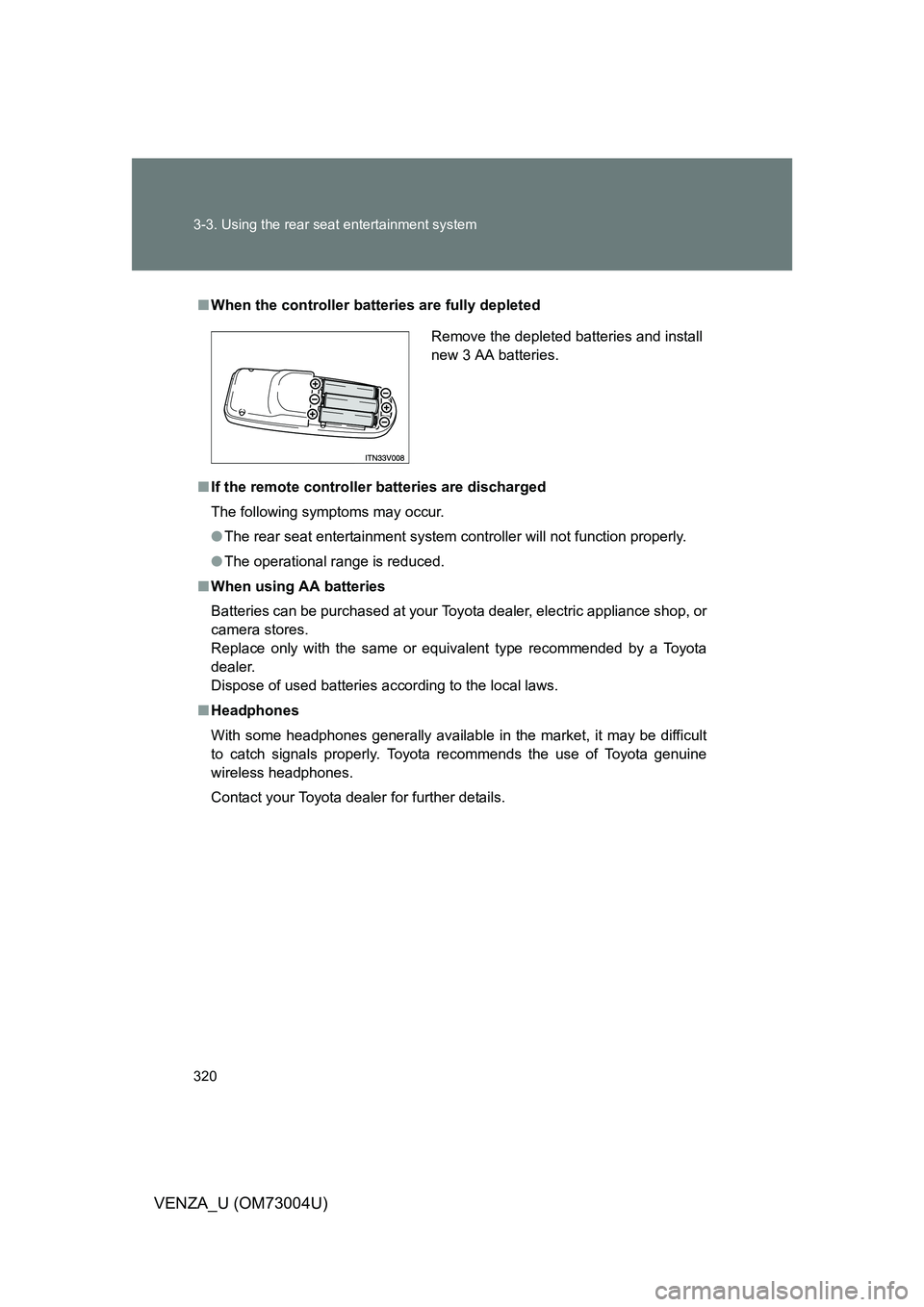
■When the controller batt eries are fully depleted
■ If the remote controller batteries are discharged
The following symptoms may occur.
● The rear seat entertainment system controller will not function properly.
● The operational range is reduced.
■ When using AA batteries
Batteries can be purchased at your Toyota dealer, electric appliance shop, or
camera stores.
Replace only with the same or equivalent type recommended by a Toyota
dealer.
Dispose of used batteries according to the local laws.
■ Headphones
With some headphones generally available in the market, it may be difficult
to catch signals properly. Toyota recommends the use of Toyota genuine
wireless headphones.
Contact your Toyota dealer for further details.
Remove the depleted batteries and install
new 3 AA batteries.
Page 321 of 620
321
3-3. Using the rear seat entertainment system
3
Interior features
VENZA_U (OM73004U)
■
Vo l u m e
● Adjust the volume when you use the headphones. Loud sounds may have
a significant impact on the human body.
● Conversational speech on some DVDs is recorded at a low volume to
emphasize the impact of sound effects. If you adjust the volume assuming
that the conversations represent the maximum volume level that the DVD
will play, you may be startled by louder sound effects or when you change
to a different audio source. Be sure to adjust the volume with this in mind.
CAUTION
■When the rear seat entert ainment system is not used
Keep the display closed.
In the event of an accident or sudden braking, an occupant may hit the
opened display, resulting in injury.
■ To prevent accidents and electric shock
Do not disassemble or modify the remote controller.
■ When the remote controller is not used
Stow the remote controller.
Injuries may result in the event of an accident or sudden braking.
■ Removed battery and other parts
Keep away from children.
These parts are small and if swallowed by a child they can cause choking.
■ DVD video precaution
Conversational speech on some DVDs is recorded at a low volume to
emphasize the impact of sound effects. If you adjust the volume assuming
that the conversations represent the maximum volume level that the DVD
will play, you may be startled by louder sound effects or when you change to
a different audio source.
Loud sounds may have a significant impact on the human body or pose a
driving hazard. Keep this in mind when you adjust the volume.
Page 322 of 620
322 3-3. Using the rear seat entertainment system
VENZA_U (OM73004U)
NOTICE
■Cleaning the display
Wipe the display with a dry soft cloth.
If the screen is wiped with a rough cloth, the surface of the screen may be
scratched.
■ To prevent damage to the remote controller
● Keep the remote controller away from direct sunlight, high temperature
and high humidity.
● Do not drop or knock the remote controller against hard objects.
● Do not sit on or place heavy objects on the remote controller.
■ Discs and adapters that cannot be used
P. 300
■ Player precautions
Failure to follow the precautions below may result in damage to the discs or
the player itself.
● Do not insert anything other than discs into the disc slot.
● Do not apply oil to the player.
● Store discs away from direct sunlight.
● Never try to disassemble any part of the player.
■ For normal operation after replacing the battery
Observe the following precautions to prevent accidents.
● Always work with dry hands.
Moisture may cause the battery to rust.
● Do not touch or move any other components inside the remote control.
● Do not bend either of the battery terminals.