rear entertainment TOYOTA VENZA 2010 Owners Manual (in English)
[x] Cancel search | Manufacturer: TOYOTA, Model Year: 2010, Model line: VENZA, Model: TOYOTA VENZA 2010Pages: 664, PDF Size: 11.44 MB
Page 4 of 664

TABLE OF CONTENTSIndex
4
VENZA_U (OM73007U)
3-4. Using the rear seat entertainment system
Rear seat entertainment system features................ 352
Using the DVD player (DVD video)...................... 361
Using the DVD player (video CD) ........................ 370
Using the DVD player (audio CD/CD text) ........... 373
Using the DVD player (MP3 discs) ...................... 374
Using the video mode ........ 376
Changing the initial settings ............................. 378
3-5. Using the hands-free system (for cellular phone)
Hands-free system (for cellular phone) ........... 387
Using the hands-free system .............................. 390
Making a phone call ........... 399
Setting a cellular phone...... 405
Security and system setup ................................ 412
Using the phone book ........ 417 3-6. Using the interior lights
Interior lights list.................. 426
• Personal/interior light main switch ....................... 427
• Personal/interior lights and luggage compartment
light ................................... 428
3-7. Using the storage features List of storage features ....... 430
• Glove box ......................... 431
• Console boxes .................. 432
• Overhead console ............ 434
• Cup holders ...................... 435
• Bottle holders ................... 437
• Auxiliary boxes ................. 438
3-8. Other interior features Sun visors ........................... 441
Vanity mirror ....................... 442
Power outlets ...................... 443
Seat heaters ....................... 446
Armrest ............................... 448
Floor mats........................... 449
Luggage compartment features ............................ 450
Garage door opener ........... 452
Compass ............................ 459
Page 11 of 664
11
VENZA_U (OM73007U)
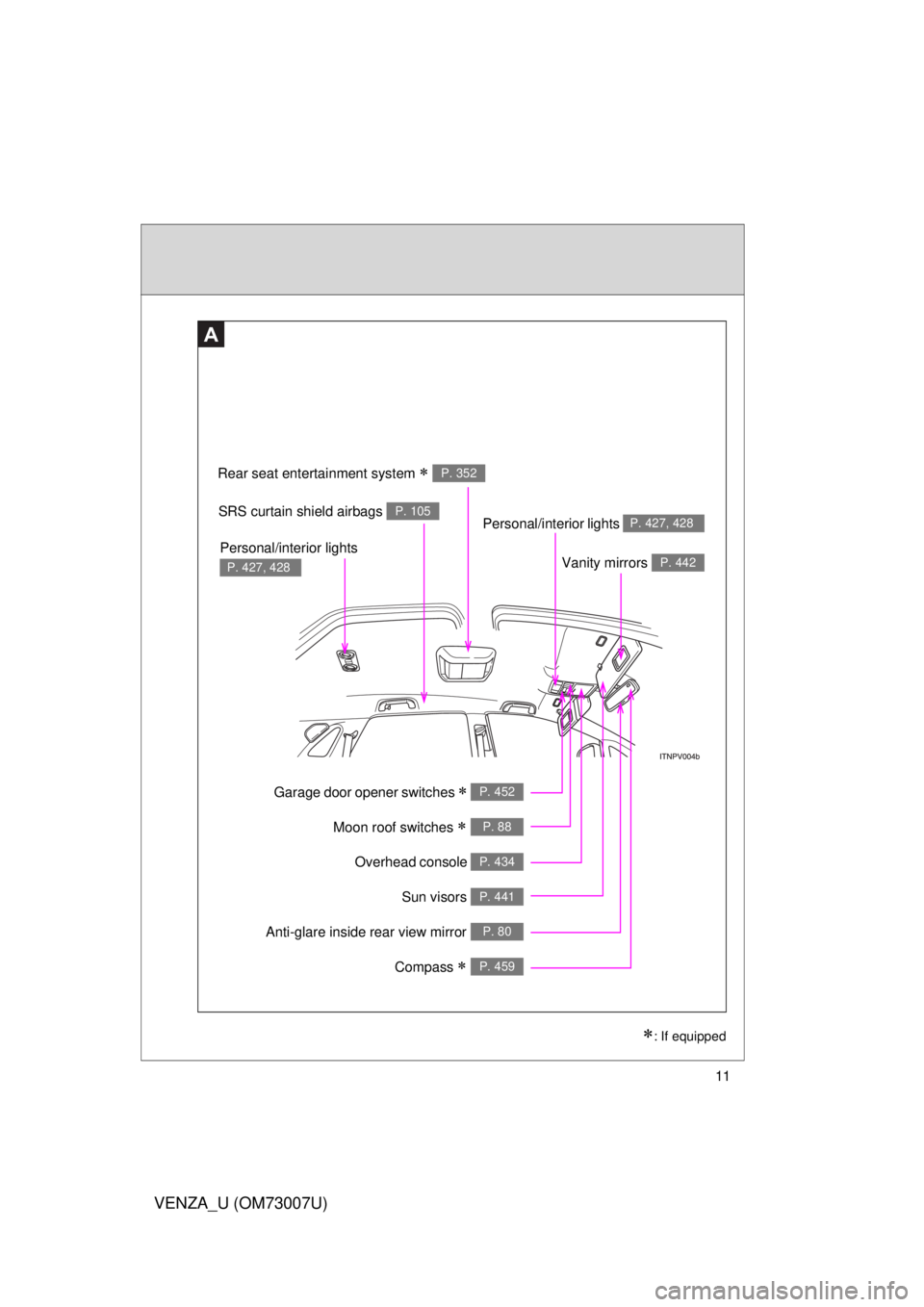
Overhead console P. 434
Garage door opener switches P. 452
Anti-glare inside rear view mirror P. 80
Moon roof switches P. 88
Vanity mirrors P. 442
SRS curtain shield airbags P. 105
Sun visors P. 441
A
Personal/interior lights P. 427, 428
Personal/interior lights
P. 427, 428
Rear seat entertainment system P. 352
: If equipped
Compass P. 459
Page 257 of 664
Interior features3
257
VENZA_U (OM73007U)
3-4. Using the rear seat entertainment system
Rear seat entertainment system features ............. 352
Using the DVD player (DVD video) ................... 361
Using the DVD player (video CD)...................... 370
Using the DVD player (audio CD/CD text) ........ 373
Using the DVD player (MP3 discs) .................... 374
Using the video mode ...... 376
Changing the initial settings .......................... 378
3-5. Using the hands-free system (for cellular phone)
Hands-free system (for cellular phone) ......... 387
Using the hands-free system ........................... 390
Making a phone call ......... 399
Setting a cellular phone ... 405
Security and system setup .............................. 412
Using the phone book ...... 417 3-6. Using the interior lights
Interior lights list ............... 426
• Personal/interior light main switch .................... 427
• Personal/interior lights and luggage
compartment light .......... 428
3-7. Using the storage features List of storage features .... 430
• Glove box....................... 431
• Console boxes ............... 432
• Overhead console .......... 434
• Cup holders ................... 435
• Bottle holders ................. 437
• Auxiliary boxes ............... 438
3-8. Other interior features Sun visors ........................ 441
Vanity mirror..................... 442
Power outlets ................... 443
Seat heaters..................... 446
Armrest ............................ 448
Floor mats ........................ 449
Luggage compartment features .......................... 450
Garage door opener......... 452
Compass .......................... 459
Page 333 of 664
333
3-2. Using the audio system
3
Interior features
VENZA_U (OM73007U)
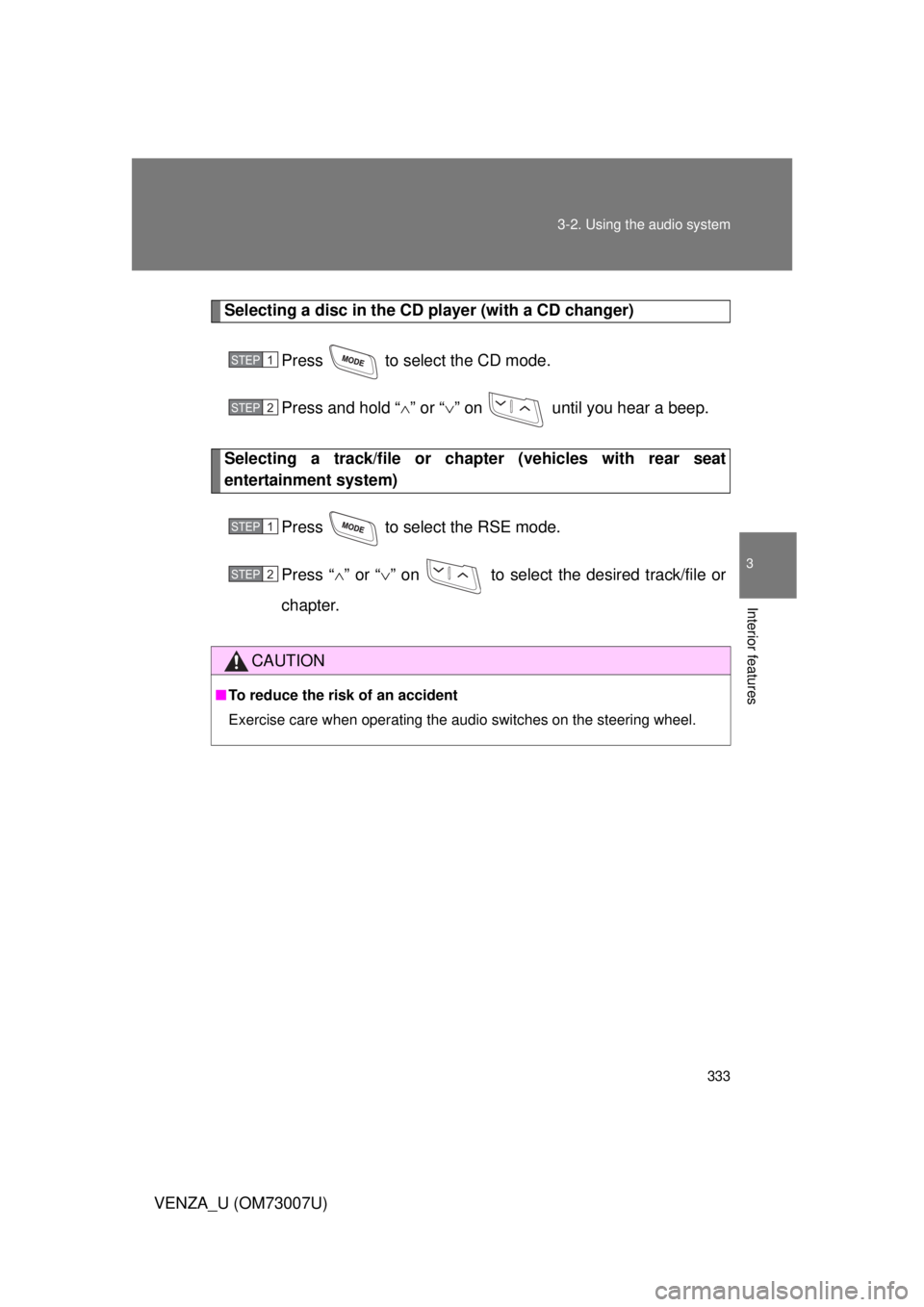
Selecting a disc in the CD player (with a CD changer)
Press to select the CD mode.
Press and hold “ ” or “ ” on until you hear a beep.
Selecting a track/file or ch apter (vehicles with rear seat
entertainment system)
Press to select the RSE mode.
Press “” or “ ” on to select the desired track/file or
chapter.
CAUTION
■ To reduce the risk of an accident
Exercise care when operating the audio switches on the steering wheel.
STEP1
STEP2
STEP1
STEP2
Page 352 of 664
352
VENZA_U (OM73007U)
3-4. Using the rear seat enter tainment system
Rear seat entertainment system features
: If equipped
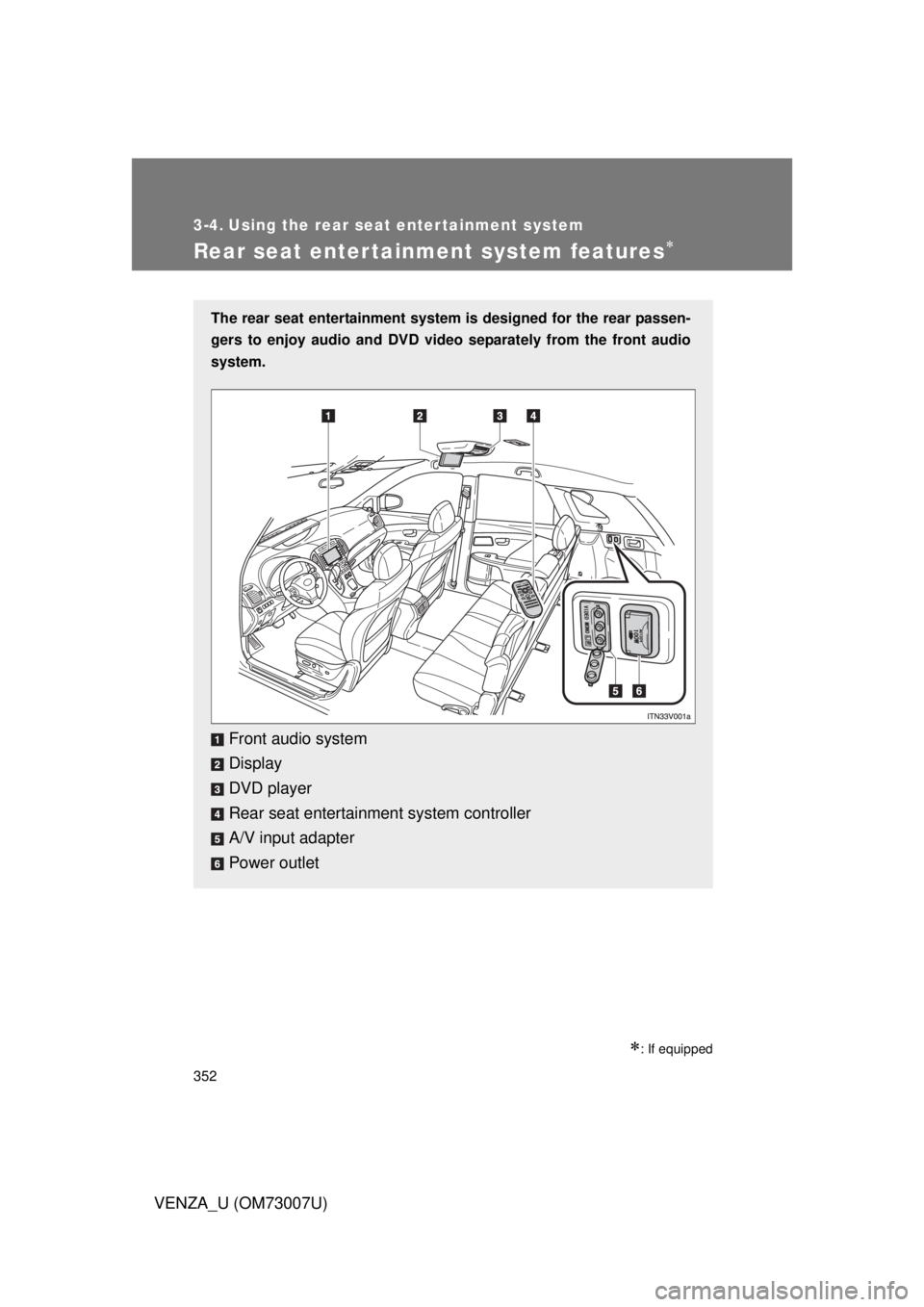
The rear seat entertainment system is designed for the rear passen-
gers to enjoy audio and DVD vide o separately from the front audio
system.
Front audio system
Display
DVD player
Rear seat entertainment system controller
A/V input adapter
Power outlet
Page 353 of 664
353
3-4. Using the rear seat entertainment system
3
Interior features
VENZA_U (OM73007U)
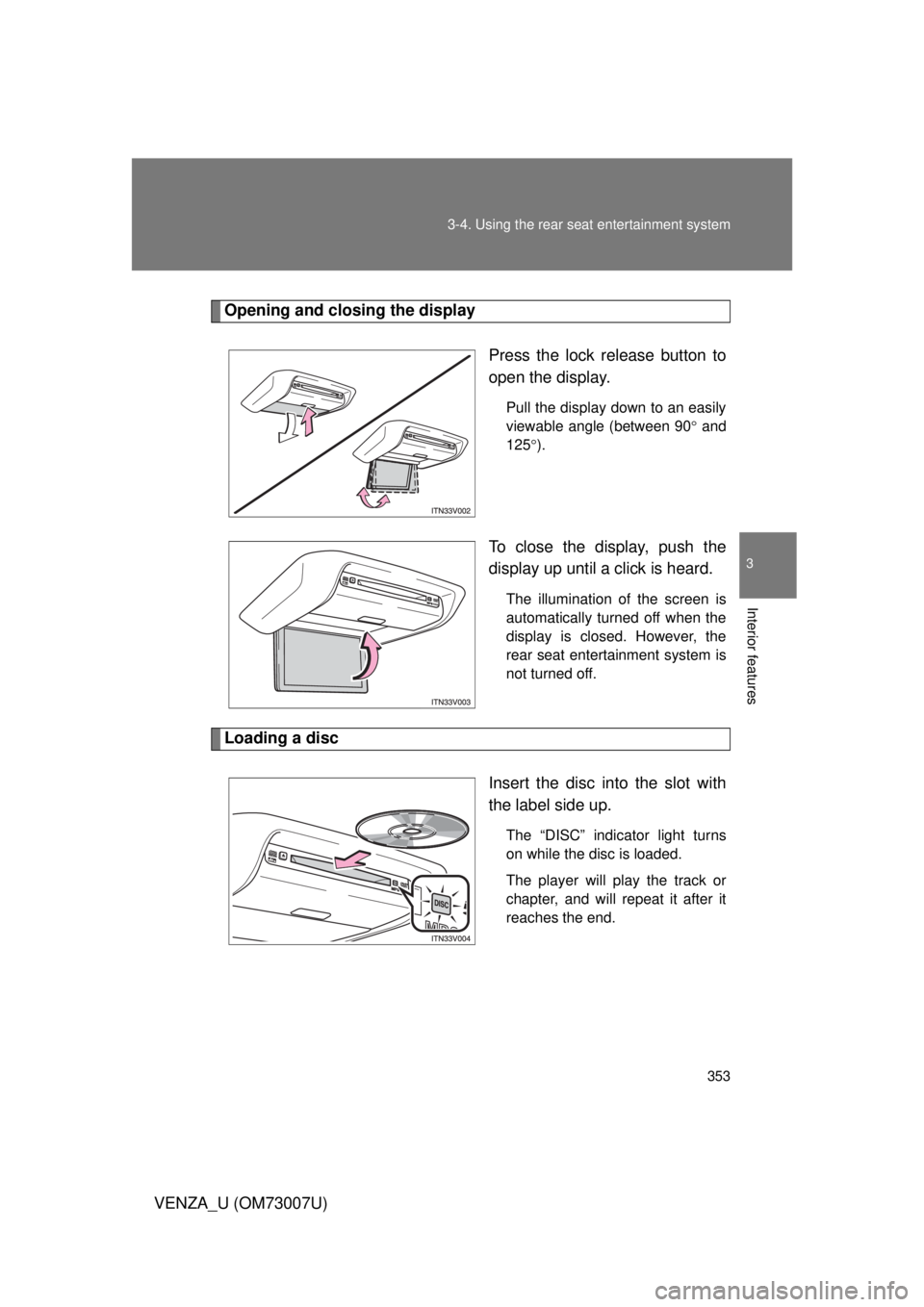
Opening and closing the display
Press the lock release button to
open the display.
Pull the display down to an easily
viewable angle (between 90 and
125 ).
To close the display, push the
display up until a click is heard.
The illumination of the screen is
automatically turned off when the
display is closed. However, the
rear seat entertainment system is
not turned off.
Loading a disc
Insert the disc into the slot with
the label side up.
The “DISC” indicator light turns
on while the disc is loaded.
The player will play the track or
chapter, and will repeat it after it
reaches the end.
Page 354 of 664
354 3-4. Using the rear seat entertainment system
VENZA_U (OM73007U)
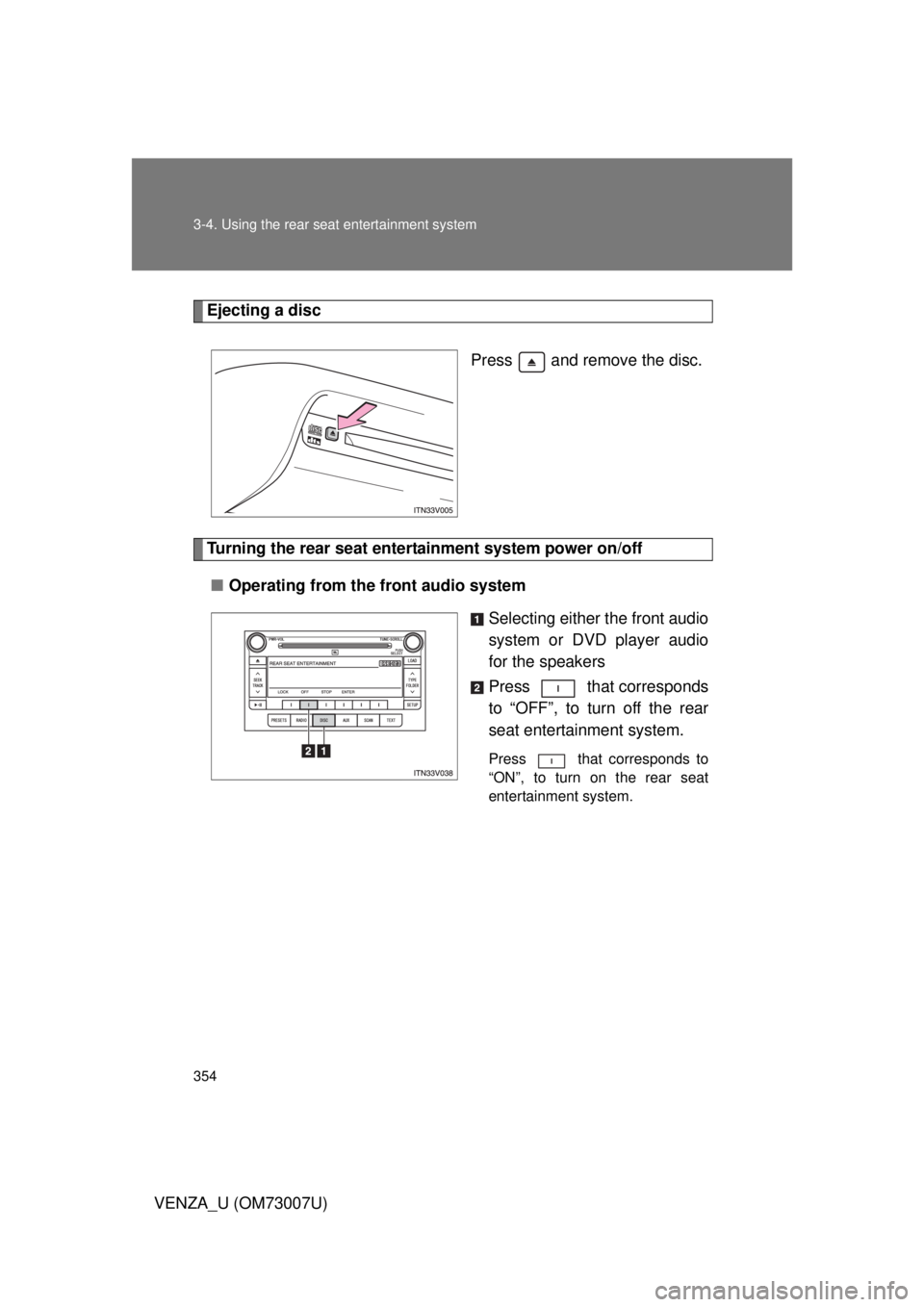
Ejecting a discPress and remove the disc.
Turning the rear seat entertainment system power on/off■ Operating from the front audio system
Selecting either the front audio
system or DVD player audio
for the speakers
Press that corresponds
to “OFF”, to turn off the rear
seat entertainment system.
Press that corresponds to
“ON”, to turn on the rear seat
entertainment system.
Page 355 of 664
355
3-4. Using the rear seat entertainment system
3
Interior features
VENZA_U (OM73007U)
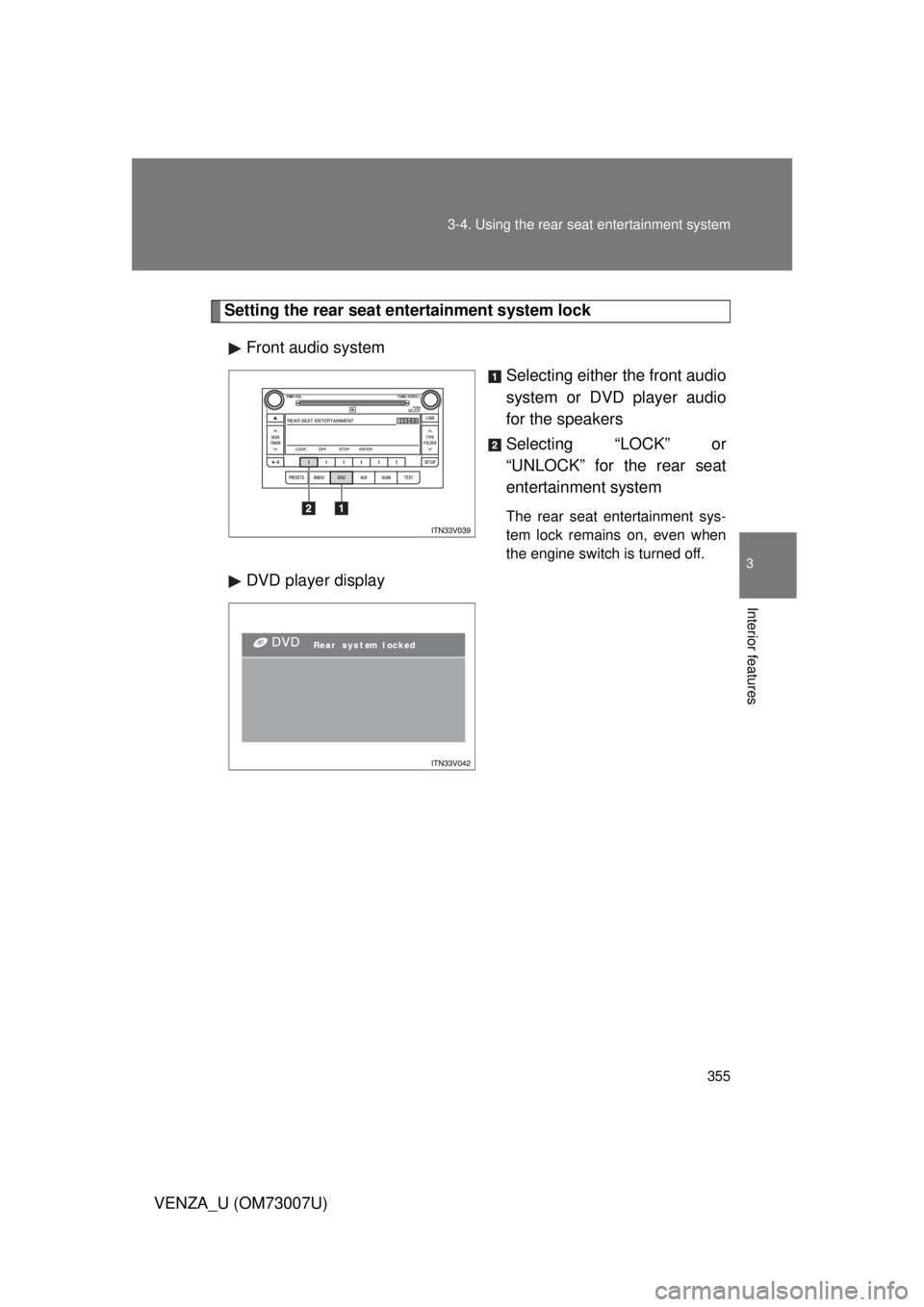
Setting the rear seat entertainment system lock
Front audio system Selecting either the front audio
system or DVD player audio
for the speakers
Selecting “LOCK” or
“UNLOCK” for the rear seat
entertainment system
The rear seat entertainment sys-
tem lock remains on, even when
the engine switch is turned off.
DVD player display
Page 356 of 664
356 3-4. Using the rear seat entertainment system
VENZA_U (OM73007U)
■The rear seat entertainmen t system can be used when
Vehicles with smart key system
The “ENGINE START STOP” switch is in ACCESSORY or IGNITION ON
mode.
Vehicles without smart key system
The engine switch is in the “ACC” or “ON” position.
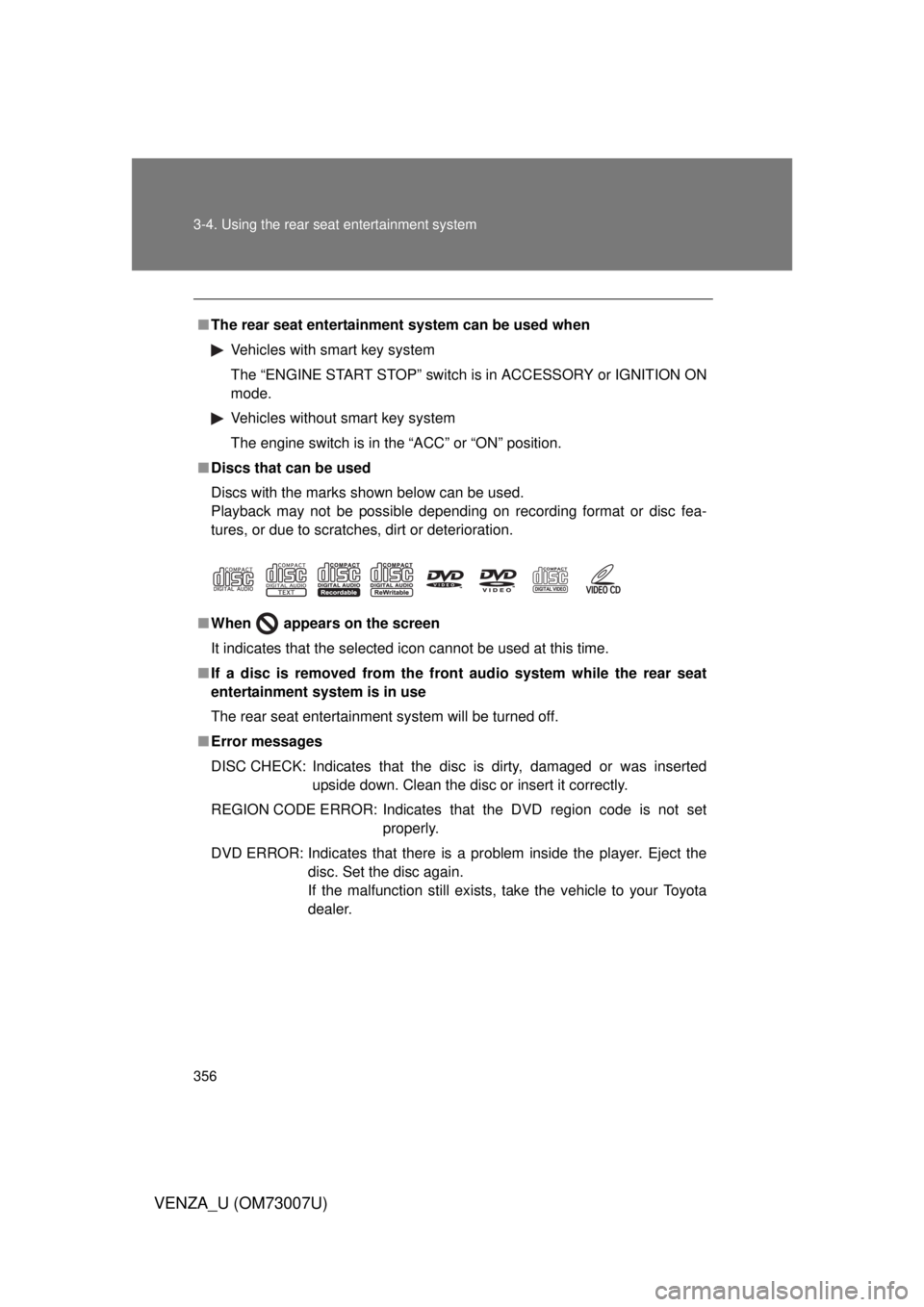
■ Discs that can be used
Discs with the marks shown below can be used.
Playback may not be possible depending on recording format or disc fea-
tures, or due to scratches, dirt or deterioration.
■ When
appears on the screen
It indicates that the selected icon cannot be used at this time.
■ If a disc is removed from the fr ont audio system while the rear seat
entertainment system is in use
The rear seat entertainment system will be turned off.
■ Error messages
DISC CHECK: Indicates that the disc is dirty, damaged or was inserted
upside down. Clean the disc or insert it correctly.
REGION CODE ERROR: Indicates that the DVD region code is not set
properly.
DVD ERROR: Indicates that there is a problem inside the player. Eject the
disc. Set the disc again.
If the malfunction still exists, take the vehicle to your Toyota
dealer.
Page 357 of 664
357
3-4. Using the rear seat entertainment system
3
Interior features
VENZA_U (OM73007U)
■
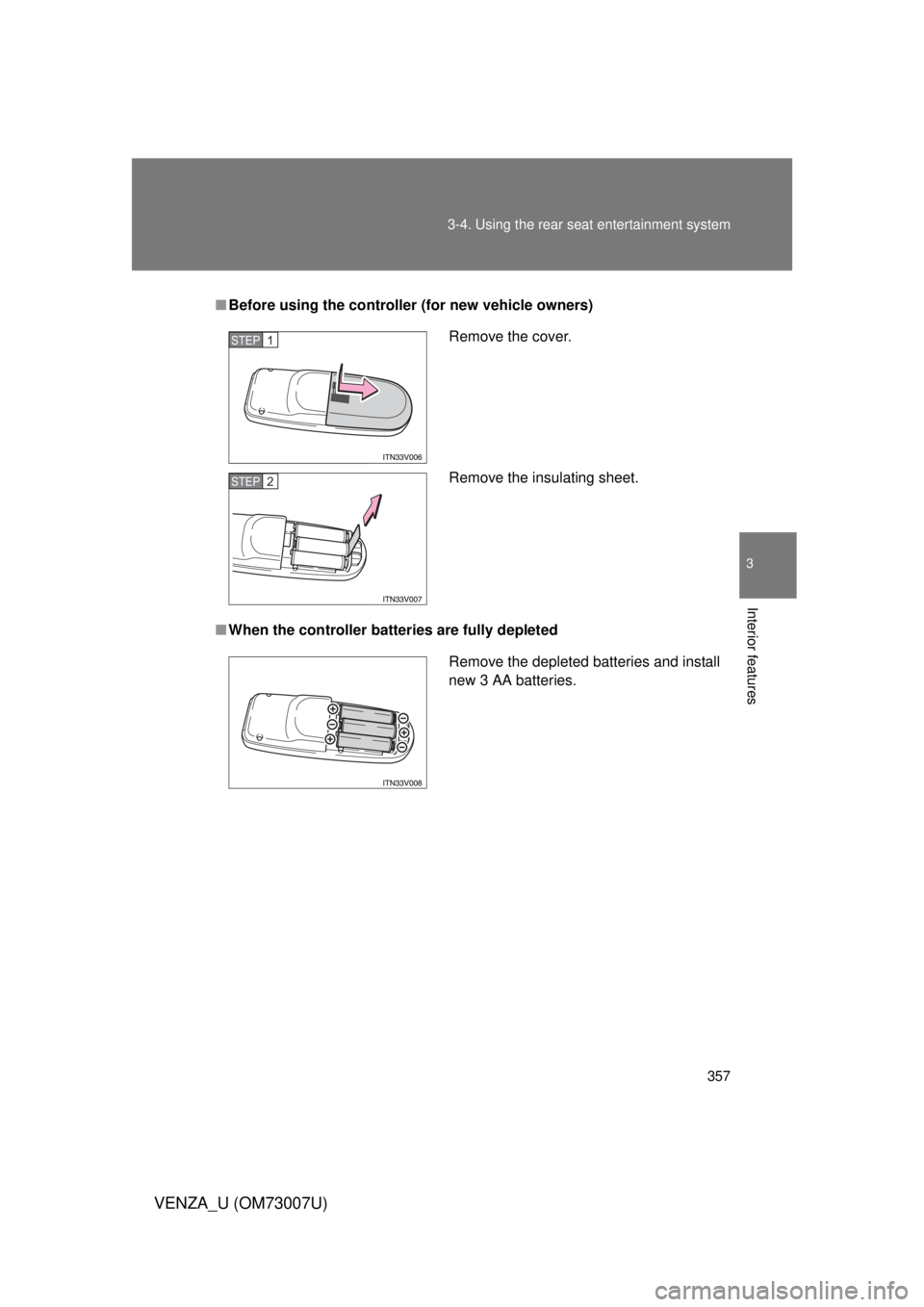
Before using the controller (for new vehicle owners)
■ When the controller batteries are fully depleted
Remove the cover.
Remove the insulating sheet.STEP1
STEP2
Remove the depleted batteries and install
new 3 AA batteries.