remote start TOYOTA VENZA 2010 Owners Manual (in English)
[x] Cancel search | Manufacturer: TOYOTA, Model Year: 2010, Model line: VENZA, Model: TOYOTA VENZA 2010Pages: 664, PDF Size: 11.44 MB
Page 34 of 664
34 1-2. Opening, closing and locking the doors
VENZA_U (OM73007U)
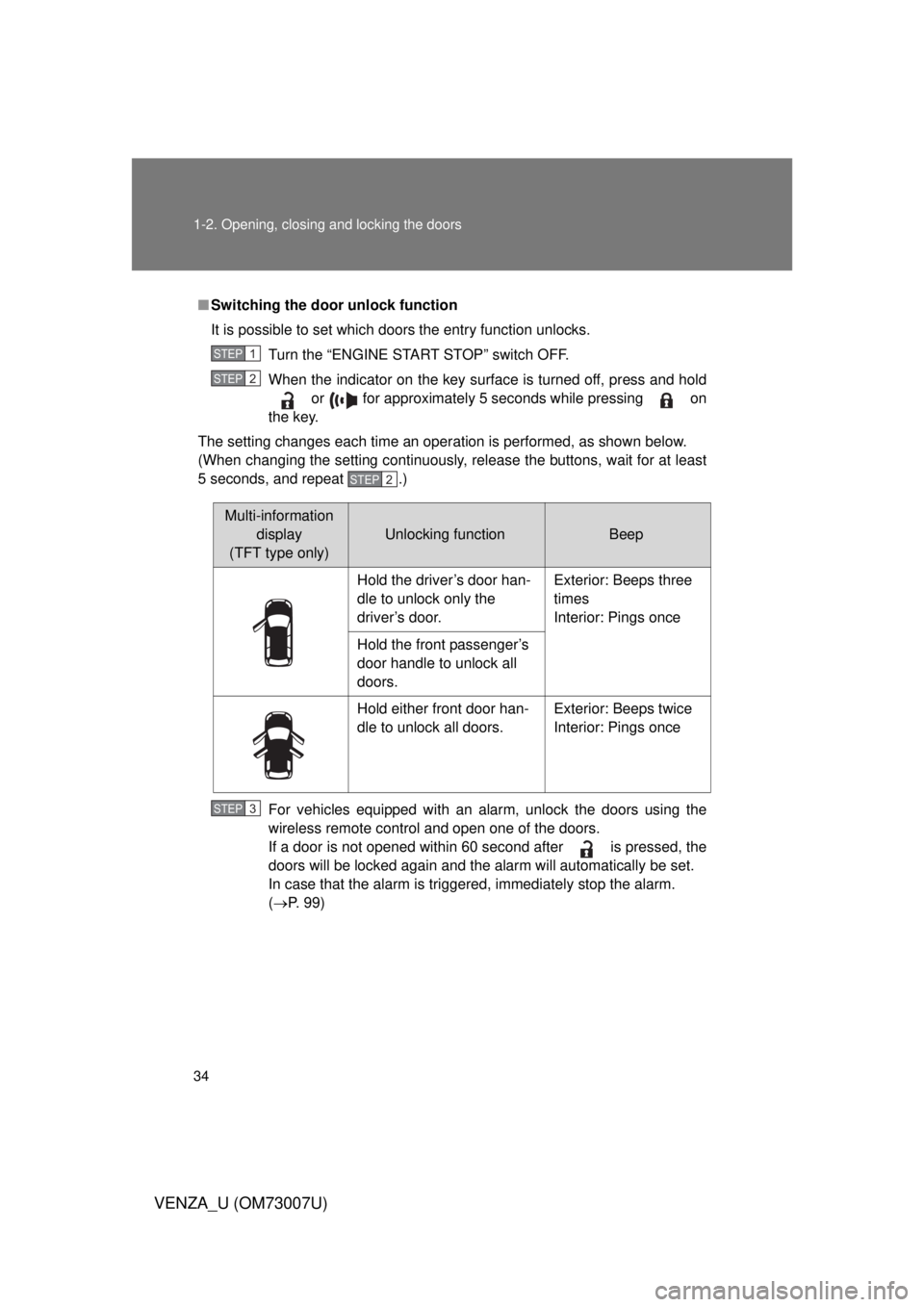
■Switching the door unlock function
It is possible to set which doors the entry function unlocks.
Turn the “ENGINE START STOP” switch OFF.
When the indicator on the key surface is turned off, press and hold or for approximately 5 seconds while pressing on
the key.
The setting changes each time an operation is performed, as shown below.
(When changing the setting continuously, release the buttons, wait for at least
5 seconds, and repeat .)
For vehicles equipped with an alarm, unlock the doors using the
wireless remote control and open one of the doors.
If a door is not opened within 60 second after is pressed, the
doors will be locked again and the alarm will automatically be set.
In case that the alarm is triggered, immediately stop the alarm.
(P. 99)
STEP1
STEP2
STEP2
Multi-information
display
(TFT type only)
Unlocking functionBeep
Hold the driver’s door han-
dle to unlock only the
driver’s door. Exterior: Beeps three
times
Interior: Pings once
Hold the front passenger’s
door handle to unlock all
doors.
Hold either front door han-
dle to unlock all doors. Exterior: Beeps twice
Interior: Pings once
STEP3
Page 37 of 664
37
1-2. Opening, closing and locking the doors
1
Before driving
VENZA_U (OM73007U)
●
Even if the electronic key is not inside the vehicle, it may be possible to
start the engine if the electronic key is near the window.
● The doors may unlock or lock if a large amount of water splashes on the
door handle, such as in the rain or in a car wash when the electronic key
is within the effective range. (The doors will automatically be locked after
approximately 60 seconds if the doors are not opened and closed.)
● If the key is kept near the vehicle while it is being washed, water applied
to a door handle may cause the door to lock and unlock repeatedly. In
this event, place the key in a location 6 ft. (2 m) or more from the vehicle,
taking care not to lose the key.
● If the key is inside the vehicle while it is being washed, water applied to a
door handle may cause a buzzer to sound. In this event, locking all doors
will cause the buzzer to stop sounding.
● It may not be possible to lock the doors if the sensor area is covered by
mud, ice, snow etc. In this event, try locking again after cleaning the
area, or lock by touching the sensor area on the underside of the door
handle.
● Gripping the door handle when wearing a glove may not unlock or lock
the door.
● If the wireless remote control is used to lock the doors when the elec-
tronic key is near the vehicle, there is a possibility that the door may not
be unlocked by the smart key system. (Use the wireless remote control to
unlock the doors.)
● A sudden approach to the effective range or door handle operation may
prevent the doors from being unlocked. In this case, return the door han-
dle to the original position and check that the doors unlock before pulling
the door handle.
Page 45 of 664
45
1-2. Opening, closing and locking the doors
1
Before driving
VENZA_U (OM73007U)
■
Door lock buzzer
If a door or back door is not fully closed, a buzzer sounds continuously for 10
seconds if an attempt to lock the door is made. Fully close the door to stop
the buzzer, and lock the vehicle once more.
■ Security feature
P. 3 8
■ Alarm
Using the wireless remote control to lock the door will set the alarm system.
(P. 99)
■ Key battery depletion
Vehicles with smart key system
P. 518
Vehicles without smart key system
The standard battery life is 1 to 2 years. (The battery becomes depleted
even if the key is not used.) If the wireless remote control function does
not operate, the battery may be depleted. Replace the battery when nec-
essary. ( P. 518)
■ If the wireless remote cont rol does not operate properly
Vehicles with smart key system
● Locking and unlocking the doors: Use the mechanical key. ( P. 586)
● Starting the engine ( P. 157)
Vehicles without smart key system
Locking and unlocking the doors: Use the key. ( P. 48)
Page 46 of 664
46 1-2. Opening, closing and locking the doors
VENZA_U (OM73007U)
■Conditions affecting operation
Vehicles with smart key system
P. 3 3
Vehicles without smart key systemThe wireless remote control function may not operate normally in the fol-
lowing situations.
●Near a TV tower, radio station, el ectric power plant, airport or other
facility that generates strong radio waves
●When carrying a portable radio, cellular phone or other wireless com- munication device
●When multiple wireless keys are in the vicinity
●When the wireless key has come into contact with, or is covered by a metallic object
●When a wireless key (that emits radio waves) is being used nearby
●When the wireless key has been left near an electrical appliance such as a personal computer
■ Customization that can be configured at Toyota dealer or by the TFT
type multi-information display
Settings (e.g. 2-step unlocking function) can be changed.
(Customizable features P. 634)
■ Reversing the operation of the power back door
Pressing the wireless remote control switch again while the power back door
is operating will cause the operation to reverse. However, the reverse opera-
tion cannot be performed for the first second after automatic operation starts,
even if the wireless remote control switch is pressed again.
Page 100 of 664
100 1-6. Theft deterrent system
VENZA_U (OM73007U)
■System maintenance
The vehicle has a maintenance-free type alarm system.
■ Items to check before locking the vehicle
To prevent unexpected triggering of the alarm and vehicle theft, make sure
of the following.
● Nobody is in the vehicle.
● The windows and moon roof are closed before the alarm is set.
● No valuables or other personal items are left in the vehicle.
■ Triggering of the alarm
The alarm may be triggered in the following situations.
(Stopping the alarm deactivates the alarm system.)
● The doors are unlocked using the mechanical key.
● A person inside the vehicle opens a door or hood.
● The battery is recharged or replaced when the vehicle is locked.
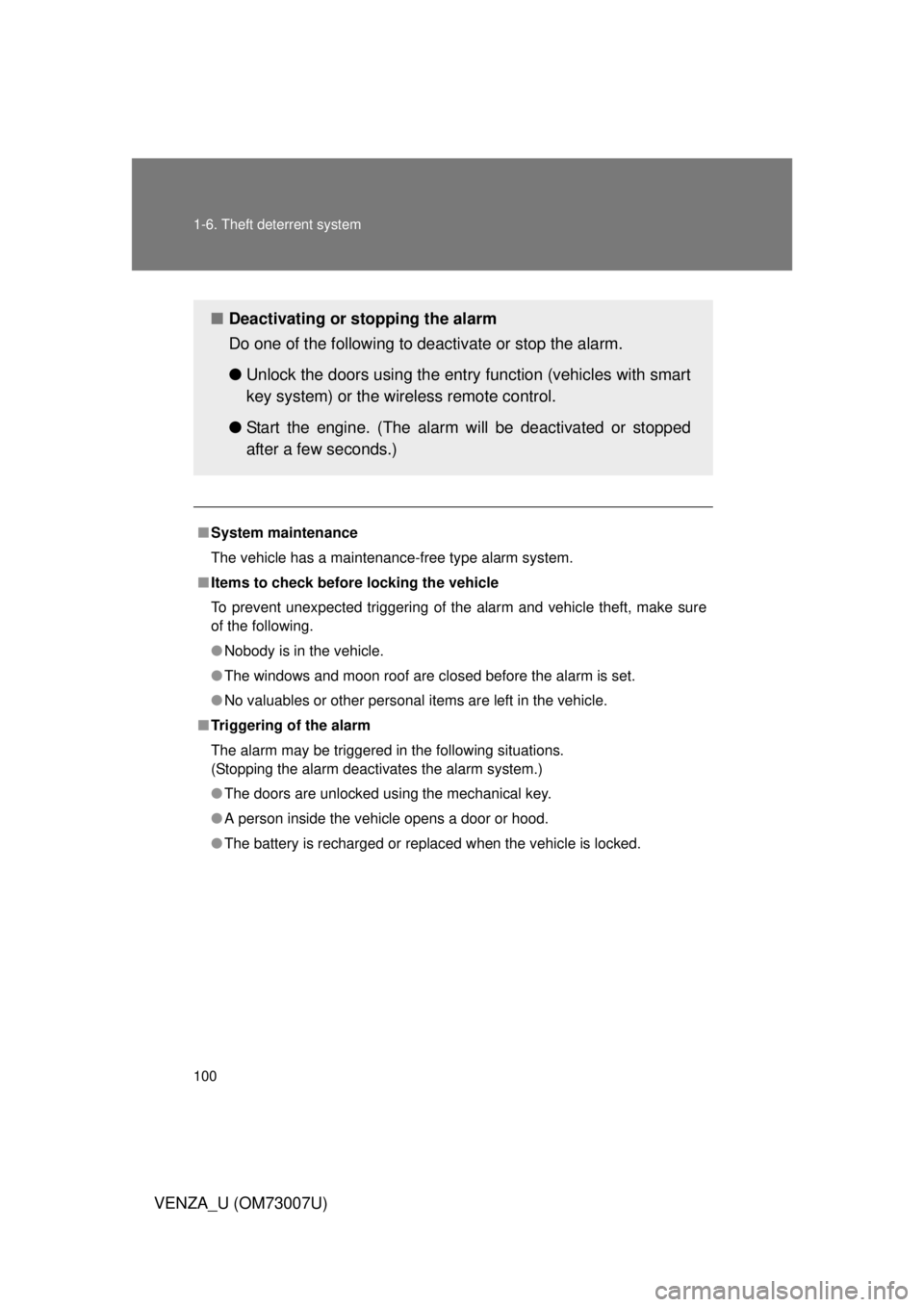
■ Deactivating or stopping the alarm
Do one of the following to deactivate or stop the alarm.
●Unlock the doors using the entry function (vehicles with smart
key system) or the wire less remote control.
● Start the engine. (The alarm will be deactivated or stopped
after a few seconds.)
Page 358 of 664

358 3-4. Using the rear seat entertainment system
VENZA_U (OM73007U)
■If the remote controller batteries are discharged
The following symptoms may occur.
● The rear seat entertainment system controller will not function properly.
● The operational range is reduced.
■ When using AA batteries
Batteries can be purchased at your Toyota dealer, electric appliance shop, or
camera stores.
Replace only with the same or equivalent type recommended by a Toyota
dealer.
Dispose of used batteries according to the local laws.
■ Headphones
With some headphones generally available in the market, it may be difficult
to catch signals properly. Toyota recommends the use of Toyota genuine
wireless headphones.
Contact your Toyota dealer for further details.
■ Vo l u m e
● Adjust the volume when you use the headphones. Loud sounds may have
a significant impact on the human body.
● Conversational speech on some DVDs is recorded at a low volume to
emphasize the impact of sound effects. If you adjust the volume assuming
that the conversations represent the maximum volume level that the DVD
will play, you may be startled by louder sound effects or when you change
to a different audio source. Be sure to adjust the volume with this in mind.
Page 359 of 664
359
3-4. Using the rear seat entertainment system
3
Interior features
VENZA_U (OM73007U)
CAUTION
■
When the rear seat entert ainment system is not used
Keep the display closed.
In the event of an accident or sudden braking, an occupant may hit the
opened display, resulting in injury.
■ To prevent accidents and electric shock
Do not disassemble or modify the remote controller.
■ When the remote controller is not used
Stow the remote controller.
Injuries may result in the event of an accident or sudden braking.
■ Removed battery and other parts
Keep away from children. These parts are small and if swallowed by a child
they can cause choking. Failure to do so could result in death or serious
injury.
■ DVD video precaution
Conversational speech on some DVDs is recorded at a low volume to
emphasize the impact of sound effects. If you adjust the volume assuming
that the conversations represent the maximum volume level that the DVD
will play, you may be startled by louder sound effects or when you change to
a different audio source.
Loud sounds may have a significant impact on the human body or pose a
driving hazard. Keep this in mind when you adjust the volume.
Page 456 of 664
456 3-8. Other interior features
VENZA_U (OM73007U)■
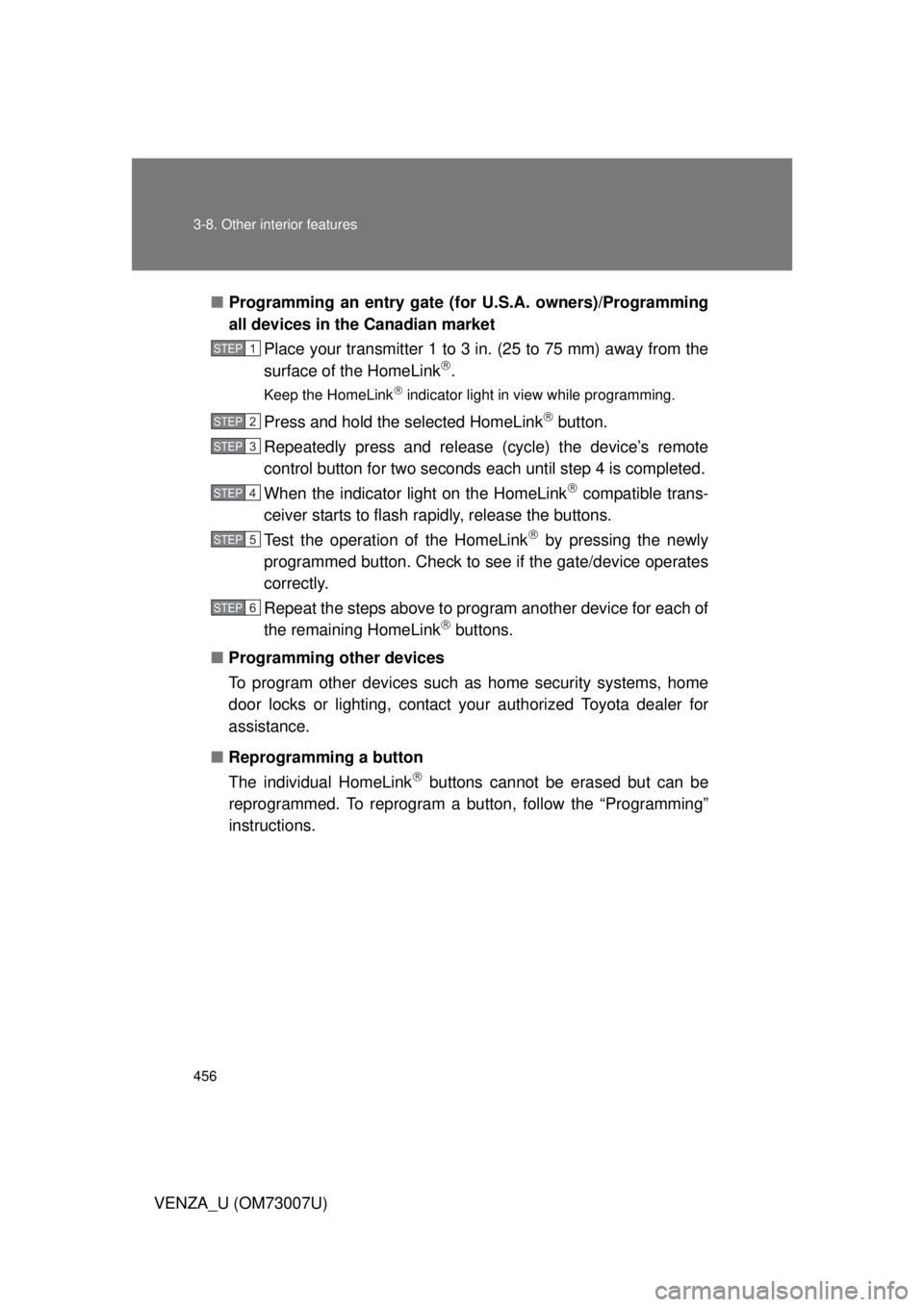
Programming an entry gate (f or U.S.A. owners)/Programming
all devices in the Canadian market
Place your transmitter 1 to 3 in. (25 to 75 mm) away from the
surface of the HomeLink
.
Keep the HomeLink indicator light in view while programming.
Press and hold the selected HomeLink button.
Repeatedly press and release (cycle) the device’s remote
control button for two seconds each until step 4 is completed.
When the indicator light on the HomeLink
compatible trans-
ceiver starts to flash rapidly, release the buttons.
Test the operation of the HomeLink
by pressing the newly
programmed button. Check to se e if the gate/device operates
correctly.
Repeat the steps above to program another device for each of
the remaining HomeLink
buttons.
■ Programming other devices
To program other devices such as home security systems, home
door locks or lighting, contact your authorized Toyota dealer for
assistance.
■ Reprogramming a button
The individual HomeLink
buttons cannot be erased but can be
reprogrammed. To reprogram a bu tton, follow the “Programming”
instructions.
STEP1
STEP2
STEP3
STEP4
STEP5
STEP6
Page 586 of 664
586
5-2. Steps to take in an emergency
VENZA_U (OM73007U)
If the electronic key does not operate properly (vehicles with smar t key system)
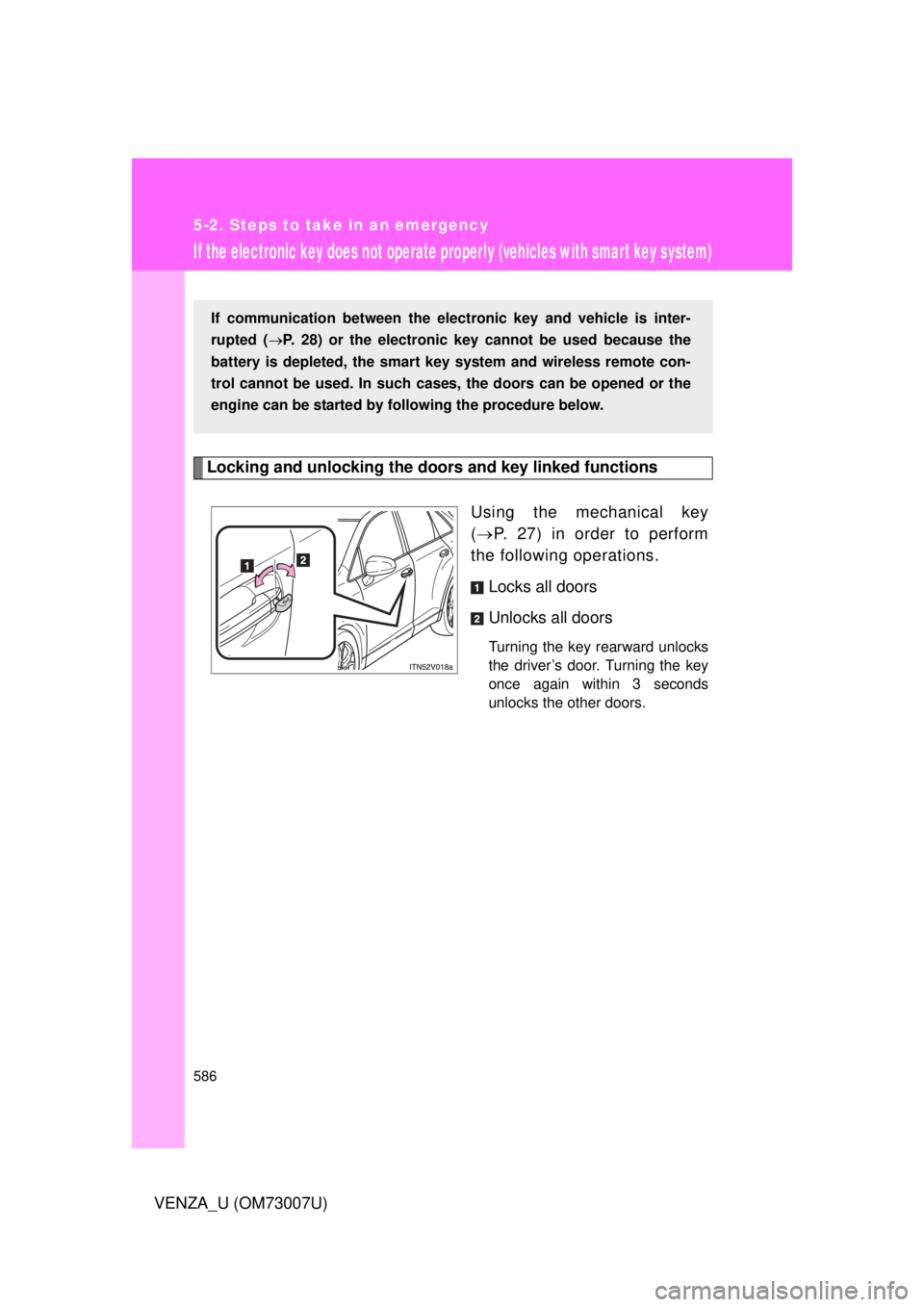
Locking and unlocking the door s and key linked functions
Using the mechanical key
( P. 27) in order to perform
the following operations.
Locks all doors
Unlocks all doors
Turning the key rearward unlocks
the driver’s door. Turning the key
once again within 3 seconds
unlocks the other doors.
If communication between the electronic key and vehicle is inter-
rupted ( P. 28) or the electronic key cannot be used because the
battery is depleted, the smart key system and wireless remote con-
trol cannot be used. In such cases, the doors can be opened or the
engine can be started by following the procedure below.
Page 652 of 664

652 Alphabetical index
VENZA_U (OM73007U)
Trip information ............. 178, 192
Warning messages ............... 569
Do-it-yourself main tenance..... 478
Door courtesy lights Door courtesy lights ..............426
Wattage .................................615
Door lock Back door ................................54
Side door ................................. 48
Wireless remote control key .... 43
Doors Back door ................................54
Side door ................................. 48
Side mirrors .............................82
Driver’s seat belt reminder
light ......................................... 557
Driving Break-in tips .......................... 148
Correct posture ..................... 103
Procedures............................ 146
Utility vehicle precautions......226
Winter driving tips.................. 238
Electric power steering ...........220
Electronic key If your electronic key battery is discharged...518, 586
Emergency, in case of If a warning message is displayed............................. 569
If the electronic key does not operate properly............ 586
If the engine will not start ......581
If the shift lever cannot be
shifted from “P” ...................584
If the vehicle has discharged
battery ................................589
If the warning buzzer sounds ................................554
If the warning light turns on ...554
If you have a flat tire ............. 570
If you lose your keys ............. 585 If you think something is
wrong .................................. 549
If your vehicle becomes
stuck ................................... 597
If your vehicle has to be stopped in an emergency ... 599
If your vehicle needs to be towed .................................. 545
If your vehicle overheats ....... 594
Emergency flashers................. 544
Engine Compartment ........................ 486
Engine switch ................ 157, 161
Hood ..................................... 482
How to start the
engine ......................... 157, 161
Identification number............. 603
If the engine will not start ...... 581
Ignition switch ............... 157, 161
Overheating .......................... 594
Engine coolant Capacity ................................ 609
Checking ............................... 493
Preparing and checking before winter ....................... 238
Engine coolan t temperature
gauge ...................................... 172
Engine immobilizer system ...... 96
Engine oil
Capacity ................................ 606
Checking ............................... 488
Preparing and checking before winter ....................... 238
Engine oil maintenance
data ......................................... 491
Engine switch........................... 157
EPS............................................ 220
Event data recorder ................. 552
E