ignition TOYOTA VENZA 2013 Accessories, Audio & Navigation (in English)
[x] Cancel search | Manufacturer: TOYOTA, Model Year: 2013, Model line: VENZA, Model: TOYOTA VENZA 2013Pages: 363, PDF Size: 5.62 MB
Page 26 of 363
26
VENZA (US) NAVI 73011U
12.02.17 09:43
1. BASIC INFORMATION BEFORE OPERATION
1. INITIAL SCREEN
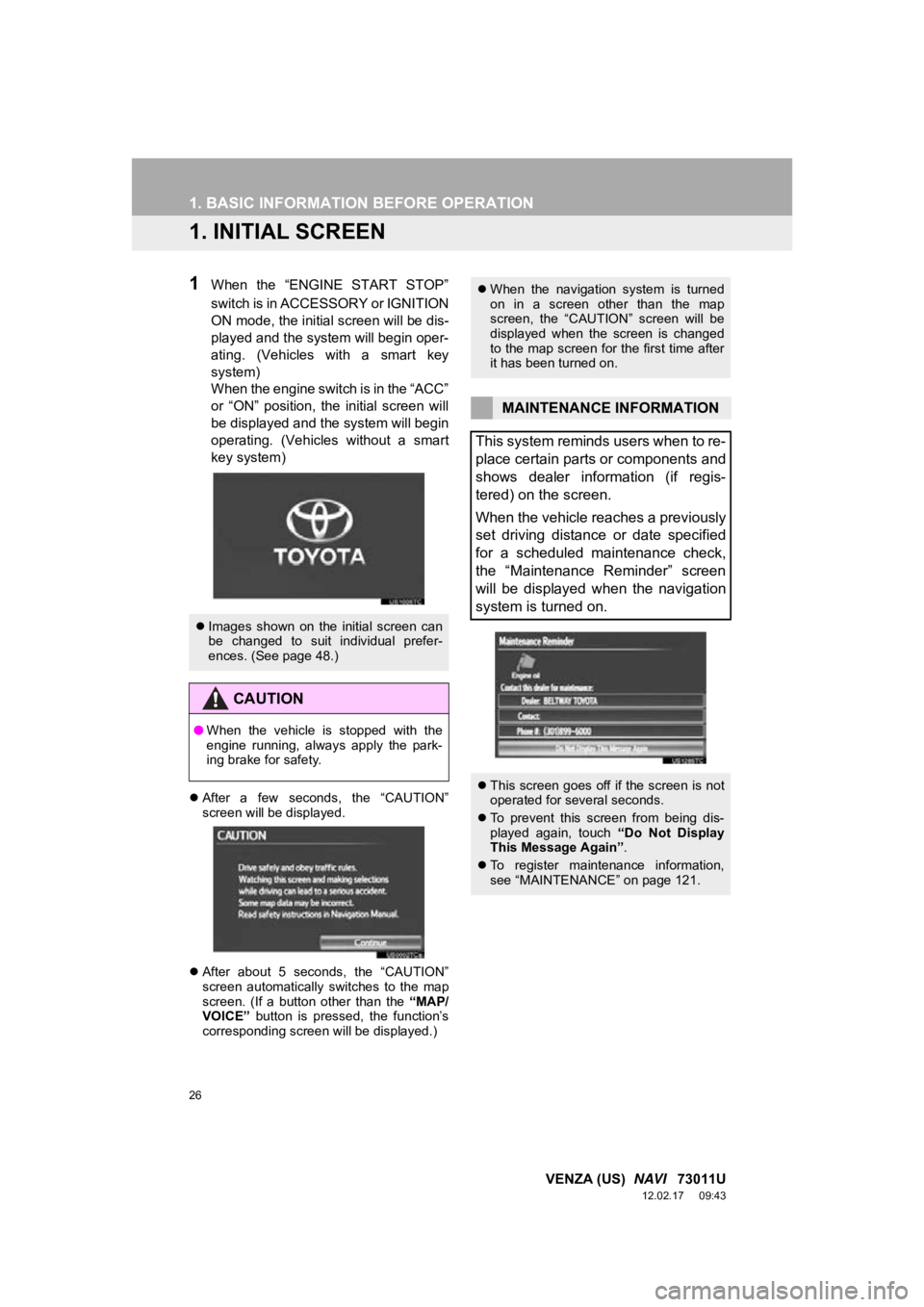
1When the “ENGINE START STOP”
switch is in ACCESSORY or IGNITION
ON mode, the initial screen will be dis-
played and the system will begin oper-
ating. (Vehicles with a smart key
system)
When the engine switch is in the “ACC”
or “ON” position, the initial screen will
be displayed and the system will begin
operating. (Vehicles without a smart
key system)
After a few seconds, the “CAUTION”
screen will be displayed.
After about 5 seconds, the “CAUTION”
screen automatically switches to the map
screen. (If a button other than the “MAP/
VOICE” button is pressed, the function’s
corresponding screen will be displayed.)
Images shown on the initial screen can
be changed to suit individual prefer-
ences. (See page 48.)
CAUTION
●When the vehicle is stopped with the
engine running, always apply the park-
ing brake for safety.
When the navigation system is turned
on in a screen other than the map
screen, the “CAUTION” screen will be
displayed when the screen is changed
to the map screen for the first time after
it has been turned on.
MAINTENANCE INFORMATION
This system reminds users when to re-
place certain parts or components and
shows dealer information (if regis-
tered) on the screen.
When the vehicle reaches a previously
set driving distance or date specified
for a scheduled maintenance check,
the “Maintenance Reminder” screen
will be displayed when the navigation
system is turned on.
This screen goes off if the screen is not
operated for several seconds.
To prevent this screen from being dis-
played again, touch “Do Not Display
This Message Again” .
To register maintenance information,
see “MAINTENANCE” on page 121.
Page 48 of 363
48
2. SETUP
VENZA (US) NAVI 73011U
12.02.17 09:43
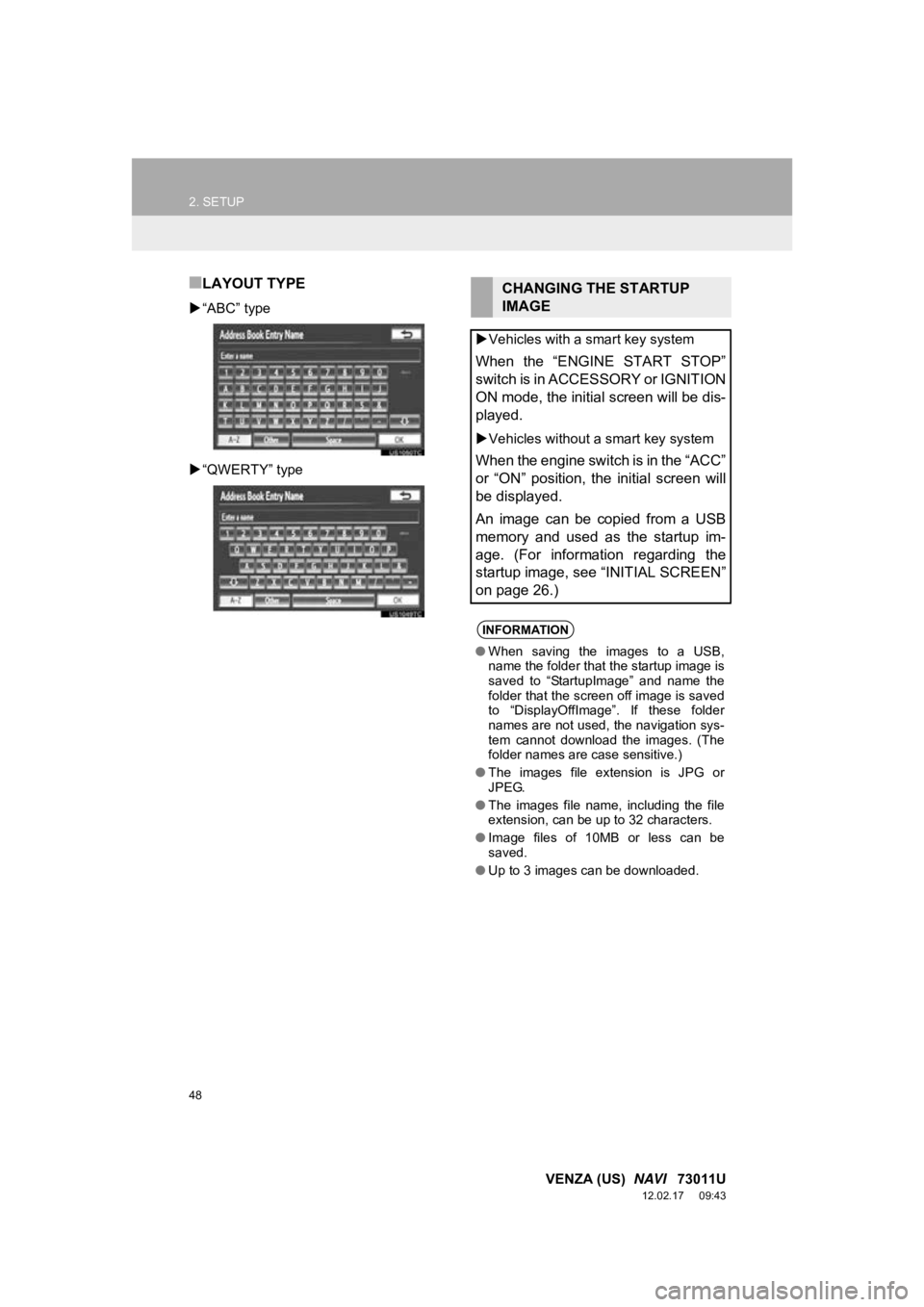
■LAYOUT TYPE
“ABC” type
“QWERTY” type
CHANGING THE STARTUP
IMAGE
Vehicles with a smart key system
When the “ENGINE START STOP”
switch is in ACCESSORY or IGNITION
ON mode, the initial screen will be dis-
played.
Vehicles without a smart key system
When the engine switch is in the “ACC”
or “ON” position, the initial screen will
be displayed.
An image can be copied from a USB
memory and used as the startup im-
age. (For information regarding the
startup image, see “INITIAL SCREEN”
on page 26.)
INFORMATION
● When saving the images to a USB,
name the folder that the startup image is
saved to “StartupImage” and name the
folder that the screen off image is saved
to “DisplayOffImage”. If these folder
names are not used, the navigation sys-
tem cannot download the images. (The
folder names are case sensitive.)
● The images file extension is JPG or
JPEG.
● The images file name, including the file
extension, can be up to 32 characters.
● Image files of 10MB or less can be
saved.
● Up to 3 images can be downloaded.
Page 139 of 363
139
1. PHONE OPERATION
4
PHONE
VENZA (US) NAVI 73011U
12.02.17 09:43
For automatic connection, see “CHANG-
ING “Bluetooth* Power”” on page 186.
*: Bluetooth is a registered trademark of
Bluetooth SIG, Inc.
Vehicles with a smart key system
When the “ENGINE START STOP” switch
is in ACCESSORY or IGNITION ON
mode, the system searches for a nearby
registered cellular phone.
The system will connect with the phone
that was last connected, if it is nearby.
When “Display Phone Status” is set to
“On” , the connection status is displayed.
(See “Bluetooth
® DEVICE CONNEC-
TION STATUS DISPLAY SETTINGS” on
page 188.)
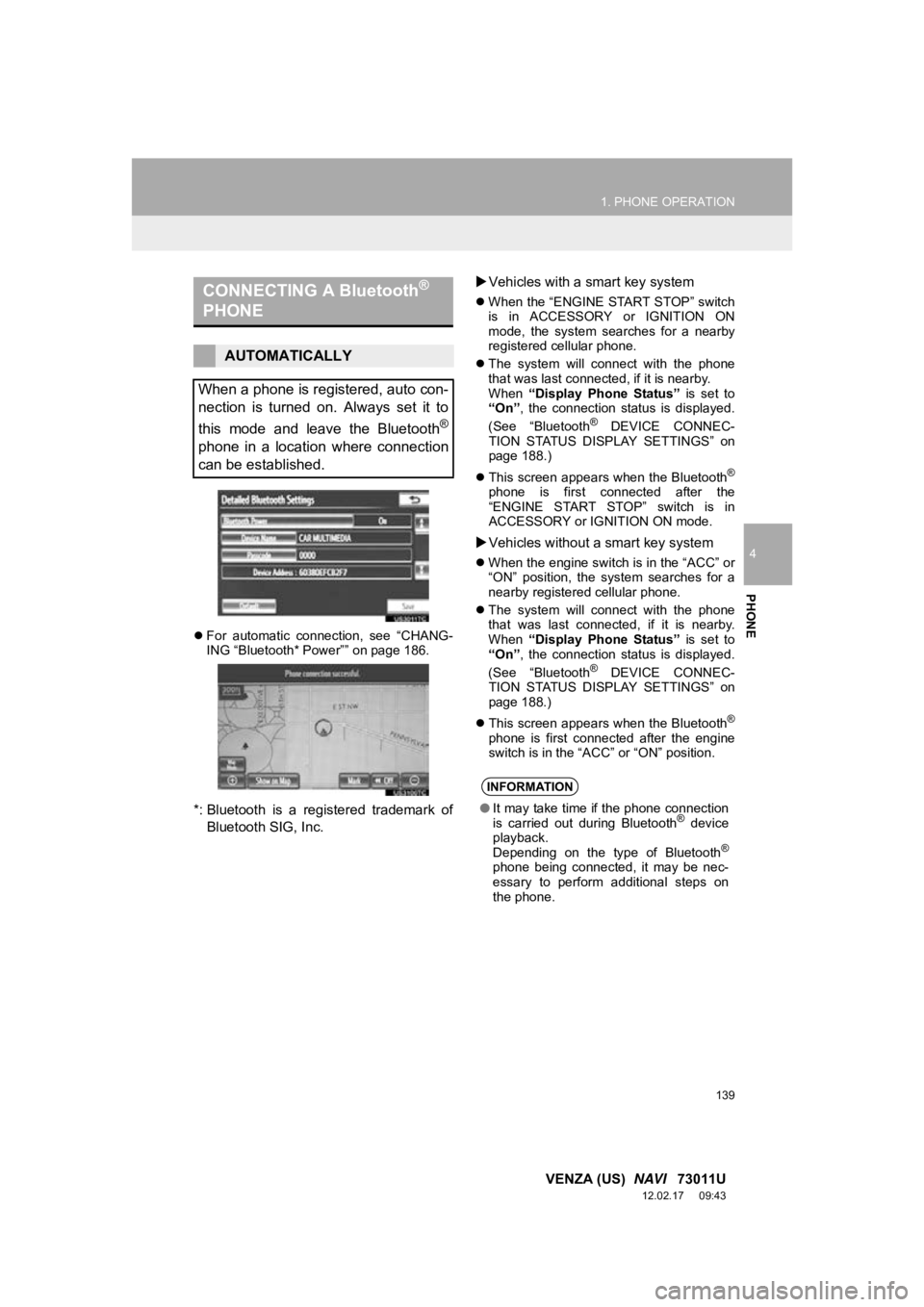
This screen appears when the Bluetooth
®
phone is first connected after the
“ENGINE START STOP” switch is in
ACCESSORY or IGNITION ON mode.
Vehicles without a smart key system
When the engine switch is in the “ACC” or
“ON” position, the system searches for a
nearby registered cellular phone.
The system will connect with the phone
that was last connected, if it is nearby.
When “Display Phone Status” is set to
“On” , the connection status is displayed.
(See “Bluetooth
® DEVICE CONNEC-
TION STATUS DISPLAY SETTINGS” on
page 188.)
This screen appears when the Bluetooth
®
phone is first connected after the engine
switch is in the “ACC” or “ON” position.
CONNECTING A Bluetooth®
PHONE
AUTOMATICALLY
When a phone is registered, auto con-
nection is turned on. Always set it to
this mode and leave the Bluetooth
®
phone in a location where connection
can be established.
INFORMATION
● It may take time if the phone connection
is carried out during Bluetooth® device
playback.
Depending on the type of Bluetooth
®
phone being connected, it may be nec-
essary to perform additional steps on
the phone.
Page 141 of 363

141
1. PHONE OPERATION
4
PHONE
VENZA (US) NAVI 73011U
12.02.17 09:43
If a Bluetooth® phone is disconnected on
purpose, such as turning it off, this does
not happen. Reconnect the Bluetooth
®
phone manually.
RECONNECTING THE
Bluetooth® PHONE
Vehicles with a smart key system
If a Bluetooth® phone is disconnected
due to poor reception from the
Bluetooth
® network when the
“ENGINE START STOP” switch is in
ACCESSORY or IGNITION ON mode,
the system automatically reconnects
the Bluetooth
® phone. When “Display
Phone Status” is set to “On”, the
connection status is displayed.
Vehicles without a smart key system
If a Bluetooth® phone is disconnected
due to poor reception from the
Bluetooth
® network when the engine
switch is in the “ACC” or “ON” position,
the system automatically reconnects
the Bluetooth
® phone. When “Display
Phone Status” is set to “On”, the con-
nection status is displayed.
Page 188 of 363
188
2. SETUP
VENZA (US) NAVI 73011U
12.02.17 09:43
■Bluetooth® DEVICE CONNECTION
STATUS DISPLAY SETTINGS
*: Bluetooth is a regi stered trademark of
Bluetooth SIG, Inc.
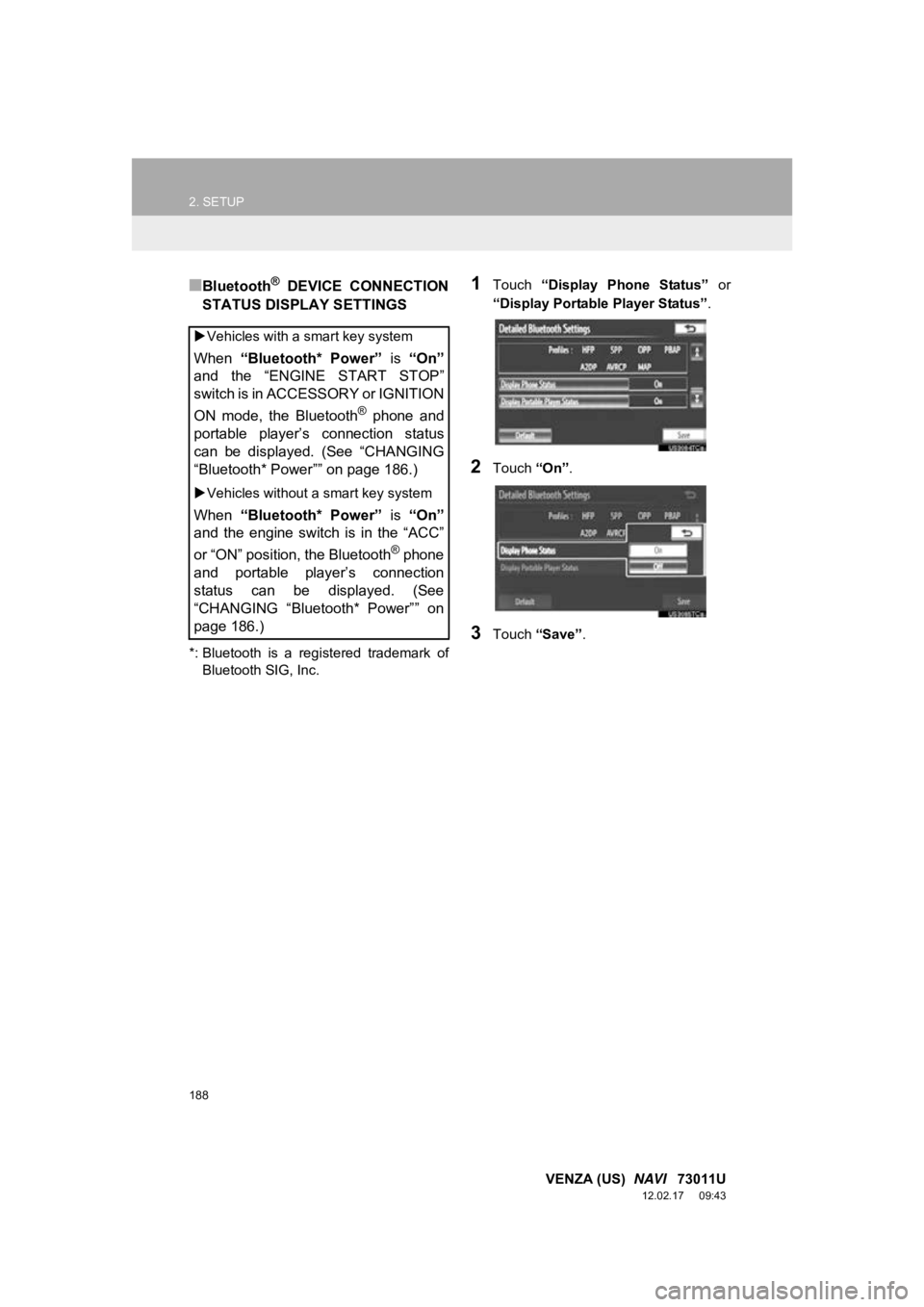
1Touch “Display Phone Status” or
“Display Portable Player Status” .
2Touch “On”.
3Touch “Save” .
Vehicles with a smart key system
When “Bluetooth* Power” is “On”
and the “ENGINE START STOP”
switch is in ACCESSORY or IGNITION
ON mode, the Bluetooth
® phone and
portable player’s connection status
can be displayed. (See “CHANGING
“Bluetooth* Power”” on page 186.)
Vehicles without a smart key system
When “Bluetooth* Power” is “On”
and the engine switch is in the “ACC”
or “ON” position, the Bluetooth
® phone
and portable player’s connection
status can be displayed. (See
“CHANGING “Bluetooth* Power”” on
page 186.)
Page 194 of 363
194
1. AUDIO/VIDEO SYSTEM OPERATION
VENZA (US) NAVI 73011U
12.02.24 10:20
2. SOME BASICS
This section describes some of the ba-
sic features of the audio/video system.
Some information may not pertain to
your system.
Vehicles with a smart key system
Your audio/video system works when
the “ENGINE START STOP” switch is
turned to ACCESSORY or IGNITION
ON mode.
Vehicles without a smart key system
Your audio/video system works when
the engine switch is turned to the
“ACC” or “ON” position.
CAUTION
●For vehicles sold in U.S.A. and Canada:
Part 15 of the FCC Rules
FCC Warning: Changes or modifications
in construction not expressly approved
by the party responsible for compliance
could void the user’s authority to operate
the equipment. Radio frequency
exposure. This device is approved for
Mobile Application only and, to comply
with applicable FCC radio frequency
exposure regulations, must be used with
a distance of at least 7.9 in. (20 cm)
between the antenna and the body of
any person at all time during use.
CAUTION
●Laser products
• Do not take this unit apart or attempt to
make any changes yourself. This is an
intricate unit that uses a laser pickup to
retrieve information from the surface of
compact discs. The laser is carefully
shielded so that its rays remain inside
the cabinet. Therefore, never try to
disassemble the player or alter any of
its parts since you may be exposed to
laser rays and dangerous voltages.
• This product utilizes a laser. Use of controls or adjustments or
performance of procedures other than
those specified herein may result in
hazardous radiation exposure.
NOTICE
● To prevent the battery from being dis-
charged, do not leave the audio/video
system on longer than necessary when
the engine is not running.
Page 249 of 363
249
1. AUDIO/VIDEO SYSTEM OPERATION
5
AUDIO/VIDEO SYSTEM
VENZA (US) NAVI 73011U
12.02.24 10:20
The portable player will be automatically
connected under the following conditions:
Vehicles with a smart key system
• The “ENGINE START STOP” switch is in
either ACCESSORY or IGNITION ON
mode.
• When “Bluetooth* Power” is switched
from off to on.
• When the portable player is discon-
nected for some reason.
Vehicles without a smart key system
• The engine switch is in either the “ACC”
or “ON” position.
• When “Bluetooth* Power” is switched
from off to on.
• When the portable player is discon- nected for some reason.
*: Bluetooth is a regi stered trademark of
Bluetooth SIG, Inc.
CAUTION
● Co-location: This transmitter must not be
co-located or operated in conjunction
with any other antenna or transmitter.
Co-implantation: cet émetteur ne doit
pas être co-implanté ou actionné en
même temps qu’aucune autre antenne
ou émetteur.
CONNECTING A Bluetooth®
AUDIO PLAYER
To use the Bluetooth® audio system, it
is necessary to register a portable
player with the system. Once the porta-
ble player has been registered, it is
possible to listen to the music.
Once the portable player has been reg-
istered, it is possible to listen to music
through the navigation system. (See
“REGISTERING A Bluetooth
® DE-
VICE” on page 179.)
INFORMATION
● For operating the portable player, see
the instruction manual that comes with
it.
WHEN “Bluetooth* Power” IS
ON
Page 251 of 363
251
1. AUDIO/VIDEO SYSTEM OPERATION
5
AUDIO/VIDEO SYSTEM
VENZA (US) NAVI 73011U
12.02.24 10:20
If the Bluetooth® device is disconnected
on purpose, such as it was turned off, this
does not happen. Reconnect the portable
player manually.
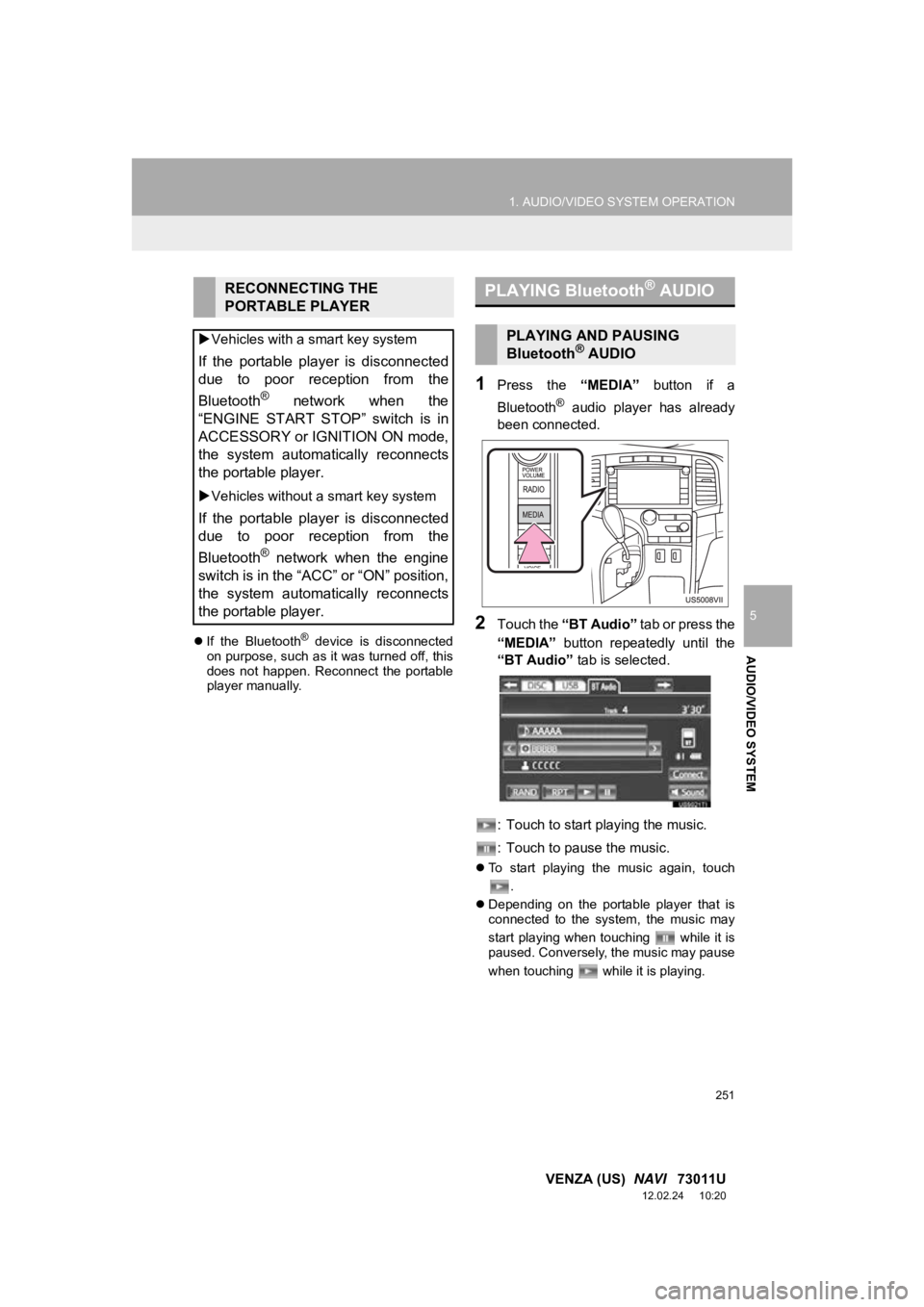
1Press the “MEDIA” button if a
Bluetooth
® audio player has already
been connected.
2Touch the “BT Audio” tab or press the
“MEDIA” button repeatedly until the
“BT Audio” tab is selected.
: Touch to start playing the music.
: Touch to pause the music.
To start playing the music again, touch
.
Depending on the portable player that is
connected to the system, the music may
start playing when touching while it is
paused. Conversely, the music may pause
when touching while it is playing.
RECONNECTING THE
PORTABLE PLAYER
Vehicles with a smart key system
If the portable player is disconnected
due to poor reception from the
Bluetooth
® network when the
“ENGINE START STOP” switch is in
ACCESSORY or IGNITION ON mode,
the system automatically reconnects
the portable player.
Vehicles without a smart key system
If the portable player is disconnected
due to poor reception from the
Bluetooth
® network when the engine
switch is in the “ACC” or “ON” position,
the system automatically reconnects
the portable player.
PLAYING Bluetooth® AUDIO
PLAYING AND PAUSING
Bluetooth® AUDIO
Page 285 of 363
285
1. INFORMATION DISPLAY
7
INFORMATION
VENZA (US) NAVI 73011U
12.02.16 15:41
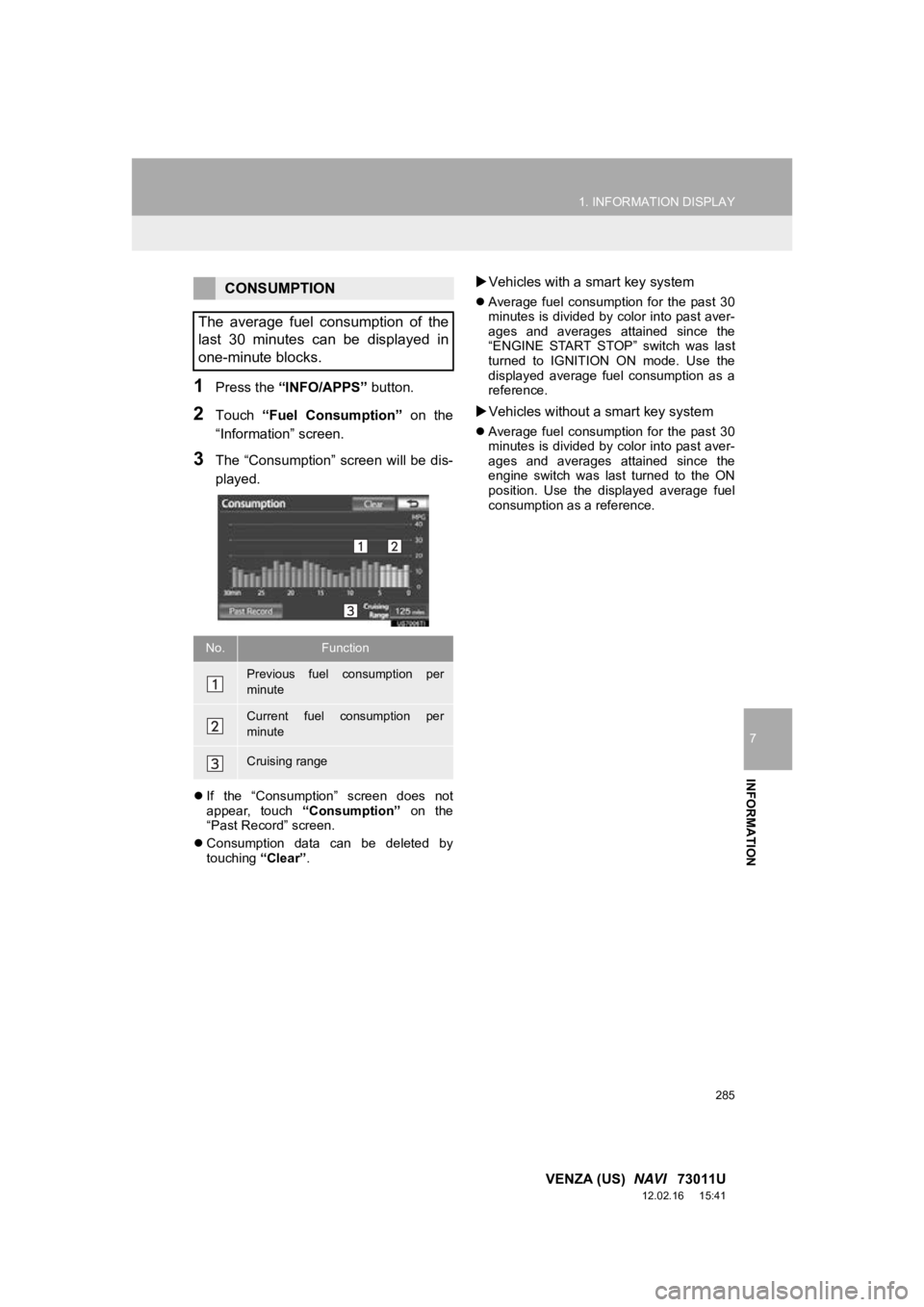
1Press the “INFO/APPS” button.
2Touch “Fuel Consumption” on the
“Information” screen.
3The “Consumption” screen will be dis-
played.
If the “Consumption” screen does not
appear, touch “Consumption” on the
“Past Record” screen.
Consumption data can be deleted by
touching “Clear”.
Vehicles with a smart key system
Average fuel consumption for the past 30
minutes is divided by color into past aver-
ages and averages attained since the
“ENGINE START STOP” switch was last
turned to IGNITION ON mode. Use the
displayed average fuel consumption as a
reference.
Vehicles without a smart key system
Average fuel consumption for the past 30
minutes is divided by color into past aver-
ages and averages attained since the
engine switch was last turned to the ON
position. Use the displayed average fuel
consumption as a reference.
CONSUMPTION
The average fuel consumption of the
last 30 minutes can be displayed in
one-minute blocks.
No.Function
Previous fuel consumption per
minute
Current fuel consumption per
minute
Cruising range
Page 320 of 363
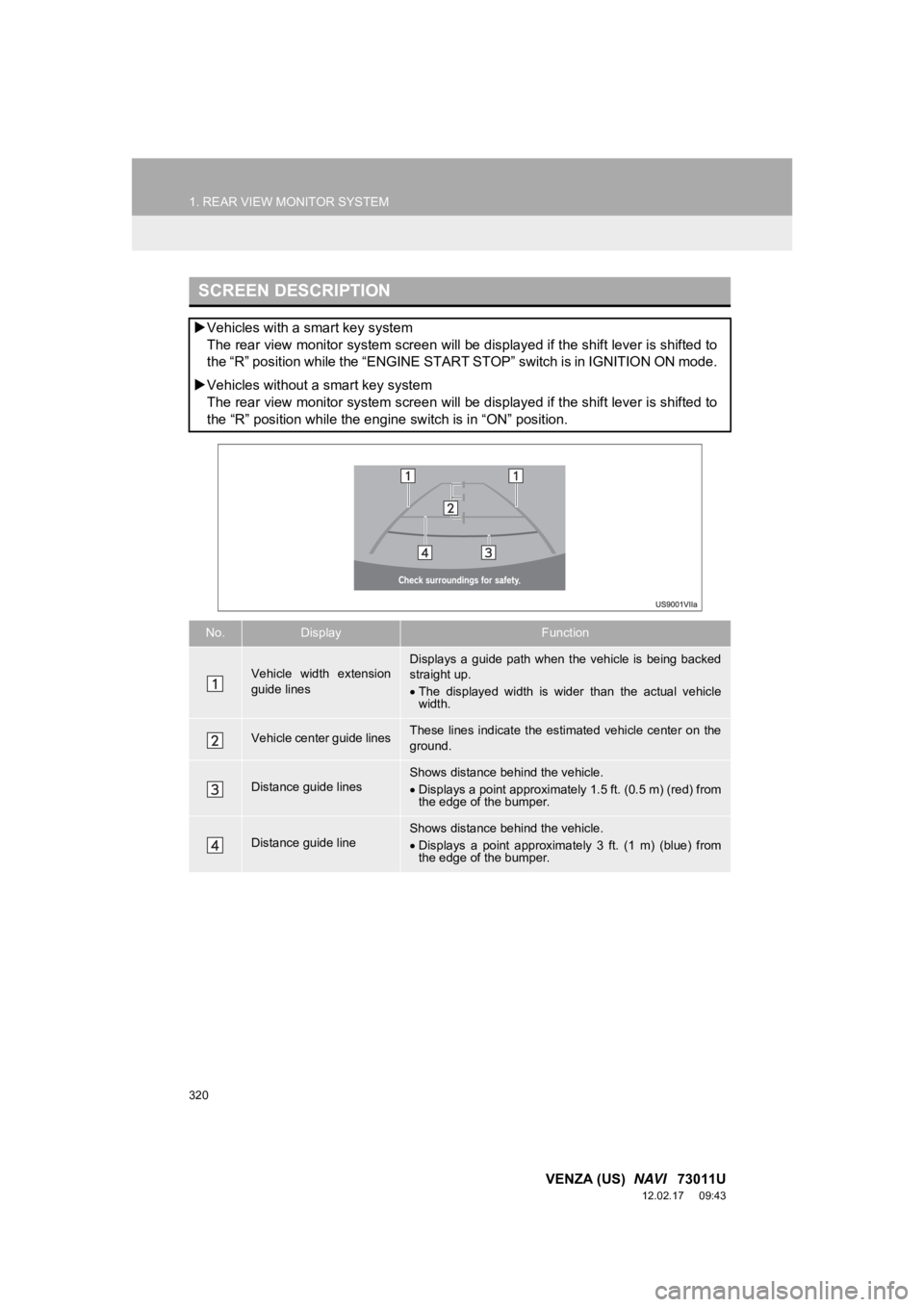
1. REAR VIEW MONITOR SYSTEM
320
VENZA (US) NAVI 73011U
12.02.17 09:43
SCREEN DESCRIPTION
Vehicles with a smart key system
The rear view monitor system screen will be displayed if the shift lever is shifted to
the “R” position while the “ENGINE START STOP” switch is in IGNITION ON mode.
Vehicles without a smart key system
The rear view monitor system screen will be displayed if the shift lever is shifted to
the “R” position while the engine switch is in “ON” position.
No.DisplayFunction
Vehicle width extension
guide linesDisplays a guide path when the vehicle is being backed
straight up.
The displayed width is wider than the actual vehicle
width.
Vehicle center guide linesThese lines indicate the esti mated vehicle center on the
ground.
Distance guide linesShows distance behind the vehicle.
Displays a point approximately 1.5 ft. (0.5 m) (red) from
the edge of the bumper.
Distance guide lineShows distance behind the vehicle.
Displays a point approximately 3 ft. (1 m) (blue) from
the edge of the bumper.