ABS TOYOTA VENZA 2014 Accessories, Audio & Navigation (in English)
[x] Cancel search | Manufacturer: TOYOTA, Model Year: 2014, Model line: VENZA, Model: TOYOTA VENZA 2014Pages: 363, PDF Size: 21.59 MB
Page 134 of 363
134
1. PHONE OPERATION
VENZA_Navi_OM73020U_(U)
13.05.13 14:12
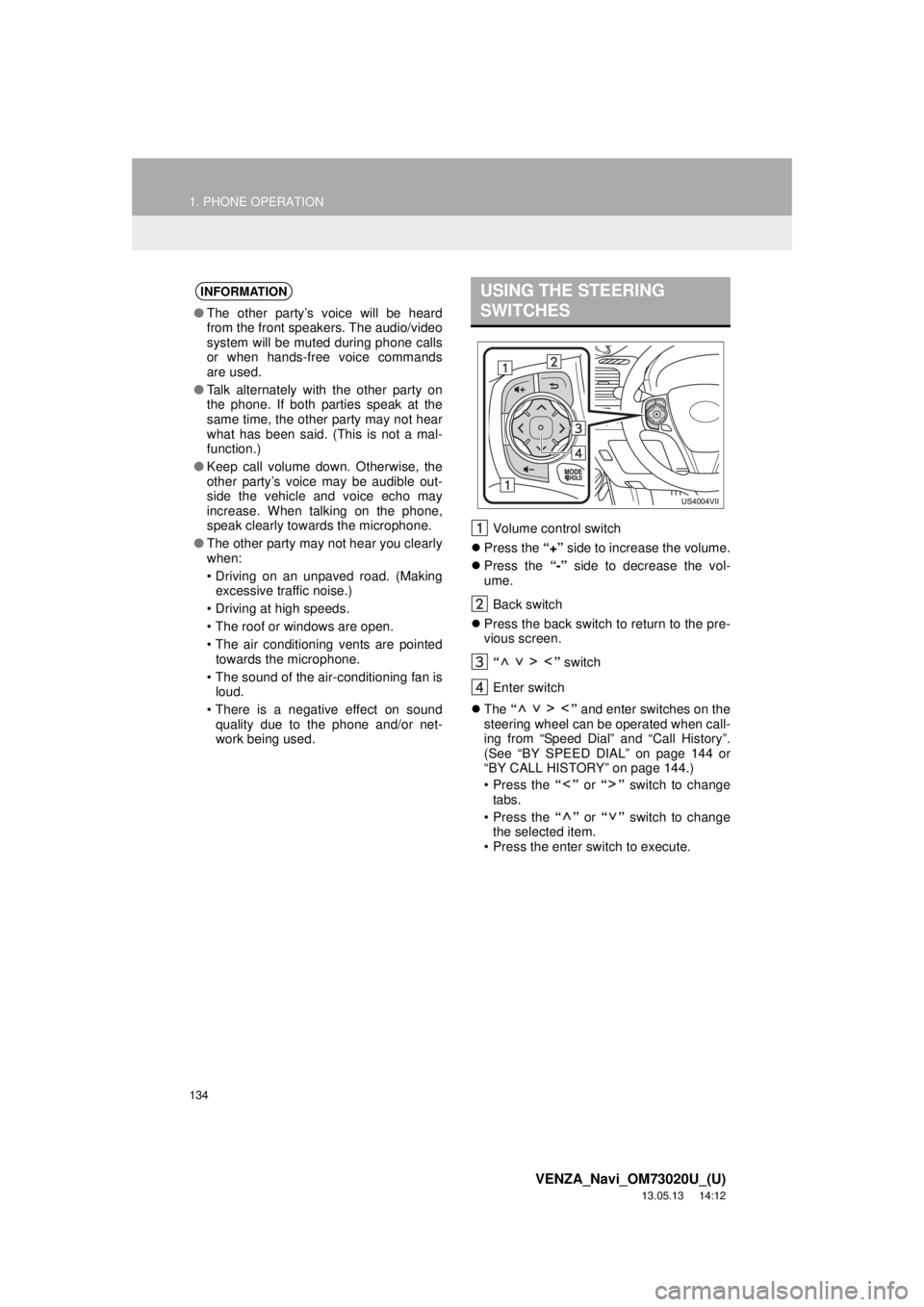
Volume control switch
Press the “+” side to increase the volume.
Press the “-” side to decrease the vol-
ume.
Back switch
Press the back switch to return to the pre-
vious screen.
“ ” switch
Enter switch
The “ ” and enter switches on the
steering wheel can be operated when call-
ing from “Speed Dial” and “Call History”.
(See “BY SPEED DIAL” on page 144 or
“BY CALL HISTORY” on page 144.)
• Press the “” or “” switch to change
tabs.
• Press the “” or “” switch to change
the selected item.
• Press the enter switch to execute.
INFORMATION
●The other party’s voice will be heard
from the front speakers. The audio/video
system will be muted during phone calls
or when hands-free voice commands
are used.
●Talk alternately with the other party on
the phone. If both parties speak at the
same time, the other party may not hear
what has been said. (This is not a mal-
function.)
●Keep call volume down. Otherwise, the
other party’s voice may be audible out-
side the vehicle and voice echo may
increase. When talking on the phone,
speak clearly towards the microphone.
●The other party may not hear you clearly
when:
• Driving on an unpaved road. (Making
excessive traffic noise.)
• Driving at high speeds.
• The roof or windows are open.
• The air conditioning vents are pointed
towards the microphone.
• The sound of the air-conditioning fan is
loud.
• There is a negative effect on sound
quality due to the phone and/or net-
work being used.
USING THE STEERING
SWITCHES
Page 196 of 363
196
1. AUDIO/VIDEO SYSTEM OPERATION
VENZA_Navi_OM73020U_(U)
13.05.13 14:12
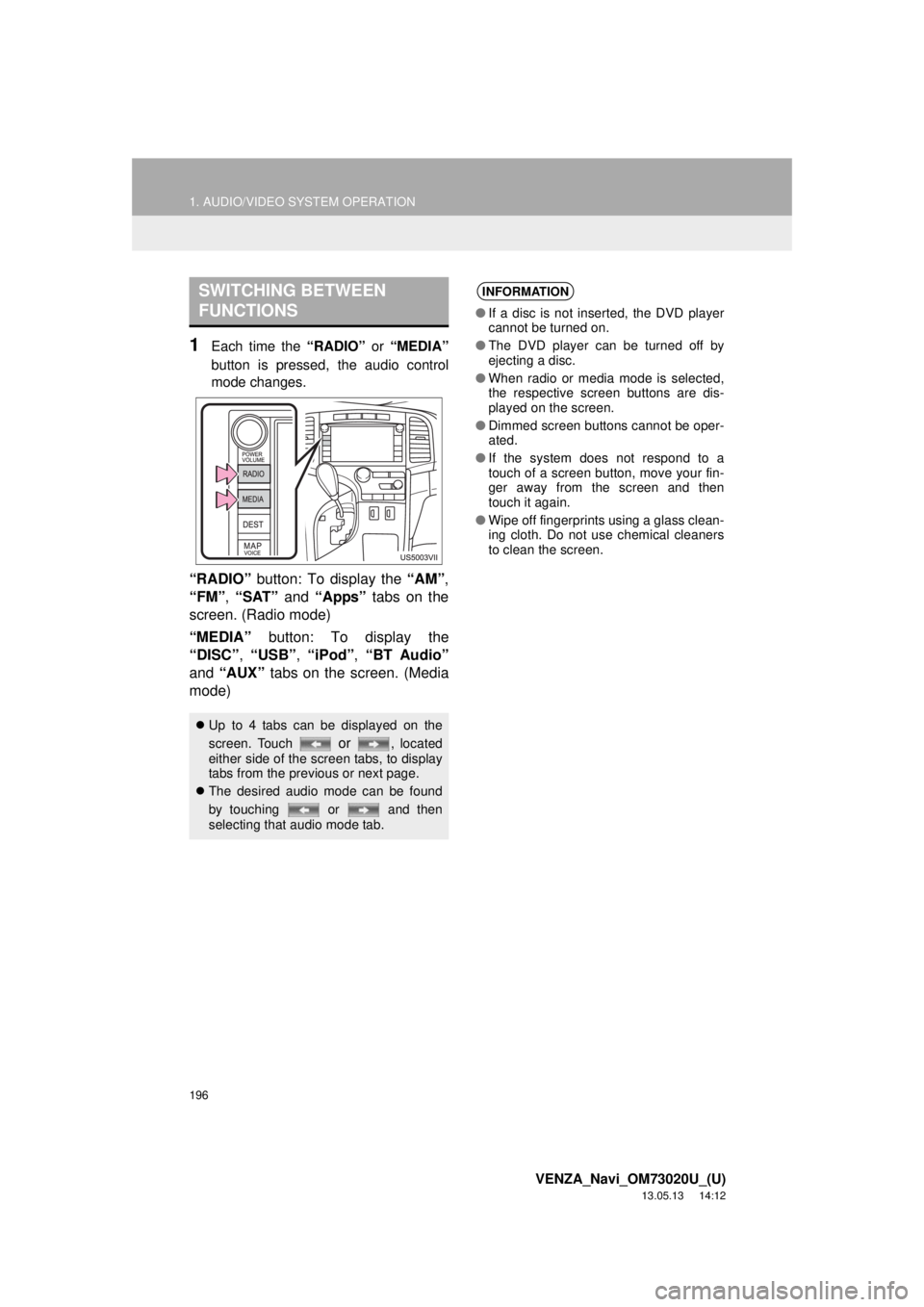
1Each time the “RADIO” or “MEDIA”
button is pressed, the audio control
mode changes.
“RADIO” button: To display the “AM”,
“FM”, “SAT” and “Apps” tabs on the
screen. (Radio mode)
“MEDIA” button: To display the
“DISC”, “USB”, “iPod”, “BT Audio”
and “AUX” tabs on the screen. (Media
mode)
SWITCHING BETWEEN
FUNCTIONS
Up to 4 tabs can be displayed on the
screen. Touch
or , located
either side of the screen tabs, to display
tabs from the previous or next page.
The desired audio mode can be found
by touching or and then
selecting that audio mode tab.
INFORMATION
●If a disc is not inserted, the DVD player
cannot be turned on.
●The DVD player can be turned off by
ejecting a disc.
●When radio or media mode is selected,
the respective screen buttons are dis-
played on the screen.
●Dimmed screen buttons cannot be oper-
ated.
●If the system does not respond to a
touch of a screen button, move your fin-
ger away from the screen and then
touch it again.
●Wipe off fingerprints using a glass clean-
ing cloth. Do not use chemical cleaners
to clean the screen.