ESP TOYOTA VENZA 2015 Accessories, Audio & Navigation (in English)
[x] Cancel search | Manufacturer: TOYOTA, Model Year: 2015, Model line: VENZA, Model: TOYOTA VENZA 2015Pages: 281, PDF Size: 6.02 MB
Page 5 of 281
5
VENZA_Navi+MM_OM73022U_(U)
14.04.30 16:39
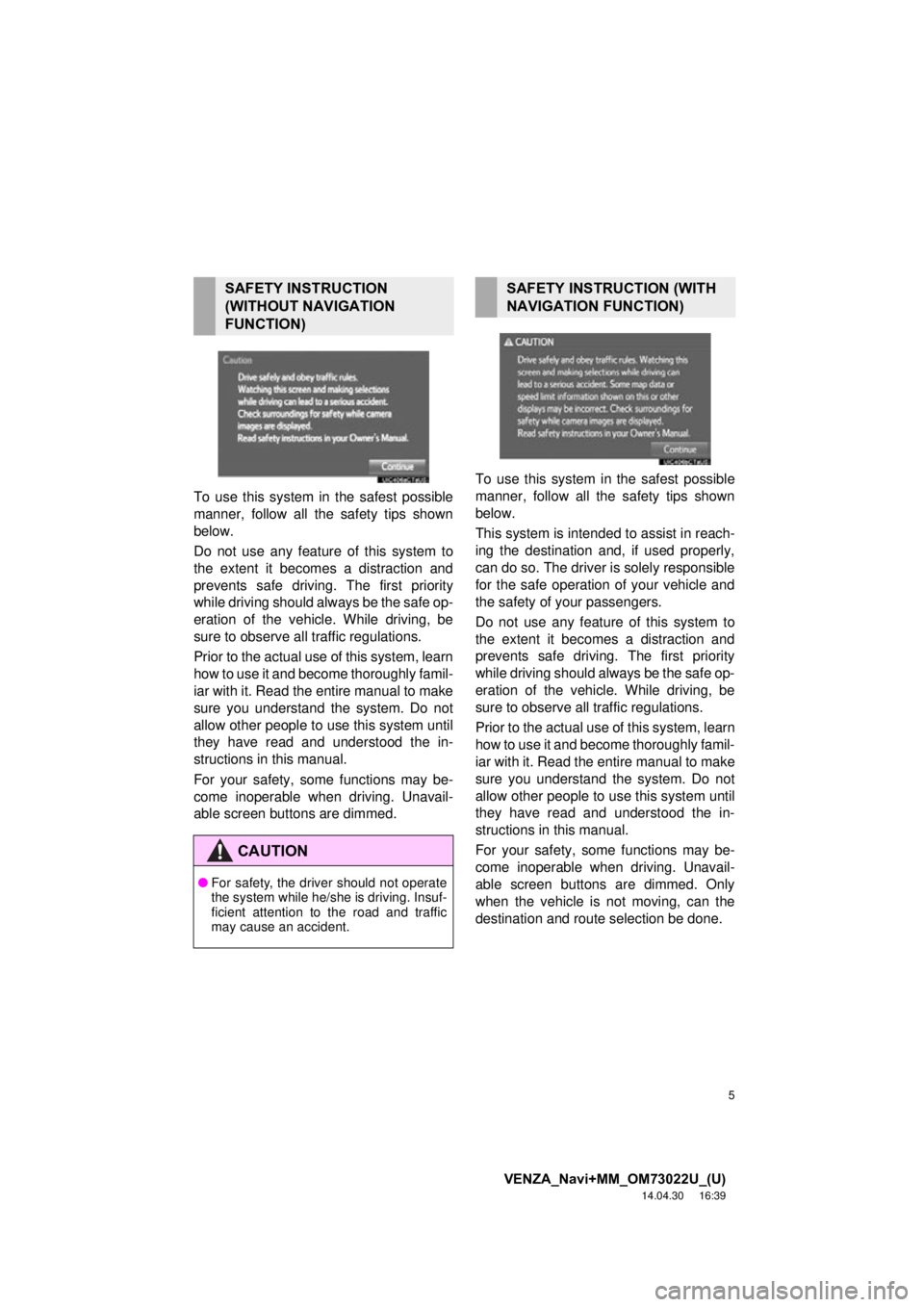
To use this system in the safest possible
manner, follow all the safety tips shown
below.
Do not use any feature of this system to
the extent it becom es a distraction and
prevents safe driving. The first priority
while driving should always be the safe op-
eration of the vehicle. While driving, be
sure to observe all traffic regulations.
Prior to the actual us e of this system, learn
how to use it and become thoroughly famil-
iar with it. Read the entire manual to make
sure you understand the system. Do not
allow other people to use this system until
they have read and understood the in-
structions in this manual.
For your safety, some functions may be-
come inoperable when driving. Unavail-
able screen buttons are dimmed. To use this system in
the safest possible
manner, follow all the safety tips shown
below.
This system is intended to assist in reach-
ing the destination and, if used properly,
can do so. The driver is solely responsible
for the safe operation of your vehicle and
the safety of your passengers.
Do not use any feature of this system to
the extent it becomes a distraction and
prevents safe driving. The first priority
while driving should always be the safe op-
eration of the vehicle. While driving, be
sure to observe all traffic regulations.
Prior to the actual use of this system, learn
how to use it and become thoroughly famil-
iar with it. Read the entire manual to make
sure you understand the system. Do not
allow other people to use this system until
they have read and understood the in-
structions in this manual.
For your safety, some functions may be-
come inoperable when driving. Unavail-
able screen buttons are dimmed. Only
when the vehicle is not moving, can the
destination and route selection be done.
SAFETY INSTRUCTION
(WITHOUT NAVIGATION
FUNCTION)
CAUTION
● For safety, the driver should not operate
the system while he/she is driving. Insuf-
ficient attention to the road and traffic
may cause an accident.
SAFETY INSTRUCTION (WITH
NAVIGATION FUNCTION)
Page 18 of 281
18
1. BASIC FUNCTION
VENZA_Navi+MM_OM73022U_(U)
14.04.30 16:39
STATUS DISPLAY
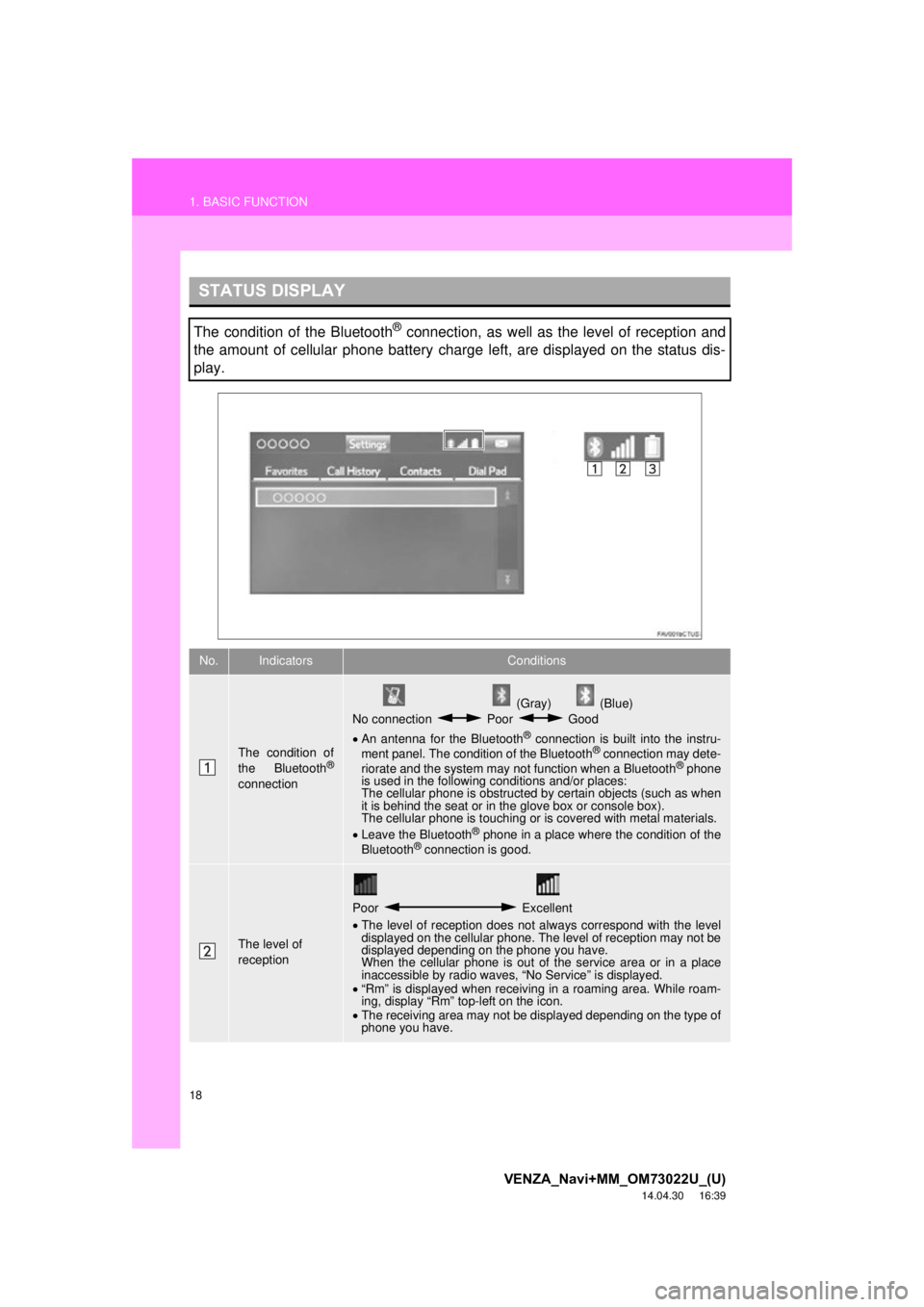
The condition of the Bluetooth® connection, as well as the level of reception and
the amount of cellular phone battery charge left, are displayed on the status dis-
play.
No.IndicatorsConditions
The condition of
the Bluetooth®
connection
(Gray) (Blue)
No connection Poor Good
An antenna for the Bluetooth
® connection is built into the instru-
ment panel. The condition of the Bluetooth® connection may dete-
riorate and the system may not function when a Bluetooth® phone
is used in the following conditions and/or places:
The cellular phone is obstructed by certain objects (such as when
it is behind the seat or in the glove box or console box).
The cellular phone is touching or is covered with metal materials.
Leave the Bluetooth
® phone in a place where the condition of the
Bluetooth® connection is good.
The level of
reception
Poor Excellent
The level of reception does not always correspond with the level
displayed on the cellular phone. The level of reception may not be
displayed depending on the phone you have.
When the cellular phone is out of the service area or in a place
inaccessible by radio waves, “No Service” is displayed.
“Rm” is displayed when receiving in a roaming area. While roam-
ing, display “Rm” top-left on the icon.
The receiving area may not be displayed depending on the type of
phone you have.
Page 19 of 281
19
1. BASIC FUNCTION
VENZA_Navi+MM_OM73022U_(U)
14.04.30 16:39
QUICK GUIDE
1
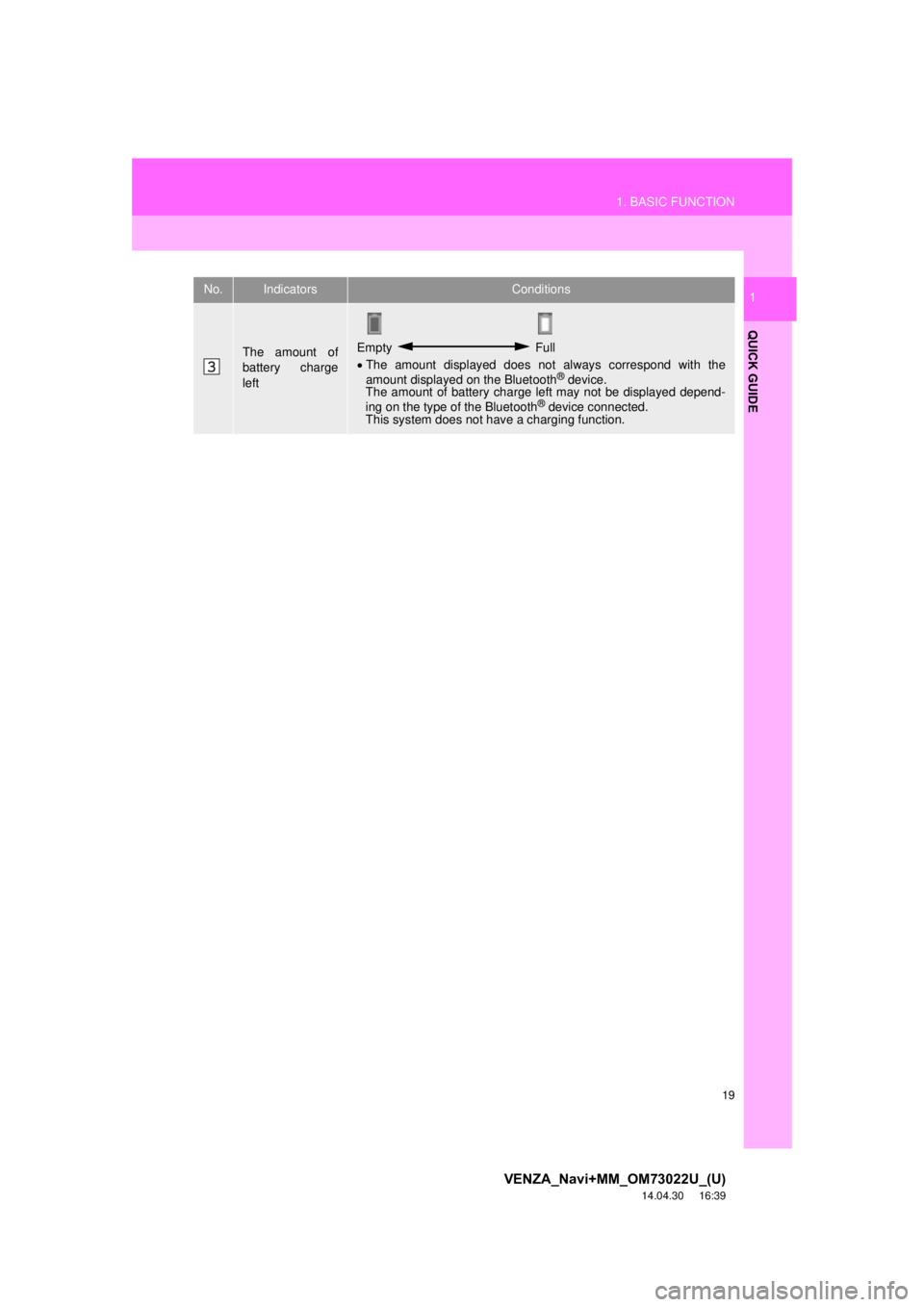
The amount of
battery charge
leftEmpty Full
The amount displayed does not always correspond with the
amount displayed on the Bluetooth
® device.
The amount of battery charge left may not be displayed depend-
ing on the type of the Bluetooth
® device connected.
This system does not have a charging function.
No.IndicatorsConditions
Page 33 of 281
33
1. BASIC INFORMATION BEFORE OPERATION
VENZA_Navi+MM_OM73022U_(U)
14.04.30 16:39
BASIC FUNCTION
2
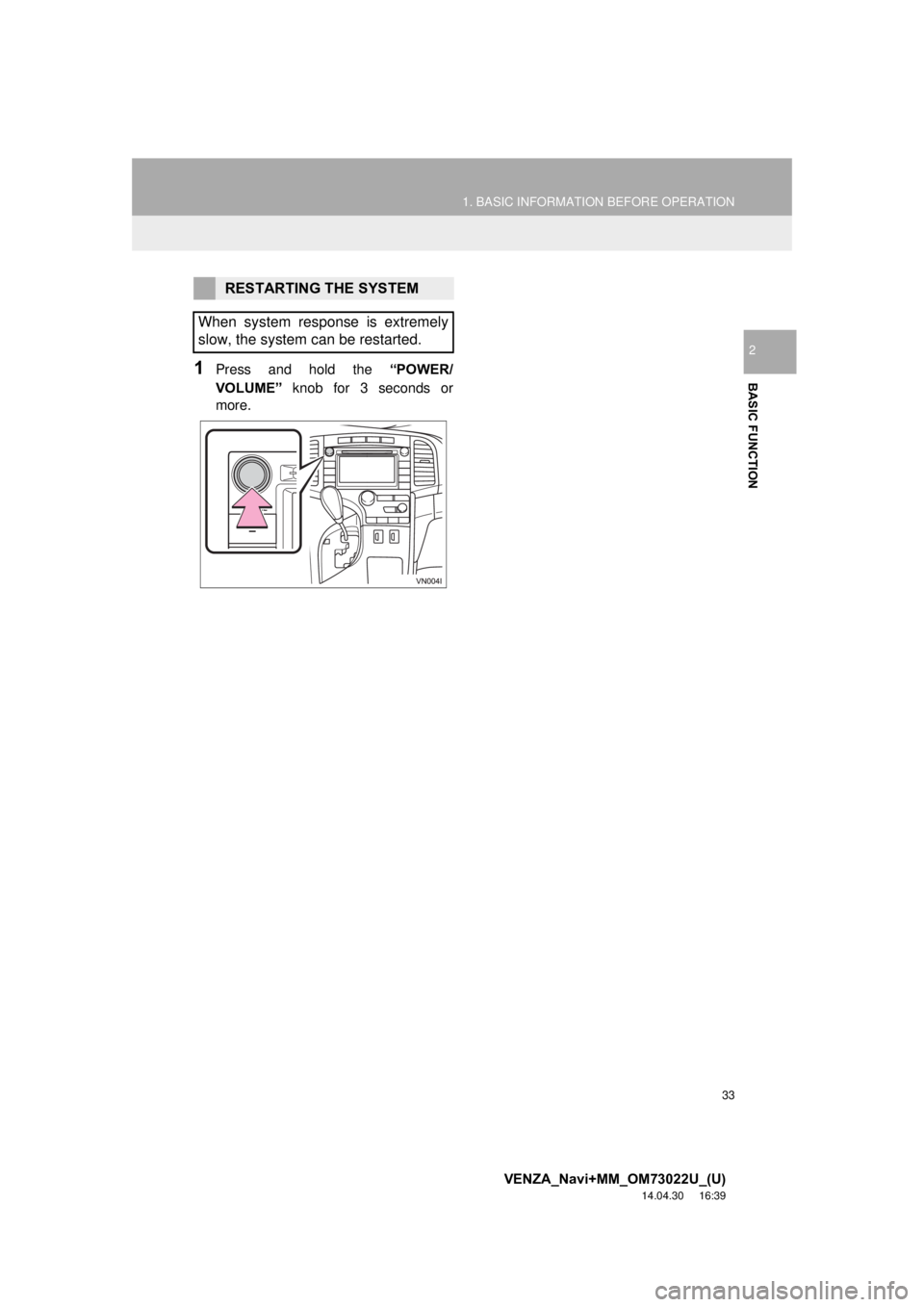
1Press and hold the “POWER/
VOLUME” knob for 3 seconds or
more.
RESTARTING THE SYSTEM
When system response is extremely
slow, the system can be restarted.
Page 35 of 281
35
1. BASIC INFORMATION BEFORE OPERATION
VENZA_Navi+MM_OM73022U_(U)
14.04.30 16:39
BASIC FUNCTION
2
3. TOUCH SCREEN OPERATION
This system is operated mainly by the
buttons on the screen. (Referred to as
screen buttons in this manual.)
When a screen button is touched, a
beep sounds. (To set the beep sound,
see page 54.)
NOTICE
● To prevent damaging the screen, lightly
touch the screen buttons with your fin-
ger.
● Do not use objects other than your finger
to touch the screen.
● Wipe off fingerprints using a glass clean-
ing cloth. Do not use chemical cleaners
to clean the screen, as they may dam-
age the touch screen.
INFORMATION
●If the system does not respond to touch-
ing a screen button, move your finger
away from the screen and then touch it
again.
● Dimmed screen buttons cannot be oper-
ated.
● The displayed image may become
darker and moving images may be
slightly distorted when the screen is
cold.
● In extremely cold conditions, the map
may not be displayed and the data input
by a user may be deleted. Also, the
screen buttons may be harder than
usual to depress.
● When you look at the screen through
polarized material such as polarized
sunglasses, the screen may be dark and
hard to see. If so, look at the screen
from different angles, adjust the screen
settings on the “Display Settings” screen
or take off your sunglasses.
Page 42 of 281
42
VENZA_Navi+MM_OM73022U_(U)
14.12.04 15:06
2. Bluetooth® SETTINGS
1. REGISTERING/CONNECTING Bluetooth® DEVICE
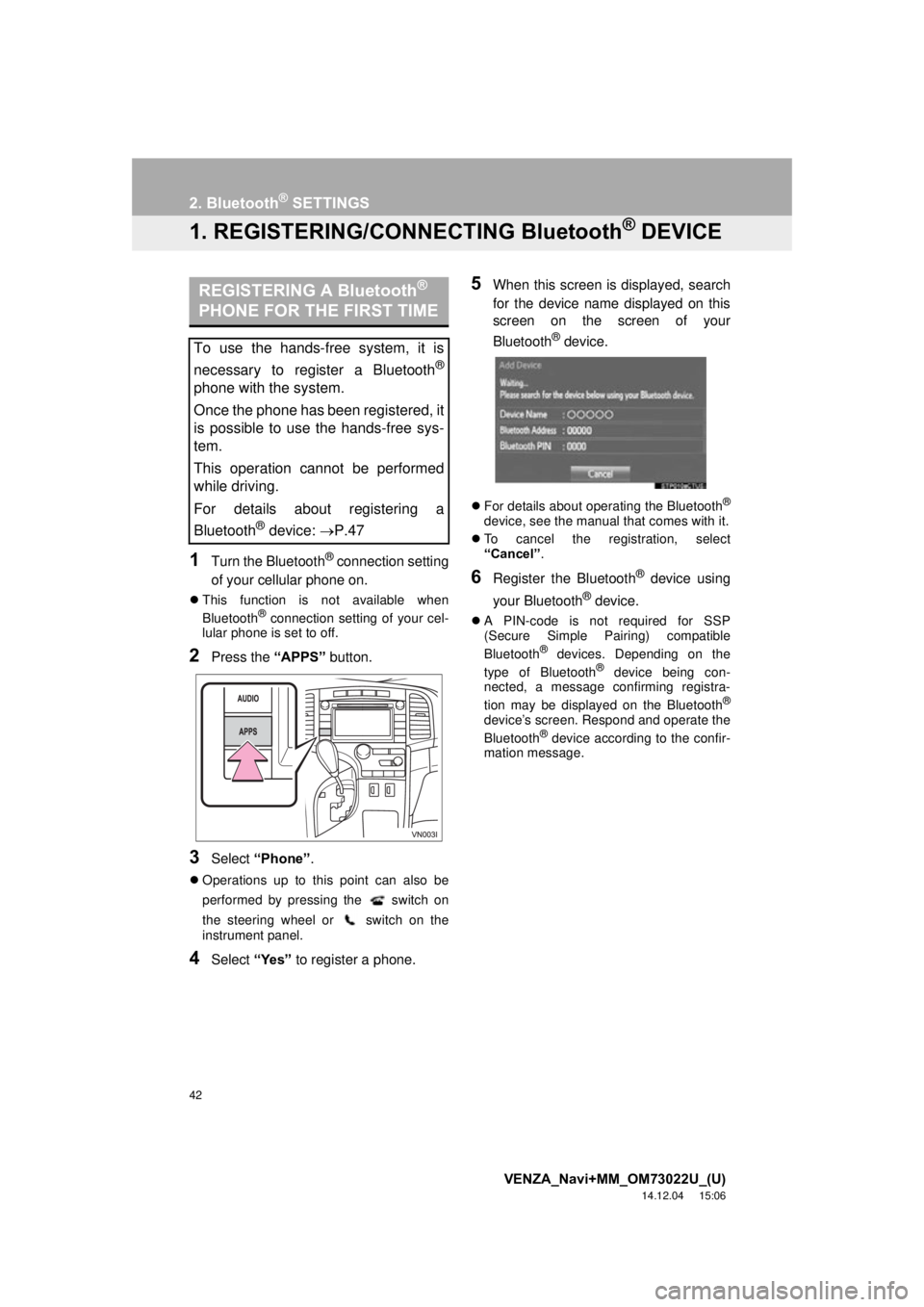
1Turn the Bluetooth® connection setting
of your cellular phone on.
This function is not available when
Bluetooth® connection setting of your cel-
lular phone is set to off.
2Press the “APPS” button.
3Select “Phone” .
Operations up to this point can also be
performed by pressing the switch on
the steering wheel or switch on the
instrument panel.
4Select “Yes” to register a phone.
5When this screen is displayed, search
for the device name displayed on this
screen on the screen of your
Bluetooth
® device.
For details about operating the Bluetooth®
device, see the manual that comes with it.
To cancel the registration, select
“Cancel” .
6Register the Bluetooth® device using
your Bluetooth
® device.
A PIN-code is not required for SSP
(Secure Simple Pairing) compatible
Bluetooth
® devices. Depending on the
type of Bluetooth® device being con-
nected, a message confirming registra-
tion may be displayed on the Bluetooth
®
device’s screen. Respond and operate the
Bluetooth® device according to the confir-
mation message.
REGISTERING A Bluetooth®
PHONE FOR THE FIRST TIME
To use the hands-free system, it is
necessary to register a Bluetooth
®
phone with the system.
Once the phone has been registered, it
is possible to use the hands-free sys-
tem.
This operation cannot be performed
while driving.
For details about registering a
Bluetooth
® device: P.47
Page 44 of 281
44
2. Bluetooth® SETTINGS
VENZA_Navi+MM_OM73022U_(U)
14.12.04 15:06
Bluetooth is a registered trademark of Bluetooth SIG, Inc.
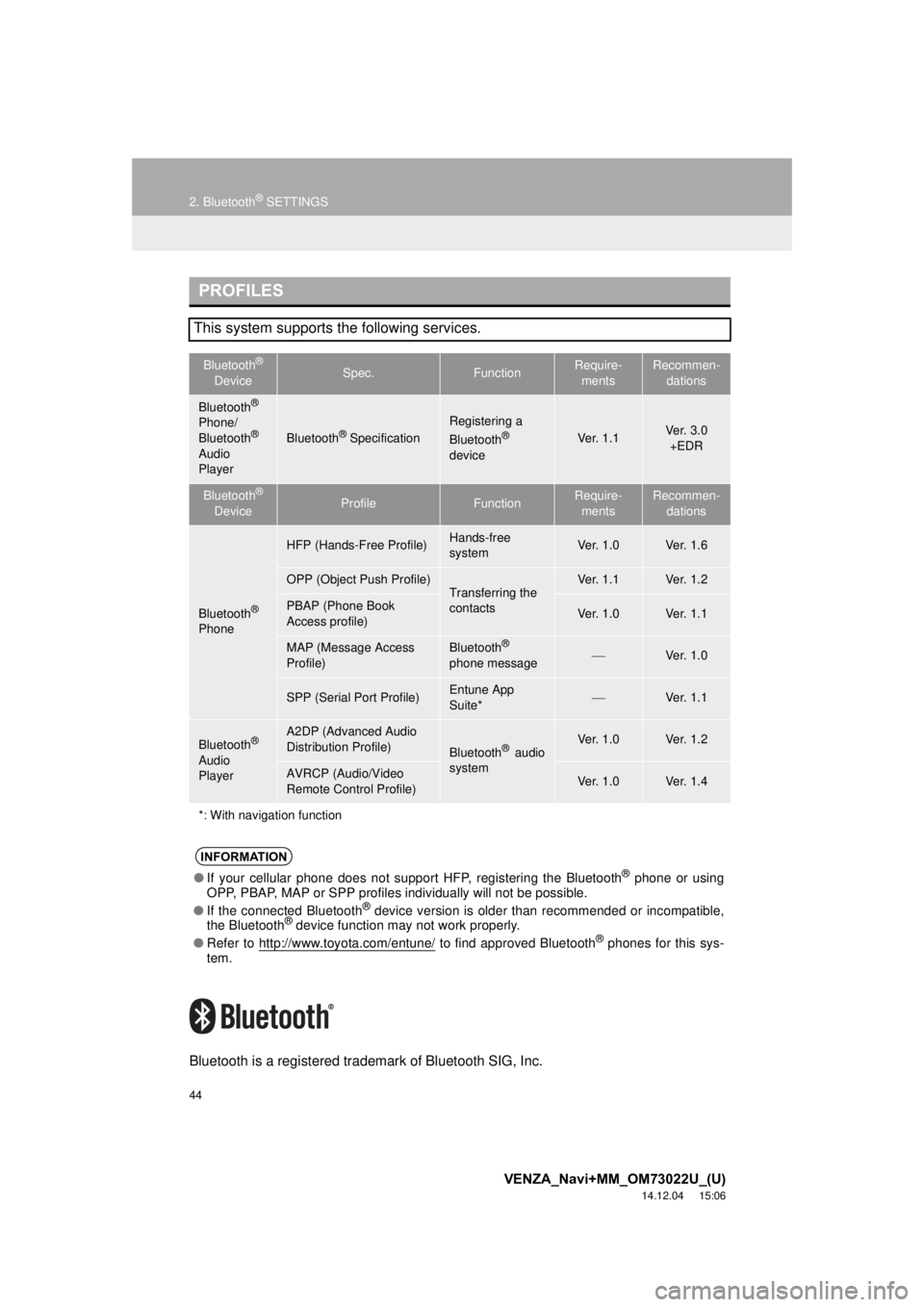
PROFILES
This system supports the following services.
Bluetooth®
DeviceSpec.FunctionRequire- mentsRecommen- dations
Bluetooth®
Phone/
Bluetooth®
Audio
Player
Bluetooth® Specification
Registering a
Bluetooth®
deviceVe r. 1 . 1Ve r. 3 . 0 +EDR
Bluetooth®
DeviceProfileFunctionRequire- mentsRecommen- dations
Bluetooth®
Phone
HFP (Hands-Free Profile)Hands-free
systemVe r. 1 . 0Ve r. 1 . 6
OPP (Object Push Profile)Transferring the
contactsVe r. 1 . 1Ve r. 1 . 2
PBAP (Phone Book
Access profile)Ve r. 1 . 0Ve r. 1 . 1
MAP (Message Access
Profile)Bluetooth®
phone messageVe r. 1 . 0
SPP (Serial Port Profile)Entune App
Suite*Ve r. 1 . 1
Bluetooth®
Audio
Player
A2DP (Advanced Audio
Distribution Profile)
Bluetooth® audio
systemVe r. 1 . 0Ve r. 1 . 2
AVRCP (Audio/Video
Remote Control Profile)Ve r. 1 . 0Ve r. 1 . 4
*: With navigation function
INFORMATION
● If your cellular phone does not support HFP, registering the Bluetooth® phone or using
OPP, PBAP, MAP or SPP profiles in dividually will not be possible.
● If the connected Bluetooth
® device version is older than recommended or incompatible,
the Bluetooth® device function may not work properly.
● Refer to http://www.toyota.com/entune/
to find approved Bluetooth® phones for this sys-
tem.
Page 45 of 281

45
2. Bluetooth® SETTINGS
VENZA_Navi+MM_OM73022U_(U)
14.12.04 15:06
BASIC FUNCTION
2
U.S.A., Hawaii, Guam and Puerto Rico
Canada
CERTIFICATION
FCC ID: ACJ932YEAP01A473W
This device complies with part 15 of the
FCC Rules. Operation is subject to the
following two conditions: (1) this device
may not cause harmful interference,
and (2) this device must accept any
interference received, including
interference that may cause undesired
operation.
Changes or modifications not expressly
approved by the party responsible for
compliance could void the user’s
authority to operate the equipment.
Radiofrequency radiation exposure
information:
This equipment complies with FCC
radiation exposure limits set forth for an
uncontrolled environment. This
equipment should be installed and
operated with minimum distance of 20
cm between the radiator and your body.
This transmitter must not be co-located
or operated in conjunction with any
other antenna or transmitter.
FCC Warning:
Any unauthorized changes or
modifications to this equipment would
void the user’s authority to operate this
device.
IC: 216J-YEAP01A473W
This device complies with Industry
Canada licence-exempt RSS
standard(s). Operation is subject to the
following two conditions: (1) this device
may not cause interference, and (2) this
device must accept any interference,
including interference that may cause
undesired operation of the device.
Le présent appareil est conforme aux
CNR d’Industrie Canada applicables
aux appareils radio exempts de licence.
L’exploitation est autorisée aux deux
conditions suivantes : (1) l’appareil ne
doit pas produire de brouillage, et (2)
l’utilisateur de l’appareil doit accepter
tout brouillage radioélectrique subi,
même si le brouillage est susceptible
d’en compromettre le fonctionnement.
This radio transmitter (identify the
device by certification number, or model
number if Category II) has been
approved by Industry Canada to
operate with the antenna types listed
below with the maximum permissible
gain and required antenna impedance
for each antenna type indicated.
Antenna types not included in this list,
having a gain greater than the maximum
gain indicated for that type, are strictly
prohibited for use with this device.
Le présent émetteur radio (identifier le
dispositif par son numéro de
certification ou son numéro de modèle
s’il fait partie du matériel de catégorie I)
a été approuvé par Industrie Canada
pour fonctionner avec les types
d’antenne énumérés ci-dessous et
ayant un gain admissible maximal et
l’impédance requise pour chaque type
d’antenne. Les types d’antenne non
inclus dans cette liste, ou dont le gain
est supérieur au gain maximal indiqué,
sont strictement interdits pour
l’exploitation de l’émetteur.
Page 48 of 281
48
2. Bluetooth® SETTINGS
VENZA_Navi+MM_OM73022U_(U)
14.12.04 15:06
For details about operating the Bluetooth®
device, see the manual that comes with it.
To cancel the registration, select
“Cancel” .
4Register the Bluetooth® device using
your Bluetooth
® device.
A PIN-code is not required for SSP
(Secure Simple Pairing) compatible
Bluetooth
® devices. Depending on the
type of Bluetooth® device being con-
nected, a message confirming registra-
tion may be displayed on the Bluetooth
®
device’s screen. Respond and operate the
Bluetooth® device according to the confir-
mation message.
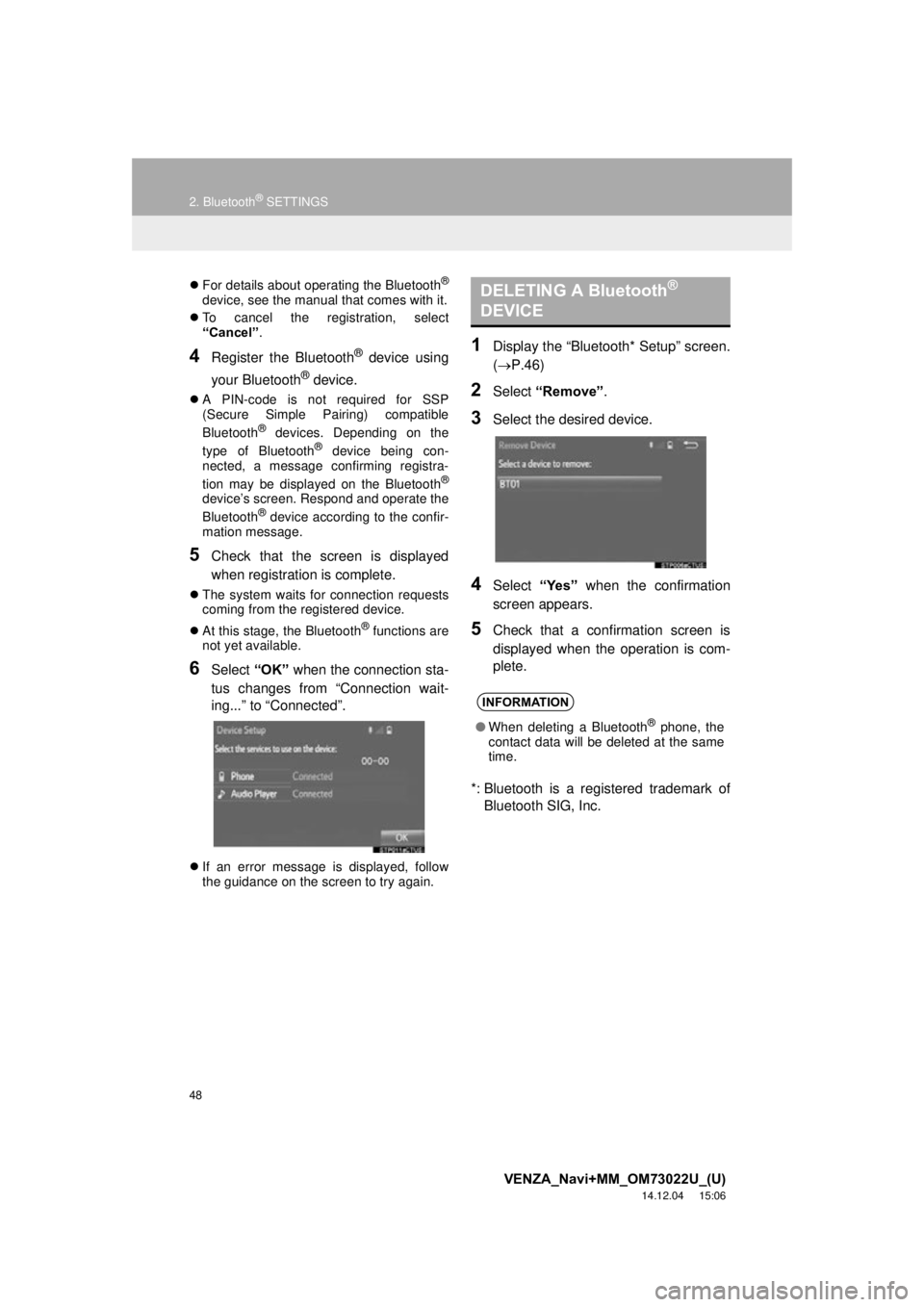
5Check that the screen is displayed
when registration is complete.
The system waits for connection requests
coming from the registered device.
At this stage, the Bluetooth
® functions are
not yet available.
6Select “OK” when the connection sta-
tus changes from “Connection wait-
ing...” to “Connected”.
If an error message is displayed, follow
the guidance on the screen to try again.
1Display the “Bluetooth* Setup” screen.
( P.46)
2Select “Remove” .
3Select the desired device.
4Select “Yes” when the confirmation
screen appears.
5Check that a confirmation screen is
displayed when the operation is com-
plete.
*: Bluetooth is a registered trademark of Bluetooth SIG, Inc.
DELETING A Bluetooth®
DEVICE
INFORMATION
● When deleting a Bluetooth® phone, the
contact data will be deleted at the same
time.
Page 86 of 281
86
2. RADIO OPERATION
VENZA_Navi+MM_OM73022U_(U)
14.04.30 16:39
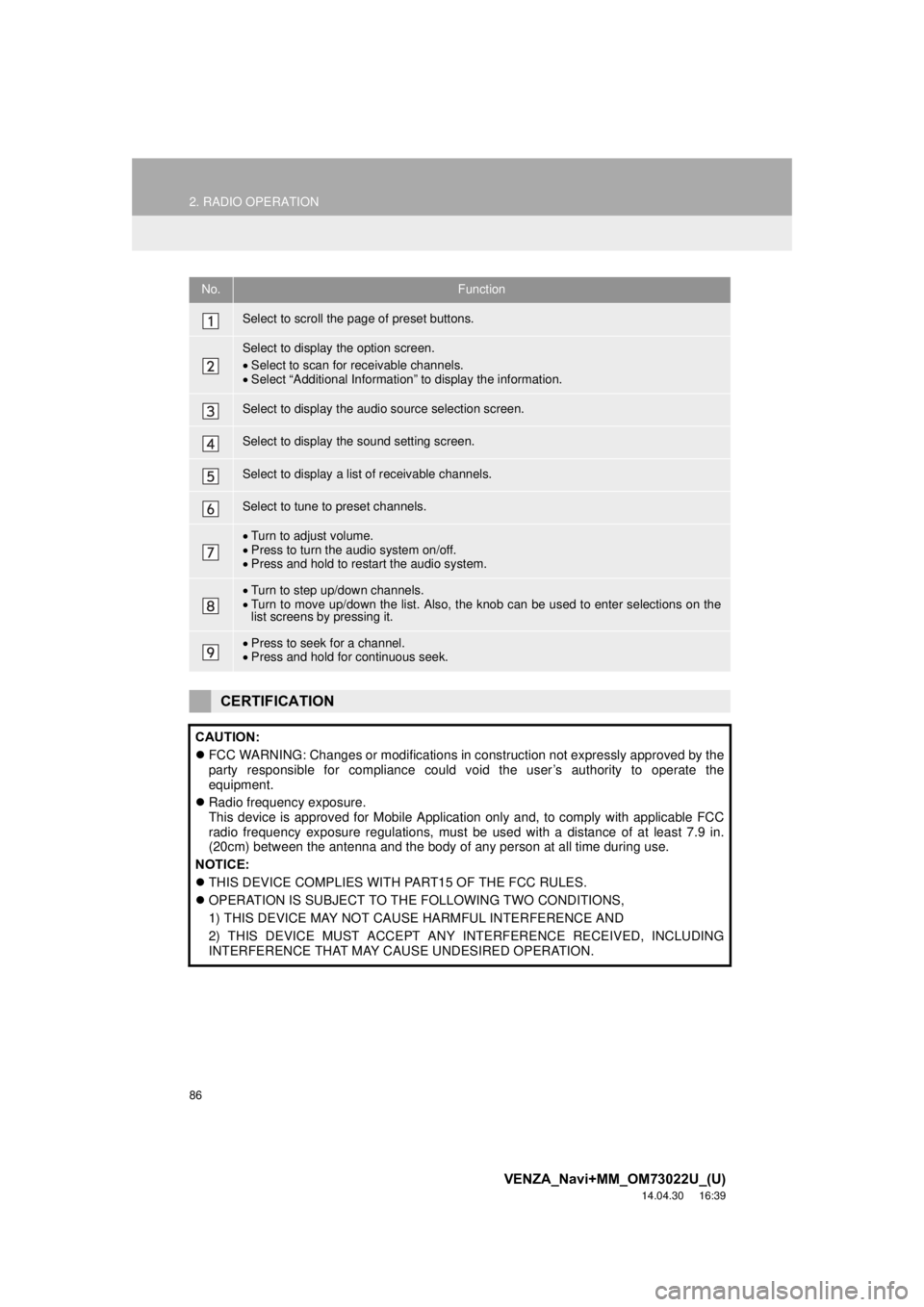
No.Function
Select to scroll the page of preset buttons.
Select to display the option screen.
Select to scan for receivable channels.
Select “Additional Information” to display the information.
Select to display the audio source selection screen.
Select to display the sound setting screen.
Select to display a list of receivable channels.
Select to tune to preset channels.
Turn to adjust volume.
Press to turn the audio system on/off.
Press and hold to restart the audio system.
Turn to step up/down channels.
Turn to move up/down the list. Also, the knob can be used to enter selections on the
list screens by pressing it.
Press to seek for a channel.
Press and hold for continuous seek.
CERTIFICATION
CAUTION:
FCC WARNING: Changes or modifications in construction not expressly approved by the
party responsible for compliance could void the user’s authority to operate the
equipment.
Radio frequency exposure.
This device is approved for Mobile Application only and, to comply with applicable FCC
radio frequency exposure regulations, must be used with a distance of at least 7.9 in.
(20cm) between the antenna and the body of any person at all time during use.
NOTICE:
THIS DEVICE COMPLIES WITH PART15 OF THE FCC RULES.
OPERATION IS SUBJECT TO THE FOLLOWING TWO CONDITIONS,
1) THIS DEVICE MAY NOT CAUSE HARMFUL INTERFERENCE AND
2) THIS DEVICE MUST ACCEPT ANY INTERFERENCE RECEIVED, INCLUDING
INTERFERENCE THAT MAY CAUSE UNDESIRED OPERATION.