audio TOYOTA VENZA 2015 Accessories, Audio & Navigation (in English)
[x] Cancel search | Manufacturer: TOYOTA, Model Year: 2015, Model line: VENZA, Model: TOYOTA VENZA 2015Pages: 281, PDF Size: 6.02 MB
Page 1 of 281
1
VENZA_Navi+MM_OM73022U_(U)
14.04.30 16:39
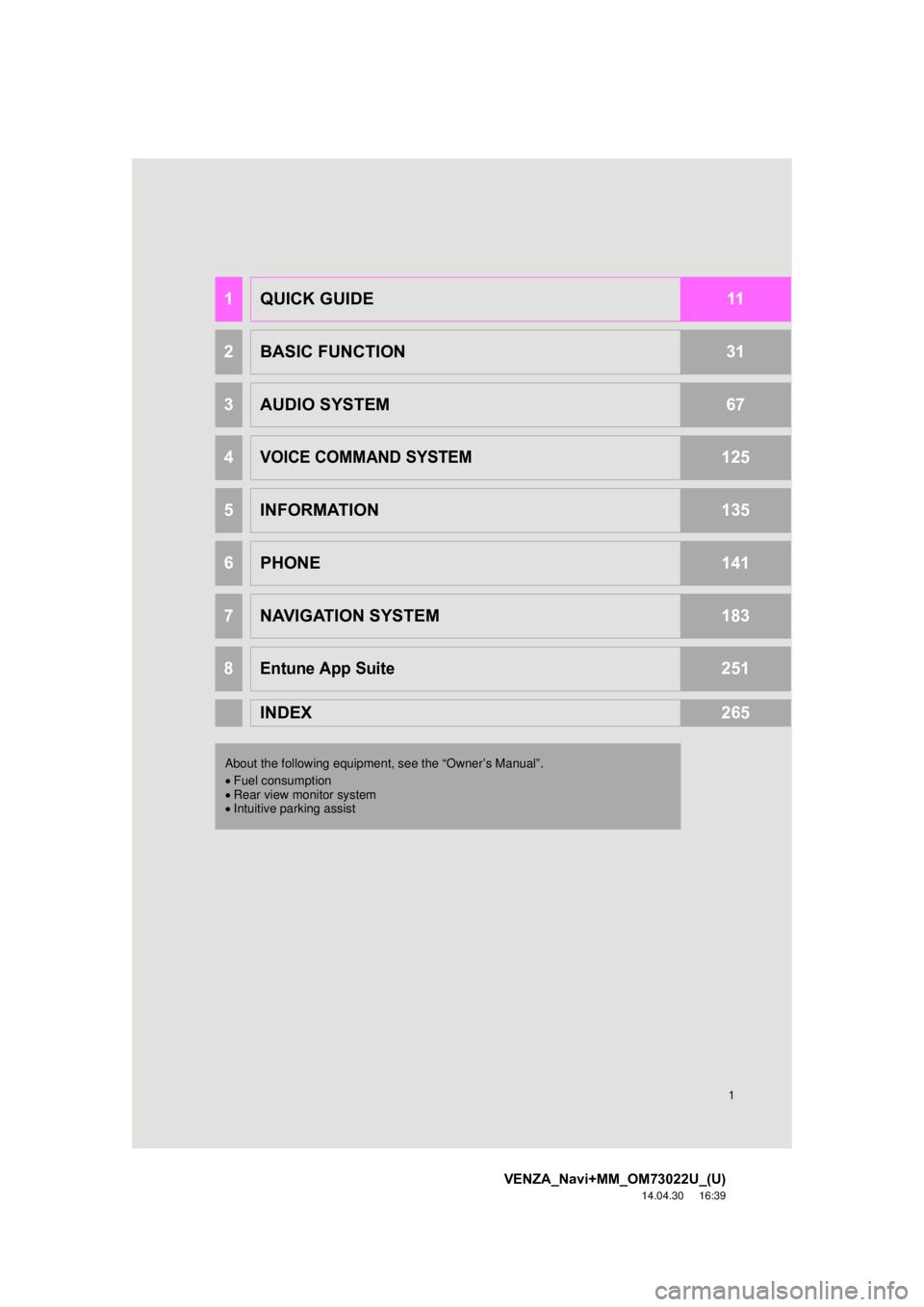
1QUICK GUIDE11
2BASIC FUNCTION31
3AUDIO SYSTEM67
4VOICE COMMAND SYSTEM125
5INFORMATION135
6PHONE141
7NAVIGATION SYSTEM183
8Entune App Suite251
INDEX265
About the following equipmen t, see the “Owner’s Manual”.
Fuel consumption
Rear view monitor system
Intuitive parking assist
Page 2 of 281

2
VENZA_Navi+MM_OM73022U_(U)
14.04.30 16:39
Introduction
This manual explains the operation of this system. Please read this manual
carefully to ensure proper use. Keep this manual in your vehicle at all times.
The screen shots in this document and the actual screens of this system differ
depending on whether the functions and/or a contract existed and the map data
available at the time of producing this document.
Please be aware that the content of this manual may be different from this sys-
tem in some cases, such as when the system’s software is updated.
The Navigation System is one of the most technologically advanced vehicle ac-
cessories ever developed. The system receives satellite signals from the Global
Positioning System (GPS) operated by the U.S. Department of Defense. Using
these signals and other vehicle sensors, the system indicates your present po-
sition and assists in locating a desired destination.
The navigation system is designed to select efficient routes from your present
starting location to your destination. The system is also designed to direct you
to a destination that is unfamiliar to you in an efficient manner. The system uses
AISIN AW maps. The calculated routes may not be the shortest nor the least
traffic congested. Your own personal local knowledge or “short cut” may at
times be faster than the calculated routes.
The navigation system’s database includes Point of Interest categories to allow
you to easily select destinations such as restaurants and hotels. If a d\
estination
is not in the database, you can enter the street address or a major intersection
close to it and the system will guide you there.
The system will provide both a visual map and audio instructions. The audio in-
structions will announce the distance remaining and the direction to tur\
n in when
approaching an intersection. These voice instructions will help you keep your
eyes on the road and are timed to provide enough time to allow you to maneu-
ver, change lanes or slow down.
Please be aware that all current vehicle navigation systems have certain limita-
tions that may affect their ability to perform properly. The accuracy of the vehi-
cle’s position depends on satellite conditions, road configuration, vehicle
condition or other circumstances. For more information on the limitations of the
system, refer to page 246.
NAVIGATION AND MULTIMEDIA SYSTEM OWNER’S MANUAL
NAVIGATION AND MULTIMEDIA SYSTEM (WITH NAVIGATION
FUNCTION)
Page 8 of 281

TABLE OF CONTENTS
8
VENZA_Navi+MM_OM73022U_(U)
14.04.30 16:39
1. BASIC FUNCTION........................... 12
OVERVIEW BUTTONS ......................... 12
“Apps” SCREEN .................................... 14
HOME SCREEN .................................... 16
2. QUICK REFERENCE....................... 20
“Setup” SCREEN ................................... 20
3. NAVIGATION OPERATION ............ 22
REGISTERING HOME .......................... 22
REGISTERING PRESET DESTINATIONS .................................. 24
OPERATION FLOW: GUIDING THE ROUTE ....................... 26
SETTING HOME AS THE DESTINATION .................................... 27
4. FUNCTION INDEX .. ......................... 28
FUNCTION INDEX ................................ 28
1. BASIC INFORMATION
BEFORE OPERATION .................. 32
INITIAL SCREEN ................................... 32
TOUCH SCREEN GESTURES ............. 34
TOUCH SCREEN OPERATION ............ 35
HOME SCREEN OPERATION .............. 36
ENTERING LETTERS AND
NUMBERS/LIST SCREEN
OPERATION ....................................... 37
SCREEN ADJUSTMENT ....................... 40
2. Bluetooth® SETTINGS.................... 42
REGISTERING/CONNECTING Bluetooth® DEVICE............................. 42
SETTING Bluetooth® DETAILS ............. 46
3. OTHER SETTINGS ......................... 54
GENERAL SETTINGS ........................... 54
VOICE SETTINGS ................................. 60
DRIVER SETTINGS ............................... 61
MAINTENANCE ..................................... 62
1. BASIC OPERATION ....................... 68
QUICK REFERENCE ............................. 68
SOME BASICS....................................... 70
2. RADIO OPERATION ....................... 75
AM/FM RADIO ....................................... 75
XM Satellite Radio .................................. 85
INTERNET RADIO ................................. 91
3. MEDIA OPERATION ....................... 92
CD .......................................................... 92
USB MEMORY ....................................... 95
iPod ........................................................ 99
Bluetooth
® AUDIO................................ 103
AUX ...................................................... 108
4. AUDIO REMOTE CONTROLS...... 110
STEERING SWITCHES ....................... 110
5. SETUP ........................................... 113
AUDIO SETTINGS ............................... 113
6. TIPS FOR OPERATING THE AUDIO SYSTEM ............ .............. 115
OPERATING INFORMATION .............. 115
1QUICK GUIDE
2BASIC FUNCTION
3AUDIO SYSTEM
Page 13 of 281
13
1. BASIC FUNCTION
VENZA_Navi+MM_OM73022U_(U)
14.04.30 16:39
QUICK GUIDE
1No.FunctionPage
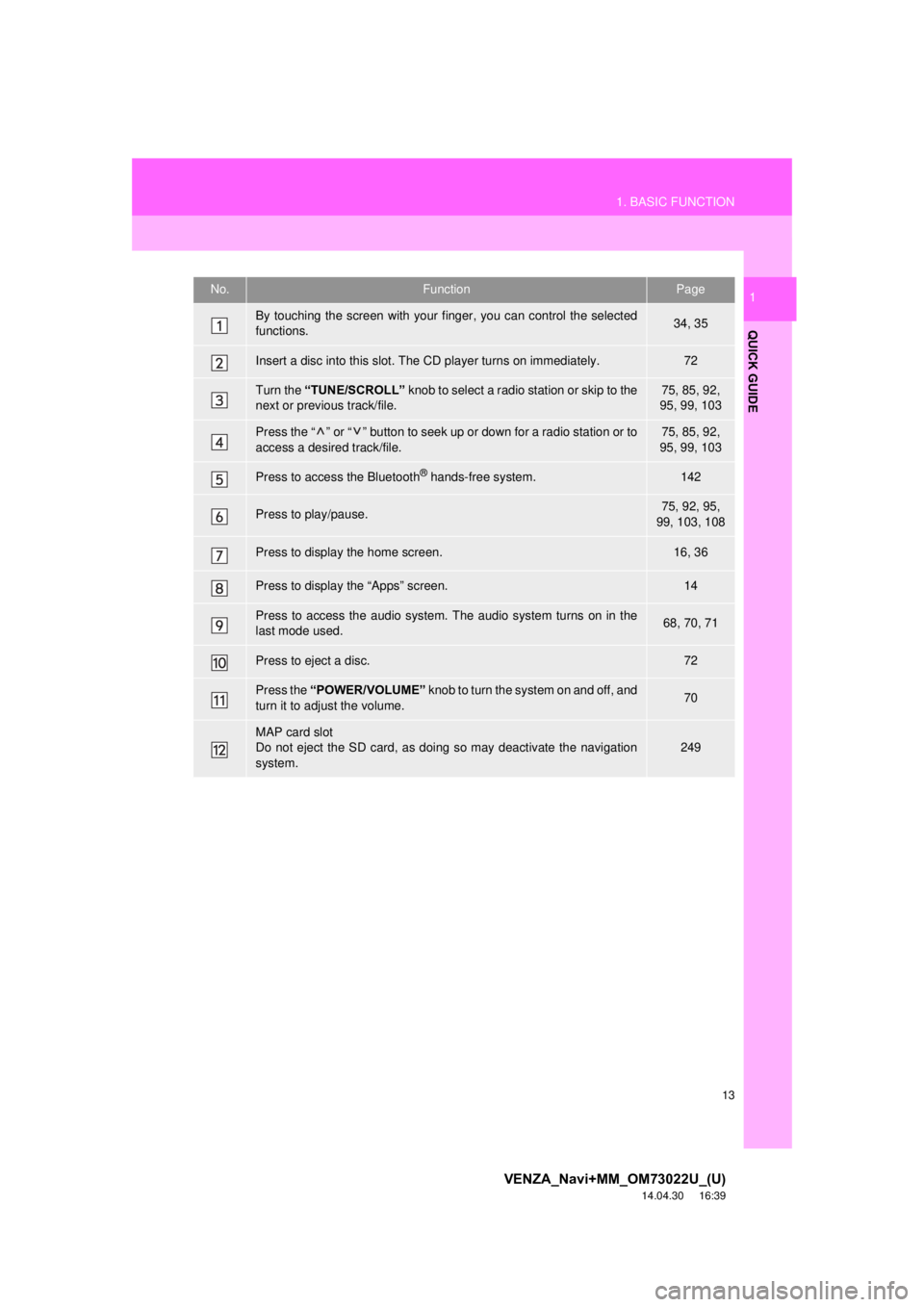
By touching the screen with your finger, you can control the selected
functions.34, 35
Insert a disc into this slot. The CD player turns on immediately.72
Turn the “TUNE/SCROLL” knob to select a radio station or skip to the
next or previous track/file.75, 85, 92,
95, 99, 103
Press the “ ” or “ ” button to seek up or down for a radio station or to
access a desired track/file.75, 85, 92,
95, 99, 103
Press to access the Bluetooth® hands-free system.142
Press to play/pause.75, 92, 95,
99, 103, 108
Press to display the home screen.16, 36
Press to display the “Apps” screen.14
Press to access the audio system. The audio system turns on in the
last mode used.68, 70, 71
Press to eject a disc.72
Press the “POWER/VOLUME” knob to turn the system on and off, and
turn it to adjust the volume.70
MAP card slot
Do not eject the SD card, as doing so may deactivate the navigation
system.
249
Page 15 of 281
15
1. BASIC FUNCTION
VENZA_Navi+MM_OM73022U_(U)
14.04.30 16:39
QUICK GUIDE
1No.FunctionPage
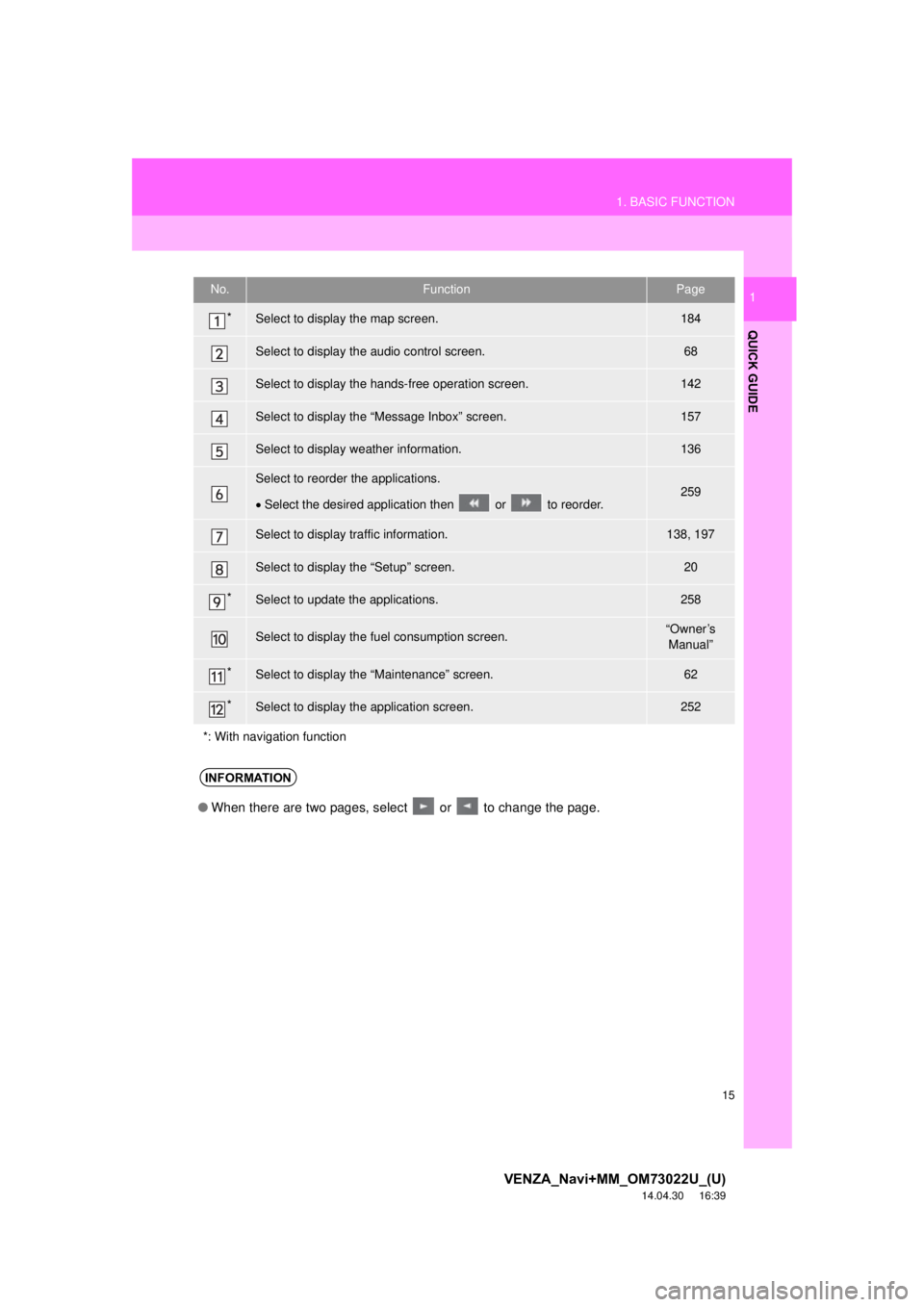
*Select to display the map screen.184
Select to display the audio control screen.68
Select to display the hands-free operation screen.142
Select to display the “Message Inbox” screen.157
Select to display weather information.136
Select to reorder the applications.
Select the desired application then or to reorder.259
Select to display traffic information.138, 197
Select to display the “Setup” screen.20
*Select to update the applications.258
Select to display the fuel consumption screen.“Owner’s
Manual”
*Select to display the “Maintenance” screen.62
*Select to display the application screen.252
*: With navigation function
INFORMATION
● When there are two pages, select or to change the page.
Page 16 of 281
16
1. BASIC FUNCTION
VENZA_Navi+MM_OM73022U_(U)
14.04.30 16:39
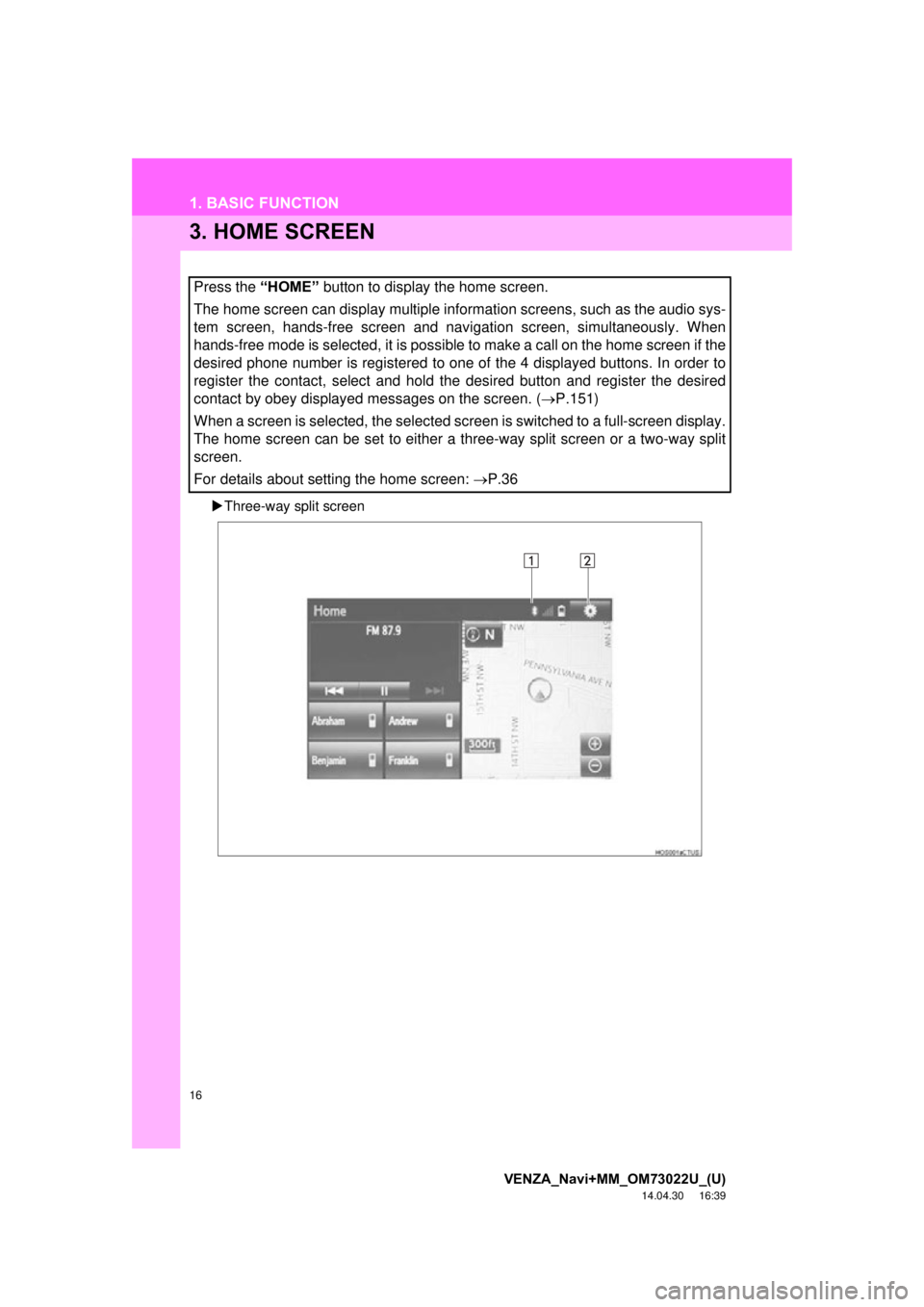
3. HOME SCREEN
Three-way split screen
Press the “HOME” button to display the home screen.
The home screen can display multiple information screens, such as the audio sys-
tem screen, hands-free screen and navigation screen, simultaneously. When
hands-free mode is selected, it is possible to make a call on the home screen if the
desired phone number is registered to one of the 4 displayed buttons. In order to
register the contact, select and hold the desired button and register the desired
contact by obey displayed messages on the screen. ( P.151)
When a screen is selected, the selected screen is switched to a full-screen display.
The home screen can be set to either a three-way split screen or a two-way split
screen.
For details about setting the home screen: P.36
Page 21 of 281
21
2. QUICK REFERENCE
VENZA_Navi+MM_OM73022U_(U)
14.04.30 16:39
QUICK GUIDE
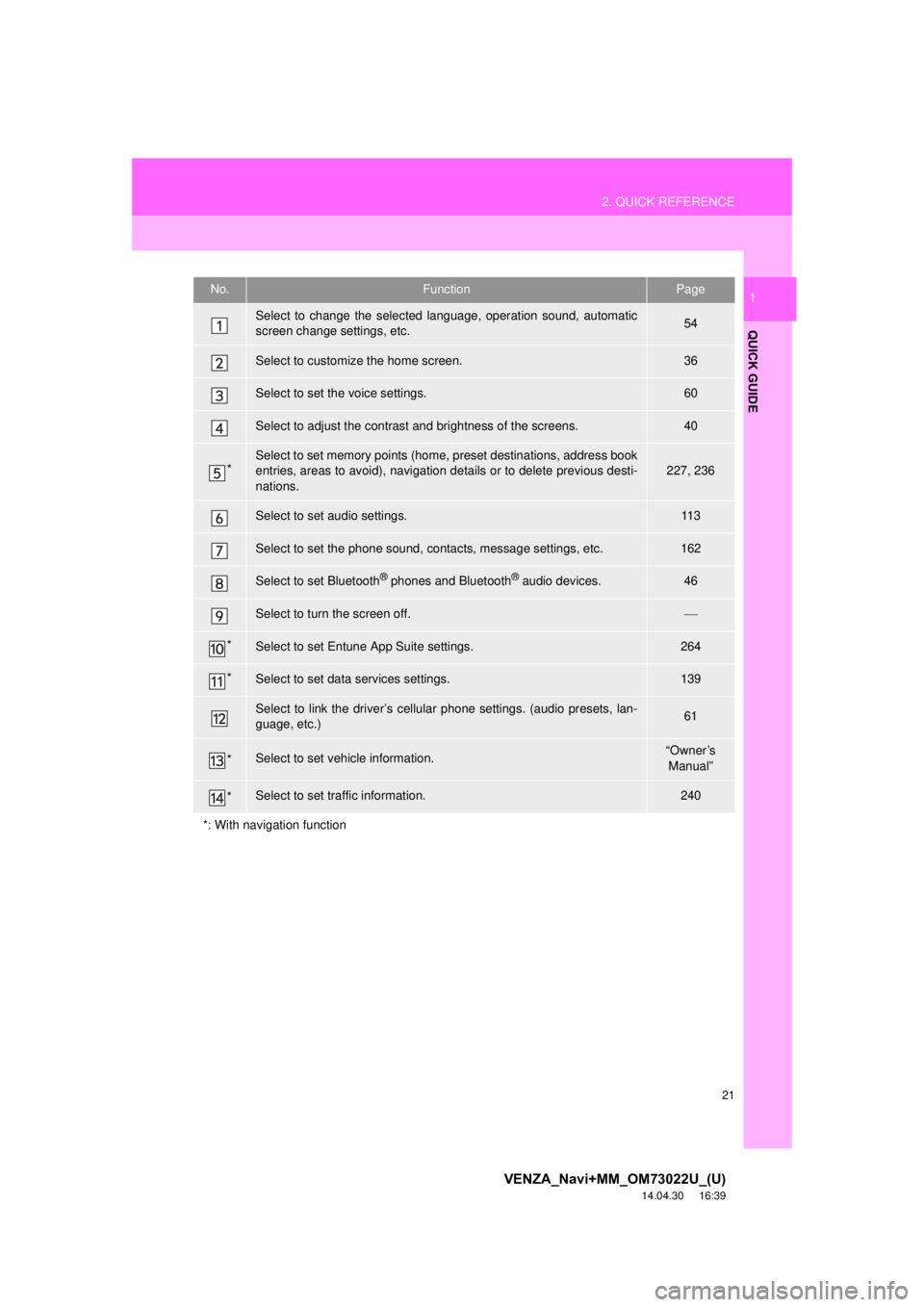
1No.FunctionPage
Select to change the selected language, operation sound, automatic
screen change settings, etc.54
Select to customize the home screen.36
Select to set the voice settings.60
Select to adjust the contrast and brightness of the screens.40
*Select to set memory points (home, preset destinations, address book
entries, areas to avoid), navigation details or to delete previous desti-
nations.227, 236
Select to set audio settings.11 3
Select to set the phone sound, contacts, message settings, etc.162
Select to set Bluetooth® phones and Bluetooth® audio devices.46
Select to turn the screen off.
*Select to set Entune App Suite settings.264
*Select to set data services settings.139
Select to link the driver’s cellular phone settings. (audio presets, lan-
guage, etc.)61
*Select to set vehicle information.“Owner’s Manual”
*Select to set traffic information.240
*: With navigation function
Page 31 of 281
2
31
VENZA_Navi+MM_OM73022U_(U)
14.04.30 16:39
1
2
3
4
5
6
7
8
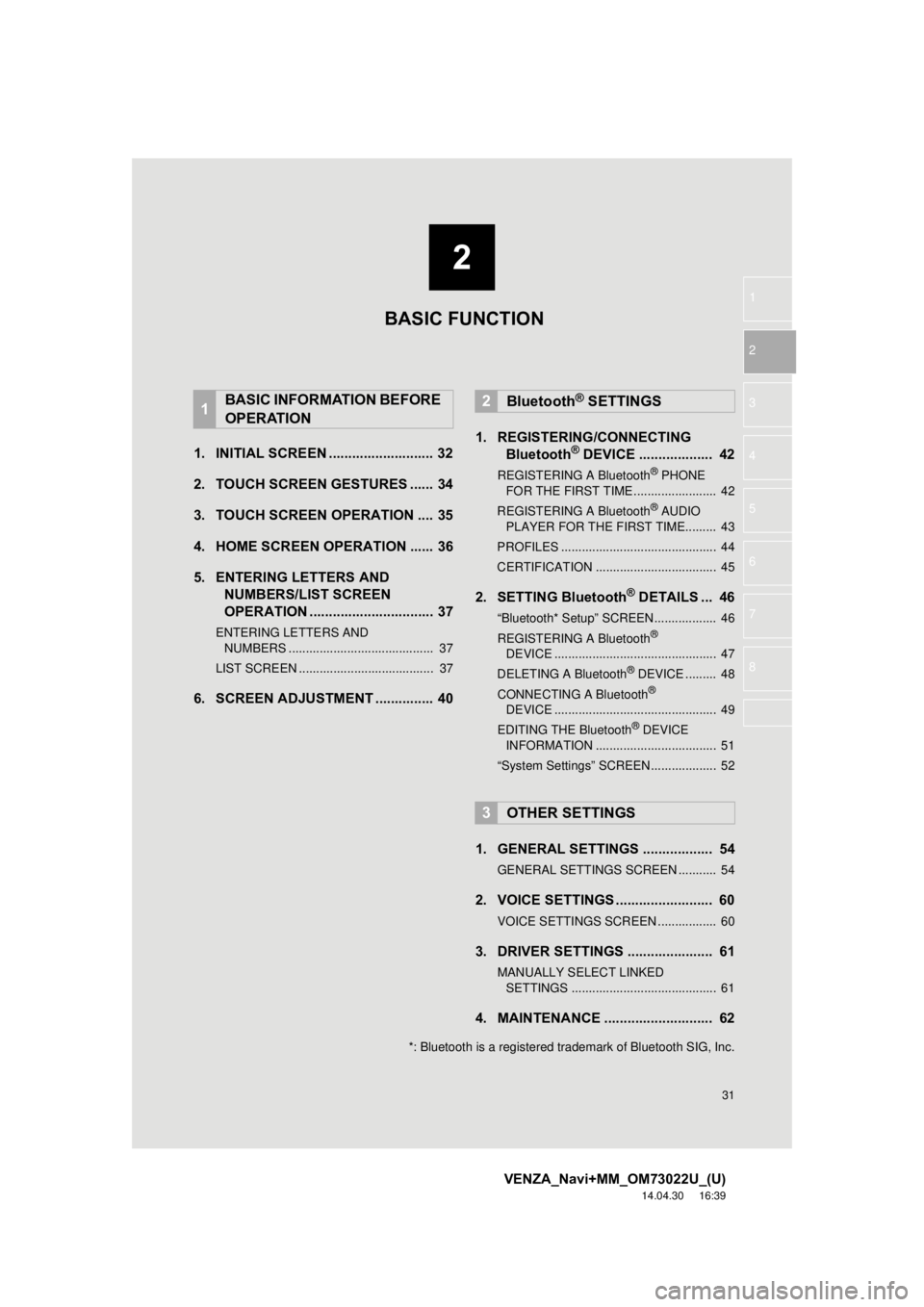
1. INITIAL SCREEN ........................... 32
2. TOUCH SCREEN GESTURES ...... 34
3. TOUCH SCREEN OPERATION .... 35
4. HOME SCREEN OPERATION ...... 36
5. ENTERING LETTERS AND NUMBERS/LIST SCREEN
OPERATION ................................ 37
ENTERING LETTERS AND
NUMBERS .......................................... 37
LIST SCREEN ....................................... 37
6. SCREEN ADJUSTMENT ............... 40 1. REGISTERING/CONNECTING
Bluetooth
® DEVICE ................... 42
REGISTERING A Bluetooth® PHONE
FOR THE FIRST TIME ........................ 42
REGISTERING A Bluetooth
® AUDIO
PLAYER FOR THE FIRST TIME......... 43
PROFILES ............................................. 44
CERTIFICATION ................................... 45
2. SETTING Bluetooth® DETAILS ... 46
“Bluetooth* Setup” SCREEN.................. 46
REGISTERING A Bluetooth®
DEVICE ............................................... 47
DELETING A Bluetooth
® DEVICE ......... 48
CONNECTING A Bluetooth®
DEVICE ............................................... 49
EDITING THE Bluetooth
® DEVICE
INFORMATION ................................... 51
“System Settings” SCREEN................... 52
1. GENERAL SETTINGS .................. 54
GENERAL SETTINGS SCREEN ........... 54
2. VOICE SETTINGS ......................... 60
VOICE SETTINGS SCREEN ................. 60
3. DRIVER SETTINGS ...................... 61
MANUALLY SELECT LINKED SETTINGS .......................................... 61
4. MAINTENANCE ............................ 62
1BASIC INFORMATION BEFORE
OPERATION2Bluetooth® SETTINGS
3OTHER SETTINGS
BASIC FUNCTION
*: Bluetooth is a registered trademark of Bluetooth SIG, Inc.
Page 36 of 281
36
1. BASIC INFORMATION BEFORE OPERATION
VENZA_Navi+MM_OM73022U_(U)
14.04.30 16:39
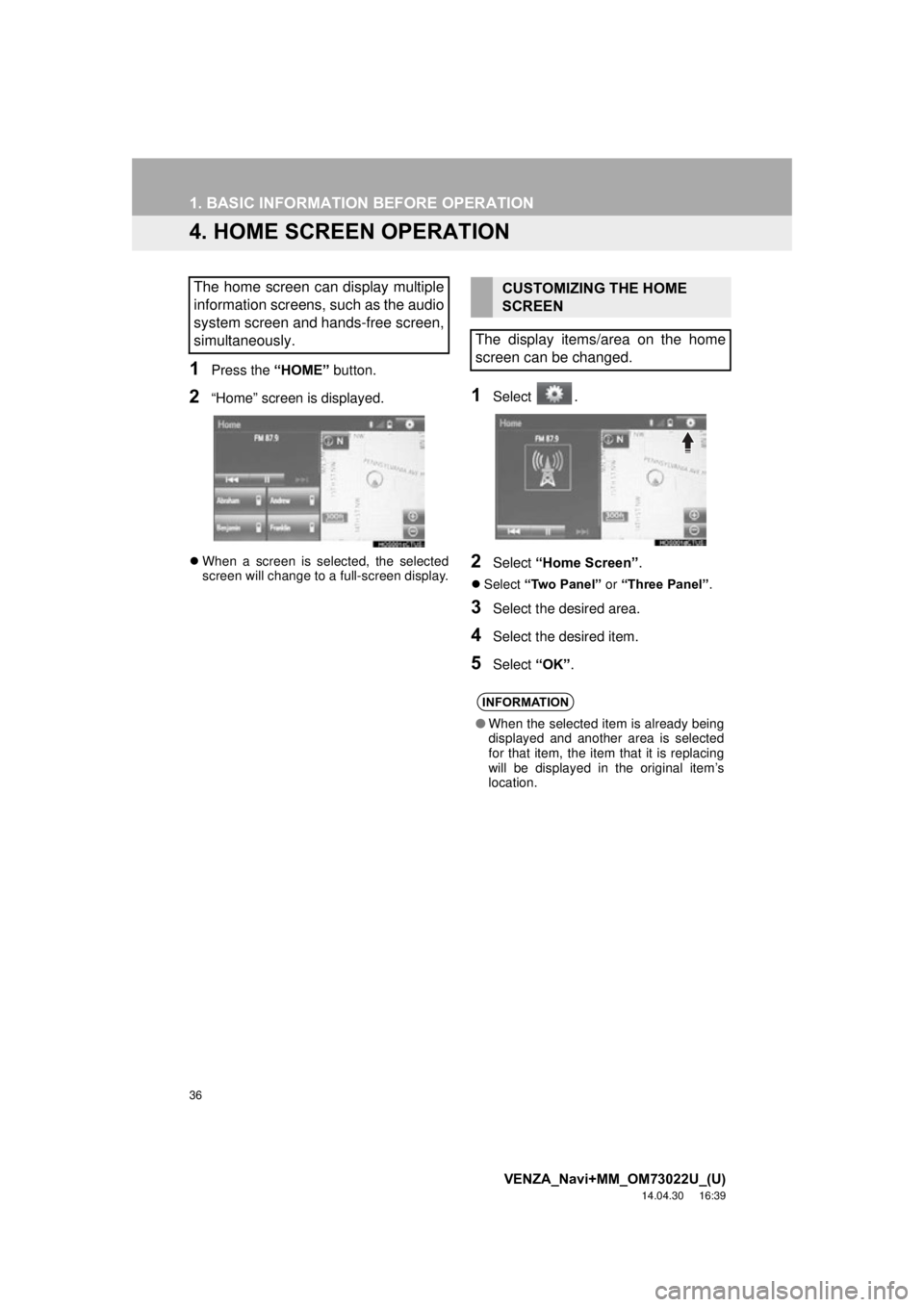
4. HOME SCREEN OPERATION
1Press the “HOME” button.
2“Home” screen is displayed.
When a screen is selected, the selected
screen will change to a full-screen display.
1Select .
2Select “Home Screen” .
Select “Two Panel” or “Three Panel” .
3Select the desired area.
4Select the desired item.
5Select “OK”.
The home screen can display multiple
information screens, such as the audio
system screen and hands-free screen,
simultaneously. CUSTOMIZING THE HOME
SCREEN
The display items/area on the home
screen can be changed.
INFORMATION
● When the selected item is already being
displayed and another area is selected
for that item, the item that it is replacing
will be displayed in the original item’s
location.
Page 43 of 281
43
2. Bluetooth® SETTINGS
VENZA_Navi+MM_OM73022U_(U)
14.12.04 15:06
BASIC FUNCTION
2
7Check that the screen is displayed
when registration is complete.
The system waits for connection requests
coming from the registered device.
At this stage, the Bluetooth
® functions are
not yet available.
8Select “OK” when the connection sta-
tus changes from “Connection wait-
ing...” to “Connected”.
If an error message is displayed, follow
the guidance on the screen to try again.
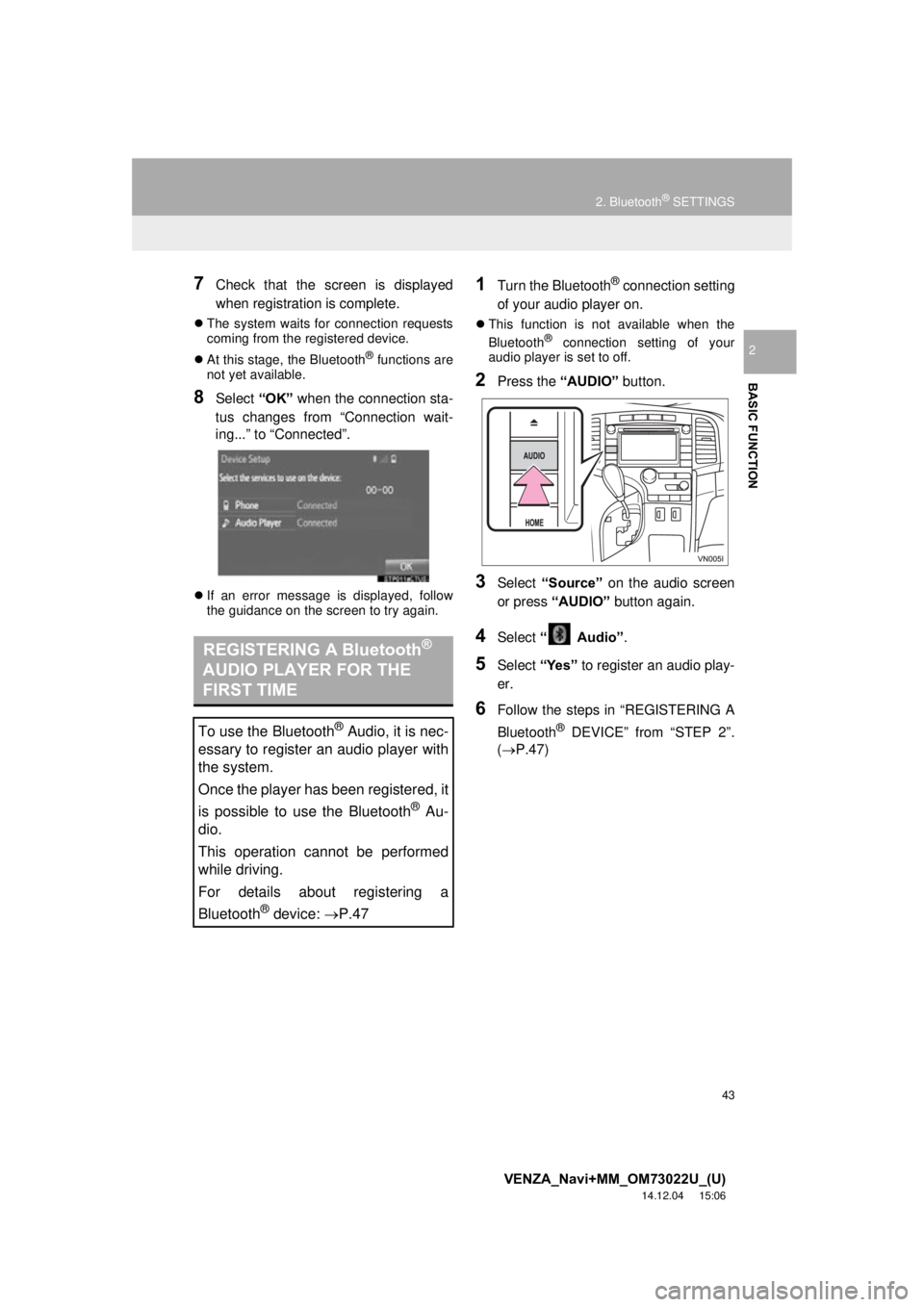
1Turn the Bluetooth® connection setting
of your audio player on.
This function is not available when the
Bluetooth® connection setting of your
audio player is set to off.
2Press the “AUDIO” button.
3Select “Source” on the audio screen
or press “AUDIO” button again.
4Select “ Audio” .
5Select “Yes” to register an audio play-
er.
6Follow the steps in “REGISTERING A
Bluetooth
® DEVICE” from “STEP 2”.
(P.47)
REGISTERING A Bluetooth®
AUDIO PLAYER FOR THE
FIRST TIME
To use the Bluetooth® Audio, it is nec-
essary to register an audio player with
the system.
Once the player has been registered, it
is possible to use the Bluetooth
® Au-
dio.
This operation cannot be performed
while driving.
For details about registering a
Bluetooth
® device: P.47