audio TOYOTA VENZA 2015 Owners Manual (in English)
[x] Cancel search | Manufacturer: TOYOTA, Model Year: 2015, Model line: VENZA, Model: TOYOTA VENZA 2015Pages: 689, PDF Size: 11.45 MB
Page 1 of 689
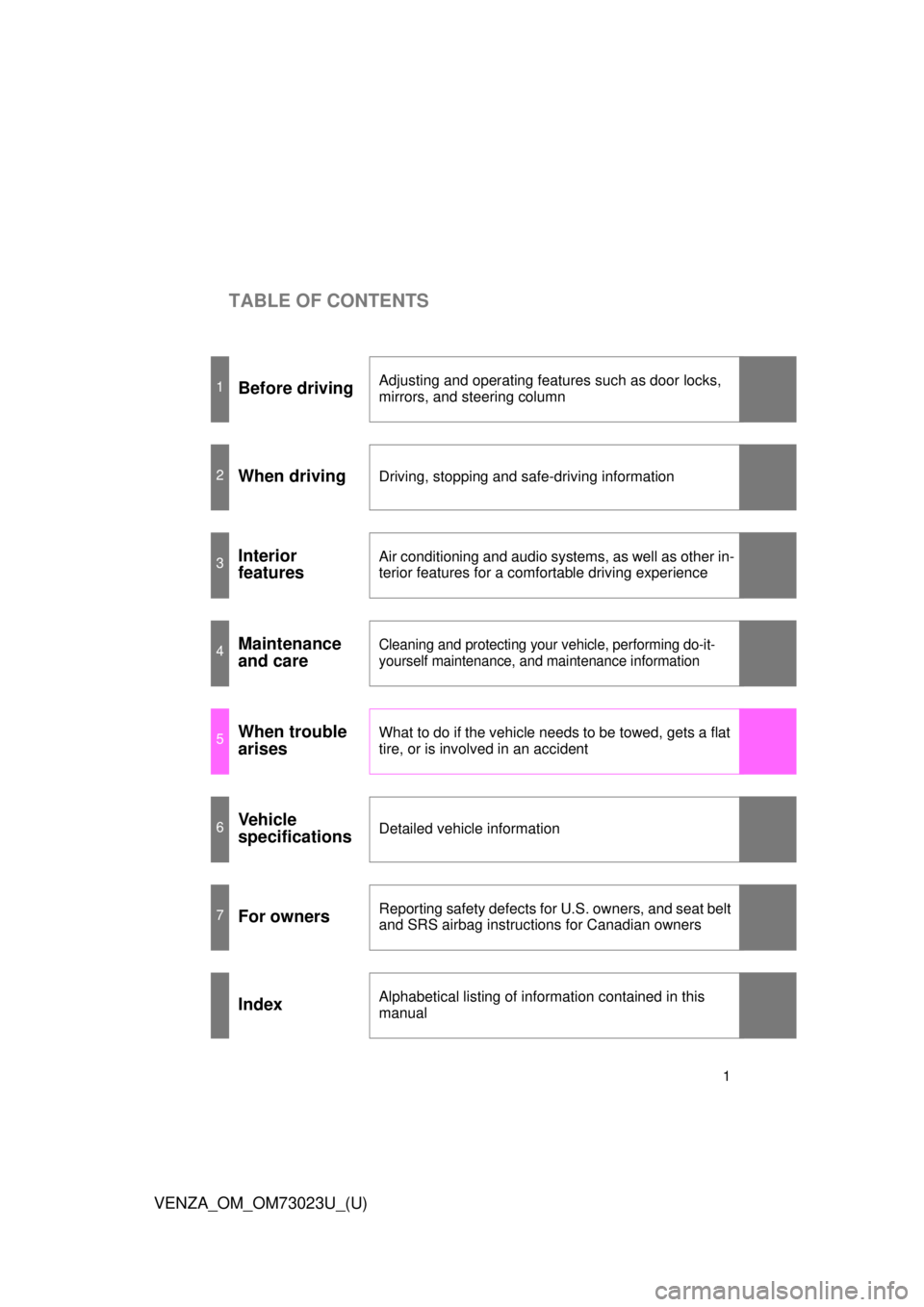
TABLE OF CONTENTS
1
VENZA_OM_OM73023U_(U)
1Before drivingAdjusting and operating features such as door locks,
mirrors, and steering column
2When drivingDriving, stopping and safe-driving information
3Interior
featuresAir conditioning and audio systems, as well as other in-
terior features for a comfortable driving experience
4Maintenance
and careCleaning and protecting your vehicle, performing do-it-
yourself maintenance, and maintenance information
5When trouble
arisesWhat to do if the vehicle needs to be towed, gets a flat
tire, or is involved in an accident
6Vehicle
specificationsDetailed vehicle information
7For ownersReporting safety defects for U.S. owners, and seat belt
and SRS airbag instructions for Canadian owners
IndexAlphabetical listing of information contained in this
manual
Page 2 of 689

TABLE OF CONTENTSIndex
2
VENZA_OM_OM73023U_(U)
1-1. Key informationKeys ..................................... 28
1-2. Opening, closing and locking the doors
Smart key system................. 30
Wireless remote control ....... 45
Side doors ............................ 50
Back door ............................. 56
1-3. Adjustable components (seats, mirrors,
steering wheel)
Front seats ........................... 67
Rear seats ............................ 70
Driving position memory....... 73
Head restraints ..................... 78
Seat belts ............................. 81
Steering wheel ..................... 88
Inside rear view mirror.......... 89
Outside rear view mirrors ..... 92 1-4. Opening and closing
the windows and moon roof
Power windows..................... 96
Moon roof ........................... 100
Sunshade ........................... 104
1-5. Refueling Opening the fuel tank cap .................................... 105
1-6. Theft deterrent system Engine immobilizer system .............................. 109
Alarm .................................. 112
Theft prevention labels (U.S.A.)............................. 116
1-7. Safety information Correct driving posture ....... 117
SRS airbags ....................... 119
Front passenger occupant classification system ......... 134
Child restraint systems ....... 140
Installing child restraints ..... 146
1Before driving
For vehicles with an Entune Premium Audio with Navigation or Entune Audio
Plus, refer to the “NAVIGATION AND MULTIMEDIA SYSTEM OWNER’S
MANUAL” for information regarding the equipment listed below.
• Navigation system • Audio system
Page 4 of 689

TABLE OF CONTENTSIndex
4
VENZA_OM_OM73023U_(U)
3-1. Using the air conditioning system and defogger
Automatic air conditioning system .............................. 306
Rear window defogger ....... 316
3-2. Using the audio system (Entune Audio)
Audio system types ............ 318
Audio system...................... 320
Steering wheel audio switches ........................... 323
USB Port/AUX Port ............ 325
Basic Audio Operations...... 326
Setup menu ........................ 329
General settings ................. 330
Audio settings..................... 332
Display settings .................. 333
Voice settings ..................... 335
Selecting the audio source .............................. 336
List screen operation .......... 337
Optimal use of the audio system .............................. 339
Radio operation .................. 340
CD player operation ........... 343
Listening to an iPod............ 350
Listening to a USB memory device ........ 356
Using the AUX port ............ 362
Preparations to use wireless communication ................. 363 Registering a Bluetooth
®
audio player for
the first time ...................... 366
Registering a Bluetooth
®
phone for the first time ...... 367
Registering a Bluetooth
®
device ............................... 368
Connecting a Bluetooth
®
device ............................... 370
Displaying a Bluetooth
®
device details .................... 373
Detailed Bluetooth
®
system settings................. 375
Listening to Bluetooth
®
Audio ................................ 377
Using a Bluetooth
®
Phone ............................... 379
Making a call....................... 382
Receiving a call .................. 386
Speaking on the phone....... 387
Bluetooth
® phone
message function ............. 391
Using the steering wheel switches............................ 396
Bluetooth
® phone
settings ............................. 397
Contact/Call History Settings ............................ 399
What to do if... (Troubleshooting) ............. 411
Bluetooth
®.......................... 419
Voice command system ..... 426
3Interior features
Page 14 of 689
14
VENZA_OM_OM73023U_(U)
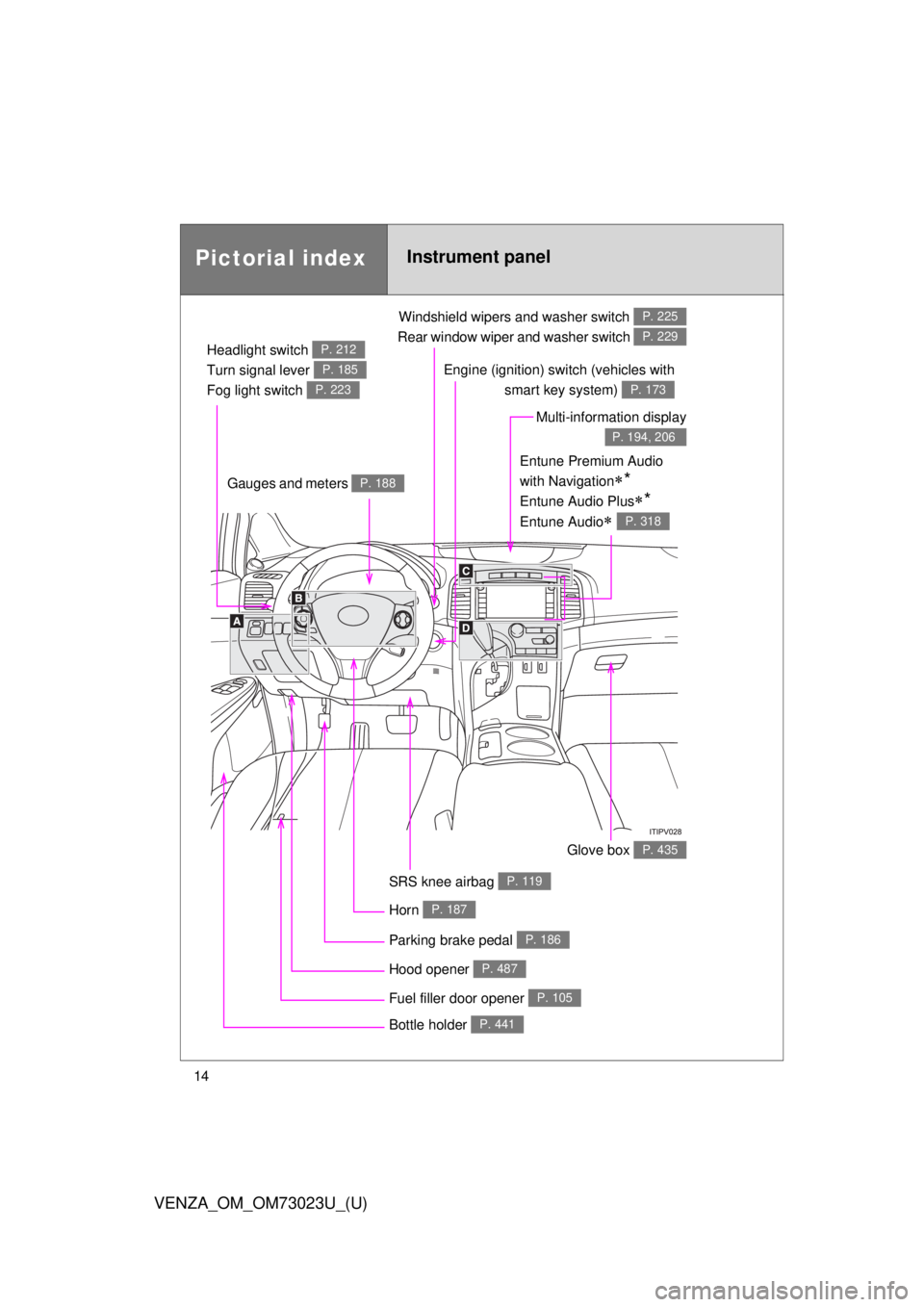
Pictorial indexInstrument panel
Headlight switch
Turn signal lever
Fog light switch P. 212
P. 185
P. 223
Windshield wipers and washer switch
Rear window wiper and washer switch P. 225
P. 229
Gauges and meters P. 188
Glove box P. 435
Fuel filler door opener P. 105
Hood opener P. 487
SRS knee airbag P. 119
Multi-information display
P. 194, 206
Bottle holder P. 441
Parking brake pedal P. 186
Horn P. 187
Engine (ignition) switch (vehicles with smart key system)
P. 173
Entune Premium Audio
with Navigation
*
Entune Audio Plus*
Entune Audio P. 318
Page 16 of 689
16
VENZA_OM_OM73023U_(U)
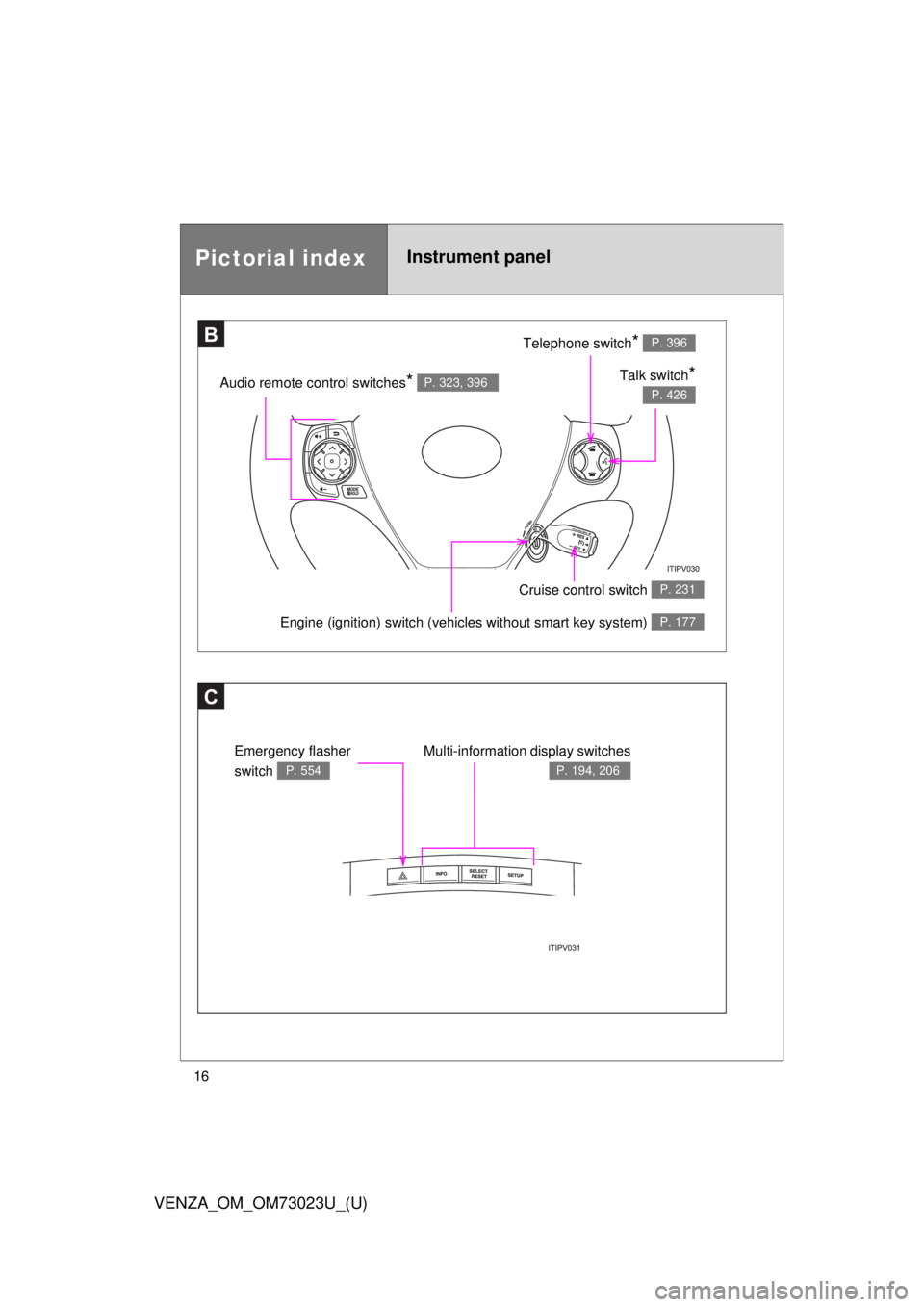
Pictorial indexInstrument panel
C
Multi-information display switches
P. 194, 206
Emergency flasher
switch
P. 554
BTelephone switch* P. 396
Talk switch*
P. 426Audio remote control switches* P. 323, 396
Engine (ignition) switch (vehicles without smart key system) P. 177
Cruise control switch P. 231
Page 174 of 689
174 2-1. Driving procedures
VENZA_OM_OM73023U_(U)
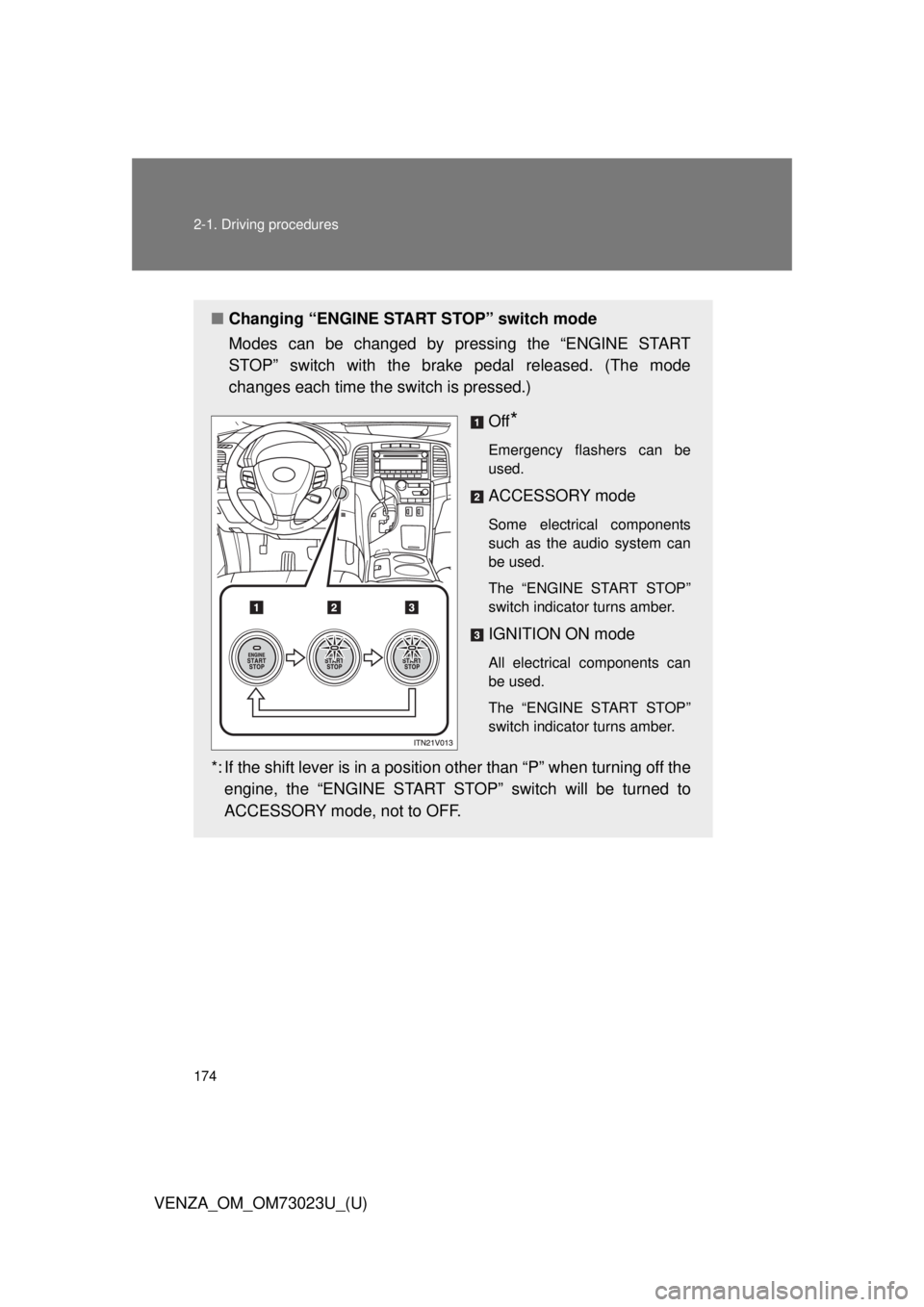
■Changing “ENGINE START STOP” switch mode
Modes can be changed by pressing the “ENGINE START
STOP” switch with the brake pedal released. (The mode
changes each time the switch is pressed.)
Off
*
Emergency flashers can be
used.
ACCESSORY mode
Some electrical components
such as the audio system can
be used.
The “ENGINE START STOP”
switch indicator turns amber.
IGNITION ON mode
All electrical components can
be used.
The “ENGINE START STOP”
switch indicator turns amber.
*: If the shift lever is in a position other than “P” when turning off theengine, the “ENGINE START STOP” switch will be turned to
ACCESSORY mode, not to OFF.
Page 177 of 689
177
2-1. Driving procedures
2
When driving
VENZA_OM_OM73023U_(U)
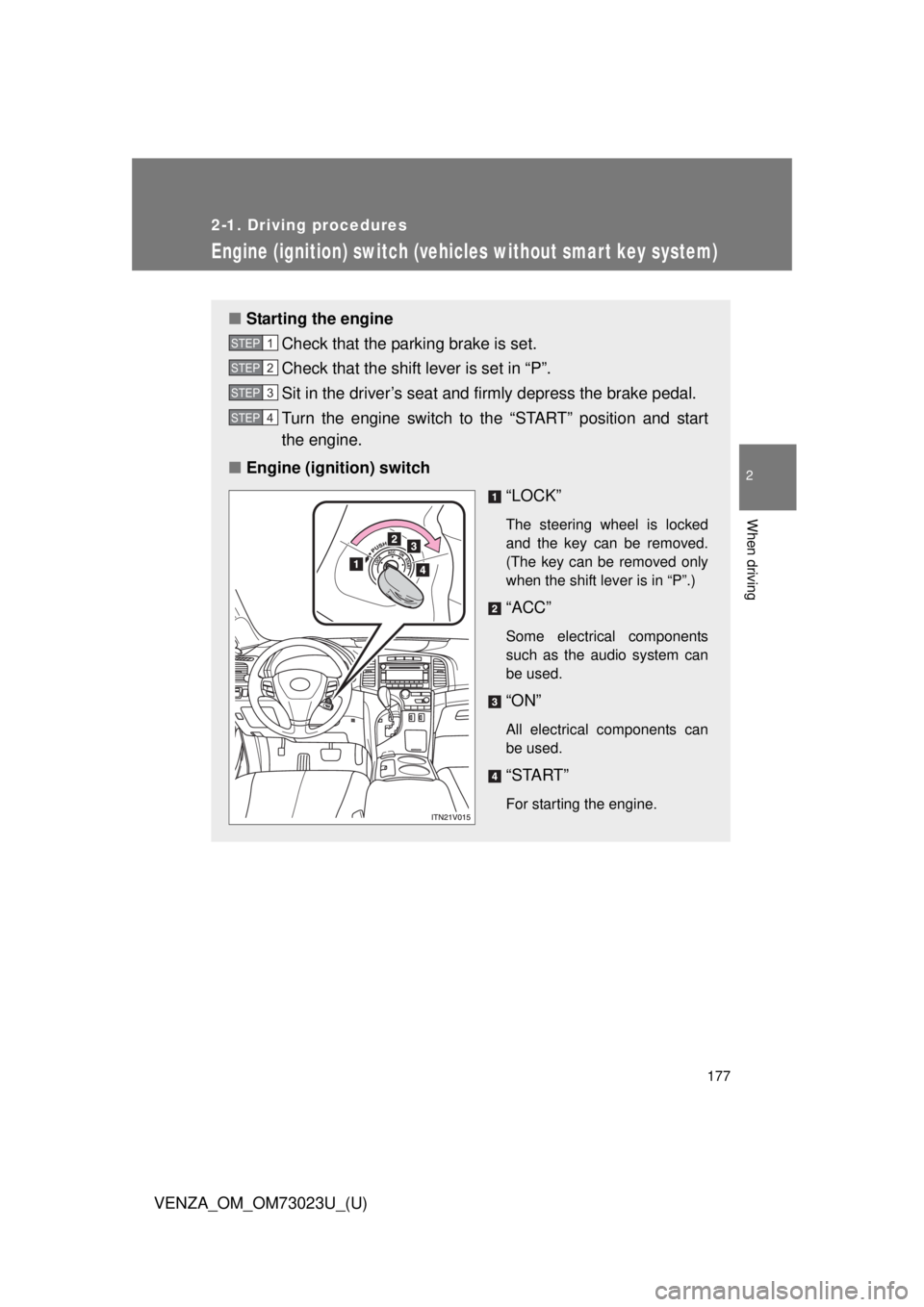
Engine (ignition) switch (vehicles without smar t key system)
■Starting the engine
Check that the parking brake is set.
Check that the shift lever is set in “P”.
Sit in the driver’s seat and firmly depress the brake pedal.
Turn the engine switch to the “START” position and start
the engine.
■ Engine (ignition) switch
“LOCK”
The steering wheel is locked
and the key can be removed.
(The key can be removed only
when the shift lever is in “P”.)
“ACC”
Some electrical components
such as the audio system can
be used.
“ON”
All electrical components can
be used.
“START”
For starting the engine.
STEP1
STEP2
STEP3
STEP4
Page 210 of 689
210
2-2. Instrument cluster
VENZA_OM_OM73023U_(U)
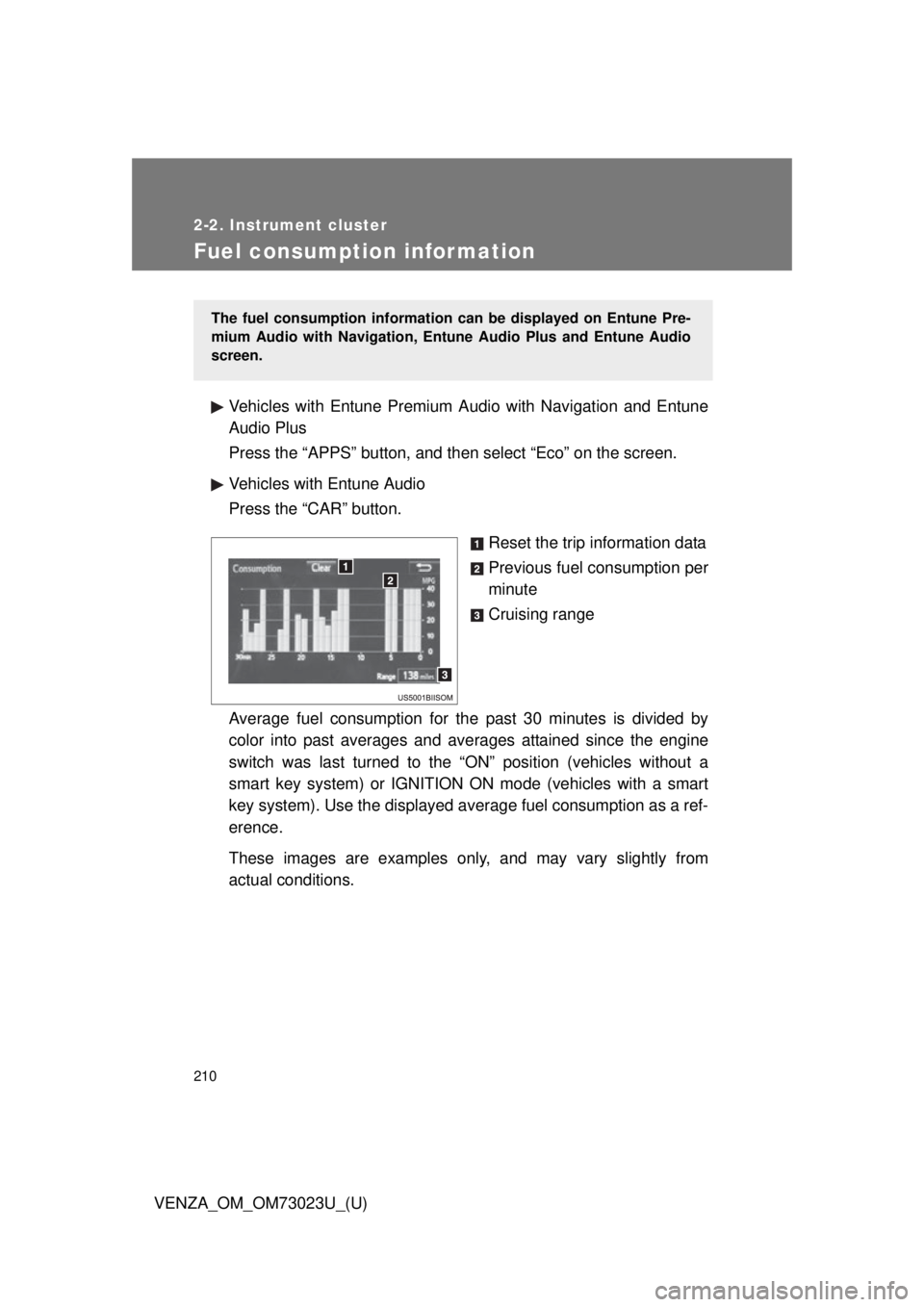
Fuel consumption information
Vehicles with Entune Premium Audio with Navigation and Entune
Audio Plus
Press the “APPS” button, and then select “Eco” on the screen.
Vehicles with Entune Audio
Press the “CAR” button.
Reset the trip information data
Previous fuel consumption per
minute
Cruising range
Average fuel consumption for the past 30 minutes is divided by
color into past averages and av erages attained since the engine
switch was last turned to the “ON” position (vehicles without a
smart key system) or IGNITION ON mode (vehicles with a smart
key system). Use the displayed av erage fuel consumption as a ref-
erence.
These images are examples only , and may vary slightly from
actual conditions.
The fuel consumption information can be displayed on Entune Pre-
mium Audio with Navigation, Entune Audio Plus and Entune Audio
screen.
Page 235 of 689
235
2-4. Using other driving systems
2
When driving
VENZA_OM_OM73023U_(U)
Intuitive parking assist
: If equipped
The distance from your vehicle to nearby obstacles when parallel
parking or maneuvering into a garage is measured by the sensors
and communicated via the multi-in formation display, the audio sys-
tem screen and a buzzer. Always check the surrounding area when
using this system.
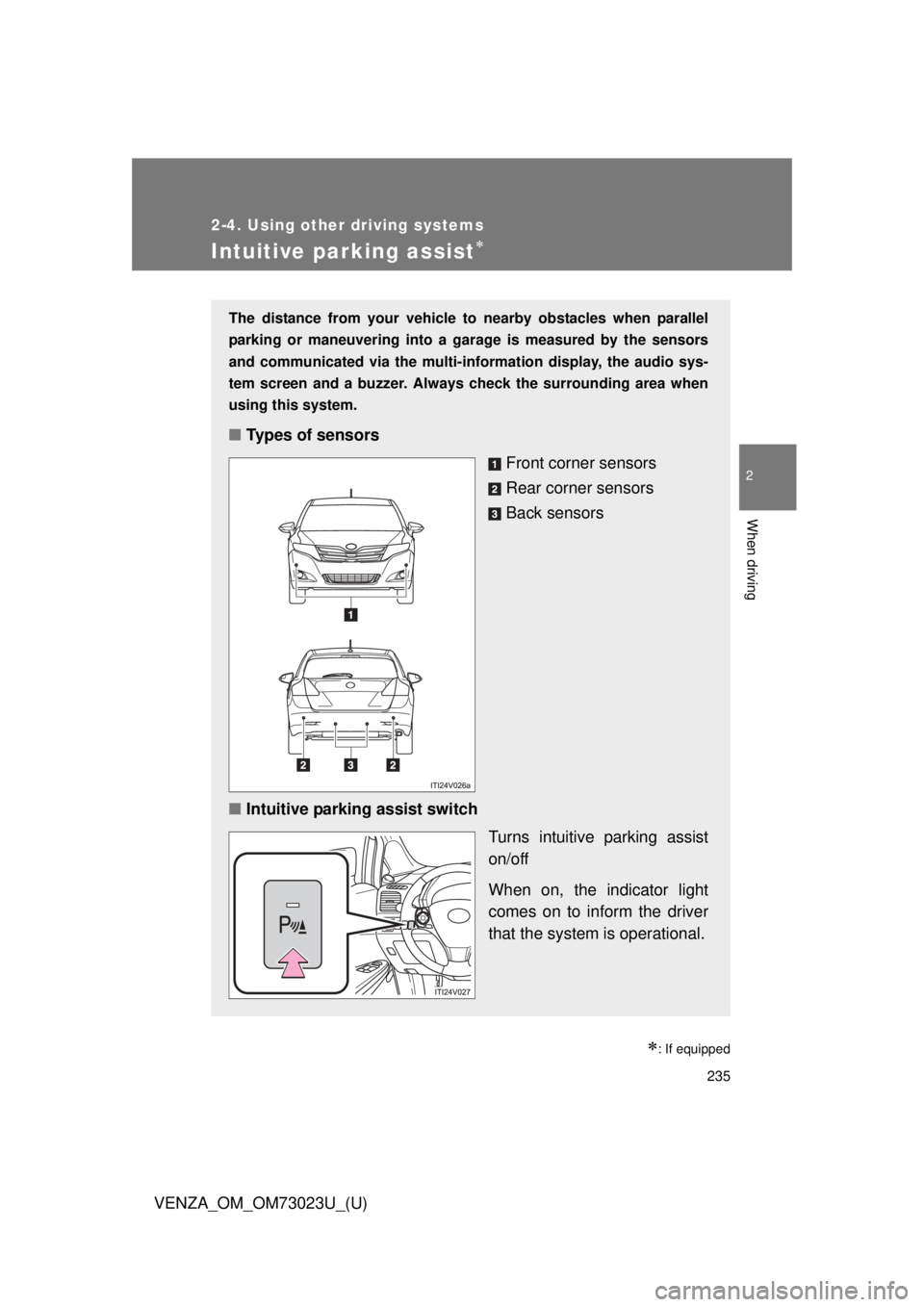
■ Types of sensors
Front corner sensors
Rear corner sensors
Back sensors
■ Intuitive parking assist switch
Turns intuitive parking assist
on/off
When on, the indicator light
comes on to inform the driver
that the system is operational.
Page 236 of 689
236 2-4. Using other driving systems
VENZA_OM_OM73023U_(U)
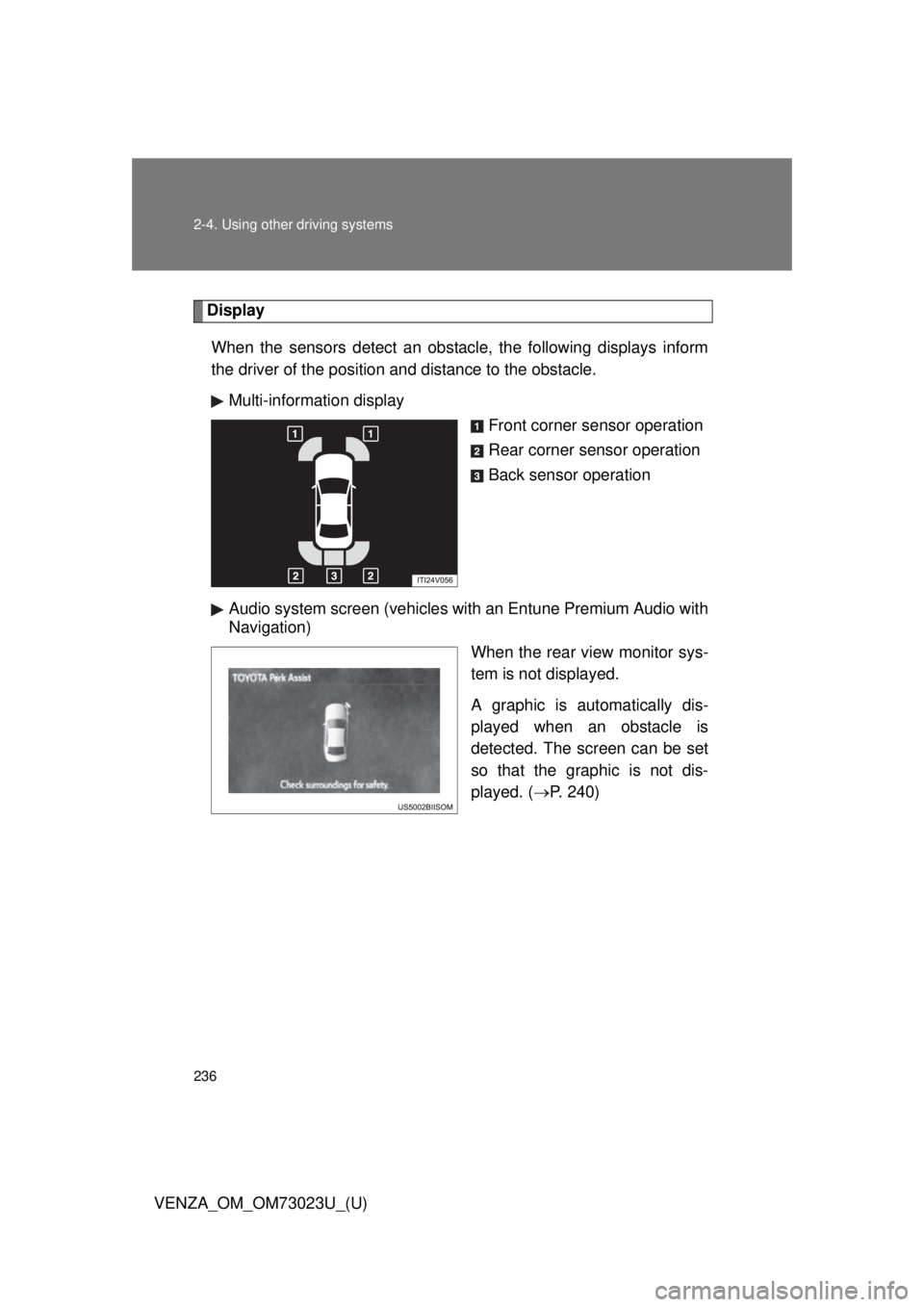
DisplayWhen the sensors detect an obstacle, the following displays inform
the driver of the position and distance to the obstacle. Multi-information display Front corner sensor operation
Rear corner sensor operation
Back sensor operation
Audio system screen (vehicles with an Entune Premium Audio with
Navigation) When the rear view monitor sys-
tem is not displayed.
A graphic is automatically dis-
played when an obstacle is
detected. The screen can be set
so that the graphic is not dis-
played. (P. 240)