light TOYOTA VENZA 2016 Owners Manual
[x] Cancel search | Manufacturer: TOYOTA, Model Year: 2016, Model line: VENZA, Model: TOYOTA VENZA 2016Pages: 688, PDF Size: 18.51 MB
Page 305 of 688
Interior features
3
305
VENZA_OM_OM73030U_(U) Displaying a Bluetooth ®
device details ................. 373
Detailed Bluetooth ®
system settings .............. 375
Listening to Bluetooth ®
Audio.............................. 377
Using a Bluetooth ®
Phone ............................ 379
Making a call .................... 382
Receiving a call ................ 386
Speaking on the phone .... 387
Bluetooth ®
phone
message function........... 391
Using the steering wheel
switches ......................... 396
Bluetooth ®
phone
settings .......................... 397
Contact/Call History
Settings .......................... 399
What to do if...
(Troubleshooting)........... 411
Bluetooth ®
........................ 419
Voice command
system ........................... 426 3-3. Using the interior lights
Interior lights list ............... 430
• Personal/interior light
main switch .................... 431
• Personal/interior lights
and luggage
compartment light .......... 432
3-4. Using the storage features
List of storage features .... 434
• Glove box....................... 435
• Console boxes ............... 436
• Overhead console .......... 438
• Cup holders ................... 439
• Bottle holders ................. 441
• Auxiliary boxes ............... 442
3-5. Other interior features
Sun visors ........................ 445
Vanity mirror..................... 446
Power outlets ................... 447
Seat heaters..................... 449
Armrest ............................ 451
Assist grips
(folding type) .................. 452
Floor mats ........................ 453
Luggage compartment
features .......................... 455
Garage door opener......... 457
Compass .......................... 464
Page 321 of 688
3213-2. Using the audio system (Entune Audio)
VENZA_OM_OM73030U_(U) 3
Interior features Operating the touch screen
By touching the screen with your finger, you can control the audio
system, etc.
■ Touch
Quickly touch and release once.
● Changing and selecting various settings
■ Drag
* Touch the screen with your finger, and move the screen to the
desired position.
● Scrolling the lists
■ Flick
* Touch the screen with your finger and quickly move the screen by
flicking your finger.
● Moving the list screen (list screen limit)
* : The above operations may not be performed on all screens.
■ When using the touch screen
● If the screen is cold, the display may be dark, or the system may seem to
be operating slightly slower than normal.
● The screen may seem dark and hard to see when viewed through sun-
glasses. Change your angle of viewing, adjust the display on the “Display
Settings” screen ( P. 333) or remove your sunglasses.
Page 322 of 688
3223-2. Using the audio system (Entune Audio)
VENZA_OM_OM73030U_(U) NOTICE■ To avoid damaging the touch screen
● To prevent damaging the screen, lightly touch the screen buttons with your
finger.
● Do not use objects other than your finger to touch the screen.
● Wipe off fingerprints using a glass cleaning cloth. Do not use chemical
cleaners to clean the screen, as they may damage the touch screen.
Page 333 of 688
3333-2. Using the audio system (Entune Audio)
VENZA_OM_OM73030U_(U) 3
Interior features
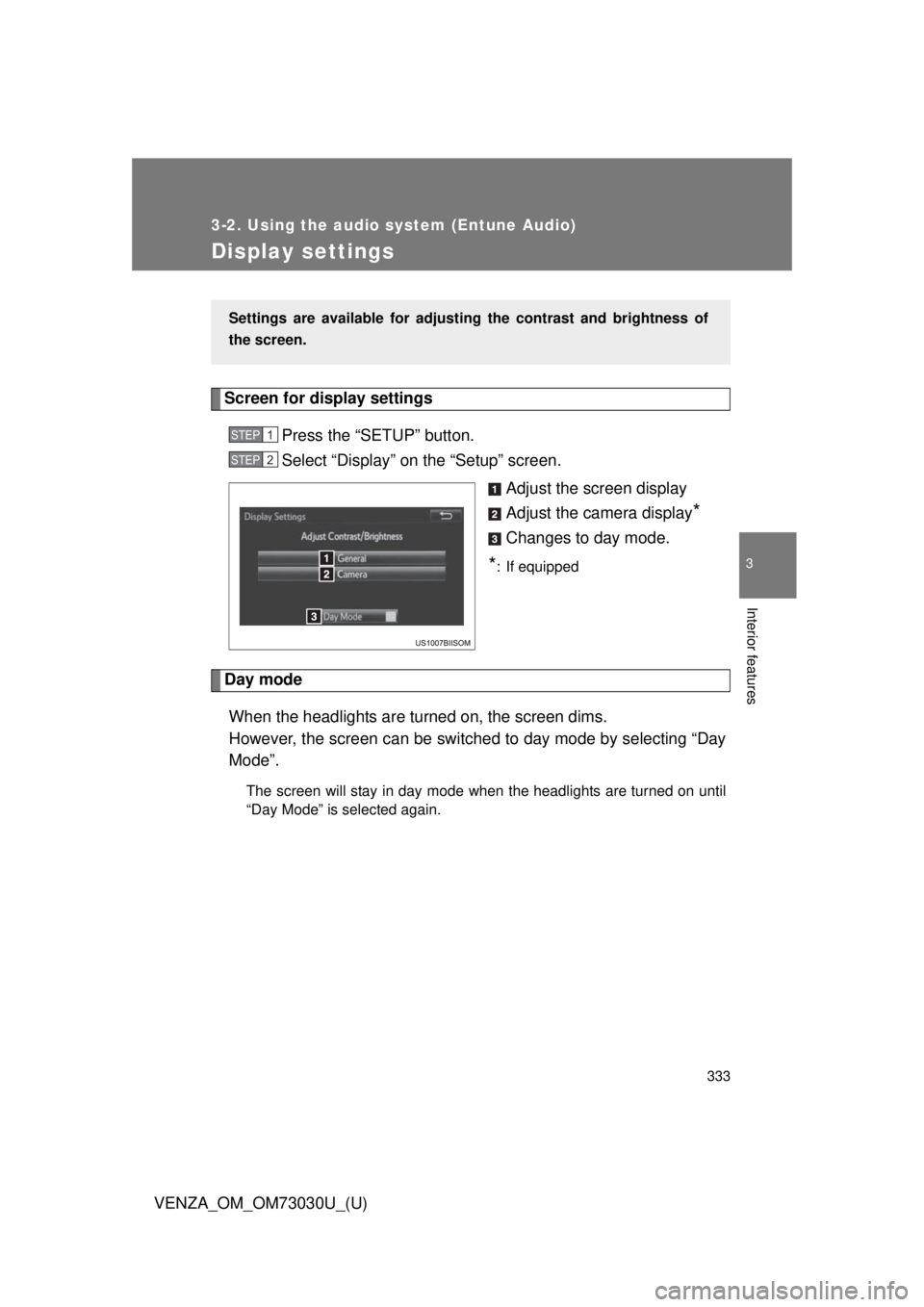
Display settings Screen for display settings
Press the “SETUP” button.
Select “Display” on the “Setup” screen.
Adjust the screen display
Adjust the camera display
*Changes to day mode.
* : If equipped
Day mode
When the headlights are turned on, the screen dims.
However, the screen can be switc hed to day mode by selecting “Day
Mode”. The screen will stay in day mode when the headlights are turned on until
“Day Mode” is selected again.Settings are available for adjusti ng the contrast and brightness of
the screen. STEP 1
STEP 2
Page 337 of 688
3373-2. Using the audio system (Entune Audio)
VENZA_OM_OM73030U_(U) 3
Interior features
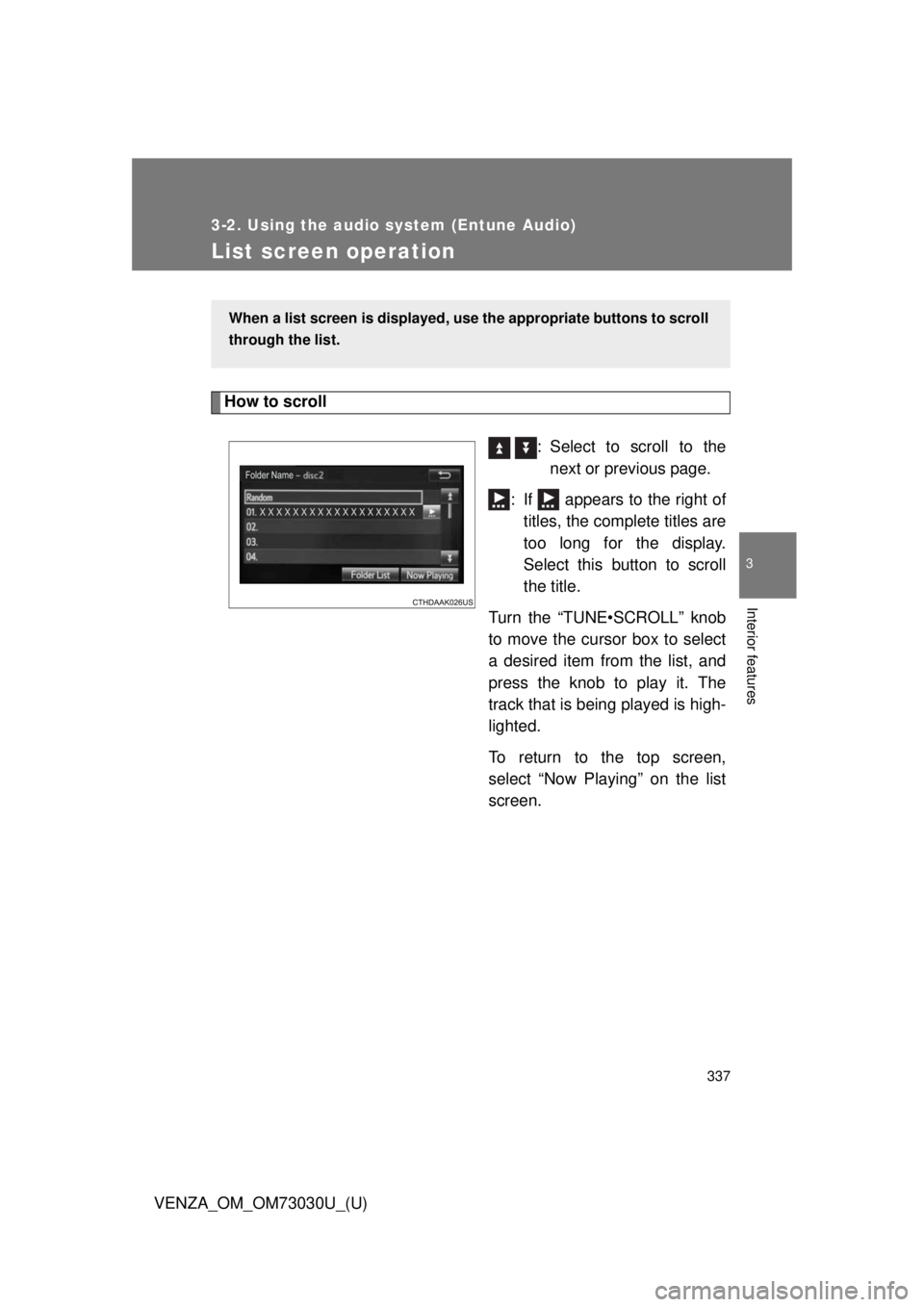
List screen operation How to scroll
: Select to scroll to the
next or previous page.
: If appears to the right of
titles, the complete titles are
too long for the display.
Select this button to scroll
the title.
Turn the “TUNE•SCROLL” knob
to move the cursor box to select
a desired item from the list, and
press the knob to play it. The
track that is being played is high-
lighted.
To return to the top screen,
select “Now Playing” on the list
screen.When a list screen is displayed, u se the appropriate buttons to scroll
through the list.
Page 349 of 688
3493-2. Using the audio system (Entune Audio)
VENZA_OM_OM73030U_(U) 3
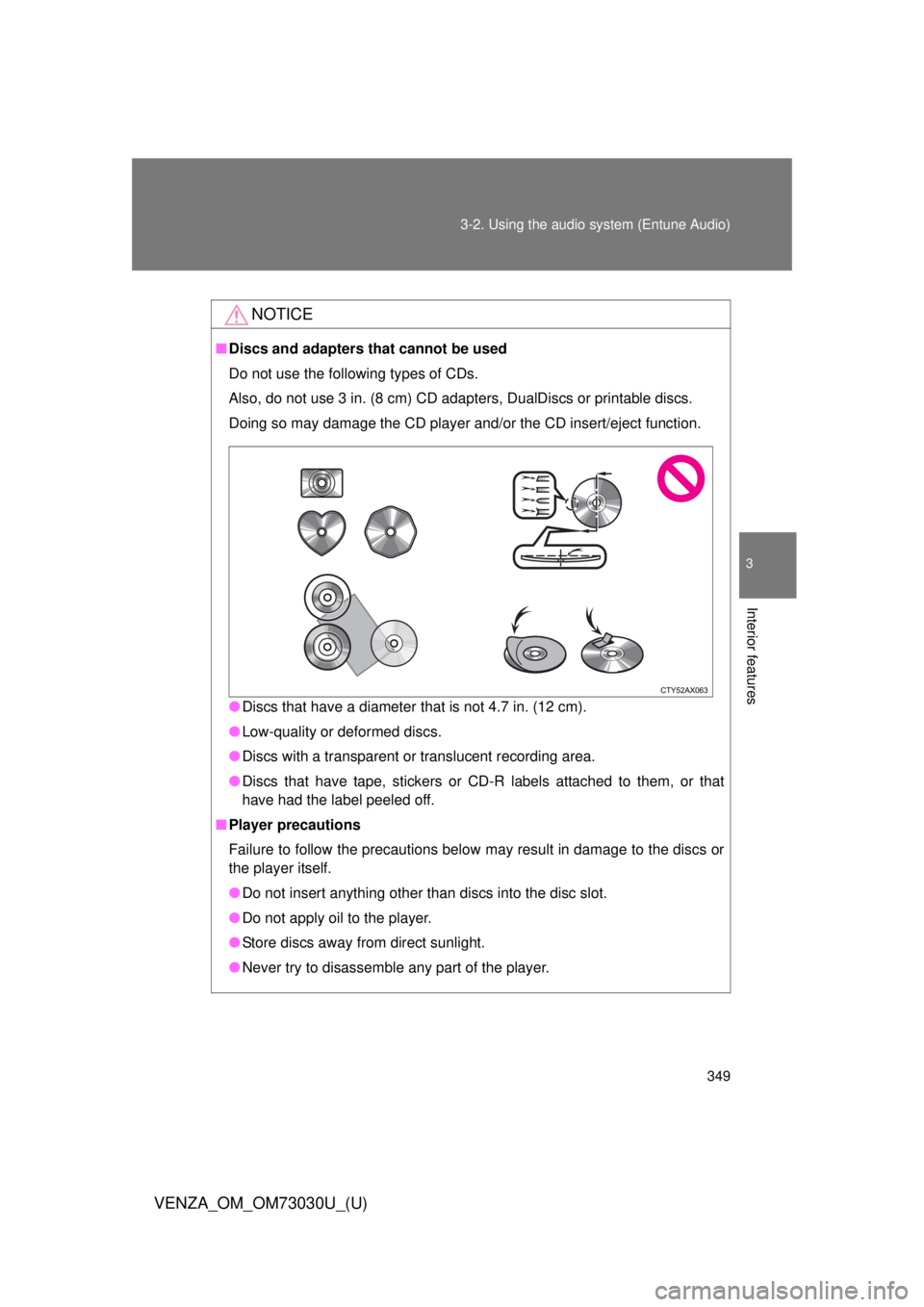
Interior features NOTICE■ Discs and adapters that cannot be used
Do not use the following types of CDs.
Also, do not use 3 in. (8 cm) CD adapters, DualDiscs or printable discs.
Doing so may damage the CD player and/or the CD insert/eject function.
● Discs that have a diameter that is not 4.7 in. (12 cm).
● Low-quality or deformed discs.
● Discs with a transparent or translucent recording area.
● Discs that have tape, stickers or CD-R labels attached to them, or that
have had the label peeled off.
■ Player precautions
Failure to follow the precautions below may result in damage to the discs or
the player itself.
● Do not insert anything other than discs into the disc slot.
● Do not apply oil to the player.
● Store discs away from direct sunlight.
● Never try to disassemble any part of the player.
Page 351 of 688
3513-2. Using the audio system (Entune Audio)
VENZA_OM_OM73030U_(U) 3
Interior features Selecting a play mode
Select “Browse” on the screen.
Select the desired play mode by se lecting the “Playlists”, “Art-
ists”, “Albums”, “Songs”, “Podcas ts”, “Audio books”, “Genres”,
“Composers” or “Videos” tab. Then select a song to begin
using the selected play mode.
Shuffle play
Select to change on/off.
Repeat play
Select to change on/off. ■ About iPod
● “Made for iPod” and “Made for iPhone” mean that an electronic acces-
sory has been designed to connect specifically to iPod or iPhone,
respectively, and has been certified by the developer to meet Apple per-
formance standards.
● Apple is not responsible for the operation of this device or its compliance
with safety and regulatory standards. Please note that the use of this
accessory with iPod or iPhone may affect wireless performance.
● iPhone, iPod, iPod classic, iPod nano, and iPod touch are trademarks of
Apple Inc., registered in the U.S. and other countries. Lightning is a
trademark of Apple Inc. STEP 1
STEP 2
Page 419 of 688
4193-2. Using the audio system (Entune Audio)
VENZA_OM_OM73030U_(U) 3
Interior features
Bluetooth ®■ When using the Bluetooth ®
audio system
● In the following conditions, the system may not function.
• If the portable audio player is turned off
• If the portable audio player is not connected
• If the portable audio player’s battery is low
● There may be a delay if a cellular phone connection is made during
Bluetooth ®
audio play.
● Depending on the type of portable audio player that is connected to the
system, operation may differ slightly and certain functions may not be
available.
■ When using the hands-free system
● The audio system is muted when making a call.
● If both parties speak at the same time, it may be difficult to hear.
● If the received call volume is overly loud, an echo may be heard.
If the Bluetooth ®
phone is too close to the system, quality of the sound
may deteriorate and connection status may deteriorate.
● In the following circumstances, it may be difficult to hear the other party:
• When driving on unpaved roads
• When driving at high speeds
• If a roof or window is open
• If the air conditioning is blowing directly on the microphone
• If there is interference from the network of the cellular phone
Page 430 of 688
430
VENZA_OM_OM73030U_(U) 3-3. Using the interior lights
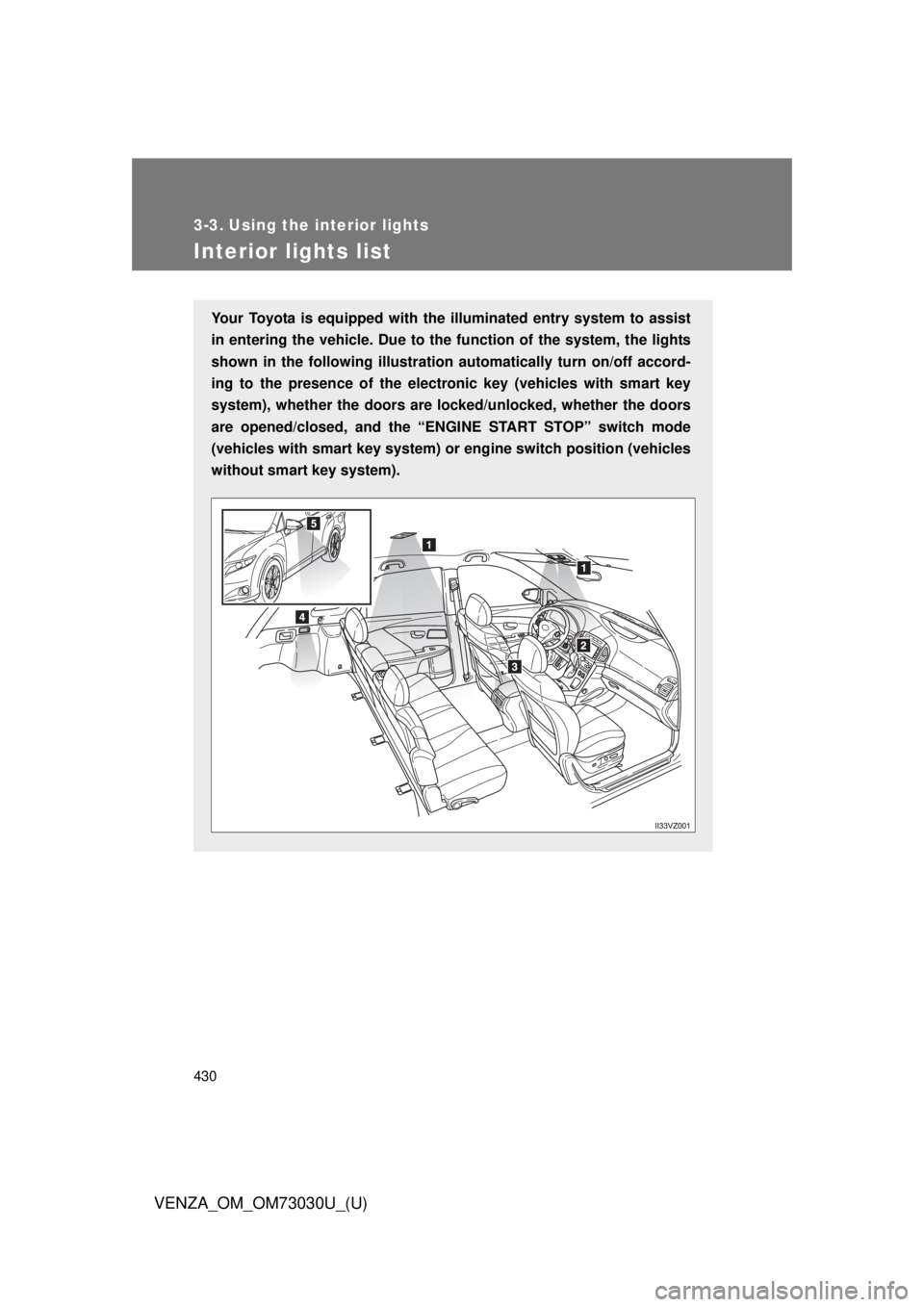
Interior lights list Your Toyota is equipped with th e illuminated entry system to assist
in entering the vehicle. Due to th e function of the system, the lights
shown in the following illustration automatically turn on/off accord-
ing to the presence of the electro nic key (vehicles with smart key
system), whether the doors are lo cked/unlocked, whether the doors
are opened/closed, and the “ENG INE START STOP” switch mode
(vehicles with smart key system) or engine switch position (vehicles
without smart key system).
Page 431 of 688
4313-3. Using the interior lights
3
Interior features
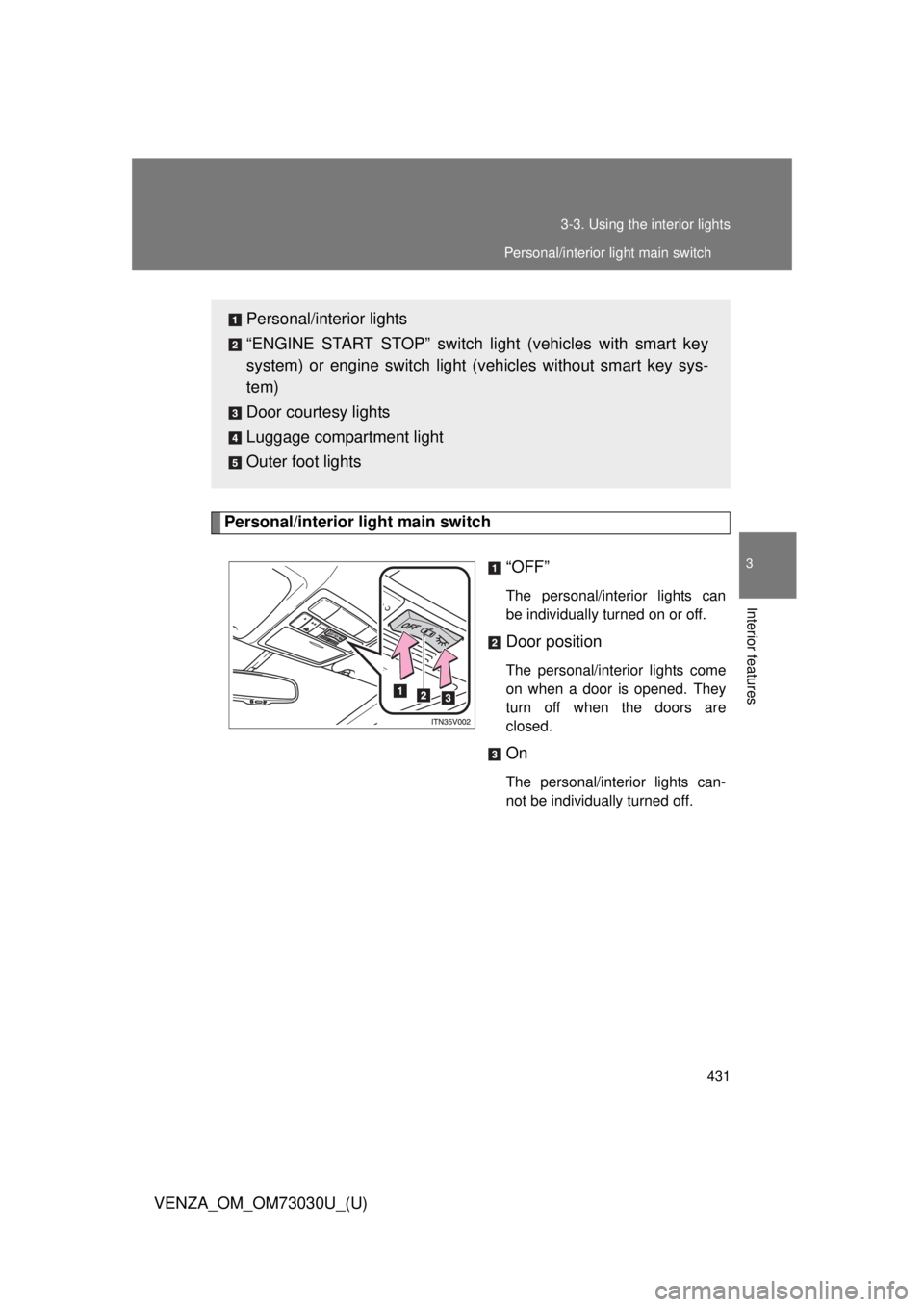
VENZA_OM_OM73030U_(U) Personal/interior light main switch
“OFF” The personal/interior lights can
be individually turned on or off.
Door position The personal/interior lights come
on when a door is opened. They
turn off when the doors are
closed.
On The personal/interior lights can-
not be individually turned off.Personal/interior lights
“ENGINE START STOP” switch light (vehicles with smart key
system) or engine switch light (vehicles without smart key sys-
tem)
Door courtesy lights
Luggage compartment light
Outer foot lights Personal/interior light main switch