remote control TOYOTA VENZA 2016 User Guide
[x] Cancel search | Manufacturer: TOYOTA, Model Year: 2016, Model line: VENZA, Model: TOYOTA VENZA 2016Pages: 688, PDF Size: 18.51 MB
Page 48 of 688
481-2. Opening, closing and locking the doors
VENZA_OM_OM73030U_(U) ■ Conditions affecting operation
Vehicles with smart key system
P. 3 5
Vehicles without smart key system
The wireless remote control function may not operate normally in the fol-
lowing situations.
● Near a TV tower, radio station, el ectric power plant, airport or other
facility that generates strong radio waves
● When carrying a portable radio, cellular phone or other wireless com-
munication device
● When multiple wireless keys are in the vicinity
● When the wireless key has come into contact with, or is covered by a
metallic object
● When a wireless key (that emits radio waves) is being used nearby
● When the wireless key has been left near an electrical appliance such
as a personal computer
■ Customization
Settings (e.g. 2-step unlocking function) can be changed.
(Customizable features P. 645)
■ Reversing the operation of the power back door (if equipped)
Pressing the wireless remote control switch again while the power back door
is operating will cause the operation to reverse. However, the reverse opera-
tion cannot be performed for the first second after automatic operation starts,
even if the wireless remote control switch is pressed again.
Page 49 of 688
491-2. Opening, closing and locking the doors
1
Before driving
VENZA_OM_OM73030U_(U) ■ Certification for wireless remote control
For vehicles sold in the U.S.A.
NOTE:
This device complies with Part 15 of the FCC Rules. Operation is subject
to the following two conditions: (1) this device may not cause harmful
interference, and (2) this device must accept any interference received,
including interference that may cause undesired operation.
NOTICE:
This equipment has been tested and found to comply with the limits for a
Class B digital device, pursuant to Part 15 of the FCC Rules. These limits
are designed to provide reasonable protection against harmful interfer-
ence in a residential installation. This equipment generates, uses and can
radiate radio frequency energy and, if not installed and used in accor-
dance with the instructions, may cause harmful interference to radio com-
munications. However, there is no guarantee that interference will not
occur in a particular installation. If this equipment does cause harmful
interference to radio or television reception, which can be determined by
turning the equipment off and on, the user is encouraged to try to correct
the interference by one or more of the following measures:
● Reorient or relocate the receiving antenna.
● Increase the separation between the equipment and receiver.
● Connect the equipment into an outlet on a circuit different from that to
which the receiver is connected.
● Consult the dealer or an experienced radio/TV technician for help.
FCC WARNING:
Changes or modifications not expressly approved by the party responsi-
ble for compliance could void the user’s authority to operate the equip-
ment.
For vehicles sold in Canada
NOTE:
Operation is subject to the following two conditions: (1) this device may
not cause interference, and (2) this device must accept any interference,
including interference that may cause undesired operation of the device.
Page 50 of 688
501-2. Opening, closing and locking the doors
VENZA_OM_OM73030U_(U)Side doors The vehicle can be locked and unlocked using the entry function,
wireless remote control, key or door lock switch.
■ Entry function (vehicles with smart key system)
P. 3 0
■ Wireless remote control
P. 4 5
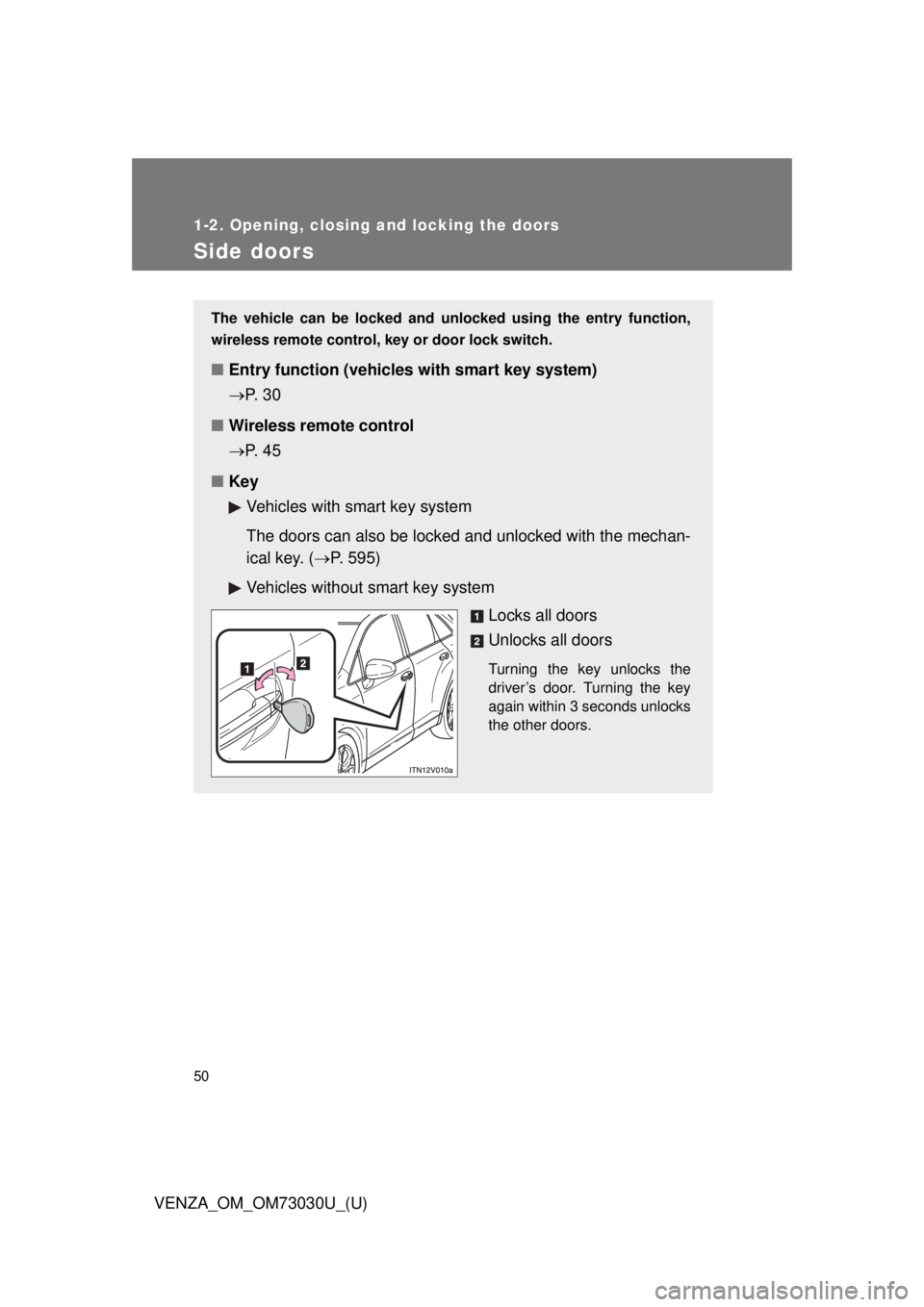
■ Key
Vehicles with smart key system
The doors can also be locked and unlocked with the mechan-
ical key. ( P. 595)
Vehicles without smart key system
Locks all doors
Unlocks all doors Turning the key unlocks the
driver’s door. Turning the key
again within 3 seconds unlocks
the other doors.
Page 56 of 688
561-2. Opening, closing and locking the doors
VENZA_OM_OM73030U_(U)Back door The back door can be opened us ing the back door opener. The back
door can be locked and unlocked us ing the entry function (vehicles
with smart key system), wireless remote control or door lock switch.
In addition, the power back door (i f equipped) can be opened using
the power back door switch or wireless remote control.
■ Unlocking and locking the back door
Entry function (vehicles with smart key system)
P. 3 0
Wireless remote control
P. 4 5
Door lock switch
P. 5 0
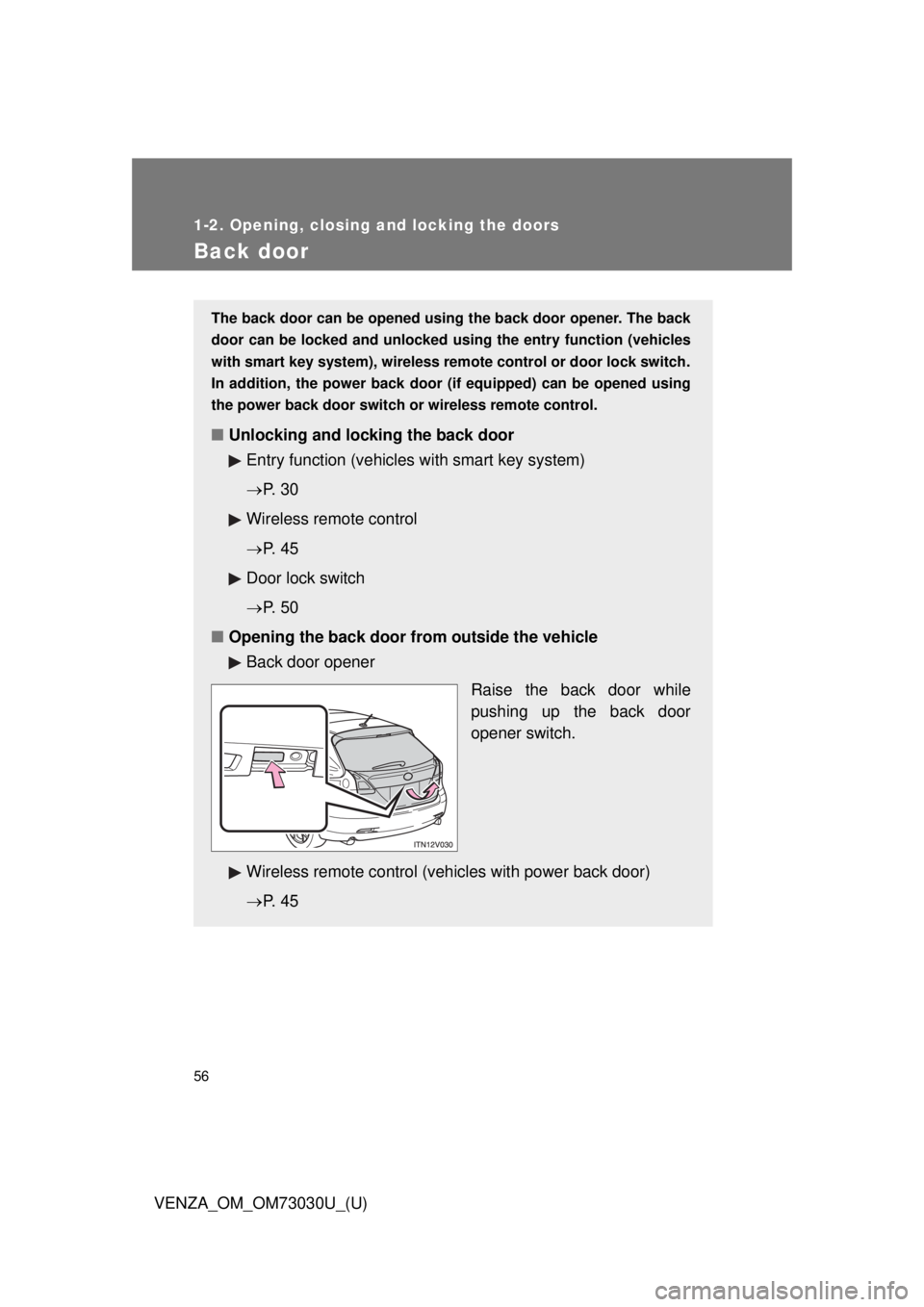
■ Opening the back door from outside the vehicle
Back door opener
Raise the back door while
pushing up the back door
opener switch.
Wireless remote control (vehicles with power back door)
P. 4 5
Page 59 of 688
591-2. Opening, closing and locking the doors
1
Before driving
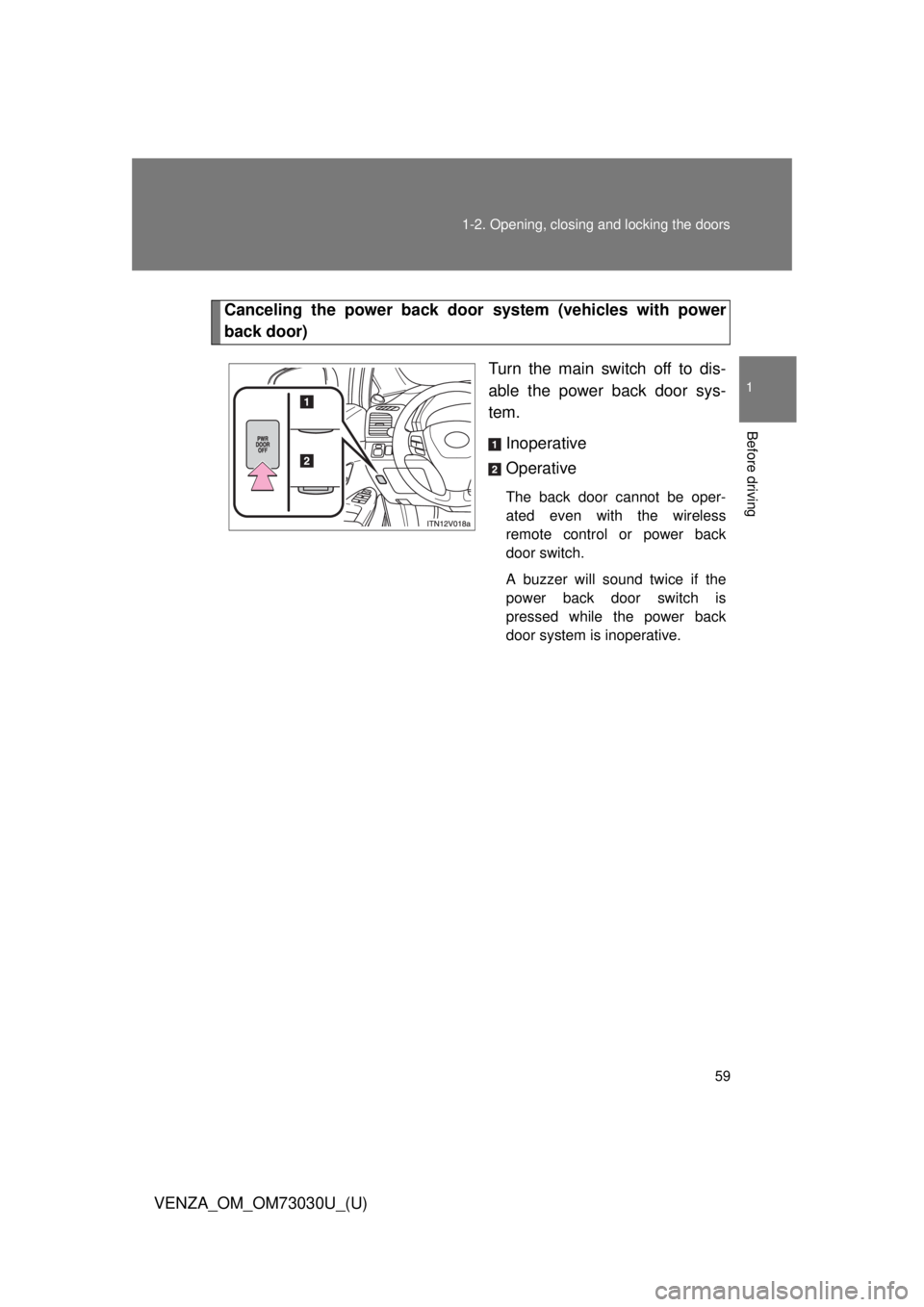
VENZA_OM_OM73030U_(U) Canceling the power back door system (vehicles with power
back door)
Turn the main switch off to dis-
able the power back door sys-
tem.
Inoperative
Operative The back door cannot be oper-
ated even with the wireless
remote control or power back
door switch.
A buzzer will sound twice if the
power back door switch is
pressed while the power back
door system is inoperative.
Page 112 of 688
1121-6. Theft deterrent system
VENZA_OM_OM73030U_(U)Alarm
: If equippedThe system sounds the alarm and fl ashes lights when forcible entry
is detected.
■ Triggering of the alarm
The alarm is triggered in the fo llowing situations when the alarm
is set.
● A locked door is unlocked or o pened in any way other than by
using the entry function (vehicles with smart key system), the
wireless remote control door lo ck function or the mechanical
key. (The doors will lock again automatically.)
● The hood is opened.
● The battery is reconnected.
● The side windows are tapped or broken.
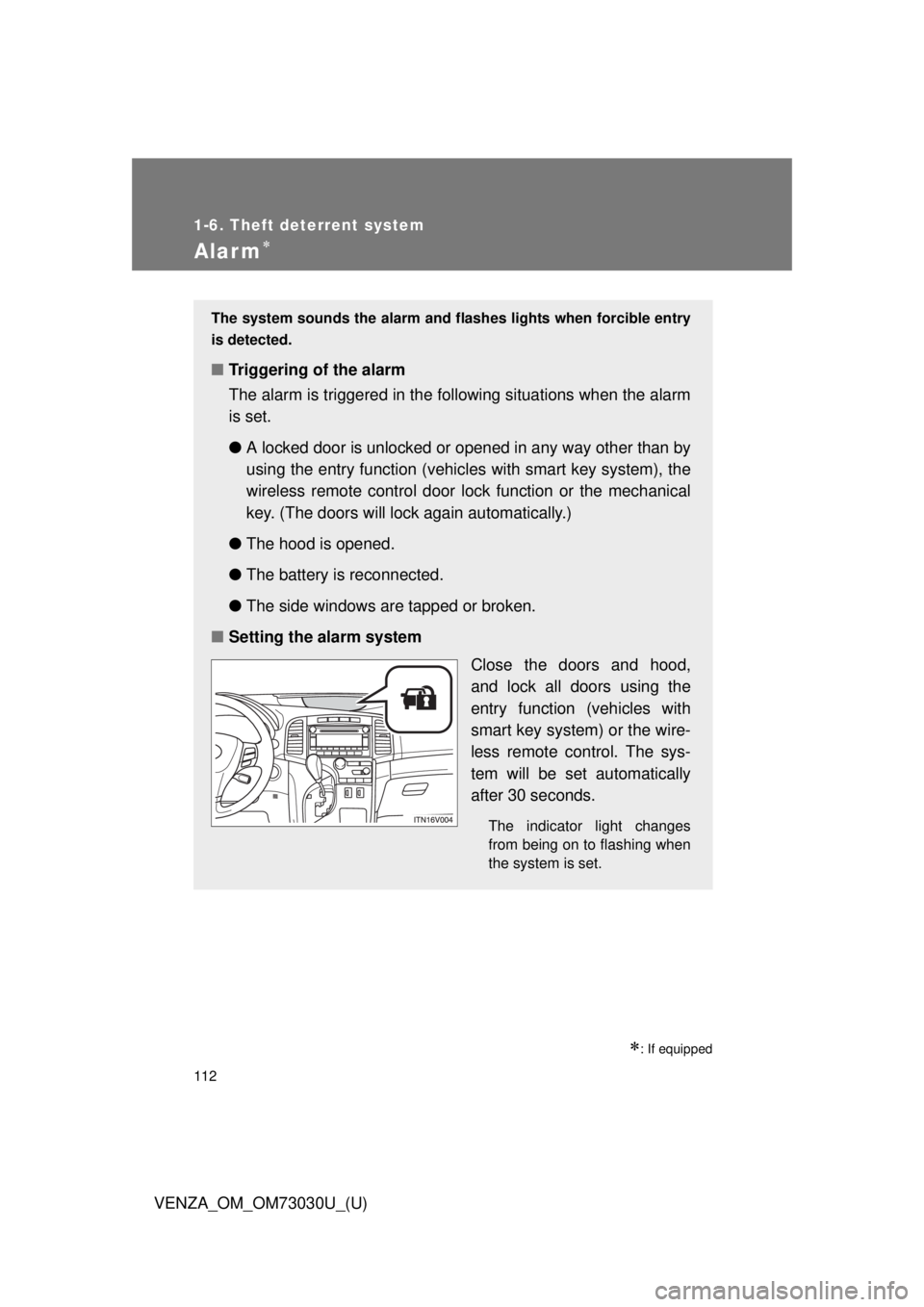
■ Setting the alarm system
Close the doors and hood,
and lock all doors using the
entry function (vehicles with
smart key system) or the wire-
less remote control. The sys-
tem will be set automatically
after 30 seconds. The indicator light changes
from being on to flashing when
the system is set.
Page 113 of 688
1131-6. Theft deterrent system
1
Before driving
VENZA_OM_OM73030U_(U) ■ System maintenance
The vehicle has a maintenance-free type alarm system.
■ Items to check before locking the vehicle
To prevent unexpected triggering of the alarm and vehicle theft, make sure
of the following.
● Nobody is in the vehicle.
● The windows and moon roof are closed before the alarm is set.
● No valuables or other personal items are left in the vehicle.■ Deactivating or stopping the alarm
Do one of the following to deactivate or stop the alarm.
● Unlock the doors using the entry function (vehicles with smart
key system) or the wire less remote control.
● Start the engine. (The alarm will be deactivated or stopped
after a few seconds.)
Page 115 of 688
1151-6. Theft deterrent system
1
Before driving
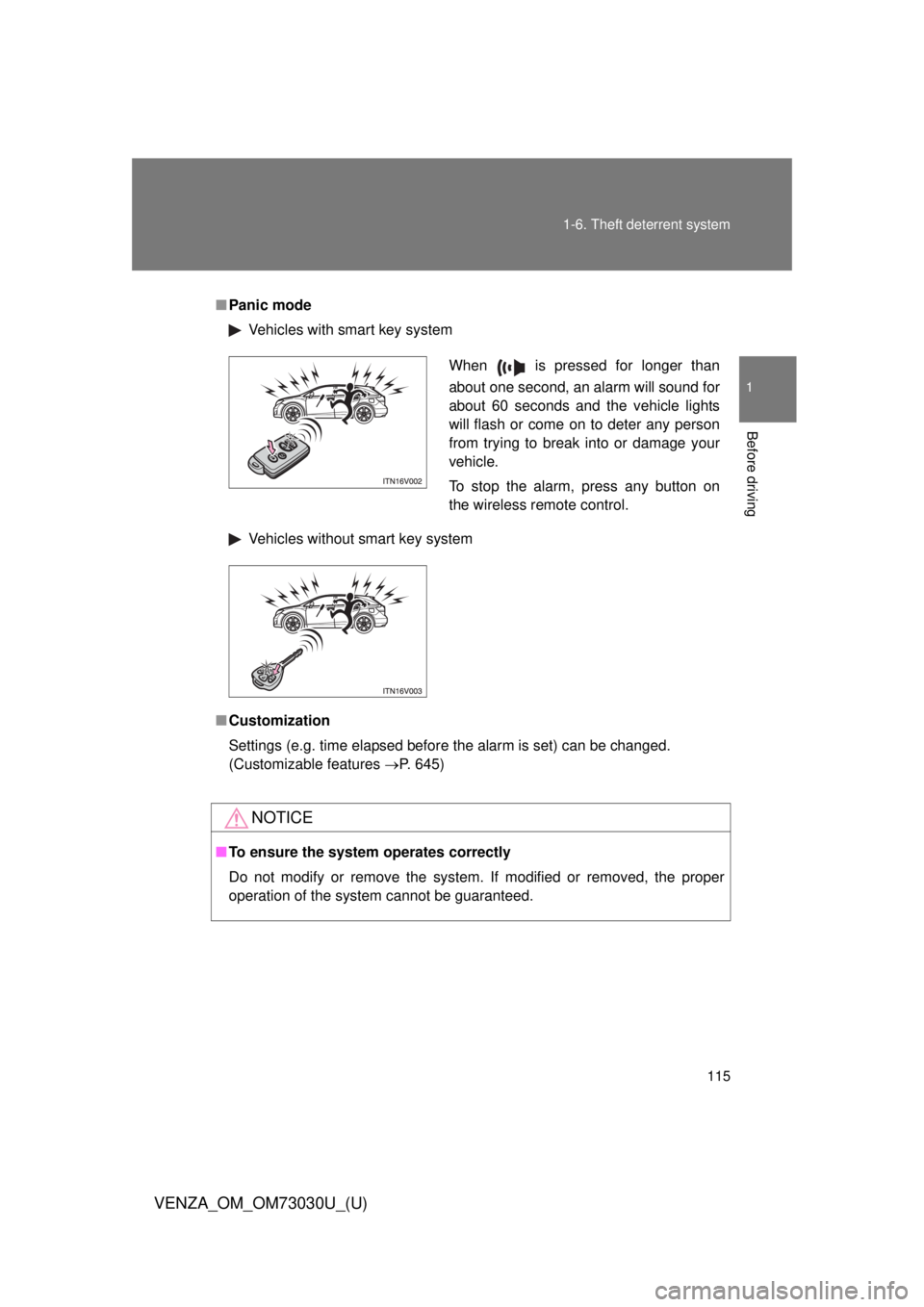
VENZA_OM_OM73030U_(U) ■ Panic mode
Vehicles with smart key system
Vehicles without smart key system
■ Customization
Settings (e.g. time elapsed before the alarm is set) can be changed.
(Customizable features P. 645)
NOTICE■ To ensure the system operates correctly
Do not modify or remove the system. If modified or removed, the proper
operation of the system cannot be guaranteed. When is pressed for longer than
about one second, an alarm will sound for
about 60 seconds and the vehicle lights
will flash or come on to deter any person
from trying to break into or damage your
vehicle.
To stop the alarm, press any button on
the wireless remote control.
Page 422 of 688
4223-2. Using the audio system (Entune Audio)
VENZA_OM_OM73030U_(U) ■ Compatible models
The Bluetooth ®
audio system supports portable audio players with the fol-
lowing specifications
● Bluetooth ®
specifications:
Ver. 1.1, or higher (Recommended: Ver. 3.0+EDR or higher)
● Profiles:
• A2DP (Advanced Audio Distribution Profile) Ver. 1.0, or higher
(Recommended: Ver. 1.2 or higher)
This is a profile to transmit stereo audio to the audio system.
• AVRCP (Audio/Video Remote Control Profile) Ver. 1.0 or higher
(Recommended: Ver. 1.4 or higher)
This is a profile to allow remote control the A/V equipment.
However, please note that some functions may be limited depending on the
type of portable audio player connected.
The hands-free system supports cellular phones with the following specifica-
tions.
● Bluetooth ®
specification:
Ver. 1.1 or higher (Recommended: Ver. 3.0+EDR or higher)
● Profiles:
• HFP (Hands Free Profile) Ver. 1.0 or higher (Recommended: Ver. 1.6
or higher)
This is a profile to allow hands-free phone calls using a cellular phone
or head set. It has outgoing and incoming call functions.
• OPP (Object Push Profile) Ver. 1. 1 or higher (Recommended: Ver. 1.2)
This is a profile to transfer contact data. When a Bluetooth ®
compatible
cellular phone has both PBAP and OPP, OPP cannot be used.
• PBAP (Phone Book Access Profile) Ver. 1.0 or higher (Recommended:
Ver. 1.1)
This is a profile to transfer contact data.
• MAP (Message Access Profile) Ver. 1.0 or higher
If the cellular phone does not support HFP, you cannot register it with the
hands-free system.
Page 458 of 688
4583-5. Other interior features
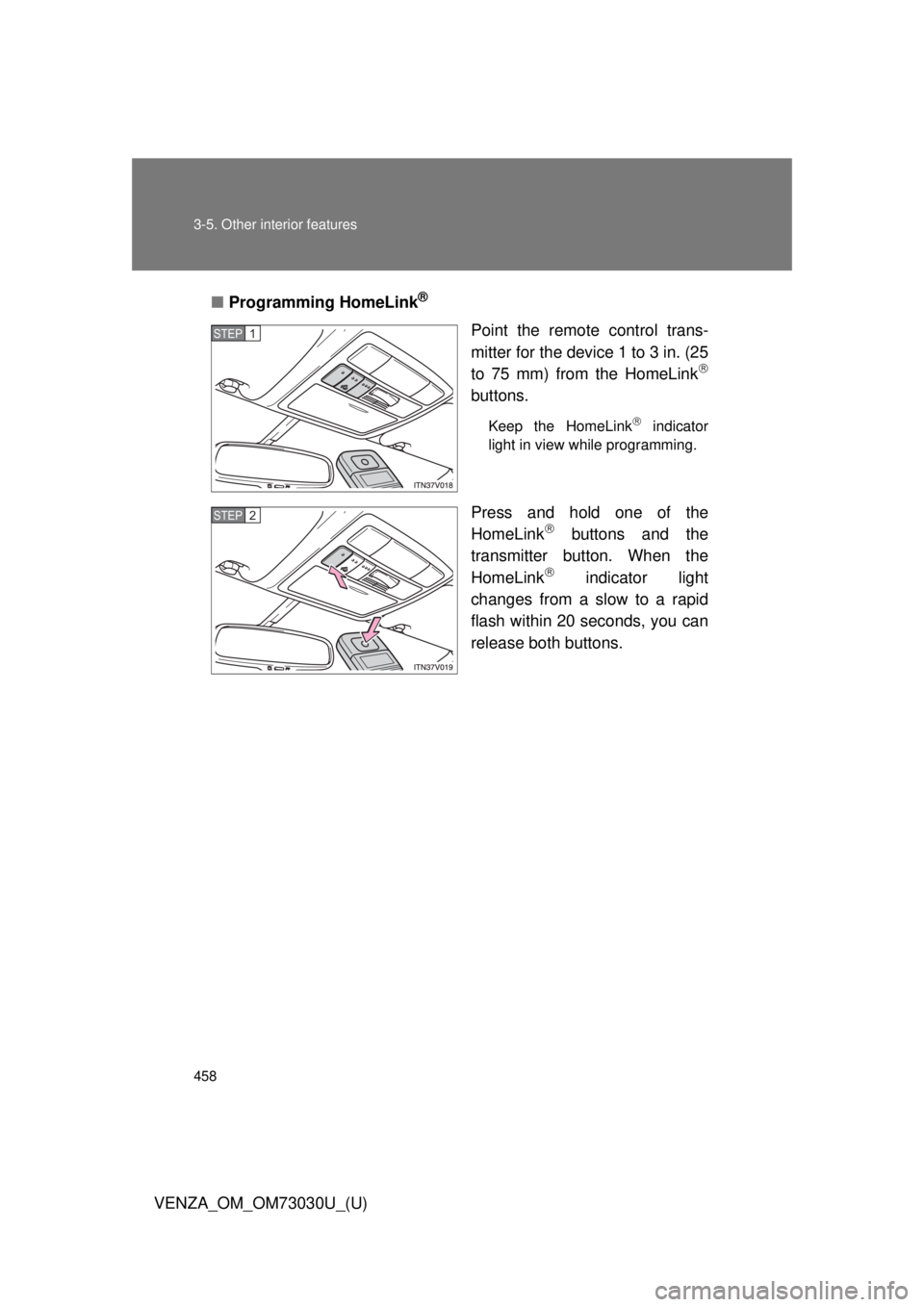
VENZA_OM_OM73030U_(U) ■ Programming HomeLink ®
Point the remote control trans-
mitter for the device 1 to 3 in. (25
to 75 mm) from the HomeLink
buttons. Keep the HomeLink
indicator
light in view while programming.
Press and hold one of the
HomeLink
buttons and the
transmitter button. When the
HomeLink
indicator light
changes from a slow to a rapid
flash within 20 seconds, you can
release both buttons.STEP 1
STEP 2