sensor TOYOTA VENZA 2016 User Guide
[x] Cancel search | Manufacturer: TOYOTA, Model Year: 2016, Model line: VENZA, Model: TOYOTA VENZA 2016Pages: 688, PDF Size: 18.51 MB
Page 216 of 688
2162-3. Operating the lights and wipers
VENZA_OM_OM73030U_(U)Automatic High Beam
: If equippedThe Automatic High Beam uses an in-vehicle camera sensor to
assess the brightness of streetligh ts, the lights of oncoming and
preceding vehicles, etc., and automatically turns high beam on or off
as necessary.
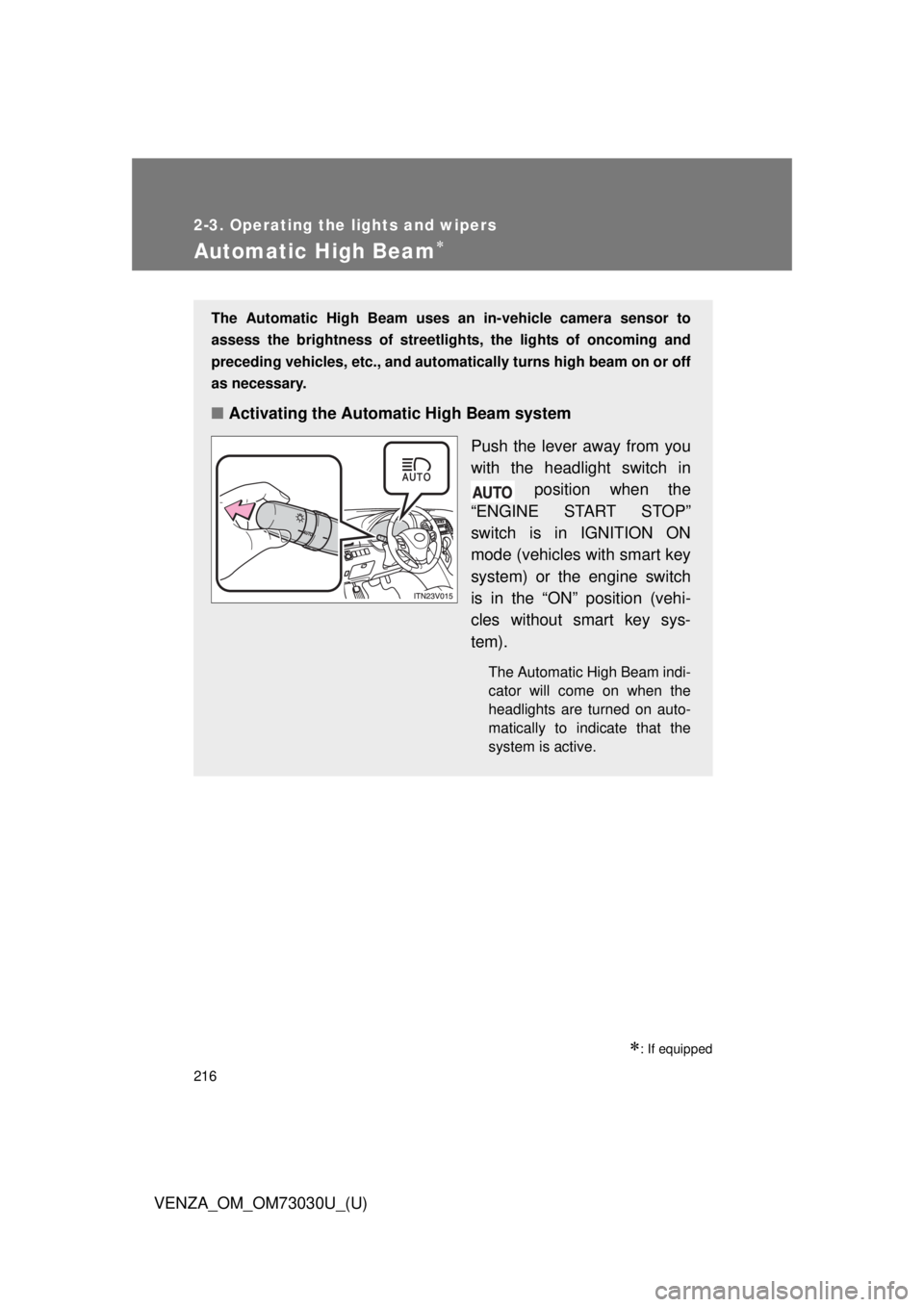
■ Activating the Automatic High Beam system
Push the lever away from you
with the headlight switch in
position when the
“ENGINE START STOP”
switch is in IGNITION ON
mode (vehicles with smart key
system) or the engine switch
is in the “ON” position (vehi-
cles without smart key sys-
tem). The Automatic High Beam indi-
cator will come on when the
headlights are turned on auto-
matically to indicate that the
system is active.
Page 219 of 688
2192-3. Operating the lights and wipers
2
When driving
VENZA_OM_OM73030U_(U) ■ Limitations of the Automatic High Beam
Do not rely on the Automatic High Beam. Always drive safely, taking care to
observe your surroundings and turning high beam on or off manually if nec-
essary.
■ Camera sensor detection information
● High beam may not be automatically turned off in the following situations:
• When oncoming vehicles suddenly appear from a curve.
• When the vehicle is cut in front of by another.
● High beam may be turned off if an oncoming vehicle that is using fog
lights without using the headlights is detected.
● Houselights, streetlights, red traffic signals, and illuminated billboards or
signs may cause the high beam to turn off.
● The following factors may affect the amount of time taken to turn high
beam on or off:
• The brightness of headlights, fog lights, and tail lights of oncoming and
preceding vehicles
• Road conditions (wetness, ice, snow etc.)
• The number of passengers and amount of baggage
● High beam may be turned on or off when unexpected by the driver.
Page 220 of 688

2202-3. Operating the lights and wipers
VENZA_OM_OM73030U_(U) ● In the situations below, the system may not be able to correctly detect the
surrounding brightness levels, and may flash or expose nearby pedestri-
ans to the high beam. Therefore, you should consider turning the high
beam on or off manually rather than relying on the Automatic High Beam
system.
• In bad weather (rain, snow, fog, sandstorms etc.)
• The windshield is obscured by fog, mist, ice, dirt etc.
• The windshield is cracked or damaged.
• The inside rear view mirror or ca mera sensor is deformed or dirty.
• Surrounding brightness levels are equal to those of headlights, tail
lights or fog lights.
• Vehicles ahead have headlights that are either switched off, dirty, are
changing color, or are not aimed properly.
• When driving through an area of intermittently changing brightness and
darkness
• When frequently and repeatedly driving ascending/descending roads,
or roads with rough, bumpy or uneven surfaces (such as stone-paved
roads, gravel tracks etc.)
• When frequently and repeatedly taking curves or driving on a winding
road
• There is a highly reflective object ahead of the vehicle, such as a sign
or a mirror.
• The vehicle’s headlights are damaged or dirty.
• The vehicle is listing or tilting, due to a flat tire, a trailer being towed etc.
• The Automatic High Beam indicator is flashing.
• The high beam and low beam are repeatedly being switched between
in an abnormal manner.
• The driver believes that the high beam may be causing problems or
distress to other drivers or pedestrians nearby.
Page 221 of 688
2212-3. Operating the lights and wipers
2
When driving
VENZA_OM_OM73030U_(U) ■ If the Automatic High Beam indicator flashes...
It may indicate a malfunction in the system. Contact your Toyota dealer.
■ Customization
The Automatic High Beam can be turned off.
(Customizable features P. 645)
■ Temporary lowering sensor sensitivity
The sensitivity of the sensor can be temporarily lowered.
To lower the sensitivity, push and hold the “AUTO” button on the inside rear
view mirror for 15 to 20 seconds, and release. The indicator light on the
inside rear view mirror will flash to indicate that the sensitivity has been low-
ered.
Vehicles with smart key system:
When the “ENGINE START STOP” switch is turned off, the sensitivity will be
returned to its normal level.
Vehicles without smart key system:
When the engine switch is turned to the “LOCK” position, the sensitivity will
be returned to its normal level.
Page 222 of 688
2222-3. Operating the lights and wipers
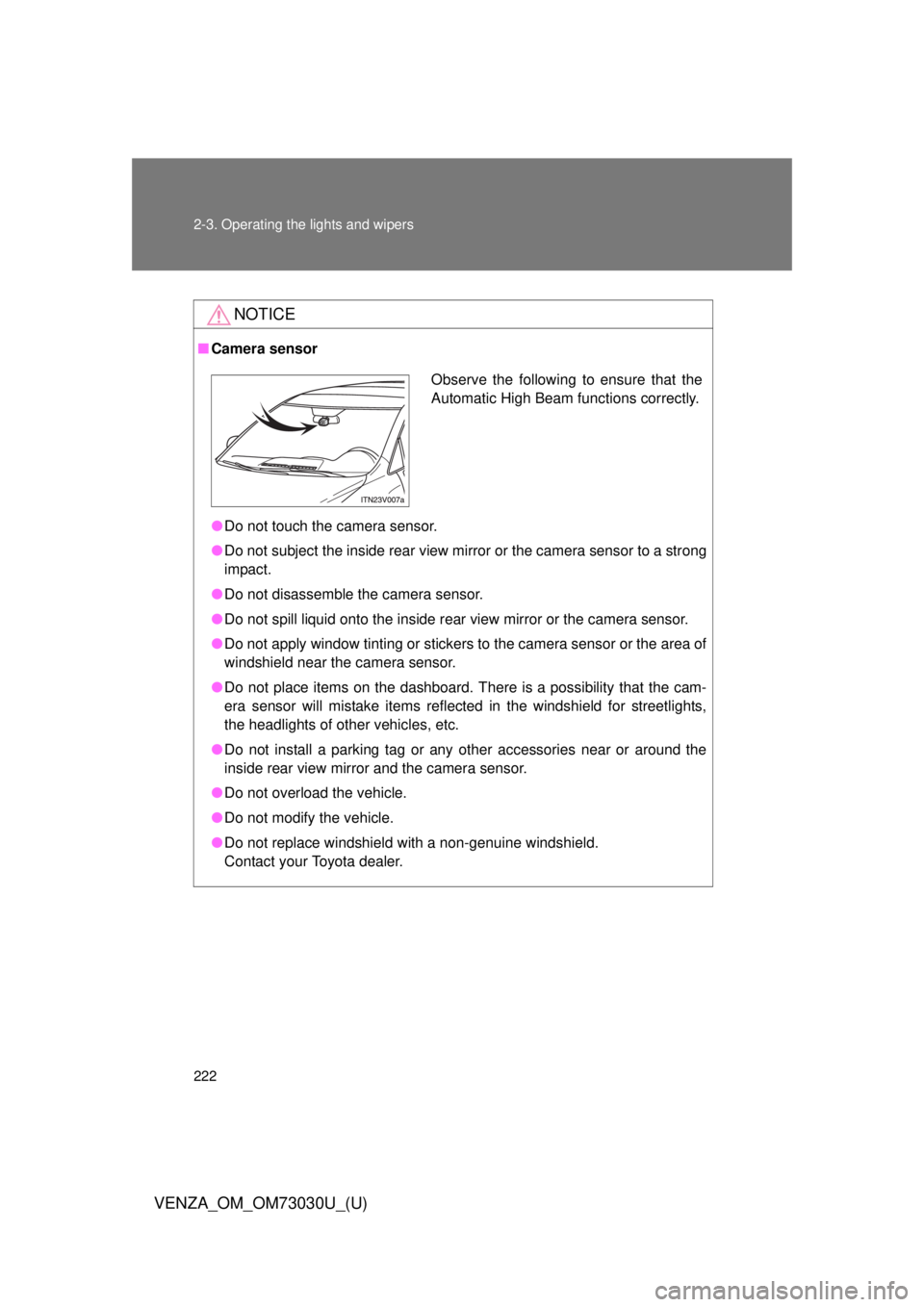
VENZA_OM_OM73030U_(U) NOTICE■ Camera sensor
● Do not touch the camera sensor.
● Do not subject the inside rear view mirr or or the camera sensor to a strong
impact.
● Do not disassemble the camera sensor.
● Do not spill liquid onto the inside rear view mirror or the camera sensor.
● Do not apply window tinting or stickers to the camera sensor or the area of
windshield near the camera sensor.
● Do not place items on the dashboard. There is a possibility that the cam-
era sensor will mistake items reflected in the windshield for streetlights,
the headlights of other vehicles, etc.
● Do not install a parking tag or any other accessories near or around the
inside rear view mirror and the camera sensor.
● Do not overload the vehicle.
● Do not modify the vehicle.
● Do not replace windshield with a non-genuine windshield.
Contact your Toyota dealer. Observe the following to ensure that the
Automatic High Beam functions correctly.
Page 235 of 688
2352-4. Using other driving systems
2
When driving
VENZA_OM_OM73030U_(U) Intuitive parking assist
: If equippedThe distance from your vehicle to nearby obstacles when parallel
parking or maneuvering into a ga rage is measured by the sensors
and communicated via the multi-in formation display, the audio sys-
tem screen and a buzzer. Always check the surrounding area when
using this system.
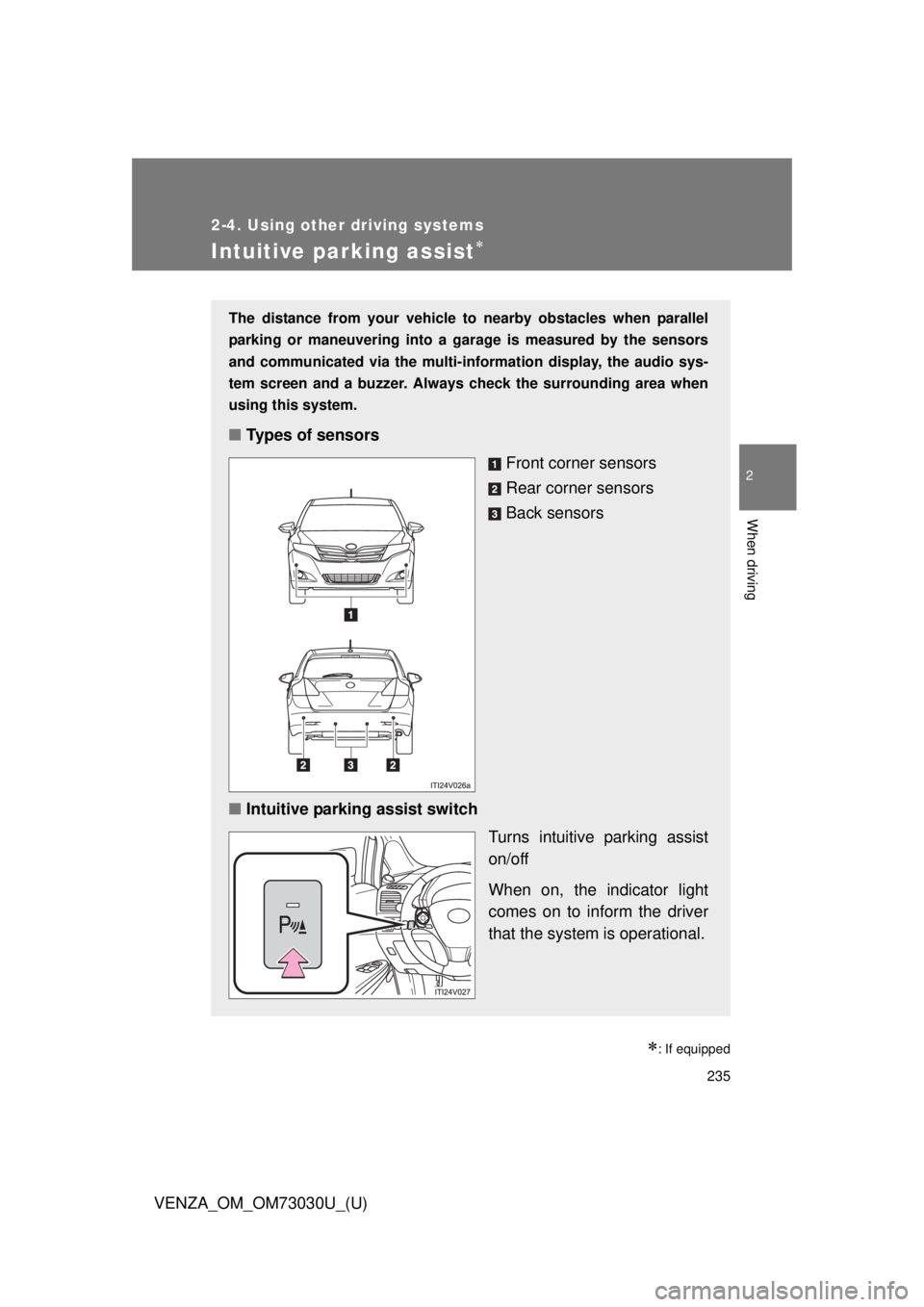
■ Types of sensors
Front corner sensors
Rear corner sensors
Back sensors
■ Intuitive parking assist switch
Turns intuitive parking assist
on/off
When on, the indicator light
comes on to inform the driver
that the system is operational.
Page 236 of 688
2362-4. Using other driving systems
VENZA_OM_OM73030U_(U) Display
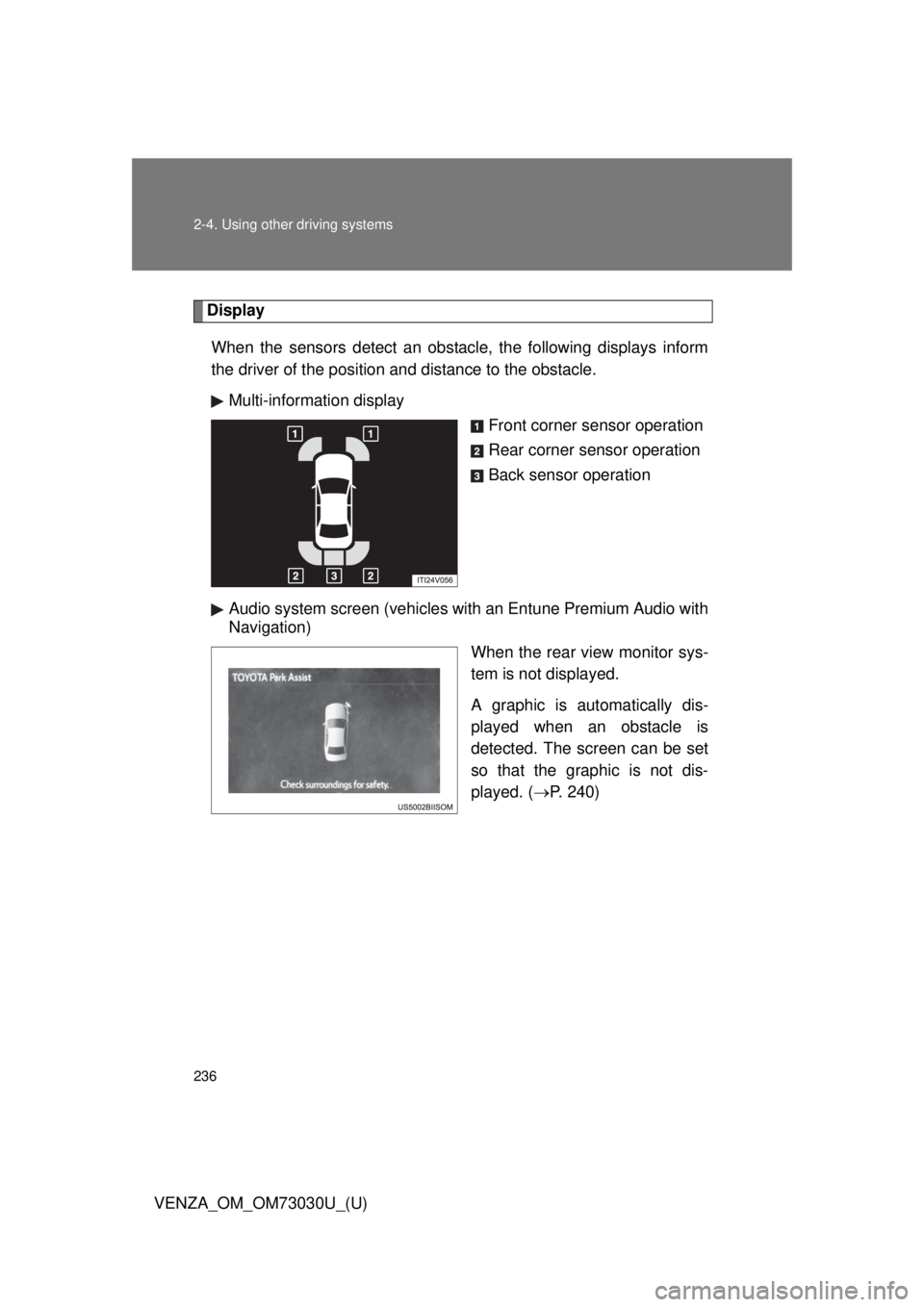
When the sensors detect an obstacle, the following displays inform
the driver of the position and distance to the obstacle.
Multi-information display
Front corner sensor operation
Rear corner sensor operation
Back sensor operation
Audio system screen (vehicles with an Entune Premium Audio with
Navigation)
When the rear view monitor sys-
tem is not displayed.
A graphic is automatically dis-
played when an obstacle is
detected. The screen can be set
so that the graphic is not dis-
played. ( P. 240)
Page 237 of 688
2372-4. Using other driving systems
2
When driving
VENZA_OM_OM73030U_(U) The distance display and buzzer
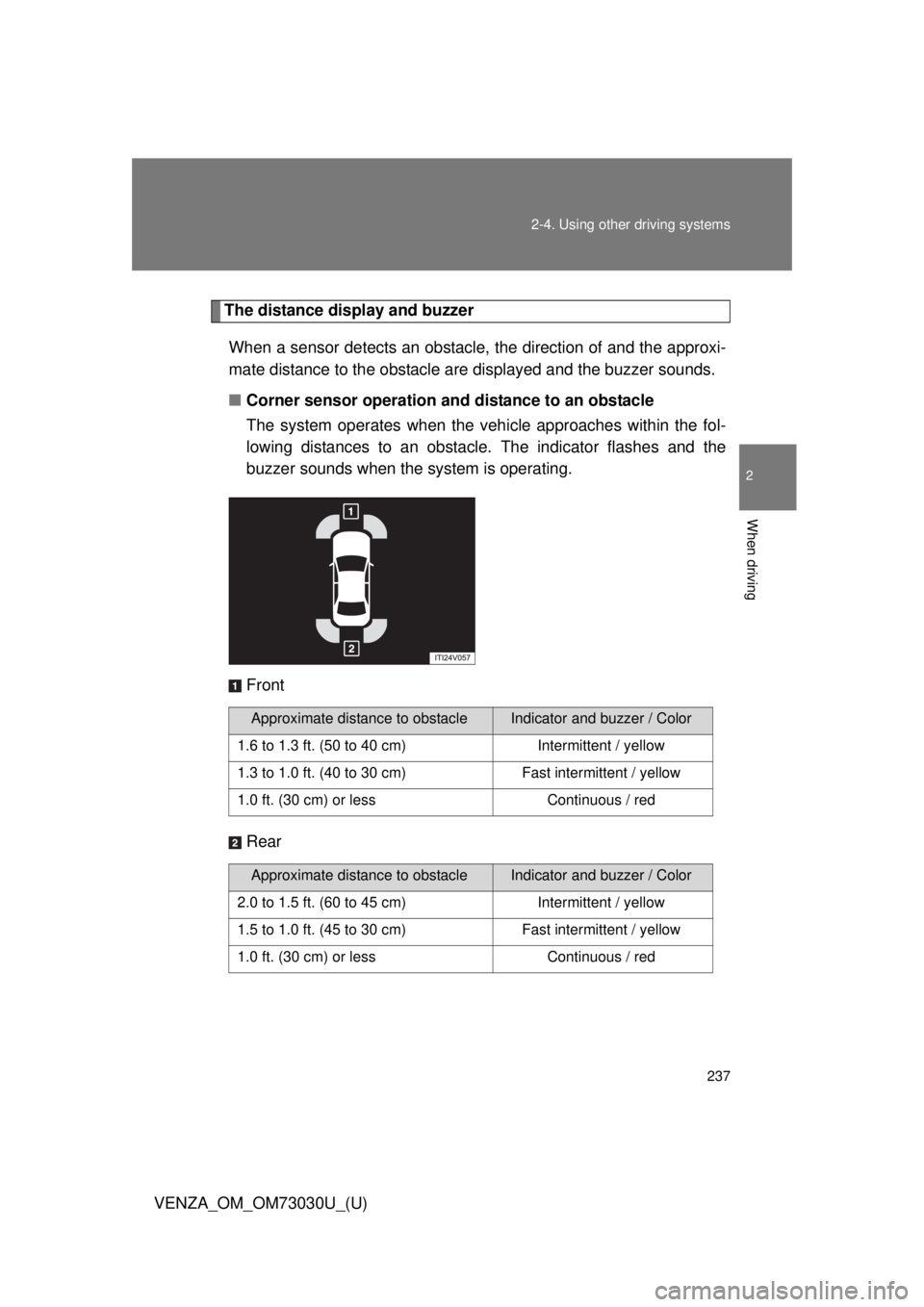
When a sensor detects an obstacle, the direction of and the approxi-
mate distance to the obstacle are displayed and the buzzer sounds.
■ Corner sensor operation and distance to an obstacle
The system operates when the vehi cle approaches within the fol-
lowing distances to an obstacle. The indicator flashes and the
buzzer sounds when the system is operating.
Front
Rear Approximate distance to obstacle Indicator and buzzer / Color
1.6 to 1.3 ft. (50 to 40 cm) Intermittent / yellow
1.3 to 1.0 ft. (40 to 30 cm) Fast intermittent / yellow
1.0 ft. (30 cm) or less Continuous / red
Approximate distance to obstacle Indicator and buzzer / Color
2.0 to 1.5 ft. (60 to 45 cm) Intermittent / yellow
1.5 to 1.0 ft. (45 to 30 cm) Fast intermittent / yellow
1.0 ft. (30 cm) or less Continuous / red
Page 238 of 688
2382-4. Using other driving systems
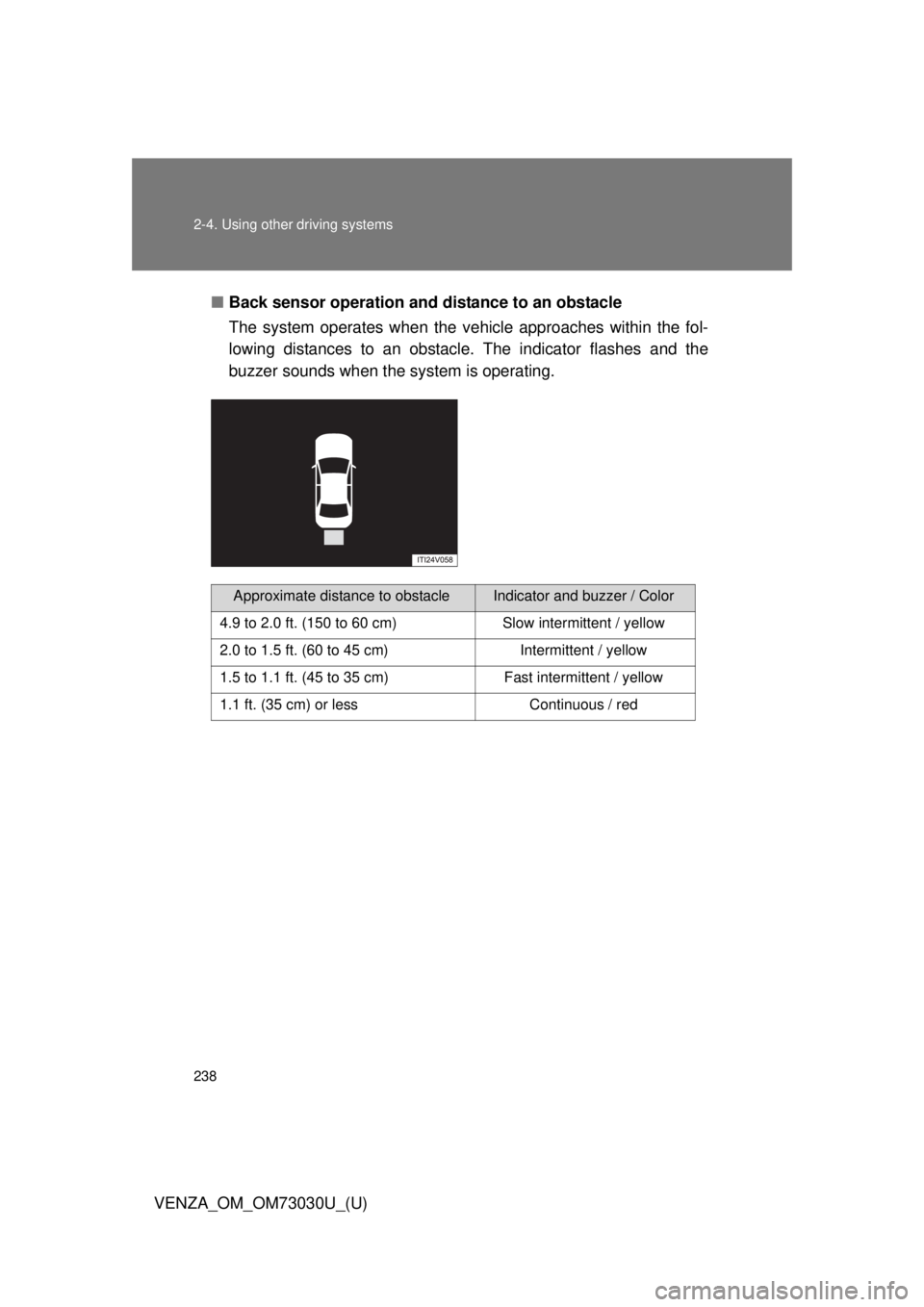
VENZA_OM_OM73030U_(U) ■ Back sensor operation and distance to an obstacle
The system operates when the ve hicle approaches within the fol-
lowing distances to an obstacle. The indicator flashes and the
buzzer sounds when the system is operating.
Approximate distance to obstacle Indicator and buzzer / Color
4.9 to 2.0 ft. (150 to 60 cm) Slow intermittent / yellow
2.0 to 1.5 ft. (60 to 45 cm) Intermittent / yellow
1.5 to 1.1 ft. (45 to 35 cm) Fast intermittent / yellow
1.1 ft. (35 cm) or less Continuous / red
Page 239 of 688
2392-4. Using other driving systems
2
When driving
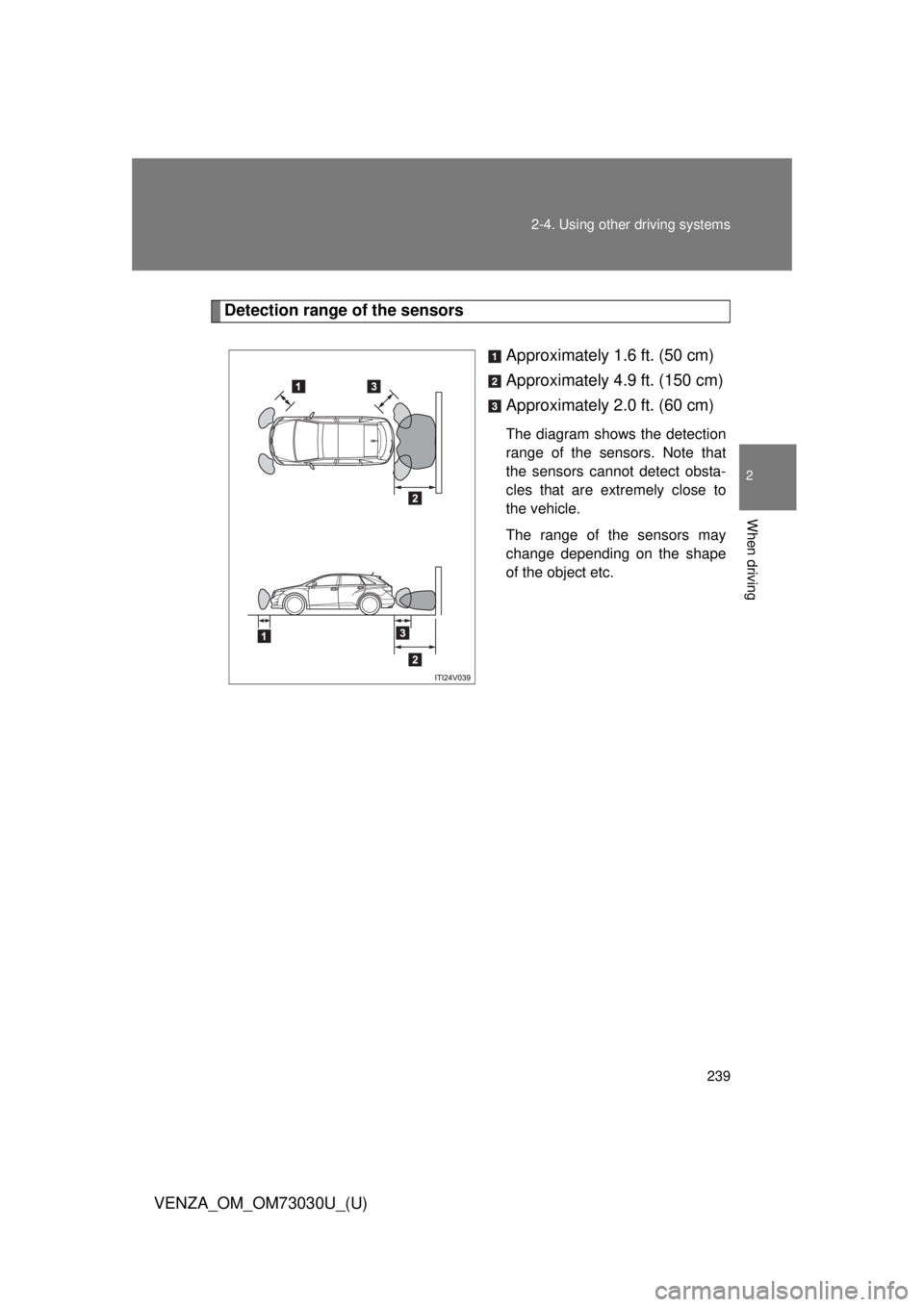
VENZA_OM_OM73030U_(U) Detection range of the sensors
Approximately 1.6 ft. (50 cm)
Approximately 4.9 ft. (150 cm)
Approximately 2.0 ft. (60 cm) The diagram shows the detection
range of the sensors. Note that
the sensors cannot detect obsta-
cles that are extremely close to
the vehicle.
The range of the sensors may
change depending on the shape
of the object etc.