battery TOYOTA VENZA 2016 Owner's Manual
[x] Cancel search | Manufacturer: TOYOTA, Model Year: 2016, Model line: VENZA, Model: TOYOTA VENZA 2016Pages: 688, PDF Size: 18.51 MB
Page 352 of 688
3523-2. Using the audio system (Entune Audio)
VENZA_OM_OM73030U_(U) ■ iPod cover art
● Depending on the iPod and songs in the iPod, iPod cover art may be dis-
played.
● This function can be changed to on/off. ( P. 332)
● It may take time to display iPod cover art, and the iPod may not be oper-
ated while the cover art display is in process.
● Only iPod cover art that is saved in JPEG format can be displayed.
■ iPod functions
● When an iPod is connected and the audio source is changed to iPod
mode, the iPod will resume play from the same point in which it was last
used.
● Depending on the iPod that is connected to the system, certain functions
may not be available. If a function is unavailable due to a malfunction (as
opposed to a system specification), disconnecting the device and recon-
necting it may resolve the problem.
● While connected to the system, the iPod cannot be operated with its own
controls. It is necessary to use the controls of the vehicle’s audio system
instead.
● When the battery level of an iPod is very low, the iPod may not operate. If
so, charge the iPod before use.
● Compatible models ( P. 354)
■ iPod problems
To resolve most problems encountered when using your iPod, disconnect
your iPod from the vehicle iPod connection and reset it. For instructions on
how to reset your iPod, refer to your iPod Owner’s Manual.
Page 377 of 688
3773-2. Using the audio system (Entune Audio)
VENZA_OM_OM73030U_(U) 3
Interior features
Listening to Bluetooth ®
Audio
Status display
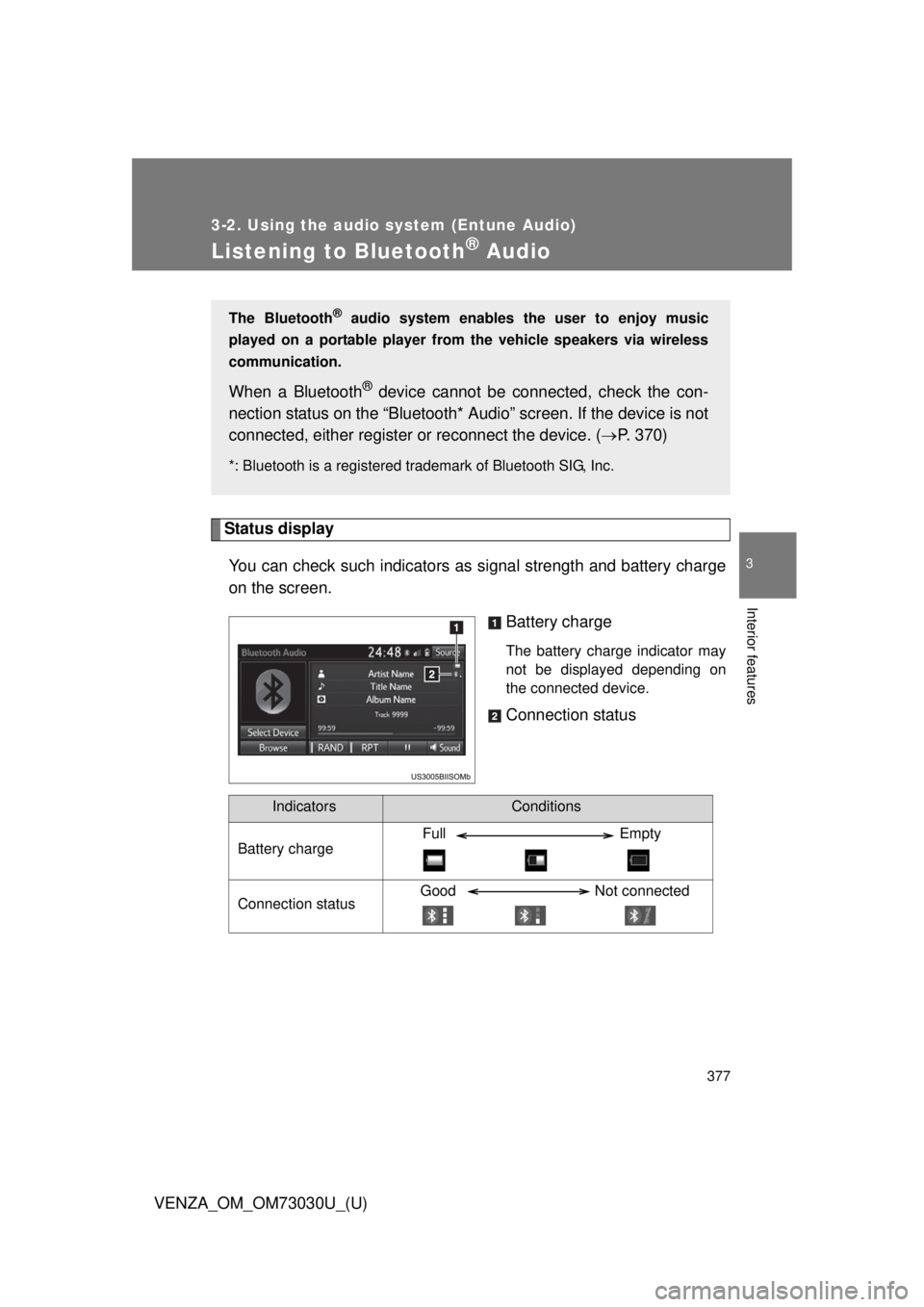
You can check such indicators as signal strength and battery charge
on the screen.
Battery charge The battery charge indicator may
not be displayed depending on
the connected device.
Connection statusThe Bluetooth ®
audio system enables the user to enjoy music
played on a portable player from the vehicle speakers via wireless
communication.
When a Bluetooth ®
device cannot be con nected, check the con-
nection status on the “Bluetooth* Audio” screen. If the device is not
connected, either register or reconnect the device. ( P. 370)*: Bluetooth is a registered trademark of Bluetooth SIG, Inc.
Indicators Conditions
Battery charge Full Empty
Connection status Good Not connected
Page 379 of 688
3793-2. Using the audio system (Entune Audio)
VENZA_OM_OM73030U_(U) 3
Interior features
Using a Bluetooth ®
Phone
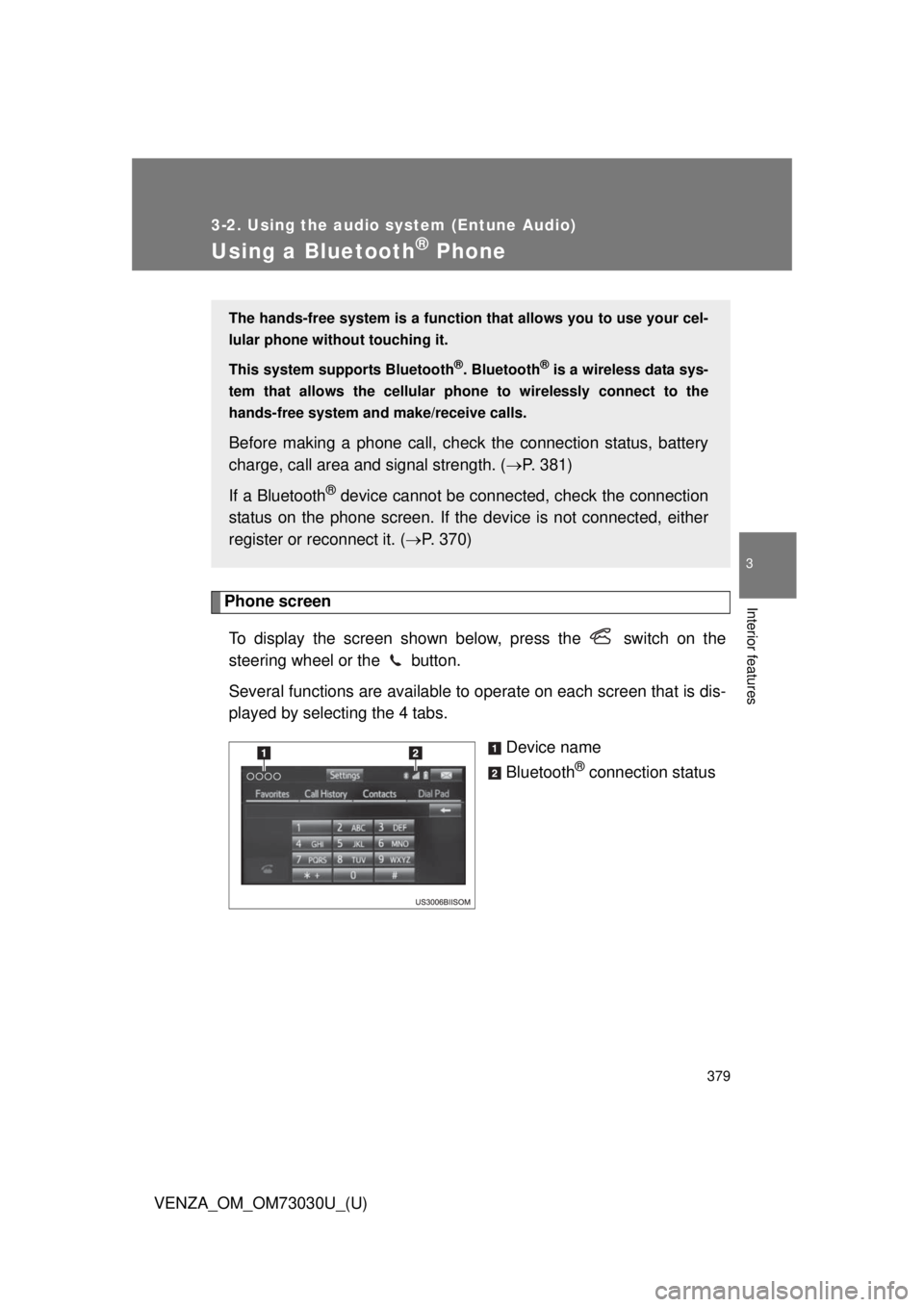
Phone screen
To display the screen shown below, press the switch on the
steering wheel or the button.
Several functions are available to operate on each screen that is dis-
played by selecting the 4 tabs.
Device name
Bluetooth ®
connection statusThe hands-free system is a function th at allows you to use your cel-
lular phone without touching it.
This system supports Bluetooth ®
. Bluetooth ®
is a wireless data sys-
tem that allows the cellular phone to wirelessly connect to the
hands-free system and make/receive calls.
Before making a phone call, check the connection status, battery
charge, call area and signal strength. ( P. 381)
If a Bluetooth ®
device cannot be connec ted, check the connection
status on the phone screen. If the de vice is not connected, either
register or reconnect it. ( P. 370)
Page 381 of 688
3813-2. Using the audio system (Entune Audio)
VENZA_OM_OM73030U_(U) 3
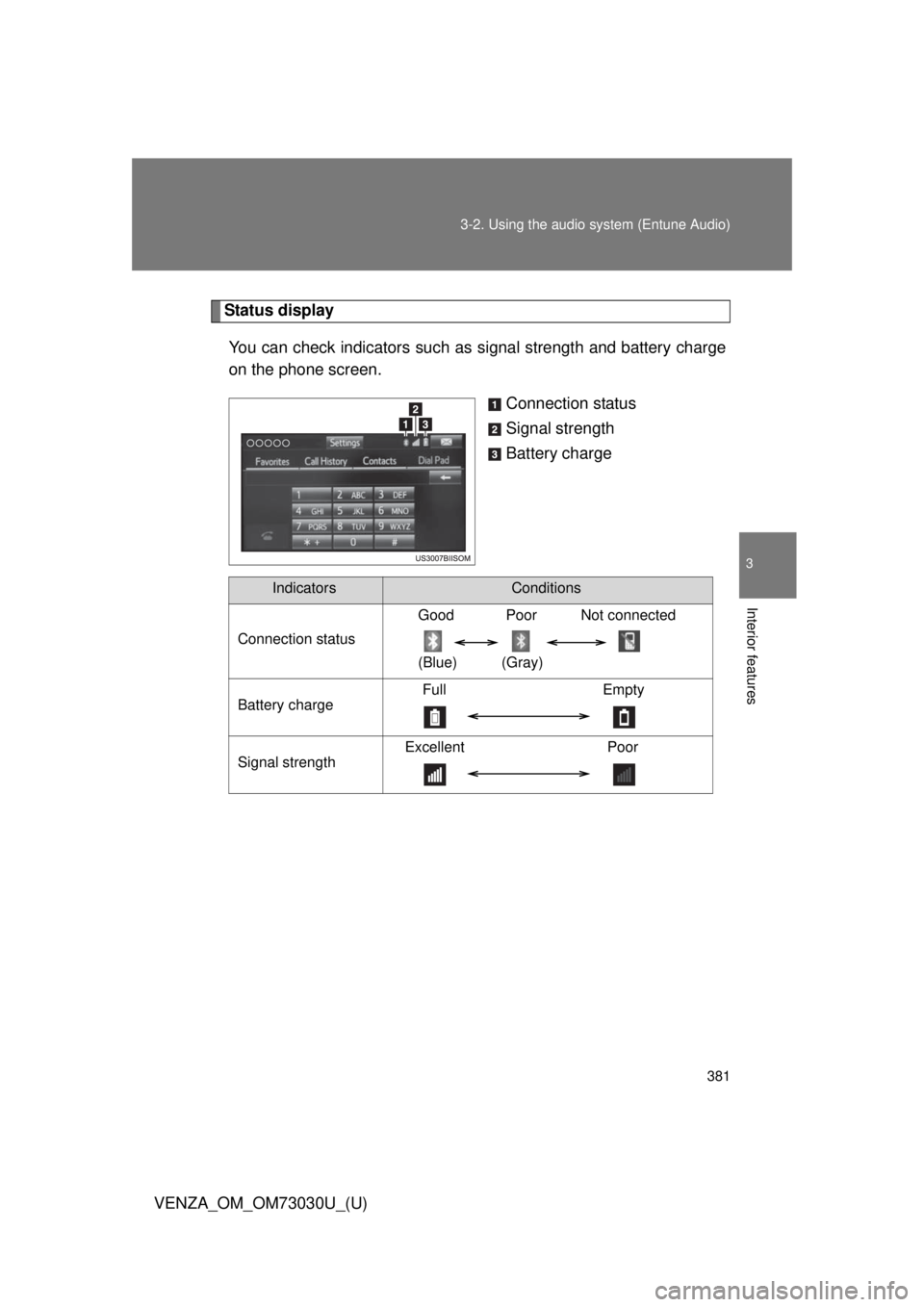
Interior features Status display
You can check indicators such as signal strength and battery charge
on the phone screen.
Connection status
Signal strength
Battery charge
Indicators Conditions
Connection status Good Poor Not connected
(Blue) (Gray)
Battery charge Full Empty
Signal strength Excellent Poor
Page 419 of 688
4193-2. Using the audio system (Entune Audio)
VENZA_OM_OM73030U_(U) 3
Interior features
Bluetooth ®■ When using the Bluetooth ®
audio system
● In the following conditions, the system may not function.
• If the portable audio player is turned off
• If the portable audio player is not connected
• If the portable audio player’s battery is low
● There may be a delay if a cellular phone connection is made during
Bluetooth ®
audio play.
● Depending on the type of portable audio player that is connected to the
system, operation may differ slightly and certain functions may not be
available.
■ When using the hands-free system
● The audio system is muted when making a call.
● If both parties speak at the same time, it may be difficult to hear.
● If the received call volume is overly loud, an echo may be heard.
If the Bluetooth ®
phone is too close to the system, quality of the sound
may deteriorate and connection status may deteriorate.
● In the following circumstances, it may be difficult to hear the other party:
• When driving on unpaved roads
• When driving at high speeds
• If a roof or window is open
• If the air conditioning is blowing directly on the microphone
• If there is interference from the network of the cellular phone
Page 420 of 688
4203-2. Using the audio system (Entune Audio)
VENZA_OM_OM73030U_(U) ■ Conditions under which th e system will not operate
● If using a cellular phone that does not support Bluetooth ®
● If the cellular phone is turned off
● If you are outside of cellular phone service coverage
● If the cellular phone is not connected
● If the cellular phone’s battery is low
● When outgoing calls are controlled, due to heavy traffic on telephone
lines, etc.
● When the cellular phone itself cannot be used
● When transferring contact data from the cellular phone
■ Bluetooth ®
antenna
The antenna is built into the display.
If the portable audio player is behind the seat or in the glove box or console
box, or is touching or covered by metal objects, the connection status may
deteriorate.
If the cellular phone is behind the seat or in the console box, or touching or
covered by metal objects, the connection status may deteriorate.
■ Battery charge/signal status
● This display may not correspond exactly with the portable audio player or
cellular phone itself.
● This system does not have a charging function.
● The portable audio player or cellular phone battery will be depleted
quickly when the device is connected to Bluetooth ®
.
Page 433 of 688
4333-3. Using the interior lights
3
Interior features
VENZA_OM_OM73030U_(U) ■ To prevent the battery from being discharged
Vehicles with smart key system
If the personal/interior lights and “ENGINE START STOP” switch light
remain on when the door is not fully closed and the personal/interior light
main switch is in door position, the lights will go off automatically after 20
minutes.
Vehicles without smart key system
If the personal/interior lights and engine switch light remain on when the
door is not fully closed and the personal/interior light main switch is in
door position, the lights will go off automatically after 20 minutes.
■ Customization
Settings (e.g. The time elapsed before lights turn off) can be changed.
(Customizable features
P. 645)
Page 448 of 688
4483-5. Other interior features
VENZA_OM_OM73030U_(U) ■ The power outlets can be used when
Vehicles with smart key system
The “ENGINE START STOP” switch is in ACCESSORY or IGNITION ON
mode.
Vehicles without smart key system
The engine switch is in the “ACC” or “ON” position.
NOTICE■ To avoid damaging the power outlets
Close the power outlet lid when not in use.
Foreign objects or liquids that enter the power outlet may cause a short cir-
cuit.
■ To prevent the fuse from being blown
Do not use an accessory that uses more than 12 V/10 A.
■ To prevent the battery from being discharged
Do not use the power outlet longer than necessary when the engine is not
running.
Page 450 of 688
4503-5. Other interior features
VENZA_OM_OM73030U_(U) CAUTION■ Burns
● Use caution when seating the following persons in a seat with the seat
heater on to avoid the possibility of burns:
• Babies, small children, the elderly, the sick and the disabled
• Persons with sensitive skin
• Persons who are fatigued
• Persons who have taken alcohol or drugs that induce sleep (sleeping
drugs, cold remedies, etc.)
● Do not cover the seat with anything when using the seat heater.
Using the seat heater with a blanket or cushion increases the temperature
of the seat and may lead to overheating.
NOTICE■ To prevent seat heater damage
Do not put unevenly weighted objects on the seat and do not stick sharp
objects (needles, nails, etc.) into the seat.
■ To prevent battery discharge
Turn the switches off when the engine is not running.
Page 457 of 688
4573-5. Other interior features
3
Interior features
VENZA_OM_OM73030U_(U) Garage door opener The garage door opener (HomeLink
Universal Transceiver) is manufac-
tured under license from HomeLink
.
Programming HomeLink ®
(for U.S.A. owners)To ensure correct programming into the HomeLink ®
, install a new bat-
tery in the hand-held transmitter prior to programming. Failure to
install a new battery into the hand-h eld transmitter will affect both the
range and accuracy of the HomeLink ®
in your vehicle.
The battery side of the hand-held transmitter must be pointed away
from the HomeLink ®
during the programming process.
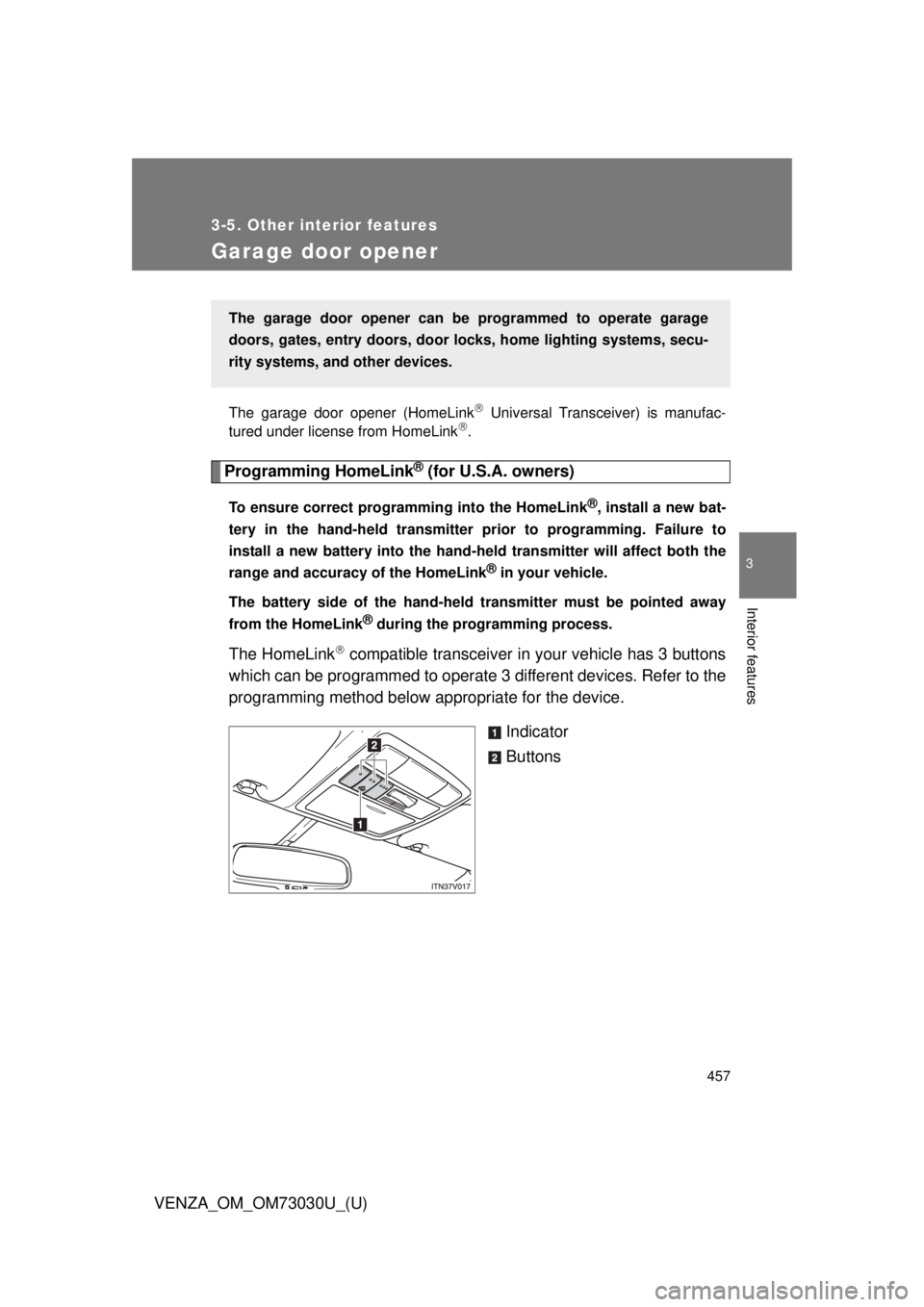
The HomeLink
compatible transceiver in your vehicle has 3 buttons
which can be programmed to operate 3 different devices. Refer to the
programming method below appropriate for the device.
Indicator
ButtonsThe garage door opener can be programmed to operate garage
doors, gates, entry do ors, door locks, home lighting systems, secu-
rity systems, and other devices.