immobilizer TOYOTA VENZA HYBRID 2021 Owners Manual (in English)
[x] Cancel search | Manufacturer: TOYOTA, Model Year: 2021, Model line: VENZA HYBRID, Model: TOYOTA VENZA HYBRID 2021Pages: 548, PDF Size: 18.43 MB
Page 2 of 548

2TABLE OF CONTENTS
For your information...................6
Reading this manual ................ 11
How to search .......................... 12
Pictorial index .......................... 14
1-1. For safe use Before driving ................... 24
For safe driving ................ 25
Seat belts ......................... 27
SRS airbags ..................... 31
Front passenger occupant classification system ...... 41
Exhaust gas precautions.. 46
1-2. Child safety Riding with children .......... 47
Child restraint systems..... 48
1-3. Emergency assistance Safety Connect ................ 63
1-4. Hybrid system Hybrid system features .... 68
Hybrid system precautions ....................................... 72
1-5. Theft deterrent system Immobilizer system .......... 77
Alarm................................ 78
Theft prevention labels (U.S.A.) .......................... 80
2-1. Instrument cluster Warning lights and indicators....................................... 82Gauges and meters (Vehicles
with 4.2-inch display) ...... 87
Gauges and meters (Vehicles with 7-inch display) ......... 91
Multi-information display (4.2- inch display) ................... 94
Multi-information display (7- inch display) ................ 105
Head-up display ............ 116
Energy monitor/ consumption
screen.......................... 120
3-1. Key information Keys .............................. 128
3-2. Opening, closing and lock- ing the doors
Side doors ..................... 131
Back door ...................... 136
Smart key system .......... 148
3-3. Adjusting the seats Front seats .................... 155
Rear seats ..................... 156
Driving position memory 158
Head restraints .............. 162
3-4. Adjusting the steering wheel and mirrors
Steering wheel............... 164
Inside rear view mirror ... 165
Digital Rear-view Mirror . 166
Outside rear view mirrors .................................... 177
3-5. Opening, closing the win- dows
Power windows ............. 179
1For safety and security
2
Vehicle status
information and
indicators
3Before driving
Page 24 of 548

23
1
1
For safety and security
For safety and security
1-1. For safe useBefore driving ................. 24
For safe driving .............. 25
Seat belts ....................... 27
SRS airbags ................... 31
Front passenger occupant classification system .... 41
Exhaust gas precautions 46
1-2. Child safety Riding with children ........ 47
Child restraint systems... 48
1-3. Emergency assistance Safety Connect .............. 63
1-4. Hybrid system Hybrid system features .. 68
Hybrid system precautions ..................................... 72
1-5. Theft deterrent system Immobilizer sys tem ........77
Alarm.............................. 78
Theft prevention labels (U.S.A.) ........................ 80
Page 78 of 548
771-5. Theft deterrent system
1
For safety and security
1-5.Theft deterrent system
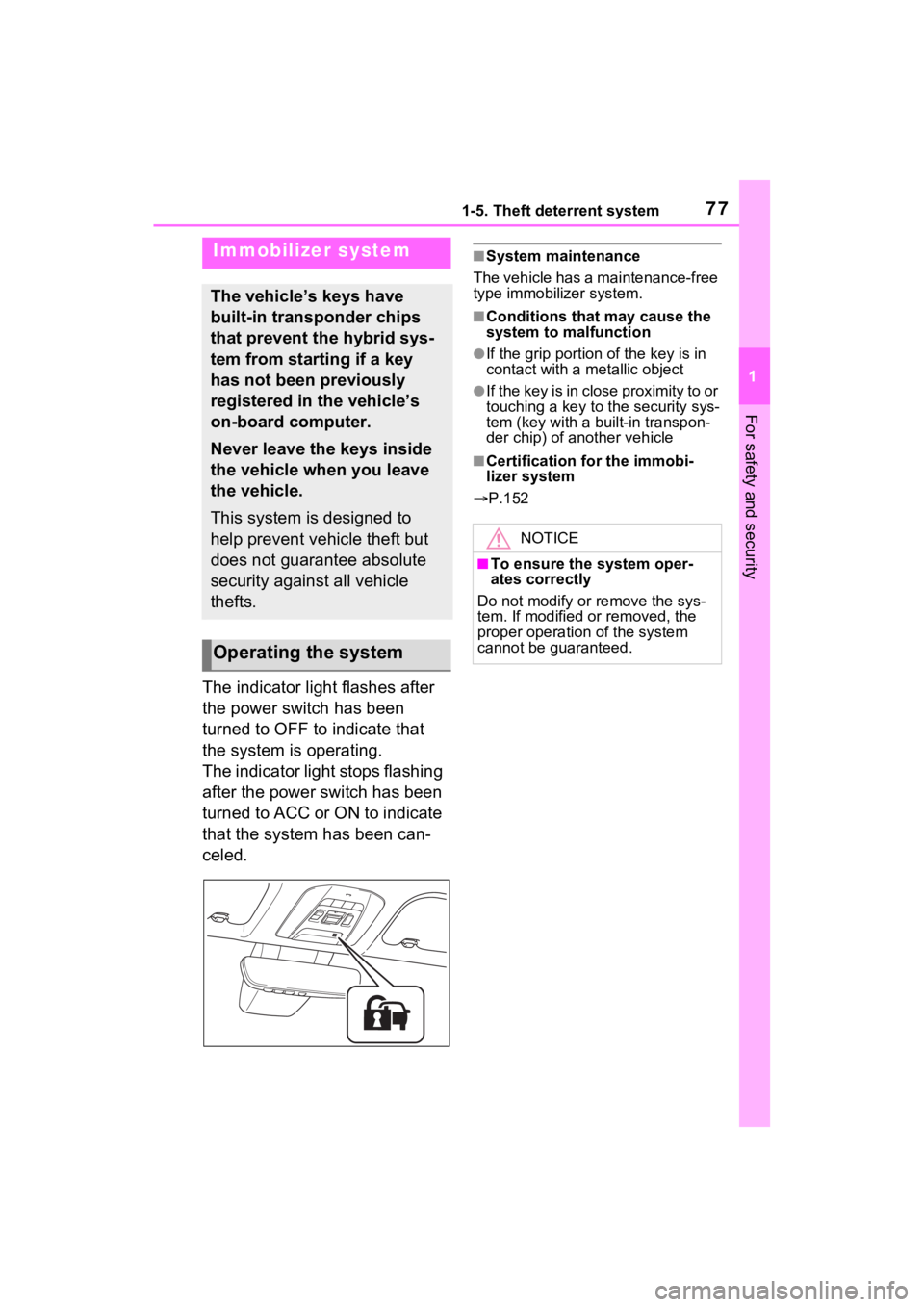
The indicator light flashes after
the power switch has been
turned to OFF to indicate that
the system is operating.
The indicator light stops flashing
after the power switch has been
turned to ACC or ON to indicate
that the system has been can-
celed.
■System maintenance
The vehicle has a maintenance-free
type immobilizer system.
■Conditions that may cause the
system to malfunction
●If the grip portion of the key is in
contact with a metallic object
●If the key is in close proximity to or
touching a key to the security sys-
tem (key with a built-in transpon-
der chip) of another vehicle
■Certification for the immobi-
lizer system
P.152
Immobilizer system
The vehicle’s keys have
built-in transponder chips
that prevent the hybrid sys-
tem from starting if a key
has not been previously
registered in the vehicle’s
on-board computer.
Never leave the keys inside
the vehicle when you leave
the vehicle.
This system is designed to
help prevent vehicle theft but
does not guarantee absolute
security against all vehicle
thefts.
Operating the system
NOTICE
■To ensure the system oper-
ates correctly
Do not modify or remove the sys-
tem. If modified or removed, the
proper operation of the system
cannot be guaranteed.
Page 152 of 548
1503-2. Opening, closing and locking the doors
mechanical key, to unlock the
doors.
■Turning an electronic key to
battery-saving mode
●When battery-saving mode is set,
battery depletion is minimized by
stopping the electronic key from
receiving radio waves.
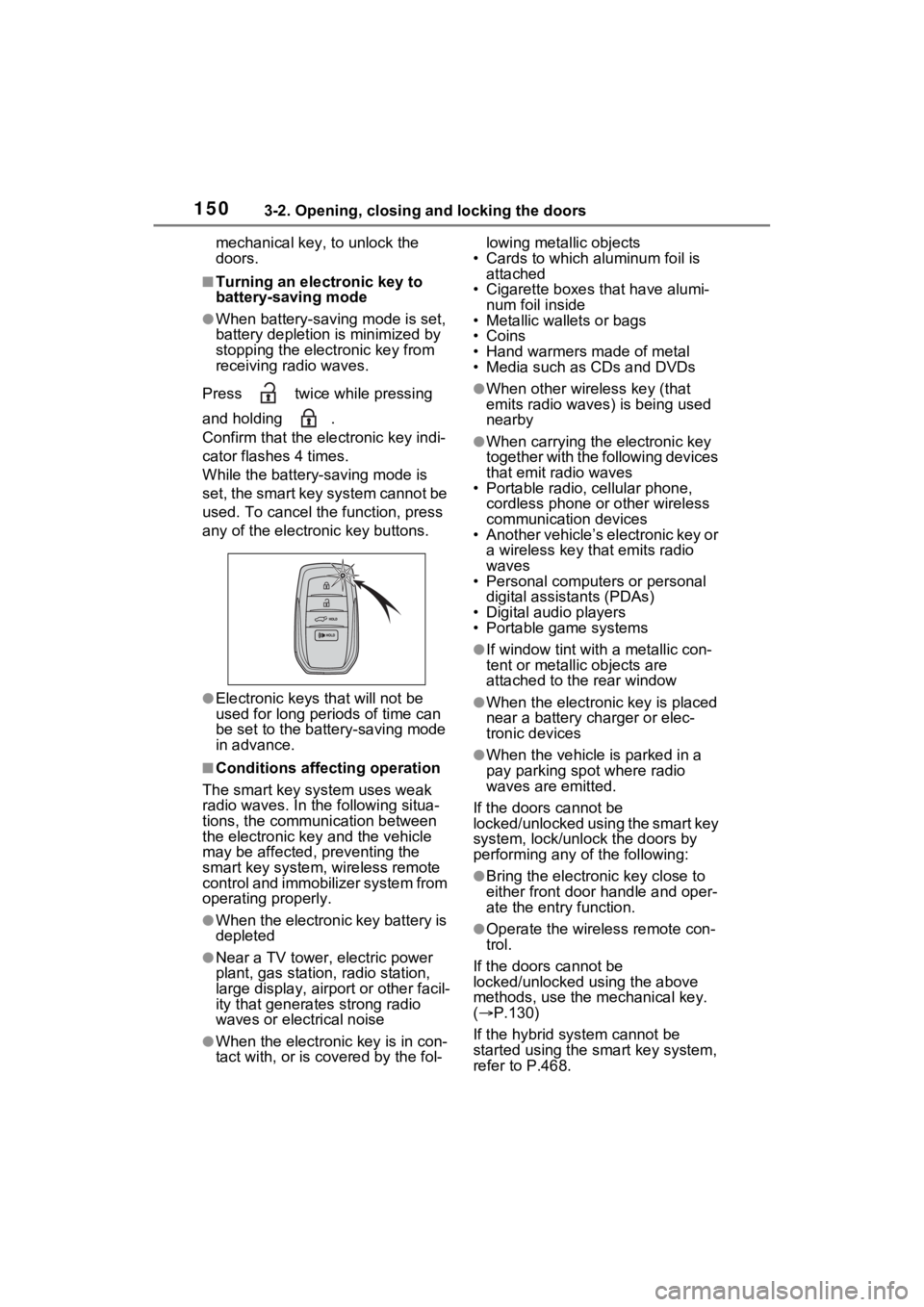
Press twice while pressing
and holding .
Confirm that the electronic key indi-
cator flashes 4 times.
While the battery-saving mode is
set, the smart key system cannot be
used. To cancel the function, press
any of the electronic key buttons.
●Electronic keys that will not be
used for long periods of time can
be set to the battery-saving mode
in advance.
■Conditions affecting operation
The smart key system uses weak
radio waves. In the following situa-
tions, the communication between
the electronic key and the vehicle
may be affected, preventing the
smart key system, wireless remote
control and immobilizer system from
operating properly.
●When the electronic key battery is
depleted
●Near a TV tower, electric power
plant, gas station , radio station,
large display, airpo rt or other facil-
ity that generates strong radio
waves or electrical noise
●When the electronic key is in con-
tact with, or is covered by the fol- lowing metallic objects
• Cards to which aluminum foil is
attached
• Cigarette boxes that have alumi- num foil inside
• Metallic wallets or bags
•Coins
• Hand warmers made of metal
• Media such as CDs and DVDs
●When other wireless key (that
emits radio waves) is being used
nearby
●When carrying the electronic key
together with the following devices
that emit radio waves
• Portable radio, cellular phone,
cordless phone or other wireless
communication devices
• Another vehicle’s electronic key or
a wireless key that emits radio
waves
• Personal computers or personal
digital assistants (PDAs)
• Digital audio players
• Portable game systems
●If window tint wit h a metallic con-
tent or metallic objects are
attached to the rear window
●When the electronic key is placed
near a battery charger or elec-
tronic devices
●When the vehicle is parked in a
pay parking spot where radio
waves are emitted.
If the doors cannot be
locked/unlocked using the smart key
system, lock/unlock the doors by
performing any of the following:
●Bring the electronic key close to
either front door handle and oper-
ate the entry function.
●Operate the wireless remote con-
trol.
If the doors cannot be
locked/unlocked using the above
methods, use the mechanical key.
( P.130)
If the hybrid system cannot be
started using the smart key system,
refer to P.468.
Page 198 of 548
1974-2. Driving procedures
4
Driving
illumination turns off.
■If the hybrid system does not
start
●The immobilizer system may not
have been deactivated. ( P.77)
Contact your Toyota dealer.
●If a message related to start-up is
shown on the multi-information
display, read the message and fol-
low the instructions.
■When the ambient temperature
is low, such as during winter
driving conditions
●When starting the hybrid system,
the flashing time of the “READY”
indicator may be long. Leave the
vehicle as it is until the “READY”
indicator is steady on, as steady
means the vehicle is able to move.
●When the hybrid battery (traction
battery) is extremely cold (below
approximately -22°F [-30°C])
under the influence of the outside
temperature, it may not be possi-
ble to start the h ybrid system. In
this case, try to start the hybrid
system again after the tempera-
ture of the hybrid battery
increases due to the outside tem-
perature increase etc.
■Sounds and vibrations specific
to a hybrid vehicle
P.70
■If the 12-volt battery is dis-
charged
The hybrid system cannot be
started using the smart key system.
Refer to P.469to re start the hybrid
system.
■Electronic key battery depletion
P.128
■Conditions affecting operation
P.150
■Note for the entry function
P.151
■Steering lock function
●After turning the power switch to
OFF and opening and closing the
doors, the steeri ng wheel will be
locked due to the steering lock
function. Operating the power
switch again automatically can-
cels the steering lock.
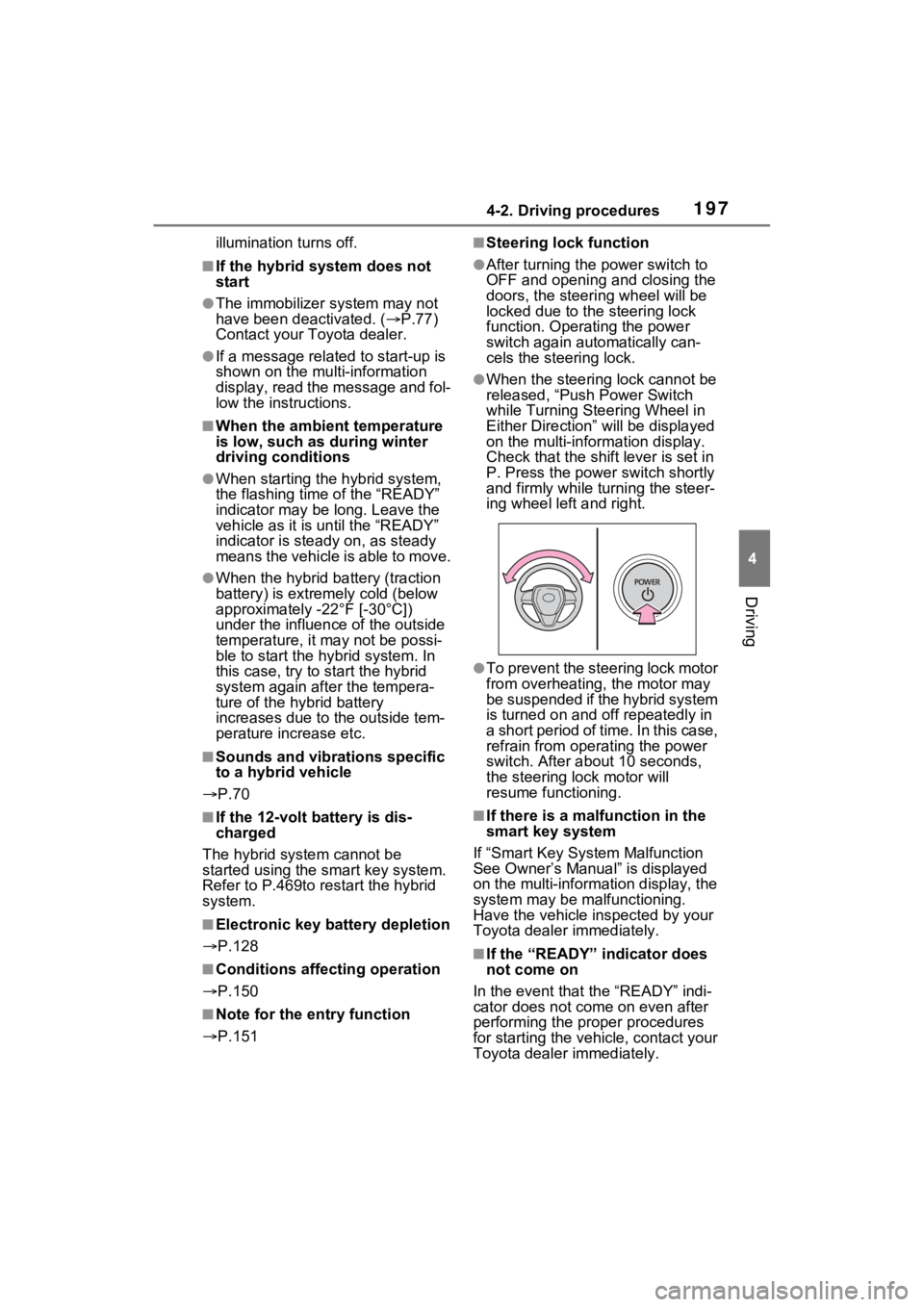
●When the steering lock cannot be
released, “Push Power Switch
while Turning Ste ering Wheel in
Either Direction” will be displayed
on the multi-information display.
Check that the shift lever is set in
P. Press the power switch shortly
and firmly while turning the steer-
ing wheel left and right.
●To prevent the steering lock motor
from overheating , the motor may
be suspended if the hybrid system
is turned on and off repeatedly in
a short period of ti me. In this case,
refrain from operating the power
switch. After about 10 seconds,
the steering lo ck motor will
resume functioning.
■If there is a malfunction in the
smart key system
If “Smart Key System Malfunction
See Owner’s Manual” is displayed
on the multi-information display, the
system may be malfunctioning.
Have the vehicle inspected by your
Toyota dealer immediately.
■If the “READY” indicator does
not come on
In the event that the “READY” indi-
cator does not come on even after
performing the proper procedures
for starting the vehicle, contact your
Toyota dealer immediately.
Page 464 of 548
4647-2. Steps to take in an emergency
One of the following may be the
cause of the problem:
The electronic key may not be
functioning properly.
( P.467)
There may not be sufficient
fuel in the vehicle’s tank.
Refuel the vehicle. ( P.226)
There may be a malfunction
in the immobilizer system.
( P.77)
There may be a malfunction
in the steering lock system.
The hybrid system may be
malfunctioning due to an elec-
trical problem such as elec-
tronic key battery depletion or
a blown fuse. However,
depending on the type of mal-
function, an interim measure
is available to start the hybrid
system. ( P.465)
NOTICE
■Be careful when driving over
bumps with the compact
spare tire installed on the
vehicle
The vehicle height may become
lower when driving with the com-
pact spare tire compared to when
driving with standard tires. Be
careful when driving over uneven
road surfaces.
■Driving with tire chains and
the compact spare tire
Do not fit tire chains to the com-
pact spare tire.
Tire chains may damage the vehi-
cle body and adversely affect driv-
ing performance.
■When replacing the tires
When removing or fitting the
wheels, tires or the tire pressure
warning valve and transmitter,
contact your Toyota dealer as the
tire pressure warning valve and
transmitter may be damaged if not
handled correctly.
If the hybrid system
will not start
Reasons for the hybrid sys-
tem not starting vary
depending on the situation.
Check the following and
perform the appropriate
procedure:
The hybrid system will not
start even though the cor-
rect starting procedure is
being followed ( 196)
Page 536 of 548

536Alphabetical Index
Automatic air conditioning sys-tem ............................. 314, 321
Heated steering wheel ......... 331
Outside rear view mirrors ................................... 316, 323
Seat heaters ......................... 331
High mounted stoplight Replacing light bulbs ............ 431
Hill-start assist control .......... 299
Hood ........................................ 385
Hooks Coat hooks ........................... 360
Retaining hooks (floor mat) .... 24
Horn ......................................... 164
Hybrid battery (tr action battery)
Location.................................. 72
Specification ......................... 482
Hybrid battery air vent ............. 75
Hybrid system .......................... 68 ACC...................................... 200
Emergency shut off system .... 76
Energy monitor/consumption screen ................................ 120
EV drive mode...................... 202
High voltage components....... 72
How to start the hybrid system ........................................... 196
Hybrid System Indicator ............................... 87, 91, 116
Hybrid system precautions ..... 72
Hybrid vehicle driving tips .... 304
If the hybrid sy stem will not start
........................................... 464
If your vehicle has to be stopped in an emergency................. 435
Ignition switch (power switch) ........................................... 196
Overheating.......................... 474
Power (ignition) switch ......... 196
Regenerative braking ............. 69
Starting the hybrid system.... 196
Hybrid System Indicator ...................................87, 91, 116
Hybrid transmissio n ...............204
S mode .................................206
I
I/M test .....................................381
Identification Engine ..................................481
Vehicle..................................480
Ignition switch (power switch) ...............................................196Auto power off fun ction.200, 200
Changing the power switch modes.................................200
If your vehicle has to be stopped in an emergency .................435
Starting the hybrid system ....196
Immobilizer system ..................77
Indicators ..................................82
Initialization Items to initialize ...................514
Maintenance .........................378
Power back door ..................143
Power windows ....................179
Tire pressure warning system...........................................404
Inside rear view m irror ...165, 166
Instrument panel light control ...........................................90, 94
Interior lights...........................334 Switch ...................................335
Intuitive parking assist Function................................276
Warning message . ...............279
J
Jack
Positioning a floor jack .........386
Vehicle-equipped jack ..........458
Jack handle .............................458
Jam protection function
Page 542 of 548

542Alphabetical Index
switch ................................. 224
Seat adjustment ................... 155
Seat heater switches ............ 331
Seat ventilator switches ....... 332
Vehicle-to-vehicle distance switch ................................. 256
VSC OFF switch................... 299
Window lock switch .............. 181
Windshield defogger switch ................................... 315, 323
Windshield wiper de-icer switch ................................... 319, 329
Windshield wipers and washer switch ................................. 220
Wireless charger .................. 352
T
Tail lights Light switch .......................... 214
Replacing light bulbs ............ 431
Theft deterrent system Alarm ...................................... 78
Immobilizer system ................ 77
Theft prevention labels (U.S.A.)
................................................. 80
Tire inflati on pressure
Maintenance data................. 485
Tire inflation pressure display function............................... 400
Warning light ........................ 448
Tire information ...................... 490 Glossary ............................... 494
Size ...................................... 492
Tire identification number ..... 491
Tire section names ............... 492
Tire pressure warning system Function ............................... 400
Initializing ............................. 404
Installing tire pressure warning valves and transmitters ...... 403
Registering ID codes ............ 406
Warning light ........................ 448 Tires .........................................397
Chains ..................................308
Checking ..............................397
Glossary ...............................494
If you have a flat tire .............457
Inflation pressure ..................412
Information ......... ..................490
Replacing .............................457
Rotating tires ........................399
Size ......................................485
Snow tires.............................306
Spare tire ..............................457
Tire identification number .....491
Tire inflation pressure display function ...............................400
Tire pressure warning system ...........................................400
Uniform Tire Qua lity Grading 493
Warning light ........................448
Tools ................................342, 458
Top tether strap ........................59
Total load capacity .........191, 194
Towing Dinghy towing .......................195
Emergency towing ................439
Towing eyelet ...............439, 458
Trailer towing ........................195
Toyota multi-operation touch 345
Toyota Safety Sense 2.0 ........229 Automatic High Be am ...........217
Dynamic radar cruise control with full-speed range ..........256
LTA (Lane Traci ng Assist) ....243
PCS (Pre-Collisio n System) .235
RSA (Road Sign Assist) .......253
TRAC (Traction Control) ........299
Traction battery (Hybrid battery) .................................................72Hybrid battery (tr action battery)
air intake and discharge vents .............................................75
Location ..................................72