tire pressure TOYOTA VENZA HYBRID 2021 Owners Manual (in English)
[x] Cancel search | Manufacturer: TOYOTA, Model Year: 2021, Model line: VENZA HYBRID, Model: TOYOTA VENZA HYBRID 2021Pages: 548, PDF Size: 18.43 MB
Page 1 of 548
VENZA_OM_OM48K18U_(U)
1
2
3
4
5
6
7
8
9
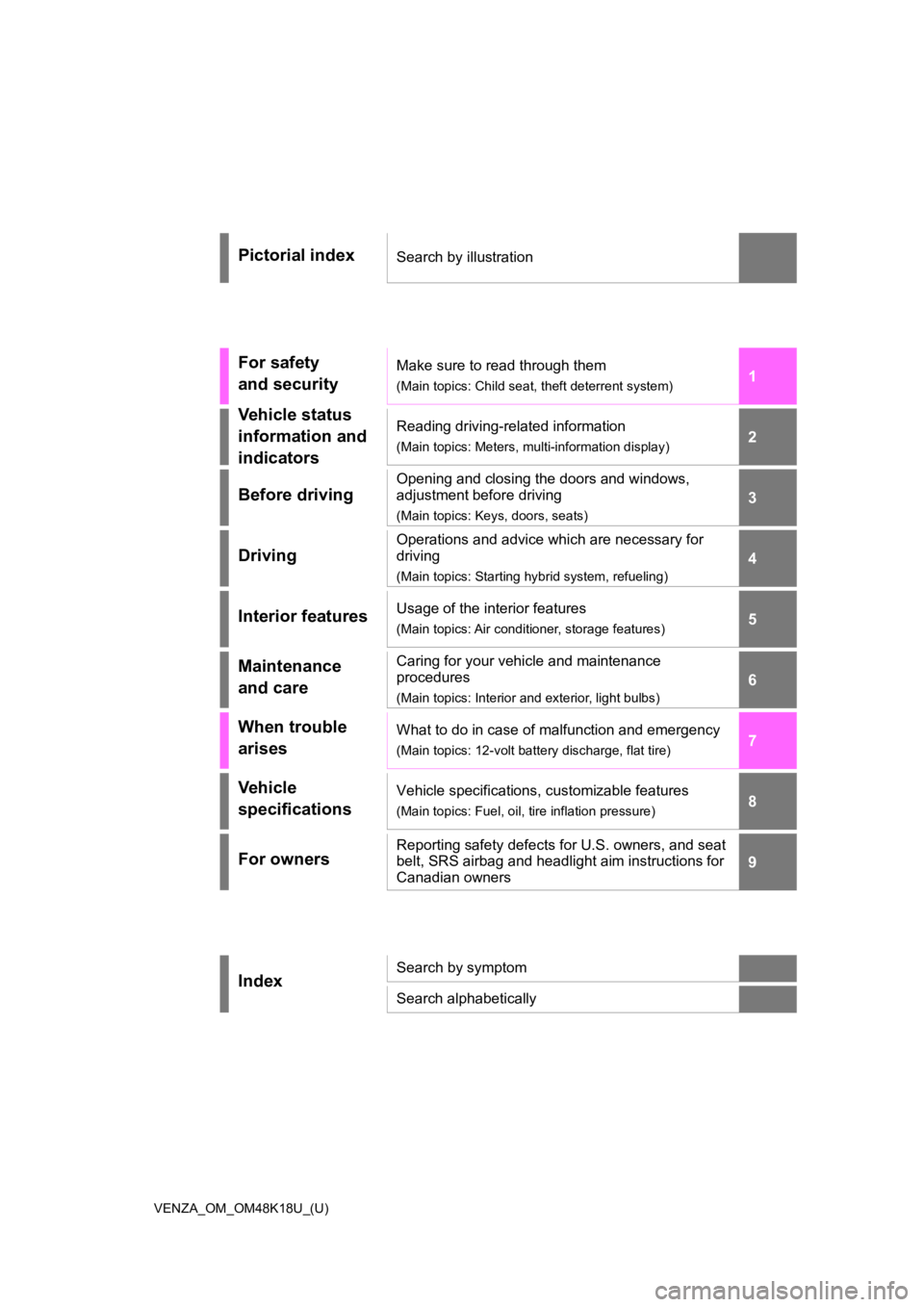
Pictorial indexSearch by illustration
For safety
and securityMake sure to read through them
(Main topics: Child seat, theft deterrent system)
Vehicle status
information and
indicatorsReading driving-related information
(Main topics: Meters, multi-information display)
Before driving
Opening and closing the doors and windows,
adjustment before driving
(Main topics: Keys, doors, seats)
Driving
Operations and advice which are necessary for
driving
(Main topics: Starting hybrid system, refueling)
Interior featuresUsage of the interior features
(Main topics: Air conditioner, storage features)
Maintenance
and careCaring for your vehicle and maintenance
procedures
(Main topics: Interior and exterior, light bulbs)
When trouble
arisesWhat to do in case of malfunction and emergency
(Main topics: 12-volt battery discharge, flat tire)
Vehicle
specificationsVehicle specifications, customizable features
(Main topics: Fuel, oil, tire inflation pressure)
For ownersReporting safety defects for U.S. owners, and seat
belt, SRS airbag and headlight aim instructions for
Canadian owners
IndexSearch by symptom
Search alphabetically
Page 4 of 548
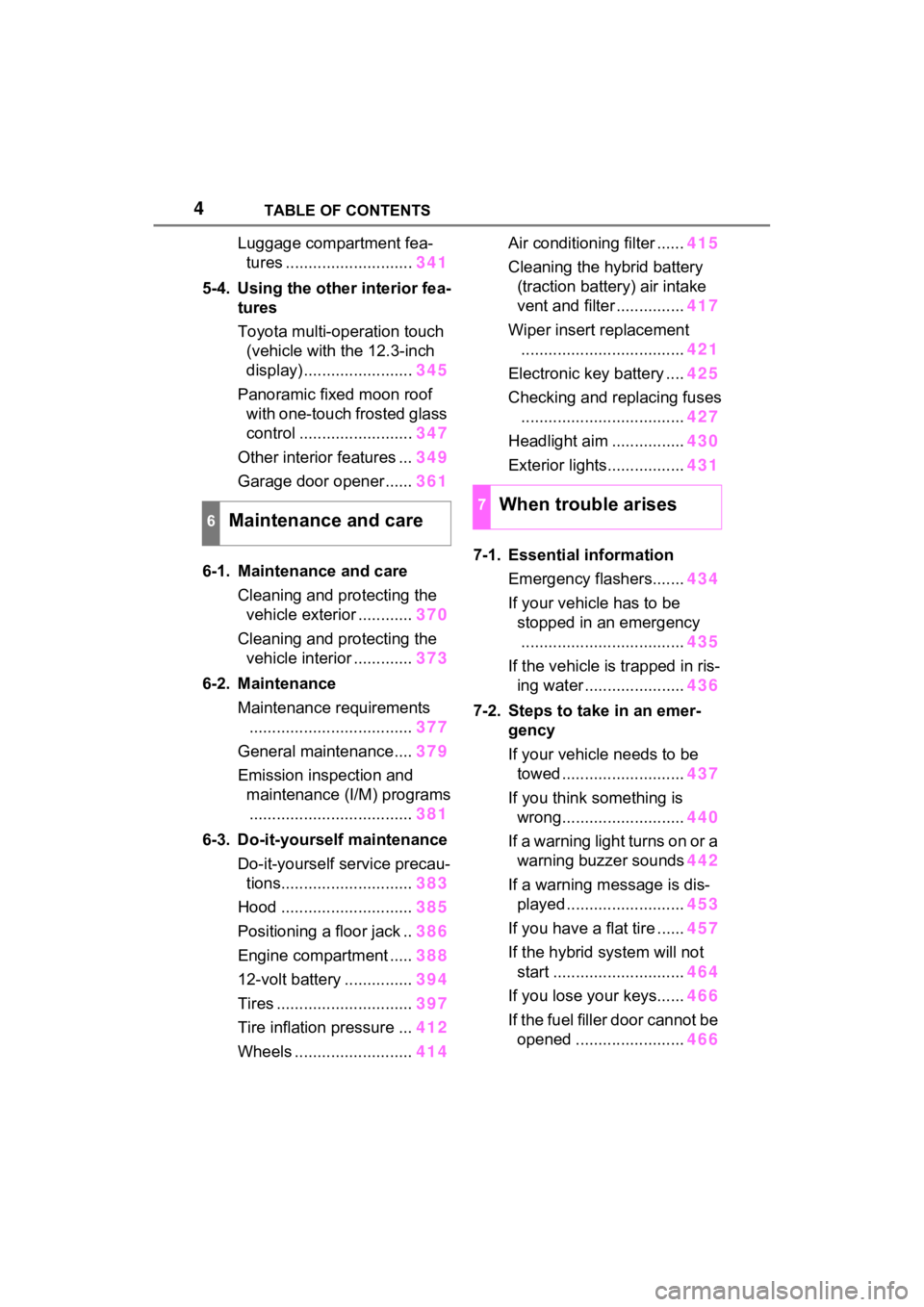
4TABLE OF CONTENTS
Luggage compartment fea-tures ............................ 341
5-4. Using the other interior fea- tures
Toyota multi-operation touch
(vehicle with the 12.3-inch
display) ........................ 345
Panoramic fixed moon roof with one-touch frosted glass
control ......................... 347
Other interior features ... 349
Garage door opener...... 361
6-1. Maintenance and care Cleaning and protecting the vehicle exterior ............ 370
Cleaning and protecting the vehicle interior ............. 373
6-2. Maintenance Maintenance requirements.................................... 377
General maintenance.... 379
Emission inspection and maintenance (I/M) programs.................................... 381
6-3. Do-it-yourself maintenance Do-it-yourself service precau-tions............................. 383
Hood ............................. 385
Positioning a floor jack .. 386
Engine compartment ..... 388
12-volt battery ............... 394
Tires .............................. 397
Tire inflation pressure ... 412
Wheels ......... .................414 Air conditioning filter ......
415
Cleaning the hybrid battery (traction battery) air intake
vent and filter ............... 417
Wiper insert replacement .................................... 421
Electronic key battery .... 425
Checking and replacing fuses .................................... 427
Headlight aim ................ 430
Exterior lights................. 431
7-1. Essential information Emergency flashers....... 434
If your vehicle has to be stopped in an emergency.................................... 435
If the vehicle is trapped in ris- ing water ...................... 436
7-2. Steps to take in an emer- gency
If your vehicle needs to be towed ........................... 437
If you think something is wrong........................... 440
If a warning light turns on or a warning buzzer sounds 442
If a warning message is dis- played .......................... 453
If you have a flat tire ...... 457
If the hybrid system will not start ............................. 464
If you lose your keys...... 466
If the fuel filler door cannot be open ed
........................ 466
6Maintenance and care
7When trouble arises
Page 9 of 548
9
Disclosure of the EDR data
Toyota will not disclose the data
recorded in an EDR to a third party
except when:
• An agreement from the vehicle’s
owner (or the less ee for a leased
vehicle) is obtained
• In response to an official request by the police, a court of law or a
government agency
• For use by Toyota in a lawsuit
However, if necessary, Toyota
may:
• Use the data for research on vehicle safety performance
• Disclose the data to a third party for research purposes without
disclosing information about the
specific vehicle or vehicle owner
The SRS airbag and seat belt
pretensioner devices in your
Toyota contain explosive chemi-
cals. If the vehicle is scrapped
with the airbags and seat belt
pretensioners left as they are,
this may cause an accident such
as fire. Be sure to have the sys-
tems of the SRS airbag and seat
belt pretensioner removed and
disposed of by a qualified ser-
vice shop or by your Toyota
dealer before you scrap your
vehicle.
Special handling may apply, See www.dtsc.ca.gov/
hazardouswaste/perchlorate.
Your vehicle has components
that may contain perchlorate.
These components may include
the airbags, seat belt preten-
sioners, wireless remote control
batteries, and the batteries in
the tire pressure warning valve
and transmitters.
Scrapping of your Toyota
Perchlorate Material
WARNING
■General precautions while
driving
Driving under the influence: Never
drive your vehicle when under the
influence of alcohol or drugs that
have impaired your ability to oper-
ate your vehicle. Alcohol and cer-
tain drugs delay reaction time,
impair judgment and reduce coor-
dination, which c ould lead to an
accident that could result in death
or serious injury.
Defensive driving: Always drive
defensively. Antic ipate mistakes
that other drivers or pedestrians
might make and be ready to avoid
accidents.
Driver distraction: Always give
your full attentio n to driving. Any-
thing that distrac ts the driver,
such as adjusting controls, talking
on a cellular phone or reading can
result in a collision with resulting
death or serious injury to you,
your occupants or others.
Page 15 of 548
15Pictorial index
To prevent freezing (windshield wiper de-icer)*...........P.319, 329
Precautions against car wash
(Rain-sensing windshield wipers)
*.......................................P.371
Replacing the wiper insert .................................... ...............P.421
Fuel filler door ............................................... .....................P.226
Refueling method ............................................... ..................P.226
Fuel type/fuel tan k capacity .................................................P.481
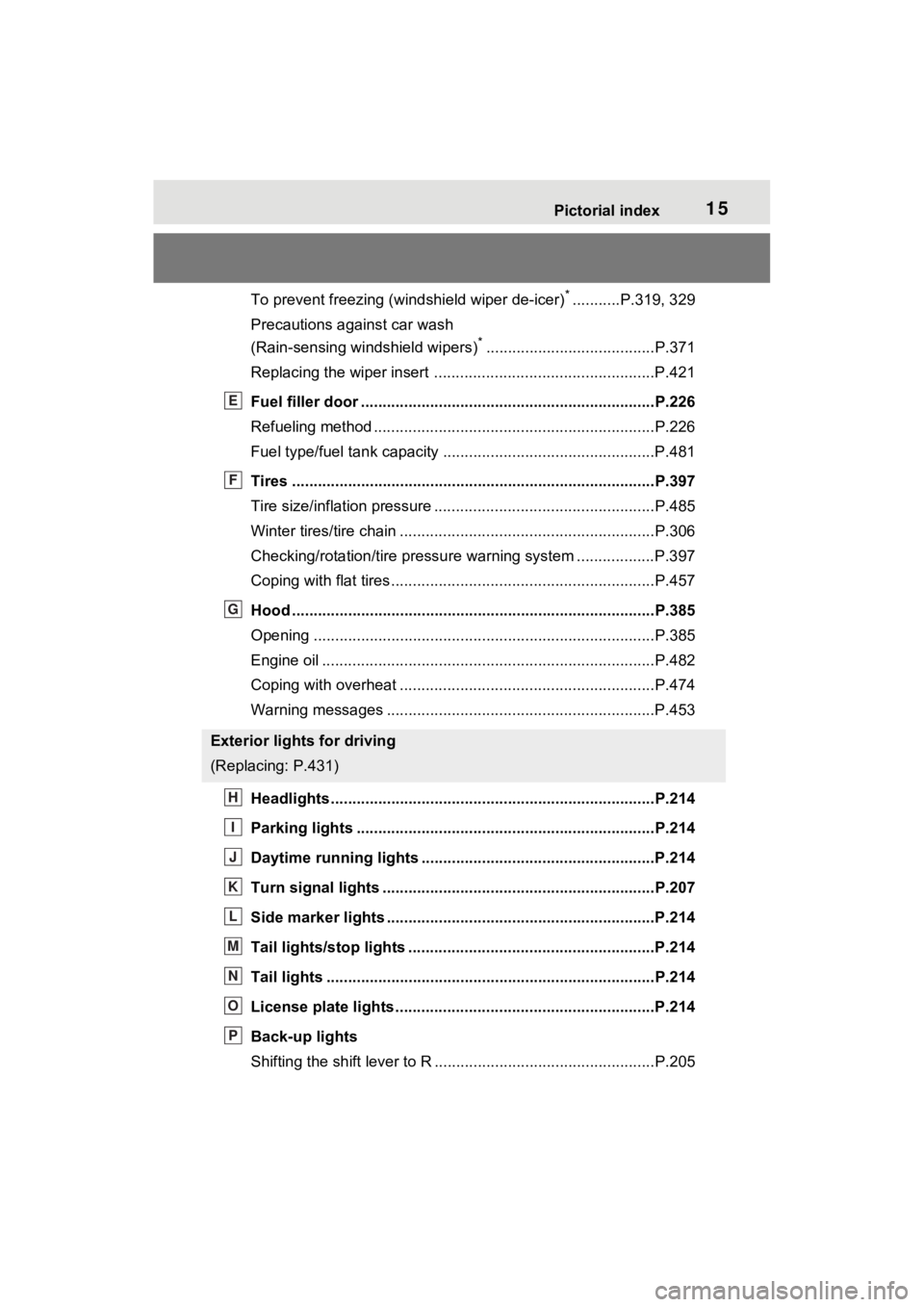
Tires ....................................................................................P.397
Tire size/inflation pressure ................................... ................P.485
Winter tires/tire chain ........................................ ...................P.306
Checking/rotation/tire pressur e warning system ..................P.397
Coping with flat tires......................................... ....................P.457
Hood ....................................................................................P.385
Opening ........................................................ .......................P.385
Engine oil ..................................................... ........................P.482
Coping with overheat ........................................... ................P.474
Warning messages ..............................................................P.453
Headlights..................................................... ......................P.214
Parking lights .....................................................................P.214
Daytime running lights .. ....................................................P.214
Turn signal lights ...............................................................P.207
Side marker lights ............................................. .................P.214
Tail lights/stop lights ........................................ .................P.214
Tail lights .................................................... ........................P.214
License plate lights........................................... .................P.214
Back-up lights
Shifting the shift lever to R ...................................................P.205
Exterior lights for driving
(Replacing: P.431)
E
F
G
H
I
J
K
L
M
N
O
P
Page 85 of 548
842-1. Instrument cluster
*1: These lights turn on when the power switch is turned to ON to
indicate that a system check is
being performed. They will turn
off after the hybr id system is on,
or after a few seconds. There
may be a malfunction in a sys-
tem if the light does not come on,
or turn off. Have the vehicle
inspected by your Toyota dealer.
*2: This light illuminates on the multi-informatio n display with a
message.
*3: Intuitive parking assist OFF indi- cator turns on when the power
switch is turned to ON while the
Intuitive parking assist function is
on. It will turn off after a few sec-
onds.
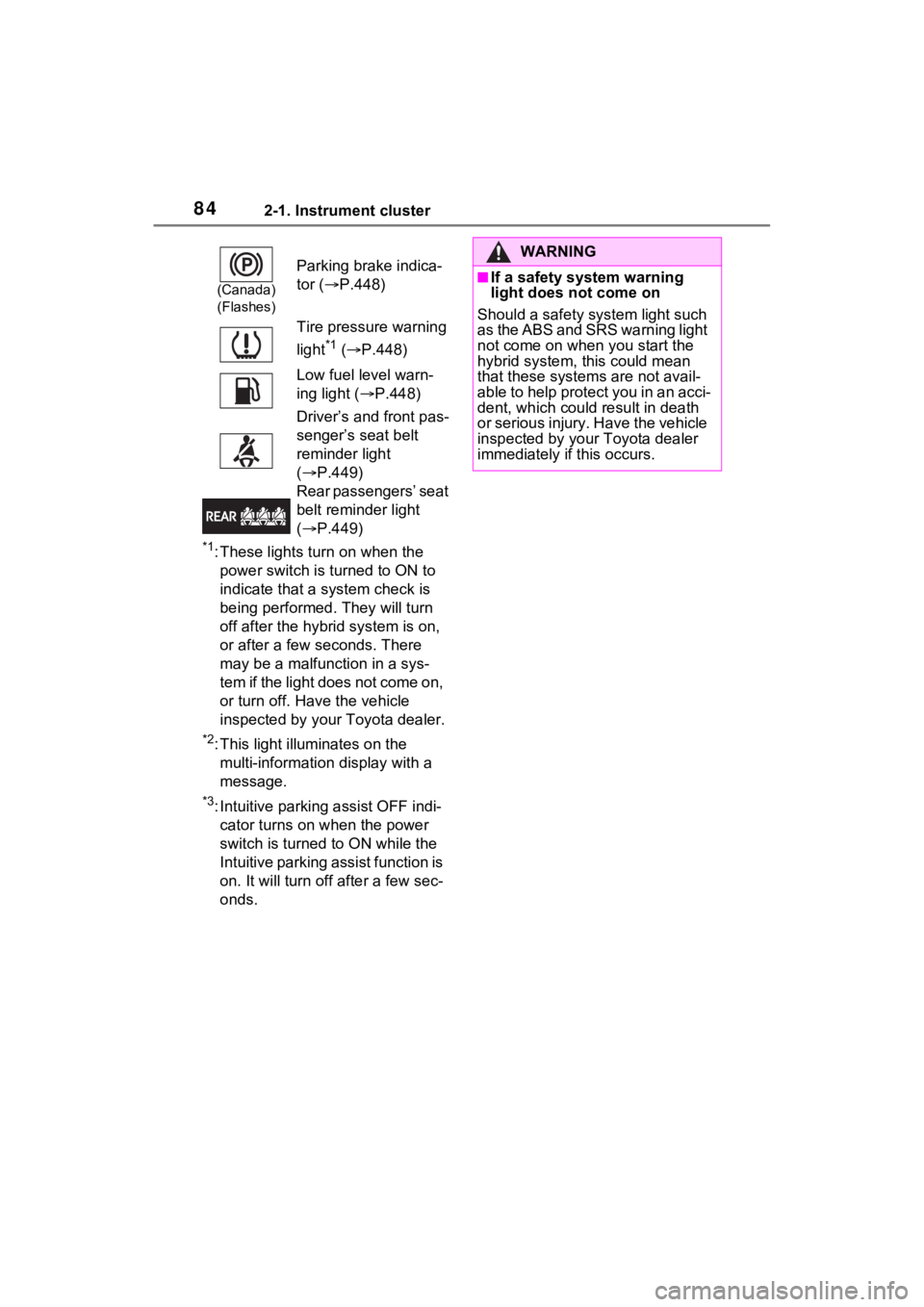
(Canada)
(Flashes)
Parking brake indica-
tor ( P.448)
Tire pressure warning
light
*1 ( P.448)
Low fuel level warn-
ing light ( P.448)
Driver’s and front pas-
senger’s seat belt
reminder light
( P.449)
Rear passengers’ seat
belt reminder light
( P.449)
WARNING
■If a safety system warning
light does not come on
Should a safety system light such
as the ABS and SRS warning light
not come on when you start the
hybrid system, this could mean
that these system s are not avail-
able to help protect you in an acci-
dent, which could result in death
or serious injury. Have the vehicle
inspected by your Toyota dealer
immediately if this occurs.
Page 101 of 548
1002-1. Instrument cluster
elapsed time since hybrid system
start
*
*
: These items are reset each time the hybrid system stops.
“Total”
• “Average Speed”: Displays the
average vehicle speed since the
display was reset
*
• “Distance”: Displ ays the distance
driven since the display was
reset
*
• “Total Time”: Displays the elapsed time since the display
was reset
*
*
: To reset, display the desired item and press and hold .
■Energy monitor
P.120
■Tire pressure
P.400
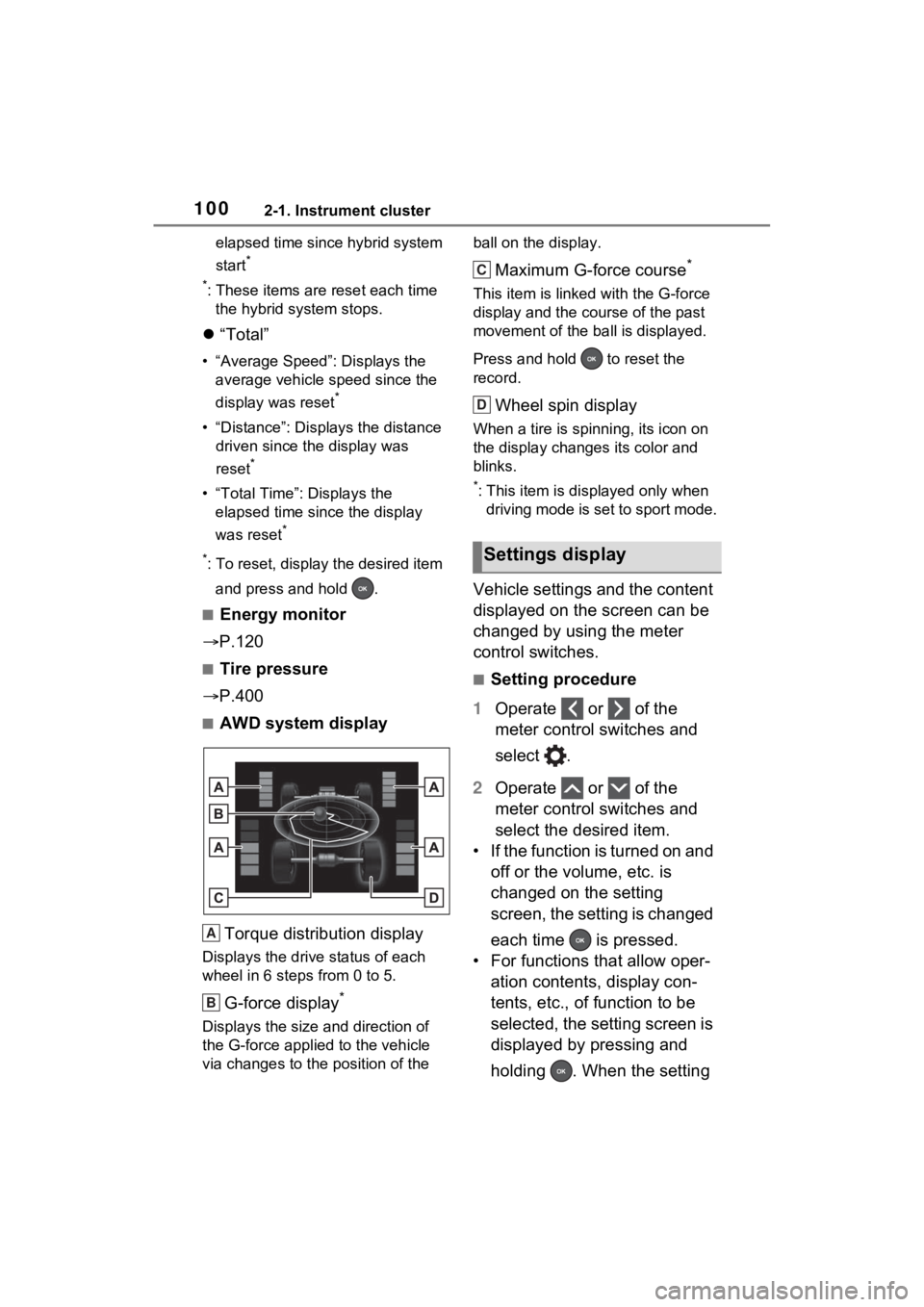
■AWD system display
Torque distribution display
Displays the drive status of each
wheel in 6 steps from 0 to 5.
G-force display*
Displays the size and direction of
the G-force applie d to the vehicle
via changes to the position of the ball on the display.
Maximum G-force course*
This item is linke
d with the G-force
display and the co urse of the past
movement of the ba ll is displayed.
Press and hold to reset the
record.
Wheel spin display
When a tire is spi nning, its icon on
the display changes its color and
blinks.
*: This item is displayed only when driving mode is set to sport mode.
Vehicle settings and the content
displayed on the screen can be
changed by using the meter
control switches.
■Setting procedure
1 Operate or of the
meter control switches and
select .
2 Operate or of the
meter control switches and
select the desired item.
• If the function is turned on and off or the volume, etc. is
changed on the setting
screen, the setting is changed
each time is pressed.
• For functions that allow oper- ation contents, display con-
tents, etc., of function to be
selected, the setting screen is
displayed by pressing and
holding . When the setting
A
B
Settings display
C
D
Page 103 of 548
1022-1. Instrument cluster
Select to change the RCTA buzzer
volume.
■ PKSB (Parking Sup-
port Brake System) (if
equipped) ( P.283)
Select to enable/disable the
Parking Support Brake function.
■ RSA (Road Sign
Assist) (if equipped)
( P.253)
Select to set up the following
items.
Road Sign Assist on/off
Select to enable/disable the RSA
(Road Sign Assist).
“Notification method”
Select to change e ach notification
method used to notify the driver
when the system recognizes
excess speed and no-entry sign.
“Notification Level”
Select to change e ach notification
level used to notify the driver when
the system recognizes a speed limit
sign.
■Vehicle Settings
PBD (Power Back Door)
( P.137)
Select to set up the following items.
• System settings
Select to enable/disable the power
back door system.
• “Hands Free” (if equipped)
Select to enable/disable the Hands
Free Power Back Door operation.
• “Opening Adjustment” Select the open position when
power back door is fully open.
•“Volume”
Select to set the volume of the
buzzer which sounds when the
power back door system operates.
“TPWS setting” (Tire Pres-
sure Warning System)
( P.400)
• “Setting Pressure”
Select to initialize the tire pressure
warning system.
• “Identify Wheel”
Select to register the ID codes of
the tire pressure se nsors to the tire
pressure warning system.
• “Setting Unit”
Select to change the units of mea-
sure displayed.
Rear Seat Reminder
( P.133)
Select to enable/disable the rear
seat reminder function.
“Scheduled Maintenance”
( P.378)
Select to reset the scheduled main-
tenance information (message indi-
cating maintenance is required and
distance until the next mainte-
nance) after all ma intenance is per-
formed.
Oil Maintenance
Select to reset the Oil maintenance.
( P.390)
■ Settings
“Language”
Select to change the language on
Page 104 of 548
1032-1. Instrument cluster
2
Vehicle status information and indicators
the multi-information display.
“Units”
Select to change t he units of mea-
sure displayed.
(EV indicator) ( P.69)
Select to enable/disable the EV
indicator.
(Driving information dis-
play settings)
Select to set up the following items.
• “Hybrid System”
Select to enable/disable the ECO
Accelerator Guidance ( P.96).
• “Fuel Economy”
Select to change the display on
Fuel Economy ( P.96).
(Audio settings)
Select to enable/disable
screen.
(Vehicle information dis-
play settings)
• “Display Contents”
Select to set up the following items.
“Energy monitor”:
Select to enable/disable the Energy
monitor ( P.120)
“AWD”:
Select to enable/disable the AWD
system display ( P.99).
• “Drive Info Type”
Select to change the drive informa-
tion type display between trip and
total. ( P.99).
• “Drive Info Items”
Select to set the items on the upper and lower side of
the drive informa-
tion screen. from th ree items, aver-
age speed, distance and total time.
“Trip Summary”
Select to set the items displayed
when the power switch is turned off.
“Pop-Up Display”
Select to enable/d isable the follow-
ing pop-up displays, which may
appear in some situations.
• Incoming call display of the hands-free phone system
• Audio operation
• Volume operation
• Brightness
“MID OFF”
A blank screen is displayed.
“Default Settings”
Select to reset the meter display
settings.
■Tire pressure
• It may take a few minutes to dis-
play the tire inflation pressure
after the power switch is turned to
ON. It may also take a few min-
utes to display the tire inflation
pressure after infl ation pressure
has been adjusted.
• “---” may be displayed if the tire position information cannot be
determined due to unfavorable
radio wave conditions.
• Tire inflation pressure changes with temperature. The displayed
values may also be different from
the values measured using a tire
pressure gauge.
■Suspension of the settings dis-
play
●In the following situations, opera-
tion of the settings display will be
Page 111 of 548
1102-1. Instrument cluster
tion. As a result, the actual dis-
tance that can be driven may
differ from that displayed.
●When only a small amount of fuel
is added to the tank, the display
may not be updated. When refuel-
ing, turn the power switch off. If
the vehicle is refueled without
turning the power switch off, the
display may not be updated.
●When “Refuel” is displayed, the
remaining fuel amount is low and
the distance that can be driven
with the remaining fuel cannot be
calculated.
Refuel immediately.
■ECO Accelerator Guid-
ance/“Eco Score” will not oper-
ate when
The ECO Accelerator Guid-
ance/“Eco Score” will not operate in
the following situations:
●The Hybrid System Indicator is not
operating.
●The vehicle is being driven using
the dynamic radar cruise control
with full-speed range.
■Driving support system
information display
Select to display the operational
status of the following systems:
LTA (Lane Tracing Assist)
( P.243)
RSA (Road Sign Assist) (if
equipped) ( P.253)
Dynamic radar cruise control
with full-speed range
( P.256) Select to display the following
navigation system-linked infor-
mation.
Route guidance to destination
Compass display (heading-up
display)
■Route guidance to destination
display
When the route guidance to destina-
tion display is enabled on the head-
up display (if equipped), it will not be
displayed on the multi-information
display. ( P.117)
Select to enable selection of an
audio source or track on the dis-
play.
■Energy monitor
P.120
■Tire pressure
P.400
Driving support system
information display
Navigation system-linked
display (if equipped)
Audio system-linked dis-
play
Vehicle information dis-
play
Page 114 of 548
1132-1. Instrument cluster
2
Vehicle status information and indicators
■RCTA (Rear Cross Traffic
Alert) (P.267)
RCTA (Rear Cross Traffic
Alert) on/off
Select to enable/disable the RCTA
system.
“Volume”
Select to change t he RCTA buzzer
volume.
■ PKSB (Parking Sup-
port Brake System) (if
equipped) ( P.283)
Select to enable/disable the
Parking Support Brake function.
■HUD (Head-up display) (if
equipped) ( P.117)
Select to change the head-up
display setting.
■ RSA (Road Sign
Assist) (if equipped)
( P.253)
Select to set up the following
items.
Road Sign Assist on/off
Select to enable/disable the RSA
(Road Sign Assist).
“Notification method”
Select to change e ach notification
method used to notify the driver
when the system recognizes
excess speed and no-entry sign.
“Notification Level”
Select to change e ach notification
level used to notify the driver when
the system recognizes a speed limit
sign.
■ Vehicle Settings
PBD (Power Back Door)
( P.137)
Select to set up t he following items.
• System settings
Select to enable/disable the power
back door system.
• “Hands Free” (if equipped)
Select to enable/d isable the Hands
Free Power Back Door operation.
• “Opening Adjustment”
Select the open position when
power back door is fully open.
•“Volume”
Select to set the volume of the
buzzer which sounds when the
power back door system operates.
“TPWS setting” (Tire Pres-
sure Warning System)
( P.400)
• “Setting Pressure”
Select to initialize the tire pressure
warning system.
• “Identify Wheel”
Select to register the ID codes of
the tire pressure se nsors to the tire
pressure warning system.
• “Setting Unit”
Select to change the units of mea-
sure displayed.
Rear Seat Reminder
( P.133)
Select to enable/disable the rear
seat reminder function.
“Scheduled Maintenance”
( P.378)