light switch TOYOTA VERSO 2011 Workshop Manual
[x] Cancel search | Manufacturer: TOYOTA, Model Year: 2011, Model line: VERSO, Model: TOYOTA VERSO 2011Pages: 588, PDF Size: 31.32 MB
Page 254 of 588
254 2-4. Using other driving systems
VERSO_WE_OM64524E
Cruise control can be set when
Vehicles with a Multidrive
The shift lever is in the “D” or range 4 or higher of “M” has been selected.
Range 4 or higher has been selected by using the paddle shift.
(vehicles with paddle shift switch)
Vehicle speed is above approximately 40 km/h (25 mph).
Vehicles with an automatic transmission
The shift lever is in “D”.
Range 4 or higher of “D” has been selected by using the paddle shift.
(vehicles with paddle shift switch)
Vehicle speed is above approximately 40 km/h (25 mph).
Accelerating after setting the vehicle speed
The vehicle can be accelerated normally. After acceleration, the set
speed resumes.
Even without canceling the cruise control, the set speed can be
increased by first accelerating the vehicle to the desired speed and then
pushing the lever down to set the new speed.
Automatic cruise control cancellation
Cruise control will stop maintaining the vehicle speed in any of the following
situations.
Actual vehicle speed falls more than approximately 16 km/h (10 mph)
below the preset vehicle speed.
At this time, the memorized set speed is not retained.
Actual vehicle speed is below approximately 40 km/h (25 mph).
VSC+ is activated (if equipped).
Speed limiter is activated (if equipped).
If the cruise control indicator light flashes
Press the “ON-OFF” button once to deactivate the system, and then press
the button again to reactivate the system.
If the cruise control speed cannot be set or if the cruise control cancels
immediately after being activated, there may be a malfunction in the cruise
control system. Have the vehicle inspected by any authorized Toyota dealer
or repairer, or another duly qualified and equipped professional.
Page 259 of 588
259
2-4. Using other driving systems
2
When driving
VERSO_WE_OM64524E
Toyota parking assist-sensor
: If equipped
The distance from your vehicle to nearby obstacles when parallel
parking or maneuvering into a garage is measured by the sensors
and communicated via an indicator and a buzzer. Always check the
surrounding area when using this system.
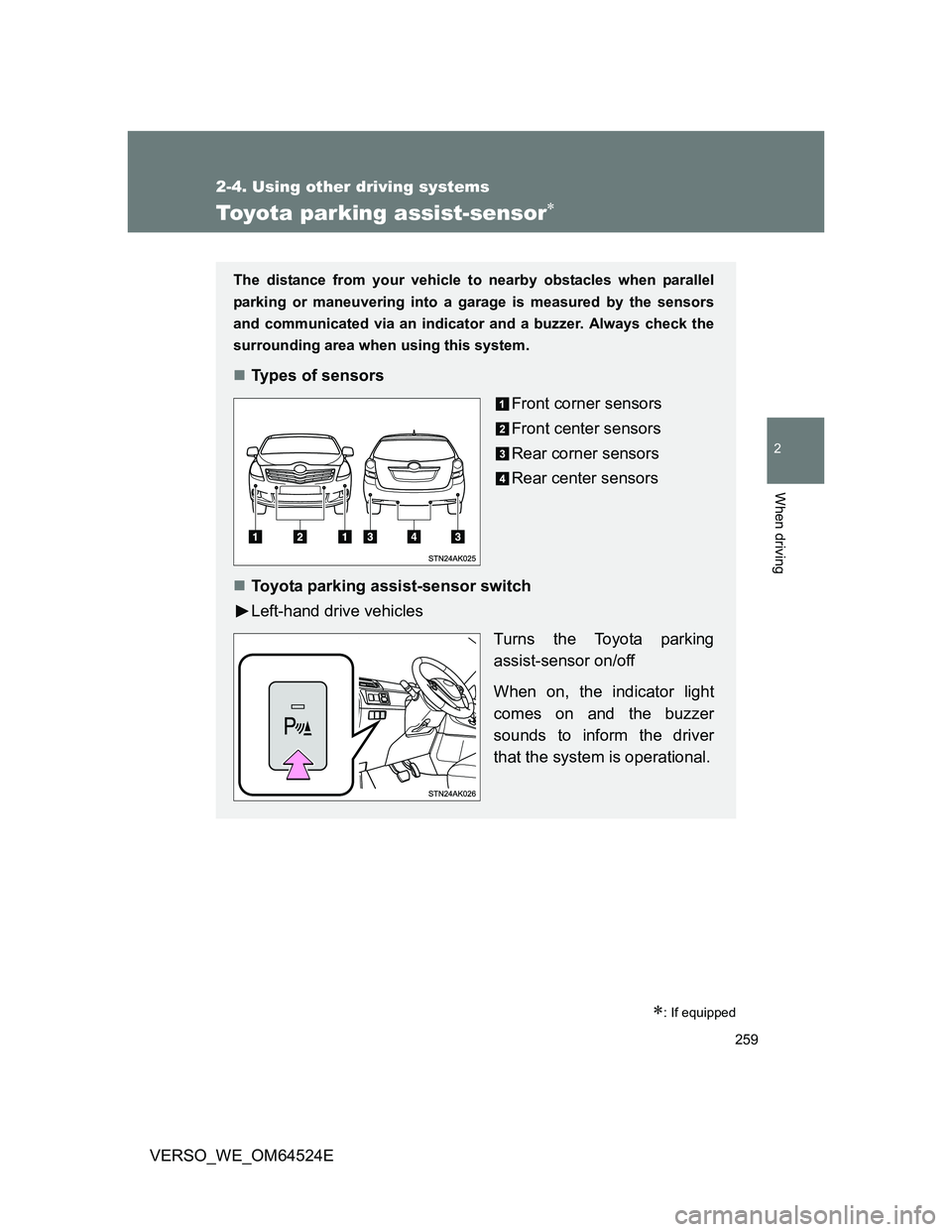
Types of sensors
Front corner sensors
Front center sensors
Rear corner sensors
Rear center sensors
Toyota parking assist-sensor switch
Left-hand drive vehicles
Turns the Toyota parking
assist-sensor on/off
When on, the indicator light
comes on and the buzzer
sounds to inform the driver
that the system is operational.
Page 269 of 588
269 2-4. Using other driving systems
2
When driving
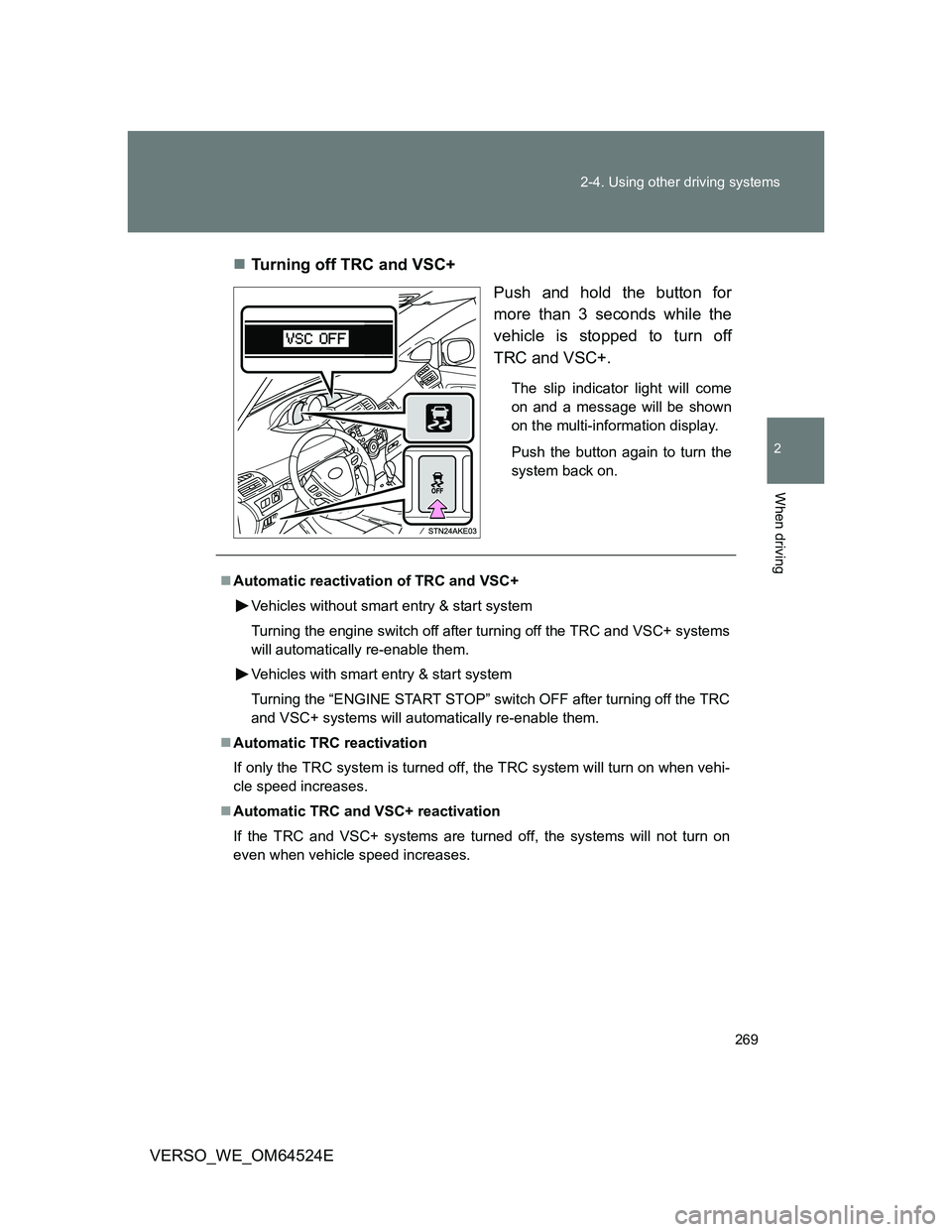
VERSO_WE_OM64524ETurning off TRC and VSC+
Push and hold the button for
more than 3 seconds while the
vehicle is stopped to turn off
TRC and VSC+.
The slip indicator light will come
on and a message will be shown
on the multi-information display.
Push the button again to turn the
system back on.
Automatic reactivation of TRC and VSC+
Vehicles without smart entry & start system
Turning the engine switch off after turning off the TRC and VSC+ systems
will automatically re-enable them.
Vehicles with smart entry & start system
Turning the “ENGINE START STOP” switch OFF after turning off the TRC
and VSC+ systems will automatically re-enable them.
Automatic TRC reactivation
If only the TRC system is turned off, the TRC system will turn on when vehi-
cle speed increases.
Automatic TRC and VSC+ reactivation
If the TRC and VSC+ systems are turned off, the systems will not turn on
even when vehicle speed increases.
Page 291 of 588
3Interior features
291
VERSO_WE_OM64524E
3-1. Using the air conditioning
system and defogger
Manual air conditioning
system ............................ 292
Automatic air conditioning
system ............................ 297
Power heater .................... 304
Rear window and outside
rear view mirror
defoggers ....................... 306
3-2. Using the audio system
Audio system types .......... 308
Using the radio ................. 314
Using the CD player ......... 319
Playing back MP3 and
WMA discs...................... 324
Operating an iPod............. 330
Operating a USB
memory........................... 336
Optimal use of the audio
system ............................ 343
Using the AUX port ........... 345
Using the steering wheel
audio switches ................ 346
3-3. Using the interior lights
Interior lights list................ 349
• Personal/interior lights
main switch ..................... 350
• Personal/interior lights .... 3513-4. Using the storage features
List of storage features ..... 352
• Glove box ....................... 353
• Console box.................... 354
• Overhead console .......... 355
• Cup holders .................... 356
• Bottle holders.................. 357
• Auxiliary boxes ............... 358
3-5. Other interior features
Sun visors ......................... 361
Vanity mirror ..................... 362
Conversation mirror .......... 363
Portable ashtray................ 364
Cigarette lighter ................ 365
Power outlet ...................... 366
Seat heaters ..................... 368
Armrest ............................. 370
Front seatback table ......... 371
Panoramic roof shade....... 373
Rear side sunshades ........ 376
Floor mat........................... 377
Luggage compartment
features........................... 379
Page 304 of 588
304
3-1. Using the air conditioning system and defogger
VERSO_WE_OM64524E
Power heater
: If equipped
Power heater can be operated when
The engine is running.
The engine coolant temperature is low.
Normal characteristics of power heater operation
The following cases do not indicate a malfunction.
When the power heater is turned on or off, some white smoke and a
slight odor may be emitted from the power heater exhaust that is located
under the floor.
When the power heater is being used under extremely cold conditions,
vapor may be visible from its exhaust.
When the power heater is turned off, you may hear a sound in the engine
compartment for about 2 minutes until the power heater turns off com-
pletely.
After the heater is off
We recommend not restarting the heater for 10 minutes after you turn it off.
Otherwise, a noise may be heard as the heater ignites.
When refueling your vehicle
The engine must be turned off. Turning the engine off turns the power heater
off.
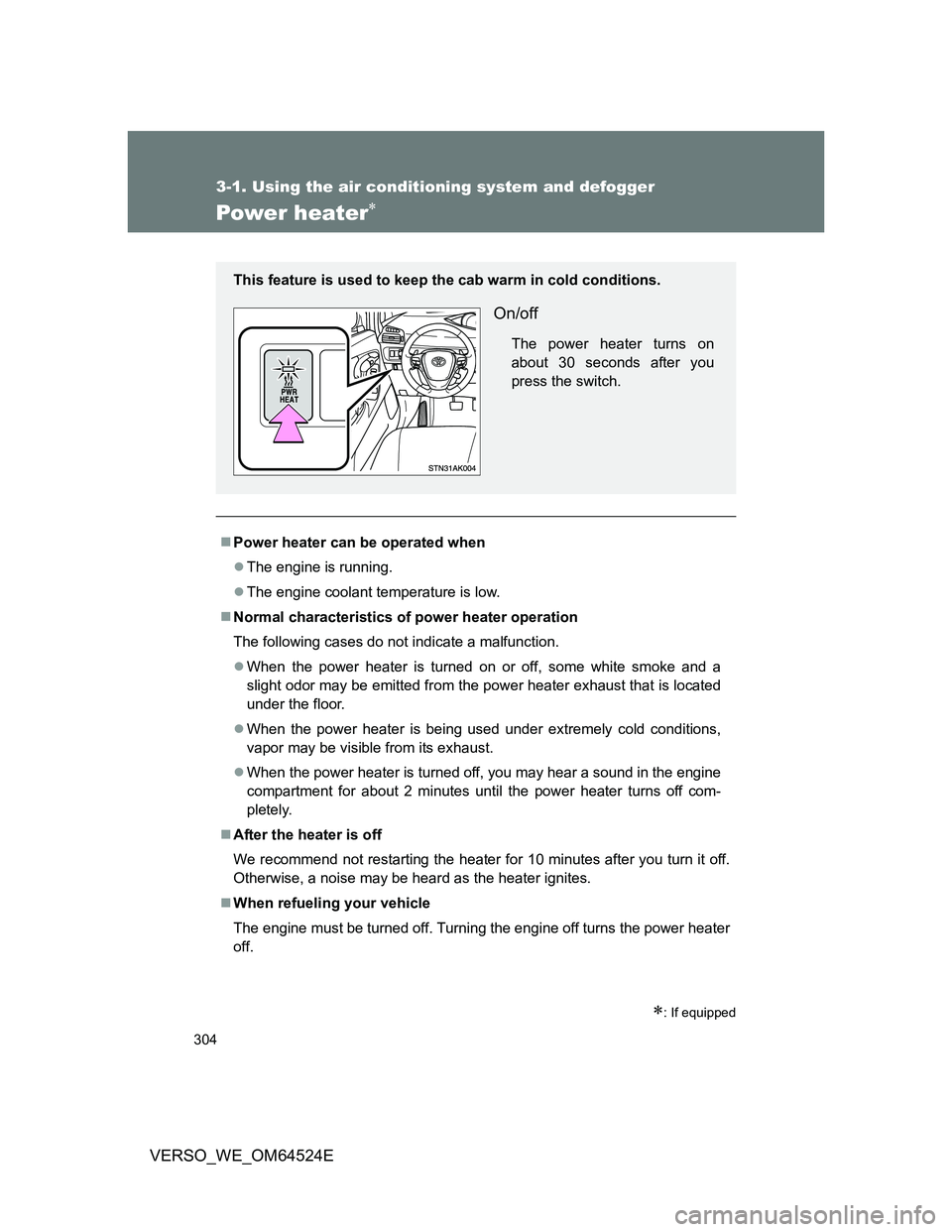
This feature is used to keep the cab warm in cold conditions.
On/off
The power heater turns on
about 30 seconds after you
press the switch.
Page 349 of 588
349
3
Interior features
VERSO_WE_OM64524E
3-3. Using the interior lights
Interior lights list
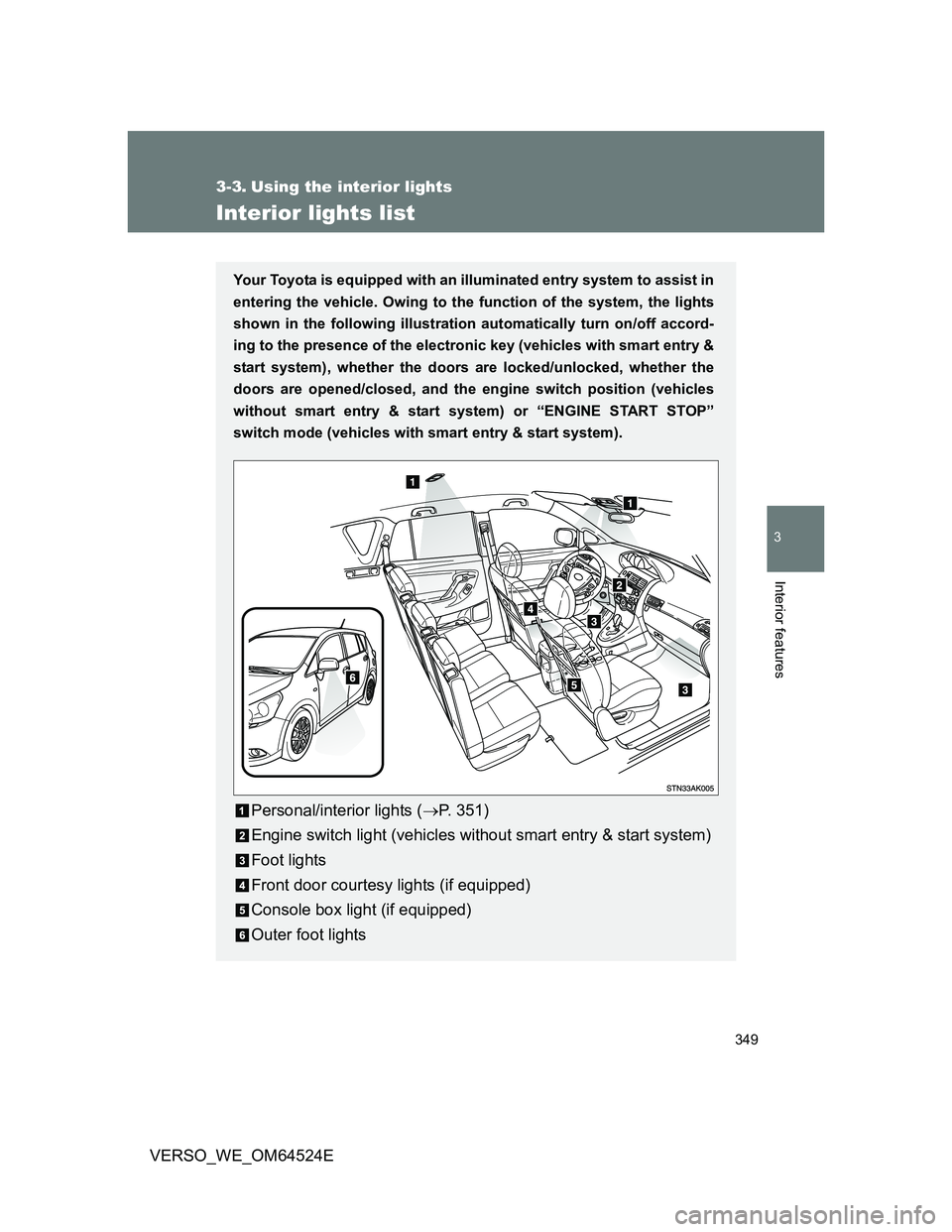
Your Toyota is equipped with an illuminated entry system to assist in
entering the vehicle. Owing to the function of the system, the lights
shown in the following illustration automatically turn on/off accord-
ing to the presence of the electronic key (vehicles with smart entry &
start system), whether the doors are locked/unlocked, whether the
doors are opened/closed, and the engine switch position (vehicles
without smart entry & start system) or “ENGINE START STOP”
switch mode (vehicles with smart entry & start system).
Personal/interior lights (P. 351)
Engine switch light (vehicles without smart entry & start system)
Foot lights
Front door courtesy lights (if equipped)
Console box light (if equipped)
Outer foot lights
Page 350 of 588
350 3-3. Using the interior lights
VERSO_WE_OM64524E
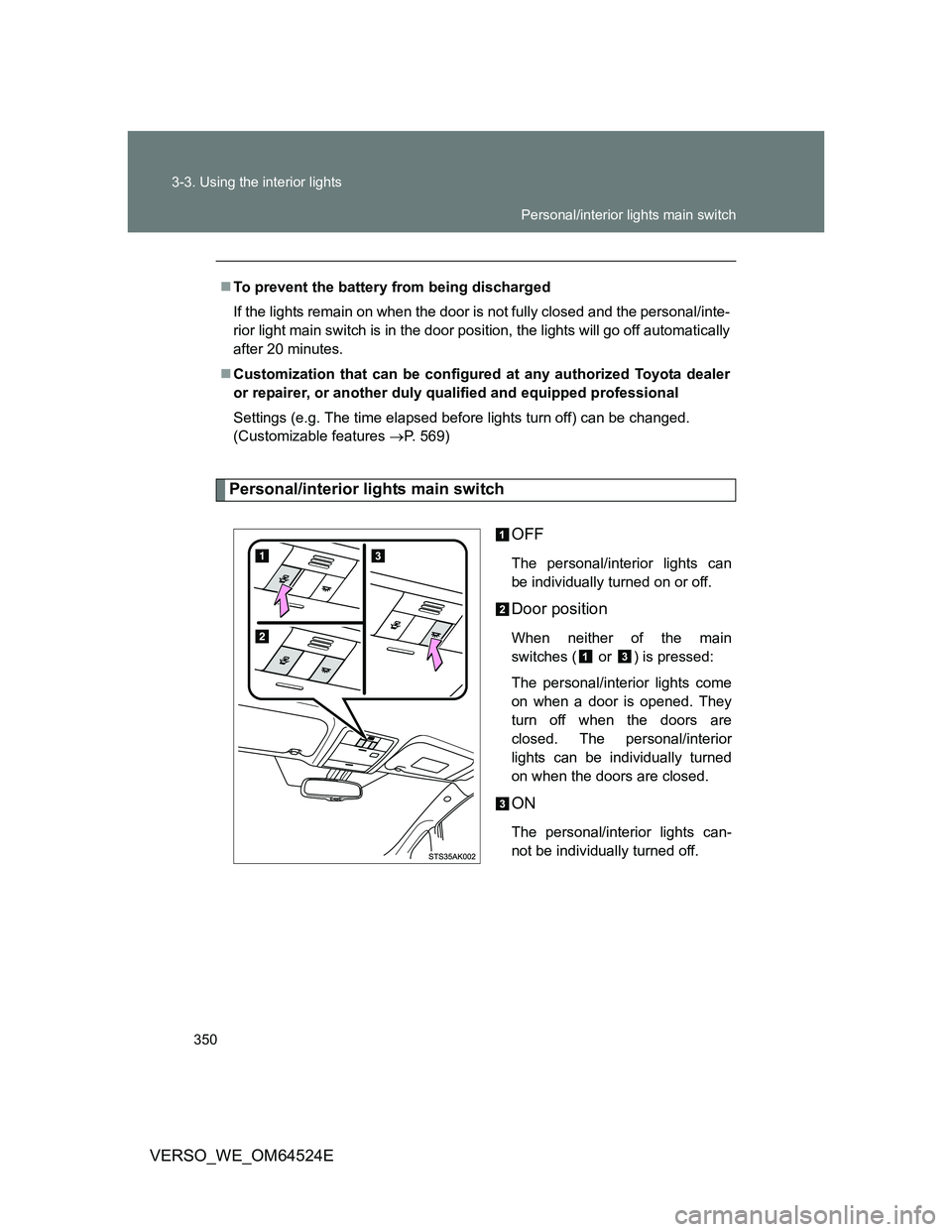
Personal/interior lights main switch
OFF
The personal/interior lights can
be individually turned on or off.
Door position
When neither of the main
switches ( or ) is pressed:
The personal/interior lights come
on when a door is opened. They
turn off when the doors are
closed. The personal/interior
lights can be individually turned
on when the doors are closed.
ON
The personal/interior lights can-
not be individually turned off. To prevent the battery from being discharged
If the lights remain on when the door is not fully closed and the personal/inte-
rior light main switch is in the door position, the lights will go off automatically
after 20 minutes.
Customization that can be configured at any authorized Toyota dealer
or repairer, or another duly qualified and equipped professional
Settings (e.g. The time elapsed before lights turn off) can be changed.
(Customizable features P. 569)
Personal/interior lights main switch
Page 365 of 588
365
3-5. Other interior features
3
Interior features
VERSO_WE_OM64524E
Cigarette lighter
The cigarette lighter can be used when
Vehicles without smart entry & start system
The engine switch is in the “ACC” or “ON” position.
Vehicles with smart entry & start system
The “ENGINE START STOP” switch is in ACCESSORY or IGNITION ON
mode.
CAUTION
To avoid burns or fires
Do not touch the metal parts of the cigarette lighter.
Do not hold the cigarette lighter down. It could overheat and cause a fire.
Do not insert anything other than the cigarette lighter into the outlet.
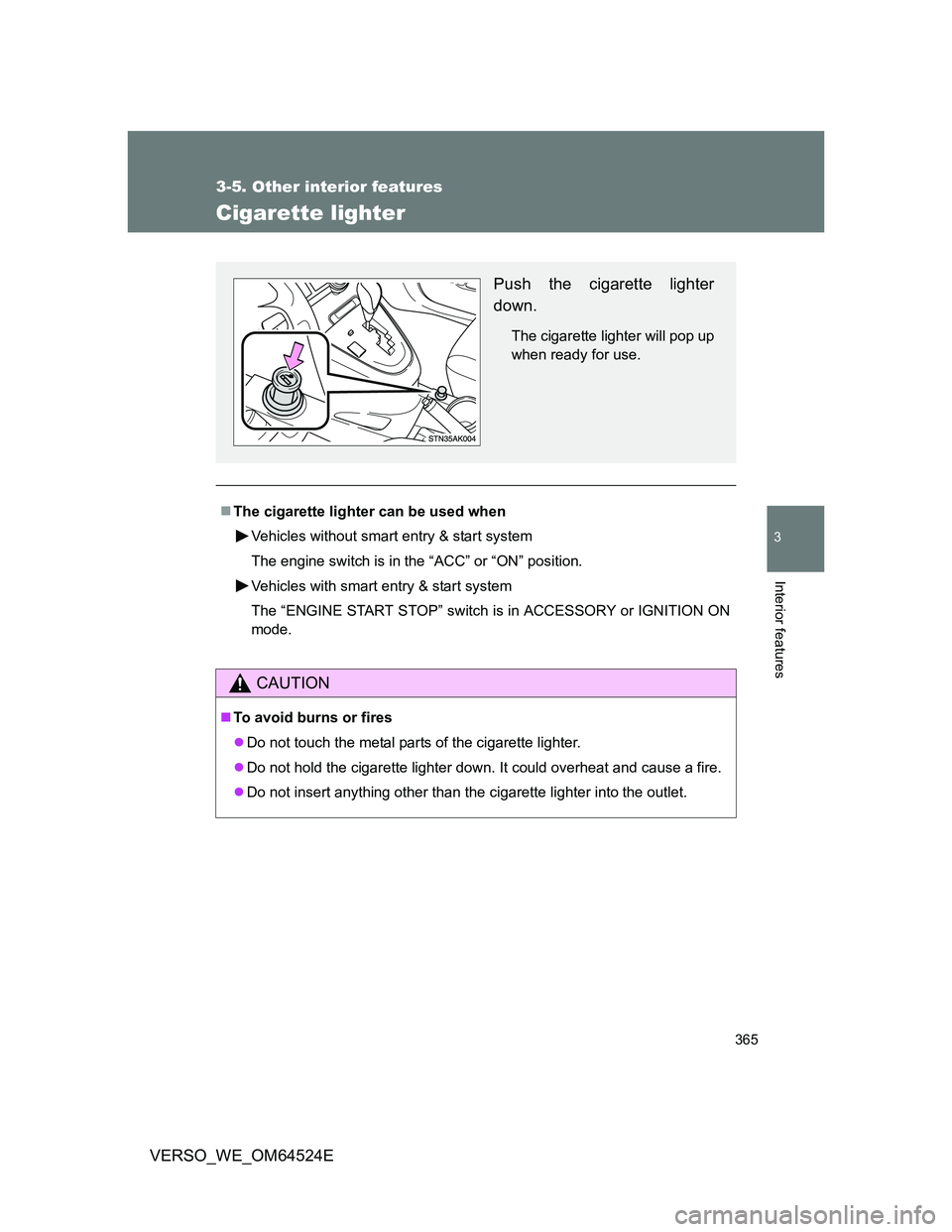
Push the cigarette lighter
down.
The cigarette lighter will pop up
when ready for use.
Page 368 of 588
368
3-5. Other interior features
VERSO_WE_OM64524E
Seat heaters
: If equipped
The seat heaters can be used when
Vehicles without smart entry & start system
The engine switch is in the “ON” position.
Vehicles with smart entry & start system
The “ENGINE START STOP” switch is in IGNITION ON mode.
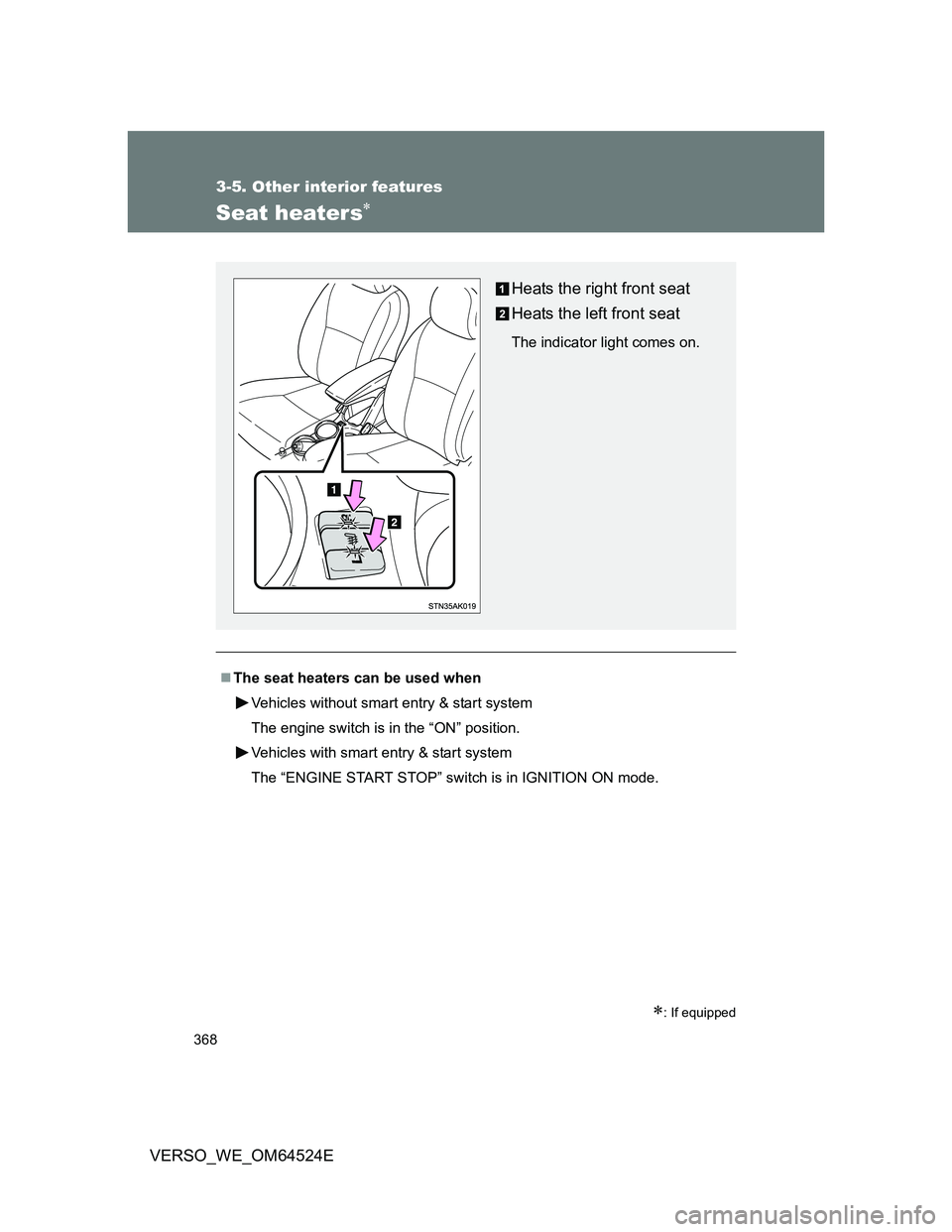
Heats the right front seat
Heats the left front seat
The indicator light comes on.
Page 373 of 588
373
3-5. Other interior features
3
Interior features
VERSO_WE_OM64524E
Panoramic roof shade
: If equipped
The panoramic roof shade can be operated when
Vehicles without smart entry & start system
The engine switch is in the “ON” position.
Vehicles with smart entry & start system
The “ENGINE START STOP” switch is in the IGNITION ON mode.
Jam protection function
If an object is detected between the panoramic roof shade and the frame
while closing, travel is stopped and the panoramic roof shade opens slightly.
If the panoramic roof shade cannot be closed automatically
Keep the switch depressed.
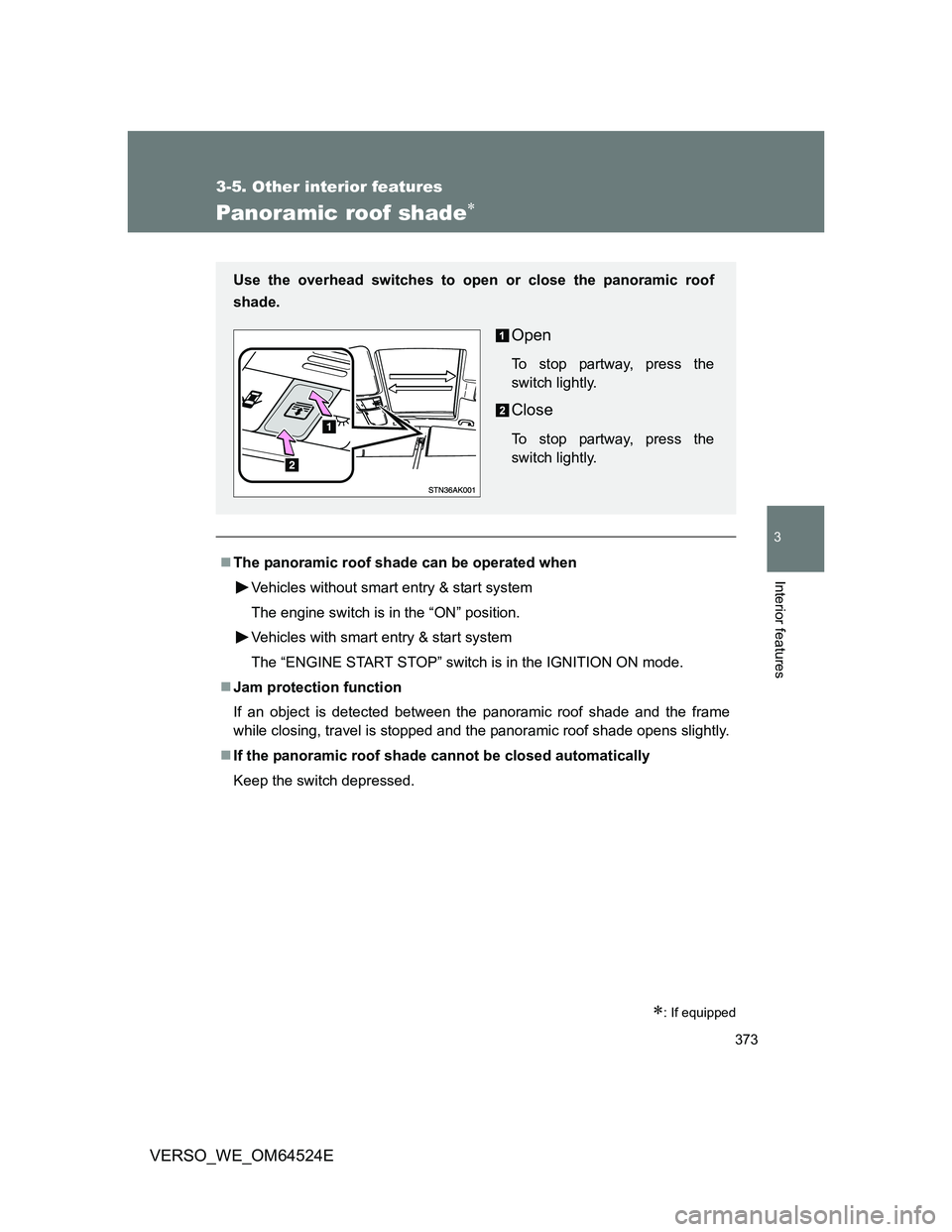
Use the overhead switches to open or close the panoramic roof
shade.
Open
To stop partway, press the
switch lightly.
Close
To stop partway, press the
switch lightly.