battery TOYOTA VERSO 2016 User Guide
[x] Cancel search | Manufacturer: TOYOTA, Model Year: 2016, Model line: VERSO, Model: TOYOTA VERSO 2016Pages: 664, PDF Size: 62.24 MB
Page 80 of 664
80
1-2. Opening, closing and locking the doors
VERSO_EE_OM64590E
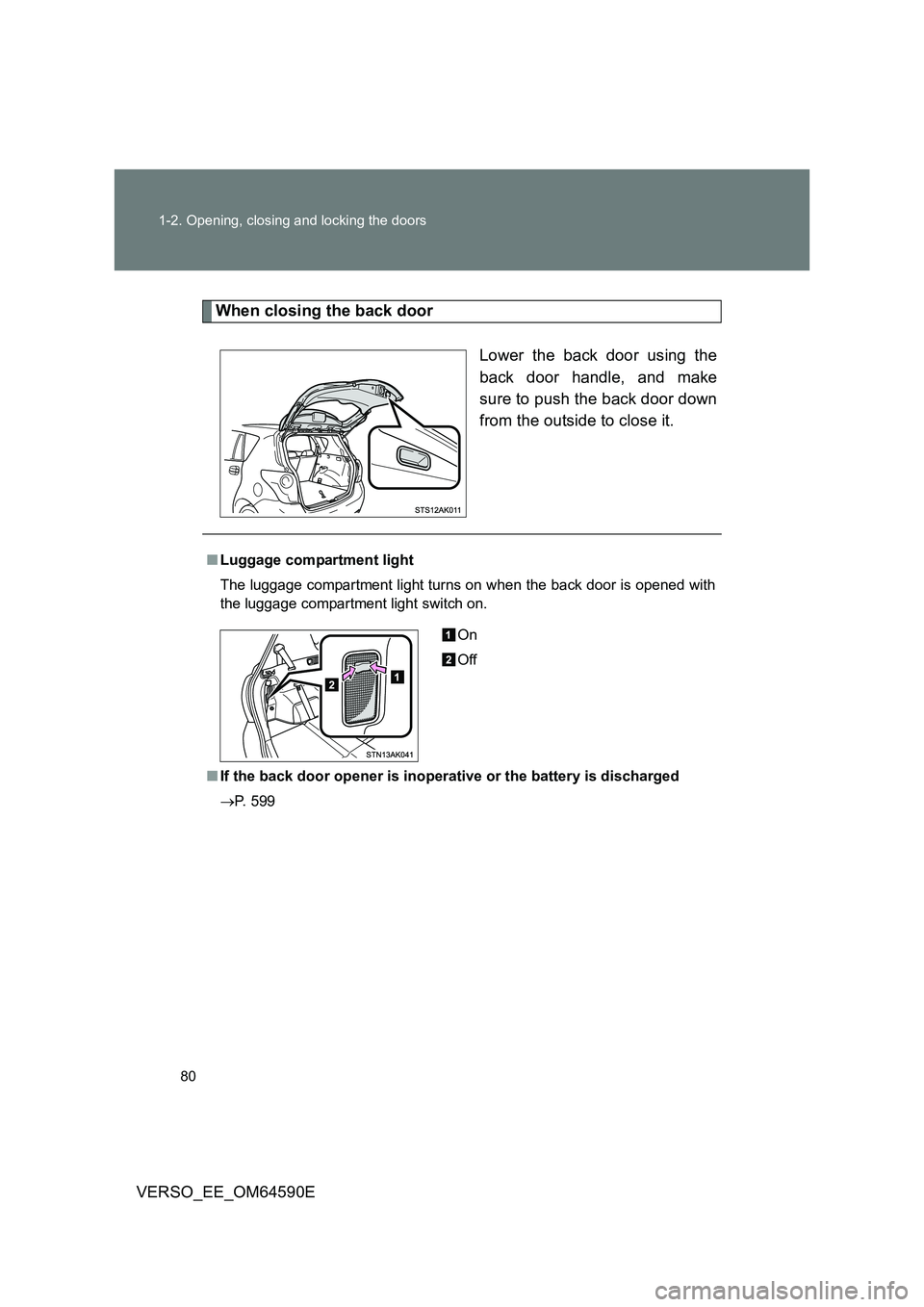
When closing the back door
Lower the back door using the
back door handle, and make
sure to push the back door down
from the outside to close it.
■ Luggage compartment light
The luggage compartment light turns on when the back door is opened with
the luggage compartment light switch on.
■ If the back door opener is inoperative or the battery is discharged
P. 599
On
Off
Page 118 of 664
118
1-4. Opening and closing the windows and panoramic roof shade
VERSO_EE_OM64590E
WARNING
■ To prevent burns or injury
● The jam protection function may operate if a load or impact, similar to that
applied when a foreign object is caught in the roof shade, is applied by
environmental or driving conditions.
● The underside of the roof will become hot if the vehicle is left in the direct
sunlight for a long period of time. Do not touch the parts inside the gap
between the roof underside and the roof shade, as you may burn yourself.
● Do not touch any rough or sheared parts of the roof underside, as you may
injure yourself.
NOTICE
■ To prevent battery discharge
Do not operate the panoramic roof shade when the engine is not running.
■ To ensure normal operation of the panoramic roof shade
Observe the following precautions:
● Do not place excessive load on the motor or other components.
● Do not place objects where they may hinder opening and closing opera-
tions.
● Do not attach items to the panoramic roof shade.
● Keep the opening clean and clear of obstructions.
● Do not operate the panoramic roof shade continuously for long periods of
time.
Page 137 of 664
137
1
1-6. Theft deterrent system
Before driving
VERSO_EE_OM64590E
Alarm
: If equipped
The system sounds the alarm and flashes the lights when forcible
entry is detected.
■ Triggering of the alarm
The alarm is triggered in the following situations when the alarm
is set.
● A locked door is unlocked or opened in any way other than
using the entry function (vehicles with smart entry & start sys-
tem) or wireless remote control. (The doors will lock again
automatically.)
● The hood is opened.
● Vehicles with the intrusion sensor: The intrusion sensor
detects something moving inside the vehicle. (An intruder gets
in the vehicle.)
● Vehicles with the glass breakage sensor: The back door win-
dow is tapped or broken.
● The battery is reconnected.
Page 140 of 664
140
1-6. Theft deterrent system
VERSO_EE_OM64590E
■ System maintenance
The vehicle has a maintenance-free type alarm system.
■ Items to check before locking the vehicle
To prevent unexpected triggering of the alarm and vehicle theft, make sure
of the following.
● Nobody is in the vehicle.
● The windows is closed before the alarm is set.
● No valuables or other personal items are left in the vehicle.
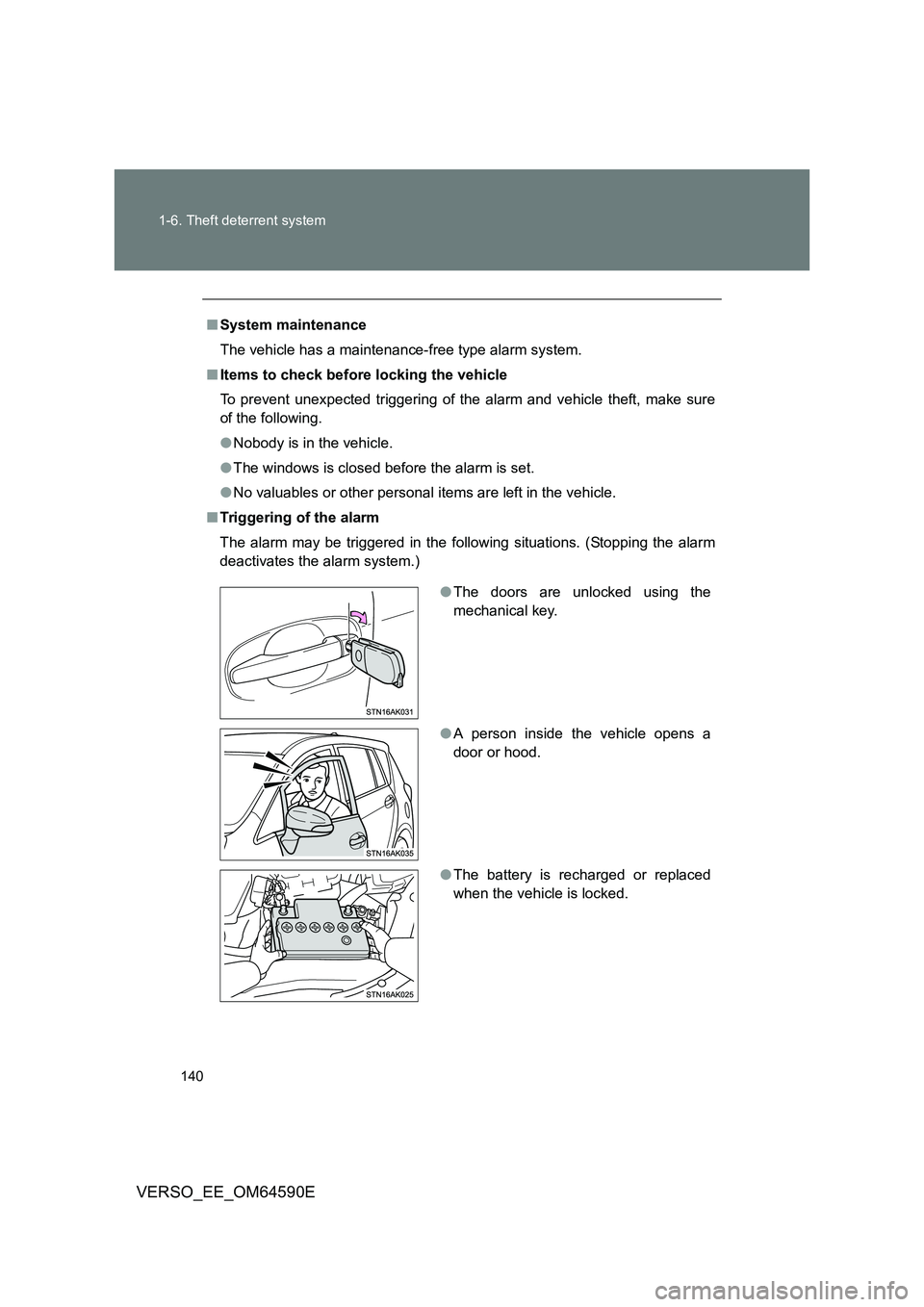
■ Triggering of the alarm
The alarm may be triggered in the following situations. (Stopping the alarm
deactivates the alarm system.)
● The doors are unlocked using the
mechanical key.
● A person inside the vehicle opens a
door or hood.
● The battery is recharged or replaced
when the vehicle is locked.
Page 141 of 664
141
1-6. Theft deterrent system
1
Before driving
VERSO_EE_OM64590E
■ When the battery is disconnected
Be sure to cancel the alarm system.
If the battery is discharged before canceling the alarm, the system may be
triggered when the battery is reconnected.
■ Alarm-operated door lock
In the following cases, depending on the situation, the door may automati-
cally lock to prevent improper entry into the vehicle:
● When a person remaining in the vehicle unlocks the door and the alarm
is activated.
● While the alarm is activated, a person remaining in the vehicle unlocks
the door.
● When recharging or replacing the battery.
■ Canceling and automatic re-enabling of the intrusion sensor
● The alarm will still be set even when the intrusion sensor is canceled.
● Vehicles without smart entry & start system: After the intrusion sensor is
canceled, turn the engine switch to the “ON” position or unlocking the
doors using the wireless remote control will re-enable the intrusion sen-
sor.
● Vehicles with smart entry & start system: After the intrusion sensor is
canceled, pressing the “ENGINE START STOP” switch or unlocking the
doors using the smart entry & start system or wireless remote control will
re-enable the intrusion sensor.
● When the alarm system is set again, the intrusion sensor will also be set.
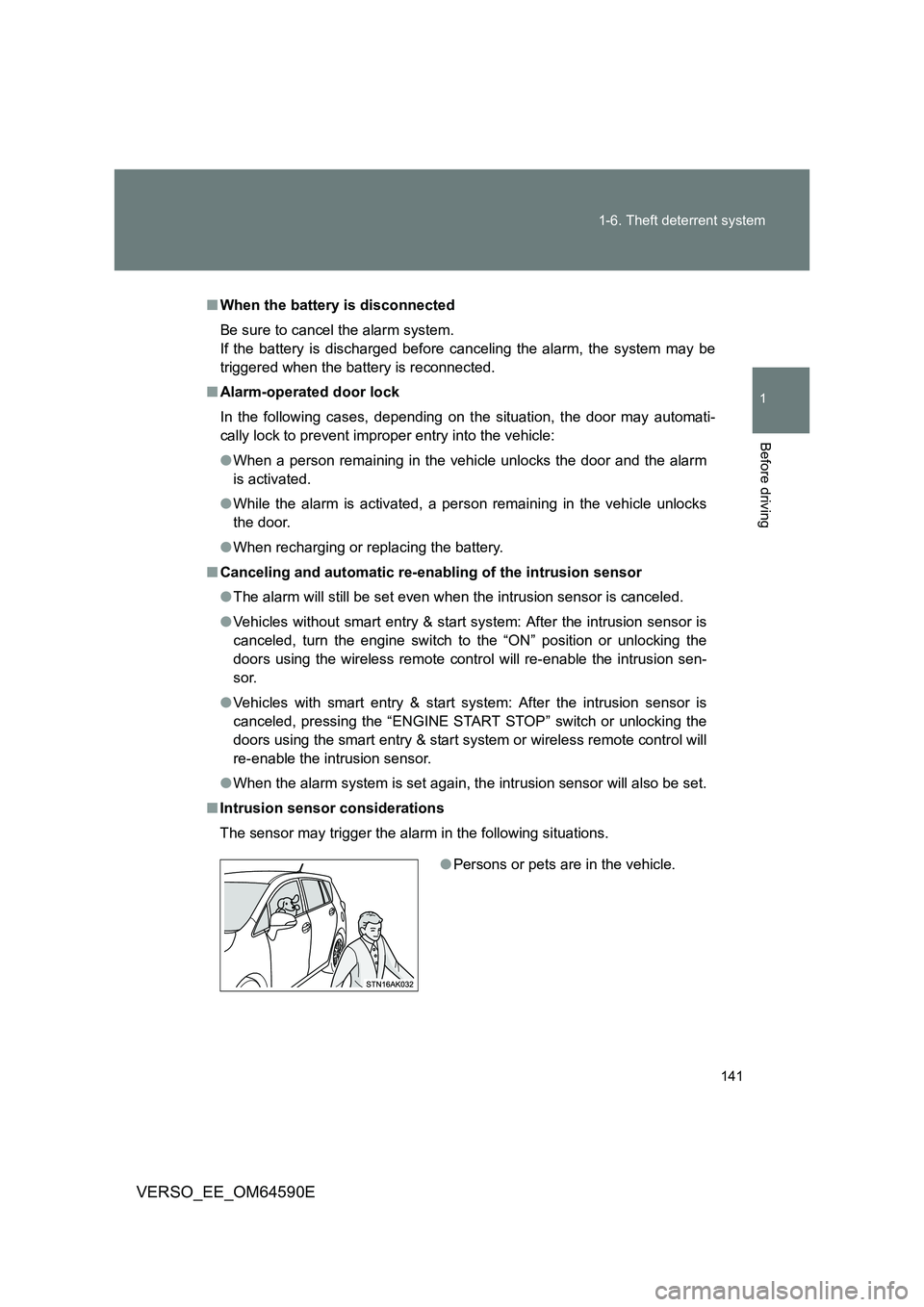
■ Intrusion sensor considerations
The sensor may trigger the alarm in the following situations.
● Persons or pets are in the vehicle.
Page 201 of 664
201
2-1. Driving procedures
2
When driving
VERSO_EE_OM64590E
NOTICE
■ To prevent battery discharge
Do not leave the engine switch in the “A CC” or “ON” position for long periods
if the engine is not the engine running.
■ When starting the engine
● Do not crank for more than 30 seconds at a time. This may overheat the
starter and wiring systems.
● Do not race the cold engine.
● If the engine becomes difficult to start or stalls frequently, have your vehi-
cle checked by any authorized Toyota dealer or repairer, or another duly
qualified and equipped professional immediately.
Page 206 of 664
206
2-1. Driving procedures
VERSO_EE_OM64590E
■ Auto power off function
Vehicles with a Multidrive
If the vehicle is left in ACCESSORY mode for more than 20 minutes with
the shift lever in “P”, the “ENGINE START STOP” switch will automatically
turn off.
Vehicles with a manual transmission
If the vehicle is left in ACCESSORY mode for more than 20 minutes, the
“ENGINE START STOP” switch will automatically turn off.
■ “ENGINE START STOP” switch operation
When operating the “ENGINE START STOP” switch, push it quickly and
firmly. If the switch is not pushed firmly, the mode may not change or the
engine may not start. Furthermore, if the switch is pushed quickly and firmly,
there is no need to hold it down.
■ Electronic key battery depletion
P. 4 7
■ When the electronic key battery is discharged
P. 600
■ Conditions affecting operation
P. 6 3
■ Note for the smart entry & start system
P. 4 7
WARNING
■When starting the engine
Always start the engine while sitting in the driver’s seat. Do not depress the
accelerator pedal while starting the engine under any circumstances.
Doing so may cause an accident resulting in death or serious injury.
Page 207 of 664
207
2-1. Driving procedures
2
When driving
VERSO_EE_OM64590E
WARNING
■ Caution while driving
If the vehicle is coasting without engine power, for example if the engine
stalls, do not open a door or operate the lo cks until the vehicle is completely
stopped in a safe condition. Driving with the steering locked may cause an
accident, resulting in death or serious injury.
■ Stopping the engine in an emergency
If you want to stop the engine in an emergency while driving the vehicle,
press and hold the “ENGINE START STOP” switch for more than 2 seconds,
or press it briefly 3 times or more in succession. ( P. 613)
However, do not touch the “ENGINE START STOP” switch while driving
except in an emergency. Turning the engine off while driving will not cause
loss of steering or braking control, but the power assist to these systems will
be lost. This will make it more difficult to steer and brake, so you should pull
over and stop the vehicle as soon as it is safe to do so.
NOTICE
■ To prevent battery discharge
Do not leave the “ENGINE START STOP” switch in ACCESSORY or IGNI-
TION ON mode for long periods without the engine running.
■ When starting the engine
● Do not race a cold engine.
● If the engine becomes difficult to start or stalls frequently, have your vehi-
cle checked by any authorized Toyota dealer or repairer, or another duly
qualified and equipped professional immediately.
■ “ENGINE START STOP” switch operation
If you feel something catching or sense irregular resistance when operating
the “ENGINE START STOP” switch, then there may be a malfunction. Imme-
diately contact any authorized Toyota dealer or repairer, or another duly
qualified and equipped professional.
Page 253 of 664
253
2-3. Operating the lights and wipers
2
When driving
VERSO_EE_OM64590E
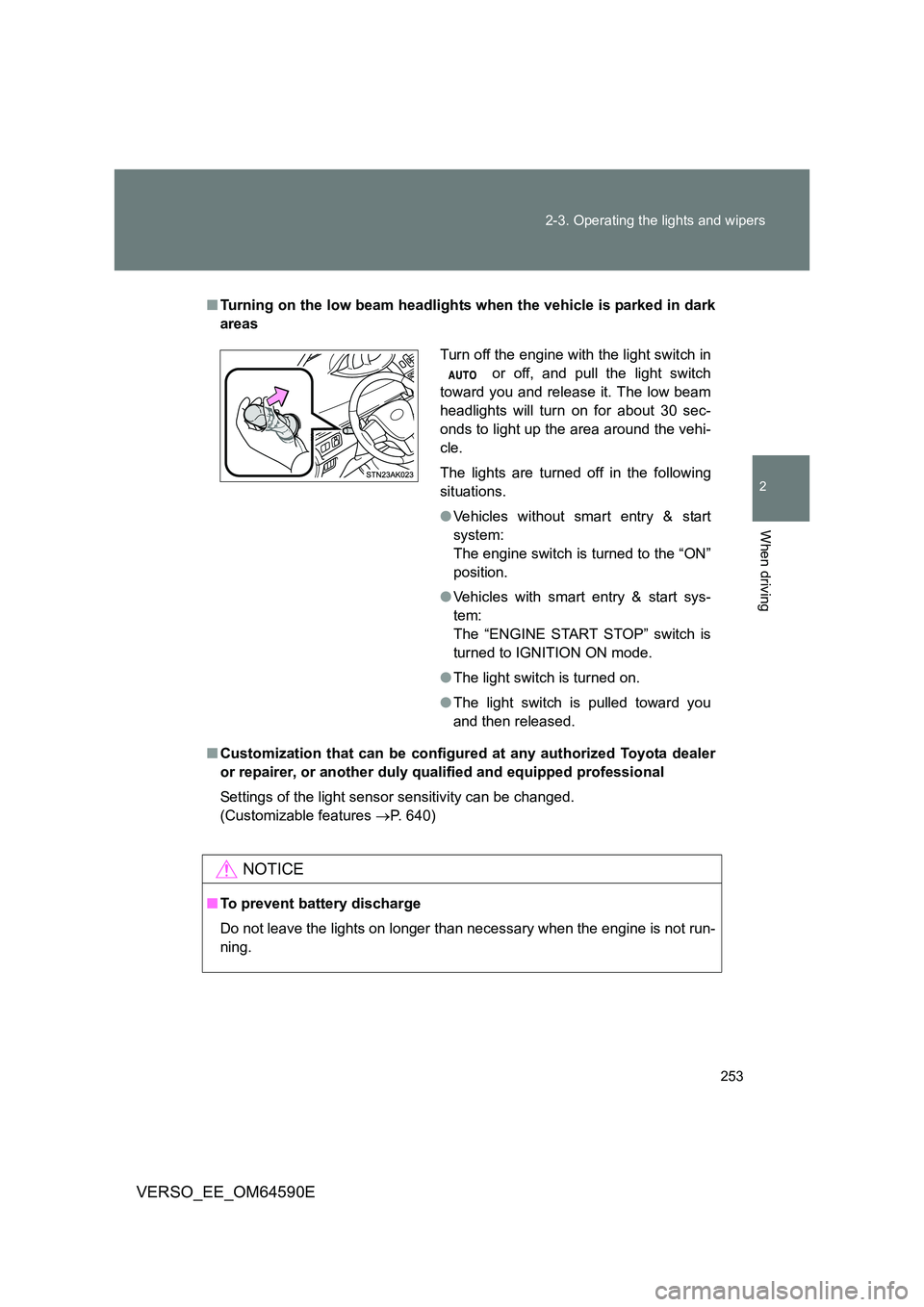
■ Turning on the low beam headlights when the vehicle is parked in dark
areas
■ Customization that can be configured at any authorized Toyota dealer
or repairer, or another duly qualified and equipped professional
Settings of the light sensor sensitivity can be changed.
(Customizable features P. 640)
NOTICE
■To prevent battery discharge
Do not leave the lights on longer than necessary when the engine is not run-
ning.
Turn off the engine with the light switch in
or off, and pull the light switch
toward you and release it. The low beam
headlights will turn on for about 30 sec-
onds to light up the area around the vehi-
cle.
The lights are turned off in the following
situations.
● Vehicles without smart entry & start
system:
The engine switch is turned to the “ON”
position.
● Vehicles with smart entry & start sys-
tem:
The “ENGINE START STOP” switch is
turned to IGNITION ON mode.
● The light switch is turned on.
● The light switch is pulled toward you
and then released.
Page 270 of 664
270
2-4. Toyota Safety Sense
VERSO_EE_OM64590E
■ Operational conditions
The pre-collision system is enabled and determines that the possibility of a
frontal collision with a vehicle (except motorcycles and bicycles) is high.
● Pre-collision warning:
• Vehicle speed is approximately 15 to 140 km/h (10 to 86 mph).
• The relative speed between your vehicle and the vehicle ahead is
greater than approximately 15 km/h (10 mph).
● Pre-collision brake assist:
• Vehicle speed is approximately 30 to 80 km/h (19 to 49 mph).
• The relative speed between your vehicle and the vehicle ahead is
greater than approximately 30 km/h (19 mph).
● Pre-collision braking:
• Vehicle speed is approximately 10 to 80 km/h (7 to 49 mph).
• The relative speed between your vehicle and the vehicle ahead is
greater than approximately 10 km/h (7 mph).
When the brake pedal is stepped on, the system judges if evasion actions
are being done by the driver and the start timing for pre-collision braking
may be delayed.
During the following, the driver oper ations takes precedence and the system
may not operate:
● The accelerator pedal is depressed strongly.
● The steering wheel is turned sharply or abruptly.
In case of the following, the system will not operate:
● If a battery terminal has been disconnected and reconnected and then
the vehicle has not been driven for a certain amount of time
● If VSC is disabled (only the pre-collision warning function will be opera-
tional)
● If the PCS warning light is flashing or illuminated
● When the shift position is in “R”