reset TOYOTA VERSO 2017 User Guide
[x] Cancel search | Manufacturer: TOYOTA, Model Year: 2017, Model line: VERSO, Model: TOYOTA VERSO 2017Pages: 668, PDF Size: 49.7 MB
Page 362 of 668
362
3-2. Using the audio system
VERSO_EE_OM64517E
■ EON (Enhanced Other Network) system (for traffic announcement
function)
If the RDS station (with EON data) you are listening to is not broadcasting a
traffic information program and the audio system is in the TA (traffic
announcement) mode, the radio will be switched automatically to a station
broadcasting a traffic information program in the EON AF list when traffic
information begins.
■ When the battery is disconnected
Stations presets are erased.
■ Reception sensitivity
● Maintaining perfect radio reception at all times is difficult due to the con-
tinually changing position of the antenna, differences in signal strength
and surrounding objects, such as trains, transmitters, etc.
● The radio antenna is mounted on the rear roof. The antenna can be
removed from the base by turning it.
NOTICE
■ To prevent damage, remove the antenna in the following cases
● The antenna will touch the ceiling of a garage.
● A cover will be put on the roof.
Page 378 of 668
378
3-2. Using the audio system
VERSO_EE_OM64517E
■ About iPod
● Apple is not responsible for the operation of this device or its compliance
with safety and regulatory standards.
● iPod is a trademark of Apple Inc., registered in the U.S. and other coun-
tries.
■ iPod functions
● When an iPod is connected and the audio source is changed to iPod
mode, the iPod will resume play from the same point in which it was last
used.
● Depending on the iPod that is connected to the system, certain functions
may not be available. If a function is unavailable due to a malfunction (as
opposed to a system specification), disconnecting the device and recon-
necting it once again may resolve the problem.
● While connected to the system, the iPod cannot be operated with its own
controls. It is necessary to use the controls of the vehicle’s audio system
instead.
■ iPod problems
To resolve most problems encountered when using your iPod, disconnect
your iPod from the vehicle iPod connection and reset it.
For instructions on how to reset your iPod, refer to your iPod Owner’s Man-
ual.
■ Display
P. 365
■ Error messages
“ERROR”: This indicates a problem in the iPod or its connection.
“NO SONGS”: This indicates that there is no music data in the iPod.
“NO PLAYLIST”: This indicates that some available songs are not found in
a selected playlist.
“UPDATE YOUR iPOD”: This indicates that the version of the iPod is not
compatible. Upgrade your iPod software to the lat-
est version.
Page 392 of 668
392
3-2. Using the audio system
VERSO_EE_OM64517E
Adjusting the volume
Press “+” on to increase the volume and “-” to decrease the vol-
ume.
Hold down “+” or “-” on to continue increasing or decreasing the vol-
ume.
Silencing a sound
Press and hold .
To cancel, press and hold again.
Selecting a radio station
Press to select the radio mode.
Press “ ” or “” on to select a preset station.
To scan for receivable stations, press and hold “” or “” on until
you hear a beep.
Selecting a track/file or song
Press to select the CD, iPod or USB memory mode.
Press “ ” or “” on to select the desired track/file or song.
Selecting a folder (MP3 and WMA or USB memory)
Press to select the CD or USB memory mode.
Press and hold “ ” or “” on until you hear a beep.
Page 456 of 668
456
4-3. Do-it-yourself maintenance
VERSO_EE_OM64517E
■ Engine oil consumption
A certain amount of engine oil will be consumed while driving. In the follow-
ing situations, oil consumption may increase, and engine oil may need to be
refilled in between oil maintenance intervals.
● When the engine is new, for example directly after purchasing the vehicle
or after replacing the engine
● If low quality oil or oil of an inappropriate viscosity is used
● When driving at high engine speeds or with a heavy load, when towing,
or when driving while accelerating or decelerating frequently
● When leaving the engine idling for a long time, or when driving frequently
through heavy traffic
The oil maintenance interval is variable and depending on the vehicle usage
condition.
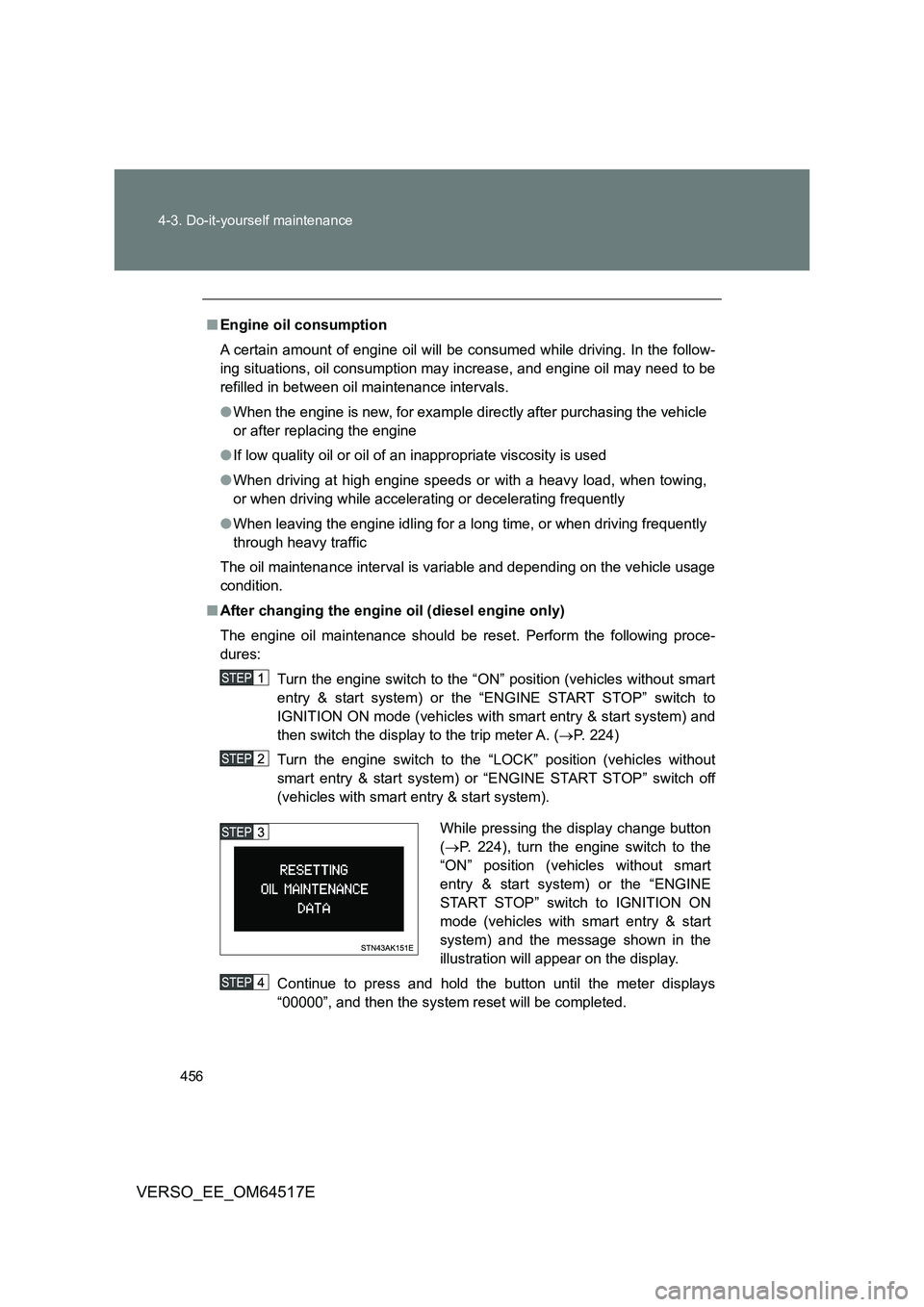
■ After changing the engine oil (diesel engine only)
The engine oil maintenance should be reset. Perform the following proce-
dures:
Turn the engine switch to the “ON” position (vehicles without smart
entry & start system) or the “ENGINE START STOP” switch to
IGNITION ON mode (vehicles with smart entry & start system) and
then switch the display to the trip meter A. ( P. 224)
Turn the engine switch to the “LOCK” position (vehicles without
smart entry & start system) or “ENGINE START STOP” switch off
(vehicles with smart entry & start system).
Continue to press and hold the button until the meter displays
“00000”, and then the system reset will be completed.
While pressing the display change button
( P. 224), turn the engine switch to the
“ON” position (vehicles without smart
entry & start system) or the “ENGINE
START STOP” switch to IGNITION ON
mode (vehicles with smart entry & start
system) and the message shown in the
illustration will appear on the display.
Page 470 of 668
470
4-3. Do-it-yourself maintenance
VERSO_EE_OM64517E
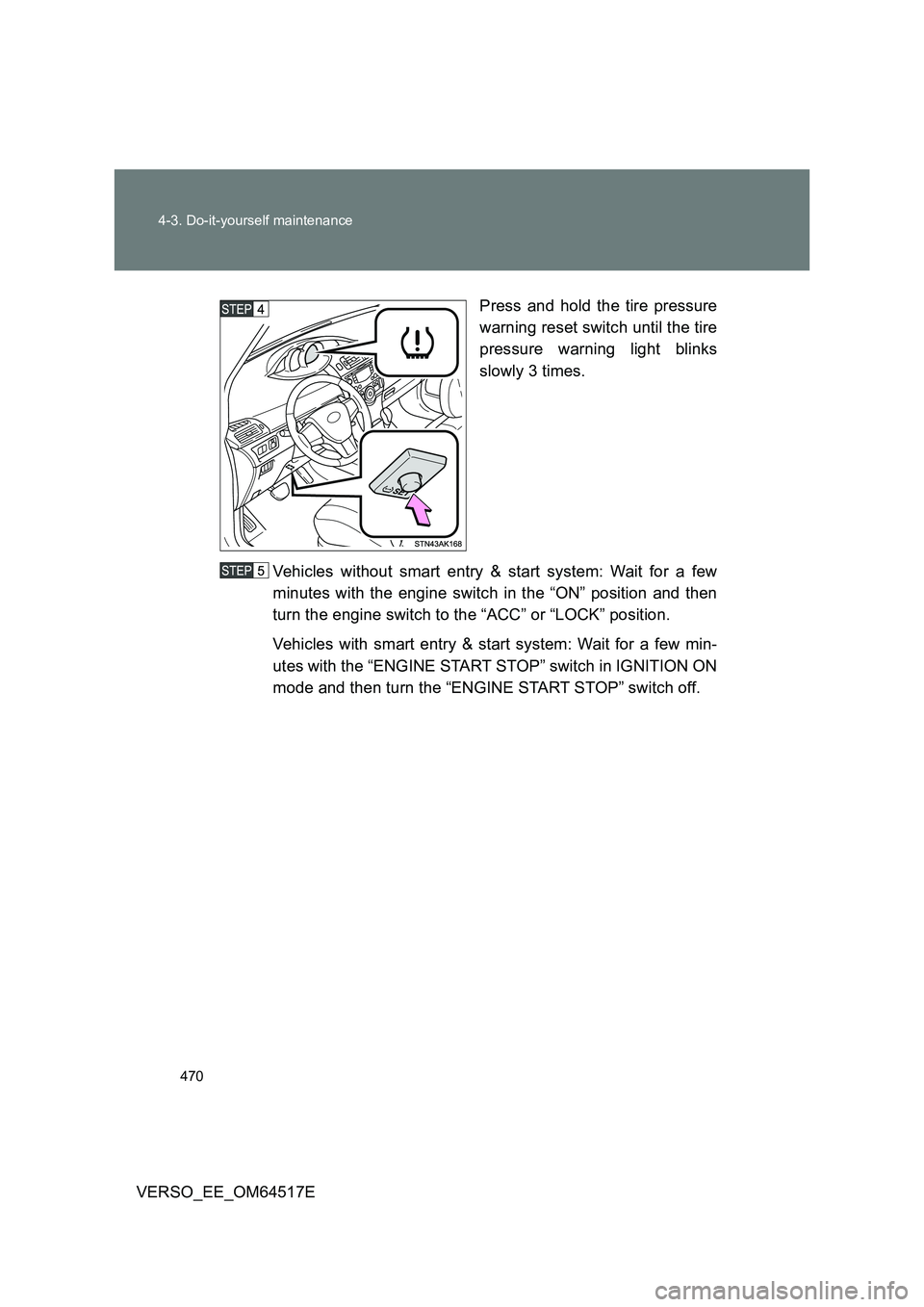
Press and hold the tire pressure
warning reset switch until the tire
pressure warning light blinks
slowly 3 times.
Vehicles without smart entry & start system: Wait for a few
minutes with the engine switch in the “ON” position and then
turn the engine switch to the “ACC” or “LOCK” position.
Vehicles with smart entry & start system: Wait for a few min-
utes with the “ENGINE START STOP” switch in IGNITION ON
mode and then turn the “ENGINE START STOP” switch off.
Page 472 of 668
472
4-3. Do-it-yourself maintenance
VERSO_EE_OM64517E
■ Routine tire inflation pressure checks (vehicles with the tire pressure
warning system)
The tire pressure warning system does no t replace routine tire inflation pres-
sure checks. Make sure to check tire inflation pressure as part of your rou-
tine of daily vehicle checks.
■ Initializing the tire pressure warning system (if equipped)
Initialize the system with the tire inflation pressure adjusted to the specified
level.
■ If the tread depth wears down to 4 mm (0.16 in.) or more on snow tires
The effectiveness of snow tires is lost.
■ When initialization of the tire pressure warning system has failed (if
equipped)
Initialization can be completed in a few minutes. However, in the following
cases, the settings have not been recorded and the system will not operate
properly. If repeated attempts to record tire inflation pressure settings are
unsuccessful, have the vehicle inspected by any authorized Toyota dealer or
repairer, or another duly qualified and equipped professional.
● When operating the tire pressure warning reset switch, the tire pressure
warning light does not blink 3 times.
● After driving for a certain period of time since the initialization has been
completed, the warning light comes on after blinking for 1 minute.
Page 477 of 668
477
4-3. Do-it-yourself maintenance
4
Maintenance and care
VERSO_EE_OM64517E
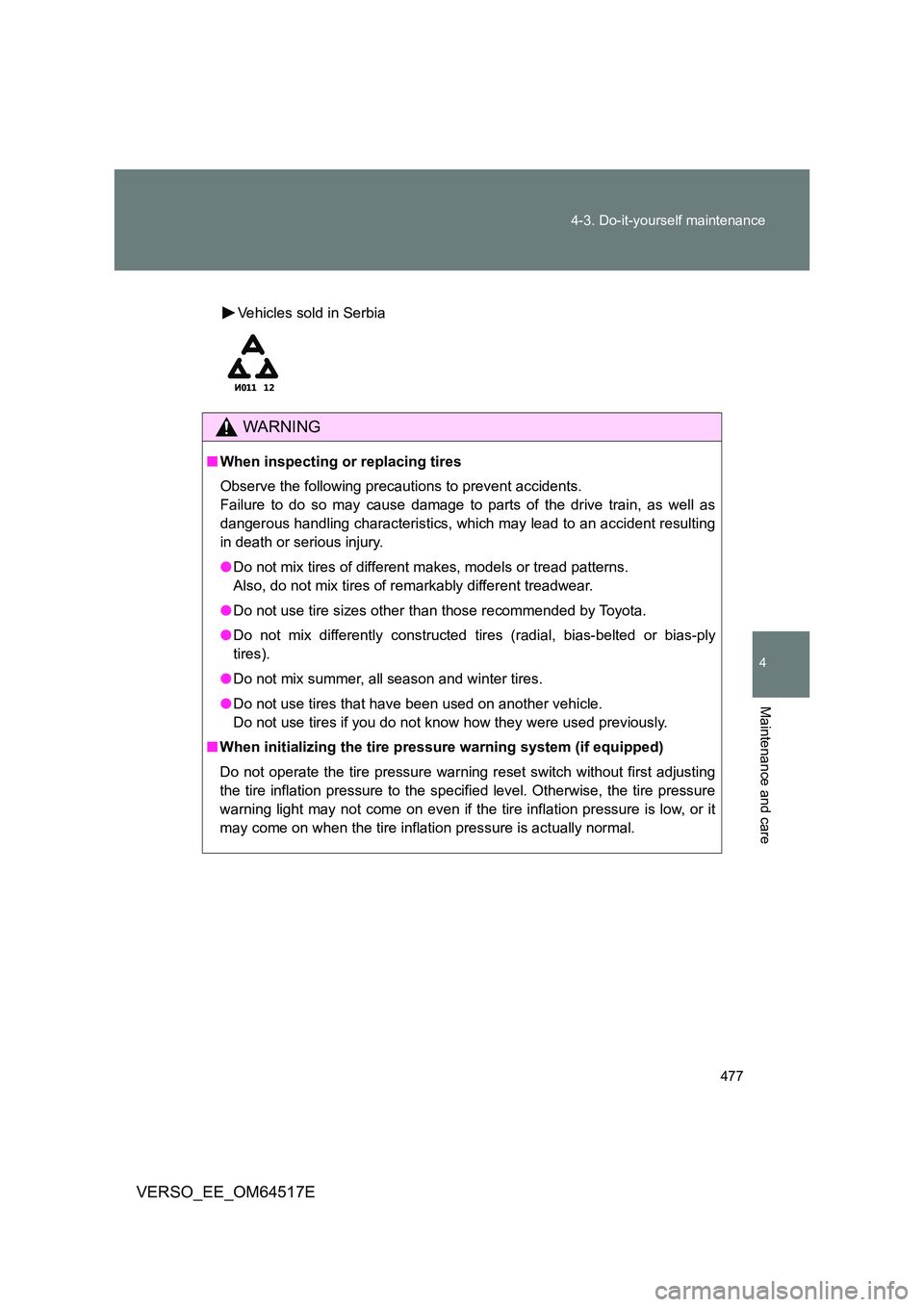
Vehicles sold in Serbia
WARNING
■ When inspecting or replacing tires
Observe the following precautions to prevent accidents.
Failure to do so may cause damage to parts of the drive train, as well as
dangerous handling characteristics, which may lead to an accident resulting
in death or serious injury.
● Do not mix tires of different makes, models or tread patterns.
Also, do not mix tires of remarkably different treadwear.
● Do not use tire sizes other than those recommended by Toyota.
● Do not mix differently constructed tires (radial, bias-belted or bias-ply
tires).
● Do not mix summer, all season and winter tires.
● Do not use tires that have been used on another vehicle.
Do not use tires if you do not know how they were used previously.
■ When initializing the tire pressure warning system (if equipped)
Do not operate the tire pressure warning reset switch without first adjusting
the tire inflation pressure to the specified level. Otherwise, the tire pressure
warning light may not come on even if the tire inflation pressure is low, or it
may come on when the tire inflation pressure is actually normal.
Page 558 of 668
558
5-2. Steps to take in an emergency
VERSO_EE_OM64517E
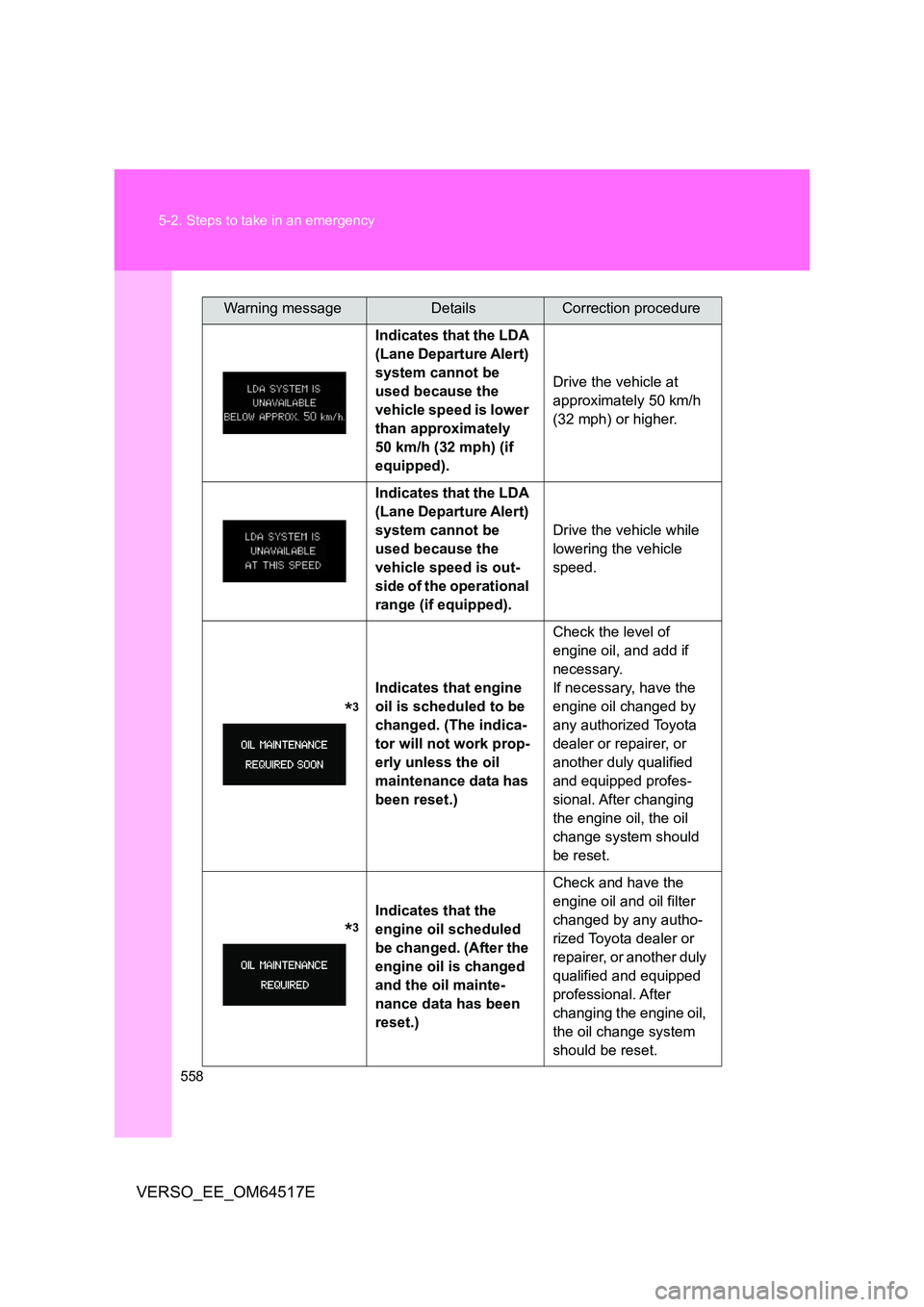
Indicates that the LDA
(Lane Departure Alert)
system cannot be
used because the
vehicle speed is lower
than approximately
50 km/h (32 mph) (if
equipped).
Drive the vehicle at
approximately 50 km/h
(32 mph) or higher.
Indicates that the LDA
(Lane Departure Alert)
system cannot be
used because the
vehicle speed is out-
side of the operational
range (if equipped).
Drive the vehicle while
lowering the vehicle
speed.
*3
Indicates that engine
oil is scheduled to be
changed. (The indica-
tor will not work prop-
erly unless the oil
maintenance data has
been reset.)
Check the level of
engine oil, and add if
necessary.
If necessary, have the
engine oil changed by
any authorized Toyota
dealer or repairer, or
another duly qualified
and equipped profes-
sional. After changing
the engine oil, the oil
change system should
be reset.
*3
Indicates that the
engine oil scheduled
be changed. (After the
engine oil is changed
and the oil mainte-
nance data has been
reset.)
Check and have the
engine oil and oil filter
changed by any autho-
rized Toyota dealer or
repairer, or another duly
qualified and equipped
professional. After
changing the engine oil,
the oil change system
should be reset.
Warning messageDetailsCorrection procedure
Page 577 of 668
5
577
5-2. Steps to take in an emergency
When trouble arises
VERSO_EE_OM64517E
■ The compact spare tire (if equipped)
● The compact spare tire is identified by the label “TEMPORARY USE
ONLY” on the tire sidewall.
Use the compact spare tire temporarily only in an emergency.
● Make sure to check the tire inflation pressure of the compact spare tire.
( P. 639)
■ After completing the tire change (vehicles with the tire pressure warn-
ing system)
The tire pressure warning system must be reset. ( P. 469)
■ When using the spare tire (vehicles with the tire pressure warning sys-
tem)
As the spare tire is not equipped with a tire pressure warning valve and
transmitter, low inflation pressure of the spare tire will not be indicated by the
tire pressure warning system. Also, if you replace a flat tire with the spare
tire after the tire pressure warning light comes on, the light remains on.
■ If you have a flat front tire on a road covered with snow or ice (vehicles
with compact spare tire)
Install the compact spare tire on the rear of the vehicle. Perform the following
steps and fit tire chains to the front tires.
Replace a rear tire with the compact spare tire.
Replace the flat front tire with the tire removed from the rear of the
vehicle.
Fit tire chains to the front tires.
Page 661 of 668
661
Alphabetical index
VERSO_EE_OM64517E
Service reminder
indicators .............................. 227
Shift lever
If the shift lever cannot
be shifted from “P” .............. 603
Manual transmission ............. 214
Multidrive............................... 208
Shift lock system ..................... 603
Side airbags ............................. 148
Side mirrors
Adjusting and folding............. 109
Side turn signal lights
Replacing light bulbs ............. 506
Switch ................................... 218
Wattage................................. 642
Smart entry & start system
Antenna location ..................... 44
Entry function .......................... 42
Starting the engine ................ 202
Spare tire
Inflation pressure .................. 639
Storage location .................... 566
Spark plug ................................ 635
Specifications .......................... 622
Speed limiter ............................ 298
Speedometer ............................ 222
Steering wheel
Adjustment ............................ 104
Audio switches ...................... 391
Column lock release ..... 200, 205
Stop & Start cancel switch...... 310
Stop & Start system................. 309
Storage features ...................... 398
Storage precautions ................ 323
Stuck
If your vehicle becomes
stuck ................................... 617
Sun visors ................................ 408
Sunshades
Panoramic roof ..................... 116
Rear side .............................. 417
Switch
Airbag manual on/off............. 179
Emergency flasher switch ..... 532
Engine switch................ 198, 202
Fog light switch ..................... 254
Hazard light switch................ 532
Ignition switch ............... 198, 202
LDA (Lane Departure
Alert) switch ........................ 283
Light switches ....................... 248
PCS (Pre-Collision System)
switch ................................. 272
Power door lock switch ........... 73
Power window switches ........ 112
Rear window wiper and
washer switch ..................... 260
“SPORT” mode switch .......... 209
Stop & Start cancel switch .... 310
Tire pressure warning
reset switch ........................ 469
Window lock switch............... 112
Wipers and washer
switch ......................... 255, 260