key TOYOTA VERSO 2017 Owner's Manual
[x] Cancel search | Manufacturer: TOYOTA, Model Year: 2017, Model line: VERSO, Model: TOYOTA VERSO 2017Pages: 668, PDF Size: 49.7 MB
Page 73 of 668
73
1
1-2. Opening, closing and locking the doors
Before driving
VERSO_EE_OM64517E
Side doors
The vehicle can be locked and unlocked using the smart entry &
start system, wireless remote co ntrol, key or door lock switch.
■Smart entry & start system (if equipped)
P. 4 2
■ Wireless remote control
P. 6 4
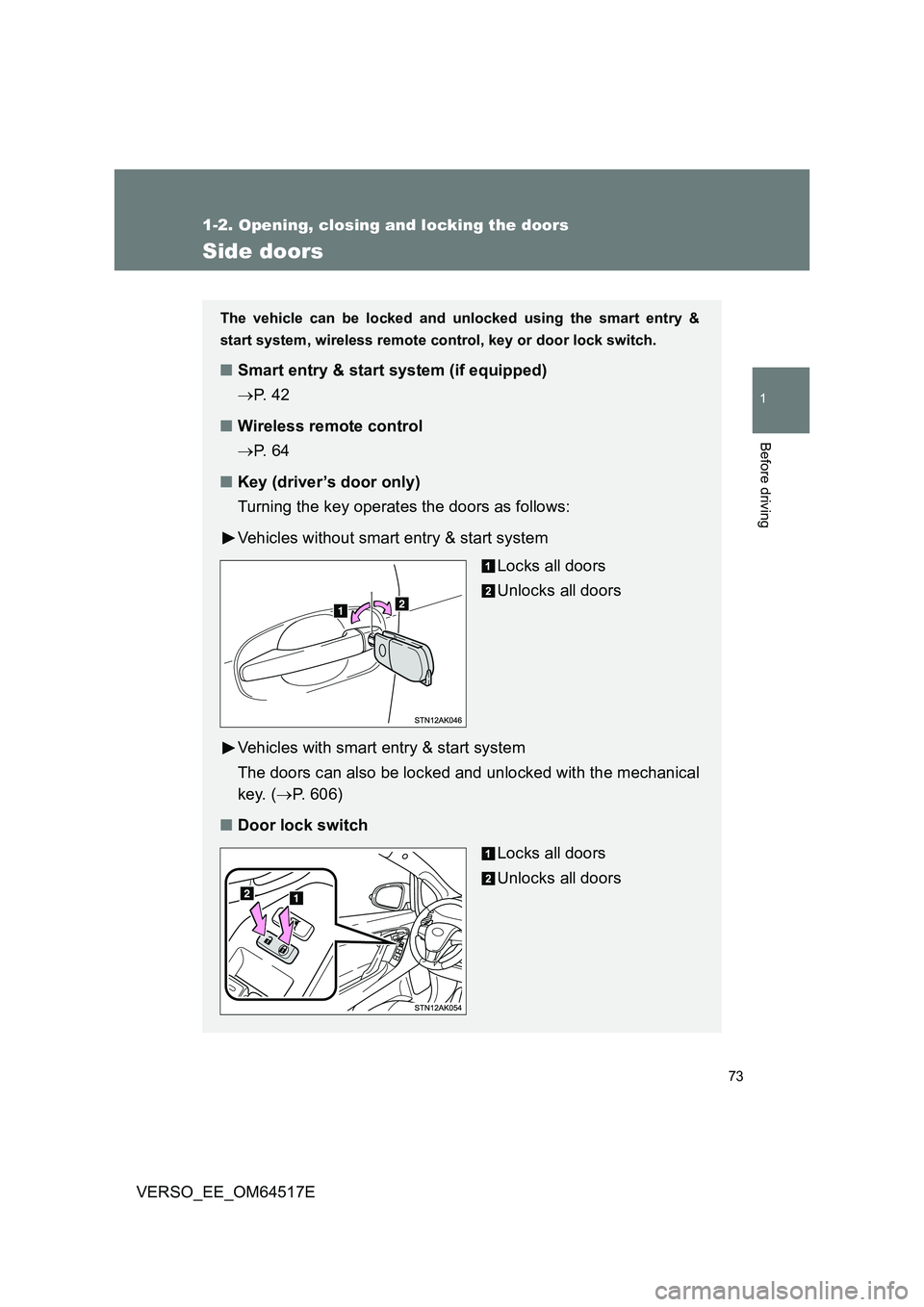
■ Key (driver’s door only)
Turning the key operates the doors as follows:
Vehicles without smart entry & start system
Locks all doors
Unlocks all doors
Vehicles with smart entry & start system
The doors can also be locked and unlocked with the mechanical
key. ( P. 606)
■ Door lock switch
Locks all doors
Unlocks all doors
Page 74 of 668
74
1-2. Opening, closing and locking the doors
VERSO_EE_OM64517E
Locking the driver’s door from the outside without a key
Move the inside door lock button to the lock position.
Close the door while pulling the door handle.
Vehicles without smart entry & start system
The door cannot be locked if the key is in the engine switch.
Vehicles with smart entry & start system
The door cannot be locked if the “ENGINE START STOP” switch is
in the ACCESSORY or IGNITION ON mode, or the electronic key
is left inside the vehicle.
The key may not be detected correctly and the door may be locked.
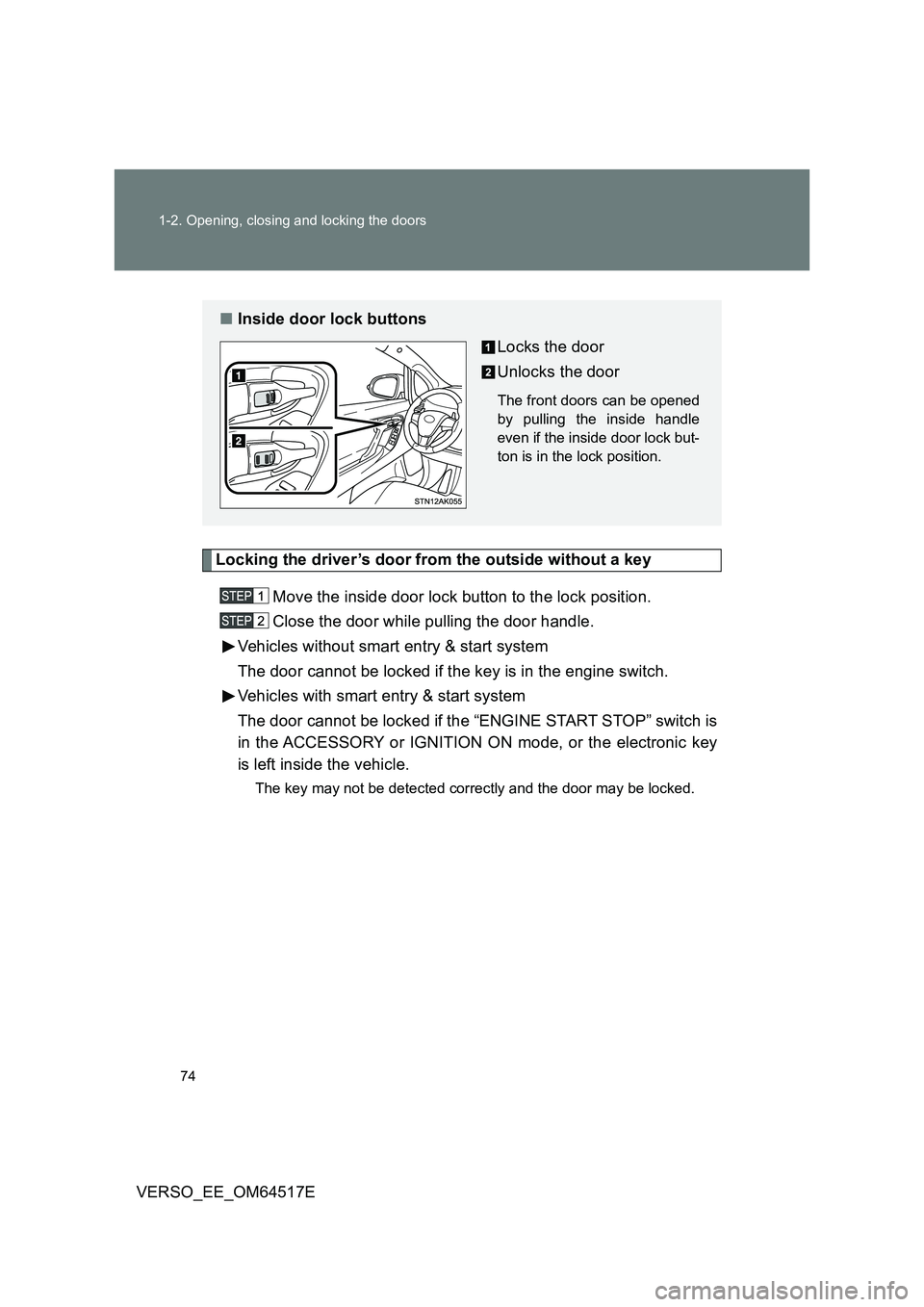
■ Inside door lock buttons
Locks the door
Unlocks the door
The front doors can be opened
by pulling the inside handle
even if the inside door lock but-
ton is in the lock position.
Page 78 of 668
78
1-2. Opening, closing and locking the doors
VERSO_EE_OM64517E
When the setting or canceling operation is complete, all doors are
locked and then unlocked.
Vehicles with Navigation/Multimedia system
P. 6 4 6
■Impact detection door lock release system
In the event that the vehicle is subject to a strong impact, all the doors are
unlocked. Depending on the force of the impact or the type of accident, how-
ever, the system may not operate.
■ Using the mechanical key (vehicles with smart entry & start system)
The doors can also be locked and unlocked with the mechanical key.
( P. 6 0 6 )
■ If a wrong key is used (vehicles with alarm)
The key cylinder rotates freely to inside mechanism.
WARNING
■ To prevent an accident
Observe the following precautions while driving the vehicle.
Failing to do so may result in a door opening and an occupant falling out,
resulting in death or serious injury.
● Always use a seat belt.
● Ensure that all doors are properly closed.
● Do not pull the inside handle of the doors while driving.
The doors may be opened and the passengers are thrown out of the vehi-
cle and it may result in serious injury or death.
Be especially careful for the front doors, as the doors may be opened even
if the inside door lock buttons are in locked position.
● Set the rear door child-protector locks when children are seated in the rear
seat.
Page 79 of 668
79
1
1-2. Opening, closing and locking the doors
Before driving
VERSO_EE_OM64517E
Back door
The back door can be locked/unlocked and opened by the following
procedures.
■ Locking and unlocking the back door
Smart entry & start system (if equipped)
P. 4 2
Wireless remote control
P. 6 4
Key
P. 7 3
Door lock switch
P. 7 3
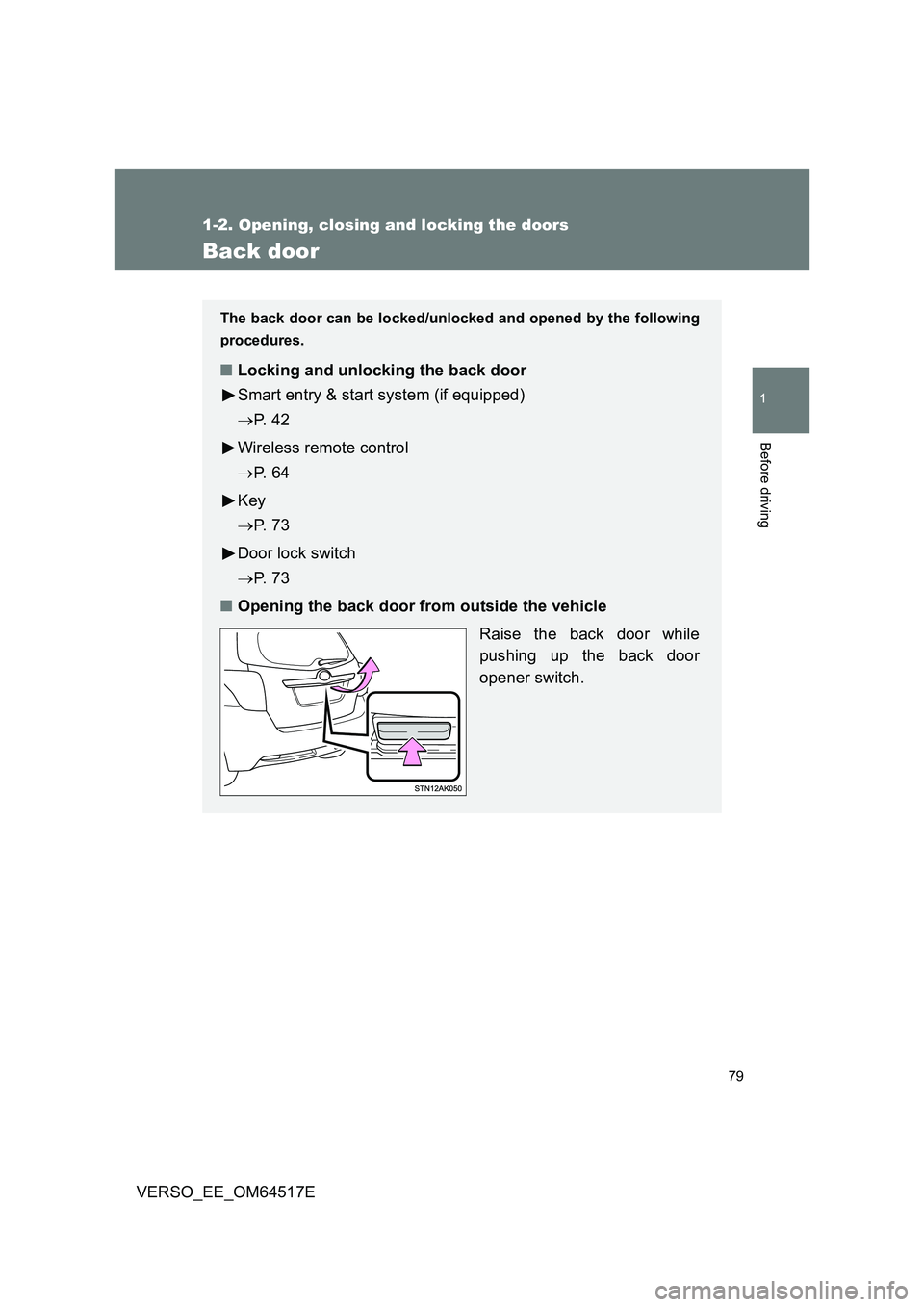
■ Opening the back door from outside the vehicle
Raise the back door while
pushing up the back door
opener switch.
Page 115 of 668
115
1-4. Opening and closing the windows and panoramic roof shade
1
Before driving
VERSO_EE_OM64517E
WARNING
■ When closing the windows
Observe the following precautions.
Failing to do so may result in death or serious injury.
● The driver is responsible for all the power window operations, including the
operation for the passengers. In order to prevent accidental operation,
especially by a child, do not let a child operate the power windows. It is
possible for children and other passengers to have body parts caught in
the power window. Also, when riding with a child, it is recommended to use
the window lock switch. ( P. 1 1 2 )
● Check to make sure that all passengers do not have any part of their body
in a position where it could be caught when a window is being operated.
● When exiting the vehicle, turn the engine switch to the “LOCK” position
(vehicles without smart entry & start system) or the “ENGINE START
STOP” switch off (vehicles with smart entry & start system), carry the key
and exit the vehicle along with the child. There may be accidental opera-
tion, due to mischief, etc., that may possibly lead to an accident.
■ Jam protection function
● Never use any part of your body to intentionally activate the jam protection
function.
● The jam protection function may not work if something gets caught just
before the window fully closes.
Page 124 of 668

124
VERSO_EE_OM64517E
1-6. Theft deterrent system
Engine immobilizer system
The vehicle’s keys have built-in transponder chips that prevent the
engine from starting if the key h as not been previously registered in
the vehicle’s on-board computer.
Never leave the keys inside the vehicle when you leave the vehicle.
This system is designed to help prevent vehicle theft but does not
guarantee absolute security against all vehicle thefts.
Vehicles with manual air conditioning system
Vehicles without smart entry &
start system: The indicator
light flashes after the key has
been removed from the
engine switch to indicate that
the system is operating.
The indicator light stops flash-
ing after the registered key
has been inserted into the
engine switch to indicate that
the system has been can-
celed.
Vehicles with smart entry &
start system: The indicator
light flashes after the
“ENGINE START STOP”
switch has been turned off to
indicate that the system is
operating.
The indicator light stops flash-
ing after the “ENGINE START
STOP” switch has been turned
to ACCESSORY or IGNITION
ON mode to indicate that the
system has been canceled.
Page 125 of 668
125
1-6. Theft deterrent system
1
Before driving
VERSO_EE_OM64517E
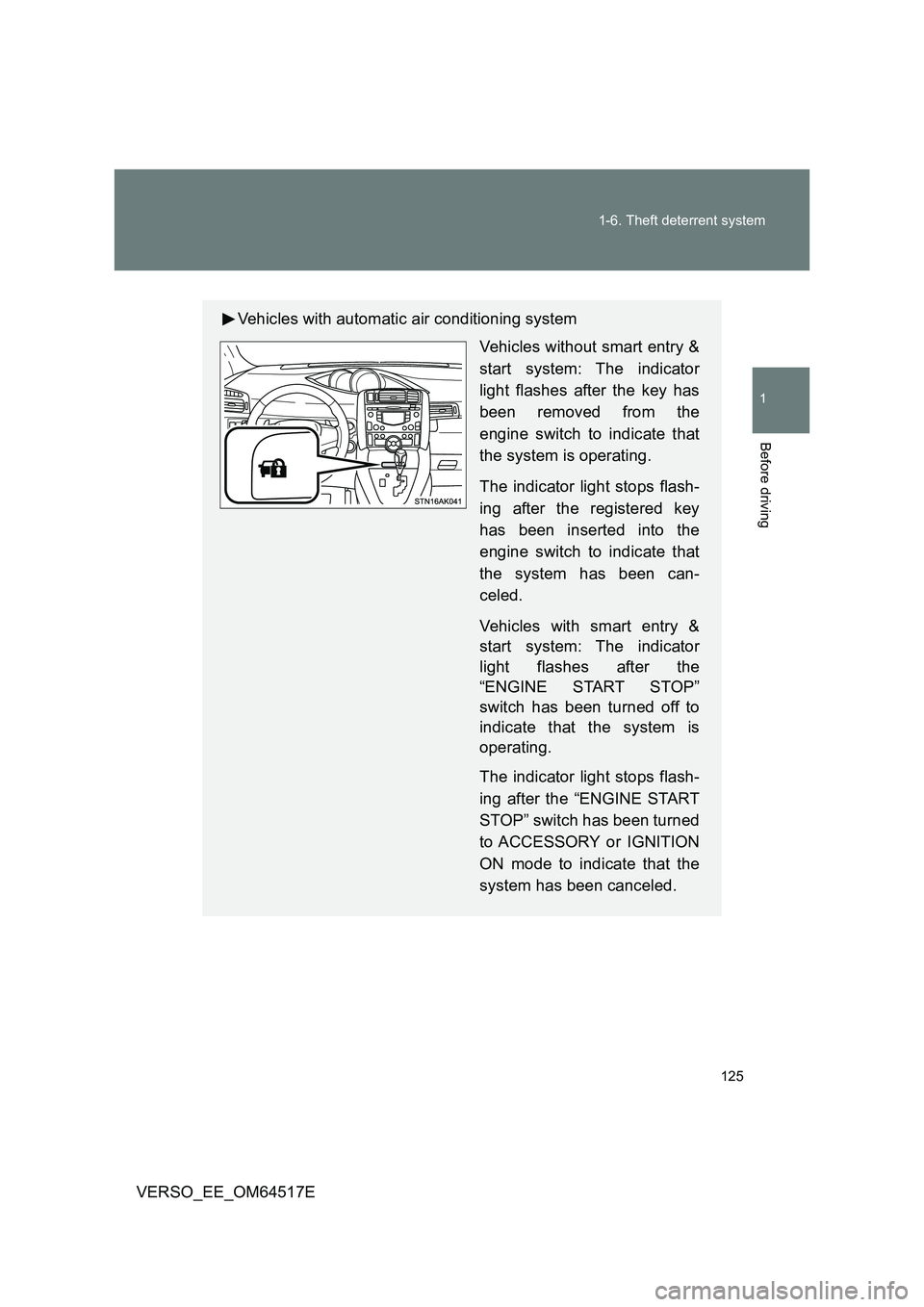
Vehicles with automatic air conditioning system
Vehicles without smart entry &
start system: The indicator
light flashes after the key has
been removed from the
engine switch to indicate that
the system is operating.
The indicator light stops flash-
ing after the registered key
has been inserted into the
engine switch to indicate that
the system has been can-
celed.
Vehicles with smart entry &
start system: The indicator
light flashes after the
“ENGINE START STOP”
switch has been turned off to
indicate that the system is
operating.
The indicator light stops flash-
ing after the “ENGINE START
STOP” switch has been turned
to ACCESSORY or IGNITION
ON mode to indicate that the
system has been canceled.
Page 126 of 668
126
1-6. Theft deterrent system
VERSO_EE_OM64517E
■ System maintenance
The vehicle has a maintenance-free type engine immobilizer system.
■ Conditions that may cause the system to malfunction
● If the grip portion of the key is in contact with a metallic object
● If the key is in close proximity to or touching a key to the security system
(key with a built-in transponder chip) of another vehicle
Page 140 of 668
140
1-6. Theft deterrent system
VERSO_EE_OM64517E
■ System maintenance
The vehicle has a maintenance-free type alarm system.
■ Items to check before locking the vehicle
To prevent unexpected triggering of the alarm and vehicle theft, make sure
of the following.
● Nobody is in the vehicle.
● The windows is closed before the alarm is set.
● No valuables or other personal items are left in the vehicle.
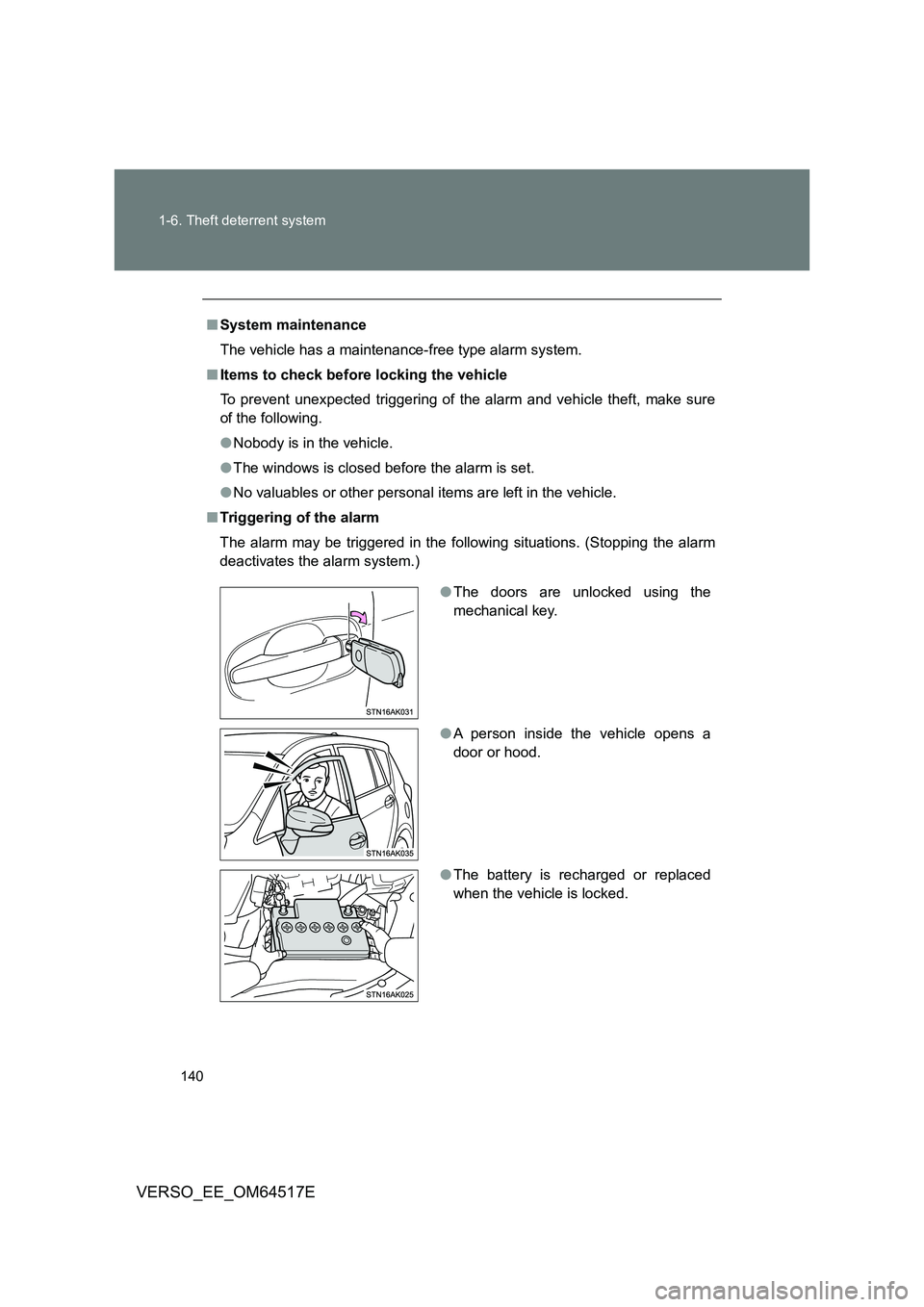
■ Triggering of the alarm
The alarm may be triggered in the follow ing situations. (Stopping the alarm
deactivates the alarm system.)
● The doors are unlocked using the
mechanical key.
● A person inside the vehicle opens a
door or hood.
● The battery is recharged or replaced
when the vehicle is locked.
Page 156 of 668
156
1-7. Safety information
VERSO_EE_OM64517E
WARNING
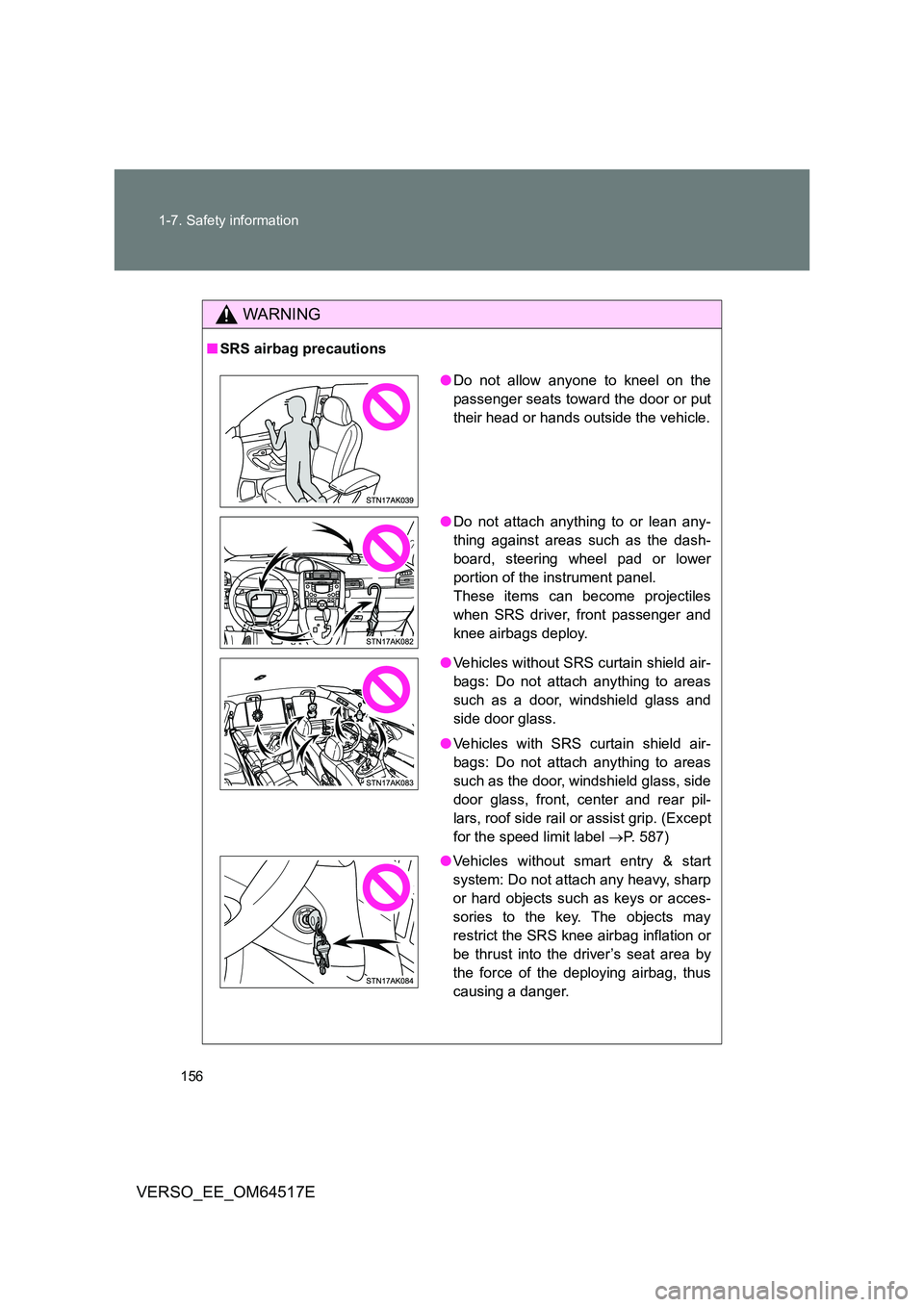
■ SRS airbag precautions
●Do not allow anyone to kneel on the
passenger seats toward the door or put
their head or hands outside the vehicle.
● Do not attach anything to or lean any-
thing against areas such as the dash-
board, steering wheel pad or lower
portion of the instrument panel.
These items can become projectiles
when SRS driver, front passenger and
knee airbags deploy.
● Vehicles without SRS curtain shield air-
bags: Do not attach anything to areas
such as a door, windshield glass and
side door glass.
● Vehicles with SRS curtain shield air-
bags: Do not attach anything to areas
such as the door, windshield glass, side
door glass, front, c enter and rear pil-
lars, roof side rail or assist grip. (Except
for the speed limit label P. 587)
● Vehicles without smart entry & start
system: Do not attach any heavy, sharp
or hard objects such as keys or acces-
sories to the key. The objects may
restrict the SRS knee airbag inflation or
be thrust into the driver’s seat area by
the force of the deploying airbag, thus
causing a danger.