warning light TOYOTA VERSO S 2011 Owners Manual
[x] Cancel search | Manufacturer: TOYOTA, Model Year: 2011, Model line: VERSO S, Model: TOYOTA VERSO S 2011Pages: 664, PDF Size: 160.56 MB
Page 590 of 664
5908-2. Steps to take in an emergency
may get dirty.
24 Store the bottle in the luggage
compartment while it is con-
nected to the compressor.
25 Taking precautions to avoid
sudden braking, sudden accel-
eration and sharp turns, drive
carefully at under 80 km/h (50
mph) to the nearest authorized
Toyota retailer or Toyota autho-
rized repairer, or reliable
repairer that is less than 100 km
(62 miles) away for tire repair or
replacement.
For repair and replacement of a tire or disposal of the tire puncture repair kit, contact any authorized Toyota retailer
or Toyota authorized repairer, or any reliable repairer.
When having the tire repaired or
replaced, make sure to tell the autho- rized Toyota retailer or Toyota autho-rized repairer, or reliable repairer that
the sealant is injected.
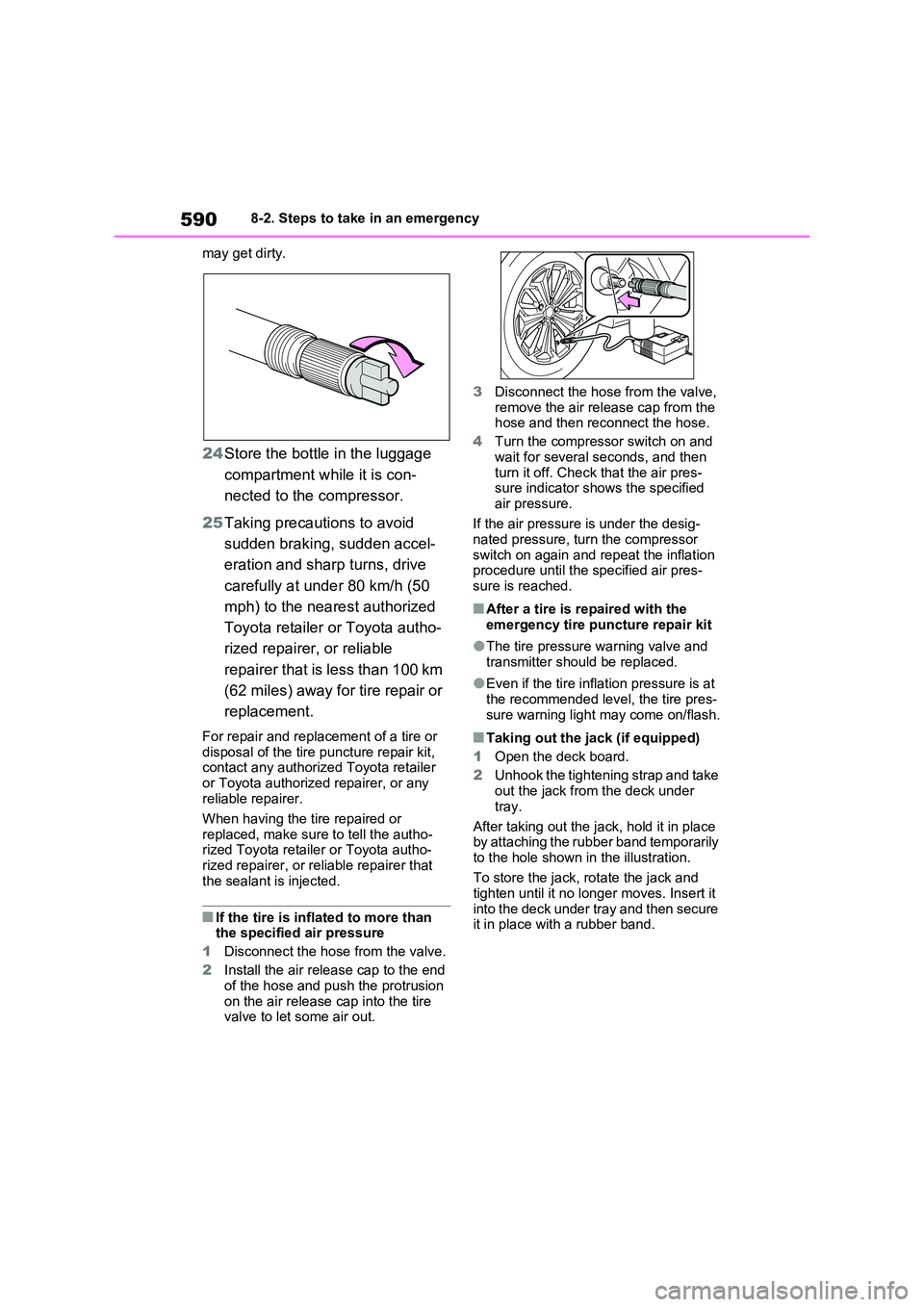
■If the tire is inflated to more than the specified air pressure
1 Disconnect the hose from the valve.
2 Install the air release cap to the end of the hose and push the protrusion
on the air release cap into the tire valve to let some air out.
3 Disconnect the hose from the valve, remove the air release cap from the hose and then reconnect the hose.
4 Turn the compressor switch on and
wait for several seconds, and then turn it off. Check that the air pres-sure indicator shows the specified
air pressure.
If the air pressure is under the desig- nated pressure, turn the compressor
switch on again and repeat the inflation procedure until the specified air pres-sure is reached.
■After a tire is repaired with the
emergency tire puncture repair kit
●The tire pressure warning valve and
transmitter should be replaced.
●Even if the tire inflation pressure is at
the recommended level, the tire pres- sure warning light may come on/flash.
■Taking out the jack (if equipped)
1 Open the deck board.
2 Unhook the tightening strap and take out the jack from the deck under
tray.
After taking out the jack, hold it in place by attaching the rubber band temporarily
to the hole shown in the illustration.
To store the jack, rotate the jack and tighten until it no longer moves. Insert it
into the deck under tray and then secure it in place with a rubber band.
Page 596 of 664
5968-2. Steps to take in an emergency
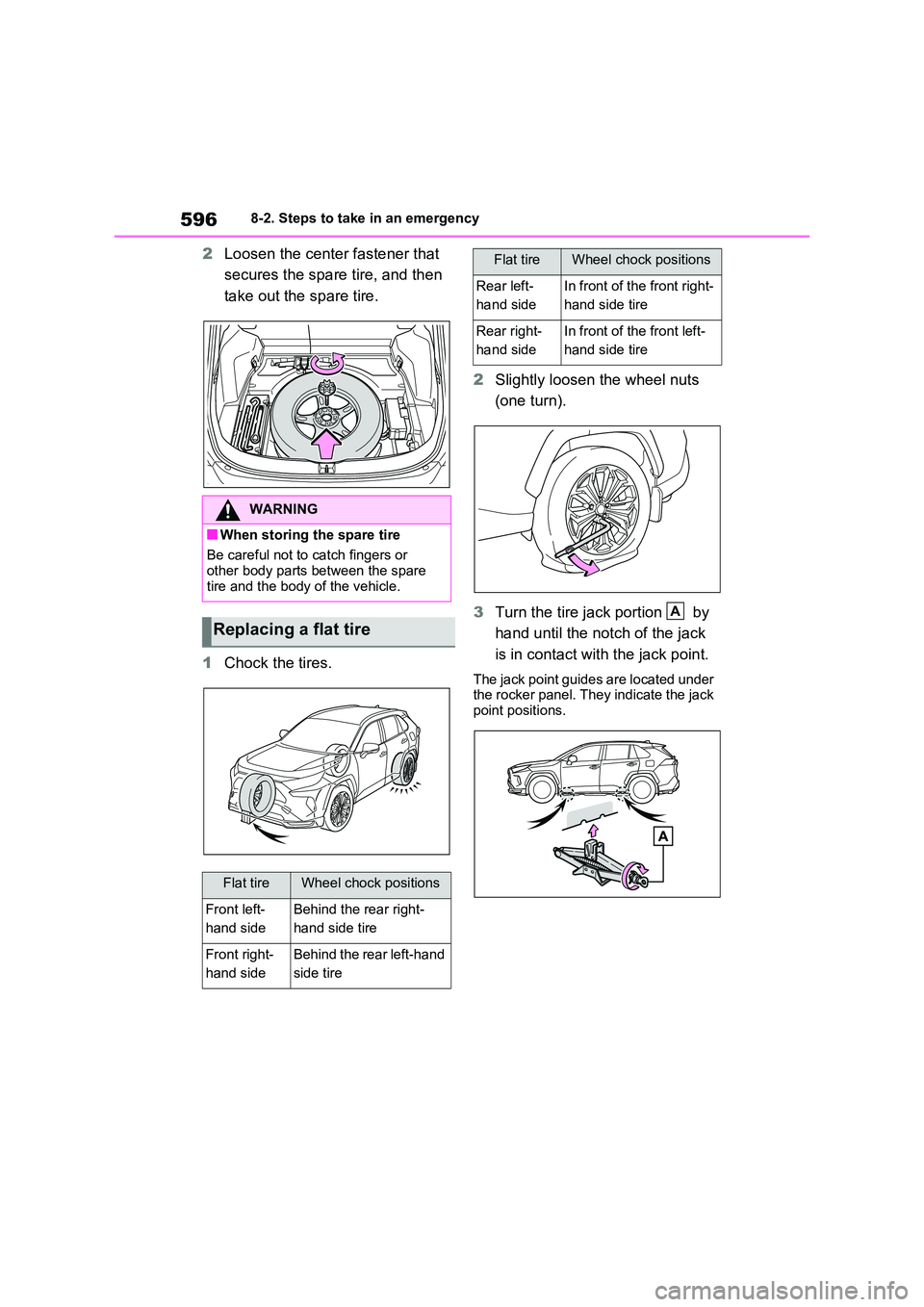
2Loosen the center fastener that
secures the spare tire, and then
take out the spare tire.
1 Chock the tires.
2 Slightly loosen the wheel nuts
(one turn).
3 Turn the tire jack portion by
hand until the notch of the jack
is in contact with the jack point.
The jack point guides are located under the rocker panel. They indicate the jack
point positions.
WARNING
■When storing the spare tire
Be careful not to catch fingers or
other body parts between the spare tire and the body of the vehicle.
Replacing a flat tire
Flat tireWheel chock positions
Front left-
hand side
Behind the rear right-
hand side tire
Front right-
hand side
Behind the rear left-hand
side tire
Rear left-
hand side
In front of the front right-
hand side tire
Rear right-
hand side
In front of the front left-
hand side tire
Flat tireWheel chock positions
A
Page 597 of 664
597
8
8-2. Steps to take in an emergency
When trouble arises
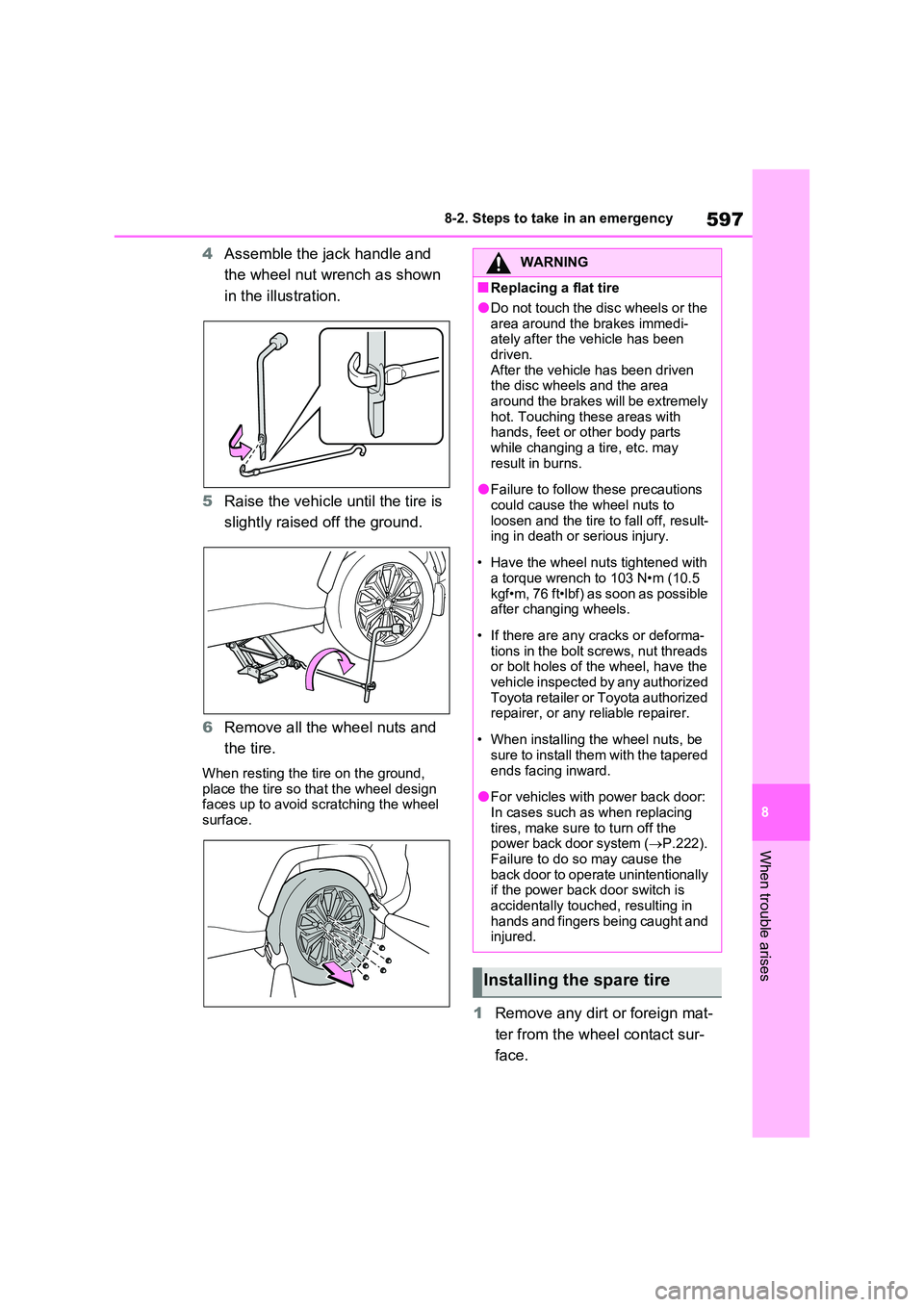
4 Assemble the jack handle and
the wheel nut wrench as shown
in the illustration.
5 Raise the vehicle until the tire is
slightly raised off the ground.
6 Remove all the wheel nuts and
the tire.
When resting the tire on the ground,
place the tire so that the wheel design faces up to avoid scratching the wheel surface.
1 Remove any dirt or foreign mat-
ter from the wheel contact sur-
face.
WARNING
■Replacing a flat tire
●Do not touch the disc wheels or the
area around the brakes immedi- ately after the vehicle has been driven.
After the vehicle has been driven the disc wheels and the area around the brakes will be extremely
hot. Touching these areas with hands, feet or other body parts while changing a tire, etc. may
result in burns.
●Failure to follow these precautions
could cause the wheel nuts to loosen and the tire to fall off, result-ing in death or serious injury.
• Have the wheel nuts tightened with a torque wrench to 103 N•m (10.5
kgf•m, 76 ft•lbf) as soon as possible after changing wheels.
• If there are any cracks or deforma- tions in the bolt screws, nut threads or bolt holes of the wheel, have the
vehicle inspected by any authorized Toyota retailer or Toyota authorized repairer, or any reliable repairer.
• When installing the wheel nuts, be sure to install them with the tapered
ends facing inward.
●For vehicles with power back door:
In cases such as when replacing tires, make sure to turn off the power back door system ( P.222).
Failure to do so may cause the back door to operate unintentionally if the power back door switch is
accidentally touched, resulting in hands and fingers being caught and injured.
Installing the spare tire
Page 598 of 664
5988-2. Steps to take in an emergency
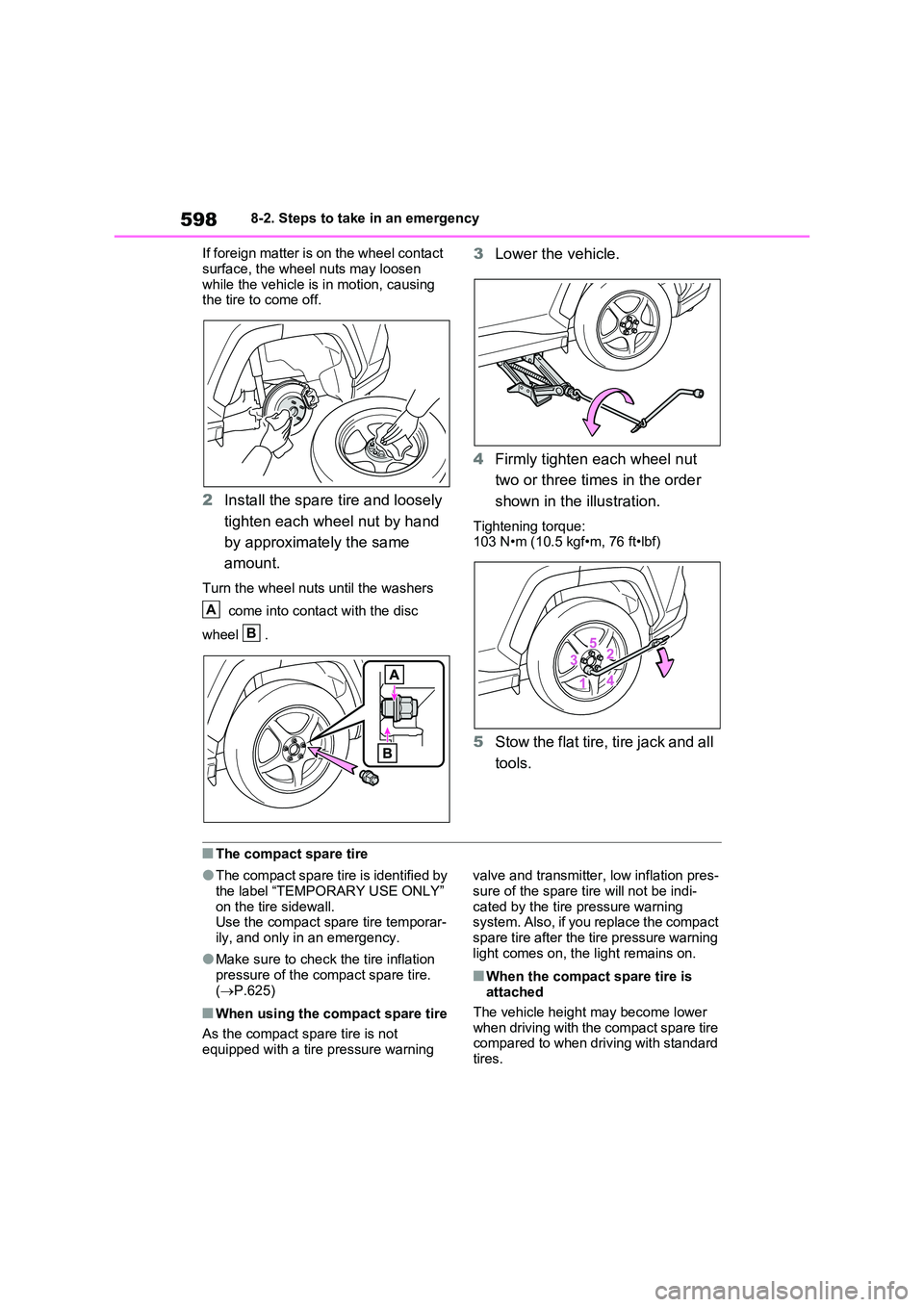
If foreign matter is on the wheel contact
surface, the wheel nuts may loosen while the vehicle is in motion, causing the tire to come off.
2 Install the spare tire and loosely
tighten each wheel nut by hand
by approximately the same
amount.
Turn the wheel nuts until the washers
come into contact with the disc
wheel .
3 Lower the vehicle.
4 Firmly tighten each wheel nut
two or three times in the order
shown in the illustration.
Tightening torque: 103 N•m (10.5 kgf•m, 76 ft•lbf)
5 Stow the flat tire, tire jack and all
tools.
■The compact spare tire
●The compact spare tire is identified by
the label “TEMPORARY USE ONLY” on the tire sidewall.Use the compact spare tire temporar-
ily, and only in an emergency.
●Make sure to check the tire inflation
pressure of the compact spare tire. ( P.625)
■When using the compact spare tire
As the compact spare tire is not
equipped with a tire pressure warning
valve and transmitter, low inflation pres-
sure of the spare tire will not be indi- cated by the tire pressure warning system. Also, if you replace the compact
spare tire after the tire pressure warning light comes on, the light remains on.
■When the compact spare tire is attached
The vehicle height may become lower when driving with the compact spare tire compared to when driving with standard
tires.
A
B
Page 610 of 664
6108-2. Steps to take in an emergency
WARNING
■Avoiding 12-volt battery fires or explosions
Observe the following precautions to prevent accidentally igniting the flam-mable gas that may be emitted from
the 12-volt battery:
●Make sure each jumper cable is connected to the correct terminal
and that it is not unintentionally in contact with any other than the intended terminal.
●Do not allow the other end of the jumper cable connected to the “+”
terminal to come into contact with any other parts or metal surfaces in the area, such as brackets or
unpainted metal.
●Do not allow the + and - clamps of
the jumper cables to come into con- tact with each other.
●Do not smoke, use matches, ciga-rette lighters or allow open flame near the 12-volt battery.
■12-volt battery precautions
The 12-volt battery contains poison-
ous and corrosive acidic electrolyte, while related parts contain lead and lead compounds. Observe the follow-
ing precautions when handling the 12-volt battery:
●When working with the 12-volt bat-
tery, always wear safety glasses and take care not to allow any bat-tery fluids (acid) to come into con-
tact with skin, clothing or the vehicle body.
●Do not lean over the 12-volt battery.
●In the event that battery fluid comes
into contact with the skin or eyes, immediately wash the affected area with water and seek medical atten-
tion. Place a wet sponge or cloth over the affected area until medical
attention can be received.
●Always wash your hands after han- dling the 12-volt battery support, terminals, and other battery-related
parts.
●Do not allow children near the 12-
volt battery.
■After recharging the 12-volt bat-
tery
Have the 12-volt battery inspected at any authorized Toyota retailer or
Toyota authorized repairer, or any reliable repairer as soon as possible.If the 12-volt battery is deteriorating,
continued use may cause the 12-volt battery to emit a malodorous gas, which may be detrimental to the
health of passengers.
■When replacing the 12-volt bat-
tery
●For information regarding 12-volt battery replacement, contact any
authorized Toyota retailer or Toyota authorized repairer, or any reliable repairer.
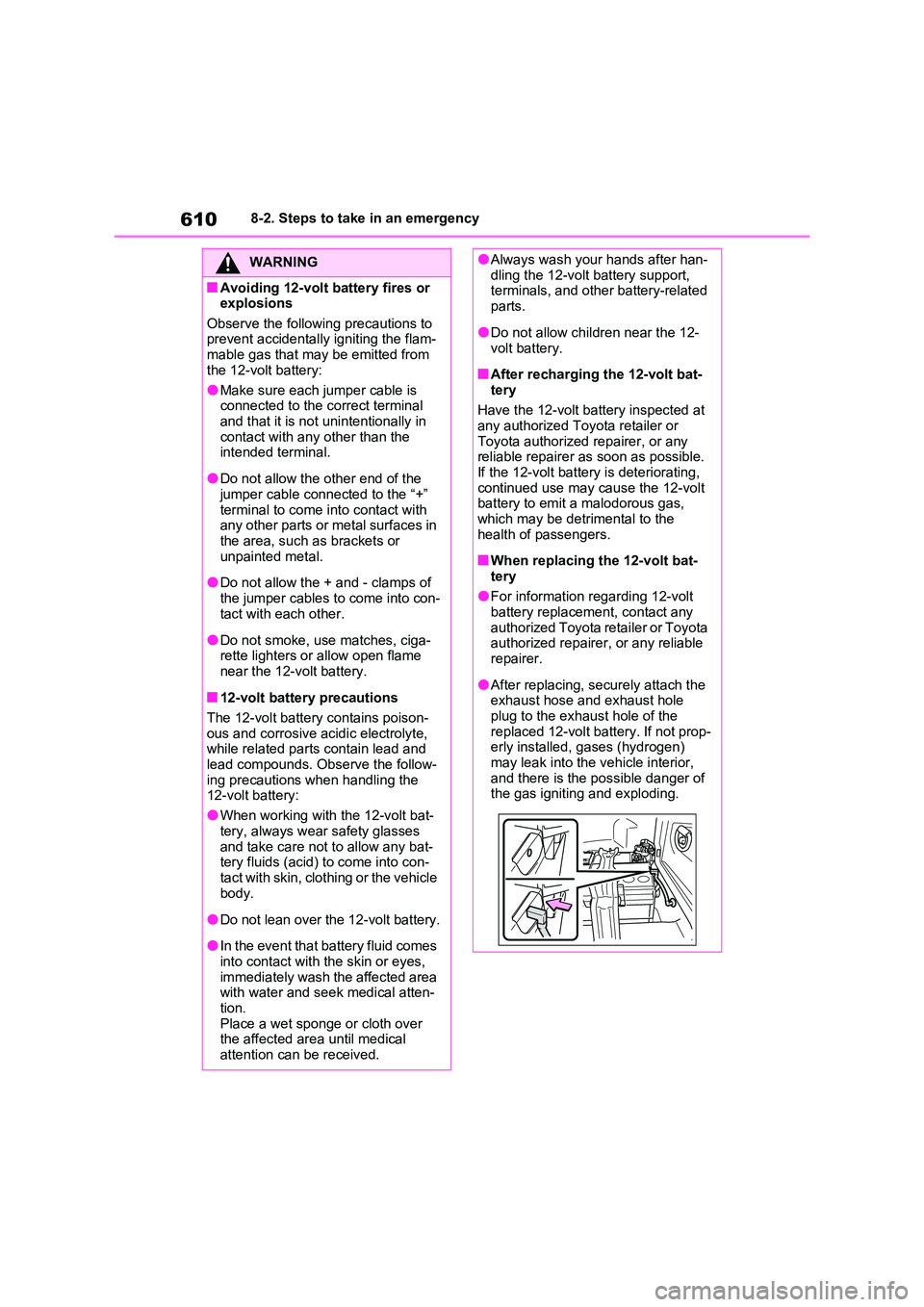
●After replacing, securely attach the exhaust hose and exhaust hole
plug to the exhaust hole of the replaced 12-volt battery. If not prop-erly installed, gases (hydrogen)
may leak into the vehicle interior, and there is the possible danger of the gas igniting and exploding.
Page 611 of 664
611
8
8-2. Steps to take in an emergency
When trouble arises
■If the high coolant temperature
warning light comes on,
flashes or “Engine Coolant
Temp High Stop in a Safe
Place See Owner’s Manual” is
shown on the multi-informa-
tion display
1 Stop the vehicle in a safe place
and turn off the air conditioning
system, and then stop the hybrid
system.
2 If you see steam:
Carefully lift the hood after the
steam subsides.
If you do not see steam:
Carefully lift the hood.
NOTICE
■When handling jumper cables
When connecting the jumper cables,
ensure that they do not become entangled in the cooling fan, etc.
■To prevent damaging the vehicle
The exclusive jump starting terminal is to be used when charging the 12-
volt battery from another vehicle in an emergency. It cannot be used to jump start another vehicle.
If your vehicle overheats
The following may indicate that
your vehicle is overheating.
The high coolant temperature
warning light ( P.170) comes
on or flashes, or a loss of
hybrid system power is experi-
enced. (For example, the vehi-
cle speed does not increase.)
“Engine Coolant Temp High
Stop in a Safe Place See
Owner’s Manual” or “Hybrid
System Overheated Output
Power Reduced” is shown on
the multi-information display.
Steam comes out from under
the hood.
Correction procedures
Page 647 of 664
647What to do if... (Troubleshooting)
way. (P.605)
Is the 12-volt battery dis-
charged? ( P.606)
Is the power switch in ON? If you
cannot release the shift lever by
depressing the brake pedal with
the power switch in ON.
( P.323)
It is locked automatically to pre-
vent theft of the vehicle.
( P.318)
Is the window lock switch
pressed?
The power window except for the
one at the driver’s seat cannot
be operated if the window lock
switch is pressed. ( P.293)
The auto power off function will
be operated if the vehicle is left
in ACC or ON (the hybrid system
is not operating) for a period of
time. ( P.320)
The seat belt reminder light is
flashing
Are the driver and the passengers
wearing the seat belts? ( P.575, 576)
The parking brake indicator is on
Is the parking brake released?
( P.326)
Depending on the situation, other
types of warning buzzer may also
sound. ( P.568, 578)
Did anyone inside the vehicle
open a door during setting the
alarm?
The sensor detects it and the
alarm sounds. ( P.78)
To stop the alarm, turn the power
switch to ON or start the hybrid system.
Is the message displayed on the
multi-information display?
Check the message on the multi-
information display. ( P.578)
When a warning light turns on or
a warning message is displayed,
The shift lever cannot be
shifted from P even if you
depress the brake pedal
The steering wheel cannot
be turned after the hybrid
system is stopped
The windows do not open or
close by operating the
power window switches
The power switch is turned
off automatically
A warning buzzer sounds
during driving
An alarm is activated and the
horn sounds (if equipped)
A warning buzzer sounds
when leaving the vehicle
A warning light turns on or a
warning message is dis-
played
Page 649 of 664
649Alphabetical Index
Alphabetical Index
A
A/C
“My Room Mode” ....................... 153
Air conditioning filter................... 532
Automatic air conditioning system
................................................. 452
Blower customization ................. 454
Front seat concentrated airflow
mode (S-FLOW) ...................... 457
Humidity sensor ......................... 459
Remote Air Conditioning System460
ABS (Anti-lock Brake System) .... 438
Function ..................................... 438
Warning light .............................. 570
ACA (Active Cornering Assist).... 438
AC charging cable ........................ 108
AC charging cable types ............ 110
CCID (Charging Circuit Interrupting
Device) .................................... 109
If the charging connector cannot be
unlocked .................................. 123
Indicator ..................................... 113
Locking and unlocking ............... 122
Maintenance .............................. 117
Replacing the plug-cord ............. 115
Safety functions ......................... 112
Acoustic Vehicle Alerting System 92
Active Cornering Assist (ACA).... 438
Airbag manual on-off system ........ 48
Airbags ............................................ 39
Airbag manual on-off system ....... 48
Airbag operating conditions ......... 41
Airbag precautions for your child . 43
Airbag warning light ................... 570
Correct driving posture................. 33
Curtain shield airbag operating con-
ditions ........................................ 41
Curtain shield airbag precautions 43
General airbag precautions.......... 43
Locations of airbags ..................... 39Modification and disposal of airbags
................................................... 46
Side airbag operating conditions .. 41
Side airbag precautions ............... 43
Side and curtain shield airbags oper-
ating conditions .......................... 41
Side and curtain shield airbags pre-
cautions...................................... 43
SRS airbags ................................. 39
SRS warning light.......................570
Air conditioning filter ................... 532
Air conditioning system
“My Room Mode” .......................153
Air conditioning filter ................... 532
Automatic air conditioning system
................................................. 452
Blower customization ................. 454
Front seat concentrated airflow
mode (S-FLOW).......................457
Humidity sensor ......................... 459
Remote Air Conditioning System460
Air intake vent ................................. 98
Cleaning ..................................... 536
Alarm................................................78
Alarm ............................................ 78
Warning buzzer .......................... 568
Antenna
Smart entry & start system ......... 223
Anti-lock brake system (ABS) ..... 438
Function ..................................... 438
Warning light .............................. 570
Approach warning ........................ 383
Armrest .......................................... 484
Ashtray .......................................... 476
Assist grips ...................................484
AUTO EV/HV mode .........................85
AUTO EV/HV mode switch ............. 86
Automatic air conditioning system
..................................................... 452
“My Room Mode” .......................153
Air conditioning filter ................... 532
Page 650 of 664
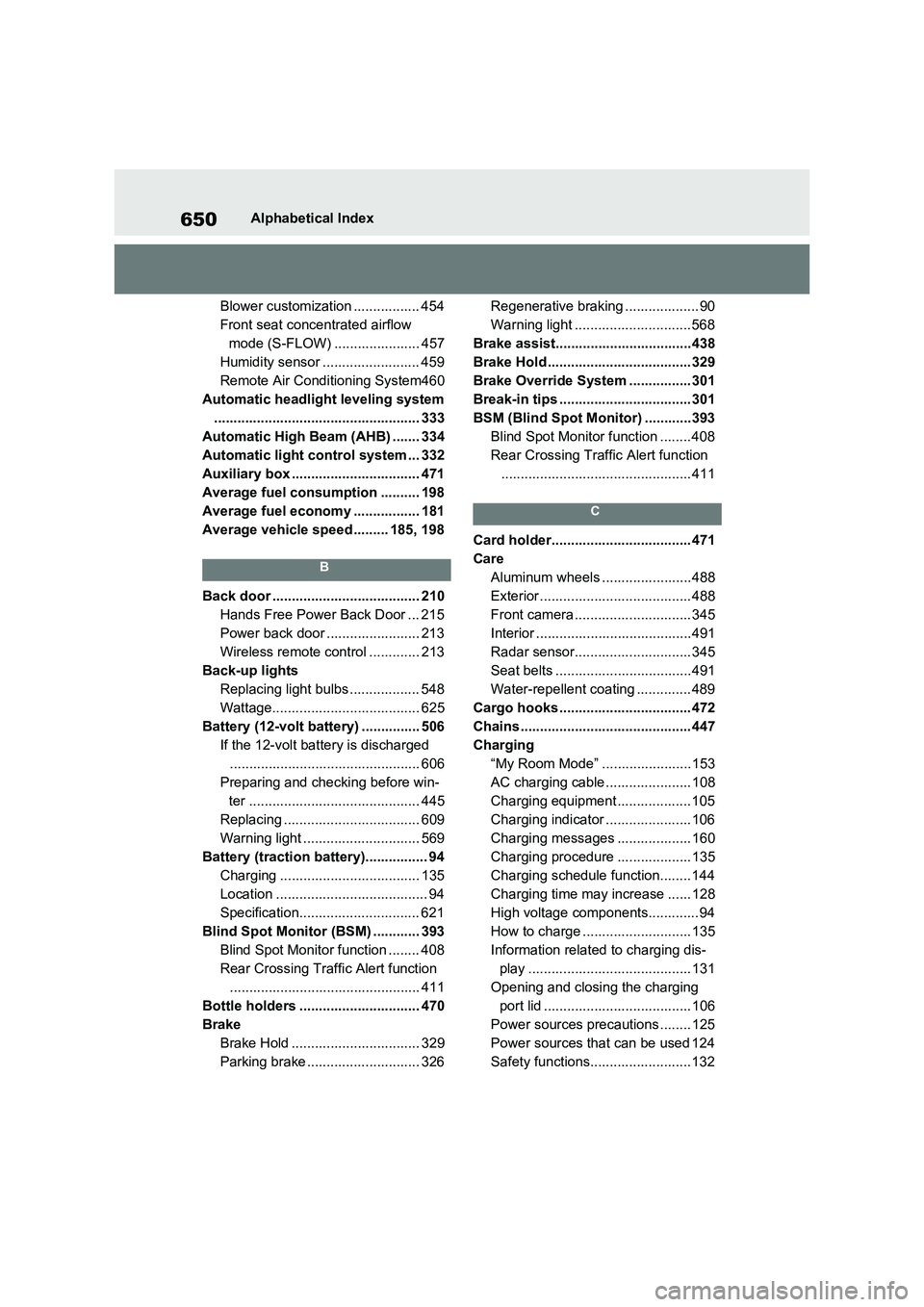
650Alphabetical Index
Blower customization ................. 454
Front seat concentrated airflow
mode (S-FLOW) ...................... 457
Humidity sensor ......................... 459
Remote Air Conditioning System460
Automatic headlight leveling system
..................................................... 333
Automatic High Beam (AHB) ....... 334
Automatic light control system ... 332
Auxiliary box ................................. 471
Average fuel consumption .......... 198
Average fuel economy ................. 181
Average vehicle speed ......... 185, 198
B
Back door ...................................... 210
Hands Free Power Back Door ... 215
Power back door ........................ 213
Wireless remote control ............. 213
Back-up lights
Replacing light bulbs .................. 548
Wattage...................................... 625
Battery (12-volt battery) ............... 506
If the 12-volt battery is discharged
................................................. 606
Preparing and checking before win-
ter ............................................ 445
Replacing ................................... 609
Warning light .............................. 569
Battery (traction battery)................ 94
Charging .................................... 135
Location ....................................... 94
Specification............................... 621
Blind Spot Monitor (BSM) ............ 393
Blind Spot Monitor function ........ 408
Rear Crossing Traffic Alert function
................................................. 411
Bottle holders ............................... 470
Brake
Brake Hold ................................. 329
Parking brake ............................. 326Regenerative braking ................... 90
Warning light .............................. 568
Brake assist...................................438
Brake Hold ..................................... 329
Brake Override System ................ 301
Break-in tips .................................. 301
BSM (Blind Spot Monitor) ............393
Blind Spot Monitor function ........ 408
Rear Crossing Traffic Alert function
................................................. 411
C
Card holder.................................... 471
Care
Aluminum wheels .......................488
Exterior ....................................... 488
Front camera .............................. 345
Interior ........................................491
Radar sensor.............................. 345
Seat belts ...................................491
Water-repellent coating .............. 489
Cargo hooks .................................. 472
Chains ............................................ 447
Charging
“My Room Mode” .......................153
AC charging cable ...................... 108
Charging equipment ................... 105
Charging indicator ...................... 106
Charging messages ................... 160
Charging procedure ................... 135
Charging schedule function........ 144
Charging time may increase ...... 128
High voltage components............. 94
How to charge ............................ 135
Information related to charging dis-
play .......................................... 131
Opening and closing the charging
port lid ...................................... 106
Power sources precautions ........ 125
Power sources that can be used 124
Safety functions.......................... 132
Page 651 of 664
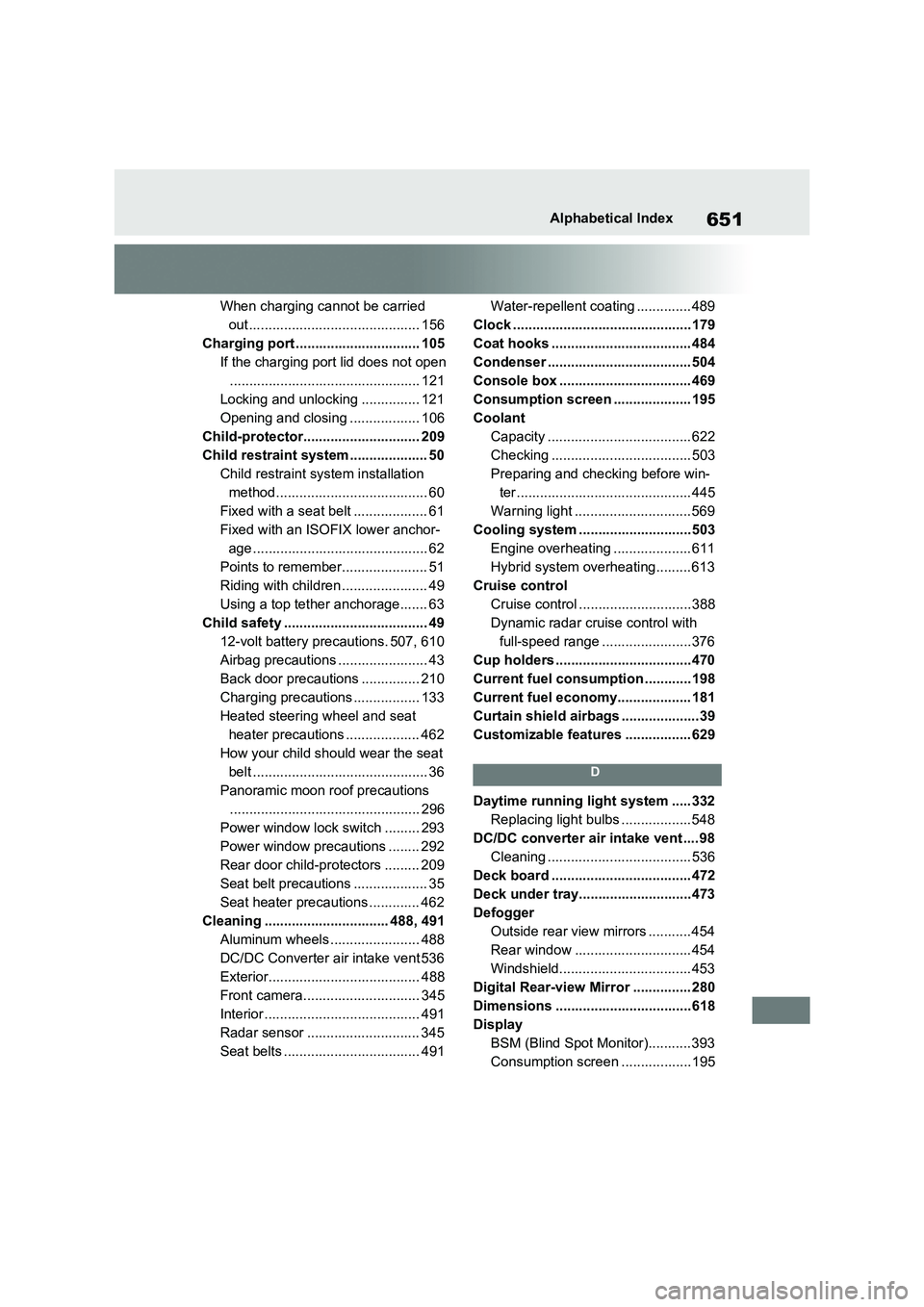
651Alphabetical Index
When charging cannot be carried
out ............................................ 156
Charging port ................................ 105
If the charging port lid does not open
................................................. 121
Locking and unlocking ............... 121
Opening and closing .................. 106
Child-protector.............................. 209
Child restraint system .................... 50
Child restraint system installation
method....................................... 60
Fixed with a seat belt ................... 61
Fixed with an ISOFIX lower anchor-
age ............................................. 62
Points to remember...................... 51
Riding with children ...................... 49
Using a top tether anchorage....... 63
Child safety ..................................... 49
12-volt battery precautions. 507, 610
Airbag precautions ....................... 43
Back door precautions ............... 210
Charging precautions ................. 133
Heated steering wheel and seat
heater precautions ................... 462
How your child should wear the seat
belt ............................................. 36
Panoramic moon roof precautions
................................................. 296
Power window lock switch ......... 293
Power window precautions ........ 292
Rear door child-protectors ......... 209
Seat belt precautions ................... 35
Seat heater precautions ............. 462
Cleaning ................................ 488, 491
Aluminum wheels ....................... 488
DC/DC Converter air intake vent 536
Exterior....................................... 488
Front camera.............................. 345
Interior ........................................ 491
Radar sensor ............................. 345
Seat belts ................................... 491Water-repellent coating .............. 489
Clock ..............................................179
Coat hooks .................................... 484
Condenser ..................................... 504
Console box .................................. 469
Consumption screen .................... 195
Coolant
Capacity ..................................... 622
Checking .................................... 503
Preparing and checking before win-
ter ............................................. 445
Warning light .............................. 569
Cooling system .............................503
Engine overheating .................... 611
Hybrid system overheating......... 613
Cruise control
Cruise control .............................388
Dynamic radar cruise control with
full-speed range .......................376
Cup holders ...................................470
Current fuel consumption ............198
Current fuel economy................... 181
Curtain shield airbags ....................39
Customizable features ................. 629
D
Daytime running light system ..... 332
Replacing light bulbs ..................548
DC/DC converter air intake vent .... 98
Cleaning ..................................... 536
Deck board .................................... 472
Deck under tray.............................473
Defogger
Outside rear view mirrors ........... 454
Rear window .............................. 454
Windshield.................................. 453
Digital Rear-view Mirror ............... 280
Dimensions ...................................618
Display
BSM (Blind Spot Monitor)........... 393
Consumption screen ..................195