VSC TOYOTA VERSO S 2011 User Guide
[x] Cancel search | Manufacturer: TOYOTA, Model Year: 2011, Model line: VERSO S, Model: TOYOTA VERSO S 2011Pages: 664, PDF Size: 160.56 MB
Page 390 of 664
3905-5. Using the driving support systems
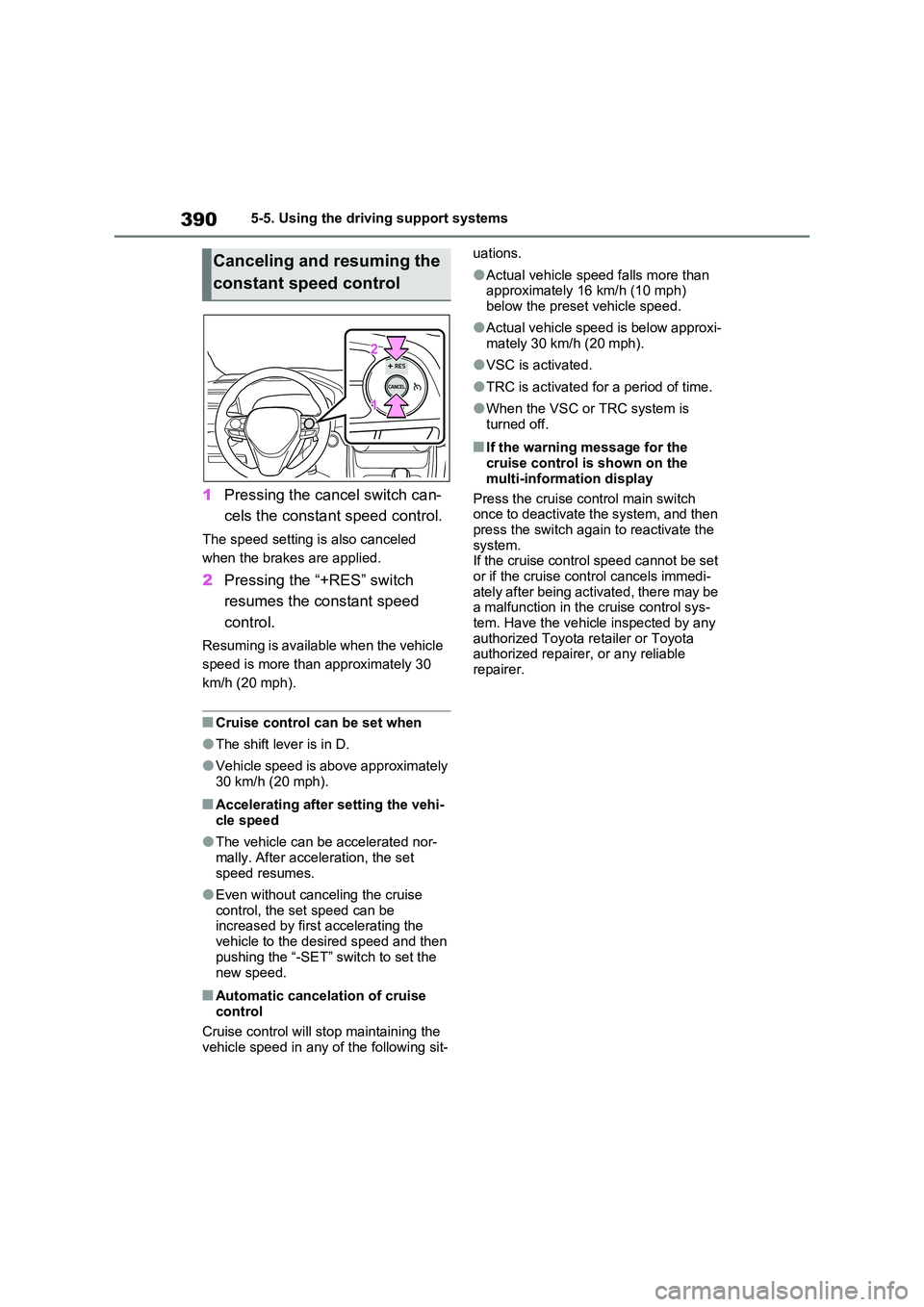
1Pressing the cancel switch can-
cels the constant speed control.
The speed setting is also canceled
when the brakes are applied.
2 Pressing the “+RES” switch
resumes the constant speed
control.
Resuming is available when the vehicle
speed is more than approximately 30
km/h (20 mph).
■Cruise control can be set when
●The shift lever is in D.
●Vehicle speed is above approximately 30 km/h (20 mph).
■Accelerating after setting the vehi-
cle speed
●The vehicle can be accelerated nor-
mally. After acceleration, the set speed resumes.
●Even without canceling the cruise control, the set speed can be increased by first accelerating the
vehicle to the desired speed and then pushing the “-SET” switch to set the
new speed.
■Automatic cancelation of cruise control
Cruise control will stop maintaining the
vehicle speed in any of the following sit-
uations.
●Actual vehicle speed falls more than approximately 16 km/h (10 mph)
below the preset vehicle speed.
●Actual vehicle speed is below approxi-
mately 30 km/h (20 mph).
●VSC is activated.
●TRC is activated for a period of time.
●When the VSC or TRC system is turned off.
■If the warning message for the cruise control is shown on the
multi-information display
Press the cruise control main switch once to deactivate the system, and then
press the switch again to reactivate the system.If the cruise control speed cannot be set
or if the cruise control cancels immedi- ately after being activated, there may be a malfunction in the cruise control sys-
tem. Have the vehicle inspected by any authorized Toyota retailer or Toyota authorized repairer, or any reliable
repairer.
Canceling and resuming the
constant speed control
Page 438 of 664
4385-5. Using the driving support systems
■ECB (Electronically Con-
trolled Brake System)
The electronically controlled sys-
tem generates braking force corre-
sponding to the brake operation
■ABS (Anti-lock Brake System)
Helps to prevent wheel lock when
the brakes are applied suddenly, or
if the brakes are applied while driv-
ing on a slippery road surface
■Brake assist
Generates an increased level of
braking force after the brake pedal
is depressed when the system
detects a panic stop situation
■VSC (Vehicle Stability Control)
Helps the driver to control skidding
when swerving suddenly or turning
on slippery road surfaces.
■VSC+ (Vehicle Stability Con-
trol+)
Provides cooperative control of the
ABS, TRC, VSC and EPS.
Helps to maintain directional stabil-
ity when swerving on slippery road
surfaces by controlling steering per-
formance.
■Trailer Sway Control
Helps the driver to control trailer
sway by selectively applying brake
pressure for individual wheels and
reducing driving torque when trailer
sway is detected.
■TRC (Traction Control)
Helps to maintain drive power and
prevent the drive wheels from spin-
ning when starting the vehicle or
accelerating on slippery roads
■Active Cornering Assist (ACA)
Helps to prevent the vehicle from
drifting to the outer side by perform-
ing inner wheel brake control when
attempting to accelerate while turn-
ing
■Hill-start assist control
Helps to reduce the backward
movement of the vehicle when
starting on an uphill
■EPS (Electric Power Steering)
Employs an electric motor to
reduce the amount of effort needed
to turn the steering wheel
Driving assist systems
To keep driving safety and per-
formance, the following sys-
tems operate automatically in
response to various driving sit-
uations. Be aware, however,
that these systems are supple-
mentary and should not be
relied upon too heavily when
operating the vehicle.
Summary of the driving
assist systems
Page 439 of 664
439
5 5-5. Using the driving support systems
Driving
■E-Four (Electronic On-Demand
AWD system)
Automatically switches from front
wheel drive to all-wheel drive
(AWD) according to the driving con-
ditions, helping to ensure reliable
handling and stability. Examples of
conditions where the system will
switch to AWD are when cornering,
going uphill, starting off or acceler-
ating, and when the road surface is
slippery due to snow, rain, etc.
■Emergency brake signal
When the brakes are applied sud-
denly, the emergency flashers
automatically flash to alert the vehi-
cle behind.
■The Secondary Collision
Brake (if equipped)
When the SRS airbag sensor
detects a collision and the system
operates, the brakes and brake
lights are automatically controlled
to reduce the vehicle speed and
help reduce the possibility of further
damage due to a secondary colli-
sion.
■When the TRC/VSC/ABS/Trailer
Sway Control systems are operat-
ing
The slip indicator light will flash while the
TRC/VSC/ABS/Trailer Sway Control
systems are operating.
■Disabling the TRC system
If the vehicle gets stuck in mud, dirt or
snow, the TRC system may reduce
power from the hybrid system to the
wheels.
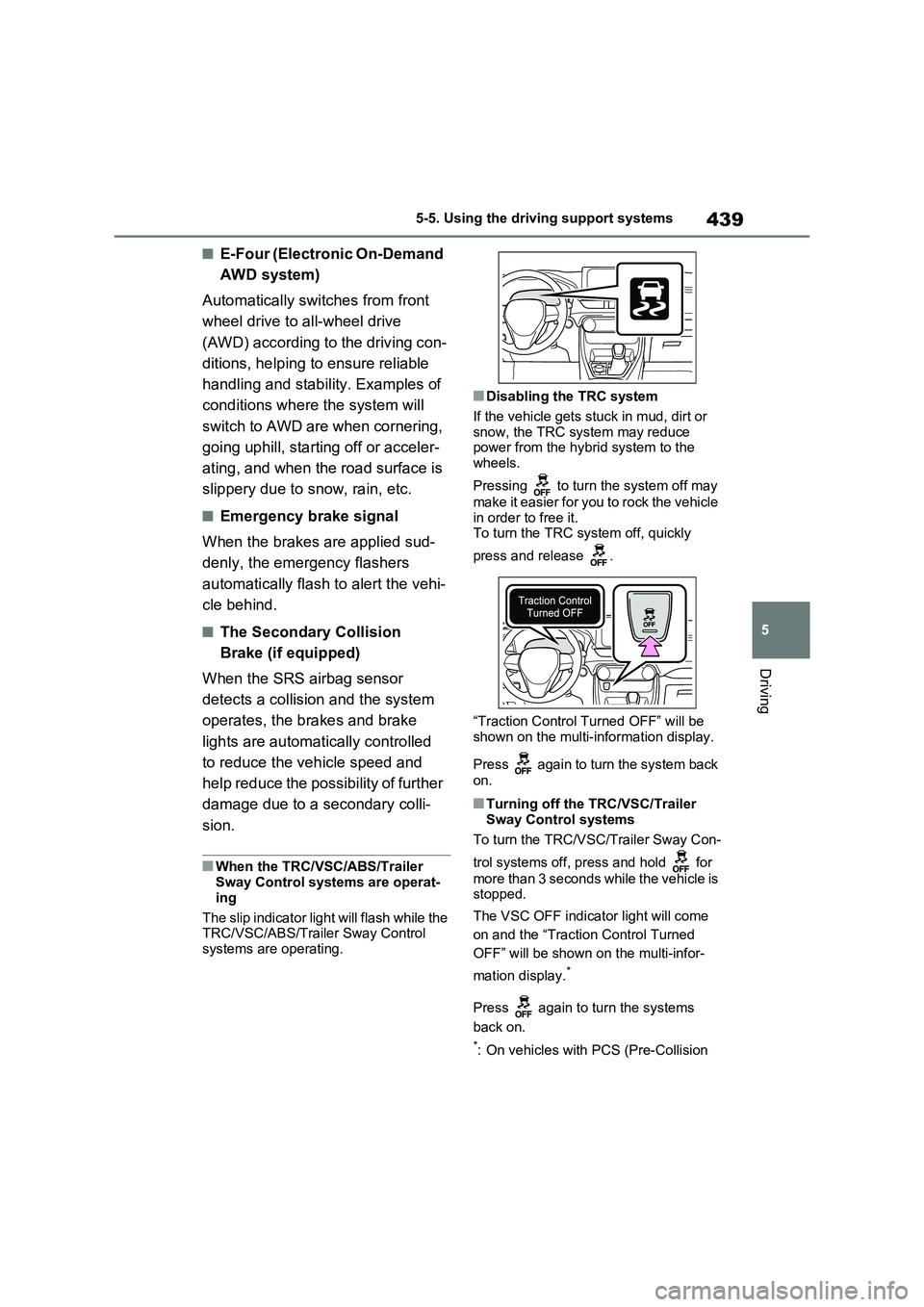
Pressing to turn the system off may
make it easier for you to rock the vehicle
in order to free it.
To turn the TRC system off, quickly
press and release .
“Traction Control Turned OFF” will be
shown on the multi-information display.
Press again to turn the system back
on.
■Turning off the TRC/VSC/Trailer
Sway Control systems
To turn the TRC/VSC/Trailer Sway Con-
trol systems off, press and hold for
more than 3 seconds while the vehicle is
stopped.
The VSC OFF indicator light will come
on and the “Traction Control Turned
OFF” will be shown on the multi-infor-
mation display.
*
Press again to turn the systems
back on.
*: On vehicles with PCS (Pre-Collision
Page 440 of 664
4405-5. Using the driving support systems
System), PCS will also be disabled
(only Pre-Collision warning is avail-
able). The PCS warning light will
come on and a message will be dis-
played on the multi-information dis-
play. (P.361)
■When the message is displayed on
the multi-information display show-
ing that TRC has been disabled
even if has not been pressed
TRC is temporary deactivated. If the
information continues to show, contact
any authorized Toyota retailer or Toyota
authorized repairer, or any reliable
repairer.
■Operating conditions of hill-start
assist control
When the following four conditions are
met, the hill-start assist control will oper-
ate:
●The shift lever is in a position other
than P or N (when starting off for-
ward/backward on an upward incline).
●The vehicle is stopped.
●The accelerator pedal is not
depressed.
●The parking brake is not engaged.
■Automatic system cancelation of
hill-start assist control
The hill-start assist control will turn off in
any of the following situations:
●The shift lever is shifted to P or N.
●The accelerator pedal is depressed.
●The parking brake is engaged.
●No more than 2 seconds have
elapsed after the brake pedal is
released.
■Sounds and vibrations caused by
the ABS, brake assist, VSC, Trailer
Sway Control, TRC and hill-start
assist control systems
●A sound may be heard from the
engine compartment when the brake
pedal is depressed repeatedly, when the hybrid system is started or just
after the vehicle begins to move. This
sound does not indicate that a mal-
function has occurred in any of these
systems.
●Any of the following conditions may
occur when the above systems are
operating. None of these indicates
that a malfunction has occurred.
• Vibrations may be felt through the
vehicle body and steering.
• A motor sound may be heard also
after the vehicle comes to a stop.
■ECB operating sound
ECB operating sound may be heard in
the following cases, but it does not indi-
cate that a malfunction has occurred.
●Operating sound heard from the
engine compartment when the brake
pedal is operated.
●Motor sound of the brake system
heard from the front part of the vehicle
when the driver’ door is opened.
●Operating sound heard from the
engine compartment when one or two
minutes passed after the stop of the
hybrid system.
■Active Cornering Assist operation
sounds and vibrations
When the Active Cornering Assist is
operated, operation sounds and vibra-
tions may be generated from the brake
system, but this is not a malfunction.
■EPS operation sound
When the steering wheel is operated, a
motor sound (whirring sound) may be
heard. This does not indicate a malfunc-
tion.
■Automatic reactivation of TRC,
Trailer Sway Control and VSC sys-
tems
After turning the TRC, Trailer Sway
Control and VSC systems off, the sys-
tems will be automatically re-enabled in
the following situations:
●When the power switch is turned off.
●If only the TRC system is turned off,
Page 441 of 664
441
5 5-5. Using the driving support systems
Driving
the TRC will turn on when vehicle
speed increases.
If both the TRC and VSC systems are
turned off, automatic re-enabling will
not occur when vehicle speed
increases.
■Operating conditions of Active Cor-
nering Assist
The system operates when the following
occurs.
●TRC/VSC can operate
●The driver is attempting to accelerate
while turning
●The system detects that the vehicle is
drifting to the outer side
●The brake pedal is released
■Reduced effectiveness of the EPS
system
The effectiveness of the EPS system is
reduced to prevent the system from
overheating when there is frequent
steering input over an extended period
of time. The steering wheel may feel
heavy as a result. Should this occur,
refrain from excessive steering input or
stop the vehicle and turn the hybrid sys-
tem off. The EPS system should return
to normal within 10 minutes.
■Operating conditions of emergency
brake signal
When the following conditions are met,
the emergency brake signal will operate:
●The emergency flashers are off.
●Actual vehicle speed is over 55 km/h (35 mph).
●The system judges from the vehicle
deceleration that it is a sudden brak-
ing operation.
■Automatic system cancelation of
emergency brake signal
The emergency brake signal will be can-
celed in any of the following situations:
●The emergency flashers are turned
on.
●The system judges from the vehicle
deceleration that is not a sudden brak-
ing operation.
■Secondary Collision Brake operat-
ing conditions (if equipped)
The system operates when the SRS air-
bag sensor detects a collision while the
vehicle is in motion. However, the sys-
tem does not operate in any of the fol-
lowing situations.
●The vehicle speed is below 10 km/h (6
mph)
●Components are damaged
■Secondary Collision Brake auto-
matic cancellation (if equipped)
The system is automatically canceled in
any of the following situations.
●The vehicle speed drops below
approximately 10 km/h (6 mph)
●A certain amount of time elapses
during operation
●The accelerator pedal is depressed a
large amount
■If a message about AWD is shown on the multi-information display
Perform the following actions.
Page 443 of 664
443
5
5-5. Using the driving support systems
Driving
WARNING
●When driving over roads with pot- holes or uneven surfaces
■TRC/VSC may not operate effec-tively when
Directional control and power may not be achievable while driving on slip-pery road surfaces, even if the
TRC/VSC system is operating. Drive the vehicle carefully in condi-tions where stability and power may
be lost.
■Active Cornering Assist does not
operate effectively when
●Do not overly rely on Active Corner- ing Assist. Active Cornering Assist
may not operate effectively when accelerating down slopes or driving on slippery road surfaces.
●When Active Cornering Assist fre-quently operates, Active Cornering
Assist may temporarily stop operat- ing to ensure proper operation of the brakes, TRC and VSC.
■Hill-start assist control does not operate effectively when
●Do not overly rely on hill-start assist control. Hill-start assist control may not operate effectively on steep
inclines and roads covered with ice.
●Unlike the parking brake, hill-start
assist control is not intended to hold the vehicle stationary for an extended period of time. Do not
attempt to use hill-start assist con- trol to hold the vehicle on an incline, as doing so may lead to an acci-
dent.
■When the TRC/ABS/VSC/Trailer
Sway Control is activated
The slip indicator light flashes. Always drive carefully. Reckless driving may
cause an accident. Exercise particular care when the indicator light flashes.
■When the TRC/VSC/Trailer Sway Control systems are turned off
Be especially careful and drive at a
speed appropriate to the road condi- tions. As these are the systems to help ensure vehicle stability and driv-
ing force, do not turn the TRC/VSC/Trailer Sway Control sys-tems off unless necessary.
Trailer Sway Control is part of the VSC system and will not operate if VSC is turned off or experiences a
malfunction.
■Replacing tires
Make sure that all tires are of the specified size, brand, tread pattern and total load capacity. In addition,
make sure that the tires are inflated to the recommended tire inflation pres-sure level.
The ABS, TRC and VSC/Trailer Sway Control systems will not function cor-rectly if different tires are installed on
the vehicle. Contact any authorized Toyota retailer or Toyota authorized repairer,
or any reliable repairer for further information when replacing tires or wheels.
■Handling of tires and the suspen-sion
Using tires with any kind of problem or modifying the suspension will affect the driving assist systems, and may
cause a system to malfunction.
■Trailer Sway Control precaution
The Trailer Sway Control system is not able to reduce trailer sway in all situations. Depending on many fac-
tors such as the conditions of the vehicle, trailer, road surface and driv-ing environment, the Trailer Sway
Control system may not be effective. Refer to your trailer owner’s manual for information on how to tow your
trailer properly.
Page 571 of 664
571
8
8-2. Steps to take in an emergency
When trouble arises
■PCS warning light (warning buzzer)
■LTA indicator* (warning buzzer)
*: This light illuminates on the multi-information display.
Warning lightDetails/Actions
(Flashes or illuminates)
(If equipped)
When a buzzer sounds simultaneously:
Indicates a malfunction has occurred in the PCS
(Pre-Collision System).
Have the vehicle inspected by any authorized
Toyota retailer or Toyota authorized repairer,
or any reliable repairer immediately.
When a buzzer does not sound:
The PCS (Pre-Collision System) has become tempo-
rarily unavailable, corrective action may be neces-
sary.
Follow the instructions displayed on the multi-
information display. ( P.353, 581)
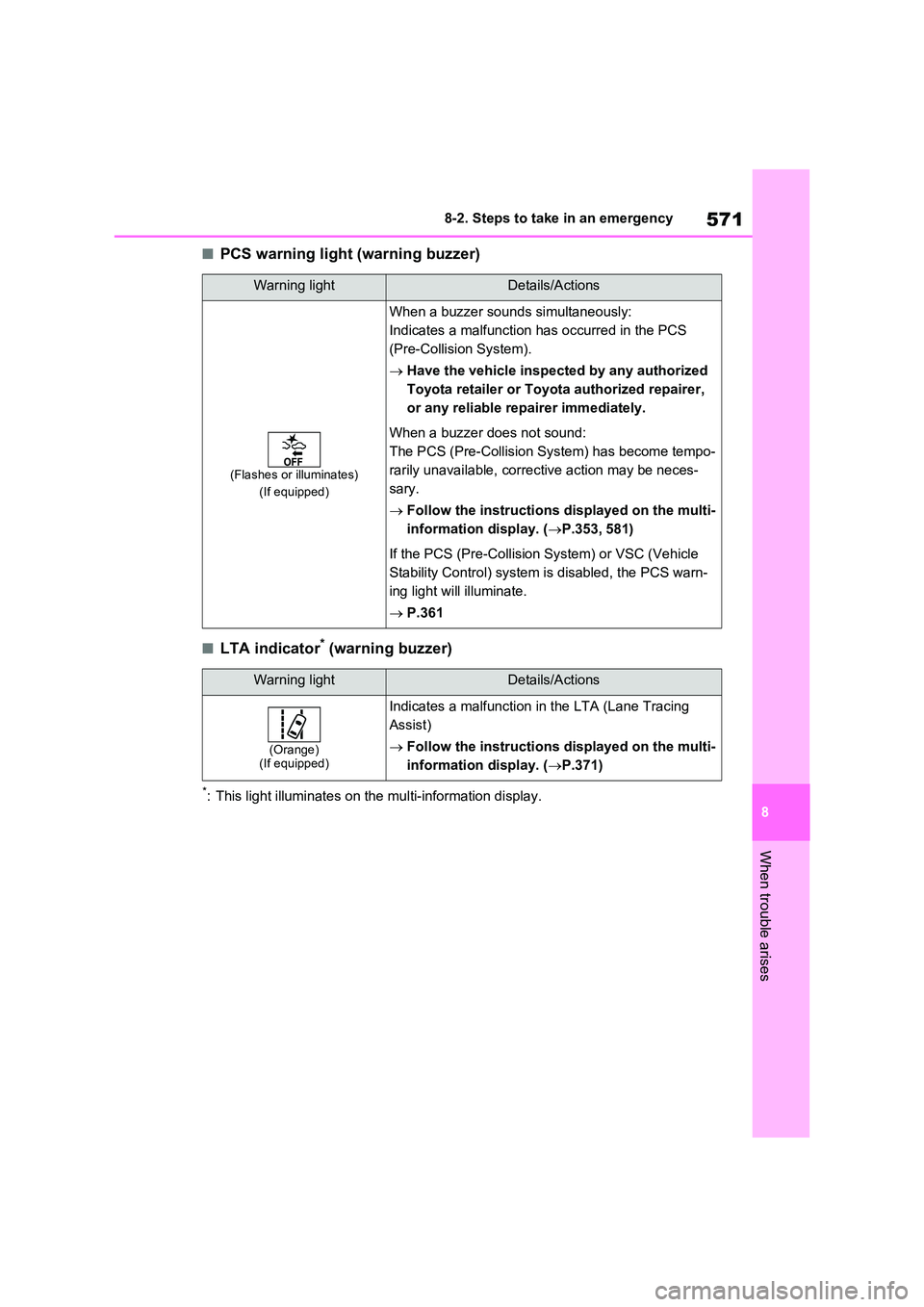
If the PCS (Pre-Collision System) or VSC (Vehicle
Stability Control) system is disabled, the PCS warn-
ing light will illuminate.
P.361
Warning lightDetails/Actions
(Orange) (If equipped)
Indicates a malfunction in the LTA (Lane Tracing
Assist)
Follow the instructions displayed on the multi-
information display. ( P.371)
Page 573 of 664
573
8
8-2. Steps to take in an emergency
When trouble arises
■BSM OFF indicator* (warning buzzer)
*: This light illuminates on the multi-information display.
■RCTA OFF indicator* (warning buzzer)
*: This light illuminates on the multi-information display.
■Slip indicator light
Warning lightDetails/Actions
Indicates a malfunction in the BSM (Blind Spot Moni-
tor) function
Have the vehicle inspected by any authorized
Toyota retailer or Toyota authorized repairer,
or any reliable repairer immediately.
Indicates that the rear bumper around the radar sen-
sor is covered with dirt, etc. ( P.408)
Follow the instructions displayed on the multi-
information display. ( P.394, 578)
Warning lightDetails/Actions
(If equipped)
Indicates a malfunction in the RCTA (Rear Crossing
Traffic Alert) function
Have the vehicle inspected by any authorized
Toyota retailer or Toyota authorized repairer,
or any reliable repairer immediately.
Indicates that the rear bumper around the radar sen-
sor is covered with dirt, etc. ( P.408)
Follow the instructions displayed on the multi-
information display. ( P.394, 578)
Warning lightDetails/Actions
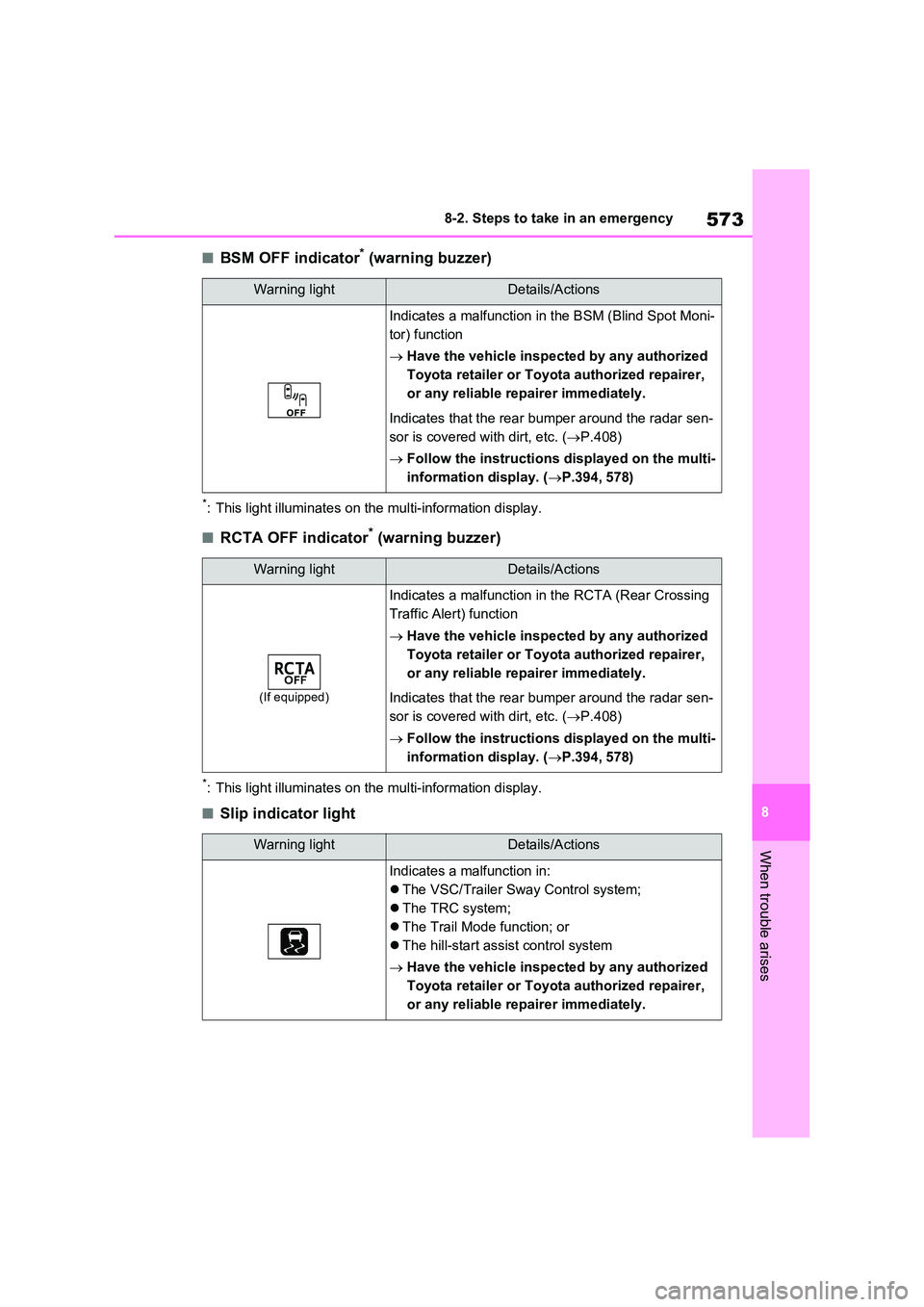
Indicates a malfunction in:
The VSC/Trailer Sway Control system;
The TRC system;
The Trail Mode function; or
The hill-start assist control system
Have the vehicle inspected by any authorized
Toyota retailer or Toyota authorized repairer,
or any reliable repairer immediately.
Page 600 of 664
6008-2. Steps to take in an emergency
WARNING
■When using the compact spare tire
●Remember that the compact spare tire provided is specifically designed for use with your vehicle.
Do not use your compact spare tire on another vehicle.
●Do not use more than one compact spare tire simultaneously.
●Replace the compact spare tire with a standard tire as soon as possible.
●Avoid sudden acceleration, abrupt steering, sudden braking and shift-ing operations that cause sudden
engine braking.
■When the compact spare tire is
attached
The vehicle speed may not be cor- rectly detected, and the following sys-
tems may not operate correctly:
• ABS & Brake assist
• VSC/Trailer Sway Control
•TRC
• Cruise control (if equipped)
• Dynamic radar cruise control with full-speed range (if equipped)
• PCS (Pre-Collision System) (if equipped)
• EPS
• LTA (Lane Tracing Assist) (if
equipped)
• Tire pressure warning system
• AHB (Automatic High Beam) (if equipped)
• BSM (Blind Spot Monitor) (if equipped)
• Rear view monitor system (if equipped)
• Panoramic view monitor (if equipped)
• Toyota parking assist monitor (if equipped)
• Toyota parking assist-sensor (if equipped)
• PKSB (Parking Support Brake) (if equipped)
• Navigation system (if equipped)
Also, not only can the following sys-
tem not be utilized fully, but it may actually negatively affect the drive-train components:
• E-Four (Electronic On-Demand AWD system)
■Speed limit when using the com-pact spare tire
Do not drive at speeds in excess of 80
km/h (50 mph) when a compact spare tire is installed on the vehicle.
The compact spare tire is not
designed for driving at high speeds. Failure to observe this precaution may lead to an accident causing
death or serious injury.
■After using the tools and jack
Before driving, make sure all the tools and jack are securely in place in their storage location to reduce the possi-
bility of personal injury during a colli- sion or sudden braking.
NOTICE
■Be careful when driving over
bumps with the compact spare tire installed on the vehicle
The vehicle height may become lower
when driving with the compact spare tire compared to when driving with standard tires. Be careful when driv-
ing over uneven road surfaces.
Page 661 of 664
661Alphabetical Index
Vehicle-to-vehicle distance switch
................................................. 377
VSC OFF switch ........................ 439
Window lock switch .................... 293
Windshield defogger switch ....... 453
Windshield wiper de-icer switch . 457
Windshield wipers and washer
switch ....................................... 338
Wireless charger power supply
switch ....................................... 480
T
Tail lights
Light switch ................................ 332
Replacing light bulbs .................. 548
Theft deterrent system
Alarm............................................ 78
Double locking system ................. 77
Immobilizer system ...................... 76
Intrusion sensor ........................... 79
Tilt sensor .................................... 79
Tilt sensor ....................................... 79
Tire inflation pressure
Warning light .............................. 575
Tire pressure warning system
Function ..................................... 511
Initializing ................................... 523
Installing tire pressure warning
valves and transmitters ............ 522
Registering ID codes.................. 525
Warning light .............................. 575
Tires ............................................... 509
Chains ........................................ 447
Checking .................................... 509
Emergency tire puncture repair kit
................................................. 582
If you have a flat tire........... 582, 593
Inflation pressure ....................... 529
Replacing ........................... 582, 593
Rotating tires .............................. 510
Size ............................................ 624Snow tires .................................. 445
Spare tire.................................... 593
Tire pressure warning system .... 511
Warning light .............................. 575
Tools ......................................583, 594
Top tether anchorages ................... 63
Towing
Emergency towing...................... 565
Towing eyelet .............565, 583, 594
Trailer sway control .................... 438
Trailer towing.............................. 308
Toyota parking assist-sensor ...... 414
Function ..................................... 414
Warning message ...................... 416
Toyota Safety Sense..................... 344
Automatic High Beam (AHB)...... 334
Dynamic radar cruise control with
full-speed range .......................376
LTA (Lane Tracing Assist).......... 362
PCS (Pre-Collision System) ....... 355
RSA (Road Sign Assist) ............. 372
Traction battery (Hybrid battery)
Charging..................................... 105
Location........................................ 94
Specification ............................... 621
Traction control ............................ 438
Traction motor (electric motor) ..... 84
Trailer sway control ...................... 438
Trailer towing ................................ 308
Trail Mode ...................................... 435
Transmission
Hybrid transmission.................... 321
TRC (Traction Control) ................. 438
Trip meters .................................... 174
Turn signal lights
Replacing light bulbs ..................548
Turn signal lever......................... 325
Wattage ...................................... 625
U
USB charging ports ...................... 478