brake light TOYOTA VERSO S 2011 User Guide
[x] Cancel search | Manufacturer: TOYOTA, Model Year: 2011, Model line: VERSO S, Model: TOYOTA VERSO S 2011Pages: 664, PDF Size: 160.56 MB
Page 303 of 664
303
5
5-1. Before driving
Driving
WARNING
●Always check that all passengers’ arms, head or other parts of their
body are not outside the vehicle.
■When driving on slippery road
surfaces
●Sudden braking, acceleration and steering may cause tire slippage
and reduce your ability to control the vehicle.
●Sudden acceleration, engine brak-ing due to shifting, or changes in engine speed could cause the vehi-
cle to skid.
●After driving through a puddle,
lightly depress the brake pedal to make sure that the brakes are func-tioning properly. Wet brake pads
may prevent the brakes from func- tioning properly. If the brakes on only one side are wet and not func-
tioning properly, steering control may be affected.
■When shifting the shift lever
●Do not let the vehicle roll backward while a forward driving position is
selected, or roll forward while the shift lever is in R. Doing so may result in an accident
or damage to the vehicle.
●Do not shift the shift lever to P while
the vehicle is moving. Doing so can damage the transmis-sion and may result in a loss of
vehicle control.
●Do not shift the shift lever to R while
the vehicle is moving forward. Doing so can damage the transmis-sion and may result in a loss of
vehicle control.
●Do not shift the shift lever to a driv- ing position while the vehicle is moving backward.
Doing so can damage the transmis- sion and may result in a loss of vehicle control.
●Moving the shift lever to N while the vehicle is moving will disengage the
hybrid system. Engine braking is not available with the hybrid system disengaged.
●Be careful not to shift the shift lever with the accelerator pedal
depressed. Shifting the shift lever to a gear other than P or N may lead to unex-
pected rapid acceleration of the vehicle that may cause an accident and result in death or serious injury.
Doing so can damage the transmis- sion and may result in a loss of vehicle control.
■If you hear a squealing or scrap-ing noise (brake pad wear indica-
tors)
Have the brake pads checked and replaced by any authorized Toyota
retailer or Toyota authorized repairer, or any reliable repairer as soon as possible.
Rotor damage may result if the pads are not replaced when needed.It is dangerous to drive the vehicle
when the wear limits of the brake pads and/or those of the brake discs are exceeded.
■When the vehicle is stopped
●Do not depress the accelerator
pedal unnecessarily. If the vehicle is in any gear other than P or N, the vehicle may accel-
erate suddenly and unexpectedly, causing an accident.
Page 304 of 664
3045-1. Before driving
WARNING
●In order to prevent accidents due to the vehicle rolling away, always
keep depressing the brake pedal while stopped with the “READY” indicator is illuminated, and apply
the parking brake as necessary.
●If the vehicle is stopped on an
incline, in order to prevent acci- dents caused by the vehicle rolling forward or backward, always
depress the brake pedal and securely apply the parking brake as needed.
●Avoid revving or racing the engine.Running the engine at high speed
while the vehicle is stopped may cause the exhaust system to over-heat, which could result in a fire if
combustible material is nearby.
■When the vehicle is parked
●Do not leave glasses, cigarette lighters, spray cans, or soft drink cans in the vehicle when it is in the
sun. Doing so may result in the follow-ing:
• Gas may leak from a cigarette lighter or spray can, and may lead to a fire.
• The temperature inside the vehicle may cause the plastic lenses and plastic material of glasses to
deform or crack.
• Soft drink cans may fracture, caus- ing the contents to spray over the
interior of the vehicle, and may also cause a short circuit in the vehicle’s electrical components.
●Do not leave cigarette lighters in the vehicle. If a cigarette lighter is in a
place such as the glove box or on the floor, it may be lit accidentally when luggage is loaded or the seat
is adjusted, causing a fire.
●Do not attach adhesive discs to the windshield or windows. Do not place containers such as air fresh-
eners on the instrument panel or dashboard. Adhesive discs or con-tainers may act as lenses, causing
a fire in the vehicle.
●Do not leave a door or window
open if the curved glass is coated with a metallized film such as a sil-ver-colored one. Reflected sunlight
may cause the glass to act as a lens, causing a fire.
●Always apply the parking brake, shift the shift lever to P, stop the hybrid system and lock the vehicle.
Do not leave the vehicle unat- tended while the “READY” indicator is illuminated.
If the vehicle is parked with the shift lever in P but the parking brake is not set, the vehicle may start to
move, possibly leading to an acci- dent.
●Do not touch the exhaust pipes while the “READY” indicator is illu-minated or immediately after turn-
ing the hybrid system off. Doing so may cause burns.
■When taking a nap in the vehicle
Always turn the hybrid system off. Otherwise, if you accidentally move
the shift lever or depress the acceler- ator pedal, this could cause an acci-dent or fire due to hybrid system
overheating. Additionally, if the vehi- cle is parked in a poorly ventilated area, exhaust gases may collect and
enter the vehicle, leading to death or a serious health hazard.
Page 309 of 664
309
5
5-1. Before driving
Driving
Check the allowable towing capac-
ity, GVM (Gross Vehicle Mass),
MPAC (Maximum Permissible Axle
Capacity), and permissible drawbar
load before towing. ( P.618)
Toyota recommends the use of the
Toyota hitch/bracket for your vehi-
cle. Other products of a suitable
nature and comparable quality may
also be used.
For vehicles where the towing
device blocks any of the lights or
license plate, the following shall be
observed:
Do not use towing device that
cannot be easily removed or
repositioned.
Towing devices must be
removed or repositioned when
not in use.
Please consult any authorized
Toyota retailer or Toyota authorized
repairer, or any reliable repairer
when installing trailer lights, as
incorrect installation may cause
damage to the vehicle’s lights.
Please take care to comply with
your state’s laws when installing
trailer lights.
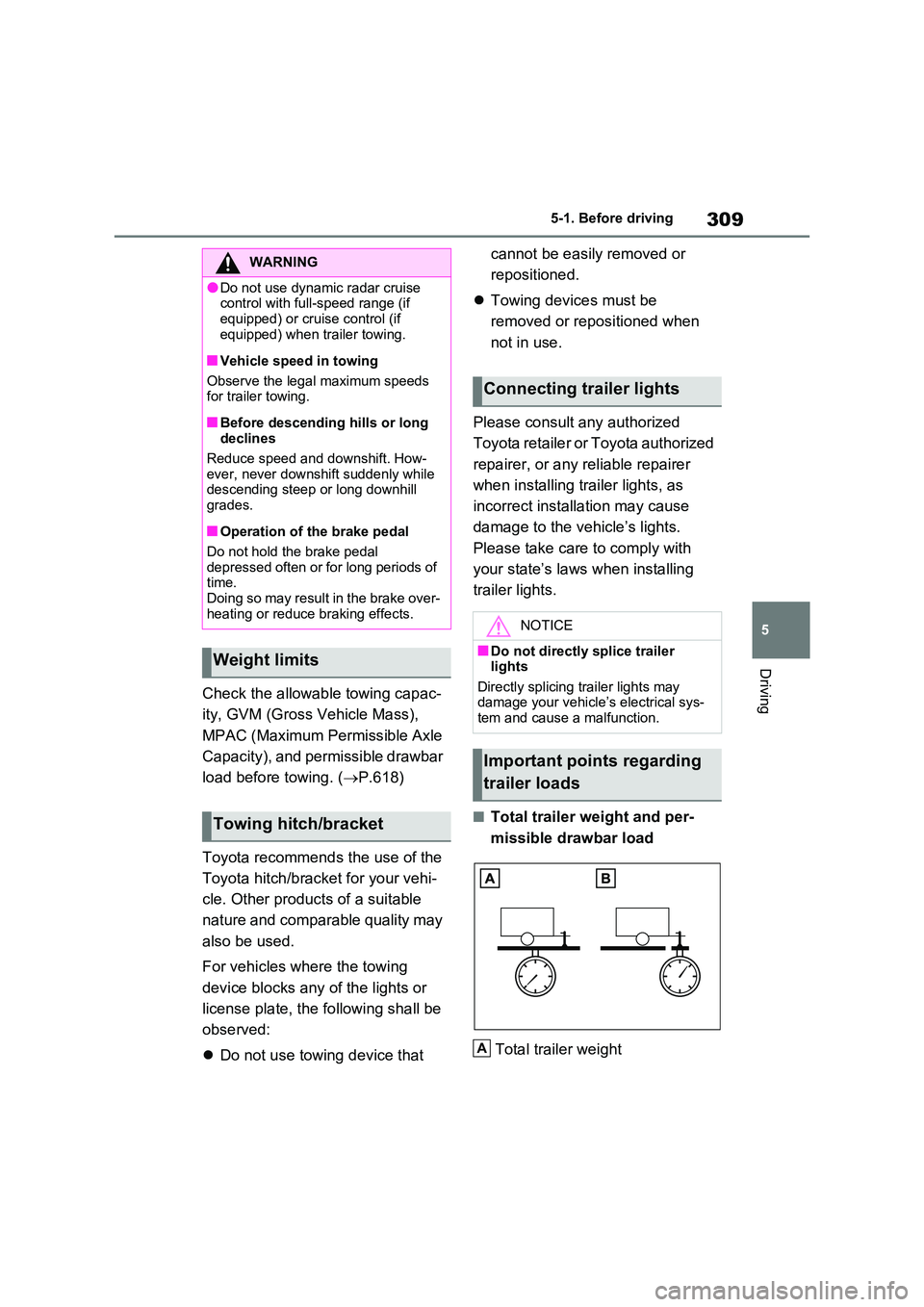
■Total trailer weight and per-
missible drawbar load
Total trailer weight
WARNING
●Do not use dynamic radar cruise control with full-speed range (if
equipped) or cruise control (if equipped) when trailer towing.
■Vehicle speed in towing
Observe the legal maximum speeds for trailer towing.
■Before descending hills or long declines
Reduce speed and downshift. How- ever, never downshift suddenly while descending steep or long downhill
grades.
■Operation of the brake pedal
Do not hold the brake pedal depressed often or for long periods of time.
Doing so may result in the brake over- heating or reduce braking effects.
Weight limits
Towing hitch/bracket
Connecting trailer lights
NOTICE
■Do not directly splice trailer lights
Directly splicing trailer lights may damage your vehicle’s electrical sys-tem and cause a malfunction.
Important points regarding
trailer loads
A
Page 315 of 664
315
5 5-1. Before driving
Driving
■Sudden acceleration/steering
input/cornering
Executing sharp turns when towing
may result in the trailer colliding
with your vehicle. Decelerate well in
advance when approaching turns
and take them slowly and carefully
to avoid sudden braking.
■Important points regarding
turning
The wheels of the trailer will travel
closer to the inside of the curve
than the wheels of the vehicle. To
make allowance for this, take the
turns wider than you would nor-
mally do.
■Important points regarding
stability
Vehicle movement resulting from
uneven road surfaces and strong
crosswinds will affect handling. The
vehicle may also be rocked by
passing buses or large trucks. Fre-
quently check behind when moving
alongside such vehicles. As soon
as such vehicle movement occurs,
immediately start to decelerate
smoothly by slowly applying the
brakes. Always steer the vehicle
straight ahead while braking.
■Passing other vehicles
Consider the total combined length
of your vehicle and trailer and
ensure that the vehicle-to-vehicle
distance is sufficient before execut-
ing lane changes.
■Transmission information
To maintain engine braking effi-
ciency, when using engine braking,
do not use the transmission in D.
(P.321)
■If the hybrid system overheats
Towing a loaded trailer up a long,
steep incline in temperatures
exceeding 30°C (85°F) may result
in the hybrid system overheating. If
the high coolant temperature warn-
ing light indicates that the hybrid
system is overheating, turn the air
conditioning off immediately, leave
the road and stop the vehicle in a
safe place. (P.611)
■When parking the vehicle
Always place wheel chocks under
the wheels of both the vehicle and
trailer. Firmly set the parking brake
and shift the shift lever to P.
■Break-in schedule
Toyota recommends that vehicles fitted
with new power train components
should not be used for towing trailers for
the first 800 km (500 miles).
■Maintenance
●Maintenance must be performed more
frequently when using the vehicle for
towing due to the greater weight bur-
den placed on the vehicle compared
to normal driving.
●Retighten all bolts securing the hitch-
ing ball and bracket after towing for
approximately 1000 km (600 miles).
■If trailer sway occurs
One or more factors (crosswinds, pass-
ing vehicles, rough roads, etc.) can
adversely affect handling of your vehicle
and trailer, causing instability.
Page 319 of 664
319
5
5-2. Driving procedures
Driving
power switch to OFF, the hybrid sys-
tem may not start in some cases. After turning the power switch to OFF, please wait a few seconds before
restarting the hybrid system.
■Customization
If the smart entry & start system has been deactivated in a customized set-
ting, refer to P.605.
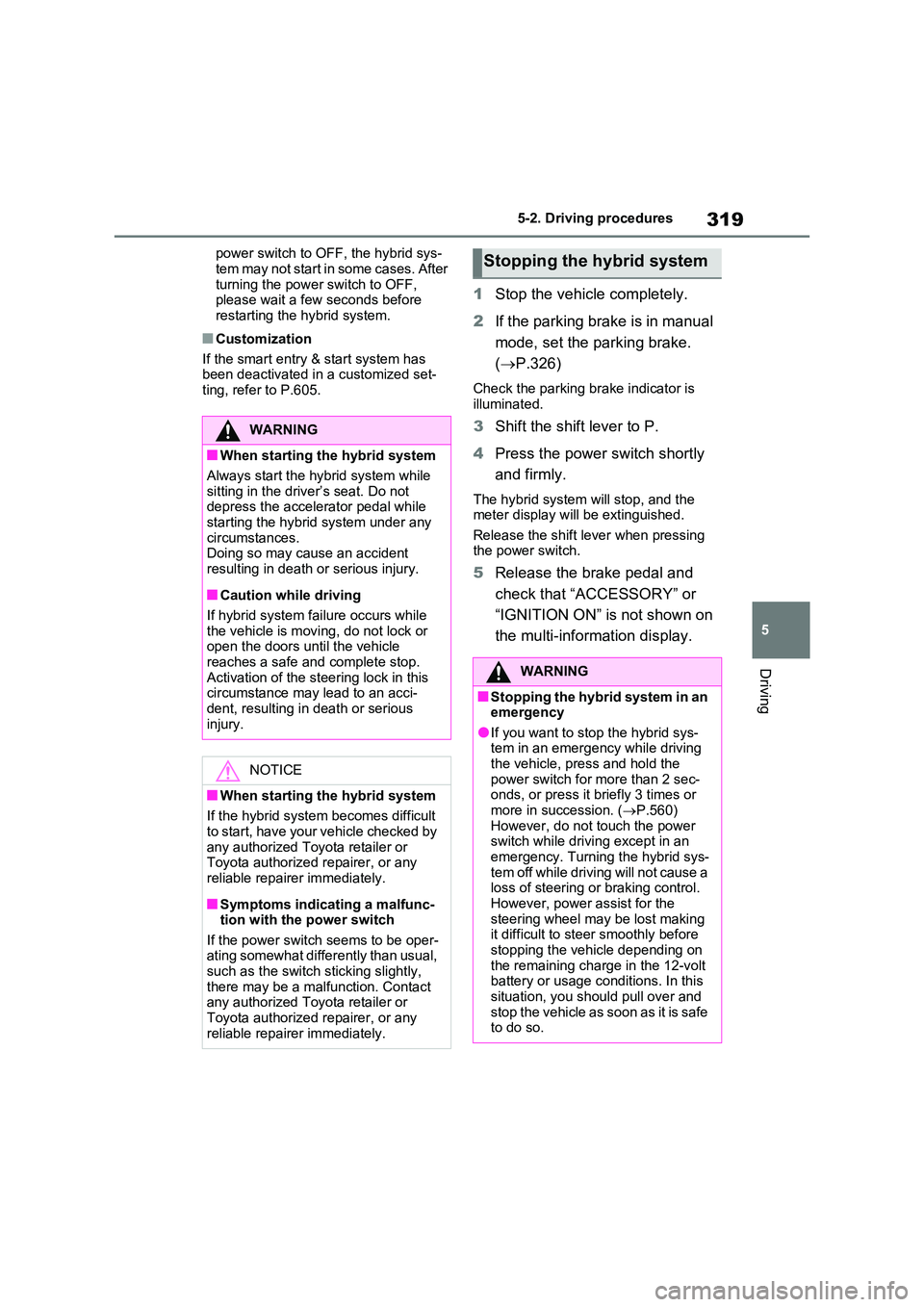
1 Stop the vehicle completely.
2 If the parking brake is in manual
mode, set the parking brake.
( P.326)
Check the parking brake indicator is
illuminated.
3 Shift the shift lever to P.
4 Press the power switch shortly
and firmly.
The hybrid system will stop, and the meter display will be extinguished.
Release the shift lever when pressing the power switch.
5 Release the brake pedal and
check that “ACCESSORY” or
“IGNITION ON” is not shown on
the multi-information display.
WARNING
■When starting the hybrid system
Always start the hybrid system while
sitting in the driver’s seat. Do not depress the accelerator pedal while starting the hybrid system under any
circumstances. Doing so may cause an accident resulting in death or serious injury.
■Caution while driving
If hybrid system failure occurs while
the vehicle is moving, do not lock or open the doors until the vehicle reaches a safe and complete stop.
Activation of the steering lock in this circumstance may lead to an acci-dent, resulting in death or serious
injury.
NOTICE
■When starting the hybrid system
If the hybrid system becomes difficult to start, have your vehicle checked by
any authorized Toyota retailer or Toyota authorized repairer, or any reliable repairer immediately.
■Symptoms indicating a malfunc-tion with the power switch
If the power switch seems to be oper- ating somewhat differently than usual, such as the switch sticking slightly,
there may be a malfunction. Contact any authorized Toyota retailer or Toyota authorized repairer, or any
reliable repairer immediately.
Stopping the hybrid system
WARNING
■Stopping the hybrid system in an emergency
●If you want to stop the hybrid sys-tem in an emergency while driving the vehicle, press and hold the
power switch for more than 2 sec- onds, or press it briefly 3 times or more in succession. ( P.560)
However, do not touch the power switch while driving except in an emergency. Turning the hybrid sys-
tem off while driving will not cause a loss of steering or braking control. However, power assist for the
steering wheel may be lost making it difficult to steer smoothly before stopping the vehicle depending on
the remaining charge in the 12-volt battery or usage conditions. In this situation, you should pull over and
stop the vehicle as soon as it is safe to do so.
Page 326 of 664
3265-2. Driving procedures
■If the turn signals stop flashing
before a lane change has been per- formed
Operate the lever again.
■To discontinue flashing of the turn
signals during a lane change
Operate the lever in the opposite direc- tion.
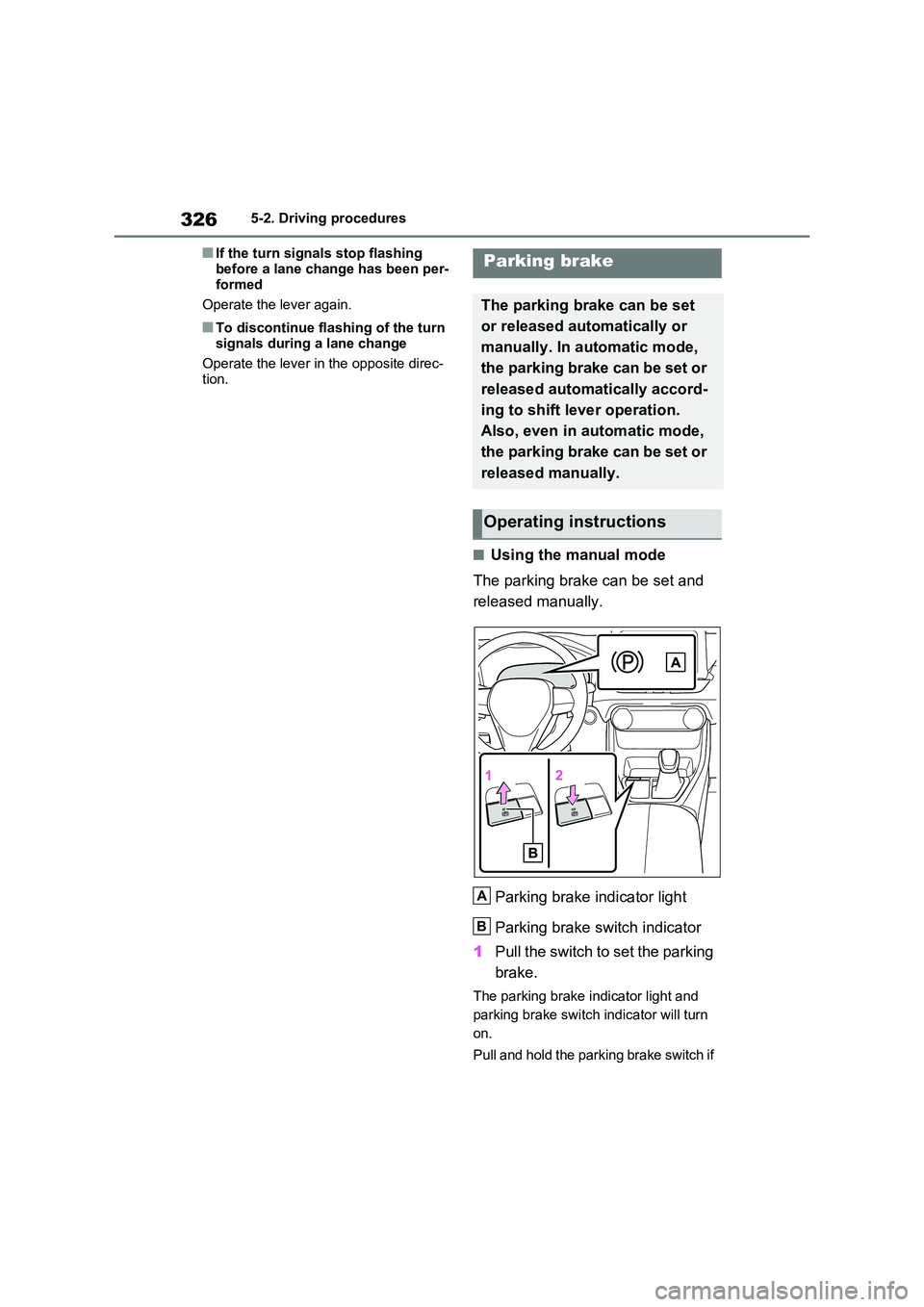
■Using the manual mode
The parking brake can be set and
released manually.
Parking brake indicator light
Parking brake switch indicator
1 Pull the switch to set the parking
brake.
The parking brake indicator light and
parking brake switch indicator will turn
on.
Pull and hold the parking brake switch if
Parking brake
The parking brake can be set
or released automatically or
manually. In automatic mode,
the parking brake can be set or
released automatically accord-
ing to shift lever operation.
Also, even in automatic mode,
the parking brake can be set or
released manually.
Operating instructions
A
B
Page 327 of 664
327
5
5-2. Driving procedures
Driving
an emergency occurs and it is neces-
sary to operate the parking brake while
driving.
2 Push the switch to release the
parking brake.
• Operate the parking brake switch
while depressing the brake pedal.
• Parking brake automatic release
function ( P.327)
Make sure that the parking brake indi-
cator light and parking brake switch
indicator turn off.
If the parking brake indicator light
and parking brake switch indicator
flash, operate the switch again.
( P.574)
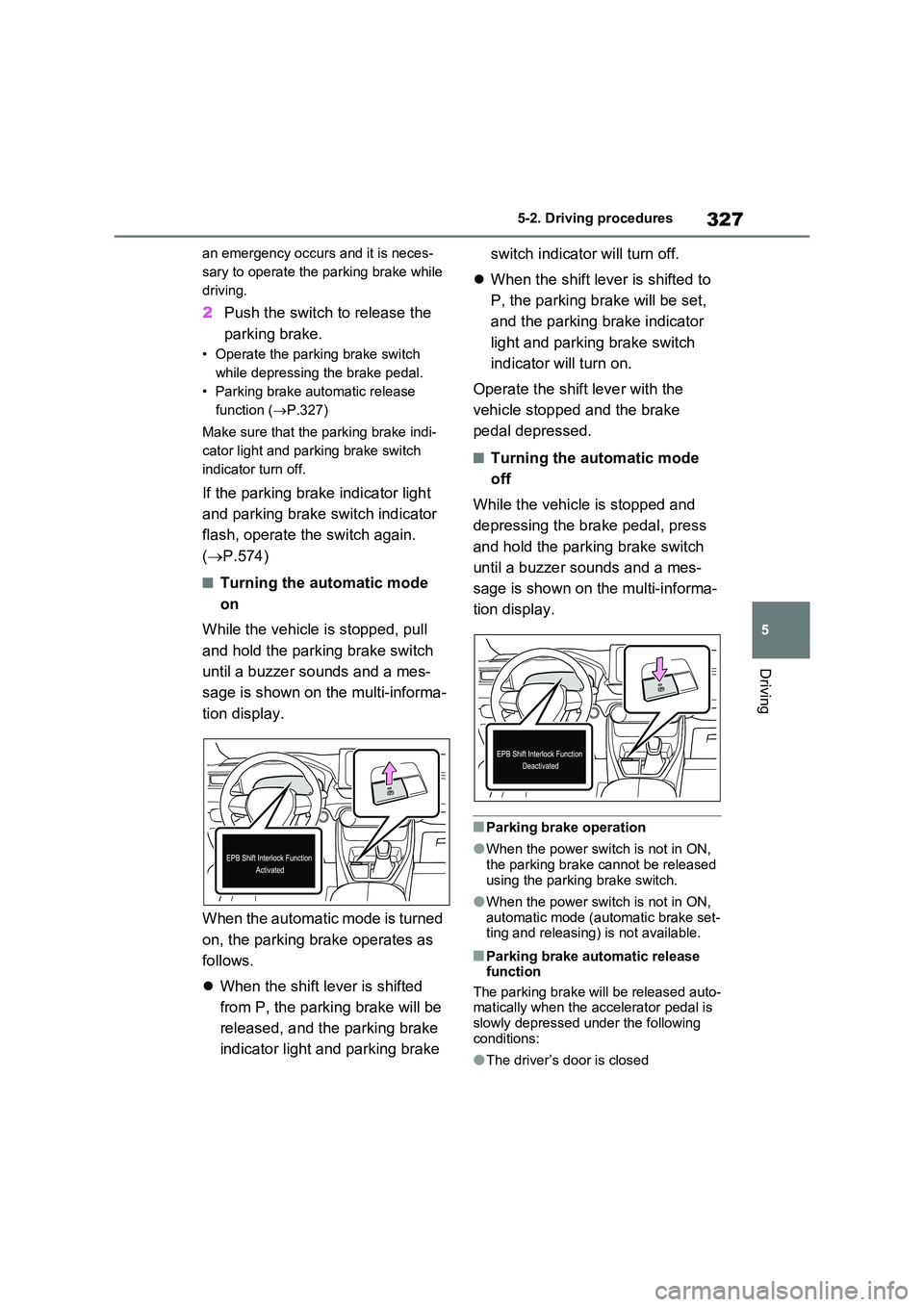
■Turning the automatic mode
on
While the vehicle is stopped, pull
and hold the parking brake switch
until a buzzer sounds and a mes-
sage is shown on the multi-informa-
tion display.
When the automatic mode is turned
on, the parking brake operates as
follows.
When the shift lever is shifted
from P, the parking brake will be
released, and the parking brake
indicator light and parking brake
switch indicator will turn off.
When the shift lever is shifted to
P, the parking brake will be set,
and the parking brake indicator
light and parking brake switch
indicator will turn on.
Operate the shift lever with the
vehicle stopped and the brake
pedal depressed.
■Turning the automatic mode
off
While the vehicle is stopped and
depressing the brake pedal, press
and hold the parking brake switch
until a buzzer sounds and a mes-
sage is shown on the multi-informa-
tion display.
■Parking brake operation
●When the power switch is not in ON, the parking brake cannot be released
using the parking brake switch.
●When the power switch is not in ON,
automatic mode (automatic brake set- ting and releasing) is not available.
■Parking brake automatic release function
The parking brake will be released auto- matically when the accelerator pedal is slowly depressed under the following
conditions:
●The driver’s door is closed
Page 328 of 664
3285-2. Driving procedures
●The driver is wearing the seat belt
●The shift lever is in a forward or reverse position.
●The malfunction indicator lamp or brake system warning light is not illu-
minated
If the automatic release function does
not operate, release the parking brake
manually.
■If “Parking Brake Temporarily Unavailable” is displayed on the multi-information display
If the parking brake is operated repeat- edly over a short period of time, the sys-tem may restrict operation to prevent
overheating. If this happens, refrain from operating the parking brake. Normal operation will return after about 1 min-
ute.
■If “Parking Brake Unavailable” is displayed on the multi-information display
Operate the parking brake switch. If the message does not disappear after oper-ating the switch several times, the sys-
tem may be malfunctioning. Have the vehicle inspected by any authorized Toyota retailer or Toyota authorized
repairer, or any reliable repairer.
■Parking brake operation sound
When the parking brake operates, a motor sound (whirring sound) may be
heard. This does not indicate a malfunc- tion.
■Parking brake indicator light
●Depending on the power switch mode, the parking brake indicator light will turn on and stay on as described
below: ON: Comes on until the parking brake is released.
Not in ON: Stays on for approximately 15 seconds.
●When the power switch is turned off with the parking brake set, the parking brake indicator light will stay on for
about 15 seconds. This does not indi-
cate a malfunction.
■When the parking brake switch
malfunctions
Automatic mode (automatic brake set- ting and releasing) will be turned on
automatically.
■Parking the vehicle
P.300
■Parking brake engaged warning buzzer
A buzzer will sound if the vehicle is driven with the parking brake engaged. “Parking Brake ON” is displayed on the
multi-information display (with the vehi- cle reaching a speed of 5 km/h [3 mph]).
■If the brake system warning light comes on
P.568
■Usage in winter time
P.446
WARNING
■When parking the vehicle
Do not leave a child in the vehicle alone. The parking brake may be released unintentionally by a child
and there is the danger of the vehicle moving that may lead to an accident resulting in death or serious injury.
■Parking brake switch
Do not set any objects near the park-
ing brake switch. Objects may inter- fere with the switch and may lead the parking brake to unexpectedly oper-
ate.
NOTICE
■When parking the vehicle
Before you leave the vehicle, shift the shift lever to P, set the parking brake
and make sure that the vehicle does not move.
Page 330 of 664
3305-2. Driving procedures
enabled, the system will turn off and the
brake hold standby indicator light will go off. In addition, if any of the conditions are detected while the system is holding
the brake, a warning buzzer will sound and a message will be shown on the multi-information display. The parking
brake will then be set automatically.
■Brake hold function
●If the brake pedal is left released for a
period of about 3 minutes after the system has started holding the brake, the parking brake will be set automati-
cally. In this case, a warning buzzer sounds and a message is shown on the multi-information display.
●To turn the system off while the sys-tem is holding the brake, firmly
depress the brake pedal and press the button again.
●The brake hold function may not hold the vehicle when the vehicle is on a steep incline. In this situation, it may
be necessary for the driver to apply the brakes. A warning buzzer will sound and the multi-information dis-
play will inform the driver of this situa- tion. If a warning message is shown on the multi-information display, read
the message and follow the instruc- tions.
■When the parking brake is set auto-matically while the system is hold-
ing the brakes
Perform any of the following operations to release the parking brake:
●Depress the accelerator pedal. (The parking brake will not be released
automatically if the seat belt is not fas- tened.)
●Operate the parking brake switch with the brake pedal depressed.
Make sure that the parking brake indica-
tor light goes off. ( P.326)
■When an inspection at any autho-
rized Toyota retailer or Toyota authorized repairer, or any reliable repairer is necessary
When the brake hold standby indicator (green) does not illuminate even when the brake hold switch is pressed with the
brake hold system operating conditions met, the system may be malfunctioning. Have the vehicle inspected at any
authorized Toyota retailer or Toyota authorized repairer, or any reliable repairer.
■If “Brake Hold Malfunction Press
Brake to Deactivate Visit Your Dealer” or “Brake Hold Malfunction Visit Your Dealer” is displayed on
the multi-information display
The system may be malfunctioning. Have the vehicle inspected by any
authorized Toyota retailer or Toyota authorized repairer, or any reliable repairer.
■Warning messages and buzzers
Warning messages and buzzers are used to indicate a system malfunction or to inform the driver of the need for cau-
tion. If a warning message is shown on the multi-information display, read the message and follow the instructions.
■If the brake hold operated indicator
flashes
P.574
WARNING
■When the vehicle is on a steep
incline
When using the brake hold system on a steep incline, exercise caution. The
brake hold function may not hold the vehicle in such a situation.
■When stopped on a slippery road
The system cannot stop the vehicle when the gripping ability of the tires
has been exceeded. Do not use the system when stopped on a slippery road.
Page 332 of 664
3325-3. Operating the lights and wipers
5-3.Operating the lights and wipers
Operating the switch turns
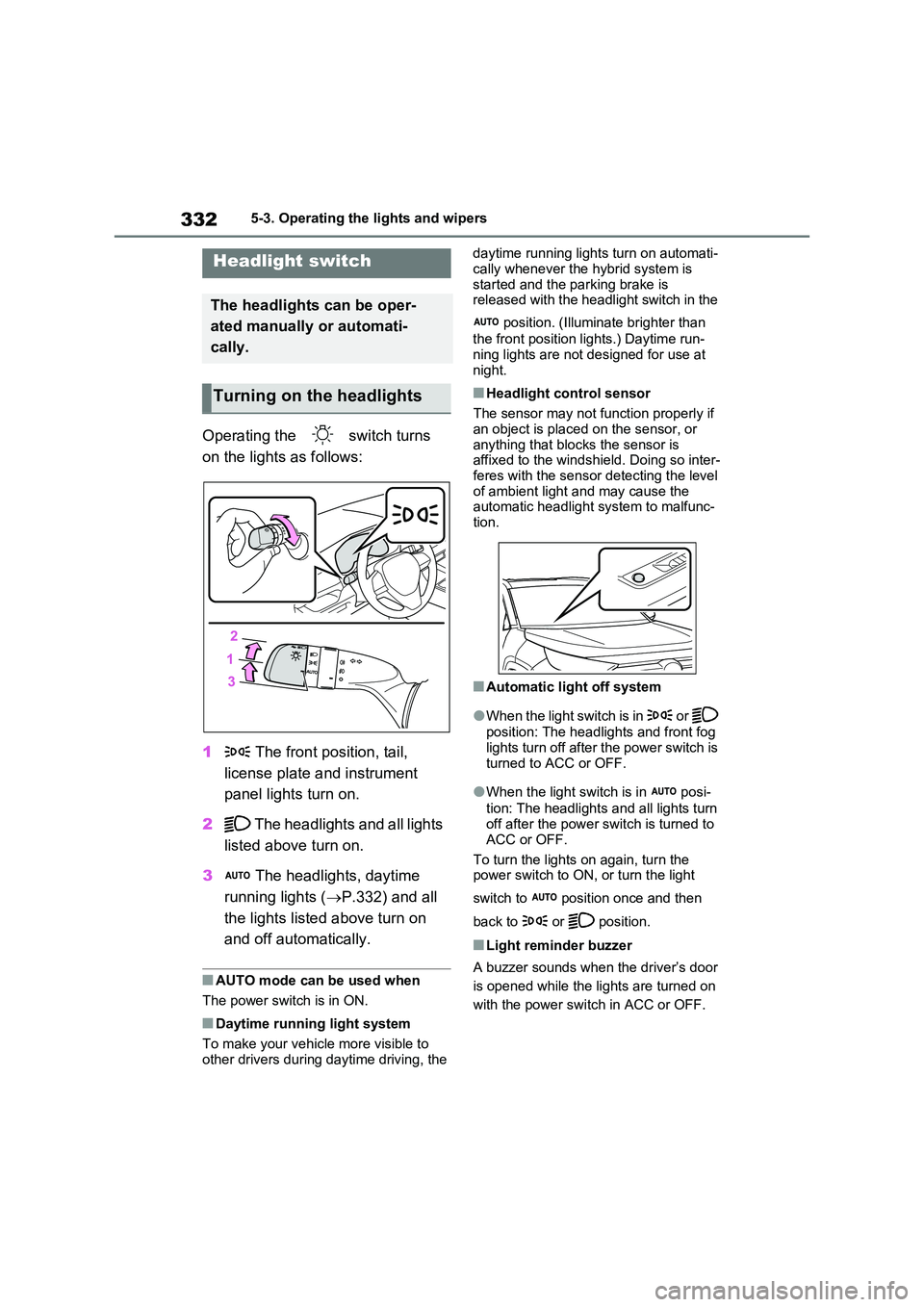
on the lights as follows:
1 The front position, tail,
license plate and instrument
panel lights turn on.
2 The headlights and all lights
listed above turn on.
3 The headlights, daytime
running lights ( P.332) and all
the lights listed above turn on
and off automatically.
■AUTO mode can be used when
The power switch is in ON.
■Daytime running light system
To make your vehicle more visible to
other drivers during daytime driving, the
daytime running lights turn on automati-
cally whenever the hybrid system is started and the parking brake is released with the headlight switch in the
position. (Illuminate brighter than
the front position lights.) Daytime run- ning lights are not designed for use at
night.
■Headlight control sensor
The sensor may not function properly if an object is placed on the sensor, or
anything that blocks the sensor is affixed to the windshield. Doing so inter-feres with the sensor detecting the level
of ambient light and may cause the automatic headlight system to malfunc-tion.
■Automatic light off system
●When the light switch is in or
position: The headlights and front fog
lights turn off after the power switch is turned to ACC or OFF.
●When the light switch is in posi-
tion: The headlights and all lights turn off after the power switch is turned to
ACC or OFF.
To turn the lights on again, turn the power switch to ON, or turn the light
switch to position once and then
back to or position.
■Light reminder buzzer
A buzzer sounds when the driver’s door
is opened while the lights are turned on
with the power switch in ACC or OFF.
Headlight switch
The headlights can be oper-
ated manually or automati-
cally.
Turning on the headlights