brakes TOYOTA VERSO S 2011 User Guide
[x] Cancel search | Manufacturer: TOYOTA, Model Year: 2011, Model line: VERSO S, Model: TOYOTA VERSO S 2011Pages: 664, PDF Size: 160.56 MB
Page 361 of 664
361
5 5-5. Using the driving support systems
Driving
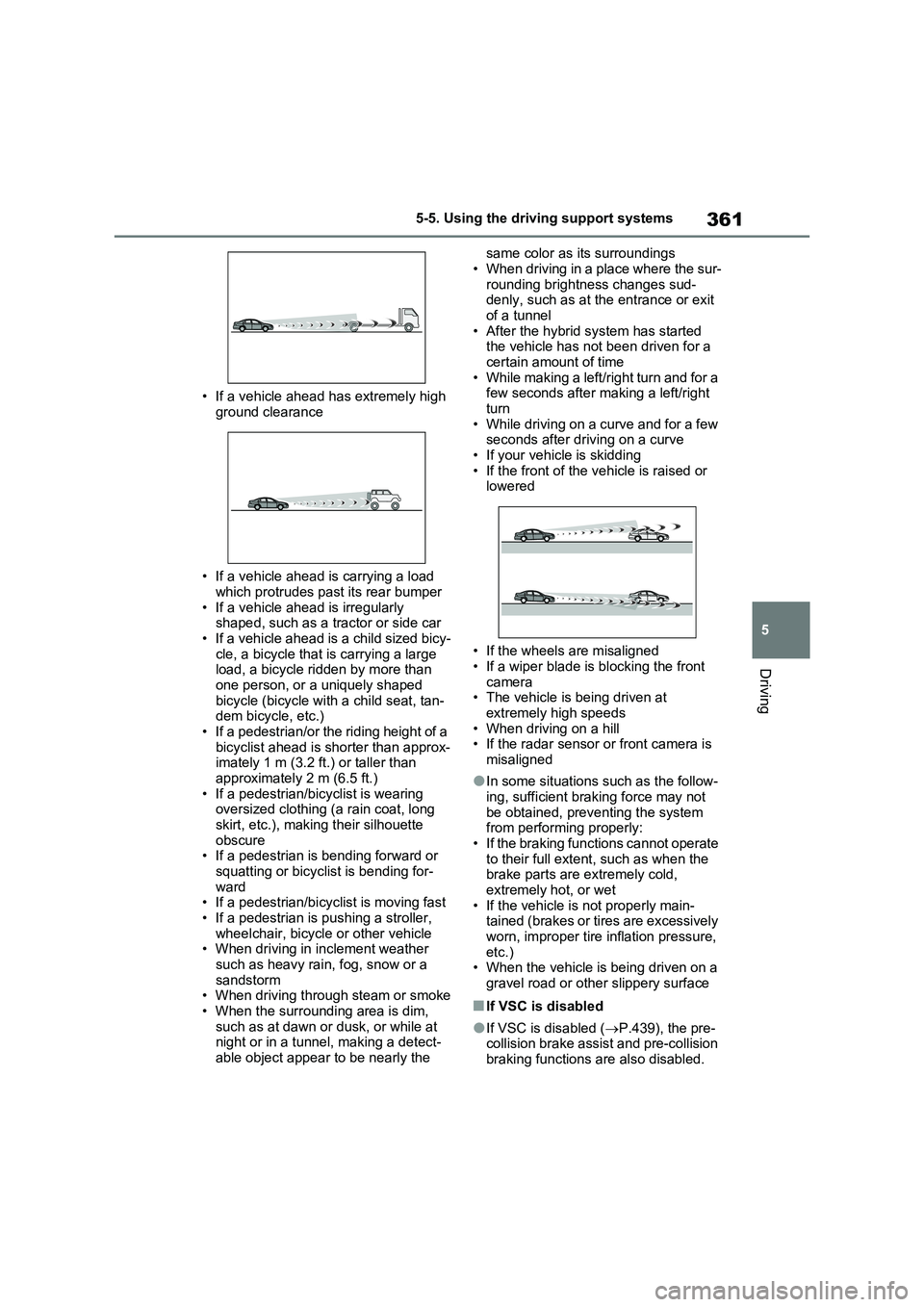
• If a vehicle ahead has extremely high
ground clearance
• If a vehicle ahead is carrying a load
which protrudes past its rear bumper
• If a vehicle ahead is irregularly
shaped, such as a tractor or side car
• If a vehicle ahead is a child sized bicy-
cle, a bicycle that is carrying a large
load, a bicycle ridden by more than
one person, or a uniquely shaped
bicycle (bicycle with a child seat, tan-
dem bicycle, etc.)
• If a pedestrian/or the riding height of a
bicyclist ahead is shorter than approx-
imately 1 m (3.2 ft.) or taller than
approximately 2 m (6.5 ft.)
• If a pedestrian/bicyclist is wearing
oversized clothing (a rain coat, long
skirt, etc.), making their silhouette
obscure
• If a pedestrian is bending forward or
squatting or bicyclist is bending for-
ward
• If a pedestrian/bicyclist is moving fast
• If a pedestrian is pushing a stroller,
wheelchair, bicycle or other vehicle
• When driving in inclement weather
such as heavy rain, fog, snow or a
sandstorm
• When driving through steam or smoke
• When the surrounding area is dim,
such as at dawn or dusk, or while at
night or in a tunnel, making a detect-
able object appear to be nearly the same color as its surroundings
• When driving in a place where the sur-
rounding brightness changes sud-
denly, such as at the entrance or exit
of a tunnel
• After the hybrid system has started
the vehicle has not been driven for a
certain amount of time
• While making a left/right turn and for a
few seconds after making a left/right
turn
• While driving on a curve and for a few
seconds after driving on a curve
• If your vehicle is skidding
• If the front of the vehicle is raised or
lowered
• If the wheels are misaligned
• If a wiper blade is blocking the front
camera
• The vehicle is being driven at
extremely high speeds
• When driving on a hill
• If the radar sensor or front camera is
misaligned
●In some situations such as the follow-
ing, sufficient braking force may not
be obtained, preventing the system
from performing properly:
• If the braking functions cannot operate
to their full extent, such as when the
brake parts are extremely cold,
extremely hot, or wet
• If the vehicle is not properly main-
tained (brakes or tires are excessively
worn, improper tire inflation pressure,
etc.)
• When the vehicle is being driven on a
gravel road or other slippery surface
■If VSC is disabled
●If VSC is disabled (P.439), the pre-
collision brake assist and pre-collision
braking functions are also disabled.
Page 380 of 664
3805-5. Using the driving support systems
When a vehicle is detected running ahead of you, the system automatically deceler-
ates your vehicle. When a greater reduction in vehicle speed is necessary, the sys-
tem applies the brakes (the stop lights will come on at this time). The system will
respond to changes in the speed of the vehicle ahead in order to maintain the vehi-
cle-to-vehicle distance set by the driver. Approach warning warns you when the sys-
tem cannot decelerate sufficiently to prevent your vehicle from closing in on the
vehicle ahead.
When the vehicle ahead of you stops, your vehicle will also stop (vehicle is stopped
by system control). After the vehicle ahead starts off, pressing the “+RES” switch or
depressing the accelerator pedal (start-off operation) will resume follow-up cruising.
If the start-off operation is not performed, system control continues to keep your
vehicle stopped.
When the turn signal lever is operated and your vehicle moves to an overtaking lane
while driving at 50 mph (80 km/h) or more, the vehicle will accelerate to help to over-
take a passing vehicle.
The system’s identification of what is an overtaking lane may be determined solely
based on the location of the steering wheel in the vehicle (left side driver position
versus right side driver position.) If the vehicle is driven to a region where the over-
taking lane is on a different side from where the vehicle is normally driven, the vehi-
cle may accelerate when the turn signal lever is operated in the opposite direction to
the overtaking lane (e.g., if the driver normally operates the vehicle in a region
where the overtaking lane is to the right but then drives to a region where the over-
taking lane is to the left, the vehicle may accelerate when the right turn signal is acti-
vated).
Example of acceleration
When there are no longer any preceding vehicles driving slower than the
set speed
The system accelerates until the set speed is reached. The system then returns to
constant speed cruising.
1Press the cruise control main
switch to activate the cruise con-
trol.
Dynamic radar cruise control indicator
will come on and a message will be dis-
played on the multi-information display.
Press the switch again to deactivate the
cruise control.If the cruise control main switch is
pressed and held for 1.5 seconds or
more, the system turns on in constant
C
Setting the vehicle speed
(vehicle-to-vehicle distance
control mode)
Page 390 of 664
3905-5. Using the driving support systems
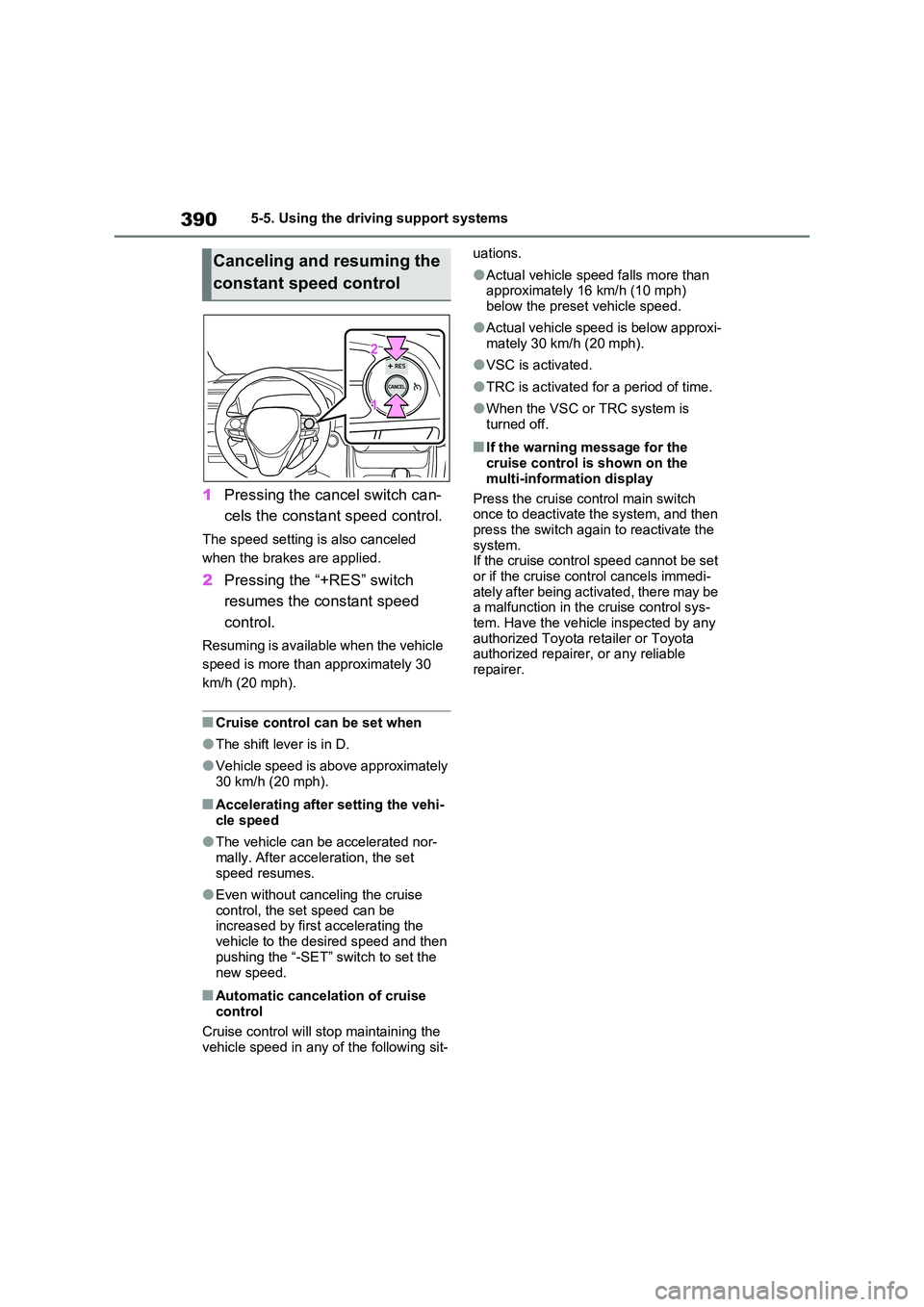
1Pressing the cancel switch can-
cels the constant speed control.
The speed setting is also canceled
when the brakes are applied.
2 Pressing the “+RES” switch
resumes the constant speed
control.
Resuming is available when the vehicle
speed is more than approximately 30
km/h (20 mph).
■Cruise control can be set when
●The shift lever is in D.
●Vehicle speed is above approximately 30 km/h (20 mph).
■Accelerating after setting the vehi-
cle speed
●The vehicle can be accelerated nor-
mally. After acceleration, the set speed resumes.
●Even without canceling the cruise control, the set speed can be increased by first accelerating the
vehicle to the desired speed and then pushing the “-SET” switch to set the
new speed.
■Automatic cancelation of cruise control
Cruise control will stop maintaining the
vehicle speed in any of the following sit-
uations.
●Actual vehicle speed falls more than approximately 16 km/h (10 mph)
below the preset vehicle speed.
●Actual vehicle speed is below approxi-
mately 30 km/h (20 mph).
●VSC is activated.
●TRC is activated for a period of time.
●When the VSC or TRC system is turned off.
■If the warning message for the cruise control is shown on the
multi-information display
Press the cruise control main switch once to deactivate the system, and then
press the switch again to reactivate the system.If the cruise control speed cannot be set
or if the cruise control cancels immedi- ately after being activated, there may be a malfunction in the cruise control sys-
tem. Have the vehicle inspected by any authorized Toyota retailer or Toyota authorized repairer, or any reliable
repairer.
Canceling and resuming the
constant speed control
Page 417 of 664
417
5 5-5. Using the driving support systems
Driving
■If “Parking Assist Unavailable” is
displayed on the multi-information
display (vehicles with PKSB)
Water may be continuously flowing over
the sensor surface, such as in a heavy
rain. When the system determines that it
is normal, the system will return to nor-
mal.
■Sensor detection information
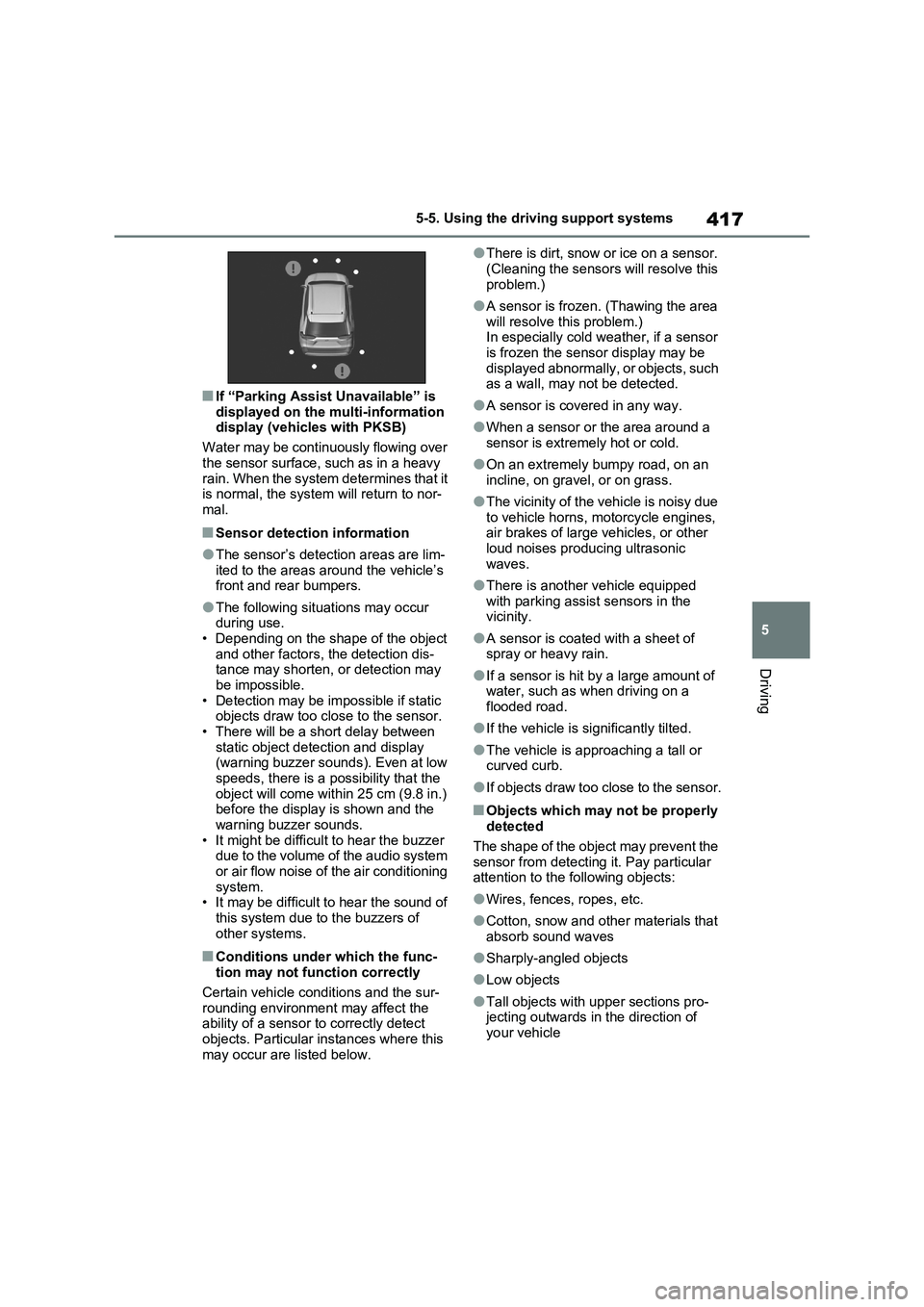
●The sensor’s detection areas are lim-
ited to the areas around the vehicle’s
front and rear bumpers.
●The following situations may occur
during use.
• Depending on the shape of the object
and other factors, the detection dis-
tance may shorten, or detection may
be impossible.
• Detection may be impossible if static
objects draw too close to the sensor.
• There will be a short delay between
static object detection and display
(warning buzzer sounds). Even at low
speeds, there is a possibility that the
object will come within 25 cm (9.8 in.)
before the display is shown and the
warning buzzer sounds.
• It might be difficult to hear the buzzer
due to the volume of the audio system
or air flow noise of the air conditioning
system.
• It may be difficult to hear the sound of
this system due to the buzzers of
other systems.
■Conditions under which the func-
tion may not function correctly
Certain vehicle conditions and the sur-
rounding environment may affect the
ability of a sensor to correctly detect
objects. Particular instances where this
may occur are listed below.
●There is dirt, snow or ice on a sensor.
(Cleaning the sensors will resolve this
problem.)
●A sensor is frozen. (Thawing the area
will resolve this problem.)
In especially cold weather, if a sensor
is frozen the sensor display may be
displayed abnormally, or objects, such
as a wall, may not be detected.
●A sensor is covered in any way.
●When a sensor or the area around a
sensor is extremely hot or cold.
●On an extremely bumpy road, on an
incline, on gravel, or on grass.
●The vicinity of the vehicle is noisy due
to vehicle horns, motorcycle engines,
air brakes of large vehicles, or other
loud noises producing ultrasonic
waves.
●There is another vehicle equipped
with parking assist sensors in the
vicinity.
●A sensor is coated with a sheet of
spray or heavy rain.
●If a sensor is hit by a large amount of
water, such as when driving on a
flooded road.
●If the vehicle is significantly tilted.
●The vehicle is approaching a tall or
curved curb.
●If objects draw too close to the sensor.
■Objects which may not be properly
detected
The shape of the object may prevent the
sensor from detecting it. Pay particular
attention to the following objects:
●Wires, fences, ropes, etc.
●Cotton, snow and other materials that
absorb sound waves
●Sharply-angled objects
●Low objects
●Tall objects with upper sections pro-
jecting outwards in the direction of
your vehicle
Page 420 of 664
4205-5. Using the driving support systems
some situations. (automatic
buzzer mute function)
■Muting the buzzer sound (vehicles
with PKSB)
●Automatic buzzer mute function
Even when the sensors are operating,
the buzzer will be muted in the following
situations:
• The distance between the vehicle and
the detected object does not become
shorter (except when the distance
between the vehicle and object is 30
cm [1.0 ft.] or less).
• Your vehicle is moving away from the
object.
• There are no detectable objects enter-
ing the path of your vehicle.
However, if another object is detected or
the situation changes while the buzzer is
muted, the buzzer begins sounding
again.
●To mute the buzzer sound
The buzzer can be temporarily muted by
pressing of the meter control
switches while a suggestion that says
mute is available is shown on the multi-
information display.
●When the mute is canceled
Mute will be automatically canceled in
the following situations.
• When the shift position is changed
• When the vehicle speed has reached
or exceeded a certain speed
• When the Toyota parking assist is
turned off once and turned on again
• When the power switch is turned off
once and turned to ON again
■Customization
The buzzer volume can be adjusted on
the multi-information display. (except for
vehicles without front sensors)
(P.186)
*: If equipped
■Parking Support Brake func-
tion (static objects)
P.424
■Parking Support Brake func-
tion (rear-crossing vehicles)
P.430
PKSB (Parking Support
Brake)
*
The Parking Support Brake
system consists of the follow-
ing functions that operate
when driving at a low speed or
backing up, such as when
parking. When the system
determines that the possibility
of a collision with a detected
object is high, a warning oper-
ates to urge the driver to take
evasive action. If the system
determines that the possibility
of a collision with a detected
object is extremely high, the
brakes are automatically
applied to help avoid the colli-
sion or help reduce the impact
of the collision.
PKSB (Parking Support
Brake) system
Page 423 of 664
423
5 5-5. Using the driving support systems
Driving
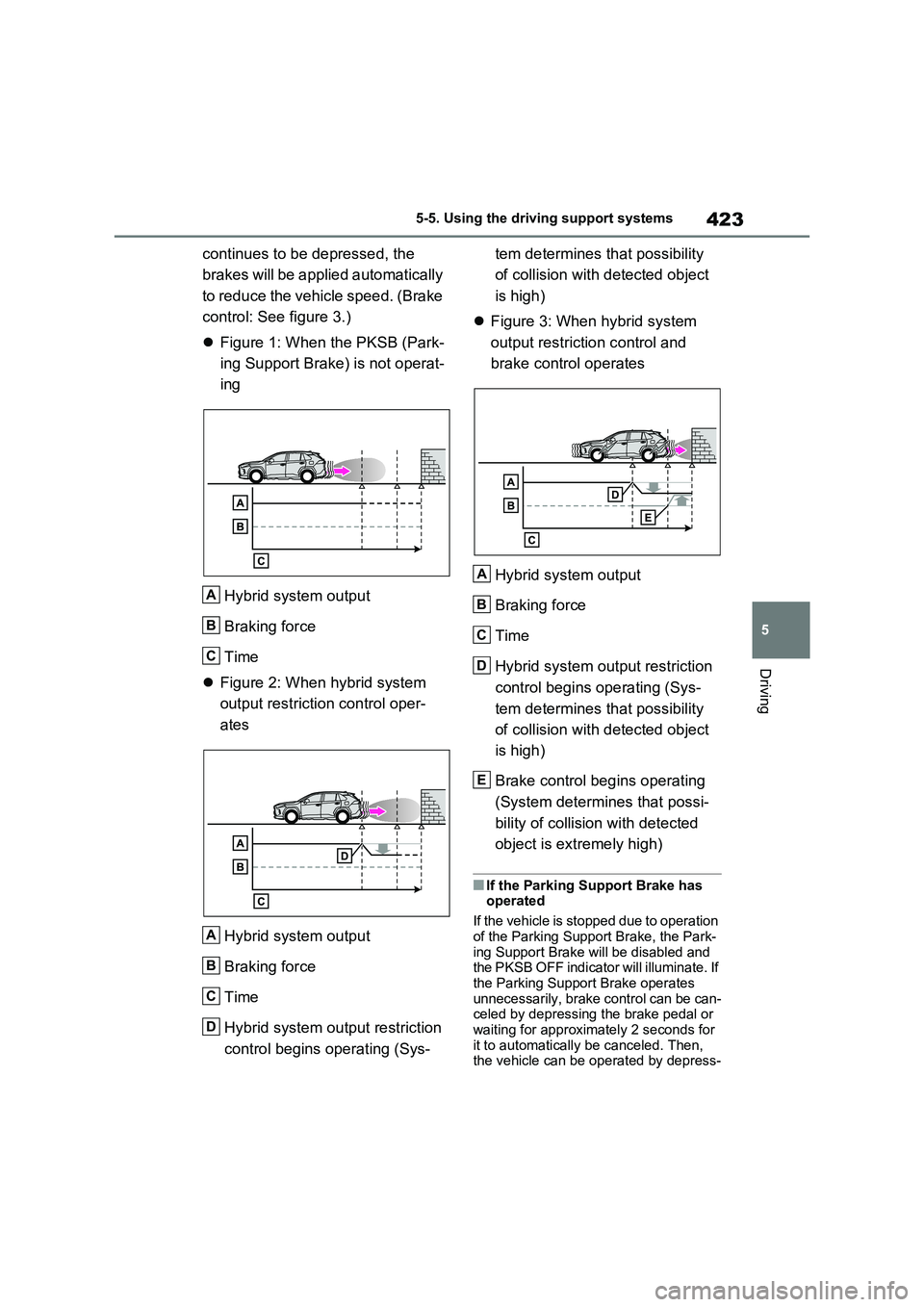
continues to be depressed, the
brakes will be applied automatically
to reduce the vehicle speed. (Brake
control: See figure 3.)
Figure 1: When the PKSB (Park-
ing Support Brake) is not operat-
ing
Hybrid system output
Braking force
Time
Figure 2: When hybrid system
output restriction control oper-
ates
Hybrid system output
Braking force
Time
Hybrid system output restriction
control begins operating (Sys-tem determines that possibility
of collision with detected object
is high)
Figure 3: When hybrid system
output restriction control and
brake control operates
Hybrid system output
Braking force
Time
Hybrid system output restriction
control begins operating (Sys-
tem determines that possibility
of collision with detected object
is high)
Brake control begins operating
(System determines that possi-
bility of collision with detected
object is extremely high)
■If the Parking Support Brake has
operated
If the vehicle is stopped due to operation
of the Parking Support Brake, the Park-
ing Support Brake will be disabled and
the PKSB OFF indicator will illuminate. If
the Parking Support Brake operates
unnecessarily, brake control can be can-
celed by depressing the brake pedal or
waiting for approximately 2 seconds for
it to automatically be canceled. Then,
the vehicle can be operated by depress-
A
B
C
A
B
C
D
A
B
C
D
E
Page 428 of 664
4285-5. Using the driving support systems
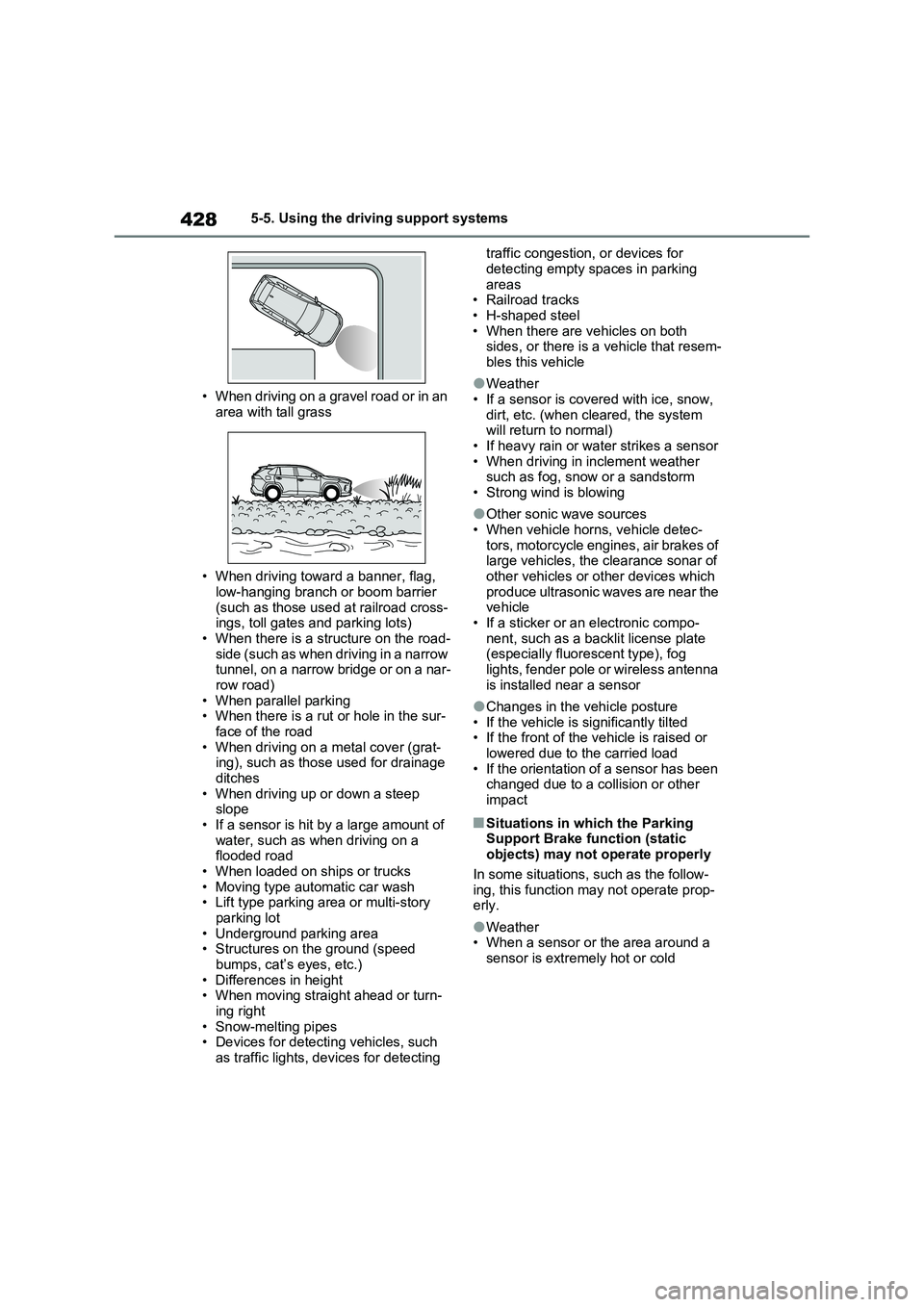
• When driving on a gravel road or in an
area with tall grass
• When driving toward a banner, flag,
low-hanging branch or boom barrier
(such as those used at railroad cross-
ings, toll gates and parking lots)
• When there is a structure on the road-
side (such as when driving in a narrow
tunnel, on a narrow bridge or on a nar-
row road)
• When parallel parking
• When there is a rut or hole in the sur-
face of the road
• When driving on a metal cover (grat-
ing), such as those used for drainage
ditches
• When driving up or down a steep
slope
• If a sensor is hit by a large amount of
water, such as when driving on a
flooded road
• When loaded on ships or trucks
• Moving type automatic car wash
• Lift type parking area or multi-story
parking lot
• Underground parking area
• Structures on the ground (speed
bumps, cat’s eyes, etc.)
• Differences in height
• When moving straight ahead or turn-
ing right
• Snow-melting pipes
• Devices for detecting vehicles, such
as traffic lights, devices for detecting traffic congestion, or devices for
detecting empty spaces in parking
areas
• Railroad tracks
• H-shaped steel
• When there are vehicles on both
sides, or there is a vehicle that resem-
bles this vehicle
●Weather
• If a sensor is covered with ice, snow,
dirt, etc. (when cleared, the system
will return to normal)
• If heavy rain or water strikes a sensor
• When driving in inclement weather
such as fog, snow or a sandstorm
• Strong wind is blowing
●Other sonic wave sources
• When vehicle horns, vehicle detec-
tors, motorcycle engines, air brakes of
large vehicles, the clearance sonar of
other vehicles or other devices which
produce ultrasonic waves are near the
vehicle
• If a sticker or an electronic compo-
nent, such as a backlit license plate
(especially fluorescent type), fog
lights, fender pole or wireless antenna
is installed near a sensor
●Changes in the vehicle posture
• If the vehicle is significantly tilted
• If the front of the vehicle is raised or
lowered due to the carried load
• If the orientation of a sensor has been
changed due to a collision or other
impact
■Situations in which the Parking
Support Brake function (static
objects) may not operate properly
In some situations, such as the follow-
ing, this function may not operate prop-
erly.
●Weather
• When a sensor or the area around a
sensor is extremely hot or cold
Page 429 of 664
429
5 5-5. Using the driving support systems
Driving
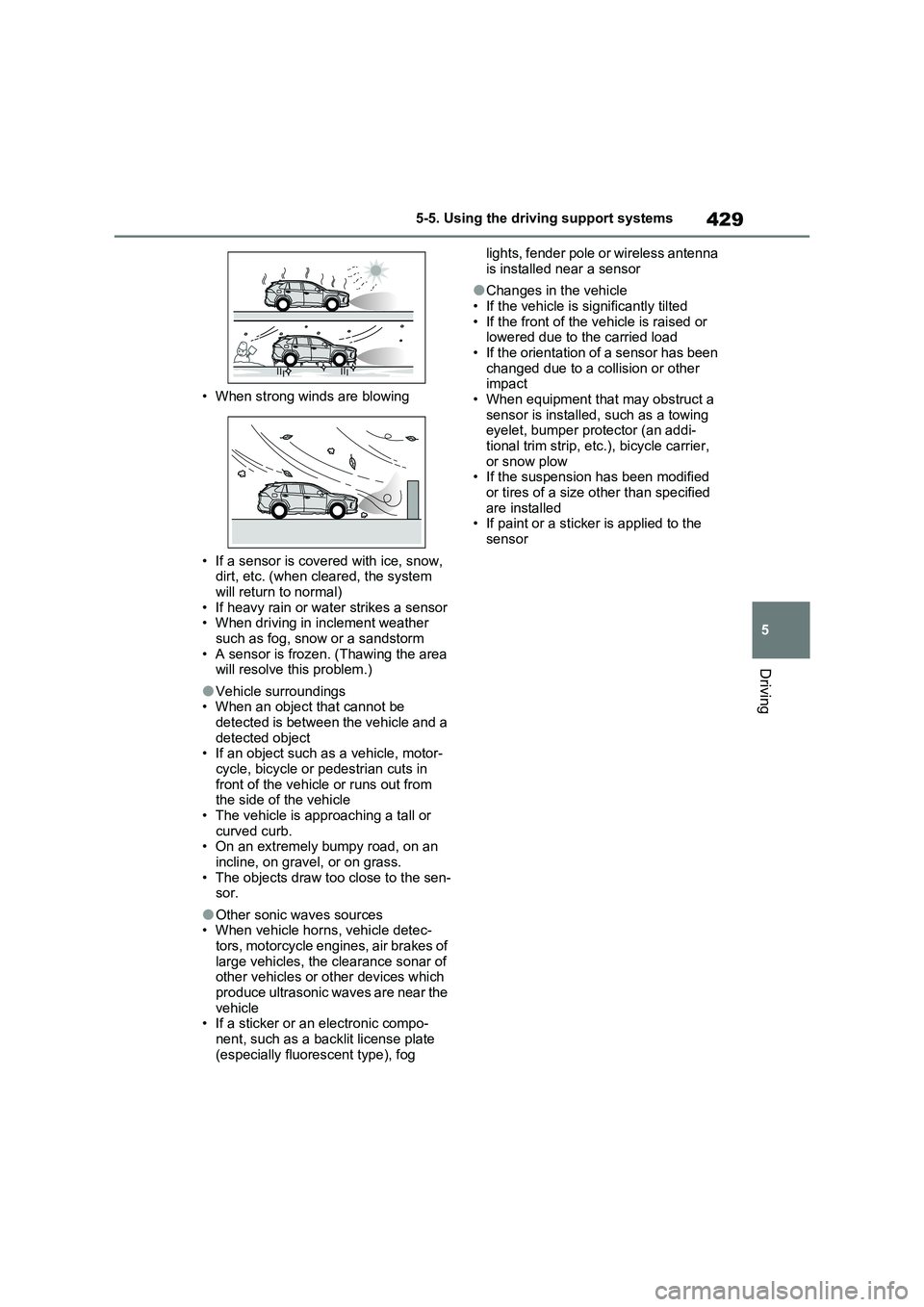
• When strong winds are blowing
• If a sensor is covered with ice, snow,
dirt, etc. (when cleared, the system
will return to normal)
• If heavy rain or water strikes a sensor
• When driving in inclement weather
such as fog, snow or a sandstorm
• A sensor is frozen. (Thawing the area
will resolve this problem.)
●Vehicle surroundings
• When an object that cannot be
detected is between the vehicle and a
detected object
• If an object such as a vehicle, motor-
cycle, bicycle or pedestrian cuts in
front of the vehicle or runs out from
the side of the vehicle
• The vehicle is approaching a tall or
curved curb.
• On an extremely bumpy road, on an
incline, on gravel, or on grass.
• The objects draw too close to the sen-
sor.
●Other sonic waves sources
• When vehicle horns, vehicle detec-
tors, motorcycle engines, air brakes of
large vehicles, the clearance sonar of
other vehicles or other devices which
produce ultrasonic waves are near the
vehicle
• If a sticker or an electronic compo-
nent, such as a backlit license plate
(especially fluorescent type), fog lights, fender pole or wireless antenna
is installed near a sensor
●Changes in the vehicle
• If the vehicle is significantly tilted
• If the front of the vehicle is raised or
lowered due to the carried load
• If the orientation of a sensor has been
changed due to a collision or other
impact
• When equipment that may obstruct a
sensor is installed, such as a towing
eyelet, bumper protector (an addi-
tional trim strip, etc.), bicycle carrier,
or snow plow
• If the suspension has been modified
or tires of a size other than specified
are installed
• If paint or a sticker is applied to the
sensor
Page 438 of 664
4385-5. Using the driving support systems
■ECB (Electronically Con-
trolled Brake System)
The electronically controlled sys-
tem generates braking force corre-
sponding to the brake operation
■ABS (Anti-lock Brake System)
Helps to prevent wheel lock when
the brakes are applied suddenly, or
if the brakes are applied while driv-
ing on a slippery road surface
■Brake assist
Generates an increased level of
braking force after the brake pedal
is depressed when the system
detects a panic stop situation
■VSC (Vehicle Stability Control)
Helps the driver to control skidding
when swerving suddenly or turning
on slippery road surfaces.
■VSC+ (Vehicle Stability Con-
trol+)
Provides cooperative control of the
ABS, TRC, VSC and EPS.
Helps to maintain directional stabil-
ity when swerving on slippery road
surfaces by controlling steering per-
formance.
■Trailer Sway Control
Helps the driver to control trailer
sway by selectively applying brake
pressure for individual wheels and
reducing driving torque when trailer
sway is detected.
■TRC (Traction Control)
Helps to maintain drive power and
prevent the drive wheels from spin-
ning when starting the vehicle or
accelerating on slippery roads
■Active Cornering Assist (ACA)
Helps to prevent the vehicle from
drifting to the outer side by perform-
ing inner wheel brake control when
attempting to accelerate while turn-
ing
■Hill-start assist control
Helps to reduce the backward
movement of the vehicle when
starting on an uphill
■EPS (Electric Power Steering)
Employs an electric motor to
reduce the amount of effort needed
to turn the steering wheel
Driving assist systems
To keep driving safety and per-
formance, the following sys-
tems operate automatically in
response to various driving sit-
uations. Be aware, however,
that these systems are supple-
mentary and should not be
relied upon too heavily when
operating the vehicle.
Summary of the driving
assist systems
Page 439 of 664
439
5 5-5. Using the driving support systems
Driving
■E-Four (Electronic On-Demand
AWD system)
Automatically switches from front
wheel drive to all-wheel drive
(AWD) according to the driving con-
ditions, helping to ensure reliable
handling and stability. Examples of
conditions where the system will
switch to AWD are when cornering,
going uphill, starting off or acceler-
ating, and when the road surface is
slippery due to snow, rain, etc.
■Emergency brake signal
When the brakes are applied sud-
denly, the emergency flashers
automatically flash to alert the vehi-
cle behind.
■The Secondary Collision
Brake (if equipped)
When the SRS airbag sensor
detects a collision and the system
operates, the brakes and brake
lights are automatically controlled
to reduce the vehicle speed and
help reduce the possibility of further
damage due to a secondary colli-
sion.
■When the TRC/VSC/ABS/Trailer
Sway Control systems are operat-
ing
The slip indicator light will flash while the
TRC/VSC/ABS/Trailer Sway Control
systems are operating.
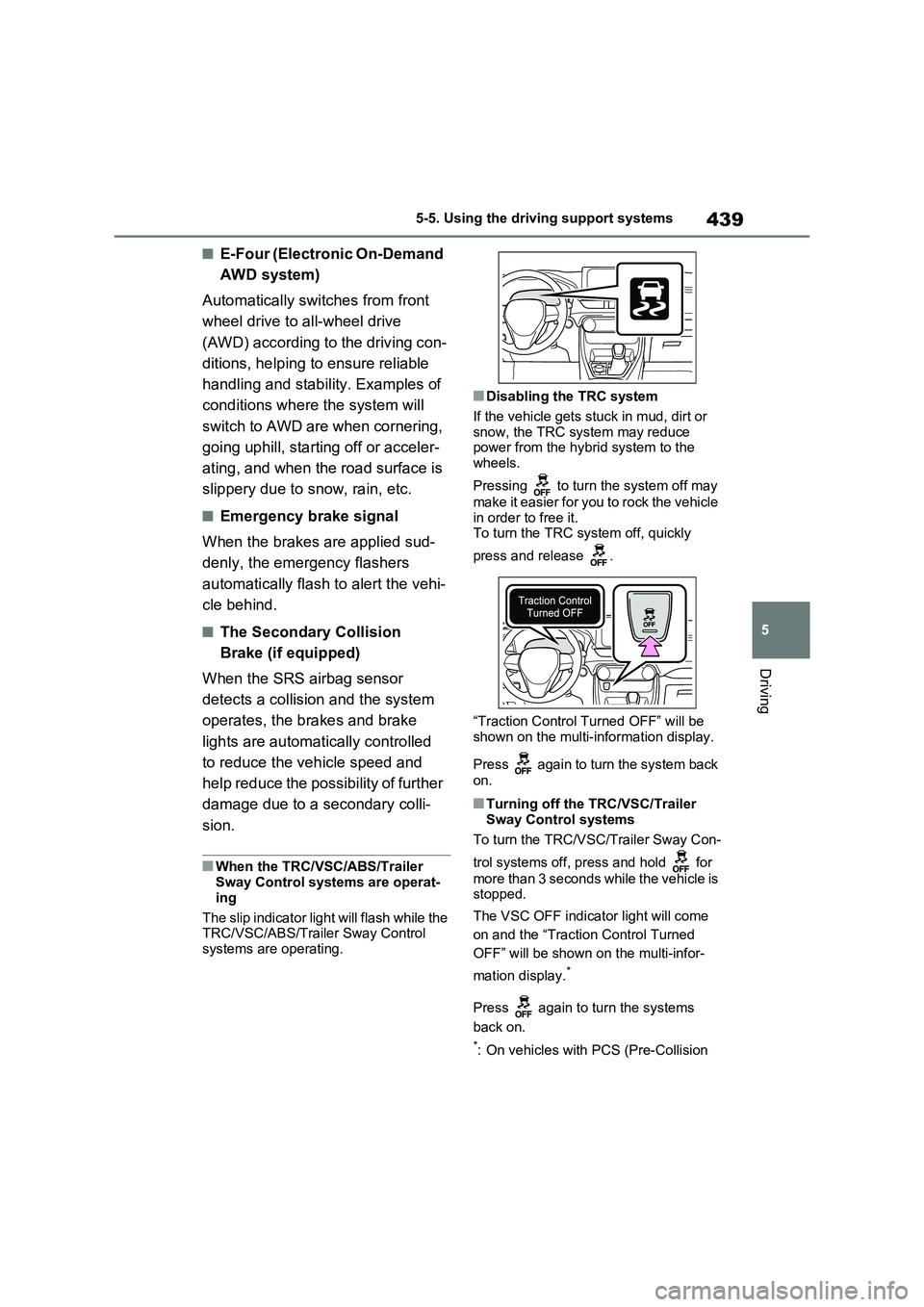
■Disabling the TRC system
If the vehicle gets stuck in mud, dirt or
snow, the TRC system may reduce
power from the hybrid system to the
wheels.
Pressing to turn the system off may
make it easier for you to rock the vehicle
in order to free it.
To turn the TRC system off, quickly
press and release .
“Traction Control Turned OFF” will be
shown on the multi-information display.
Press again to turn the system back
on.
■Turning off the TRC/VSC/Trailer
Sway Control systems
To turn the TRC/VSC/Trailer Sway Con-
trol systems off, press and hold for
more than 3 seconds while the vehicle is
stopped.
The VSC OFF indicator light will come
on and the “Traction Control Turned
OFF” will be shown on the multi-infor-
mation display.
*
Press again to turn the systems
back on.
*: On vehicles with PCS (Pre-Collision