traction control TOYOTA VERSO S 2011 User Guide
[x] Cancel search | Manufacturer: TOYOTA, Model Year: 2011, Model line: VERSO S, Model: TOYOTA VERSO S 2011Pages: 664, PDF Size: 160.56 MB
Page 159 of 664
159
2 2-2. Charging
Plug-in hybrid system
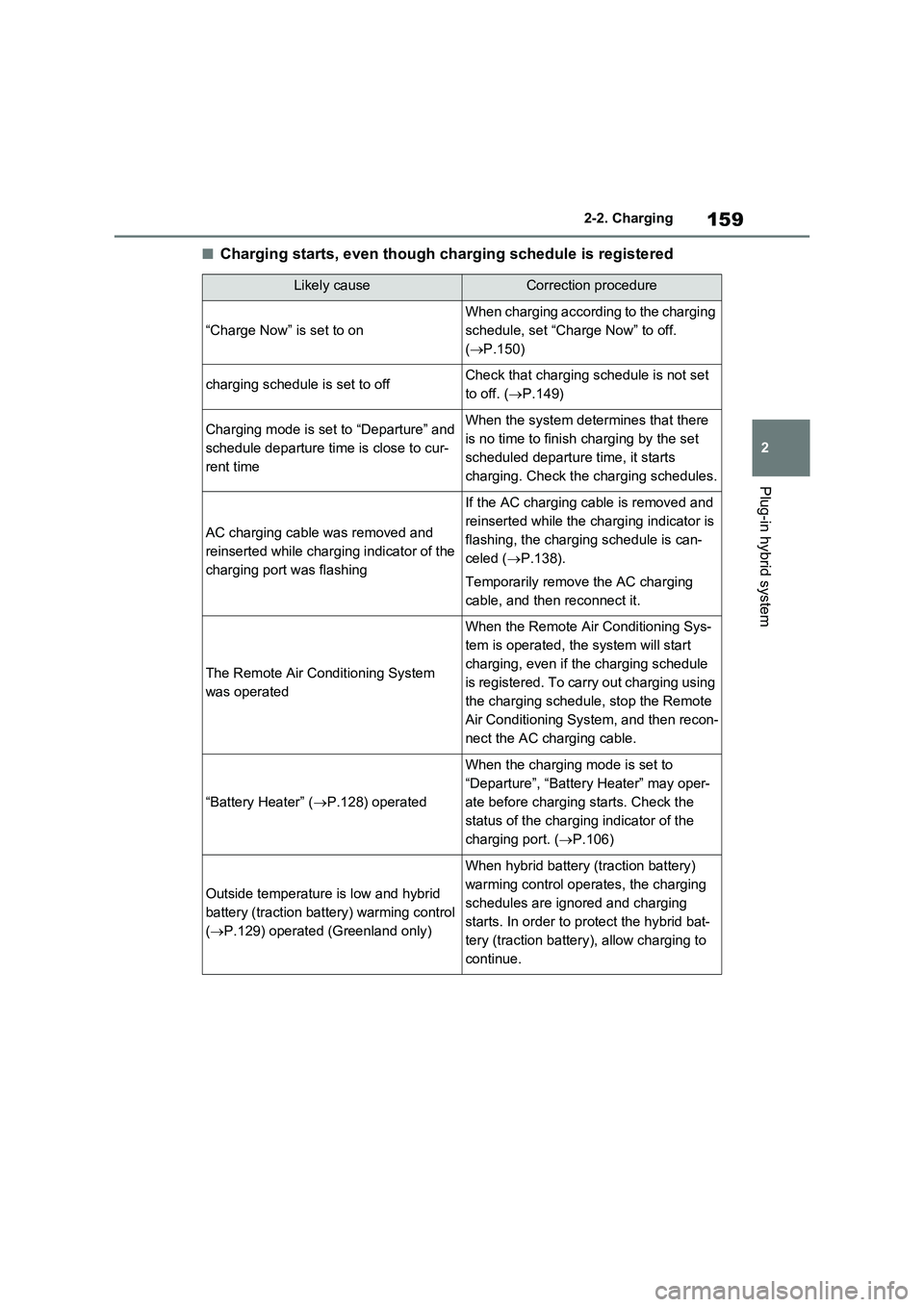
■Charging starts, even though charging schedule is registered
Likely causeCorrection procedure
“Charge Now” is set to on
When charging according to the charging
schedule, set “Charge Now” to off.
(P.150)
charging schedule is set to offCheck that charging schedule is not set
to off. (P.149)
Charging mode is set to “Departure” and
schedule departure time is close to cur-
rent timeWhen the system determines that there
is no time to finish charging by the set
scheduled departure time, it starts
charging. Check the charging schedules.
AC charging cable was removed and
reinserted while charging indicator of the
charging port was flashing
If the AC charging cable is removed and
reinserted while the charging indicator is
flashing, the charging schedule is can-
celed (P.138).
Temporarily remove the AC charging
cable, and then reconnect it.
The Remote Air Conditioning System
was operated
When the Remote Air Conditioning Sys-
tem is operated, the system will start
charging, even if the charging schedule
is registered. To carry out charging using
the charging schedule, stop the Remote
Air Conditioning System, and then recon-
nect the AC charging cable.
“Battery Heater” (P.128) operated
When the charging mode is set to
“Departure”, “Battery Heater” may oper-
ate before charging starts. Check the
status of the charging indicator of the
charging port. (P.106)
Outside temperature is low and hybrid
battery (traction battery) warming control
(P.129) operated (Greenland only)
When hybrid battery (traction battery)
warming control operates, the charging
schedules are ignored and charging
starts. In order to protect the hybrid bat-
tery (traction battery), allow charging to
continue.
Page 165 of 664
165
2 2-2. Charging
Plug-in hybrid system
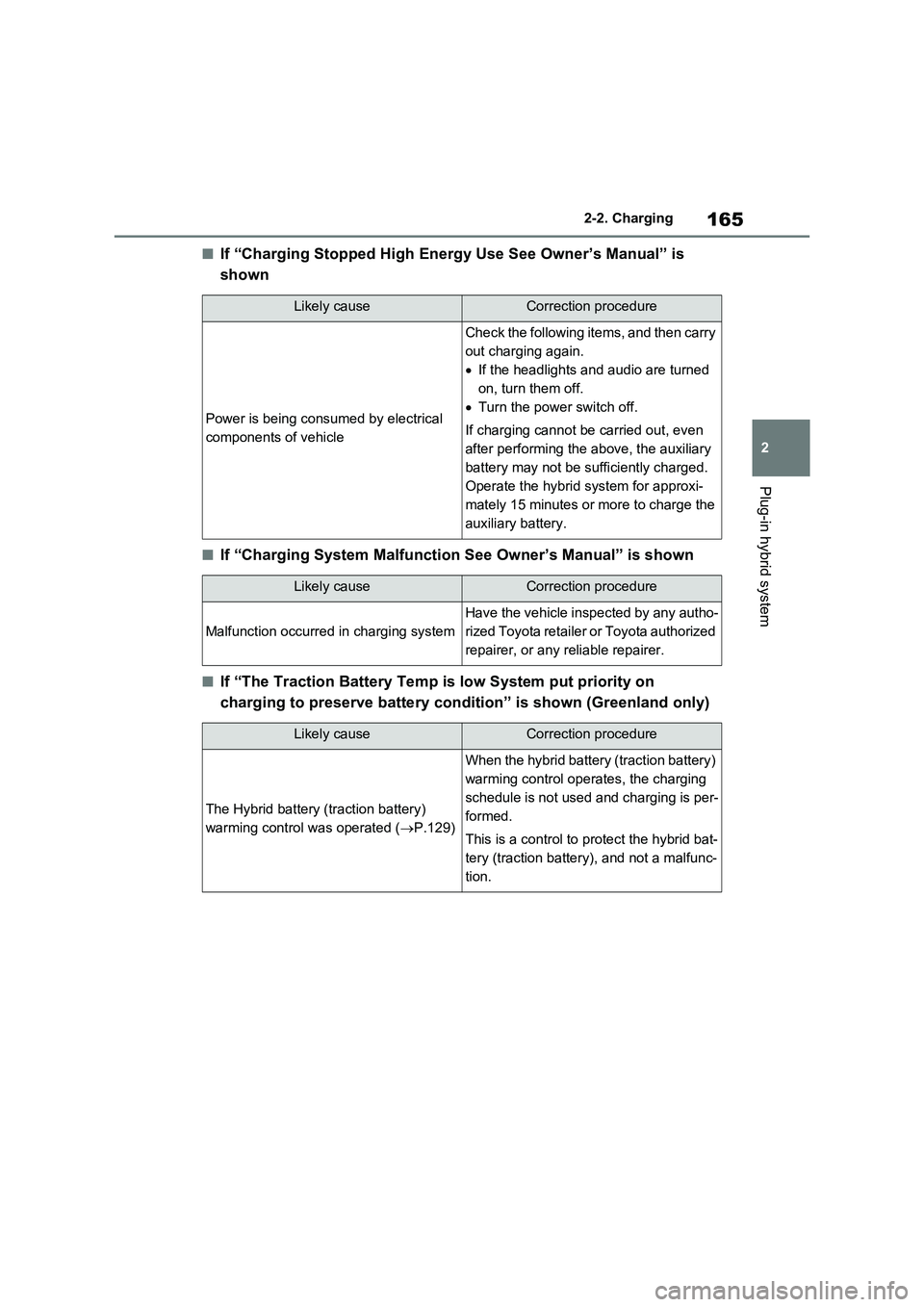
■If “Charging Stopped High Energy Use See Owner’s Manual” is
shown
■If “Charging System Malfunction See Owner’s Manual” is shown
■If “The Traction Battery Temp is low System put priority on
charging to preserve battery condition” is shown (Greenland only)
Likely causeCorrection procedure
Power is being consumed by electrical
components of vehicle
Check the following items, and then carry
out charging again.
If the headlights and audio are turned
on, turn them off.
Turn the power switch off.
If charging cannot be carried out, even
after performing the above, the auxiliary
battery may not be sufficiently charged.
Operate the hybrid system for approxi-
mately 15 minutes or more to charge the
auxiliary battery.
Likely causeCorrection procedure
Malfunction occurred in charging system
Have the vehicle inspected by any autho-
rized Toyota retailer or Toyota authorized
repairer, or any reliable repairer.
Likely causeCorrection procedure
The Hybrid battery (traction battery)
warming control was operated (P.129)
When the hybrid battery (traction battery)
warming control operates, the charging
schedule is not used and charging is per-
formed.
This is a control to protect the hybrid bat-
tery (traction battery), and not a malfunc-
tion.
Page 175 of 664
175
3 3-1. Instrument cluster
Vehicle status information and indicators
the blue zone, EV driving is no longer possible (in this situation, the vehicle switches
to HV mode). Charge the hybrid battery (traction battery) to allow EV driving.
Odometer, trip meter and instrument cluster light control display
Odometer:
Displays the total distance that the vehicle has been driven
Trip meter:
Displays the distance the vehicle has been driven since the meter was last reset.
Trip meters “A” and “B” can be used to record and display different distances inde-
pendently.
Instrument cluster light control:
Displays the brightness of the instrument cluster lights that can be adjusted.
Outside temperature (P.177)
Multi-information display
Presents the driver with a variety of driving-related data (P.179)
Displays warning messages if a malfunction occurs (P.578)
Shift position and shift range indicator
Displays the selected shift position or selected shift range (P.321)
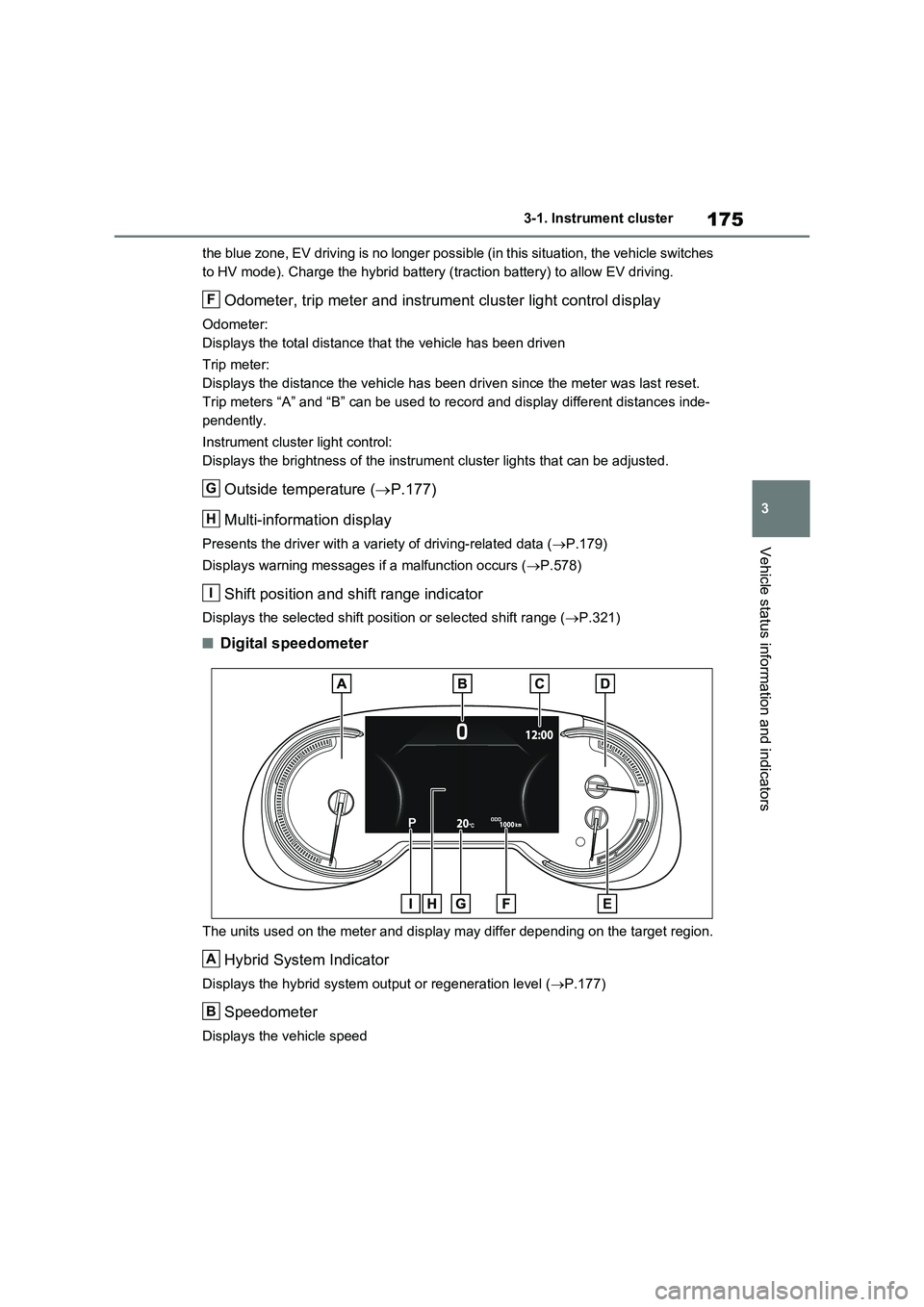
■Digital speedometer
The units used on the meter and display may differ depending on the target region.
Hybrid System Indicator
Displays the hybrid system output or regeneration level (P.177)
Speedometer
Displays the vehicle speed
F
G
H
I
A
B
Page 176 of 664
1763-1. Instrument cluster
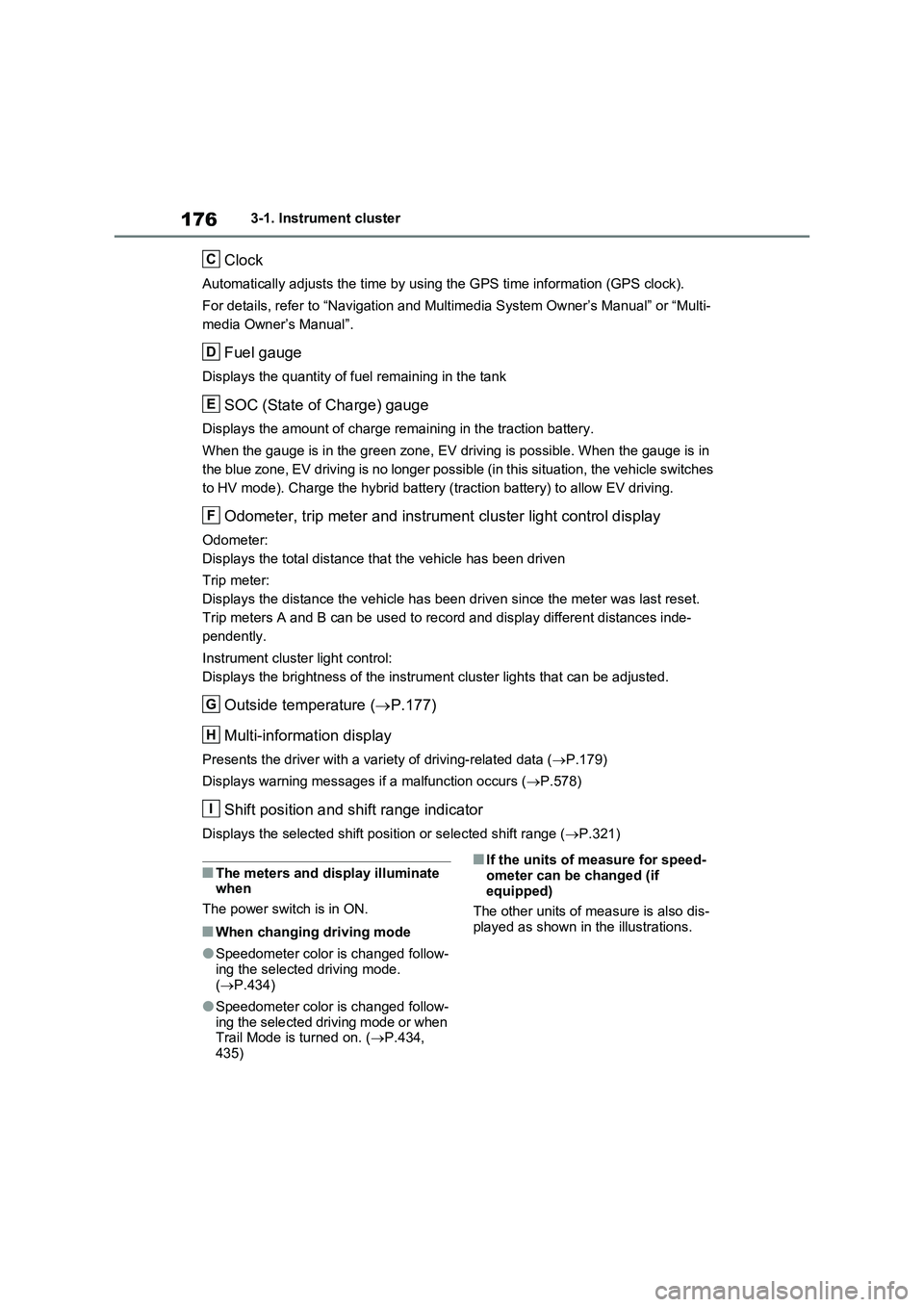
Clock
Automatically adjusts the time by using the GPS time information (GPS clock).
For details, refer to “Navigation and Multimedia System Owner’s Manual” or “Multi-
media Owner’s Manual”.
Fuel gauge
Displays the quantity of fuel remaining in the tank
SOC (State of Charge) gauge
Displays the amount of charge remaining in the traction battery.
When the gauge is in the green zone, EV driving is possible. When the gauge is in
the blue zone, EV driving is no longer possible (in this situation, the vehicle switches
to HV mode). Charge the hybrid battery (traction battery) to allow EV driving.
Odometer, trip meter and instrument cluster light control display
Odometer:
Displays the total distance that the vehicle has been driven
Trip meter:
Displays the distance the vehicle has been driven since the meter was last reset.
Trip meters A and B can be used to record and display different distances inde-
pendently.
Instrument cluster light control:
Displays the brightness of the instrument cluster lights that can be adjusted.
Outside temperature (P.177)
Multi-information display
Presents the driver with a variety of driving-related data (P.179)
Displays warning messages if a malfunction occurs (P.578)
Shift position and shift range indicator
Displays the selected shift position or selected shift range (P.321)
■The meters and display illuminate
when
The power switch is in ON.
■When changing driving mode
●Speedometer color is changed follow-
ing the selected driving mode.
(P.434)
●Speedometer color is changed follow-
ing the selected driving mode or when
Trail Mode is turned on. (P.434,
435)
■If the units of measure for speed-
ometer can be changed (if
equipped)
The other units of measure is also dis-
played as shown in the illustrations.
C
D
E
F
G
H
I
Page 302 of 664
3025-1. Before driving
■Operating your vehicle in a foreign
country
Comply with the relevant vehicle regis- tration laws and confirm the availability
of the correct fuel. ( P.620)
WARNING
Observe the following precautions. Failure to do so may result in death or
serious injury.
■When starting the vehicle
Always keep your foot on the brake pedal while stopped with the “READY” indicator is illuminated. This
prevents the vehicle from creeping.
■When driving the vehicle
●Do not drive if you are unfamiliar with the location of the brake and accelerator pedals to avoid
depressing the wrong pedal.
• Accidentally depressing the accel- erator pedal instead of the brake
pedal will result in sudden accelera- tion that may lead to an accident.
• When backing up, you may twist
your body around, leading to a diffi- culty in operating the pedals. Make sure to operate the pedals properly.
• Make sure to keep a correct driving posture even when moving the vehicle only slightly. This allows
you to depress the brake and accel- erator pedals properly.
• Depress the brake pedal using your
right foot. Depressing the brake pedal using your left foot may delay response in an emergency, result-
ing in an accident.
●The driver should pay extra atten- tion to pedestrians when the vehicle is powered only by the electric
motor (traction motor). As there is no engine noise, the pedestrians may misjudge the vehicle’s move-
ment. Even though the vehicle is equipped with the Acoustic Vehicle Alerting System, drive with care as
pedestrians in the vicinity may still not notice the vehicle if the sur-rounding area is noisy.
●Do not drive the vehicle over or stop the vehicle near flammable
materials such as leaves, paper or rags.The exhaust system and exhaust
gases can be extremely hot. These hot parts may cause a fire if there is any flammable material nearby.
●During normal driving, do not turn off the hybrid system. Turning the
hybrid system off while driving will not cause loss of steering or brak-ing control, however, power assist
to the steering will be lost. This will make it more difficult to steer smoothly, so you should pull over
and stop the vehicle as soon as it is safe to do so. In the event of an emergency, such
as if it becomes impossible to stop the vehicle in the normal way: P.560
●Use engine braking (downshift) to maintain a safe speed when driving
down a steep hill. Using the brakes continuously may cause the brakes to overheat and
lose effectiveness. ( P.321)
●Do not adjust the position of the
steering wheel, the seat, or the inside or outside rear view mirrors while driving.
Doing so may result in a loss of vehicle control.
Page 322 of 664
3225-2. Driving procedures
shifting to 5 or 4. ( P.323, 324)
●When switching the driving mode to sport mode while driving in D position.
( P.434)
■Restraining sudden start (Drive- Start Control)
P.301
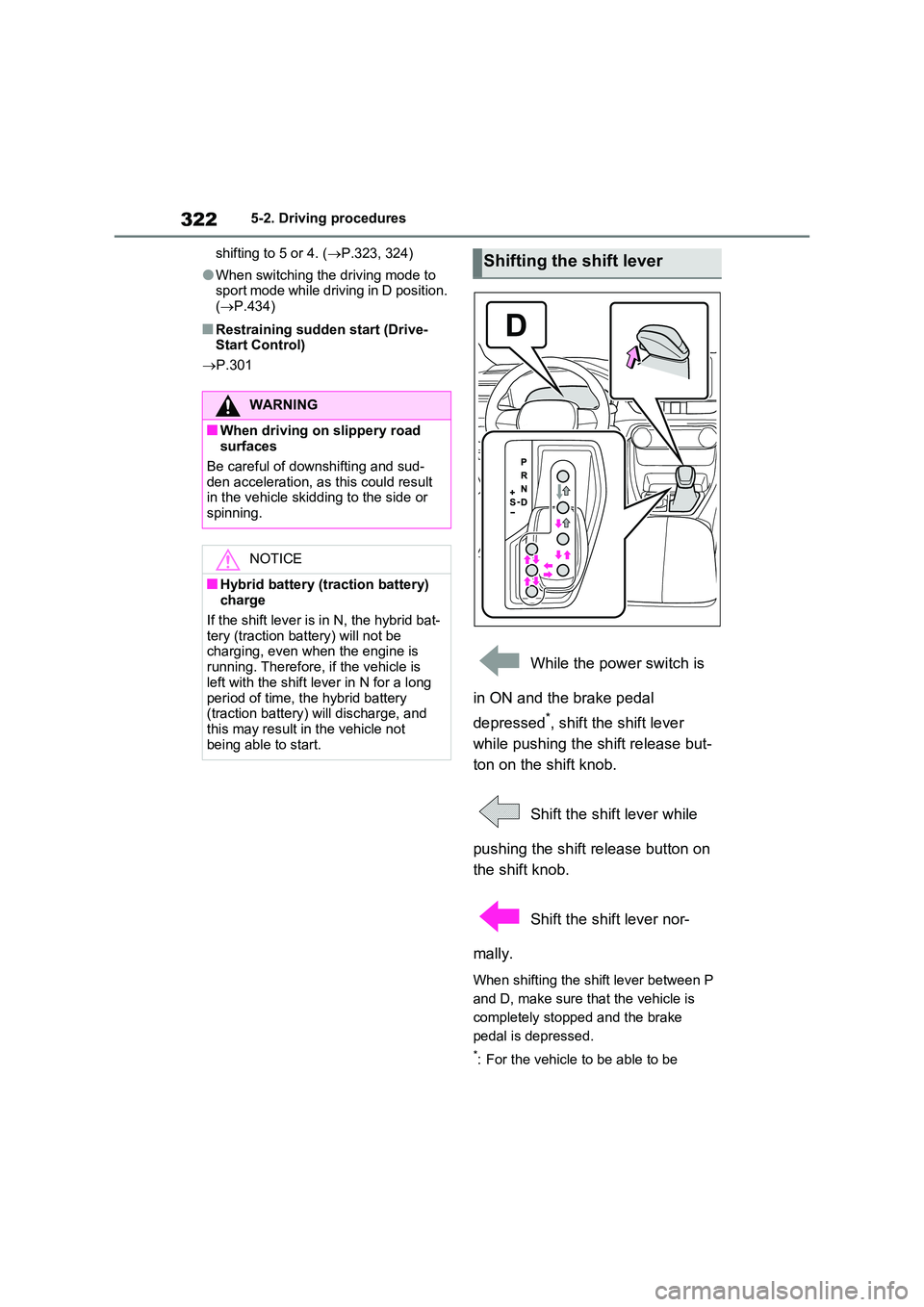
While the power switch is
in ON and the brake pedal
depressed*, shift the shift lever
while pushing the shift release but-
ton on the shift knob.
Shift the shift lever while
pushing the shift release button on
the shift knob.
Shift the shift lever nor-
mally.
When shifting the shift lever between P
and D, make sure that the vehicle is
completely stopped and the brake
pedal is depressed.
*: For the vehicle to be able to be
WARNING
■When driving on slippery road surfaces
Be careful of downshifting and sud-
den acceleration, as this could result in the vehicle skidding to the side or spinning.
NOTICE
■Hybrid battery (traction battery) charge
If the shift lever is in N, the hybrid bat- tery (traction battery) will not be charging, even when the engine is
running. Therefore, if the vehicle is left with the shift lever in N for a long
period of time, the hybrid battery (traction battery) will discharge, and this may result in the vehicle not
being able to start.
Shifting the shift lever
Page 438 of 664
4385-5. Using the driving support systems
■ECB (Electronically Con-
trolled Brake System)
The electronically controlled sys-
tem generates braking force corre-
sponding to the brake operation
■ABS (Anti-lock Brake System)
Helps to prevent wheel lock when
the brakes are applied suddenly, or
if the brakes are applied while driv-
ing on a slippery road surface
■Brake assist
Generates an increased level of
braking force after the brake pedal
is depressed when the system
detects a panic stop situation
■VSC (Vehicle Stability Control)
Helps the driver to control skidding
when swerving suddenly or turning
on slippery road surfaces.
■VSC+ (Vehicle Stability Con-
trol+)
Provides cooperative control of the
ABS, TRC, VSC and EPS.
Helps to maintain directional stabil-
ity when swerving on slippery road
surfaces by controlling steering per-
formance.
■Trailer Sway Control
Helps the driver to control trailer
sway by selectively applying brake
pressure for individual wheels and
reducing driving torque when trailer
sway is detected.
■TRC (Traction Control)
Helps to maintain drive power and
prevent the drive wheels from spin-
ning when starting the vehicle or
accelerating on slippery roads
■Active Cornering Assist (ACA)
Helps to prevent the vehicle from
drifting to the outer side by perform-
ing inner wheel brake control when
attempting to accelerate while turn-
ing
■Hill-start assist control
Helps to reduce the backward
movement of the vehicle when
starting on an uphill
■EPS (Electric Power Steering)
Employs an electric motor to
reduce the amount of effort needed
to turn the steering wheel
Driving assist systems
To keep driving safety and per-
formance, the following sys-
tems operate automatically in
response to various driving sit-
uations. Be aware, however,
that these systems are supple-
mentary and should not be
relied upon too heavily when
operating the vehicle.
Summary of the driving
assist systems
Page 439 of 664
439
5 5-5. Using the driving support systems
Driving
■E-Four (Electronic On-Demand
AWD system)
Automatically switches from front
wheel drive to all-wheel drive
(AWD) according to the driving con-
ditions, helping to ensure reliable
handling and stability. Examples of
conditions where the system will
switch to AWD are when cornering,
going uphill, starting off or acceler-
ating, and when the road surface is
slippery due to snow, rain, etc.
■Emergency brake signal
When the brakes are applied sud-
denly, the emergency flashers
automatically flash to alert the vehi-
cle behind.
■The Secondary Collision
Brake (if equipped)
When the SRS airbag sensor
detects a collision and the system
operates, the brakes and brake
lights are automatically controlled
to reduce the vehicle speed and
help reduce the possibility of further
damage due to a secondary colli-
sion.
■When the TRC/VSC/ABS/Trailer
Sway Control systems are operat-
ing
The slip indicator light will flash while the
TRC/VSC/ABS/Trailer Sway Control
systems are operating.
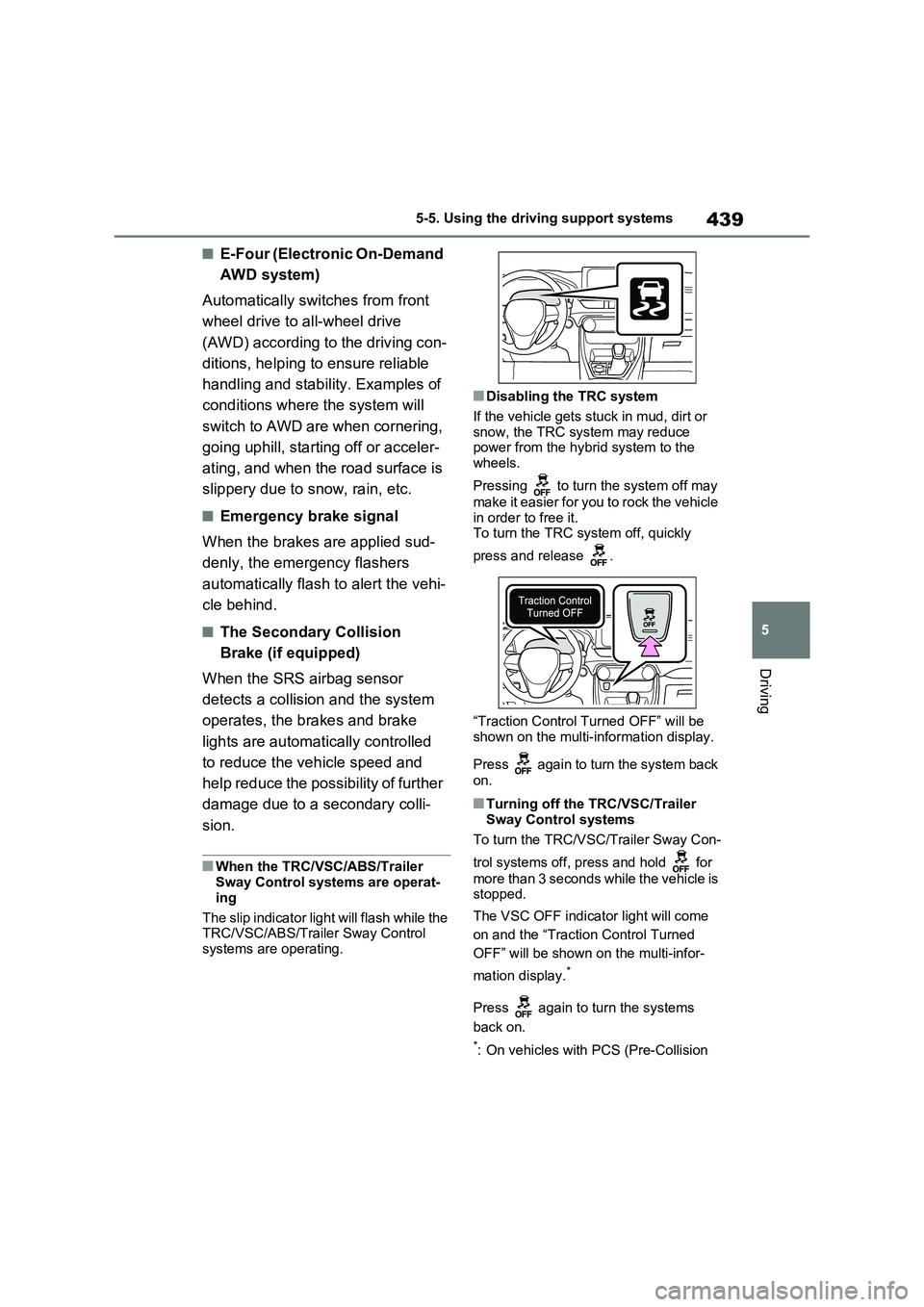
■Disabling the TRC system
If the vehicle gets stuck in mud, dirt or
snow, the TRC system may reduce
power from the hybrid system to the
wheels.
Pressing to turn the system off may
make it easier for you to rock the vehicle
in order to free it.
To turn the TRC system off, quickly
press and release .
“Traction Control Turned OFF” will be
shown on the multi-information display.
Press again to turn the system back
on.
■Turning off the TRC/VSC/Trailer
Sway Control systems
To turn the TRC/VSC/Trailer Sway Con-
trol systems off, press and hold for
more than 3 seconds while the vehicle is
stopped.
The VSC OFF indicator light will come
on and the “Traction Control Turned
OFF” will be shown on the multi-infor-
mation display.
*
Press again to turn the systems
back on.
*: On vehicles with PCS (Pre-Collision
Page 449 of 664
449
5
5-6. Driving tips
Driving
cautions to ensure your driving
enjoyment and to help prevent the
closure of areas to off-road vehi-
cles:
Drive your vehicle only in areas
where off-road vehicles are per-
mitted to travel.
Respect private property. Get
owner’s permission before enter-
ing private property.
Do not enter areas that are
closed. Honor gates, barriers
and signs that restrict travel.
Stay on established roads. When
conditions are wet, driving tech-
niques should be changed or
travel delayed to prevent dam-
age to roads.
WARNING
■Off-road driving precautions
Always observe the following precau- tions to minimize the risk of death, serious injury or damage to your vehi-
cle:
●Drive carefully when off the road. Do not take unnecessary risks by
driving in dangerous places.
●Do not grip the steering wheel
spokes when driving off-road. A bad bump could jerk the wheel and injure your hands. Keep both hands
and especially your thumbs on the outside of the rim.
●Always check your brakes for effec-tiveness immediately after driving in sand, mud, water or snow.
●After driving through tall grass, mud, rock, sand, rivers, etc., check that there is no grass, bush, paper,
rags, stone, sand, etc. adhering or trapped on the underbody. Clear off any such matter from the
underbody. If the vehicle is used with these materials trapped or adhering to the underbody, a break-
down or fire could occur.
●When driving off-road or in rugged
terrain, do not drive at excessive speeds, jump, make sharp turns, strike objects, etc. This may cause
loss of control or vehicle rollover causing death or serious injury. You are also risking expensive damage
to your vehicle’s suspension and chassis.
NOTICE
■To prevent the water damage
Take all necessary safety measures to ensure that water damage to the hybrid battery (traction battery),
hybrid system or other components does not occur.
●Water entering the engine compart-
ment may cause severe damage to the hybrid system.
●Water entering the hybrid transmis-sion will cause deterioration in transmission quality. The malfunc-
tion indicator may come on, and the vehicle may not be drivable.
●Water can wash the grease from wheel bearings, causing rusting and premature failure, and may
also enter the hybrid transaxle case, reducing the gear oil’s lubri-cating qualities.
Page 460 of 664
4606-1. Using the air conditioning system and defogger
If the Remote Air Conditioning Sys-
tem is used while the AC charging
cable is connected to the vehicle,
electricity from an external power
source can be used minimizing the
drop in charge of the hybrid battery
(traction battery).
Charging will be conducted automati-
cally after the Remote Air Conditioning
System is stopped.
Check the temperature setting of
the air conditioning system.
(P.452)
The Remote Air Conditioning System
will operate in accordance with the tem-
perature settings of the air conditioning
system.
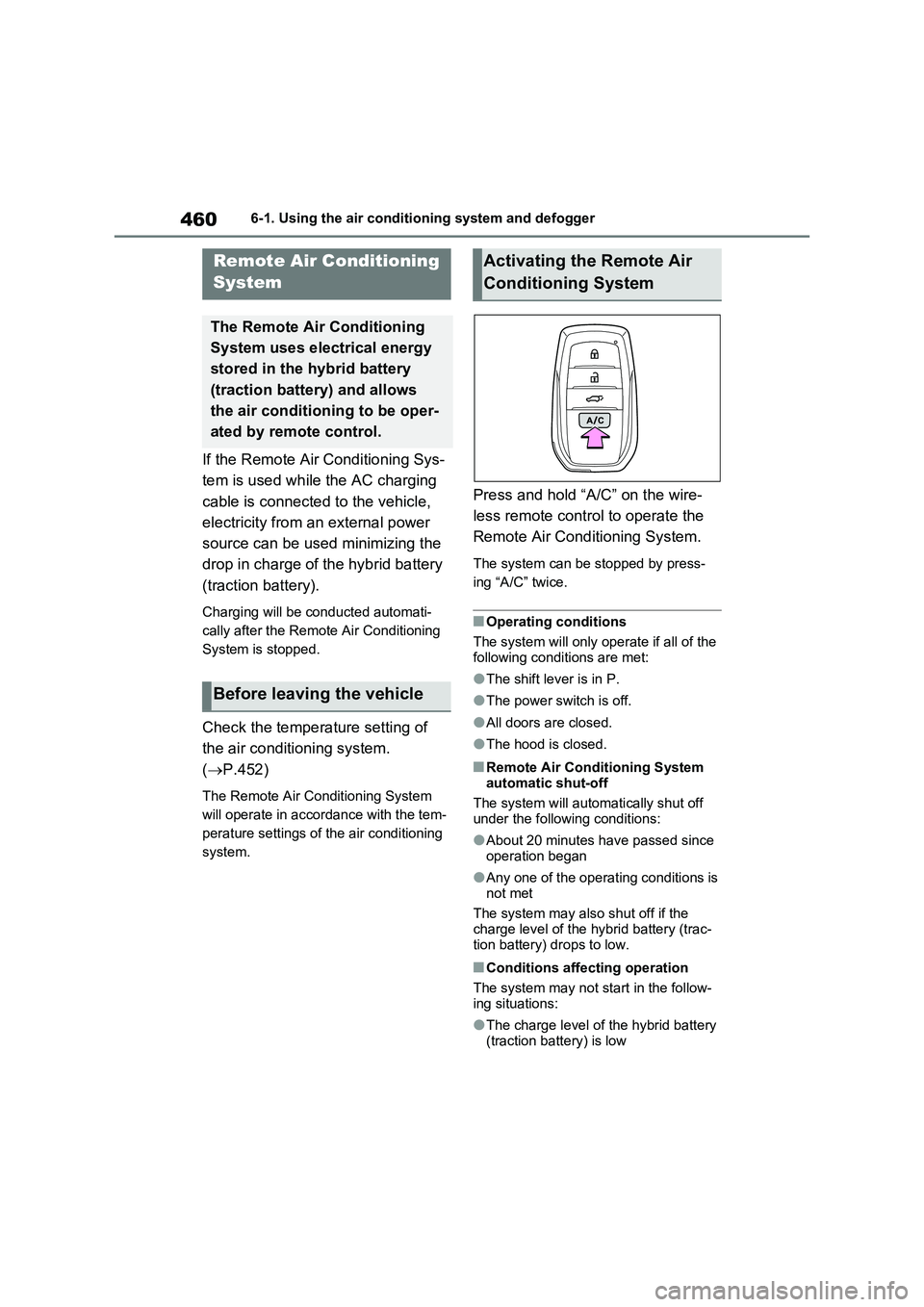
Press and hold “A/C” on the wire-
less remote control to operate the
Remote Air Conditioning System.
The system can be stopped by press-
ing “A/C” twice.
■Operating conditions
The system will only operate if all of the
following conditions are met:
●The shift lever is in P.
●The power switch is off.
●All doors are closed.
●The hood is closed.
■Remote Air Conditioning System
automatic shut-off
The system will automatically shut off
under the following conditions:
●About 20 minutes have passed since
operation began
●Any one of the operating conditions is
not met
The system may also shut off if the
charge level of the hybrid battery (trac-
tion battery) drops to low.
■Conditions affecting operation
The system may not start in the follow-
ing situations:
●The charge level of the hybrid battery
(traction battery) is low
Remote Air Conditioning
System
The Remote Air Conditioning
System uses electrical energy
stored in the hybrid battery
(traction battery) and allows
the air conditioning to be oper-
ated by remote control.
Before leaving the vehicle
Activating the Remote Air
Conditioning System