key battery TOYOTA VERSO S 2011 Owner's Manual
[x] Cancel search | Manufacturer: TOYOTA, Model Year: 2011, Model line: VERSO S, Model: TOYOTA VERSO S 2011Pages: 664, PDF Size: 160.56 MB
Page 543 of 664
543
7
7-3. Do-it-yourself maintenance
Maintenance and care
■If the key battery is depleted
The following symptoms may occur:
●The smart entry & start system and
wireless remote control will not func- tion properly.
●The operational range will be reduced.
Prepare the following before replac-
ing the battery:
Flathead screwdriver
Small flathead screwdriver
Lithium battery CR2450
■Use a CR2450 lithium battery
●Batteries can be purchased at any
authorized Toyota retailer or Toyota authorized repairer, or any reliable repairer, local electrical appliance
shops or camera stores.
●Replace only with the same or equiva-
lent type recommended by the manu- facturer.
●Dispose of used batteries according to the local laws.
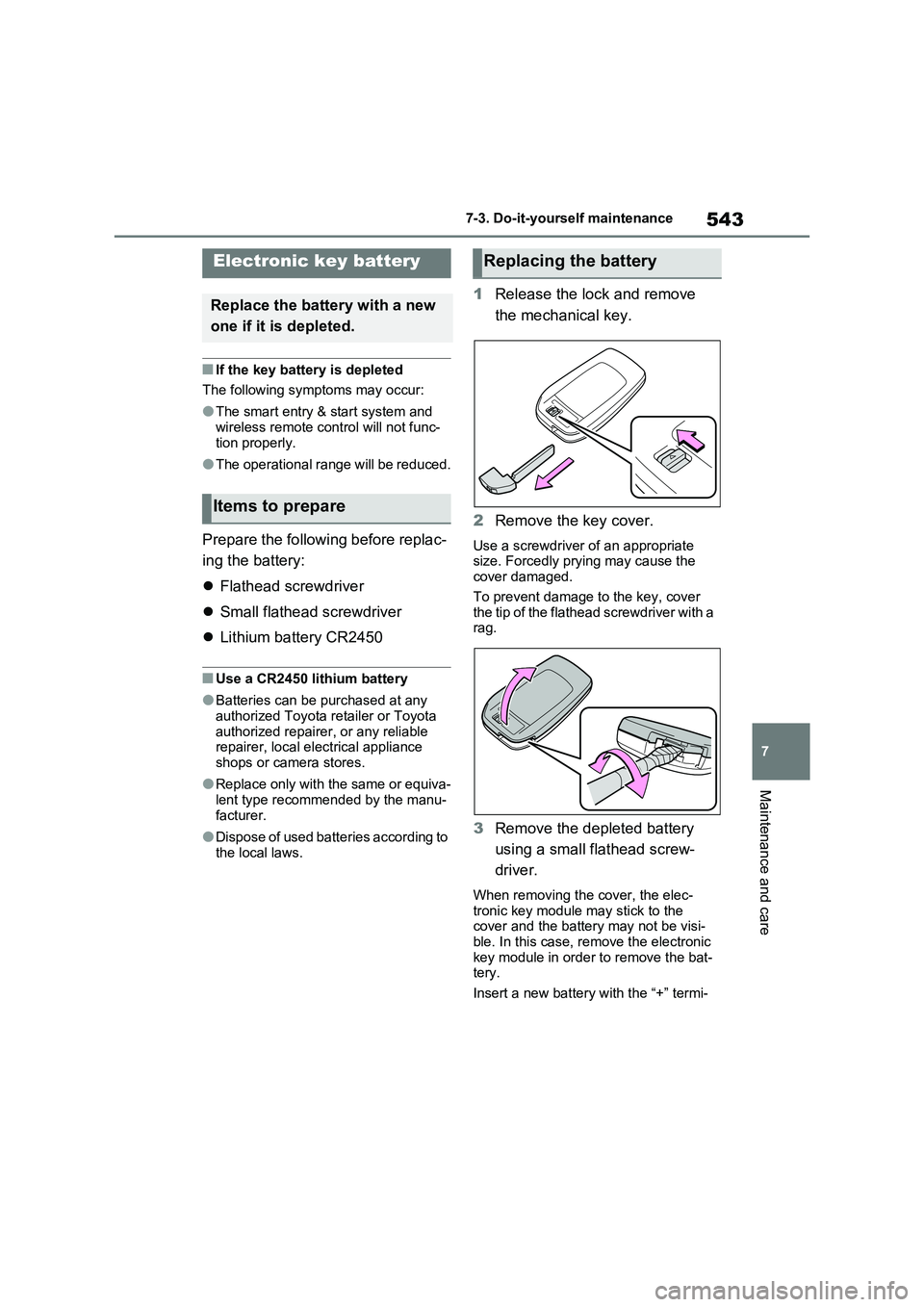
1 Release the lock and remove
the mechanical key.
2 Remove the key cover.
Use a screwdriver of an appropriate size. Forcedly prying may cause the cover damaged.
To prevent damage to the key, cover the tip of the flathead screwdriver with a rag.
3 Remove the depleted battery
using a small flathead screw-
driver.
When removing the cover, the elec- tronic key module may stick to the cover and the battery may not be visi-
ble. In this case, remove the electronic key module in order to remove the bat-tery.
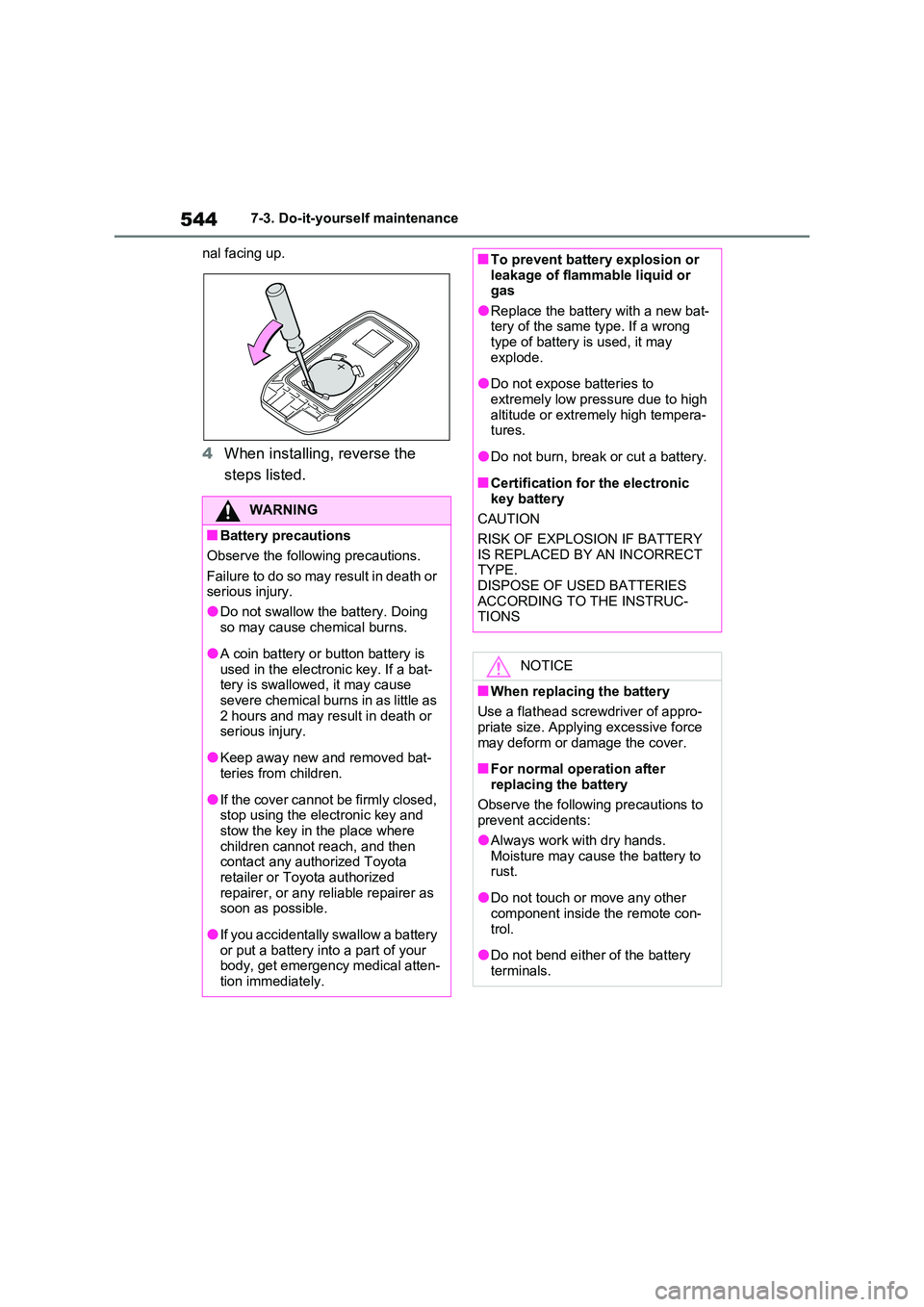
Insert a new battery with the “+” termi-
Electronic key battery
Replace the battery with a new
one if it is depleted.
Items to prepare
Replacing the battery
Page 544 of 664
5447-3. Do-it-yourself maintenance
nal facing up.
4 When installing, reverse the
steps listed.
WARNING
■Battery precautions
Observe the following precautions.
Failure to do so may result in death or serious injury.
●Do not swallow the battery. Doing
so may cause chemical burns.
●A coin battery or button battery is
used in the electronic key. If a bat- tery is swallowed, it may cause severe chemical burns in as little as
2 hours and may result in death or serious injury.
●Keep away new and removed bat-teries from children.
●If the cover cannot be firmly closed, stop using the electronic key and stow the key in the place where
children cannot reach, and then contact any authorized Toyota retailer or Toyota authorized
repairer, or any reliable repairer as soon as possible.
●If you accidentally swallow a battery or put a battery into a part of your body, get emergency medical atten-
tion immediately.
■To prevent battery explosion or leakage of flammable liquid or gas
●Replace the battery with a new bat-tery of the same type. If a wrong type of battery is used, it may
explode.
●Do not expose batteries to
extremely low pressure due to high altitude or extremely high tempera-tures.
●Do not burn, break or cut a battery.
■Certification for the electronic key battery
CAUTION
RISK OF EXPLOSION IF BATTERY IS REPLACED BY AN INCORRECT TYPE.
DISPOSE OF USED BATTERIES ACCORDING TO THE INSTRUC-TIONS
NOTICE
■When replacing the battery
Use a flathead screwdriver of appro- priate size. Applying excessive force
may deform or damage the cover.
■For normal operation after
replacing the battery
Observe the following precautions to prevent accidents:
●Always work with dry hands.Moisture may cause the battery to rust.
●Do not touch or move any other component inside the remote con-
trol.
●Do not bend either of the battery
terminals.
Page 559 of 664
8
559
8
When trouble arises
When trouble arises
8-1. Essential information
Emergency flashers .......... 560
If your vehicle has to be
stopped in an emergency 560
If the vehicle is trapped in rising
water............................... 561
8-2. Steps to take in an emer-
gency
If your vehicle needs to be
towed .............................. 563
If you think something is wrong
....................................... 566
If a warning light turns on or a
warning buzzer sounds... 568
If a warning message is dis-
played ............................. 578
If you have a flat tire (vehicles
without spare tire) ........... 582
If you have a flat tire (vehicles
with spare tire) ................ 593
If the hybrid system will not
start ................................ 601
If you lose your keys ......... 603
If the fuel filler door cannot be
opened ........................... 603
If the electronic key does not
operate properly ............. 604
If the 12-volt battery is dis-
charged .......................... 606
If your vehicle overheats... 611
If the vehicle becomes stuck
....................................... 615
Page 601 of 664
601
8
8-2. Steps to take in an emergency
When trouble arises
One of the following may be the
cause of the problem:
The AC charging cable may be
attached to the vehicle.
( P.135)
The electronic key may not be
functioning properly. ( P.604)
There may not be sufficient fuel
in the vehicle’s tank.
Refuel the vehicle. ( P.342)
There may be a malfunction in
the immobilizer system. ( P.76)
There may be a malfunction in
the steering lock system.
The hybrid system may be mal-
functioning due to an electrical
problem such as electronic key
battery depletion or a blown fuse.
However, depending on the type
of malfunction, an interim mea-
sure is available to start the
hybrid system. ( P.602)
There is a possibility that the
NOTICE
■Driving with tire chains and the compact spare tire
Do not fit tire chains to the compact spare tire.
Tire chains may damage the vehicle
body and adversely affect driving per- formance.
■When replacing the tires
When removing or fitting the wheels, tires or the tire pressure warning
valve and transmitter, contact any authorized Toyota retailer or Toyota authorized repairer, or any reliable
repairer as the tire pressure warning valve and transmitter may be dam-aged if not handled correctly.
If the hybrid system will
not start
Reasons for the hybrid system
not starting vary depending on
the situation. Check the follow-
ing and perform the appropri-
ate procedure:
The hybrid system will not
start even though the cor-
rect starting procedure is
being followed ( P.317)
Page 604 of 664
6048-2. Steps to take in an emergency
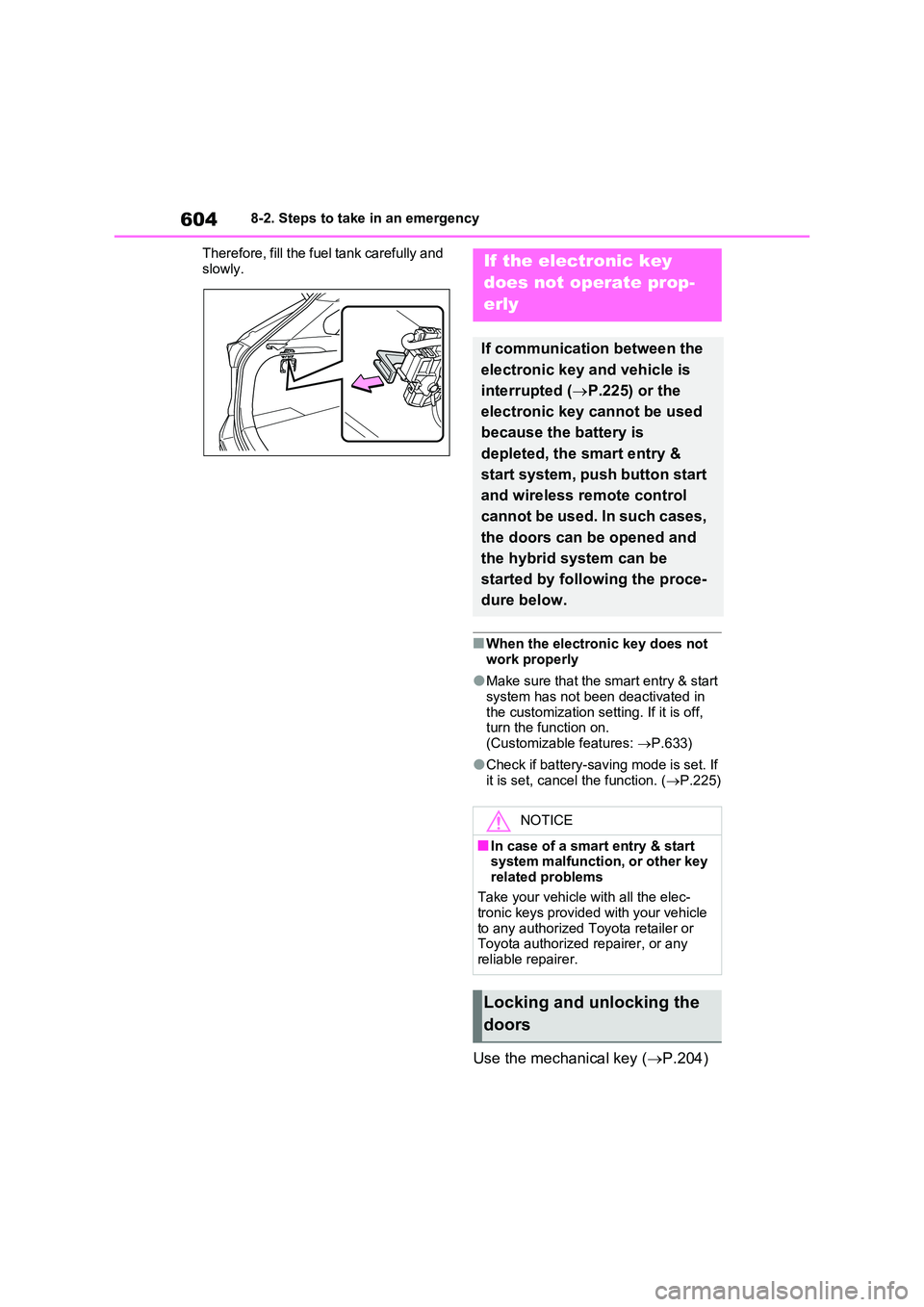
Therefore, fill the fuel tank carefully and
slowly.
■When the electronic key does not work properly
●Make sure that the smart entry & start system has not been deactivated in
the customization setting. If it is off, turn the function on. (Customizable features: P.633)
●Check if battery-saving mode is set. If it is set, cancel the function. ( P.225)
Use the mechanical key (P.204)
If the electronic key
does not operate prop-
erly
If communication between the
electronic key and vehicle is
interrupted ( P.225) or the
electronic key cannot be used
because the battery is
depleted, the smart entry &
start system, push button start
and wireless remote control
cannot be used. In such cases,
the doors can be opened and
the hybrid system can be
started by following the proce-
dure below.
NOTICE
■In case of a smart entry & start system malfunction, or other key
related problems
Take your vehicle with all the elec- tronic keys provided with your vehicle
to any authorized Toyota retailer or Toyota authorized repairer, or any reliable repairer.
Locking and unlocking the
doors
Page 606 of 664
6068-2. Steps to take in an emergency
played on the multi-information
display.
4 Press the power switch shortly
and firmly.
In the event that the hybrid system
still cannot be started, contact any
authorized Toyota retailer or Toyota
authorized repairer, or any reliable
repairer.
■Stopping the hybrid system
Shift the shift lever to P, set the parking
brake and press the power switch as you normally do when stopping the hybrid system.
■Replacing the key battery
As the above procedure is a temporary measure, it is recommended that the electronic key battery be replaced
immediately when the battery is depleted. ( P.543)
■Alarm (if equipped)
Using the mechanical key to lock the
doors will not set the alarm system.
If a door is unlocked using the mechani- cal key when the alarm system is set,
the alarm may be triggered. ( P.78)
■Changing power switch modes
Release the brake pedal and press the power switch in step 3 above.
The hybrid system does not start and modes will be changed each time the switch is pressed. ( P.320)
If you have a set of jumper (or
booster) cables and a second vehi-
cle with a 12-volt battery, you can
jump start your vehicle by following
the steps below.
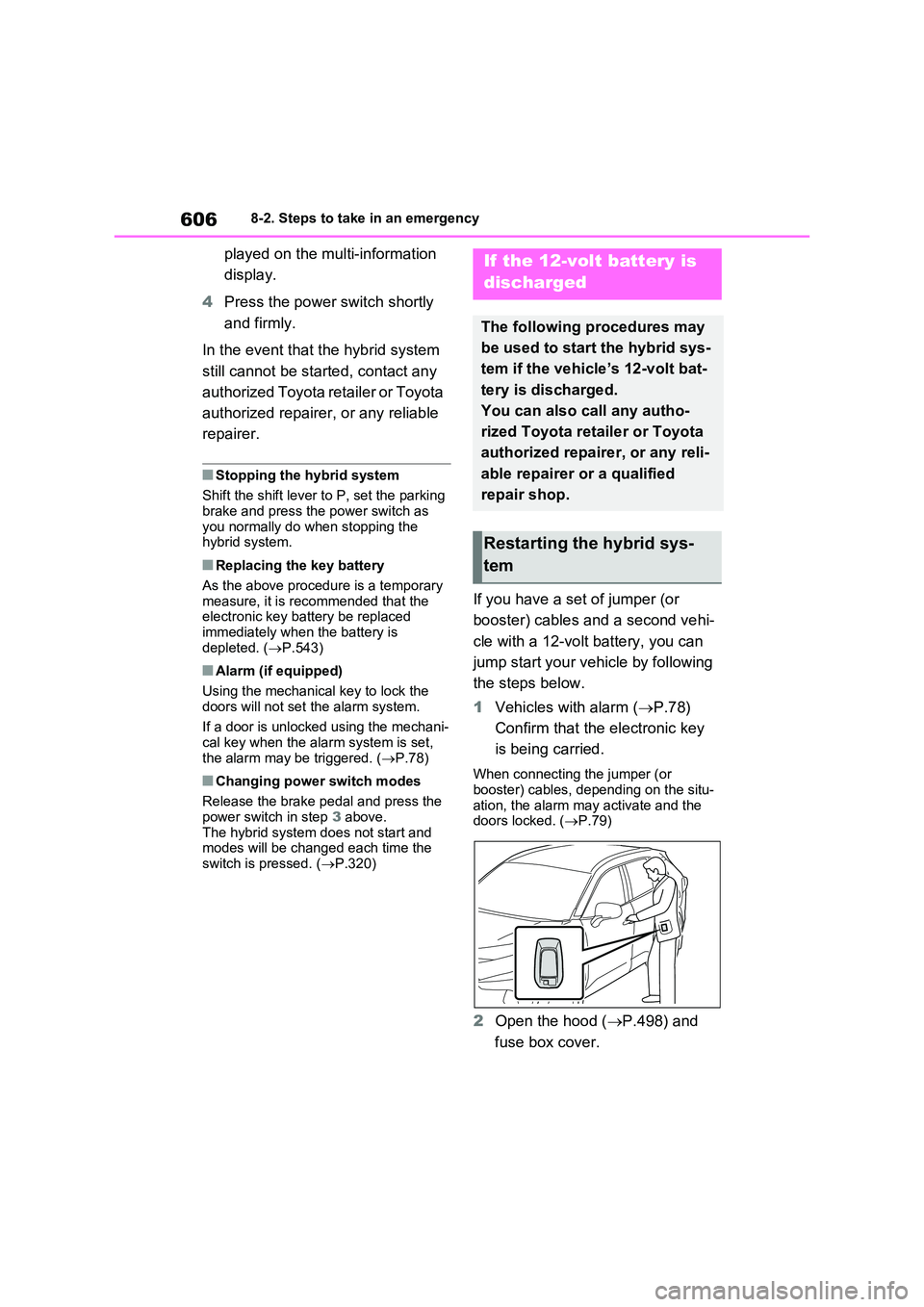
1 Vehicles with alarm (P.78)
Confirm that the electronic key
is being carried.
When connecting the jumper (or booster) cables, depending on the situ-
ation, the alarm may activate and the doors locked. ( P.79)
2Open the hood (P.498) and
fuse box cover.
If the 12-volt battery is
discharged
The following procedures may
be used to start the hybrid sys-
tem if the vehicle’s 12-volt bat-
tery is discharged.
You can also call any autho-
rized Toyota retailer or Toyota
authorized repairer, or any reli-
able repairer or a qualified
repair shop.
Restarting the hybrid sys-
tem
Page 608 of 664
6088-2. Steps to take in an emergency
minutes to recharge the 12-volt
battery of your vehicle.
6 Open and close any of the doors
of your vehicle with the power
switch off.
7 Maintain the engine speed of
the second vehicle and start the
hybrid system of your vehicle by
turning the power switch to ON.
8 Make sure the “READY” indica-
tor comes on. If the indicator
light does not come on, contact
any authorized Toyota retailer or
Toyota authorized repairer, or
any reliable repairer.
9 Once the hybrid system has
started, remove the jumper
cables in the exact reverse
order from which they were con-
nected.
10 Close the exclusive jump start-
ing terminal cover, and reinstall
the fuse box cover to its original
position.
Once the hybrid system starts,
have the vehicle inspected at any
authorized Toyota retailer or Toyota
authorized repairer, or any reliable
repairer as soon as possible.
■Starting the hybrid system when
the 12-volt battery is discharged
The hybrid system cannot be started by push-starting.
■To prevent 12-volt battery dis-
charge
●Turn off the headlights and the audio
system while the hybrid system is off.
●Turn off any unnecessary electrical
components when the vehicle is run- ning at a low speed for an extended period, such as in heavy traffic.
■When the 12-volt battery is
removed or discharged
●Information stored in the ECU is
cleared. When the 12-volt battery is depleted, have the vehicle inspected at any authorized Toyota retailer or
Toyota authorized repairer, or any reli- able repairer.
●Some systems may require initializa-tion. ( P.643)
■When removing the 12-volt battery terminals
When the 12-volt battery terminals are removed, the information stored in the ECU is cleared. Before removing the 12-
volt battery terminals, contact any authorized Toyota retailer or Toyota authorized repairer, or any reliable
repairer.
■Charging the 12-volt battery
The electricity stored in the 12-volt bat- tery will discharge gradually even when
the vehicle is not in use, due to natural discharge and the draining effects of certain electrical appliances. If the vehi-
cle is left for a long time, the 12-volt bat- tery may discharge, and the hybrid system may be unable to start. (The 12-
volt battery recharges automatically while the hybrid system is operating.)
■When recharging or replacing the 12-volt battery
●In some cases, it may not be possible to unlock the doors using the smart
entry & start system when the 12-volt battery is discharged. Use the wire-less remote control or the mechanical
key to lock or unlock the doors.
●The hybrid system may not start on
the first attempt after reinstalling the 12-volt battery. In that case, start the hybrid system in the same manner as
when the electronic key does not operate properly ( P.605). This is not
Page 630 of 664
6309-2. Customization
Some function settings are changed simultaneously with other functions
being customized. Contact any authorized Toyota retailer or Toyota autho-
rized repairer, or any reliable repairer for further details.
Vehicles with navigation system or multimedia system: Settings that can
be changed using the navigation system or multimedia system
Settings that can be changed using the multi-information display
Settings that can be changed by any authorized Toyota retailer or
Toyota authorized repairer, or any reliable repairer
Definition of symbols: O = Available, – =Not available
■Alarm* (P.78)
*: If equipped
■Charging system (P.125, 128)
*: Vehicles with 6.6 kW onboard traction battery charger only
Customizable Features
FunctionDefault
settingCustomized
setting
Deactivates the alarm when the
doors are unlocked using the
mechanical key
OffOn––O
FunctionDefault
settingCustomized
setting
“Charging Current”MAX8A–O–16A*
“Battery Heater”OnOff–O–
“Battery Cooler”OnOff–O–
A
B
C
ABC
ABC
Page 646 of 664
646What to do if... (Troubleshooting)
1-1.What to d o if... (Tro ubleshoo ting)What to do if... (Troubleshooting)
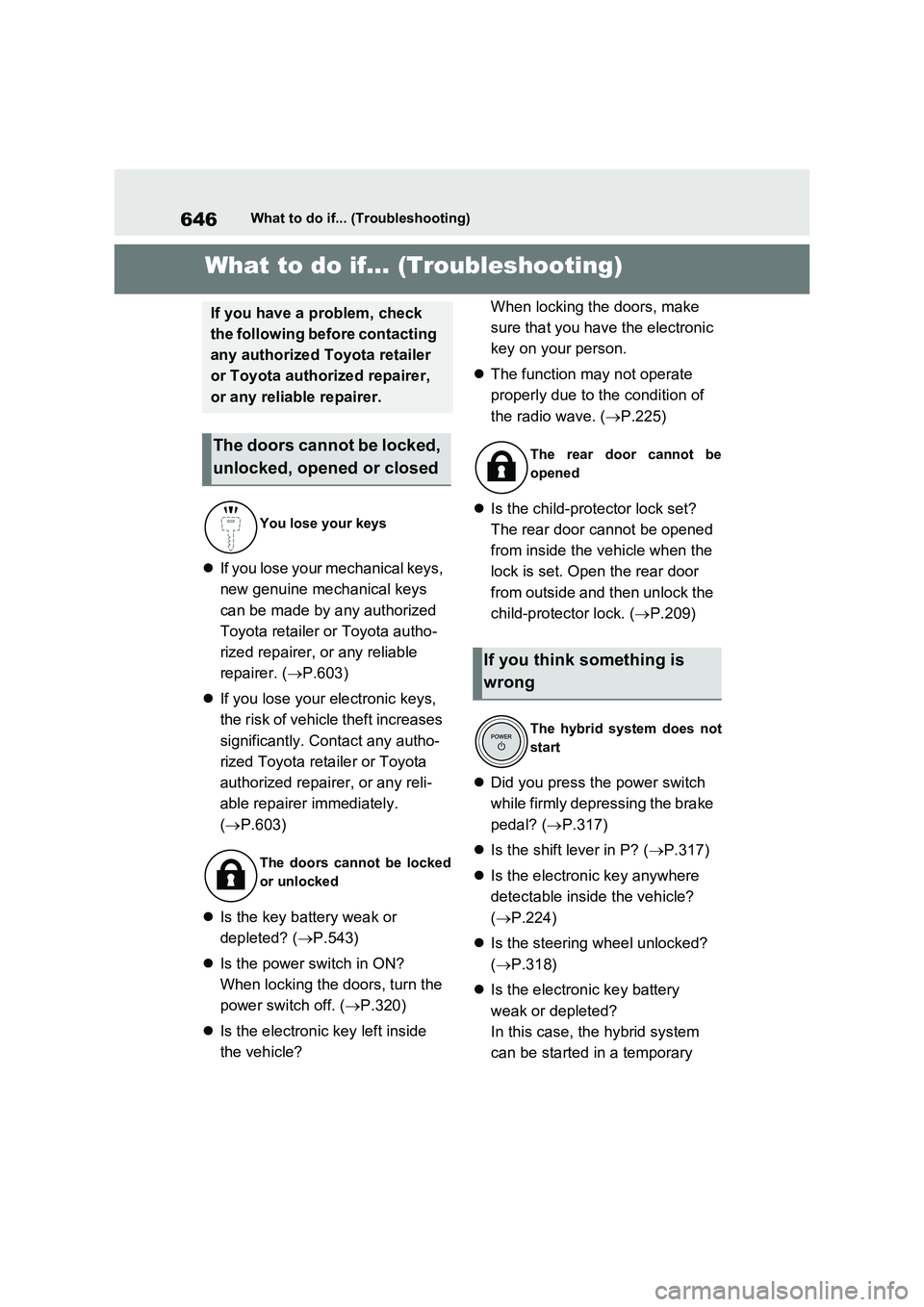
If you lose your mechanical keys,
new genuine mechanical keys
can be made by any authorized
Toyota retailer or Toyota autho-
rized repairer, or any reliable
repairer. ( P.603)
If you lose your electronic keys,
the risk of vehicle theft increases
significantly. Contact any autho-
rized Toyota retailer or Toyota
authorized repairer, or any reli-
able repairer immediately.
( P.603)
Is the key battery weak or
depleted? ( P.543)
Is the power switch in ON?
When locking the doors, turn the
power switch off. ( P.320)
Is the electronic key left inside
the vehicle?
When locking the doors, make
sure that you have the electronic
key on your person.
The function may not operate
properly due to the condition of
the radio wave. ( P.225)
Is the child-protector lock set?
The rear door cannot be opened
from inside the vehicle when the
lock is set. Open the rear door
from outside and then unlock the
child-protector lock. ( P.209)
Did you press the power switch
while firmly depressing the brake
pedal? ( P.317)
Is the shift lever in P? (P.317)
Is the electronic key anywhere
detectable inside the vehicle?
( P.224)
Is the steering wheel unlocked?
( P.318)
Is the electronic key battery
weak or depleted?
In this case, the hybrid system
can be started in a temporary
If you have a problem, check
the following before contacting
any authorized Toyota retailer
or Toyota authorized repairer,
or any reliable repairer.
The doors cannot be locked,
unlocked, opened or closed
You lose your keys
The doors cannot be locked
or unlocked
The rear door cannot be
opened
If you think something is
wrong
The hybrid system does not
start
Page 652 of 664
652Alphabetical Index
Cruise control ............................. 388
Drive information ........................ 185
Driving information ..................... 181
Dynamic radar cruise control with
full-speed range ....................... 376
Energy monitor........................... 195
Head-up display ......................... 191
LTA (Lane-Tracing Assist) ......... 368
Multi-information display ............ 179
Parking Support Brake function . 422
Pre-collision warning .................. 355
RCTA ......................................... 393
RSA (Road Sign Assist) ............. 373
Toyota parking assist-sensor ..... 414
Warning messages .................... 578
Do-it-yourself maintenance . 494, 496
Door lock
Back door ................................... 210
Side doors .................................. 205
Smart entry & start system......... 223
Wireless remote control ............. 203
Doors
Automatic door locking and unlock-
ing system ............................... 209
Back door ................................... 210
Door glasses .............................. 291
Door lock .................................... 205
Open door warning buzzer......... 208
Outside rear view mirrors ........... 289
Rear door child-protectors ......... 209
Side doors .................................. 205
Double locking system .................. 77
Drive information .......................... 185
Driver’s seat belt reminder light.. 575
Driver’s seat position memory .... 273
Driving position memory ............ 273
Memory recall function ............... 274
Drive-start control ........................ 301
Driving
Break-in tips ............................... 301
Correct posture ............................ 33Driving mode select switch......... 434
Plug-in hybrid vehicle driving tips . 99
Procedures ................................. 300
Winter drive tips ......................... 445
Driving information display ......... 181
Driving mode select switch ......... 434
Driving position memory ............. 273
Memory recall function ............... 274
Driving support system information
display ......................................... 184
Dynamic radar cruise control with
full-speed range
Function ..................................... 376
Warning message ...................... 578
E
eCall ................................................. 65
ECB (Electronically Controlled Brake
System) ....................................... 438
Eco drive mode .............................434
E-Four (Electronic On-Demand AWD
system) ........................................439
Elapsed time.................................. 185
Electric motor
Location........................................ 84
Specification ............................... 620
Electric Power Steering (EPS)
Function ..................................... 438
Warning light .............................. 570
Electronically Controlled Brake Sys-
tem (ECB) .................................... 438
Electronic key
Battery-saving function............... 224
If the electronic key does not operate
properly .................................... 604
Replacing the battery ................. 543
Electronic sunshade..................... 294
Jam protection function .............. 295
Operation ...................................294
Emergency, in case of
If a warning buzzer sounds ........ 568