change time TOYOTA VERSO S 2012 User Guide
[x] Cancel search | Manufacturer: TOYOTA, Model Year: 2012, Model line: VERSO S, Model: TOYOTA VERSO S 2012Pages: 540, PDF Size: 17.43 MB
Page 437 of 540
5
437 5-2. Steps to take in an emergency
When trouble arises
VERSO-S_EE
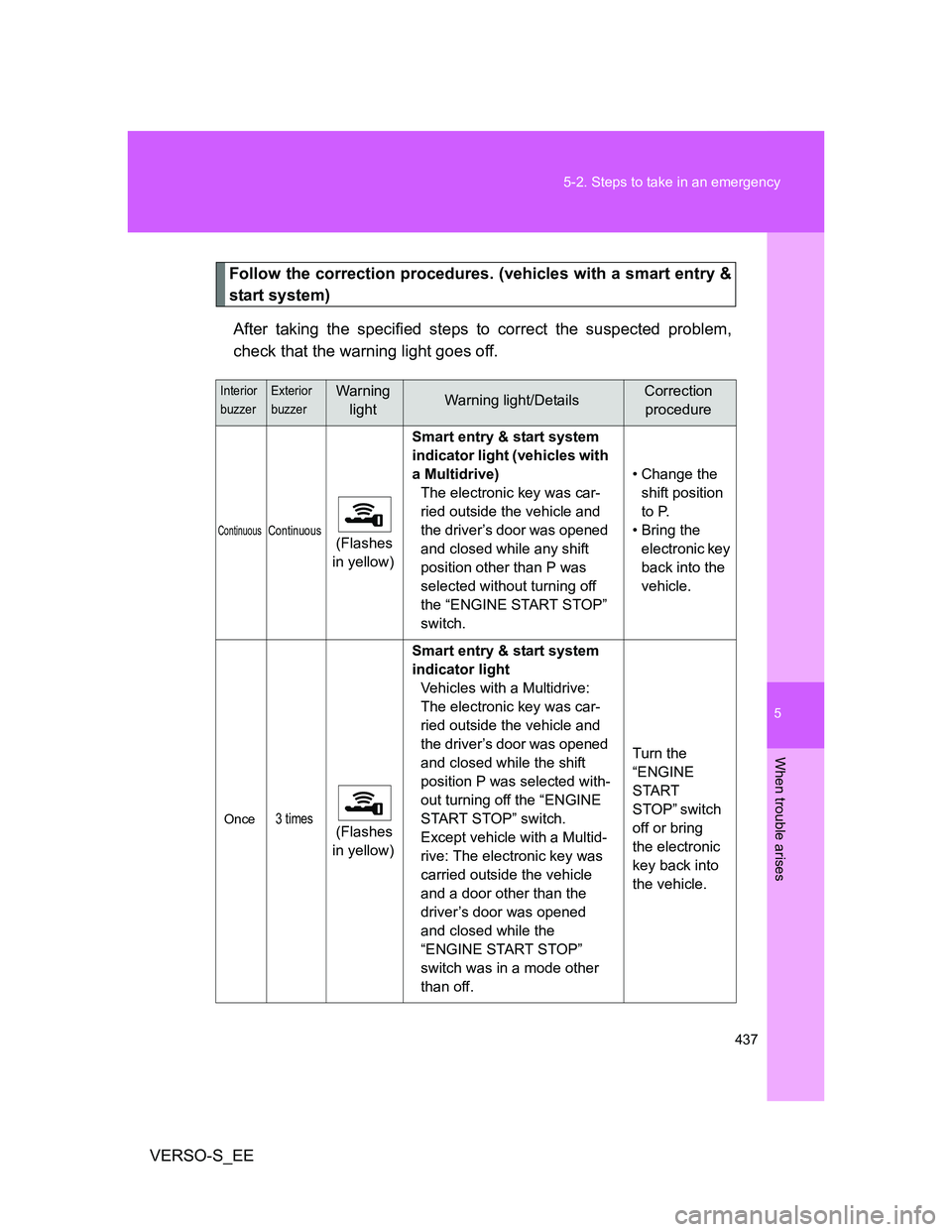
Follow the correction procedures. (vehicles with a smart entry &
start system)
After taking the specified steps to correct the suspected problem,
check that the warning light goes off.
Interior
buzzerExterior
buzzerWarning
lightWarning light/DetailsCorrection
procedure
ContinuousContinuous (Flashes
in yellow)Smart entry & start system
indicator light (vehicles with
a Multidrive)
The electronic key was car-
ried outside the vehicle and
the driver’s door was opened
and closed while any shift
position other than P was
selected without turning off
the “ENGINE START STOP”
switch.• Change the
shift position
to P.
• Bring the
electronic key
back into the
vehicle.
Once3 times (Flashes
in yellow)Smart entry & start system
indicator light
Vehicles with a Multidrive:
The electronic key was car-
ried outside the vehicle and
the driver’s door was opened
and closed while the shift
position P was selected with-
out turning off the “ENGINE
START STOP” switch.
Except vehicle with a Multid-
rive: The electronic key was
carried outside the vehicle
and a door other than the
driver’s door was opened
and closed while the
“ENGINE START STOP”
switch was in a mode other
than off.Turn the
“ENGINE
START
STOP” switch
off or bring
the electronic
key back into
the vehicle.
Page 479 of 540
5
479 5-2. Steps to take in an emergency
When trouble arises
VERSO-S_EEWhen the smart entry & start system is deactivated in customization
setting, the “ENGINE START STOP” switch will turn to ACCESSORY
mode. Modes can be changed by pressing the “ENGINE START
STOP” switch with the brake pedal released. (The mode changes
each time the switch is pressed.)
Firmly depress the brake pedal and check that the smart entry
& start system indicator light (green) turns on.
Press the “ENGINE START STOP” switch.
In the event that the “ENGINE START STOP” switch still cannot be
operated, contact any authorized Toyota dealer or repairer, or another
duly qualified and equipped professional.
Vehicles with a multi-mode manual transmission
Ensure that the shift lever is in N and firmly depress the brake
pedal.
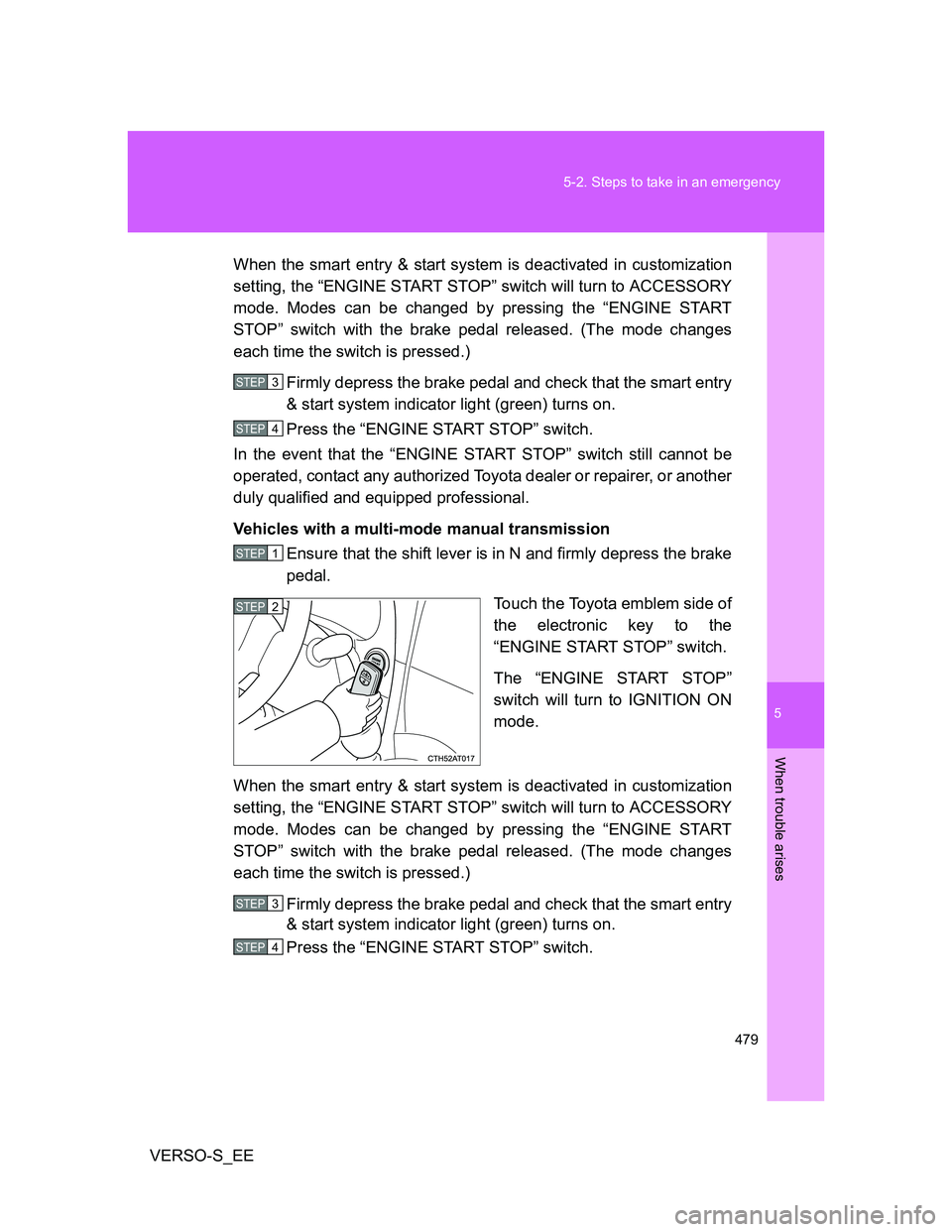
Touch the Toyota emblem side of
the electronic key to the
“ENGINE START STOP” switch.
The “ENGINE START STOP”
switch will turn to IGNITION ON
mode.
When the smart entry & start system is deactivated in customization
setting, the “ENGINE START STOP” switch will turn to ACCESSORY
mode. Modes can be changed by pressing the “ENGINE START
STOP” switch with the brake pedal released. (The mode changes
each time the switch is pressed.)
Firmly depress the brake pedal and check that the smart entry
& start system indicator light (green) turns on.
Press the “ENGINE START STOP” switch.
STEP3
STEP4
STEP1
STEP2
STEP3
STEP4
Page 480 of 540
480 5-2. Steps to take in an emergency
VERSO-S_EEIn the event that the “ENGINE START STOP” switch still cannot be
operated, contact any authorized Toyota dealer or repairer, or another
duly qualified and equipped professional.
Vehicles with a manual transmission
Ensure that the shift lever is in N and depress the clutch
pedal.
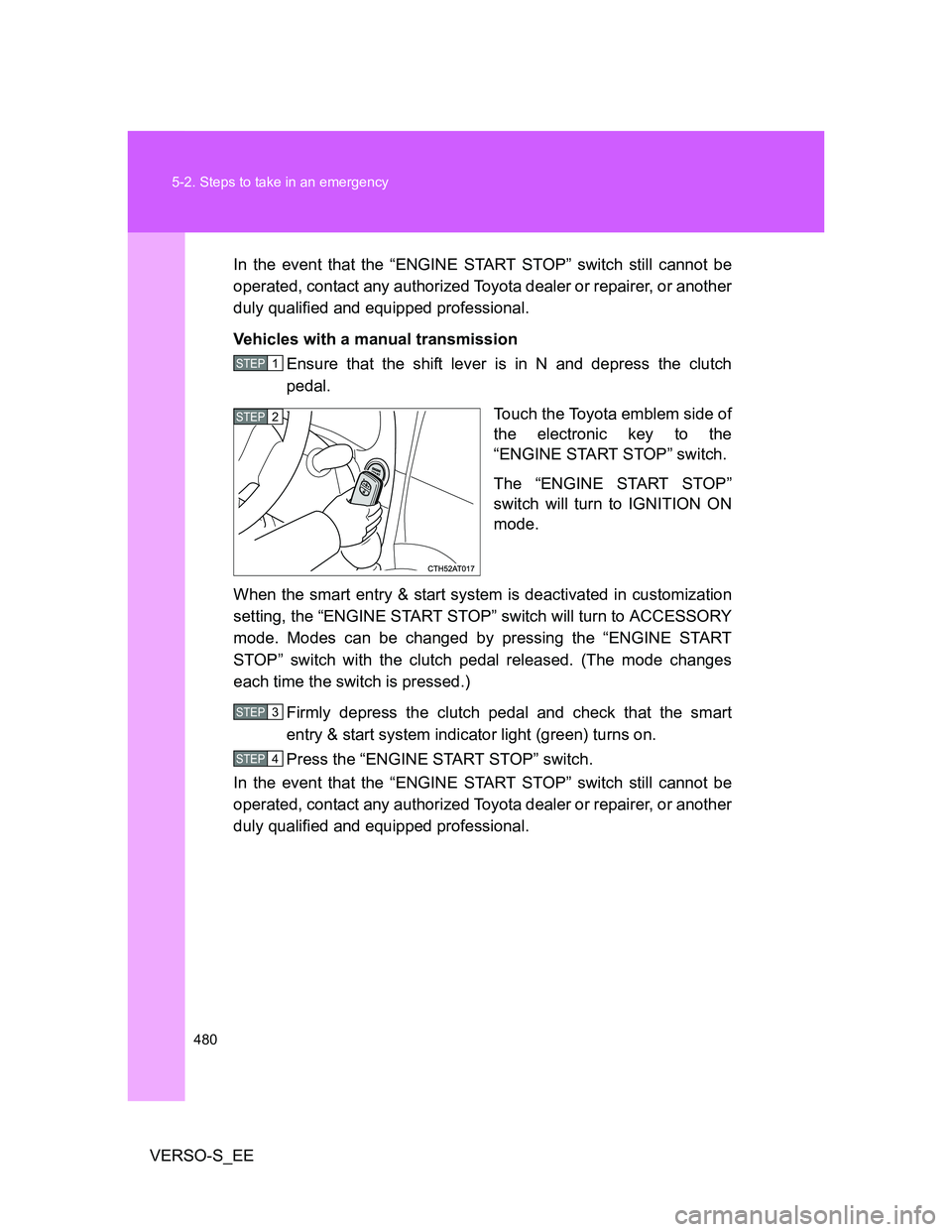
Touch the Toyota emblem side of
the electronic key to the
“ENGINE START STOP” switch.
The “ENGINE START STOP”
switch will turn to IGNITION ON
mode.
When the smart entry & start system is deactivated in customization
setting, the “ENGINE START STOP” switch will turn to ACCESSORY
mode. Modes can be changed by pressing the “ENGINE START
STOP” switch with the clutch pedal released. (The mode changes
each time the switch is pressed.)
Firmly depress the clutch pedal and check that the smart
entry & start system indicator light (green) turns on.
Press the “ENGINE START STOP” switch.
In the event that the “ENGINE START STOP” switch still cannot be
operated, contact any authorized Toyota dealer or repairer, or another
duly qualified and equipped professional.
STEP1
STEP2
STEP3
STEP4
Page 518 of 540
518
VERSO-S_EE
6-2. Customization
Customizable features
Customizable Features
Settings that can be changed using the “touch screen”
*
(For further information on customizing settings using the “touch
screen”, refer to the ““touch screen” Owner’s manual”.)
Settings that can be changed by any authorized Toyota dealer or
repairer, or another duly qualified and equipped professional for
further details
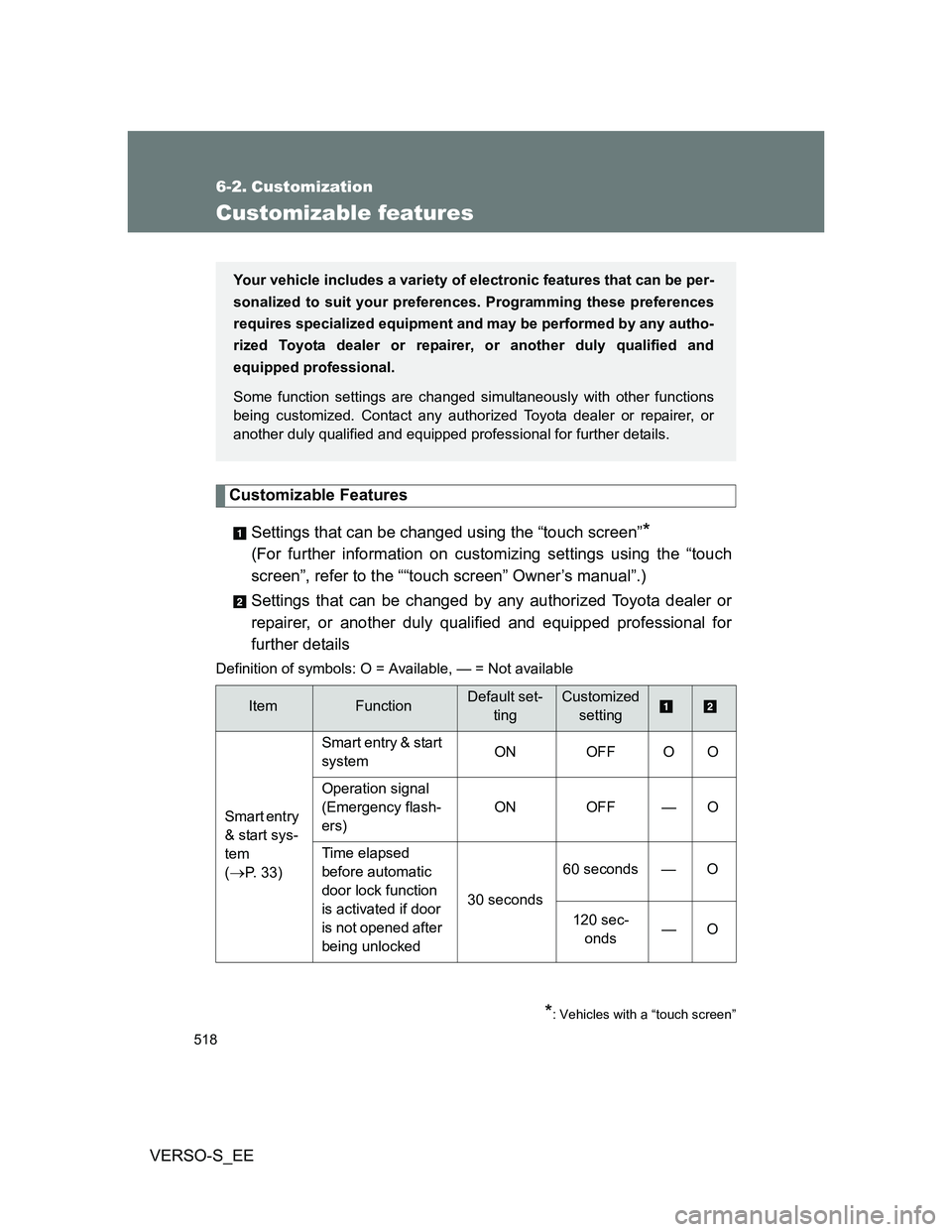
Definition of symbols: O = Available, — = Not available
ItemFunctionDefault set-
tingCustomized
setting
Smart entry
& start sys-
tem
(
P. 33)Smart entry & start
systemON OFF O O
Operation signal
(Emergency flash-
ers) ON OFF — O
Time elapsed
before automatic
door lock function
is activated if door
is not opened after
being unlocked30 seconds60 seconds — O
120 sec-
onds—O
Your vehicle includes a variety of electronic features that can be per-
sonalized to suit your preferences. Programming these preferences
requires specialized equipment and may be performed by any autho-
rized Toyota dealer or repairer, or another duly qualified and
equipped professional.
Some function settings are changed simultaneously with other functions
being customized. Contact any authorized Toyota dealer or repairer, or
another duly qualified and equipped professional for further details.
*: Vehicles with a “touch screen”