change time TOYOTA VERSO S 2012 Owners Manual
[x] Cancel search | Manufacturer: TOYOTA, Model Year: 2012, Model line: VERSO S, Model: TOYOTA VERSO S 2012Pages: 540, PDF Size: 17.43 MB
Page 24 of 540
VERSO-S_EE
24
For your information
Main Owner’s Manual
Please note that this manual applies to all models and all equipment, includ-
ing options. Therefore, you may find some explanations for equipment not
installed on your vehicle.
All specifications provided in this manual are current at the time of printing.
However, because of the Toyota policy of continual product improvement, we
reserve the right to make changes at any time without notice.
Depending on specifications, the vehicle shown in the illustrations may differ
from your vehicle in terms of equipment.
Accessories, spare parts and modification of your Toyota
Both genuine Toyota and a wide variety of other spare parts and accessories
for Toyota vehicles are currently available on the market. Should it be
determined that any of the genuine Toyota parts or accessories supplied with
the vehicle need to be replaced, Toyota recommends that genuine Toyota
parts or accessories, be used to replace them. Other parts or accessories of
matching quality can also be used. Toyota cannot accept any liability or
guarantee spare parts and accessories which are not genuine Toyota
products, nor for replacement or installation involving such parts. In addition,
damage or performance problems resulting from the use of non-genuine
Toyota spare parts or accessories may not be covered under warranty.
Page 170 of 540
170 2-1. Driving procedures
VERSO-S_EE
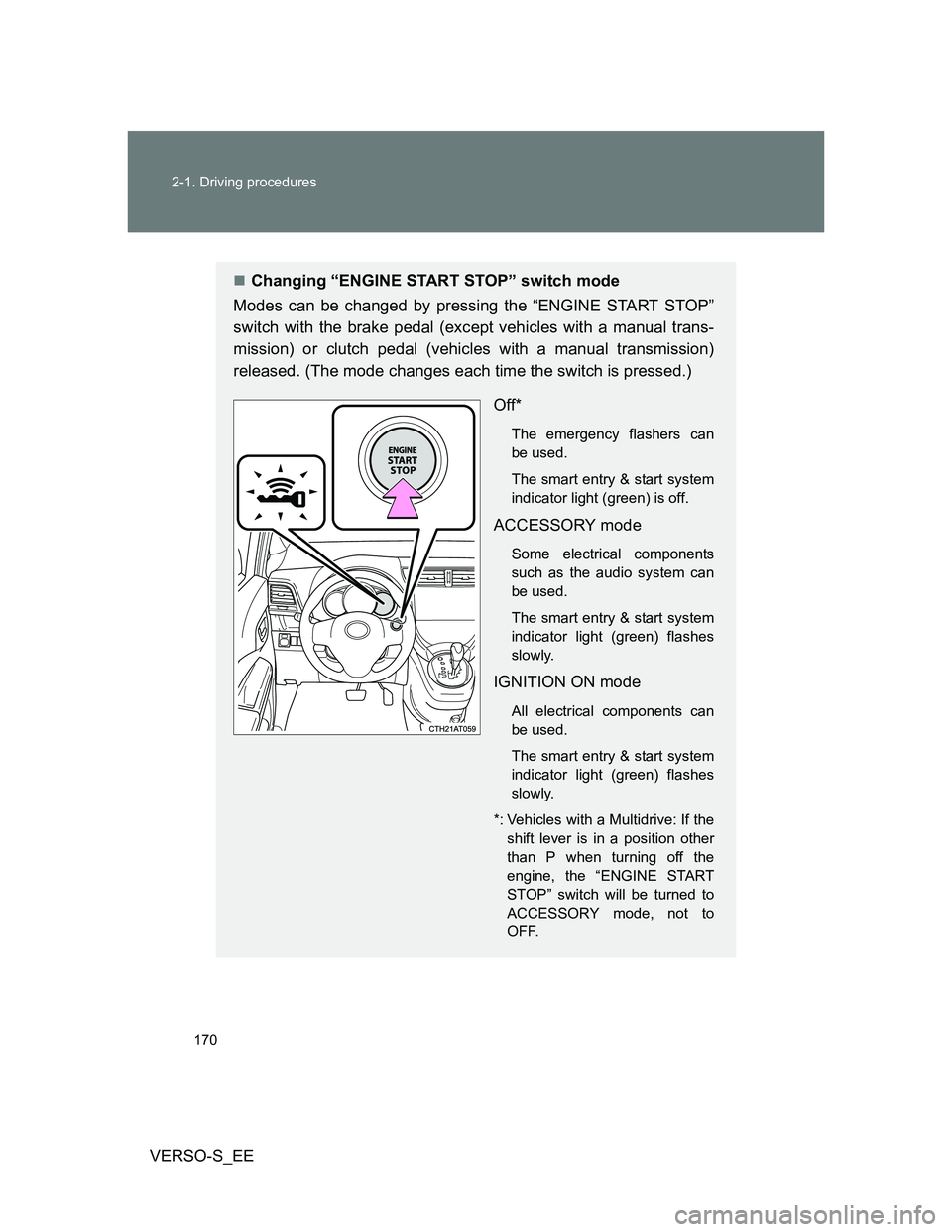
Changing “ENGINE START STOP” switch mode
Modes can be changed by pressing the “ENGINE START STOP”
switch with the brake pedal (except vehicles with a manual trans-
mission) or clutch pedal (vehicles with a manual transmission)
released. (The mode changes each time the switch is pressed.)
Off*
The emergency flashers can
be used.
The smart entry & start system
indicator light (green) is off.
ACCESSORY mode
Some electrical components
such as the audio system can
be used.
The smart entry & start system
indicator light (green) flashes
slowly.
IGNITION ON mode
All electrical components can
be used.
The smart entry & start system
indicator light (green) flashes
slowly.
*: Vehicles with a Multidrive: If the
shift lever is in a position other
than P when turning off the
engine, the “ENGINE START
STOP” switch will be turned to
ACCESSORY mode, not to
OFF.
Page 182 of 540
182 2-1. Driving procedures
VERSO-S_EE
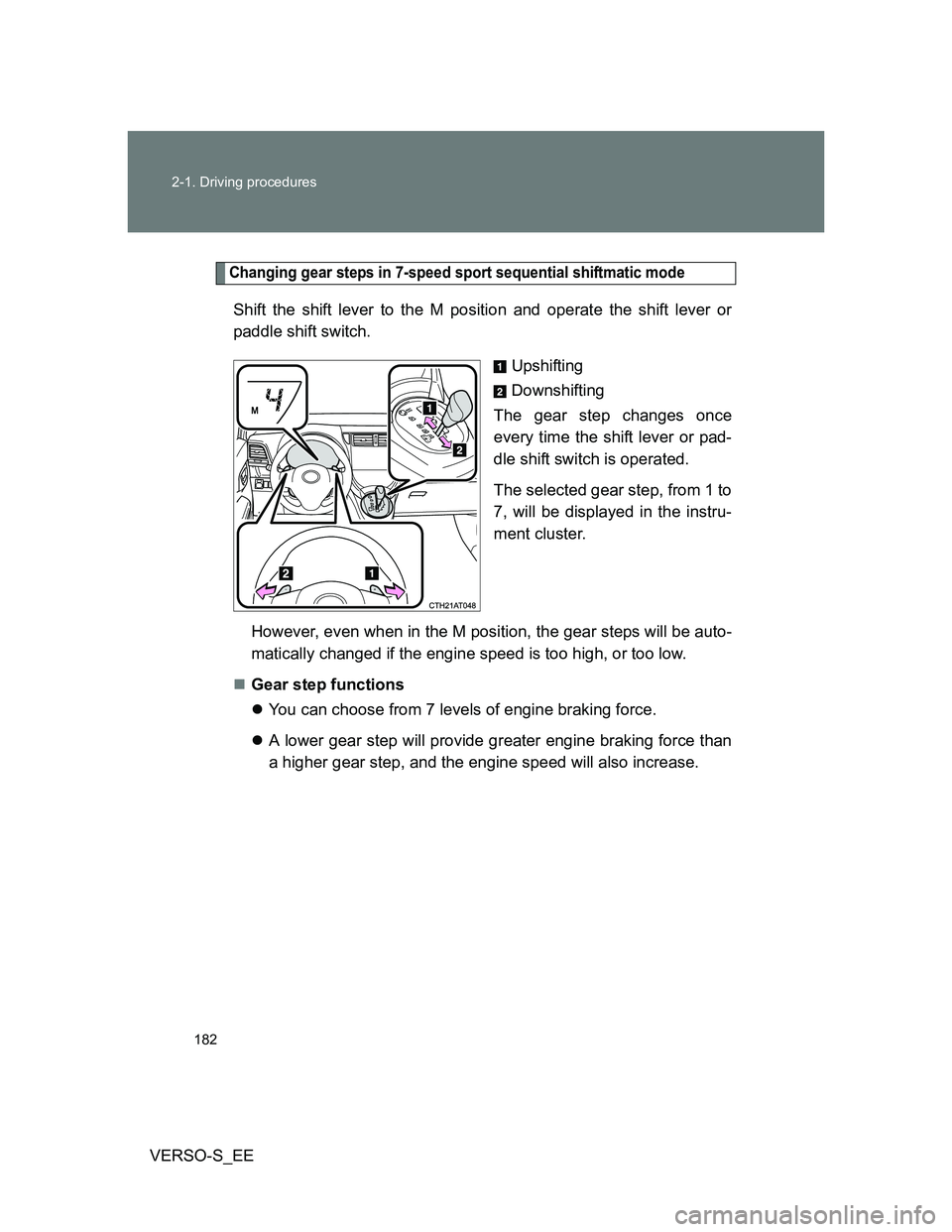
Changing gear steps in 7-speed sport sequential shiftmatic mode
Shift the shift lever to the M position and operate the shift lever or
paddle shift switch.
Upshifting
Downshifting
The gear step changes once
every time the shift lever or pad-
dle shift switch is operated.
The selected gear step, from 1 to
7, will be displayed in the instru-
ment cluster.
However, even when in the M position, the gear steps will be auto-
matically changed if the engine speed is too high, or too low.
Gear step functions
You can choose from 7 levels of engine braking force.
A lower gear step will provide greater engine braking force than
a higher gear step, and the engine speed will also increase.
Page 183 of 540
183 2-1. Driving procedures
2
When driving
VERSO-S_EE
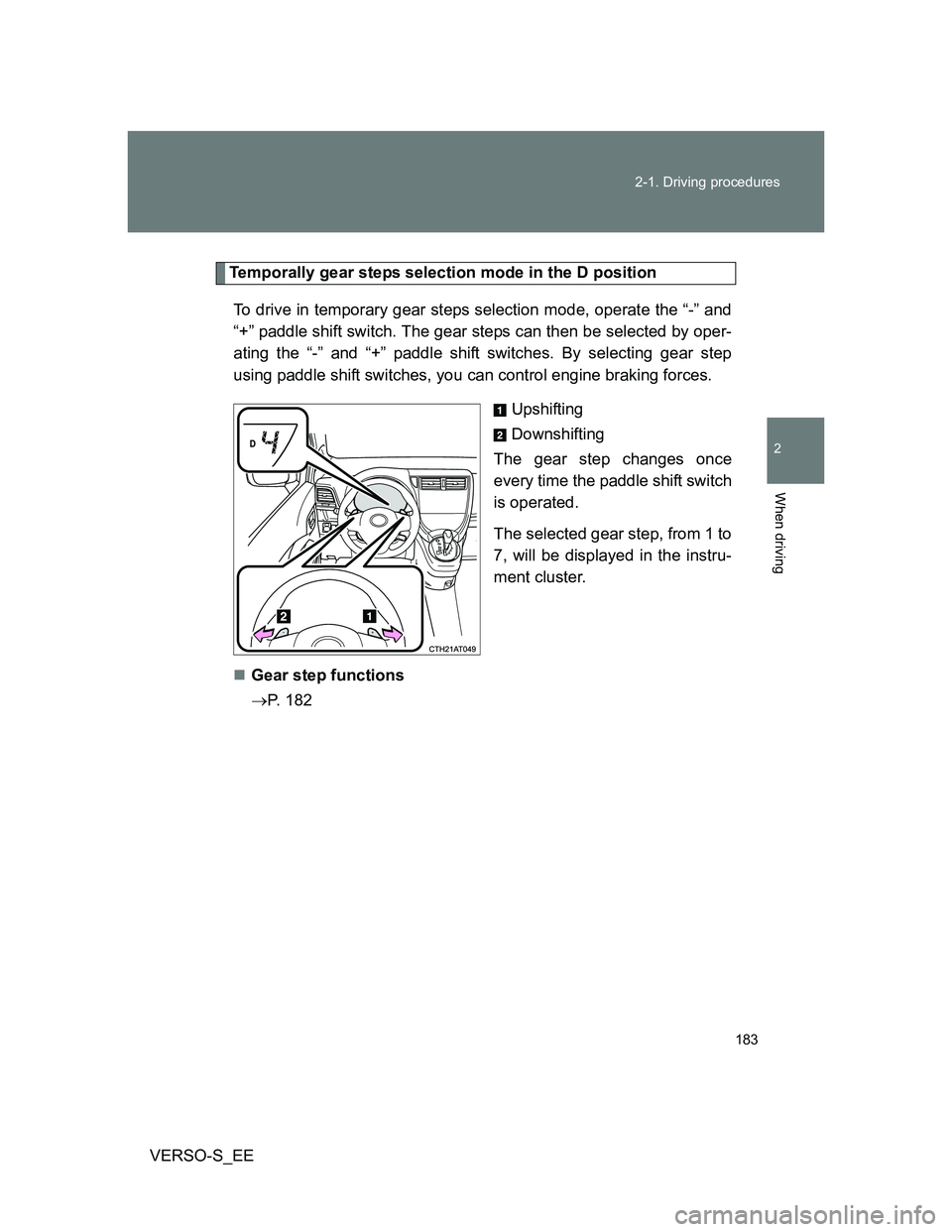
Temporally gear steps selection mode in the D position
To drive in temporary gear steps selection mode, operate the “-” and
“+” paddle shift switch. The gear steps can then be selected by oper-
ating the “-” and “+” paddle shift switches. By selecting gear step
using paddle shift switches, you can control engine braking forces.
Upshifting
Downshifting
The gear step changes once
every time the paddle shift switch
is operated.
The selected gear step, from 1 to
7, will be displayed in the instru-
ment cluster.
Gear step functions
P. 182
Page 197 of 540
197
2
When driving
VERSO-S_EE
2-2. Instrument cluster
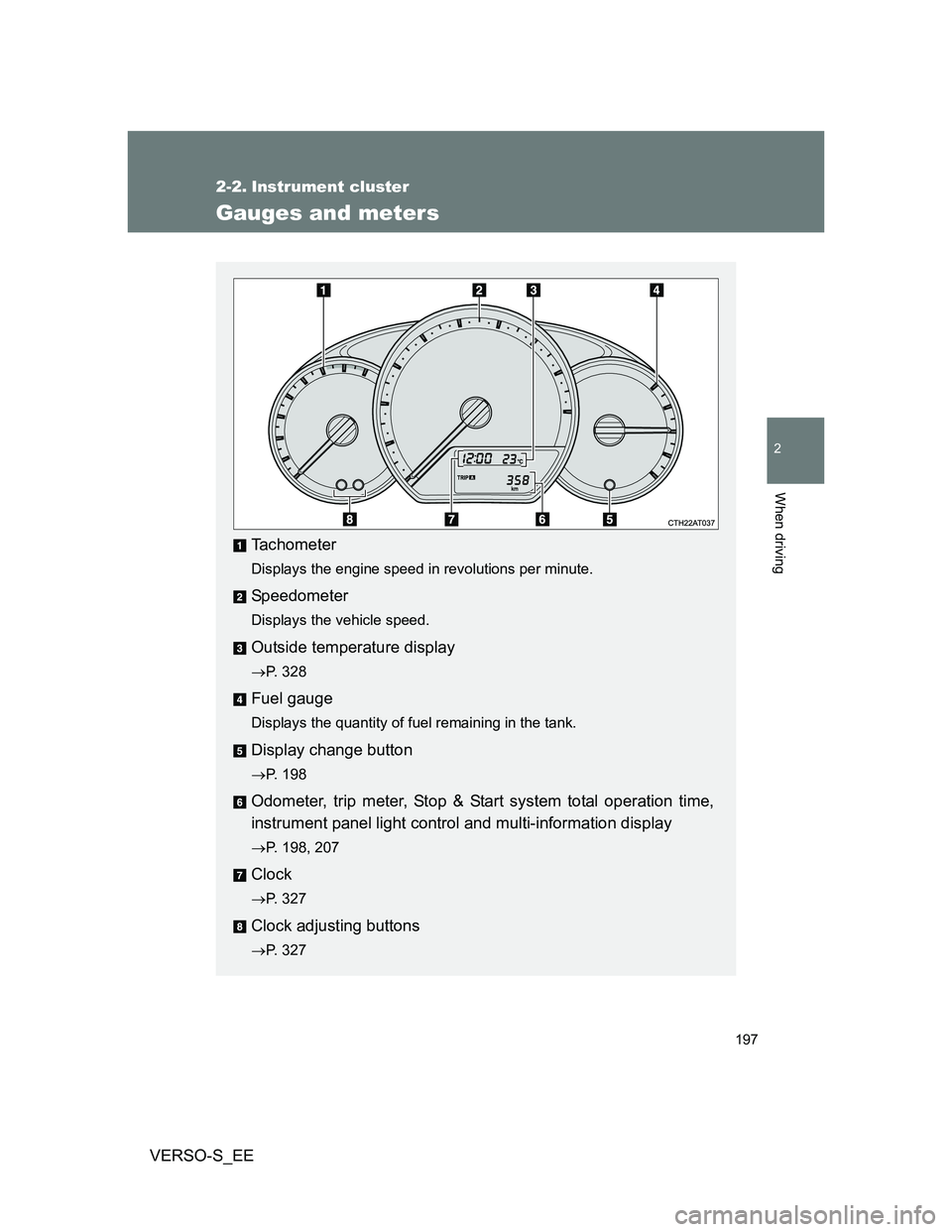
Gauges and meters
Tachometer
Displays the engine speed in revolutions per minute.
Speedometer
Displays the vehicle speed.
Outside temperature display
P. 328
Fuel gauge
Displays the quantity of fuel remaining in the tank.
Display change button
P. 198
Odometer, trip meter, Stop & Start system total operation time,
instrument panel light control and multi-information display
P. 198, 207
Clock
P. 327
Clock adjusting buttons
P. 327
Page 198 of 540
198 2-2. Instrument cluster
VERSO-S_EE
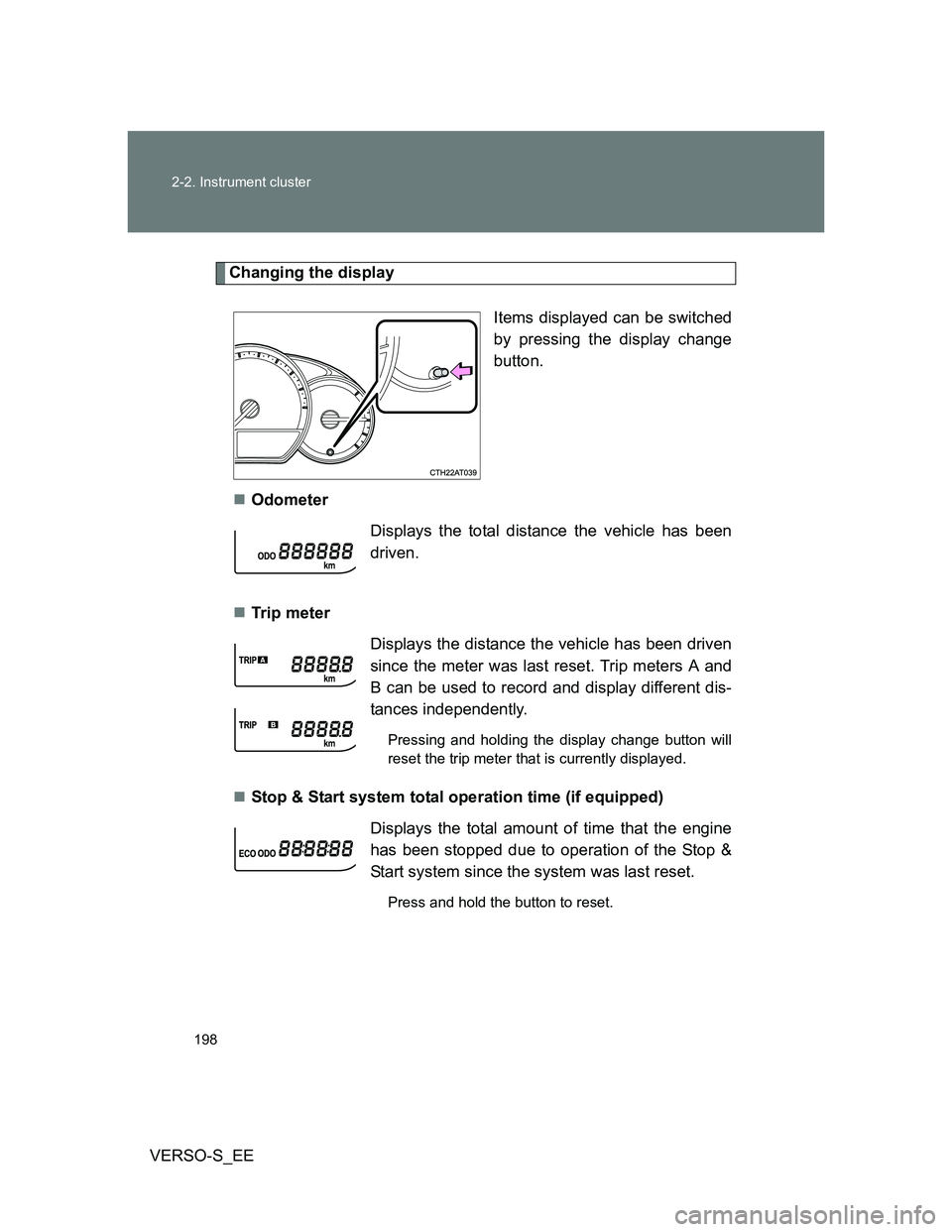
Changing the display
Items displayed can be switched
by pressing the display change
button.
Odometer
Tr ip m eter
Stop & Start system total operation time (if equipped)
Displays the total distance the vehicle has been
driven.
Displays the distance the vehicle has been driven
since the meter was last reset. Trip meters A and
B can be used to record and display different dis-
tances independently.
Pressing and holding the display change button will
reset the trip meter that is currently displayed.
Displays the total amount of time that the engine
has been stopped due to operation of the Stop &
Start system since the system was last reset.
Press and hold the button to reset.
Page 208 of 540
208 2-2. Instrument cluster
VERSO-S_EE
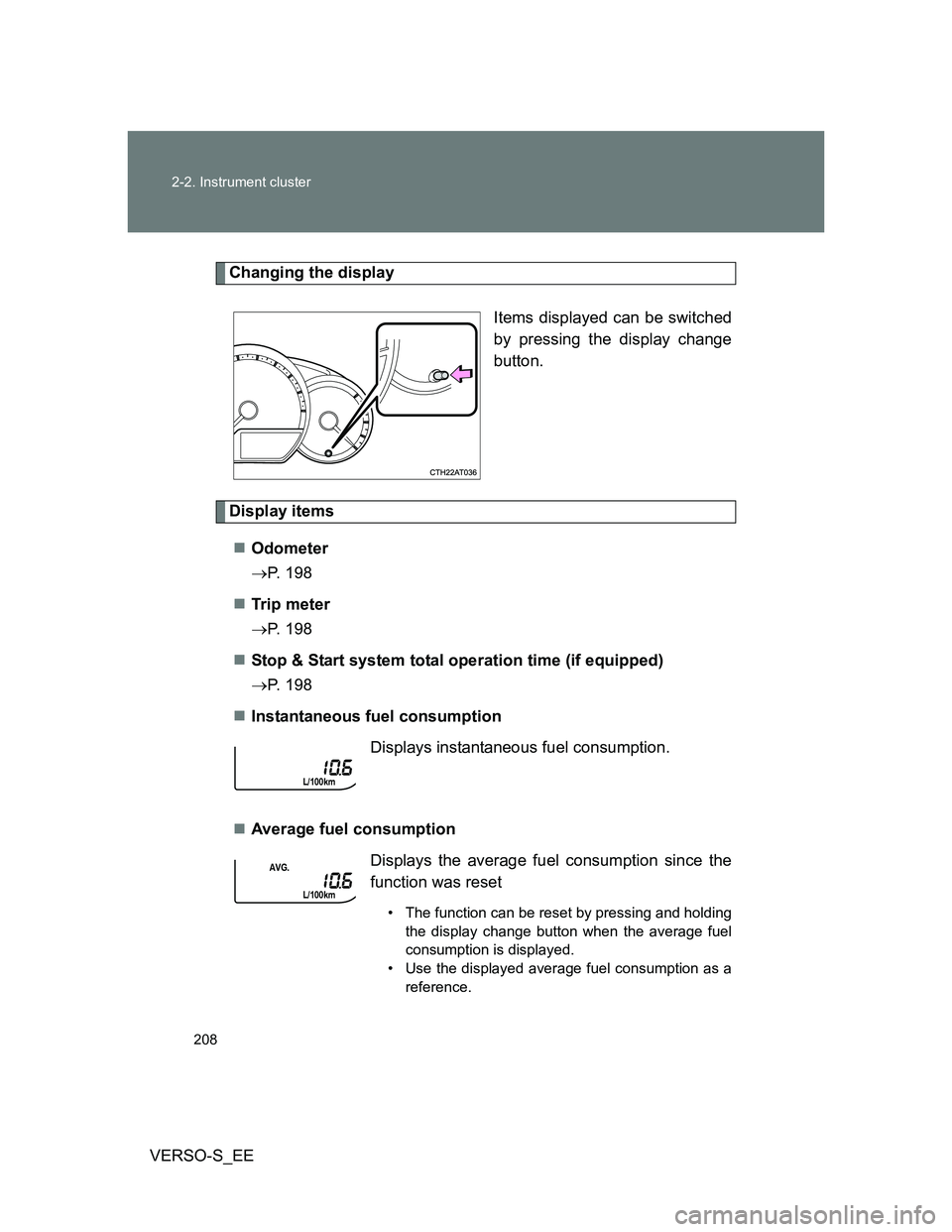
Changing the display
Items displayed can be switched
by pressing the display change
button.
Display items
Odometer
P. 198
Tr ip m eter
P. 198
Stop & Start system total operation time (if equipped)
P. 198
Instantaneous fuel consumption
Average fuel consumption
Displays instantaneous fuel consumption.
Displays the average fuel consumption since the
function was reset
• The function can be reset by pressing and holding
the display change button when the average fuel
consumption is displayed.
• Use the displayed average fuel consumption as a
reference.
Page 264 of 540
264
3-1. Using the air conditioning system and defogger
VERSO-S_EE
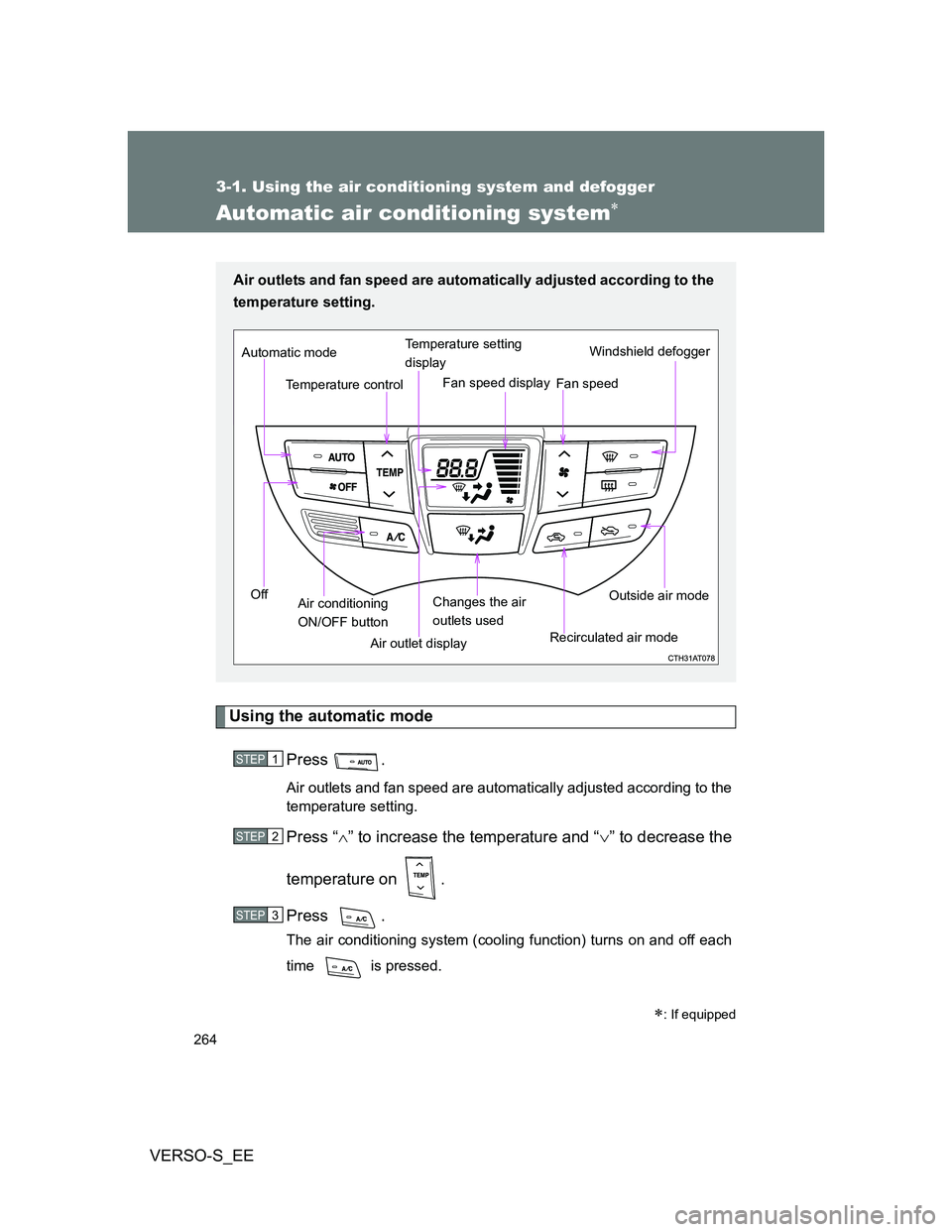
Automatic air conditioning system
Using the automatic mode
Press .
Air outlets and fan speed are automatically adjusted according to the
temperature setting.
Press “” to increase the temperature and “” to decrease the
temperature on .
Press .
The air conditioning system (cooling function) turns on and off each
time is pressed.
: If equipped
Air outlets and fan speed are automatically adjusted according to the
temperature setting.
Air outlet displayWindshield defogger
Temperature controlFan speed Temperature setting
display
Off Automatic mode
Changes the air
outlets usedFan speed display
Air conditioning
ON/OFF buttonRecirculated air modeOutside air mode
STEP1
STEP2
STEP3
Page 313 of 540
313
3-2. Using the audio system
3
Interior features
VERSO-S_EE
Using the steering wheel audio switches
Turning on the power
Press when the audio system is turned off.
Changing the audio source
Press when the audio system is turned on. The audio source
changes as follows each time is pressed.
AMFMCD modeiPod or USB memory mode*
AUX*AM
*: If equipped
: If equipped
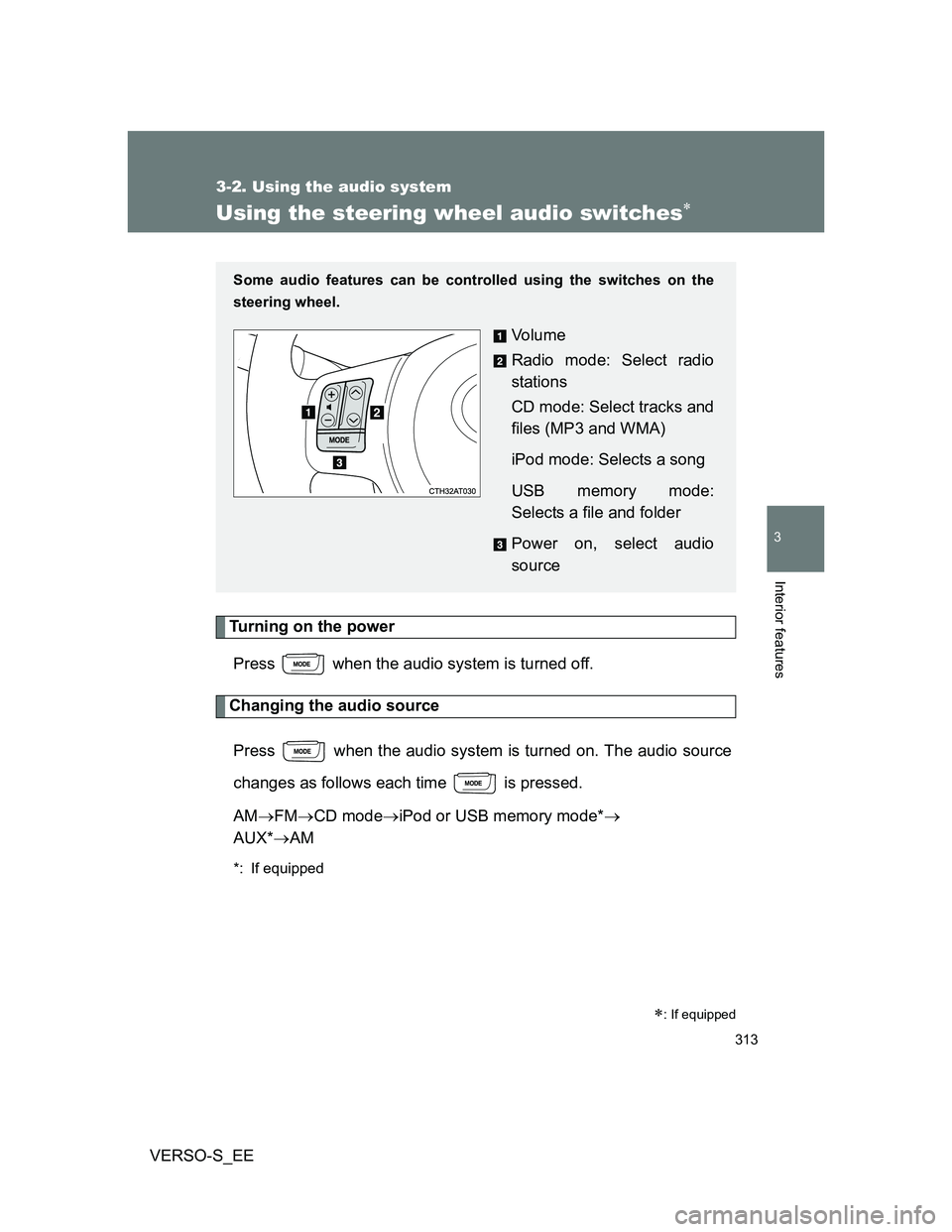
Some audio features can be controlled using the switches on the
steering wheel.
Vo l u m e
Radio mode: Select radio
stations
CD mode: Select tracks and
files (MP3 and WMA)
iPod mode: Selects a song
USB memory mode:
Selects a file and folder
Power on, select audio
source
Page 318 of 540
318 3-3. Using the interior lights
VERSO-S_EE
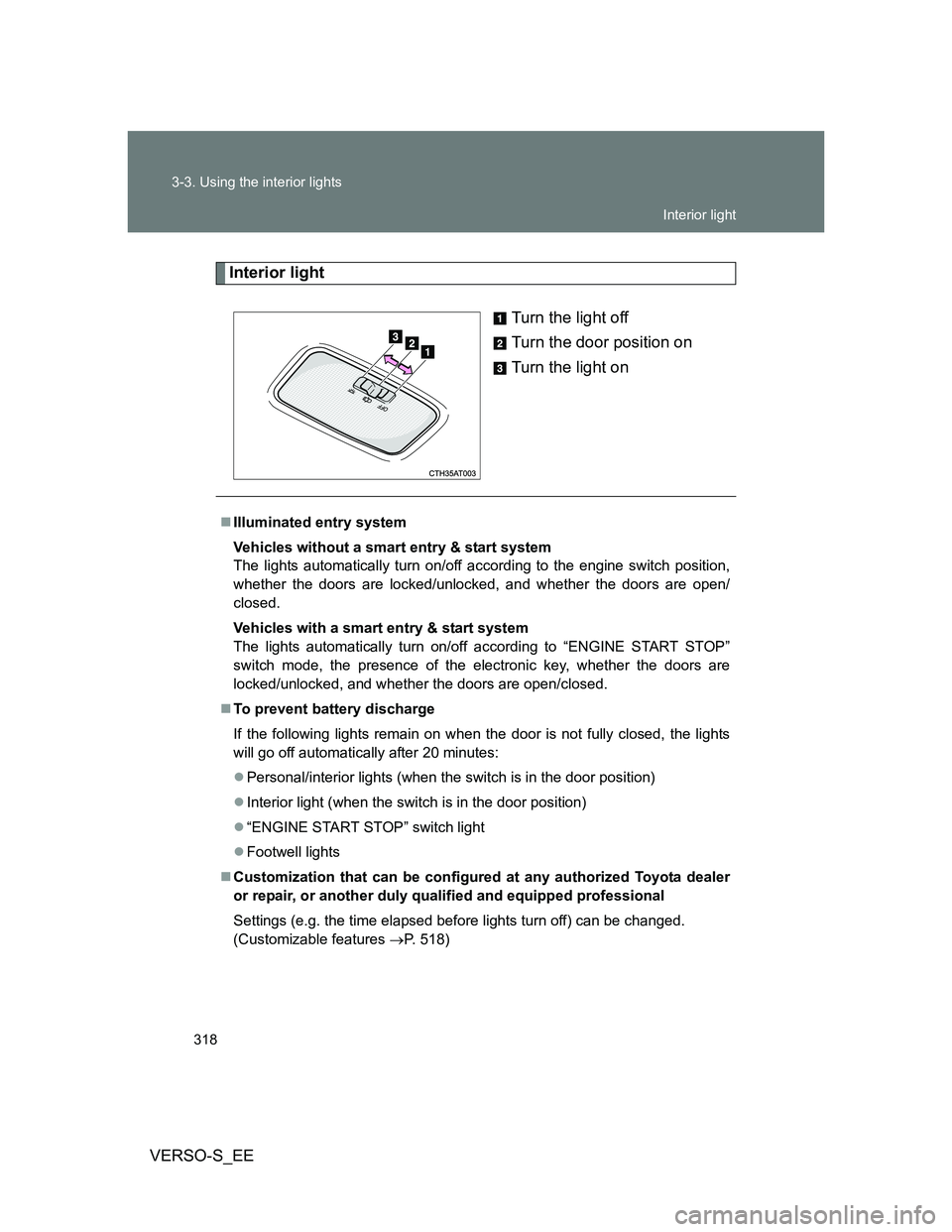
Interior light
Turn the light off
Turn the door position on
Turn the light on
Illuminated entry system
Vehicles without a smart entry & start system
The lights automatically turn on/off according to the engine switch position,
whether the doors are locked/unlocked, and whether the doors are open/
closed.
Vehicles with a smart entry & start system
The lights automatically turn on/off according to “ENGINE START STOP”
switch mode, the presence of the electronic key, whether the doors are
locked/unlocked, and whether the doors are open/closed.
To prevent battery discharge
If the following lights remain on when the door is not fully closed, the lights
will go off automatically after 20 minutes:
Personal/interior lights (when the switch is in the door position)
Interior light (when the switch is in the door position)
“ENGINE START STOP” switch light
Footwell lights
Customization that can be configured at any authorized Toyota dealer
or repair, or another duly qualified and equipped professional
Settings (e.g. the time elapsed before lights turn off) can be changed.
(Customizable features P. 518)
Interior light