stop start TOYOTA VERSO S 2014 User Guide
[x] Cancel search | Manufacturer: TOYOTA, Model Year: 2014, Model line: VERSO S, Model: TOYOTA VERSO S 2014Pages: 560, PDF Size: 16.94 MB
Page 71 of 560
71 1-2. Opening, closing and locking the doors
1
Before driving
VERSO-S_EE
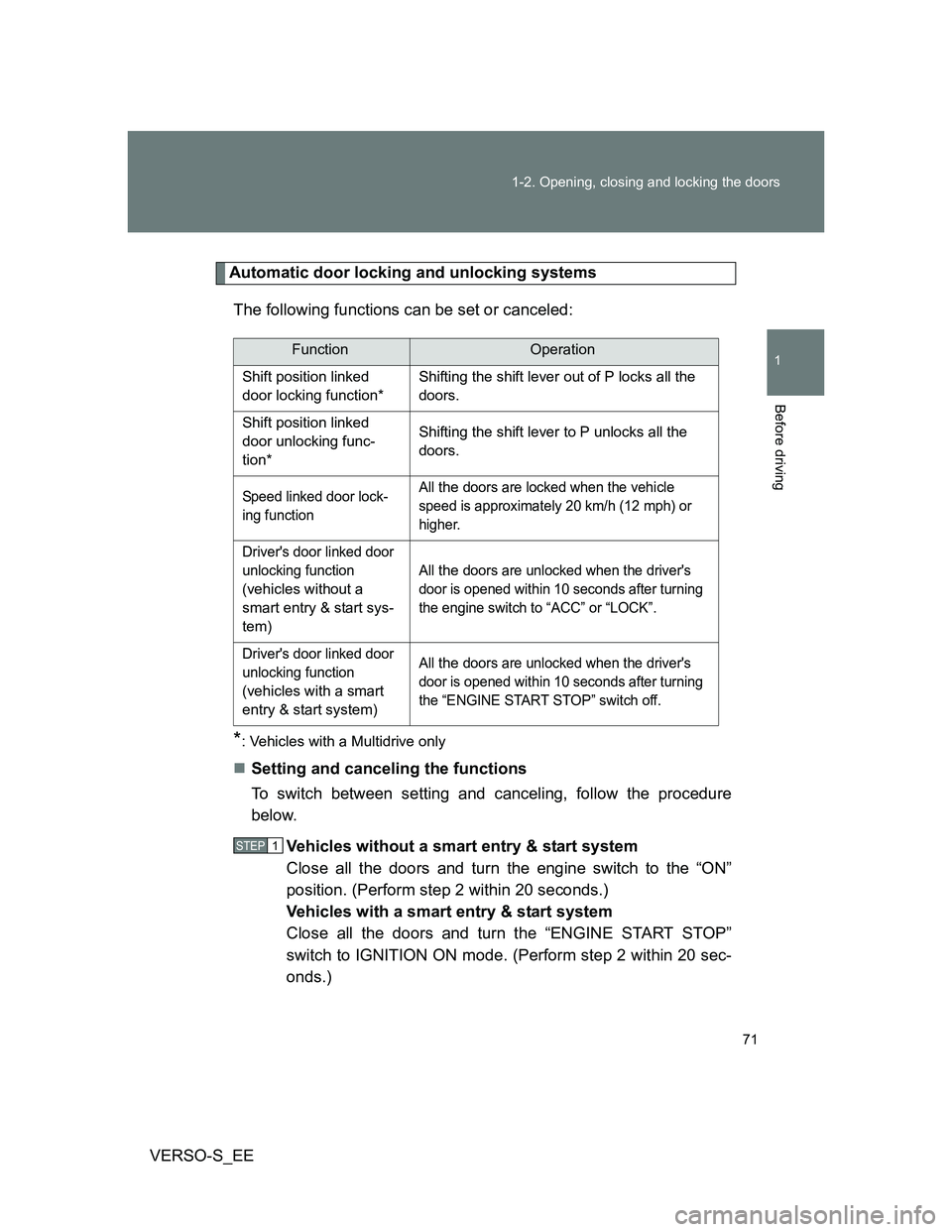
Automatic door locking and unlocking systems
The following functions can be set or canceled:
*: Vehicles with a Multidrive only
Setting and canceling the functions
To switch between setting and canceling, follow the procedure
below.
Vehicles without a smart entry & start system
Close all the doors and turn the engine switch to the “ON”
position. (Perform step 2 within 20 seconds.)
Vehicles with a smart entry & start system
Close all the doors and turn the “ENGINE START STOP”
switch to IGNITION ON mode. (Perform step 2 within 20 sec-
onds.)
FunctionOperation
Shift position linked
door locking function*Shifting the shift lever out of P locks all the
doors.
Shift position linked
door unlocking func-
tion*Shifting the shift lever to P unlocks all the
doors.
Speed linked door lock-
ing functionAll the doors are locked when the vehicle
speed is approximately 20 km/h (12 mph) or
higher.
Driver's door linked door
unlocking function
(
vehicles without a
smart entry & start sys-
tem
)All
the doors are unlocked when the driver's
door is opened within 10 seconds after turning
the engine switch to “ACC” or “LOCK”.
Driver's door linked door
unlocking function
(
vehicles with a smart
entry & start system
)All
the doors are unlocked when the driver's
door is opened within 10 seconds after turning
the “ENGINE START STOP” switch off.
STEP1
Page 96 of 560
96
1-3. Adjustable components (seats, mirrors, steering wheel)
VERSO-S_EE
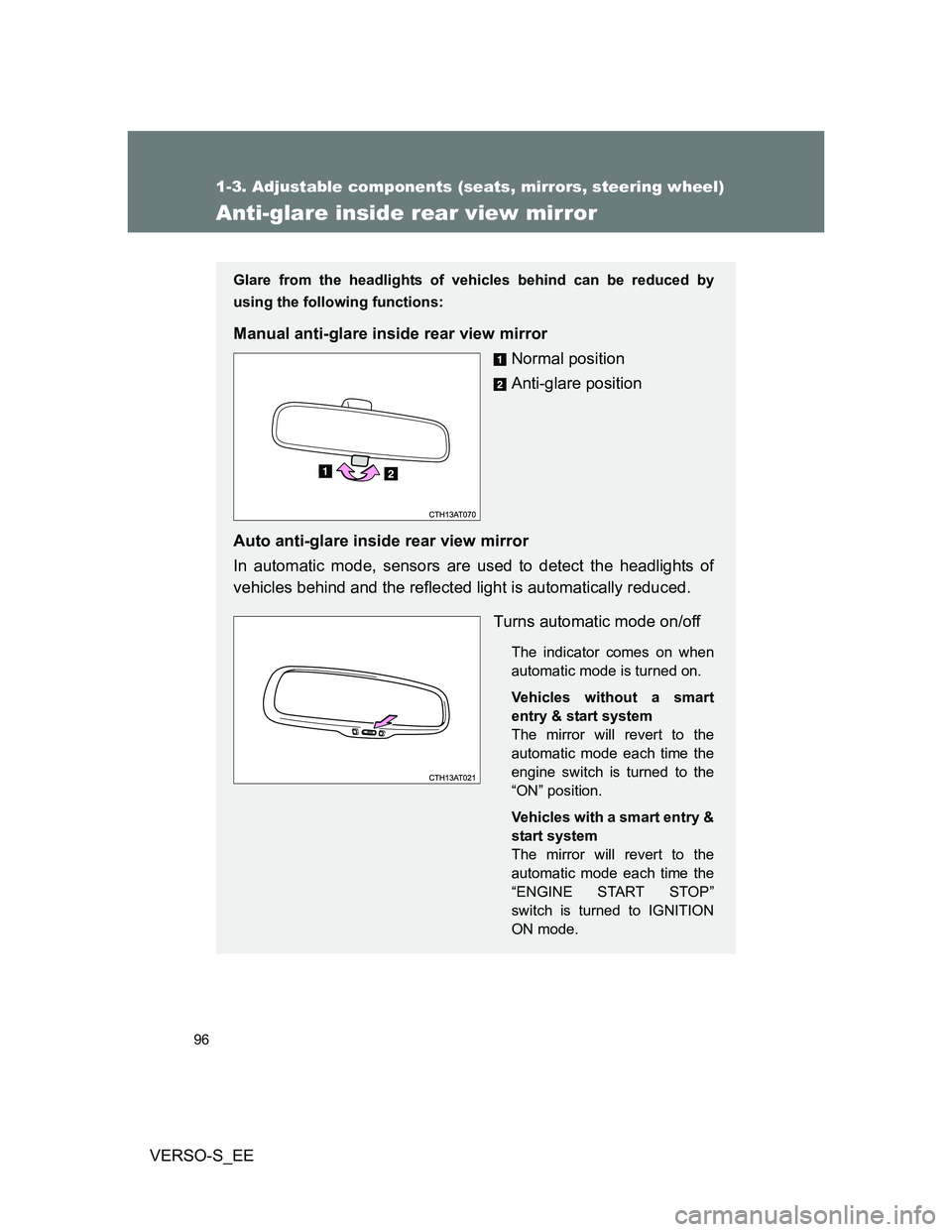
Anti-glare inside rear view mirror
Glare from the headlights of vehicles behind can be reduced by
using the following functions:
Manual anti-glare inside rear view mirror
Normal position
Anti-glare position
Auto anti-glare inside rear view mirror
In automatic mode, sensors are used to detect the headlights of
vehicles behind and the reflected light is automatically reduced.
Turns automatic mode on/off
The indicator comes on when
automatic mode is turned on.
Vehicles without a smart
entry & start system
The mirror will revert to the
automatic mode each time the
engine switch is turned to the
“ON” position.
Vehicles with a smart entry &
start system
The mirror will revert to the
automatic mode each time the
“ENGINE START STOP”
switch is turned to IGNITION
ON mode.
Page 99 of 560
99 1-3. Adjustable components (seats, mirrors, steering wheel)
1
Before driving
VERSO-S_EE
Mirror angle can be adjusted when
Vehicles without a smart entry & start system
The engine switch is in the “ACC” or “ON” position.
Vehicles with a smart entry & start system
The “ENGINE START STOP” switch is in ACCESSORY or IGNITION ON
mode.
When the mirrors are fogged up (vehicles with outside rear view mirror
defoggers)
Turn on the mirror defoggers to defog the mirrors. (P. 288)
CAUTION
When driving the vehicle
Observe the following precautions while driving.
Failure to do so may result in loss of control of the vehicle and cause an
accident, resulting in death or serious injury.
Do not adjust the mirrors while driving.
Do not drive with the mirrors folded.
Both the driver and passenger side mirrors must be extended and properly
adjusted before driving.
When a mirror is moving
To avoid personal injury and mirror malfunction, be careful not to get your
hand caught by the moving mirror.
When the mirror defoggers are operating (vehicles with outside rear
view mirror defoggers)
Do not touch the rear view mirror surfaces, as they can become very hot and
burn you.
Page 100 of 560
100
VERSO-S_EE
1-4. Opening and closing the windows
Power windows
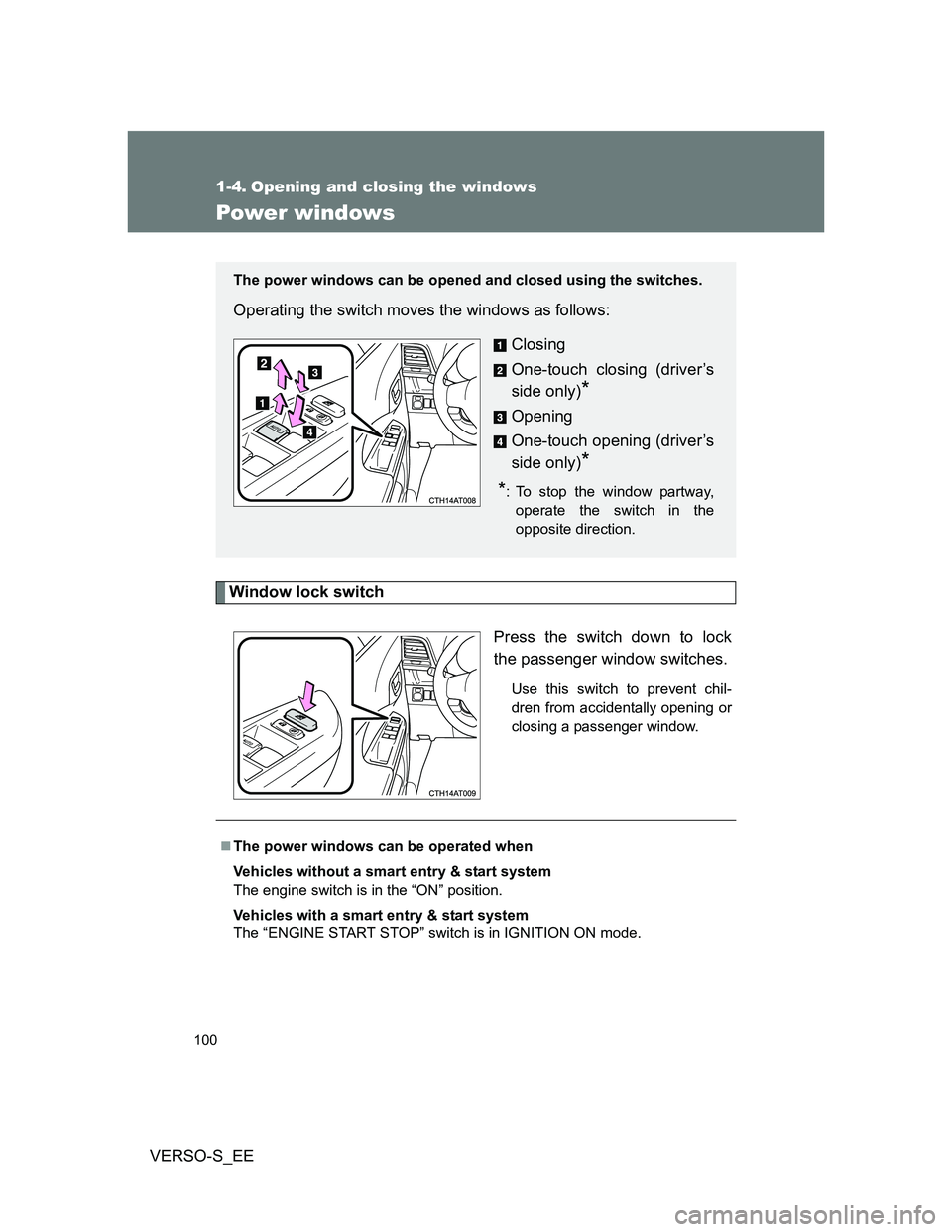
Window lock switch
Press the switch down to lock
the passenger window switches.
Use this switch to prevent chil-
dren from accidentally opening or
closing a passenger window.
The power windows can be opened and closed using the switches.
Operating the switch moves the windows as follows:
Closing
One-touch closing (driver’s
side only)
*
Opening
One-touch opening (driver’s
side only)
*
*: To stop the window partway,
operate the switch in the
opposite direction.
The power windows can be operated when
Vehicles without a smart entry & start system
The engine switch is in the “ON” position.
Vehicles with a smart entry & start system
The “ENGINE START STOP” switch is in IGNITION ON mode.
Page 101 of 560
101 1-4. Opening and closing the windows
1
Before driving
VERSO-S_EE
Operating the power windows after turning the engine off
Vehicles without a smart entry & start system
The power windows can be operated for approximately 45 seconds even
after the engine switch is turned to the “ACC” or “LOCK” position. They can-
not, however, be operated once either front door is opened.
Vehicles with a smart entry & start system
The power windows can be operated for approximately 45 seconds even
after the “ENGINE START STOP” switch is turned to ACCESSORY mode or
turned off. They cannot, however, be operated once either front door is
opened.
Jam protection function (driver’s side only)
If an object becomes caught between the window and the window frame,
window travel is stopped and the window is opened slightly.
When the power window does not close normally
If the jam protection function is operating abnormally and a window cannot
be closed, perform the following operations using the power window switch
on the driver’s door.
Vehicles without a smart entry & start system: After stopping the vehicle,
the window can be closed by holding the power window switch in the
one-touch closing position while the engine switch is turned to the “ON”
position.
Vehicles with a smart entry & start system: After stopping the vehicle, the
window can be closed by holding the power window switch in the one-
touch closing position while the “ENGINE START STOP” switch is turned
to IGNITION ON mode.
If the window still cannot be closed even by carrying out the operation
explained above, initialize the function by performing the following proce-
dure.
Hold the power window switch in the one-touch closing position.
Continue holding the switch for a further 6 seconds after the win-
dow has closed.
Hold the power window switch in the one-touch opening position.
Continue holding the switch for a further 2 seconds after the win-
dow has opened completely.
STEP1
STEP2
Page 103 of 560
103
1
Before driving
VERSO-S_EE
1-5. Refueling
Opening the fuel tank cap
Perform the following steps to open the fuel tank cap:
Before refueling the vehicle
Vehicles without a smart entry & start system
Turn the engine switch off and ensure that all the doors and win-
dows are closed.
Vehicles with a smart entry & start system
Turn the “ENGINE START STOP” switch off and ensure that all
the doors and windows are closed.
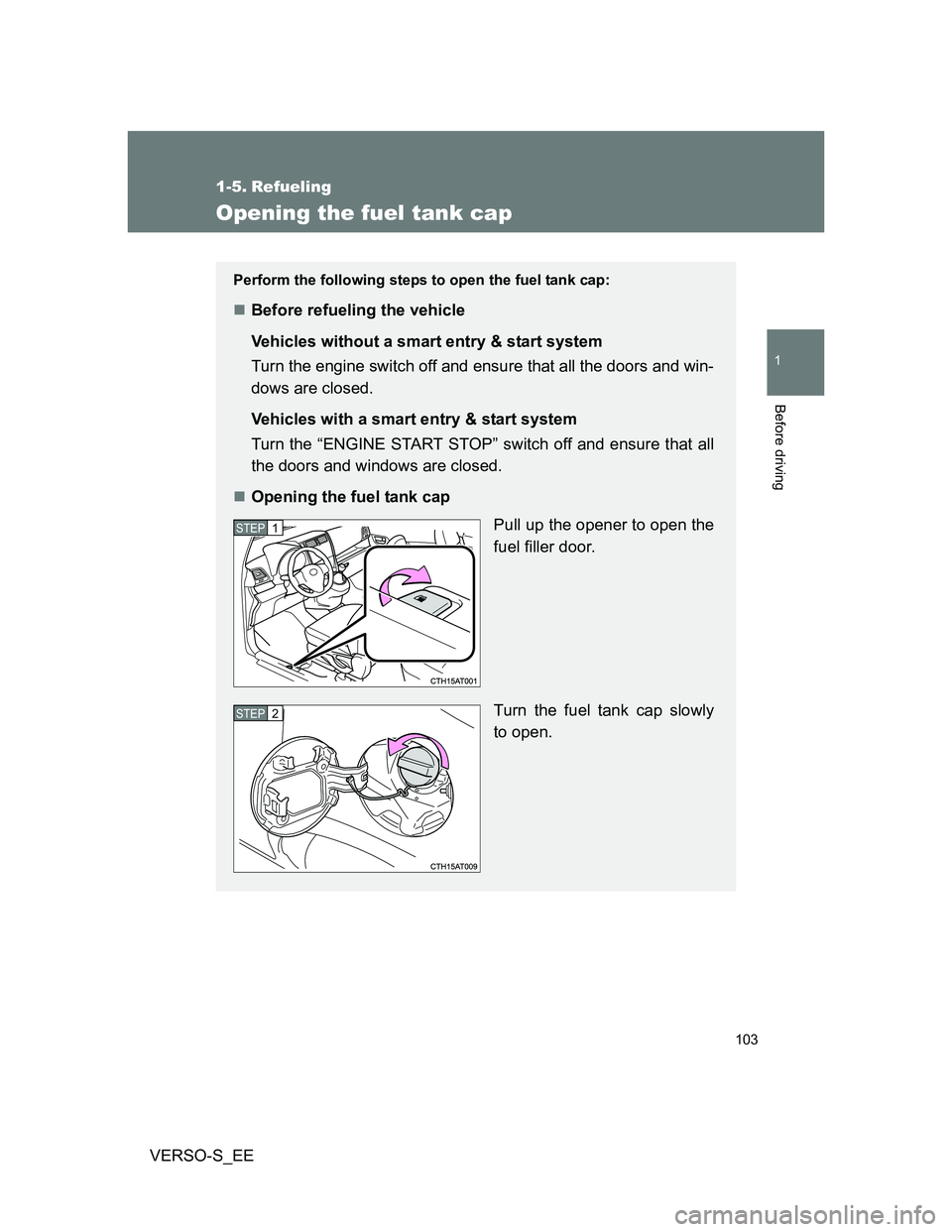
Opening the fuel tank cap
Pull up the opener to open the
fuel filler door.
Turn the fuel tank cap slowly
to open.
STEP1
STEP2
Page 107 of 560
107
1
Before driving
VERSO-S_EE
1-6. Theft deterrent system
Engine immobilizer system
The vehicle's keys have built-in transponder chips that prevent the
engine from starting if a key has not been previously registered in
the vehicle's on-board computer.
Never leave the keys inside the vehicle when you leave the vehicle.
This system is designed to help prevent vehicle theft but does not
guarantee absolute security against all vehicle thefts.
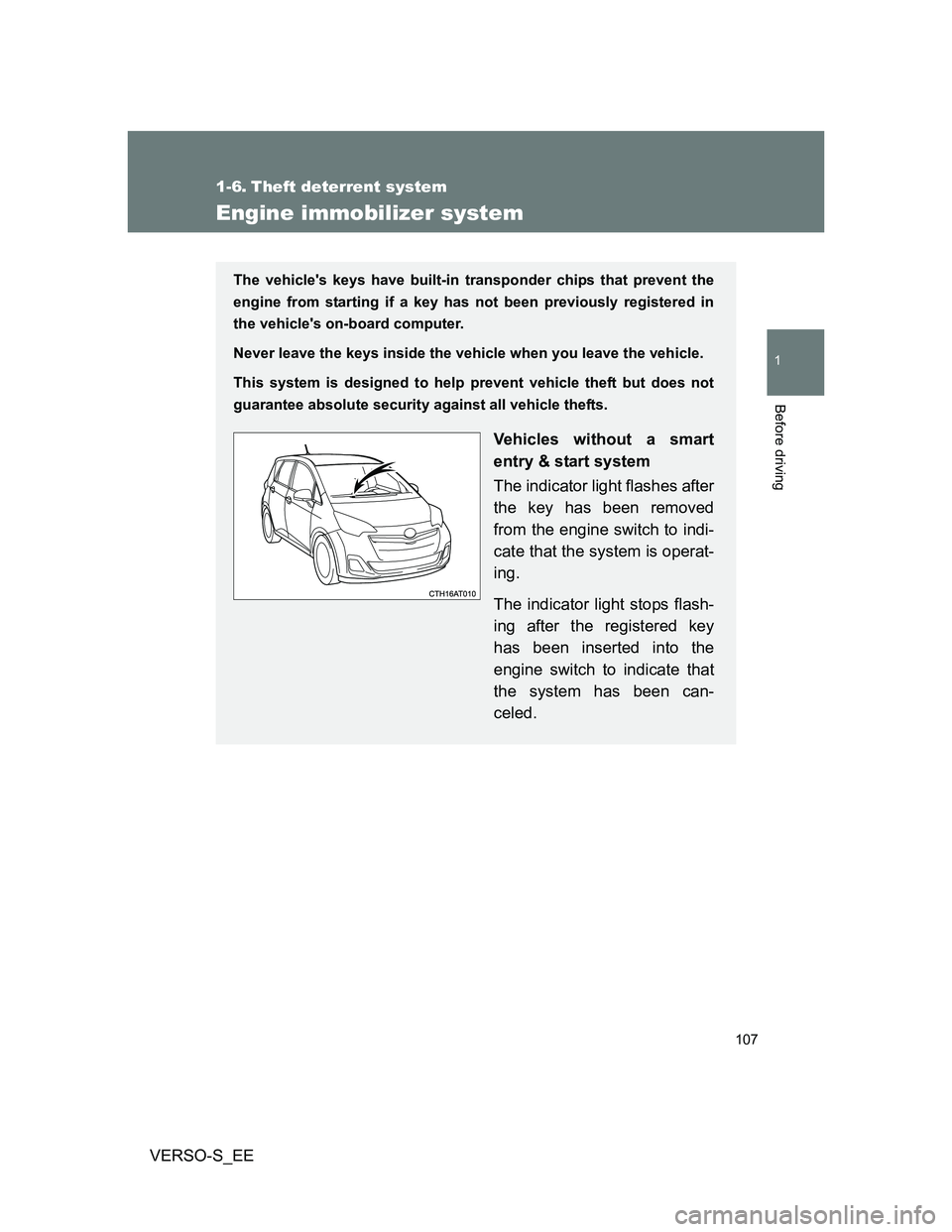
Vehicles without a smart
entry & start system
The indicator light flashes after
the key has been removed
from the engine switch to indi-
cate that the system is operat-
ing.
The indicator light stops flash-
ing after the registered key
has been inserted into the
engine switch to indicate that
the system has been can-
celed.
Page 108 of 560
108 1-6. Theft deterrent system
VERSO-S_EE
System maintenance
The vehicle has a maintenance-free type engine immobilizer system.
Conditions that may cause the system to malfunction
If the grip portion of the key is in contact with a metallic object
If the key is in close proximity to or touching a key to the security system
(key with a built-in transponder chip) of another vehicle
Vehicles with a smart entry
& start system
The indicator light flashes after
the “ENGINE START STOP”
switch has been turned off to
indicate that the system is
operating.
The indicator light stops flash-
ing after the “ENGINE START
STOP” switch has been turned
to ACCESSORY or IGNITION
ON mode to indicate that the
system has been canceled.
Page 117 of 560
117
1
1-6. Theft deterrent system
Before driving
VERSO-S_EE
Double locking system
Setting the double locking system
Vehicles without smart entry & start system: Turn the engine switch
off, have all the passengers exit the vehicle and ensure that all the
doors are closed.
Vehicles with smart entry & start system: Turn the “ENGINE START
STOP” switch off, have all the passengers exit the vehicle and ensure
that all the doors are closed.
Using the entry function (vehicles with a smart entry & start system):
Touch the sensor area on the outside door handle twice within 5 sec-
onds.
Using the wireless remote control: Press twice within 5 sec-
onds.
Canceling the double locking system
Using the entry function (vehicles with a smart entry & start system):
Hold either front outside door handle or push up the back door
opener switch.
Using the wireless remote control: Press .
: If equipped
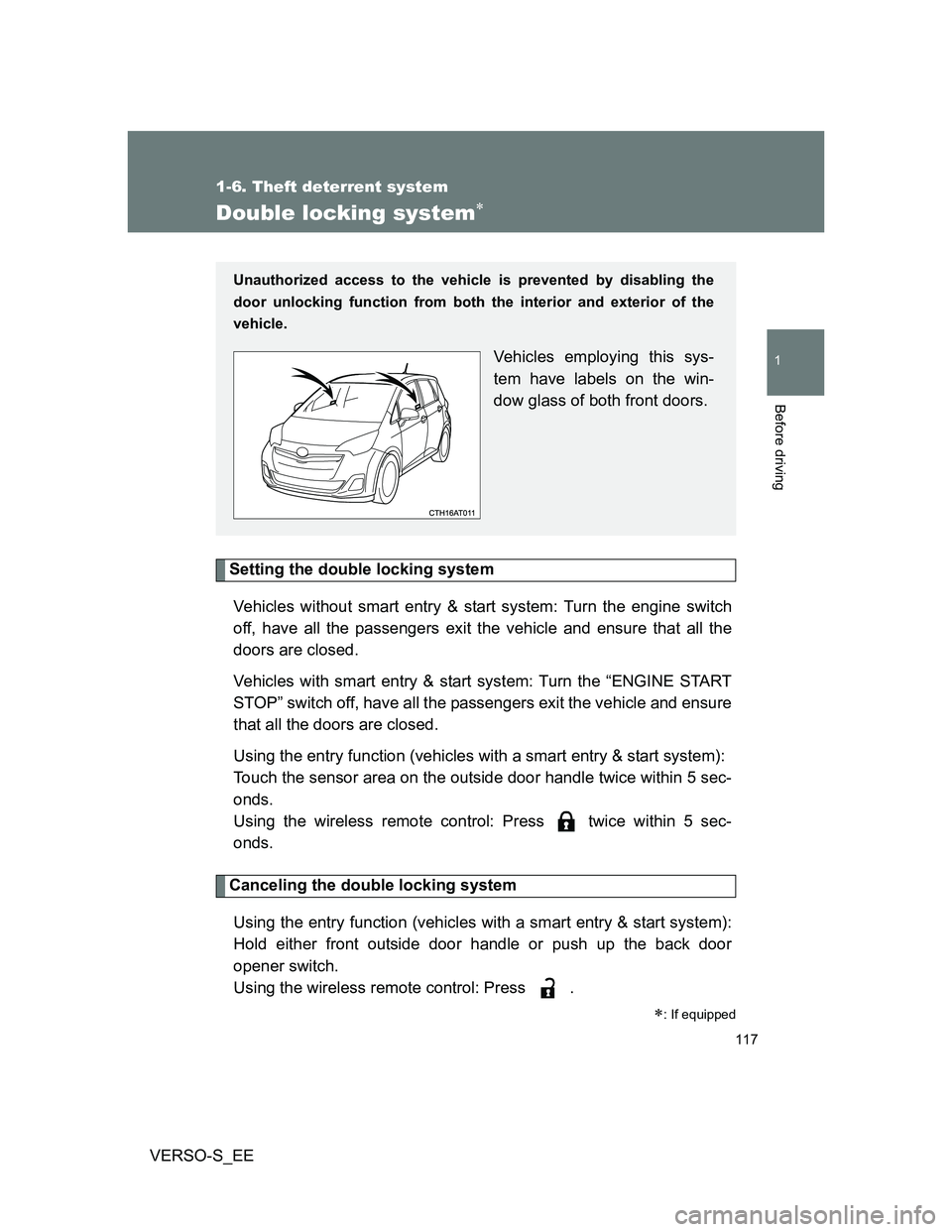
Unauthorized access to the vehicle is prevented by disabling the
door unlocking function from both the interior and exterior of the
vehicle.
Vehicles employing this sys-
tem have labels on the win-
dow glass of both front doors.
Page 119 of 560
119
1
1-6. Theft deterrent system
Before driving
VERSO-S_EE
Alarm
: If equipped
The system sounds the alarm and flashes the lights when forced
entry is detected.
Triggering of the alarm
The alarm is triggered in the following situations when the alarm
is set:
A locked door is unlocked or opened in any way other than
using the entry function (vehicles with a smart entry & start
system) or wireless remote control. (The doors will lock again
automatically.)
The hood is opened.
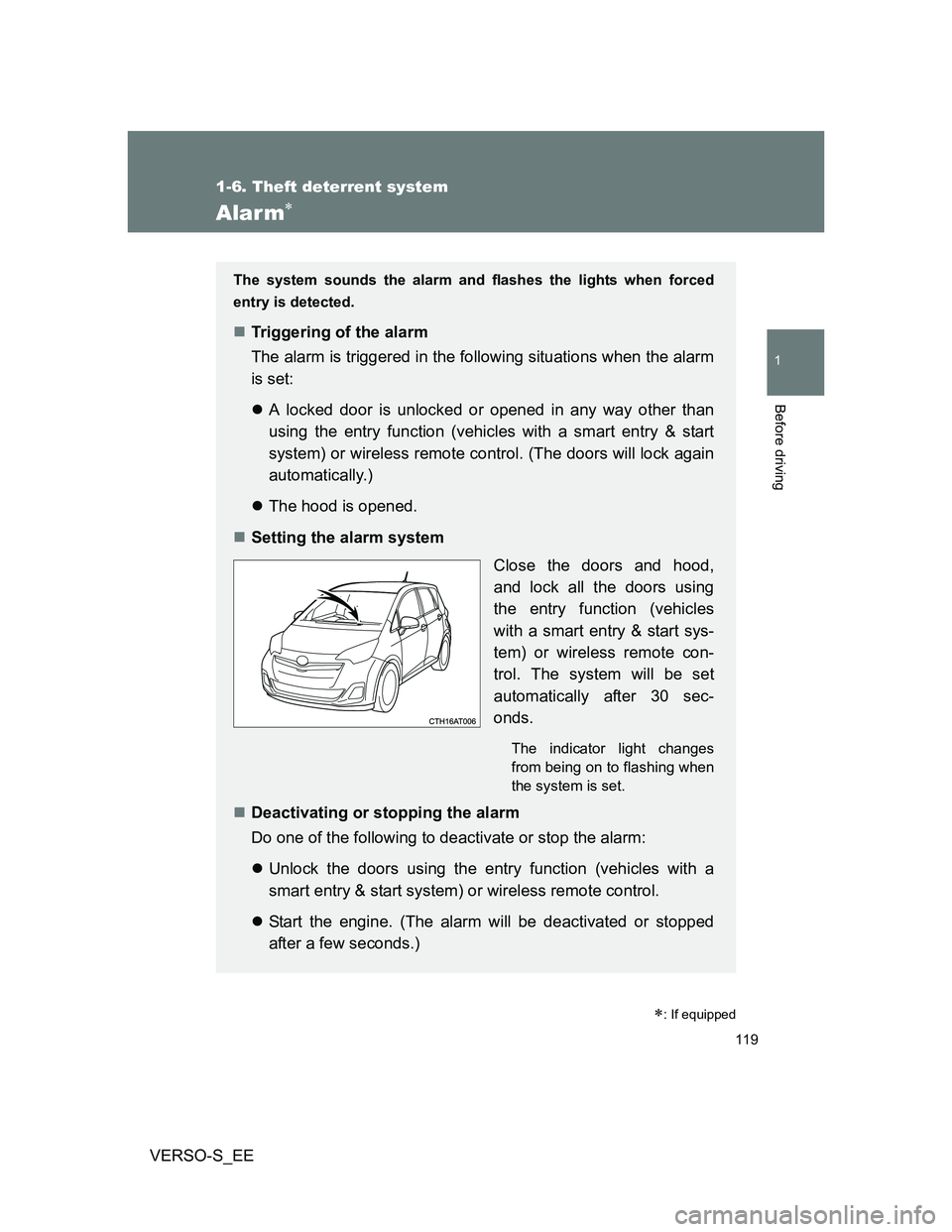
Setting the alarm system
Close the doors and hood,
and lock all the doors using
the entry function (vehicles
with a smart entry & start sys-
tem) or wireless remote con-
trol. The system will be set
automatically after 30 sec-
onds.
The indicator light changes
from being on to flashing when
the system is set.
Deactivating or stopping the alarm
Do one of the following to deactivate or stop the alarm:
Unlock the doors using the entry function (vehicles with a
smart entry & start system) or wireless remote control.
Start the engine. (The alarm will be deactivated or stopped
after a few seconds.)