display TOYOTA VERSO S 2015 Owner's Guide
[x] Cancel search | Manufacturer: TOYOTA, Model Year: 2015, Model line: VERSO S, Model: TOYOTA VERSO S 2015Pages: 564, PDF Size: 18.47 MB
Page 302 of 564

302 3-2. Using the audio system
Selecting a play mode
Press (MENU) to select iPod menu mode.
Turning clockwise changes the play mode in the fol-
lowing order:
“Playlists”“Artists”“Albums”“Songs”“Podcasts”“Genres”
“Composers”“Audiobooks”
Press to select the desired play mode.
Control panel
PlaybackBack
buttonDisplays lists
Selecting a song, fast-forwarding or reversingPower VolumeShuffle playback
Repeat play iPod menu/Song
selector or
displays text
message
iPod
menu
mode
STEP1
STEP2
STEP3
Page 303 of 564

303 3-2. Using the audio system
3
Interior features
Play mode list
Selecting a list
Turn to display the first selection list.
Press to select the desired item.
Pressing the knob changes to the second selection list.
Repeat the same procedure to select the desired item.
To return to the previous selection list, press .
Play modeFirst
selectionSecond
selectionThird
selectionFourth
selection
“Playlists”Playlists
selectSongs
select--
“Artists” Artists selectAlbums
selectSongs
select-
“Albums”Albums
selectSongs
select--
“Songs” Songs select - - -
“Podcasts”Podcasts
selectEpisodes
select--
“Genres” Genre select Artists selectAlbums
selectSongs
select
“Composers”Composers
selectAlbums
selectSongs
select-
“Audiobooks”Audiobooks
selectChapters
select--
STEP1
STEP2
STEP3
Page 304 of 564
304 3-2. Using the audio system
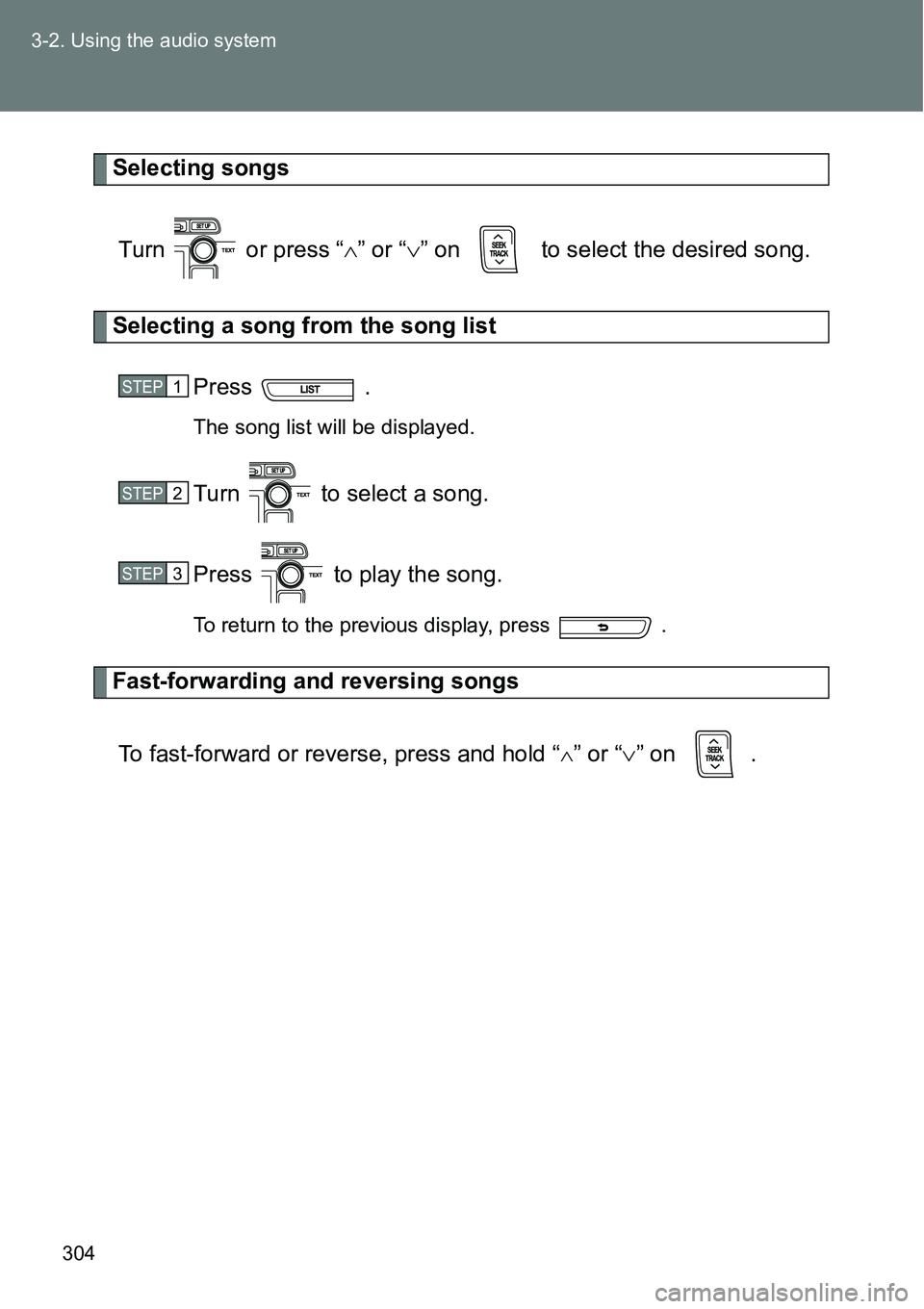
Selecting songs
Turn or press “” or “” on to select the desired song.
Selecting a song from the song list
Press .
The song list will be displayed.
Turn to select a song.
Press to play the song.
To return to the previous display, press .
Fast-forwarding and reversing songs
To fast-forward or reverse, press and hold “
” or “” on .
STEP1
STEP2
STEP3
Page 305 of 564

305 3-2. Using the audio system
3
Interior features
Shuffle playback
Pressing (RDM) changes modes in the following order:
Track shuffle Album shuffle Off.
Repeat play
Press
(RPT).
To cancel, press (RPT) again.
Switching the display
Press .
Track title, Artist name and Album title are shown on the display.
To return to the previous display, press or .
Adjusting sound quality and volume balance
Press to enter iPod menu mode.
Turning changes sound modes. (P. 317)
STEP1
STEP2
Page 306 of 564

306 3-2. Using the audio system
About iPod
Apple is not responsible for the operation of this device or its compliance
with safety and regulatory standards.
iPod is a trademark of Apple Inc., registered in the U.S. and other coun-
tries.
iPod functions
When an iPod is connected and the audio source is changed to iPod
mode, the iPod will resume play from the same point in which it was last
used.
Depending on the iPod that is connected to the system, certain functions
may not be available. If a function is unavailable due to a malfunction (as
opposed to a system specification), disconnecting the device and recon-
necting it once again may resolve the problem.
While connected to the system, the iPod cannot be operated with its own
controls. It is necessary to use the controls of the vehicle’s audio system
instead.
iPod problems
To resolve most problems encountered when using your iPod, disconnect
your iPod from the vehicle iPod connection and reset it.
For instructions on how to reset your iPod, refer to your iPod Owner’s Man-
ual.
Display
P. 291
Error messages
“ERROR”: This indicates a problem in the iPod or its connection.
“NO SONGS”: This indicates that there is no music data in the iPod.
“NO PLAYLISTS”: This indicates that some available songs are not found in
a selected playlist.
“UPDATE YOUR IPOD”: This indicates that the version of the iPod is not
compatible. Upgrade your iPod software to the lat-
est version.
Page 310 of 564
310 3-2. Using the audio system
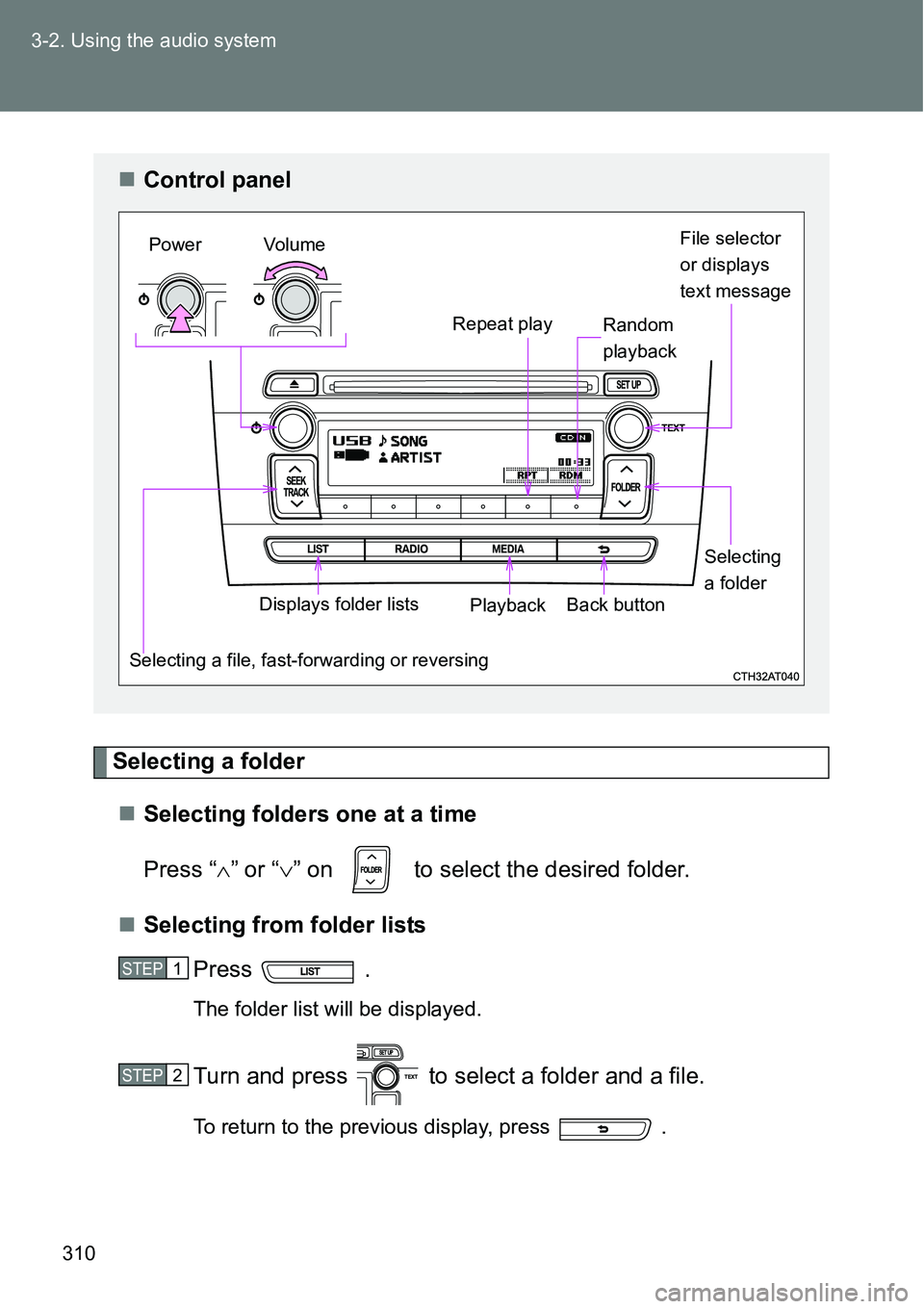
Selecting a folder
Selecting folders one at a time
Press “” or “” on to select the desired folder.
Selecting from folder lists
Press .
The folder list will be displayed.
Turn and press to select a folder and a file.
To return to the previous display, press .
Control panel
File selector
or displays
text message
Repeat play
Selecting a file, fast-forwarding or reversingPower Volume
PlaybackBack buttonDisplays folder listsSelecting
a folder Random
playback
STEP1
STEP2
Page 312 of 564
312 3-2. Using the audio system
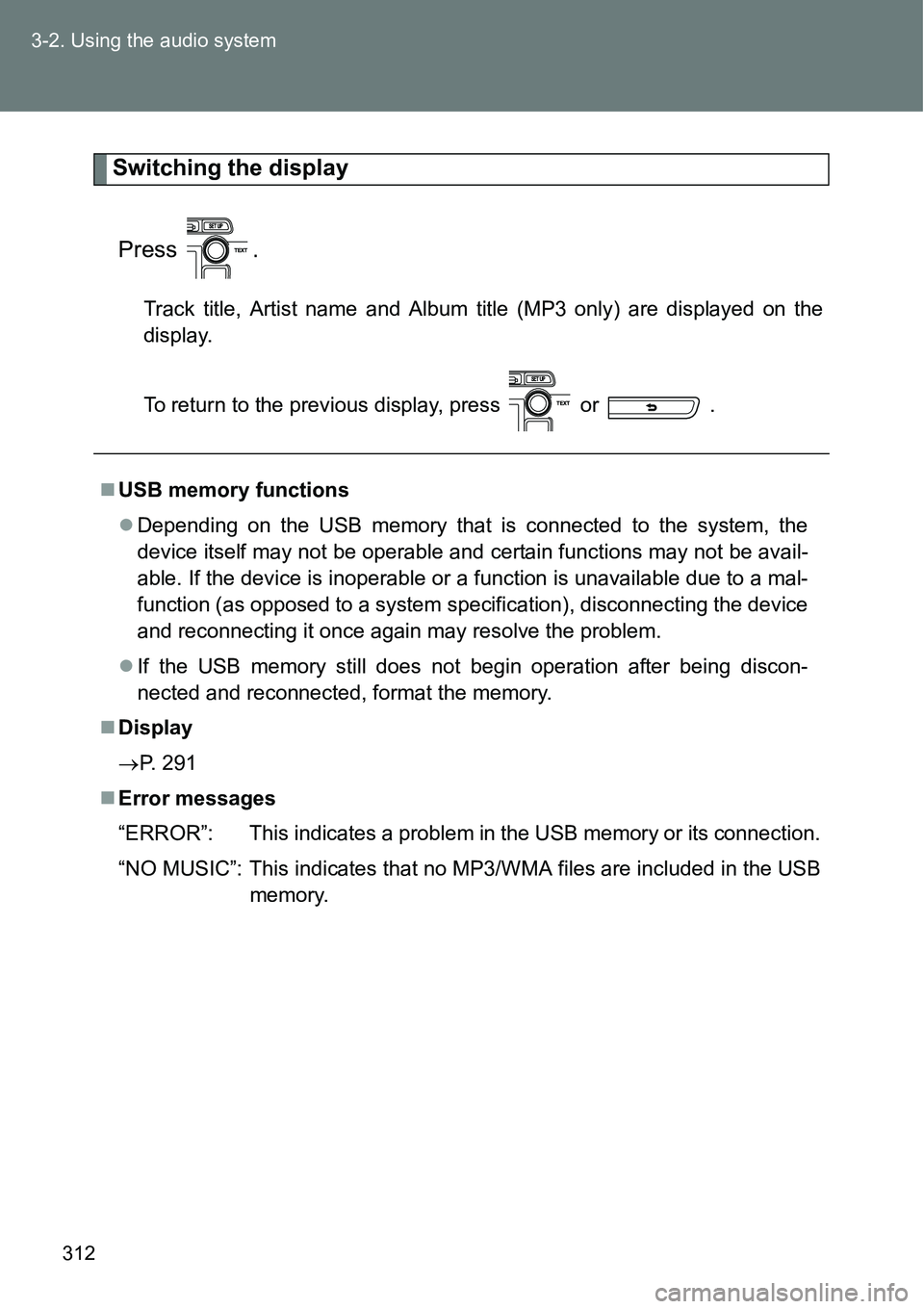
Switching the display
Press .
Track title, Artist name and Album title (MP3 only) are displayed on the
display.
To return to the previous display, press or .
USB memory functions
Depending on the USB memory that is connected to the system, the
device itself may not be operable and certain functions may not be avail-
able. If the device is inoperable or a function is unavailable due to a mal-
function (as opposed to a system specification), disconnecting the device
and reconnecting it once again may resolve the problem.
If the USB memory still does not begin operation after being discon-
nected and reconnected, format the memory.
Display
P. 291
Error messages
“ERROR”: This indicates a problem in the USB memory or its connection.
“NO MUSIC”: This indicates that no MP3/WMA files are included in the USB
memory.
Page 313 of 564
313 3-2. Using the audio system
3
Interior features
USB memory
Compatible devices
USB memory that can be used for MP3 and WMA playback
Compatible device formats
The following device formats can be used:
• USB communication formats: USB2.0 FS (12 mbps)
• File formats: FAT16/32 (Windows)
• Correspondence class: Mass storage class
MP3 and WMA files written in any format other than those listed above
may not play correctly, and their file names and folder names may not be
displayed correctly.
Items related to standards and limitations are as follows:
• Maximum directory hierarchy: 8 levels
• Maximum number of folders in a device: 999 (including the root)
• Maximum number of files in a device: 9999
• Maximum number of files per folder: 255
MP3 and WMA files
MP3 (MPEG Audio LAYER 3) is a standard audio compression format.
Files can be compressed to approximately 1/10 of their original size using
MP3 compression.
WMA (Windows Media Audio) is a Microsoft audio compression format.
This format compresses audio data to a size smaller than that of the MP3
format.
There is a limit to the MP3 and WMA file standards that can be used and
to the media/formats on which the files are recorded.
Page 317 of 564
317
3-2. Using the audio system
3
Interior features
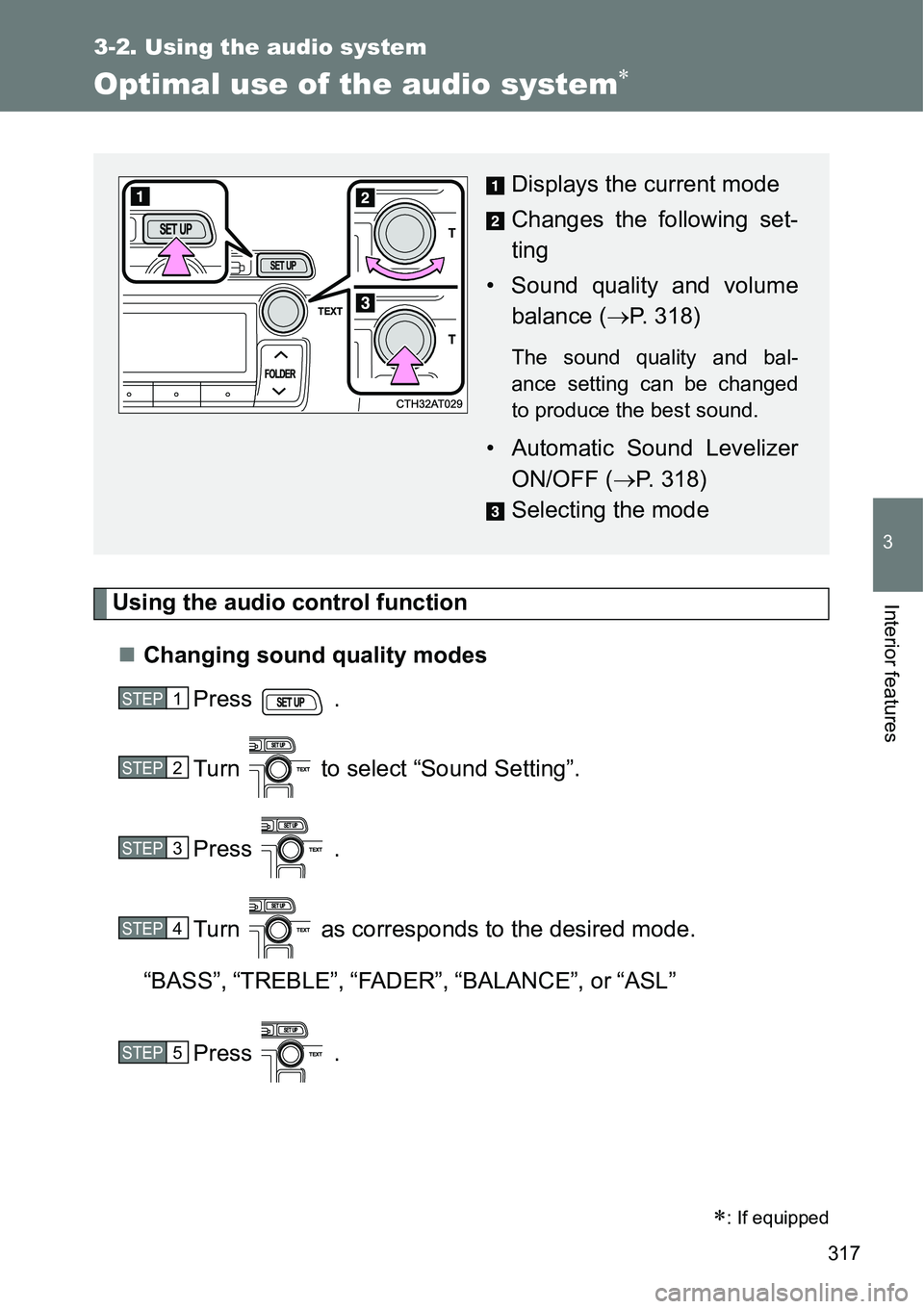
Optimal use of the audio system
Using the audio control function
Changing sound quality modes
Press .
Turn to select “Sound Setting”.
Press .
Turn as corresponds to the desired mode.
“BASS”,“TREBLE”,“FADER”,“BALANCE”, or“ASL”
Press .
: If equipped
Displays the current mode
Changes the following set-
ting
• Sound quality and volume
balance (P. 318)
The sound quality and bal-
ance setting can be changed
to produce the best sound.
• Automatic Sound Levelizer
ON/OFF (P. 318)
Selecting the mode
STEP1
STEP2
STEP3
STEP4
STEP5
Page 318 of 564
318 3-2. Using the audio system
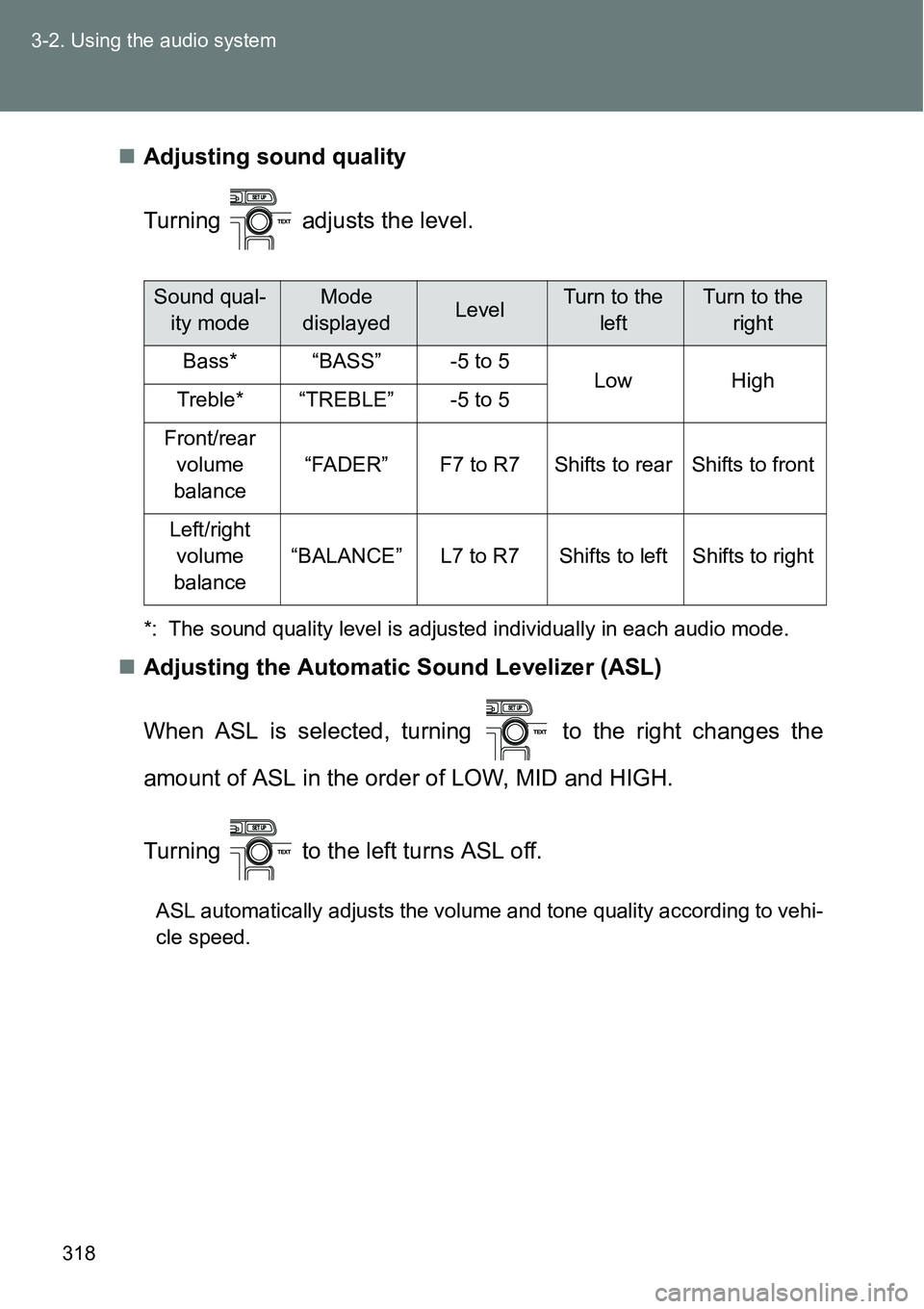
Adjusting sound quality
Turning adjusts the level.
*: The sound quality level is adjusted individually in each audio mode.
Adjusting the Automatic Sound Levelizer (ASL)
When ASL is selected, turning to the right changes the
amount of ASL in the order of LOW, MID and HIGH.
Turning to the left turns ASL off.
ASL automatically adjusts the volume and tone quality according to vehi-
cle speed.
Sound qual-
ity modeMode
displayedLevelTurn to the
leftTurn to the
right
Bass*“BASS”-5 to 5LowHighTreble*“TREBLE”-5 to 5
Front/rear
volume
balance
“FADER”F7 to R7Shifts to rearShifts to front
Left/right
volume
balance
“BALANCE”L7 to R7Shifts to leftShifts to right