air condition TOYOTA xB 2011 (in English) User Guide
[x] Cancel search | Manufacturer: TOYOTA, Model Year: 2011, Model line: xB, Model: TOYOTA xB 2011Pages: 388, PDF Size: 11.79 MB
Page 171 of 388
Interior features3
171
3-1. Using the air conditioning system and defogger
Air conditioning system .... 172
Rear window and outside rear view mirror
defoggers ....................... 178
3-2. Using the audio system Using the AUX port/USB port ........................ 179
Using the steering wheel audio switches ............... 180 3-3. Using the interior lights
Interior lights list ............... 181
• Interior light .................... 182
• Personal lights ............... 182
3-4. Using the storage features List of storage features .... 184
• Glove box....................... 185
• Console box ................... 186
• Cup holders ................... 187
• Auxiliary box .................. 189
• Bottle holder................... 190
3-5. Other interior features Sun visors ........................ 191
Vanity mirrors ................... 192
Clock ................................ 193
Outside temperature display............................ 194
Power outlet ..................... 195
Floor mat .......................... 196
Luggage compartment features .......................... 198
Page 172 of 388
172
3-1. Using the air conditioning system and defogger
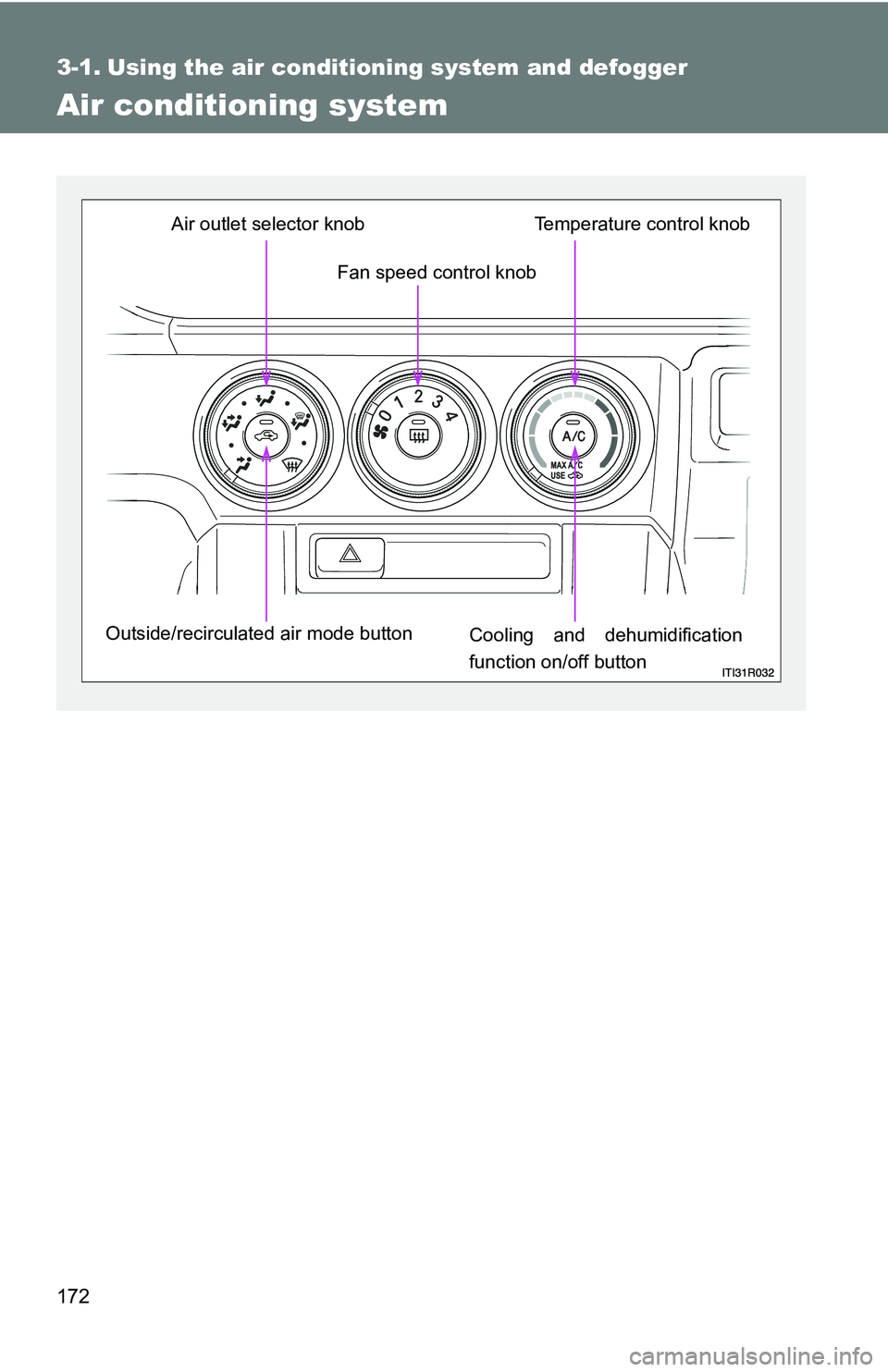
Air conditioning system
Fan speed control knob
Air outlet selector knob
Outside/recirculated air mode button Cooling and dehumidification
function on/off buttonTemperature control knob
Page 173 of 388
173
3-1. Using the air conditioning system
and defogger
3
Interior features
Adjusting the settings
■ Basic setting
To turn on the air conditioning system and adjust the fan
speed, turn the fan speed control knob clockwise (increase) or
counterclockwise (decrease).
Turning the knob to “0” turns off the fan.
To adjust the temperature setting, turn the temperature control
knob clockwise (warm) or counterclockwise (cool).
If is not pressed, the system will blow ambient temperature air
or heated air.
To select the air outlets, set th e air outlet selector knob to the
desired position.
The positions between the air outlet selections shown below can
also be selected for more delicate adjustment.
STEP 1
STEP 2
STEP 3
Page 174 of 388
174 3-1. Using the air conditioning system and defogger
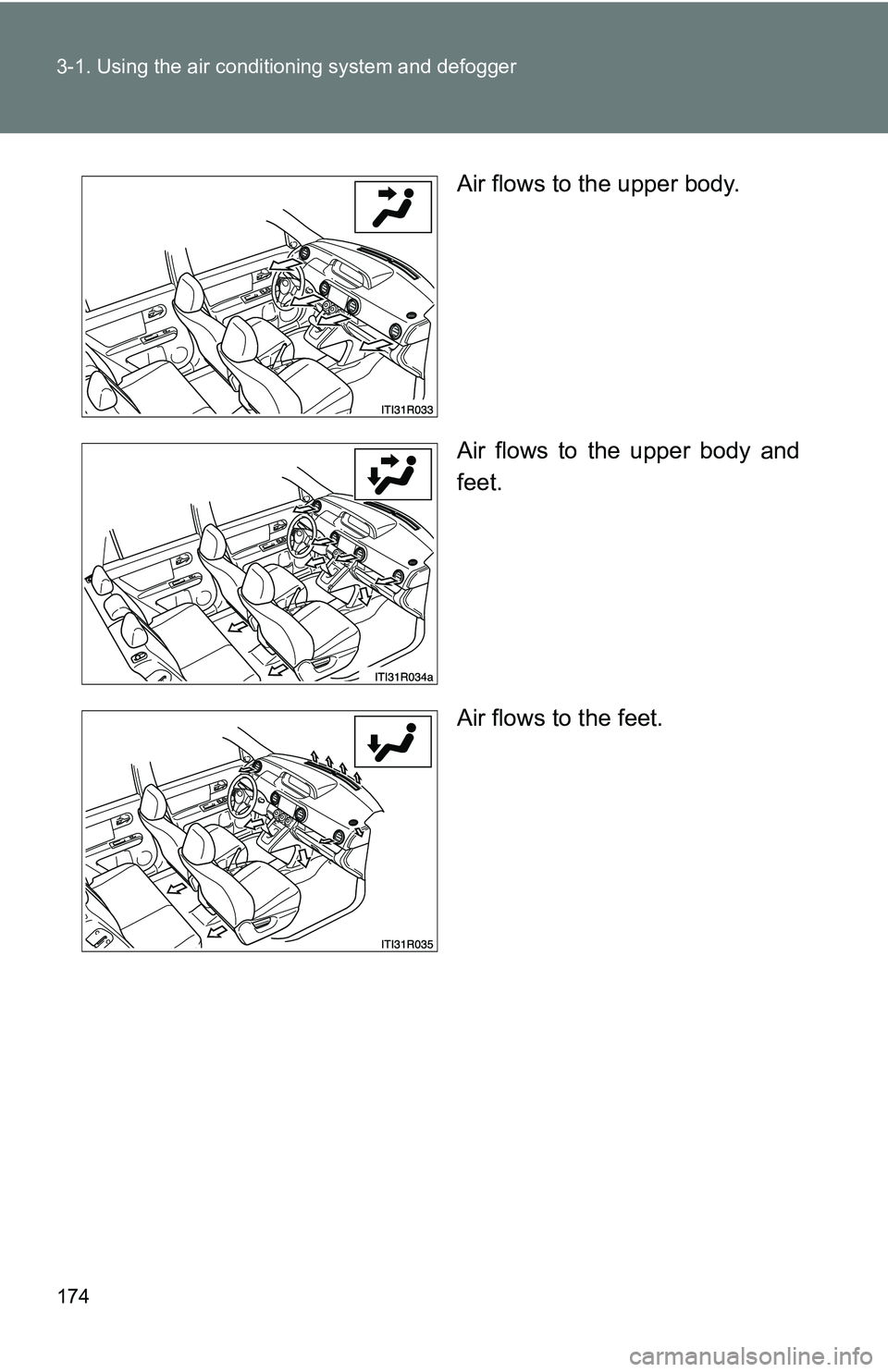
Air flows to the upper body.
Air flows to the upper body and
feet.
Air flows to the feet.
Page 175 of 388
175
3-1. Using the air conditioning system
and defogger
3
Interior features
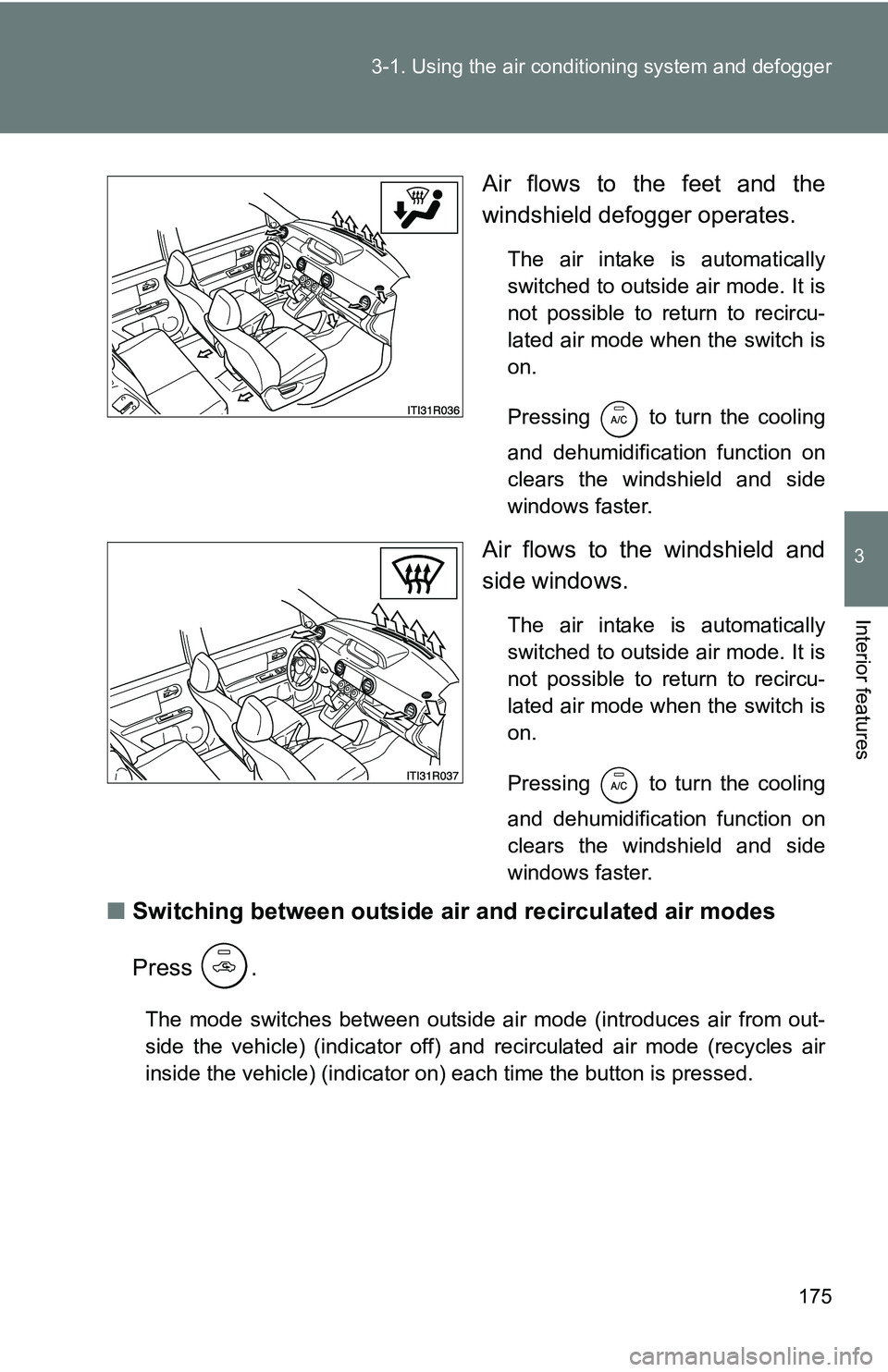
Air flows to the feet and the
windshield defogger operates.
The air intake is automatically
switched to outside air mode. It is
not possible to return to recircu-
lated air mode when the switch is
on.
Pressing to turn the cooling
and dehumidification function on
clears the windshield and side
windows faster.
Air flows to the windshield and
side windows.
The air intake is automatically
switched to outside air mode. It is
not possible to return to recircu-
lated air mode when the switch is
on.
Pressing to turn the cooling
and dehumidification function on
clears the windshield and side
windows faster.
■Switching between outside air and recirculated air modes
Press .
The mode switches between outside air mode (introduces air from out-
side the vehicle) (indicator off) and recirculated air mode (recycles air
inside the vehicle) (indicator on) each time the button is pressed.
Page 176 of 388
176 3-1. Using the air conditioning system and defogger
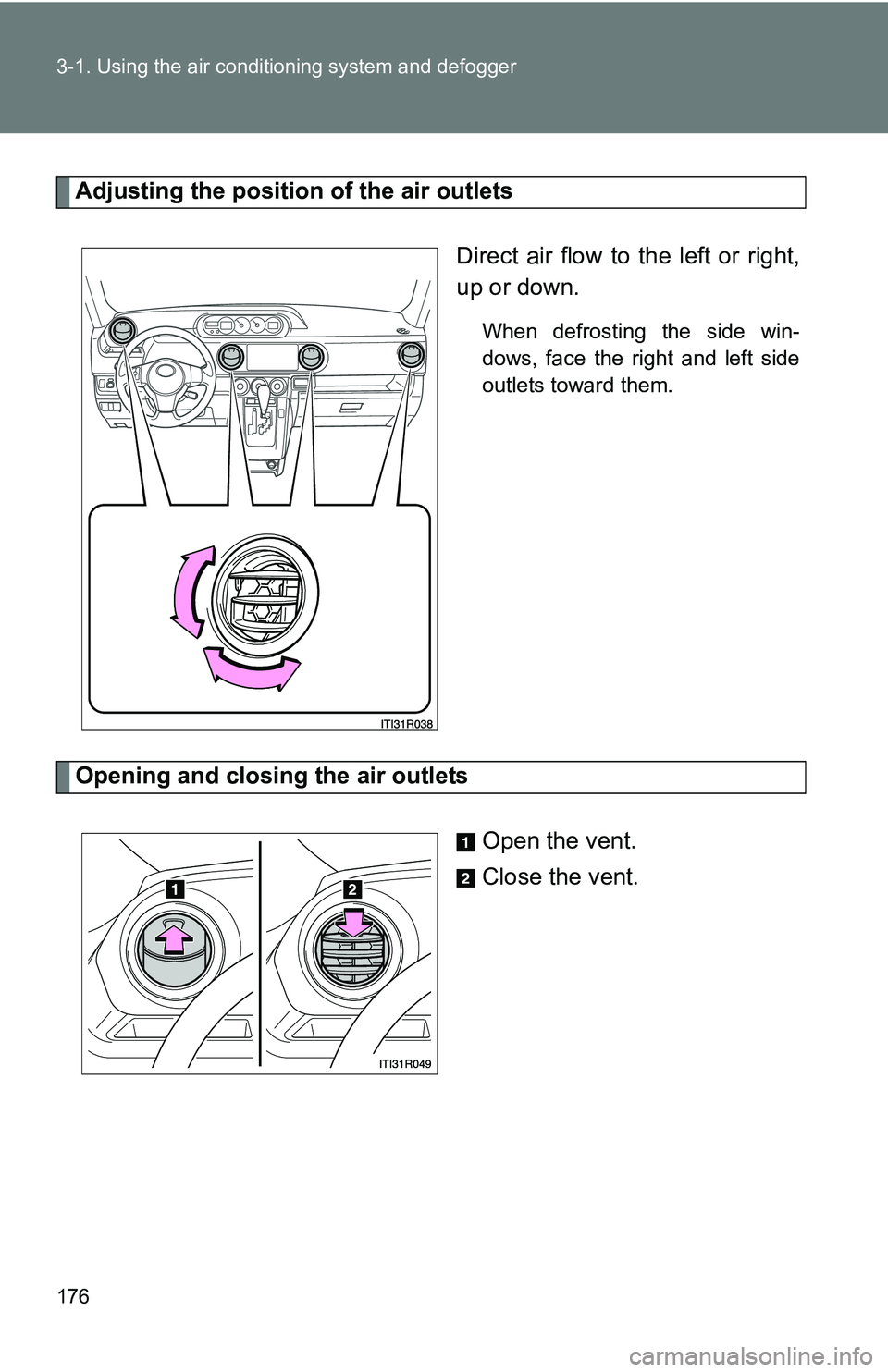
Adjusting the position of the air outlets
Direct air flow to the left or right,
up or down.
When defrosting the side win-
dows, face the right and left side
outlets toward them.
Opening and closing the air outlets
Open the vent.
Close the vent.
Page 177 of 388
177
3-1. Using the air conditioning system
and defogger
3
Interior features
■Using the system in recirculated air mode
The windows will fog up more easily if recirculated air mode is used for an
extended period of time.
■ When
is selected for the air outlets used
For your driving comfort, air flowing to the feet may be warmer than air flow-
ing to the upper body depending on the temperature setting.
■ When outside air temperature is below 32°F (0°C)
The cooling and dehumidification function may not operate even when
is pressed.
■ Air conditioning odors
●During use, various odors from inside and outside the vehicle may enter
into and accumulate in the air conditioning system. This may then cause
odor to be emitted from the vents.
● To reduce potential odors from occurring:
It is recommended that the air conditioning system be set to outside air
mode prior to turning the vehicle off.
CAUTION
■To prevent the windshield from fogging up
Do not use during cool air operation in extremely humid weather. The
difference between the temperature of the outside air and that of the wind-
shield can cause the outer surface of the windshield to fog up, blocking your
vision.
NOTICE
■To prevent battery discharge
Do not leave the air conditioning system on longer than necessary when the
engine is stopped.
Page 178 of 388
178
3-1. Using the air conditioning system and defogger
Rear window and outside rear view mirror defoggers*
: If equipped
■The defoggers can be operated when
The engine switch is in the “ON” position.
■ The outside rear view mirr or defoggers (if equipped)
Turning the rear window defogger on will turn the outside rear view mirror
defoggers on.
CAUTION
■ When the outside rear view mirr or defoggers are on (if equipped)
Do not touch the outside surface of the rear view mirrors, as they can
become very hot and burn you.
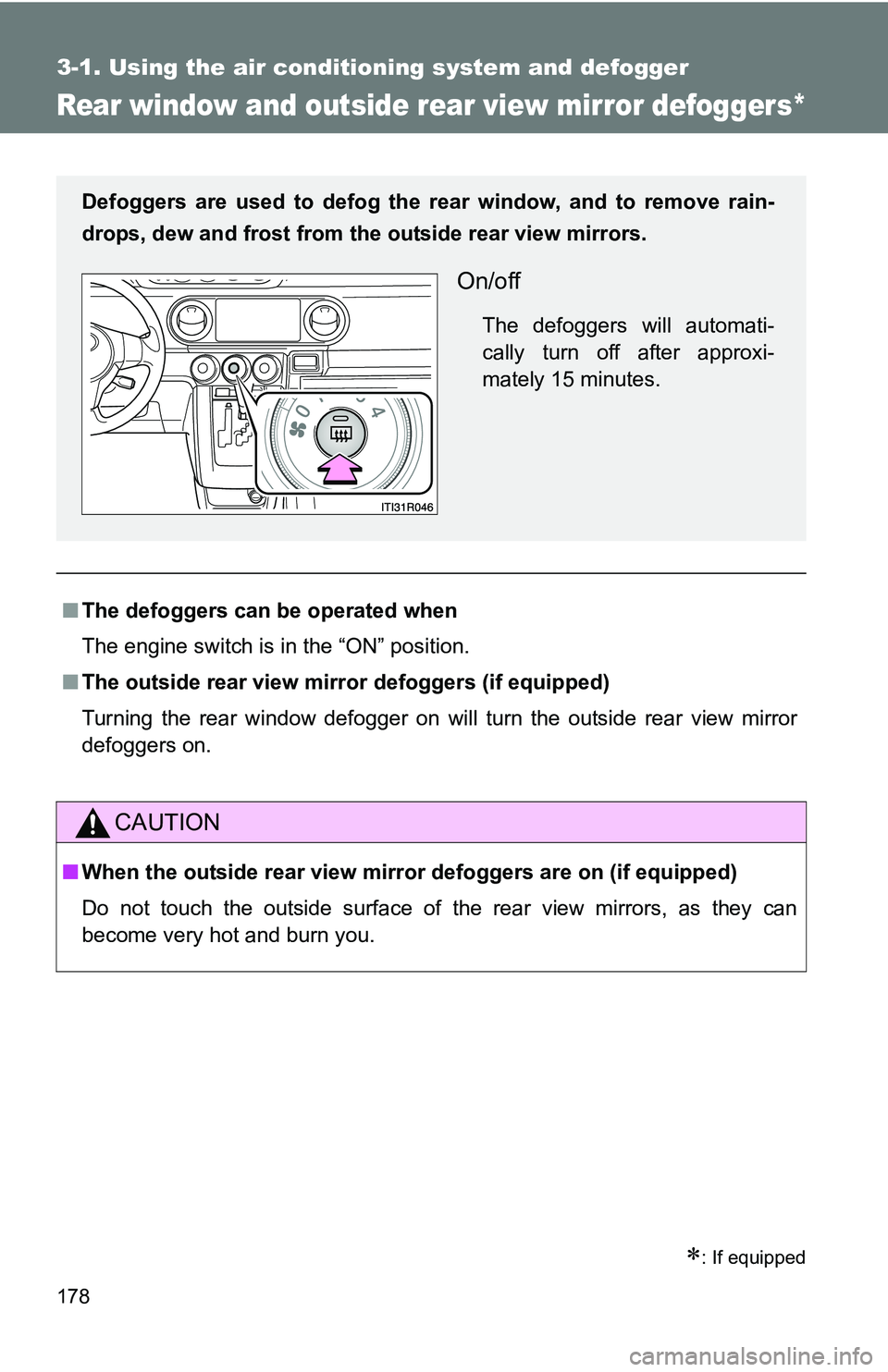
Defoggers are used to defog the rear window, and to remove rain-
drops, dew and frost from the outside rear view mirrors.
On/off
The defoggers will automati-
cally turn off after approxi-
mately 15 minutes.
Page 201 of 388
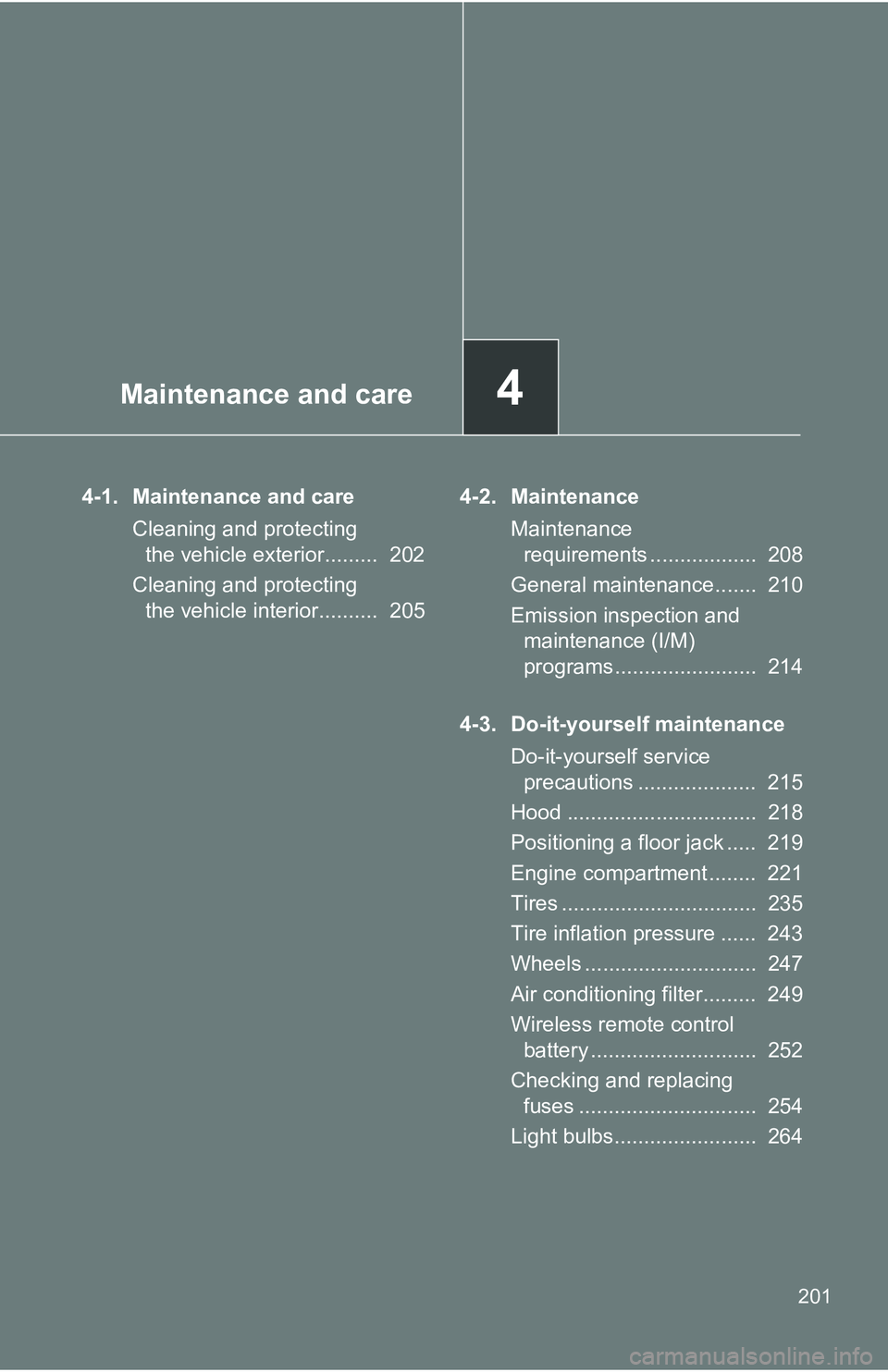
Maintenance and care4
201
4-1. Maintenance and careCleaning and protecting the vehicle exterior......... 202
Cleaning and protecting the vehicle interior.......... 205 4-2. Maintenance
Maintenance requirements .................. 208
General maintenance....... 210
Emission inspection and maintenance (I/M)
programs........................ 214
4-3. Do-it-yourself maintenance Do-it-yourself service precautions .................... 215
Hood ................................ 218
Positioning a floor jack ..... 219
Engine compartment ........ 221
Tires ................................. 235
Tire inflation pressure ...... 243
Wheels ............................. 247
Air conditioning filter......... 249
Wireless remote control battery ............................ 252
Checking and replacing fuses .............................. 254
Light bulbs........................ 264
Page 217 of 388
217
4-3. Do-it-yourself maintenance
4
Maintenance and care
CAUTION
The engine compartment contains many mechanisms and fluids that may
move suddenly, become hot, or become electrically energized. To avoid death
or serious injury, observe the following precautions:
■
When working on the engine compartment
●Keep hands, clothing, and tools away from the moving fan and engine
drive belt.
● Be careful not to touch the engine, radiator, exhaust manifold, etc. right
after driving as they may be hot. Oil and other fluids may also be hot.
● Do not leave anything that may burn easily, such as paper and rags, in the
engine compartment.
● Do not smoke, cause sparks or expose an open flame to fuel or the bat-
tery. Fuel and battery fumes are flammable.
● Be extremely cautious when working on the battery. It contains poisonous
and corrosive sulfuric acid.
■ When working near the electric c ooling fans or radiator grille
Be sure the engine switch is off.
With the ignition on, the electric cooling fans may automatically start to run if
the air conditioning is on and/or the coolant temperature is high. ( P. 228)
■ Safety glasses
Wear safety glasses to prevent flying or falling material, fluid spray, etc. from
getting your eyes.
NOTICE
■If you remove the air cleaner filter
Driving with the air cleaner filter removed may cause excessive engine wear
due to dirt in the air. Also, a backfire could cause a fire in the engine com-
partment.