reset TOYOTA xB 2011 Owners Manual (in English)
[x] Cancel search | Manufacturer: TOYOTA, Model Year: 2011, Model line: xB, Model: TOYOTA xB 2011Pages: 388, PDF Size: 11.79 MB
Page 12 of 388
12
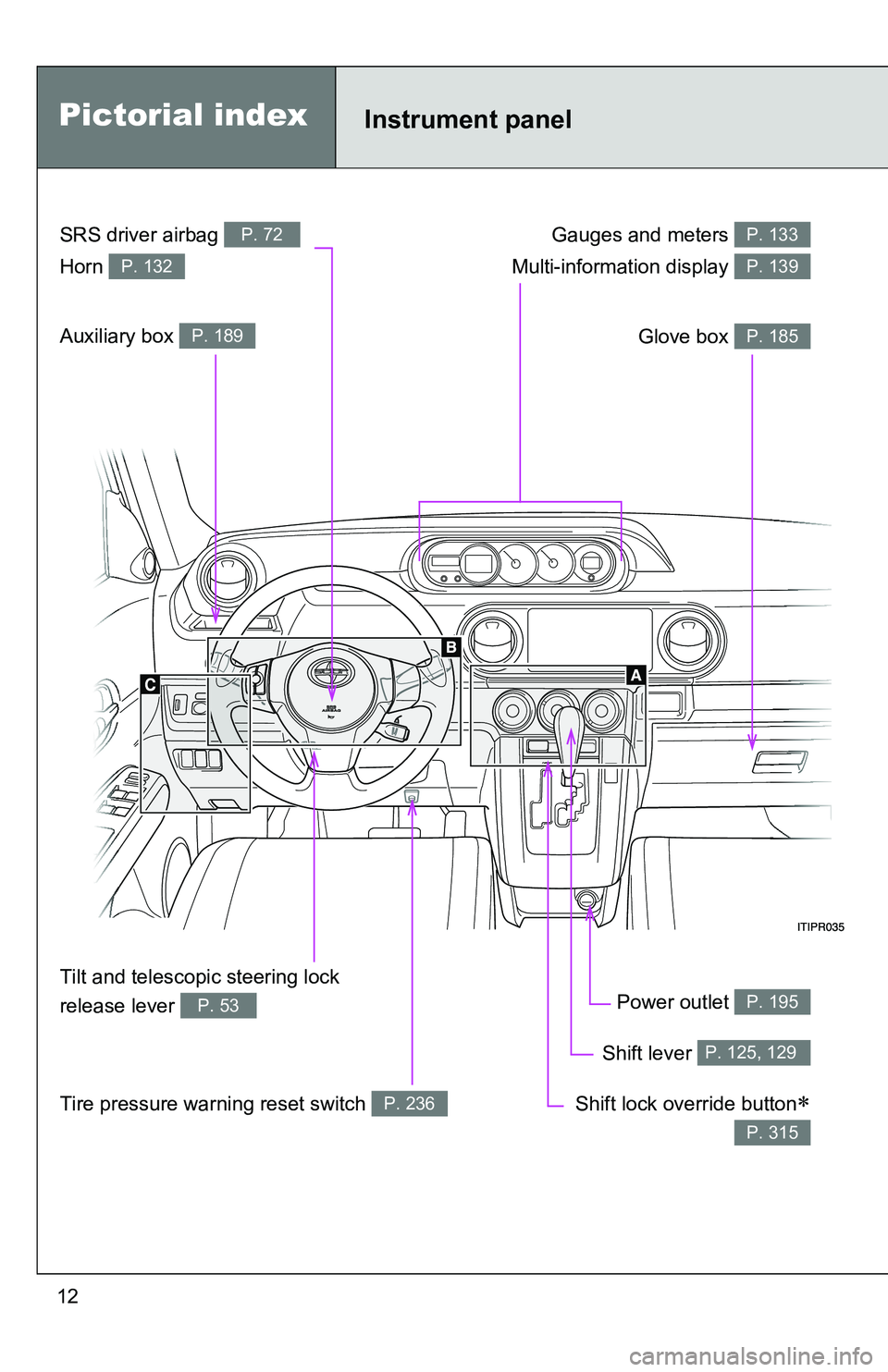
Gauges and meters P. 133
Glove box P. 185
Power outlet P. 195
Shift lever P. 125, 129
Shift lock override button
P. 315
SRS driver airbag P. 72
Horn P. 132
Tilt and telescopic steering lock
release lever
P. 53
Tire pressure warning reset switch P. 236
Auxiliary box P. 189
Multi-information display P. 139
Instrument panelPictorial index
Page 134 of 388
134 2-2. Instrument cluster
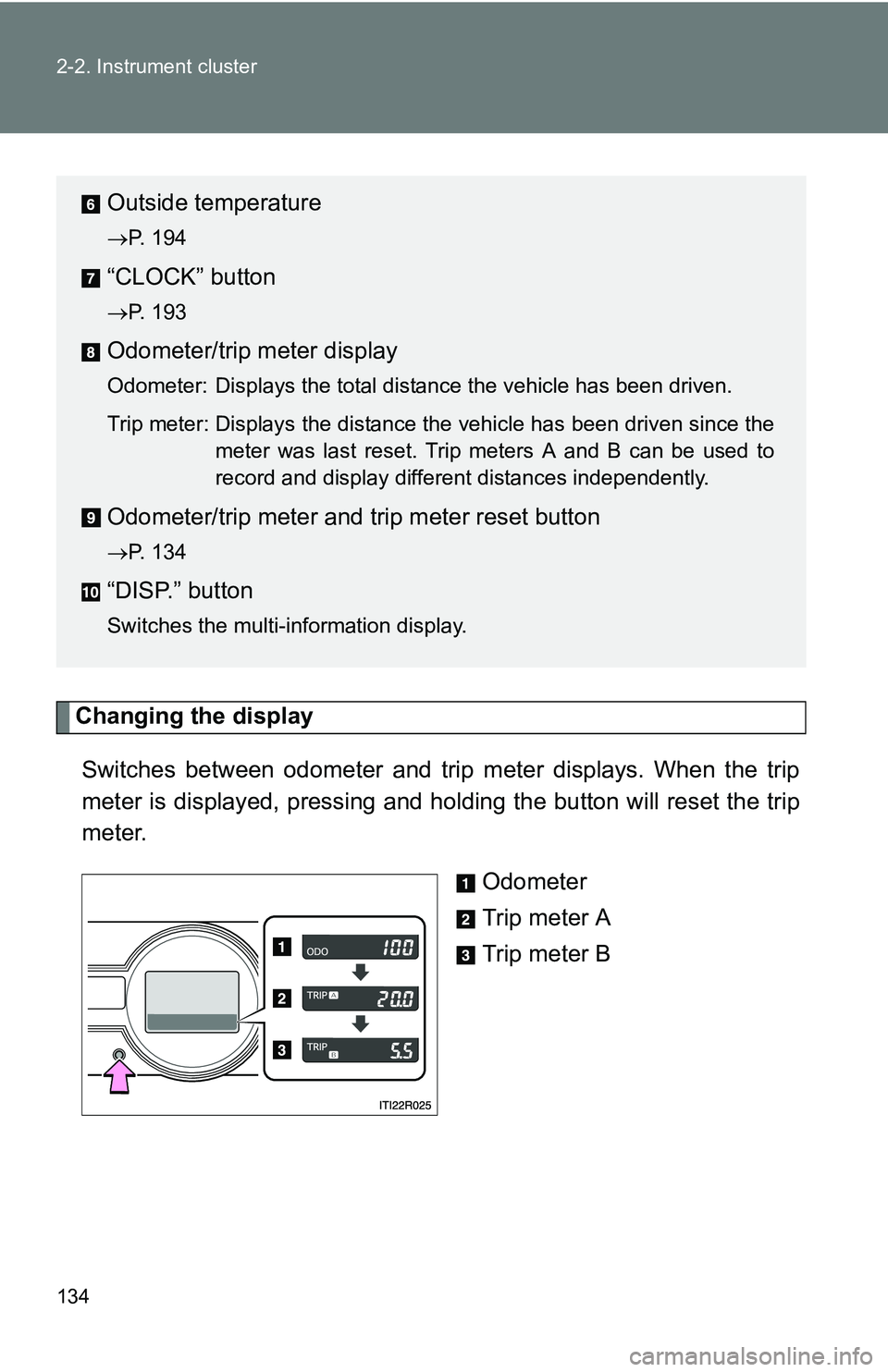
Changing the displaySwitches between odometer and trip meter displays. When the trip
meter is displayed, pressing and holding the button will reset the trip
meter. Odometer
Trip meter A
Trip meter B
Outside temperature
P. 194
“CLOCK” button
P. 193
Odometer/trip meter display
Odometer: Displays the total distance the vehicle has been driven.
Trip meter: Displays the distance the vehicle has been driven since themeter was last reset. Trip meters A and B can be used to
record and display different distances independently.
Odometer/trip meter and trip meter reset button
P. 134
“DISP.” button
Switches the multi-information display.
Page 135 of 388
135
2-2. Instrument cluster
2
When driving
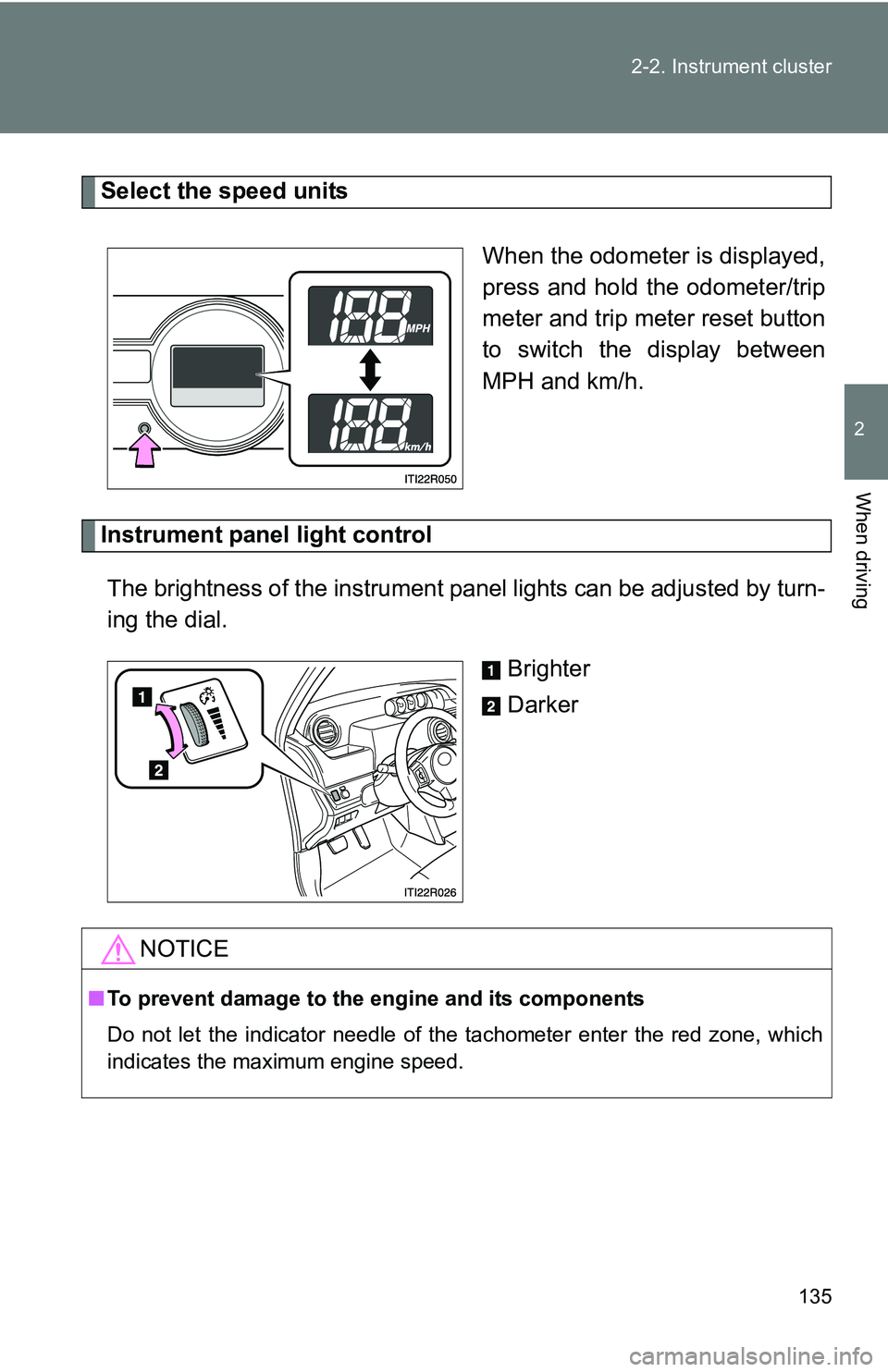
Select the speed units
When the odometer is displayed,
press and hold the odometer/trip
meter and trip meter reset button
to switch the display between
MPH and km/h.
Instrument panel light controlThe brightness of the instrument pa nel lights can be adjusted by turn-
ing the dial.
Brighter
Darker
NOTICE
■To prevent damage to the engine and its components
Do not let the indicator needle of the tachometer enter the red zone, which
indicates the maximum engine speed.
Page 140 of 388
140 2-2. Instrument cluster
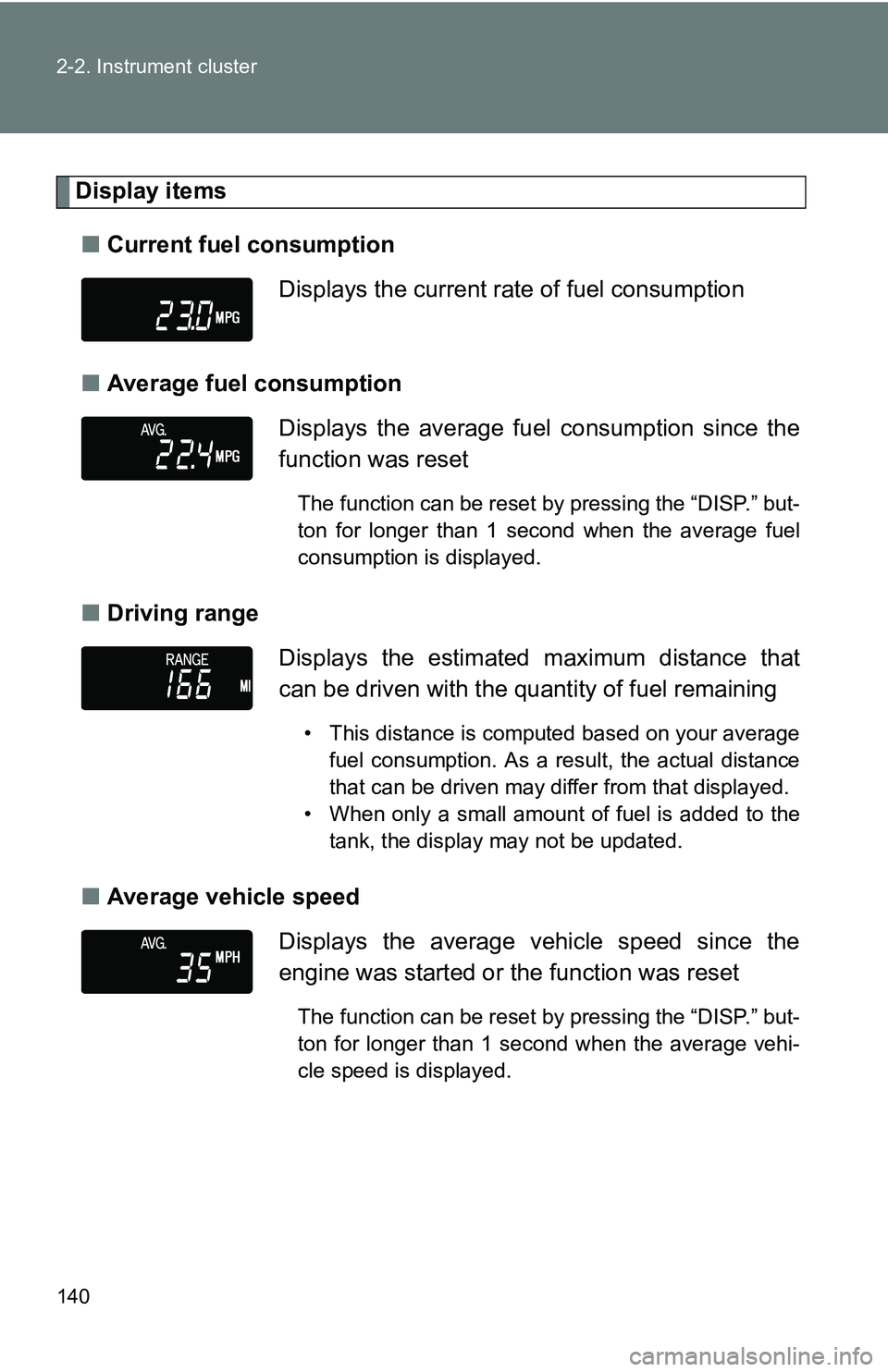
Display items■ Current fuel consumption
■ Average fuel consumption
■ Driving range
■ Average vehicle speed Displays the current rate of fuel consumption
Displays the average fuel
consumption since the
function was reset
The function can be reset by pressing the “DISP.” but-
ton for longer than 1 second when the average fuel
consumption is displayed.
Displays the estimated maximum distance that
can be driven with the quantity of fuel remaining
• This distance is computed based on your average fuel consumption. As a result, the actual distance
that can be driven may differ from that displayed.
• When only a small amount of fuel is added to the tank, the display may not be updated.
Displays the average vehicle speed since the
engine was started or the function was reset
The function can be reset by pressing the “DISP.” but-
ton for longer than 1 second when the average vehi-
cle speed is displayed.
Page 141 of 388
141
2-2. Instrument cluster
2
When driving
■
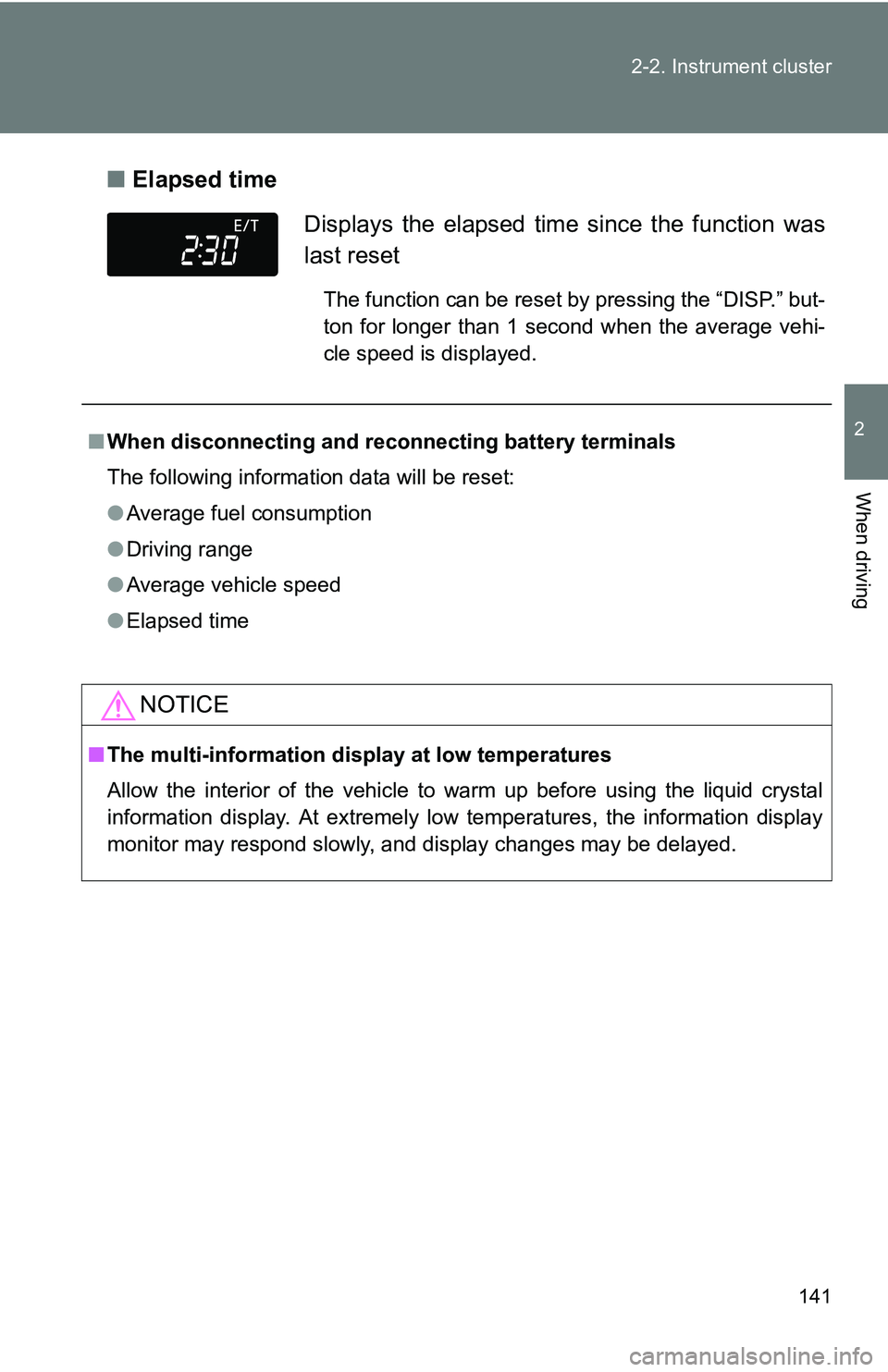
Elapsed time
Displays the elapsed time since the function was
last reset
The function can be reset by pressing the “DISP.” but-
ton for longer than 1 second when the average vehi-
cle speed is displayed.
■ When disconnecting and reco nnecting battery terminals
The following information data will be reset:
● Average fuel consumption
● Driving range
● Average vehicle speed
● Elapsed time
NOTICE
■The multi-information disp lay at low temperatures
Allow the interior of the vehicle to warm up before using the liquid crystal
information display. At extremely low temperatures, the information display
monitor may respond slowly, and display changes may be delayed.
Page 149 of 388
149
2-4. Using other
driving systems
2
When driving
■Cruise control can be set when
●On vehicles with an automatic transmission, the shift lever is in the D or
range 3 or higher of S has been selected.
● Vehicle speed is above approximately 25 mph (40 km/h).
■ Accelerating
The vehicle can be accelerated normally. After acceleration, the set speed
resumes.
■ Automatic cruise control cancelation
Cruise control will stop maintaining the vehicle speed in any of the following
situations.
●Actual vehicle speed falls more than approximately 10 mph (16 km/h)
below the preset vehicle speed.
At this time, the memorized set speed is not retained.
● Actual vehicle speed is below approximately 25 mph (40 km/h).
● VSC is activated.
■ If the cruise control indicator light flashes
Press the “ON-OFF” button once to deactivate the system, and then press
the button again to reactivate the system.
If the cruise control speed cannot be set or if the cruise control cancels
immediately after being activated, there may be a malfunction in the cruise
control system. Have the vehicle inspected by your Scion dealer.
Page 224 of 388
224 4-3. Do-it-yourself maintenance
■Engine oil consumption
●The amount of engine oil consumed depends on the oil viscosity, the
quality of the oil and the way the vehicle is driven.
● More oil is consumed under driving conditions such as high speeds and
frequent acceleration and deceleration.
● A new engine consumes more oil.
● When judging the amount of oil consumption, keep in mind that the oil
may have become diluted, making it difficult to judge the true level accu-
rately.
● Oil consumption: Max. 1.1 qt./600 miles (0.9 lmp. qt./600 miles,1.0 L p\
er
1000 km)
● If your vehicle consumes more than 1.1 qt. (1.0 L, 0.9 lmp. qt.) every
600 miles (1000 km), contact your Scion dealer.
■ After changing the engine oil (U.S.A. only)
The engine oil maintenance data should be reset. Perform the following pro-
cedures:
Switch the display to the trip meter A when the engine is running.
(P. 133)
Turn the engine switch to the “LOCK” position.
While pressing the trip meter reset button ( P. 133), turn the
engine switch to the “ON” position (but do not start the engine
because otherwise the reset mode will be canceled). Continue to
press and hold the button until the trip meter displays “000000”.
STEP 1
STEP 2
STEP 3
Page 237 of 388
237
4-3. Do-it-yourself maintenance
4
Maintenance and care
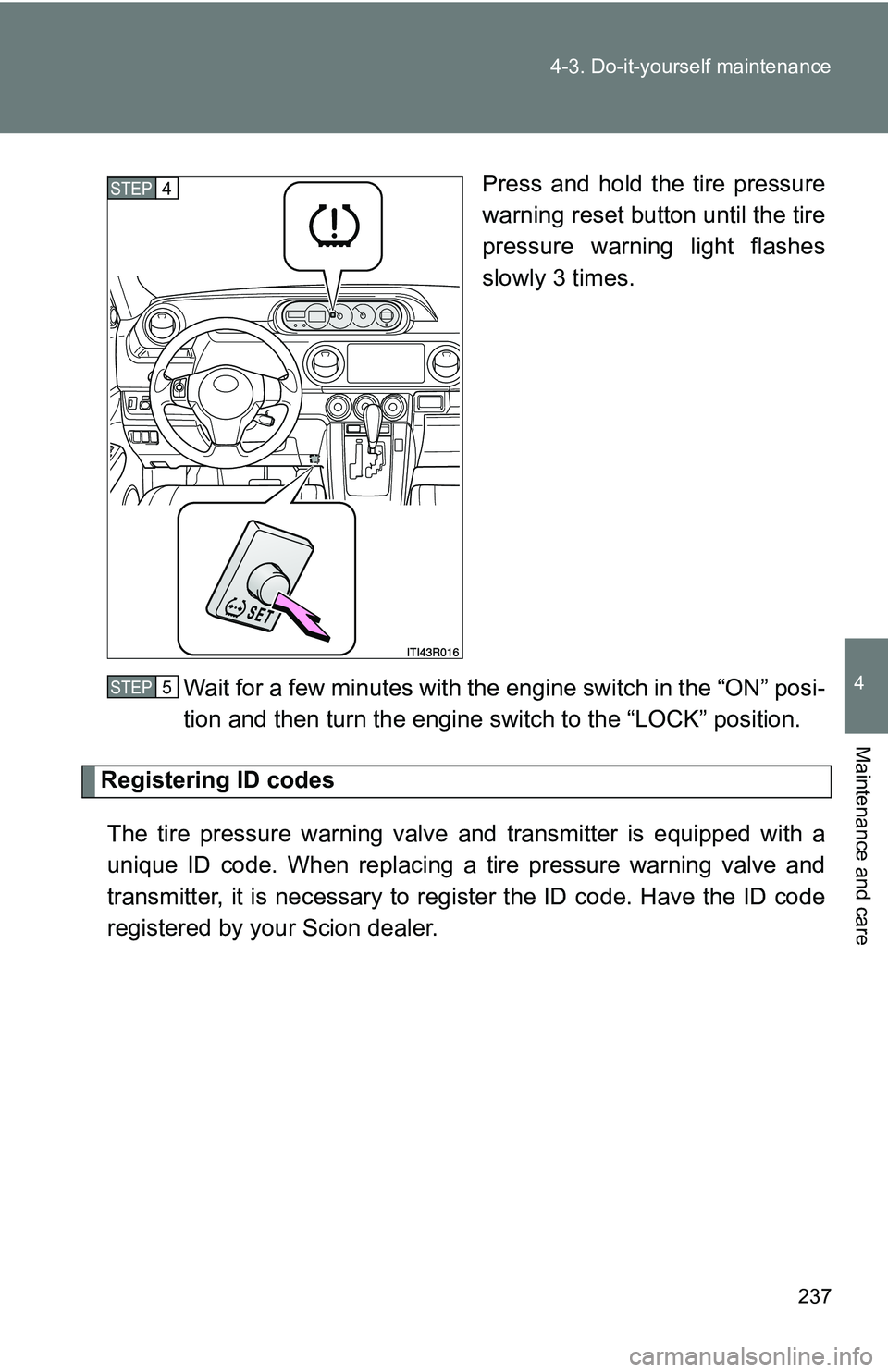
Press and hold the tire pressure
warning reset button until the tire
pressure warning light flashes
slowly 3 times.
Wait for a few minutes with the engine switch in the “ON” posi-
tion and then turn the engine switch to the “LOCK” position.
Registering ID codes The tire pressure warning valve and transmitter is equipped with a
unique ID code. When replacing a tire pressure warning valve and
transmitter, it is necessary to regi ster the ID code. Have the ID code
registered by your Scion dealer.
STEP 4
STEP 5
Page 239 of 388
239
4-3. Do-it-yourself maintenance
4
Maintenance and care
■Tire types
●Summer tires
Summer tires are high-speed performance tires best suited to highway
driving under dry conditions. Since summer tires do not have the same
traction performance as snow tire
s, summer tires are inadequate for
driving on snow-covered or icy roads. For driving on snow-covered
roads or icy roads, the use of snow tires is recommended. When
installing snow tires, be sure to replace all four tires.
●All season tires
All season tires are designed to provide better traction in snow and to
be adequate for driving in most winter conditions as well as for use
year round. All season tires, however, do not have adequate traction
performance compared with snow tires in heavy or loose snow. Also,
all season tires fall short in acceleration and handling performance
compared with summer tires in highway driving.
●Snow tires
For driving on snow-covered roads or icy roads, we recommend using
snow tires. If you need snow tires, select tires of the same size, con-
struction and load capacity as the or iginally installed tires. Since your
vehicle has radial tires as original equipment, make sure your snow
tires also have radial construction. Do not install studded tires without
first checking local regulations for possible restrictions. Snow tires
should be installed on all wheels. ( P. 162)
■Initializing the tire pressure warning system
Initialize the system with the tire infl ation pressure adjusted to the speci-
fied level.
■If the tread on snow tires wears down below 0.16 in. (4 mm)
The effectiveness of the tires as snow tires is lost.
■If you push the tire pressure warning reset button accidentally
If initialization is performed, adjust t he tire inflation pressure to the speci-
fied level and initialize the tire pressure warning system again.
Page 240 of 388
240 4-3. Do-it-yourself maintenance
■When the initialization of the tire pressure warning system has
failed
Initialization can be completed in a few minutes. However, in the follow-
ing cases, the settings have not b een recorded and the system will not
operate properly. If repeated attempts to record tire inflation pressure
settings are unsuccessful, have the vehicle inspected by your Scion
dealer.
●When operating the tire pressure warning reset button, the tire pres-
sure warning light does not flash 3 times.
●After driving for a certain period of time since the initialization has
been completed, the warning light comes on after blinking for 1
minute.
■Tire pressure warning system certification
FCC ID: PAXPMV107J
FCC ID: HYQ13BCX
IC ID: 3729A-PMV107J
IC ID: 1551A-13BCX
For vehicles sold in the U.S.A.
This device complies with Part 15 of the FCC Rules. Operation is subject
to the following two conditions: (1) this device may not cause harmful
interference, and (2) this device must accept any interference received,
including interference that may cause undesired operation.
FCC WARNING:
Changes or modifications not expre ssly approved by the party responsi-
ble for compliance could void the user’s authority to operate the equip-
ment.
For vehicles sold in Canada
Operation is subject to the following two conditions: (1) this device may
not cause interference, and (2) this de vice must accept any interference,
including interference that may caus e undesired operation of the device.