control TOYOTA YARIS 2015 3.G Service Manual
[x] Cancel search | Manufacturer: TOYOTA, Model Year: 2015, Model line: YARIS, Model: TOYOTA YARIS 2015 3.GPages: 364, PDF Size: 5.74 MB
Page 173 of 364
1735-1. Using the air conditioning system and defogger
5
Interior features
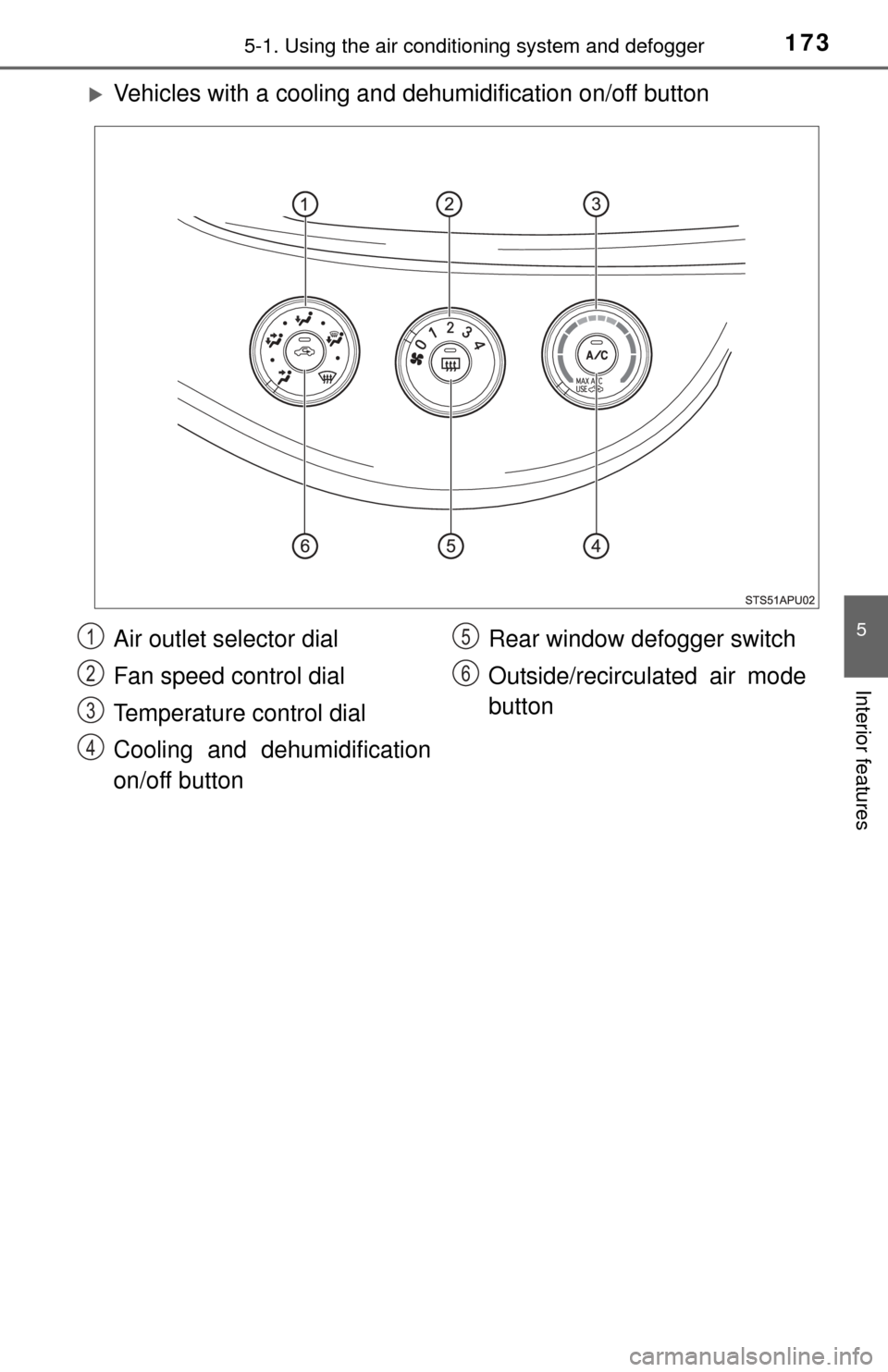
Vehicles with a cooling and dehumidification on/off button
Air outlet selector dial
Fan speed control dial
Temperature control dial
Cooling and dehumidification
on/off button Rear window defogger switch
Outside/recirculated air mode
button
1
2
3
4
5
6
Page 174 of 364
1745-1. Using the air conditioning system and defogger
■Adjusting the temperature setting
Vehicles without the button
Turn the temperature control dial clockwise to increase the temper-
ature.
Vehicles with the button
To adjust the temperature setting, turn the temperature control dial
clockwise (warm) or counterclockwise (cool).
If is not pressed, the system will blow ambient temperature air or
heated air.
For quick cooling, turn the temperature control dial to “MAX A/C” posi-
tion and set the outside/recirculated ai r mode button to recirculated air
mode.
■
Fan speed setting
To adjust the fan speed, turn the fan speed control dial clockwise
(increase) or counterclockwise (decrease).
Turning the dial to “0” turns off the fan.
■
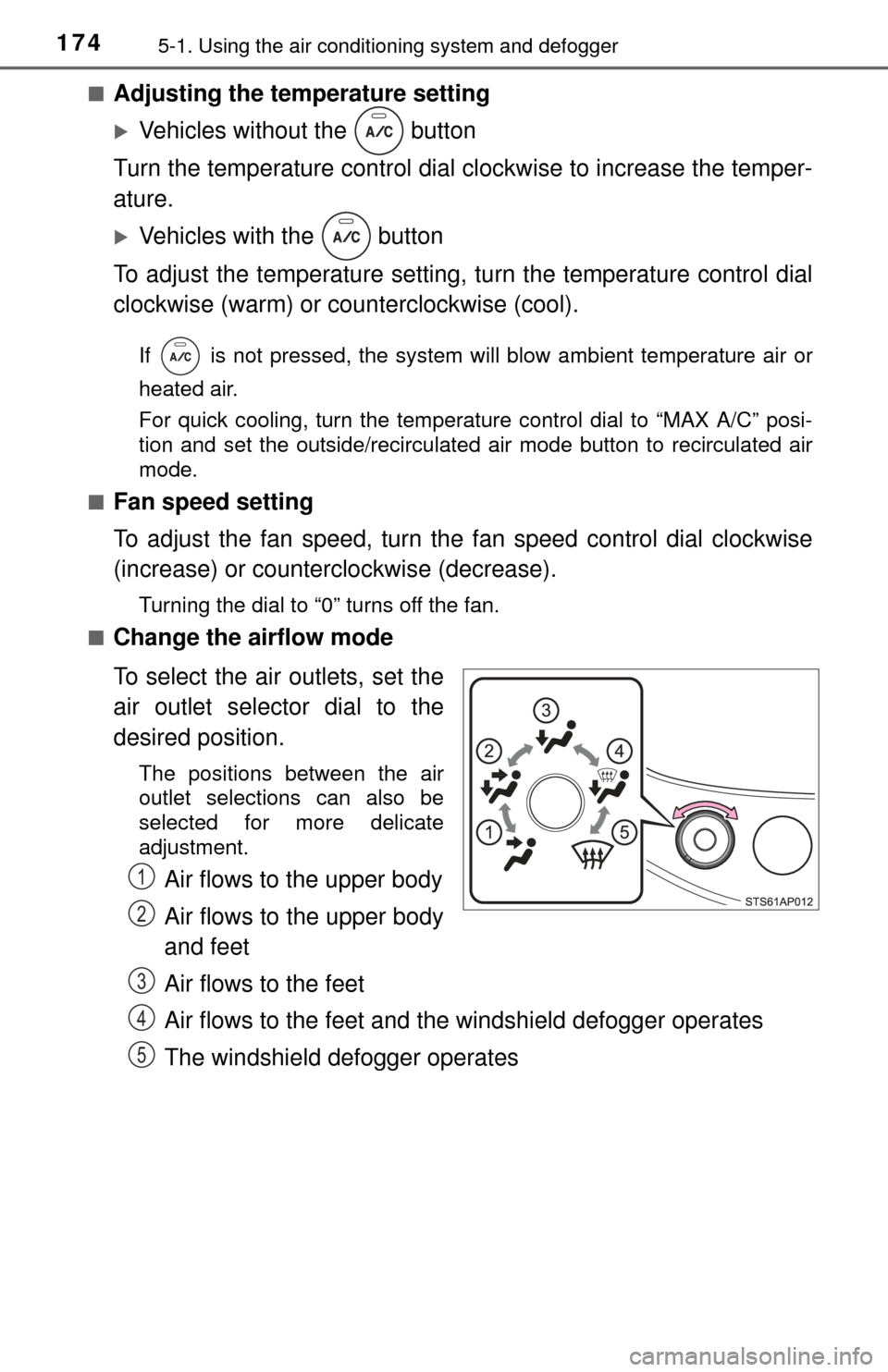
Change the airflow mode
To select the air outlets, set the
air outlet selector dial to the
desired position.
The positions between the air
outlet selections can also be
selected for more delicate
adjustment.
Air flows to the upper body
Air flows to the upper body
and feet
Air flows to the feet
Air flows to the feet and the windshield defogger operates
The windshield defogger operates1
2
3
4
5
Page 175 of 364
1755-1. Using the air conditioning system and defogger
5
Interior features
■Other functions
●Switching between outside air and recirculated air modes
( P. 175)
● Defogging the windshield ( P. 175)
● Defogging the rear window and outside rear view mirrors
( P. 176)
■Switching between outside air and recirculated air modes
Press .
The mode switches between outside air mode (introduces air from
outside the vehicle) (indicator off) and recirculated air mode (recy-
cles air inside the vehicle) (indicator on) each time the button is
pressed.
■Defogging the windshield
Defoggers are used to defog the windshield and front side win-
dows.
Set the air outlet selector dial to position.
If the recirculated air mode is used, it will automatically switch to the out-
side air mode.
In this position, the outside/recirculated air mode cannot be changed to
the recirculated air mode.
Perform the following operations accordingly:
● To adjust the fan speed, turn the fan speed control dial.
● To adjust the temperature setting, turn the temperature control
dial.
● Vehicles with the button: If the dehumidification function is
not operating, press to oper ate the dehumidification func-
tion.
To defog the windshield and the side windows early, turn the air flow and
temperature up.
Other functions
Page 181 of 364
1815-2. Using the audio system
5
Interior features
AUX port/USB port
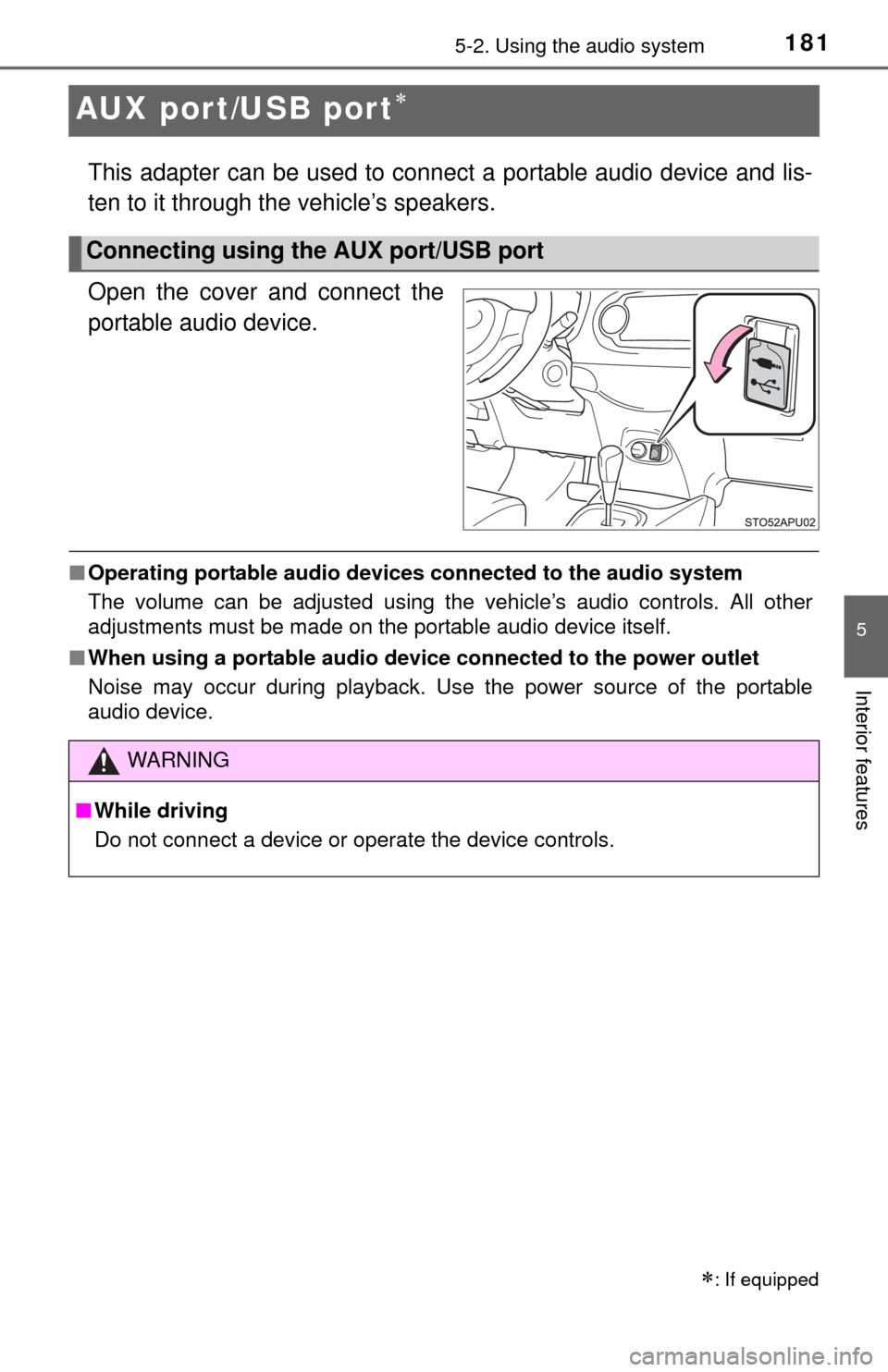
This adapter can be used to connect a portable audio device and lis-
ten to it through the vehicle’s speakers.
Open the cover and connect the
portable audio device.
■Operating portable audio devices connected to the audio system
The volume can be adjusted using the vehicle’s audio controls. All other
adjustments must be made on the portable audio device itself.
■ When using a portable audio devi ce connected to the power outlet
Noise may occur during playback. Use the power source of the portable
audio device.
: If equipped
Connecting using the AUX port/USB port
WARNING
■ While driving
Do not connect a device or operate the device controls.
Page 193 of 364

193
6Maintenance and care
6-1. Maintenance and careCleaning and protecting the vehicle exterior .......... 194
Cleaning and protecting the vehicle interior ........... 197
6-2. Maintenance Maintenance requirements ................... 200
General maintenance........ 202
Emission inspection and maintenance (I/M)
program .......................... 205
6-3. Do-it-yourself maintenance Do-it-yourself service precautions ..................... 206
Hood ................................. 209
Positioning a floor jack ...... 211
Engine compartment ......... 213
Tires .................................. 223
Tire inflation pressure ....... 231
Wheels .............................. 235
Air conditioning filter.......... 238
Wireless remote control battery ............................. 240
Checking and replacing fuses ............................... 243
Light bulbs......................... 248
Page 204 of 364
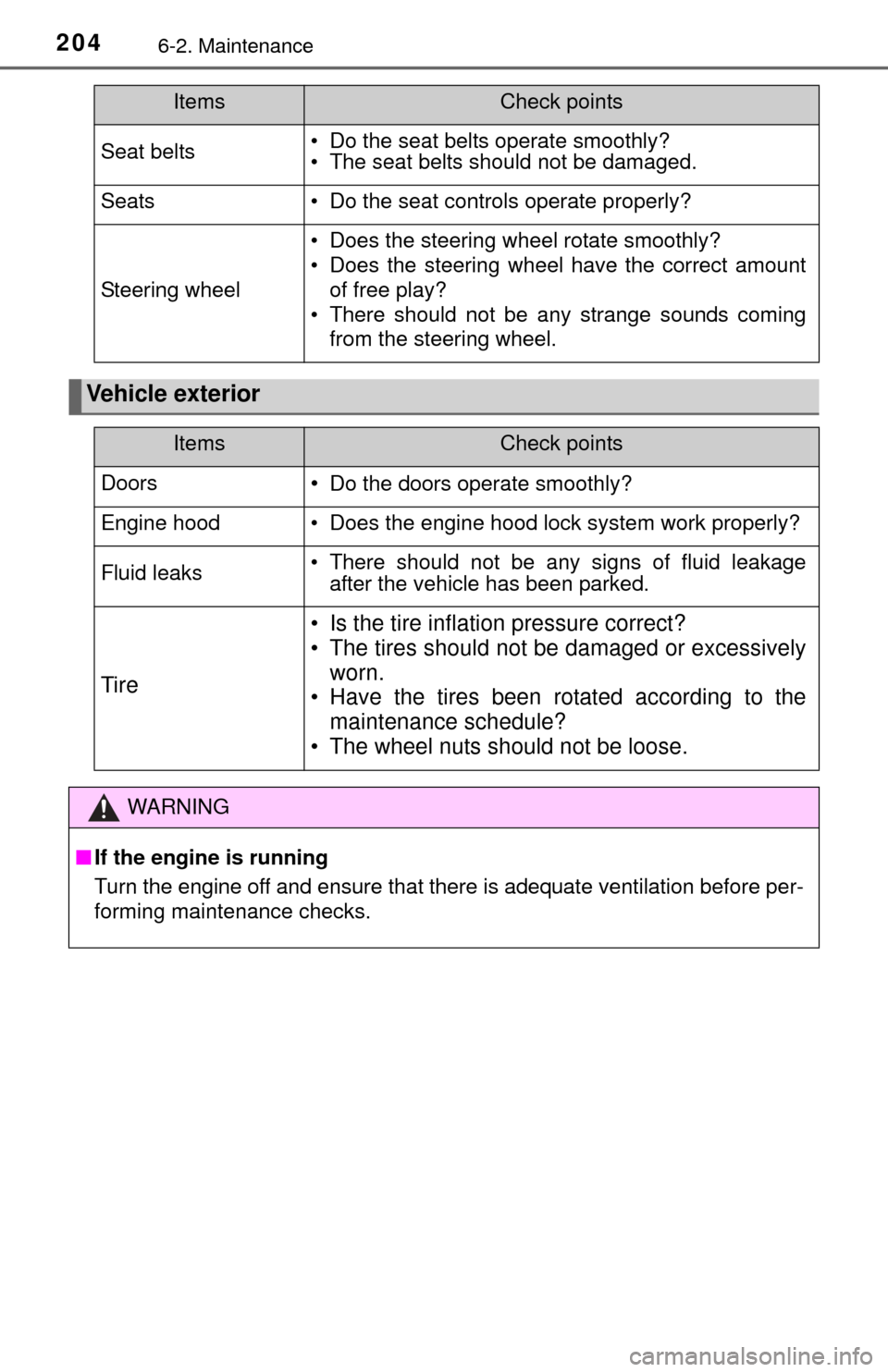
2046-2. Maintenance
Seat belts• Do the seat belts operate smoothly?
• The seat belts should not be damaged.
Seats• Do the seat controls operate properly?
Steering wheel
• Does the steering wheel rotate smoothly?
• Does the steering wheel have the correct amountof free play?
• There should not be any strange sounds coming from the steering wheel.
Vehicle exterior
ItemsCheck points
ItemsCheck points
Doors•Do the doors operate smoothly?
Engine hood• Does the engine hood lock system work properly?
Fluid leaks• There should not be any signs of fluid leakageafter the vehicle has been parked.
Tire
• Is the tire inflation pressure correct?
• The tires should not be damaged or excessively
worn.
• Have the tires been rotated according to the
maintenance schedule?
• The wheel nuts should not be loose.
WARNING
■ If the engine is running
Turn the engine off and ensure that there is adequate ventilation before per-
forming maintenance checks.
Page 205 of 364
2056-2. Maintenance
6
Maintenance and care
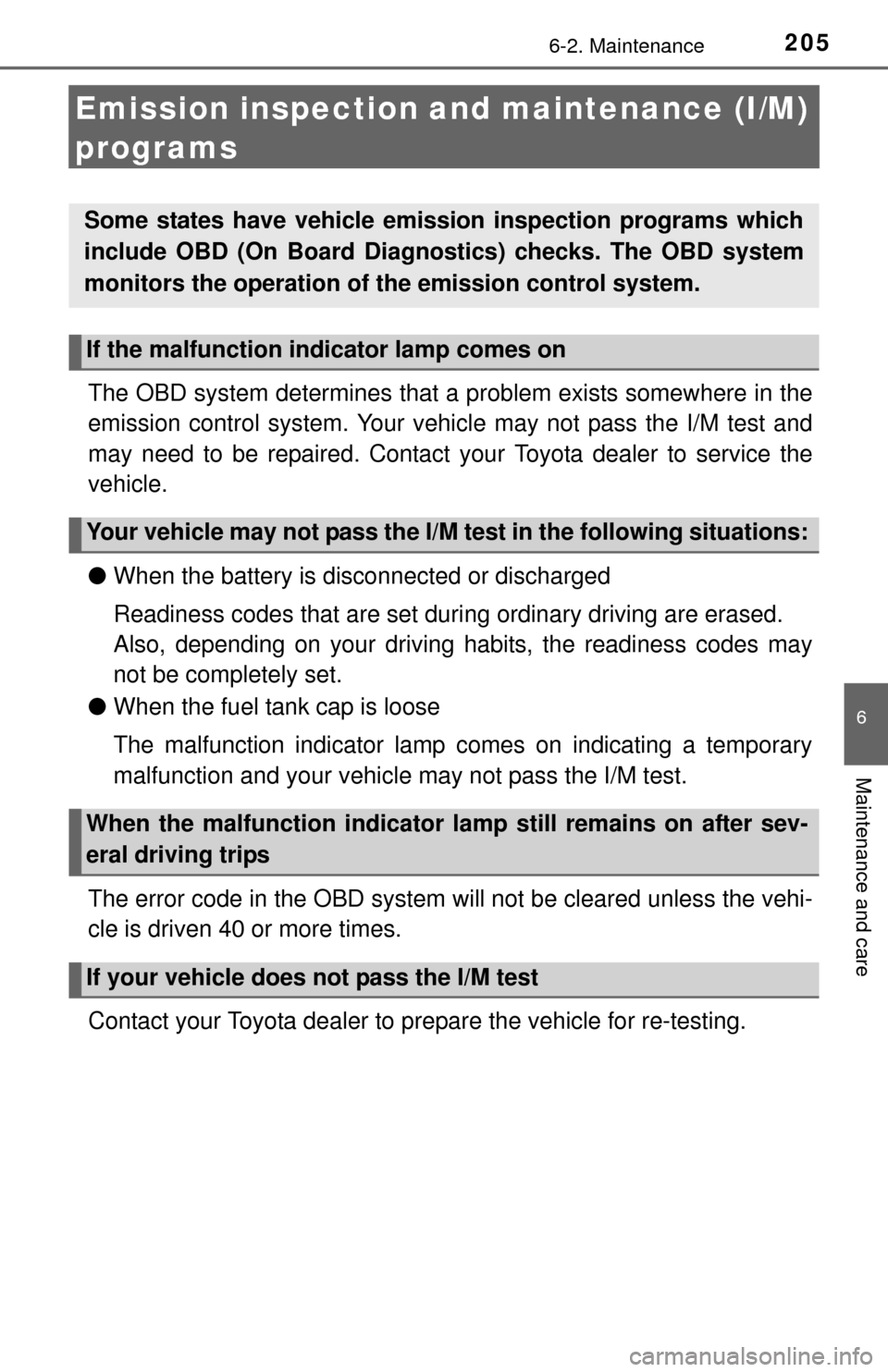
Emission inspection and maintenance (I/M)
programs
The OBD system determines that a problem exists somewhere in the
emission control system. Your vehicl e may not pass the I/M test and
may need to be repaired. Contact your Toyota dealer to service the
vehicle.
● When the battery is disconnected or discharged
Readiness codes that are set duri ng ordinary driving are erased.
Also, depending on your driving habits, the readiness codes may
not be completely set.
● When the fuel tank cap is loose
The malfunction indicator lamp comes on indicating a temporary
malfunction and your vehicle may not pass the I/M test.
The error code in the OBD system will not be cleared unless the vehi-
cle is driven 40 or more times.
Contact your Toyota dealer to prepare the vehicle for re-testing.
Some states have vehicle emission inspection programs which
include OBD (On Board Diagnos tics) checks. The OBD system
monitors the operation of the emission control system.
If the malfunction indicator lamp comes on
Your vehicle may not pass the I/M test in the following situations:
When the malfunction indicator lamp still remains on after sev-
eral driving trips
If your vehicle does not pass the I/M test
Page 235 of 364
2356-3. Do-it-yourself maintenance
6
Maintenance and care
Wheels
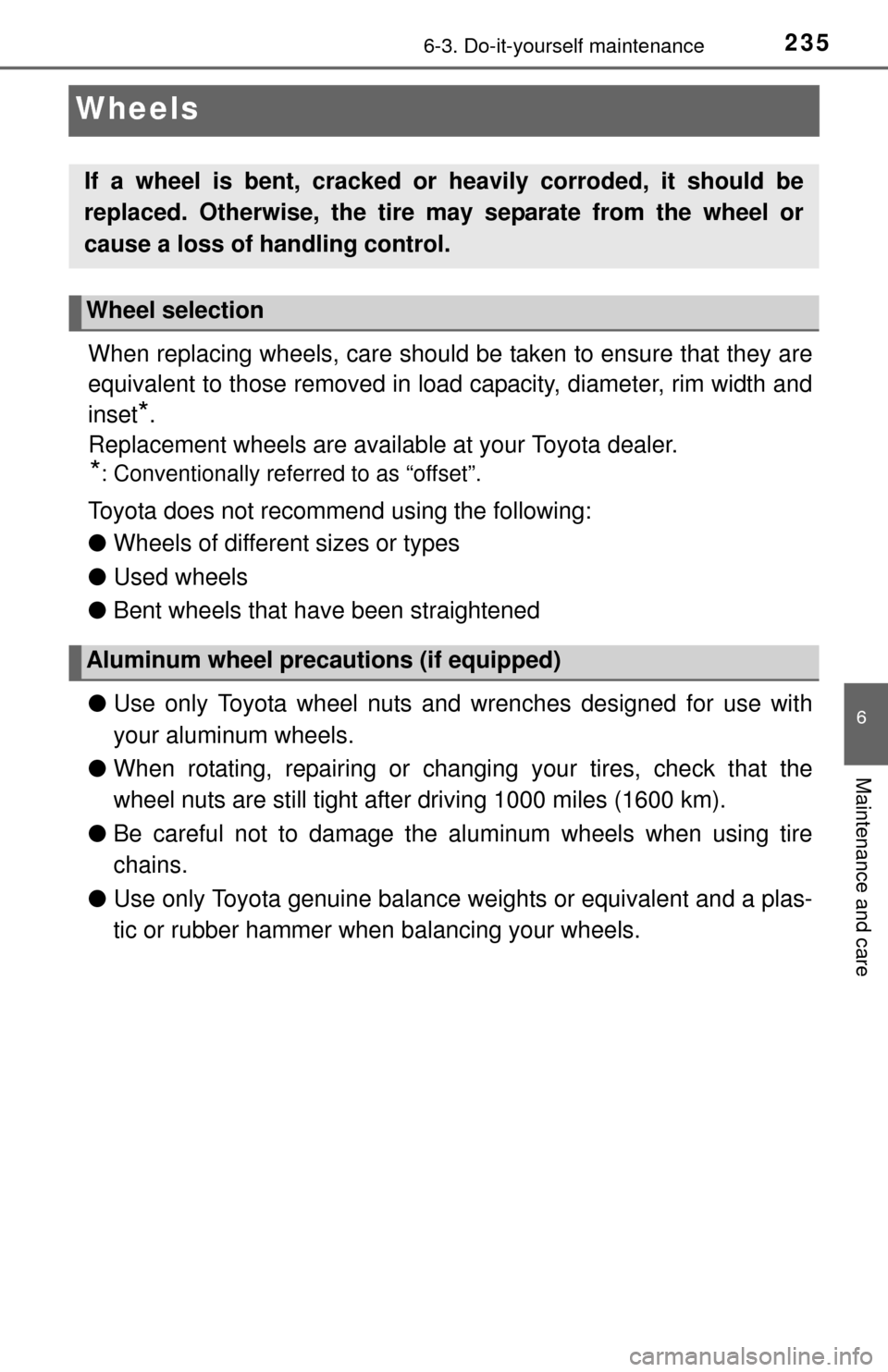
When replacing wheels, care should be taken to ensure that they are
equivalent to those removed in load capacity, diameter, rim width and
inset
*.
Replacement wheels are available at your Toyota dealer.
*: Conventionally referred to as “offset”.
Toyota does not recommend using the following:
● Wheels of different sizes or types
● Used wheels
● Bent wheels that have been straightened
● Use only Toyota wheel nuts and wrenches designed for use with
your aluminum wheels.
● When rotating, repairing or changi ng your tires, check that the
wheel nuts are still tight after driving 1000 miles (1600 km).
● Be careful not to damage the aluminum wheels when using tire
chains.
● Use only Toyota genuine balance weights or equivalent and a plas-
tic or rubber hammer when balancing your wheels.
If a wheel is bent, cracked or heavily corroded, it should be
replaced. Otherwise, the tire may separate from the wheel or
cause a loss of handling control.
Wheel selection
Aluminum wheel precautions (if equipped)
Page 236 of 364
2366-3. Do-it-yourself maintenance
■When replacing wheels (vehicles with a tire pressure warning sys-
tem)
The wheels of your vehicle, except for the compact spare tire, are
equipped with tire pressure warning valves and transmitters that allow the
tire pressure warning system to provide advance warning in the event of
a loss in tire inflation pressure. Whenever wheels are replaced, tire pres-
sure warning valves and transmitters must be installed. (P. 224)
WARNING
■When replacing wheels
●Do not use wheels that are a different size from those recommended in
the Owner’s Manual, as this may result in a loss of handling control.
●Never use an inner tube in a leak ing wheel which is designed for a
tubeless tire. Doing so may result in an accident, causing death or seri-
ous injury.
■When installing the wheel nuts
●Never use oil or grease on the wheel bolts or wheel nuts.
Oil and grease may cause the wheel nuts to be excessively tightened,
leading to bolt or disc wheel damage. In addition, the oil or grease can
cause the wheel nuts to loosen and the wheel may fall off, causing an
accident and resulting in death or serious injury. Remove any oil or
grease from the wheel bolts or wheel nuts.
■Use of defective wheels prohibited
Do not use cracked or deformed wheels.
Doing so could cause the tire to leak air during driving, possibly causing
an accident.
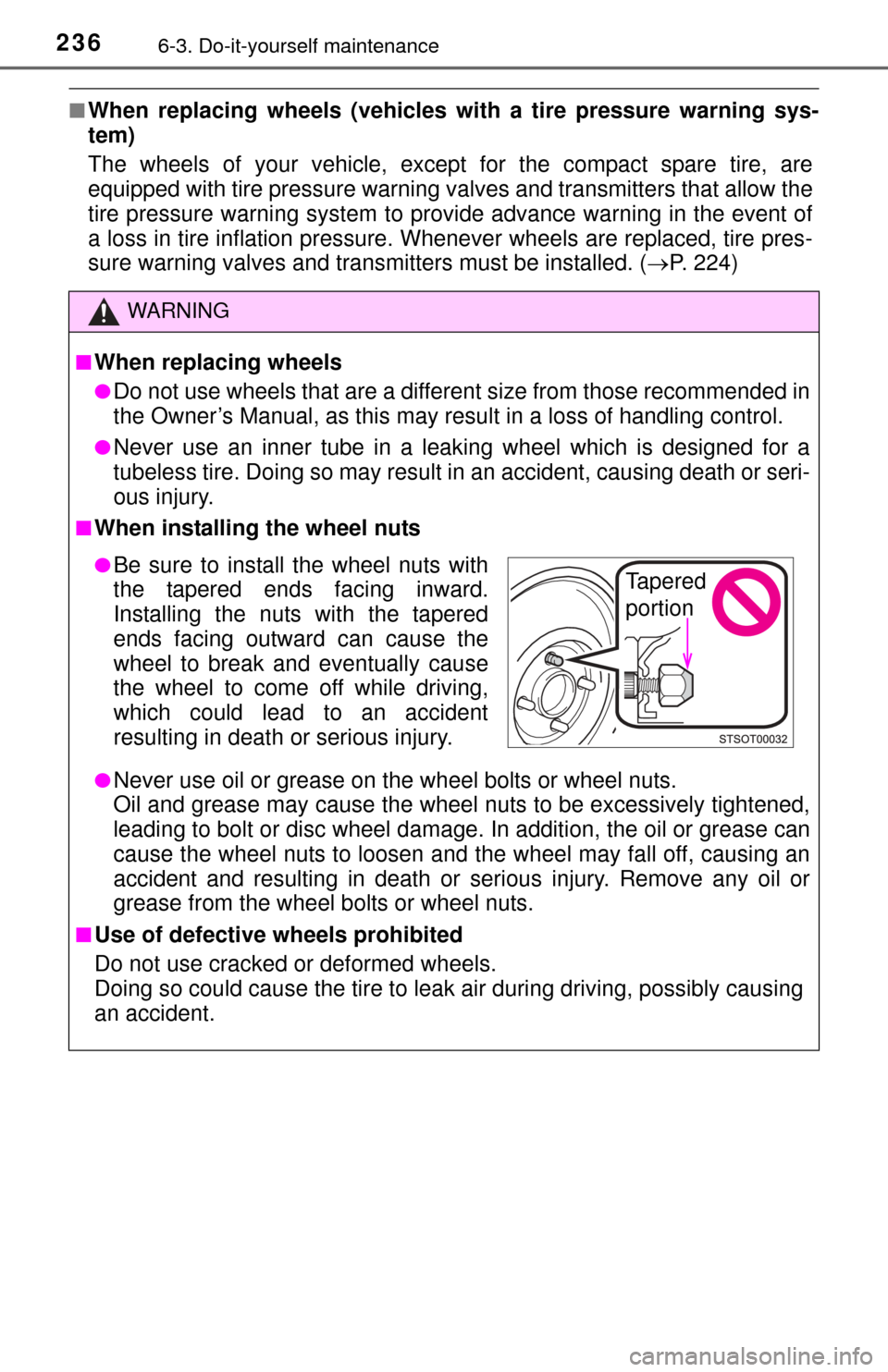
●Be sure to install the wheel nuts with
the tapered ends facing inward.
Installing the nuts with the tapered
ends facing outward can cause the
wheel to break and eventually cause
the wheel to come off while driving,
which could lead to an accident
resulting in death or serious injury.Tapered
portion
Page 240 of 364
2406-3. Do-it-yourself maintenance
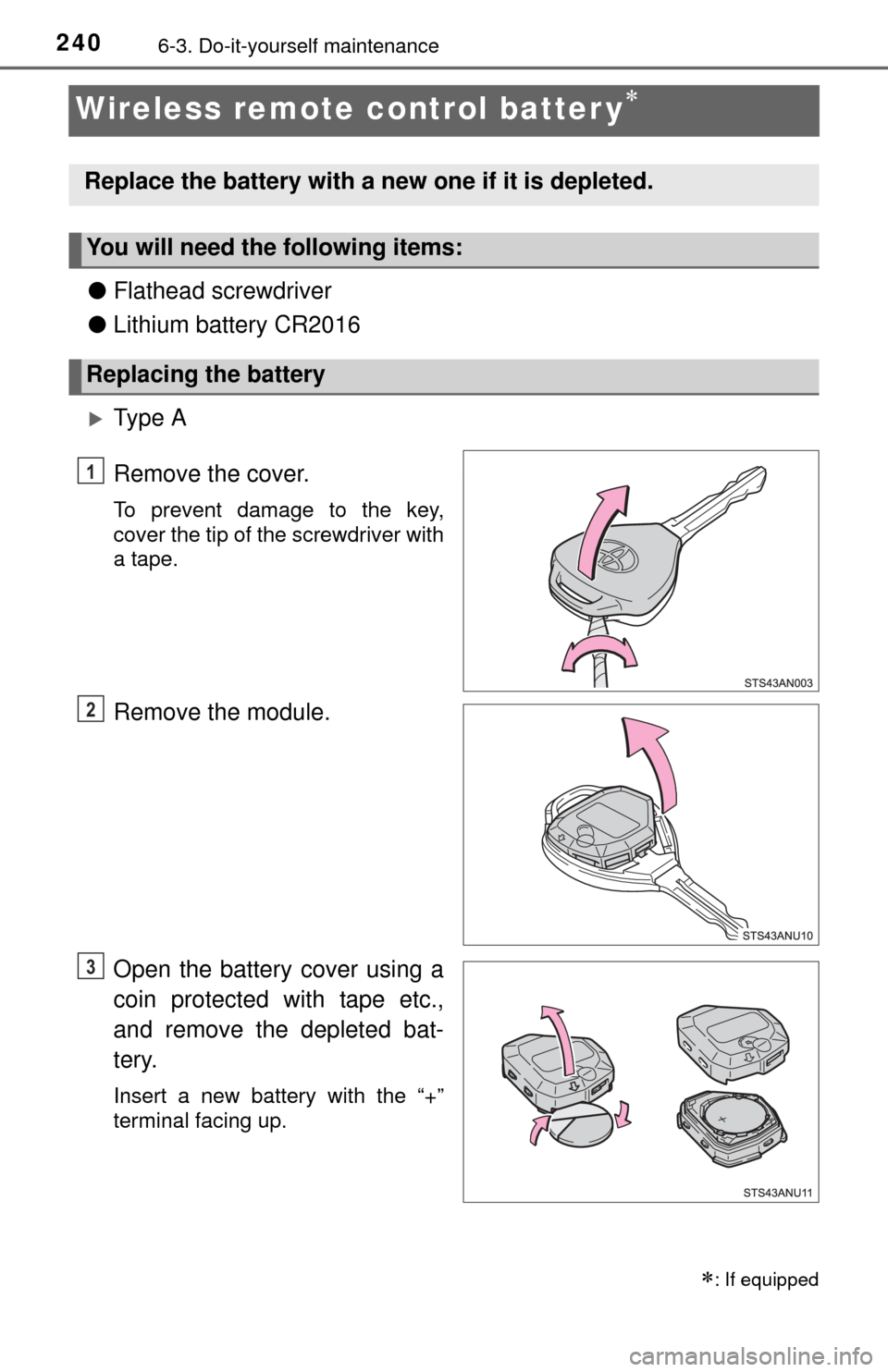
Wireless remote control batter y
●Flathead screwdriver
● Lithium battery CR2016
Ty p e A
Remove the cover.
To prevent damage to the key,
cover the tip of the screwdriver with
a tape.
Remove the module.
Open the battery cover using a
coin protected with tape etc.,
and remove the depleted bat-
tery.
Insert a new battery with the “+”
terminal facing up.
: If equipped
Replace the battery with a new one if it is depleted.
You will need the following items:
Replacing the battery
1
2
3