radio TOYOTA YARIS 2016 User Guide
[x] Cancel search | Manufacturer: TOYOTA, Model Year: 2016, Model line: YARIS, Model: TOYOTA YARIS 2016Pages: 592, PDF Size: 10.44 MB
Page 261 of 592
259
YARIS_SEDAN_OM_OM99M18z_(U)
4-2. Audio System
4
Interior Features
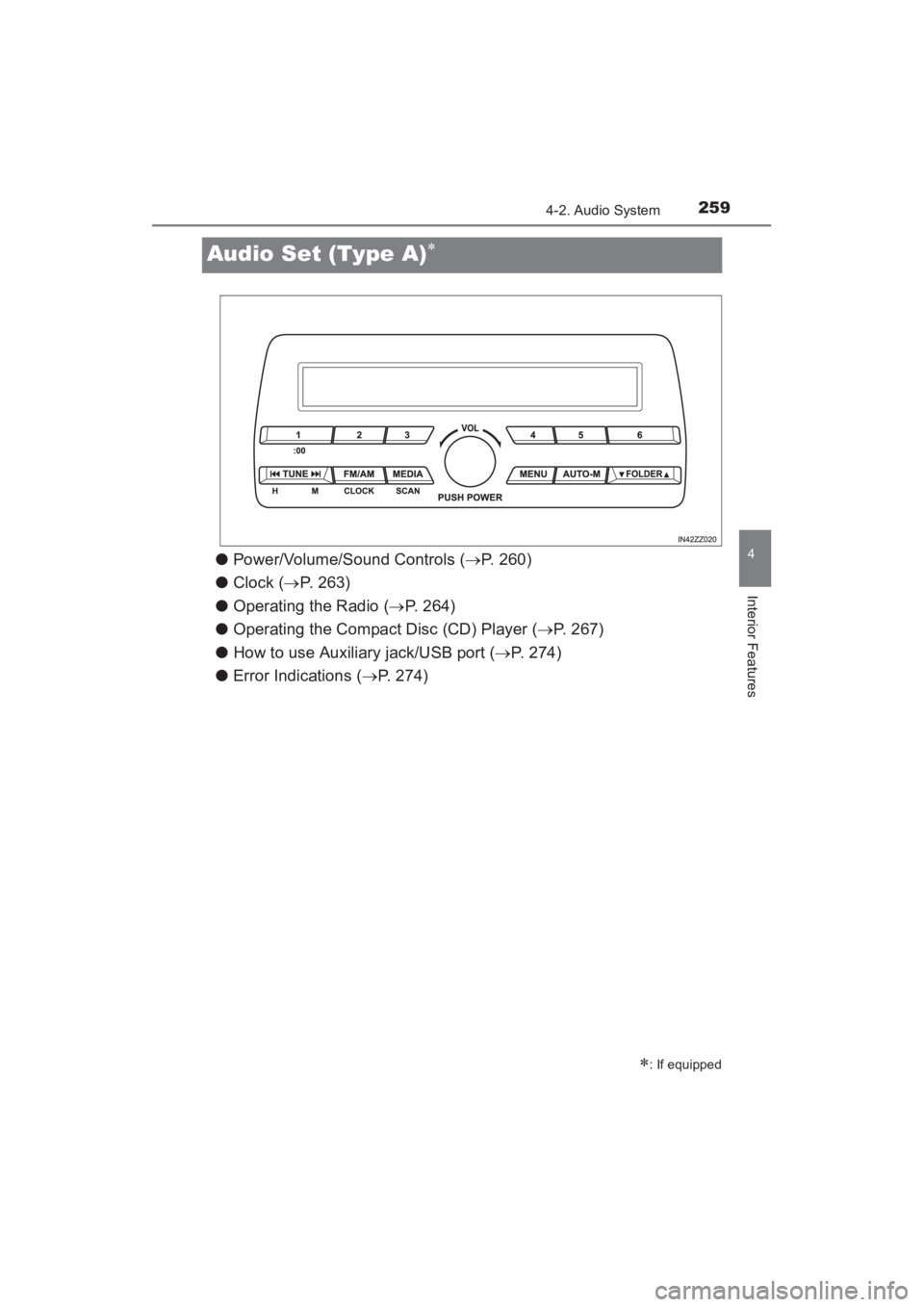
Audio Set (Type A)∗
●Power/Volume/Sound Controls ( →P. 260)
● Clock ( →P. 263)
● Operating the Radio ( →P. 264)
● Operating the Compact Disc (CD) Player ( →P. 267)
● How to use Auxiliary jack/USB port ( →P. 274)
● Error Indications ( →P. 274)
∗: If equipped
YARIS_SEDAN_OM_OM99M18z_(U).book Page 259 Monday, June 1, 2015 9:22 PM
Page 266 of 592
264
YARIS_SEDAN_OM_OM99M18z_(U)
4-2. Audio System
■Time resettingPress the clock button ( ) for about 2 seconds until a beep
is heard.
Press the :00 button (1).
When the button is pressed, the time will be reset as follows:
(Example) 12:01 - 12:29 →12:00
12:30 - 12:59 →1:00
●When the :00 button (1) is pressed, the seconds will start at “00”.
● Switching between 12 and 24-hour clock time:
Press the menu button ( ) several times until 12 and 24-hour clock time
are displayed. Turn the audio control dial in either direction, select the
desired clock setting while the preferred clock time is flashing.
■
Radio ON
Press a band selector button ( ) to turn the radio on.
■Band selection
Successively pressing the band selector button ( ) switches
the bands as follows: FM1 →FM2 →AM.
The selected mode will be indicated.
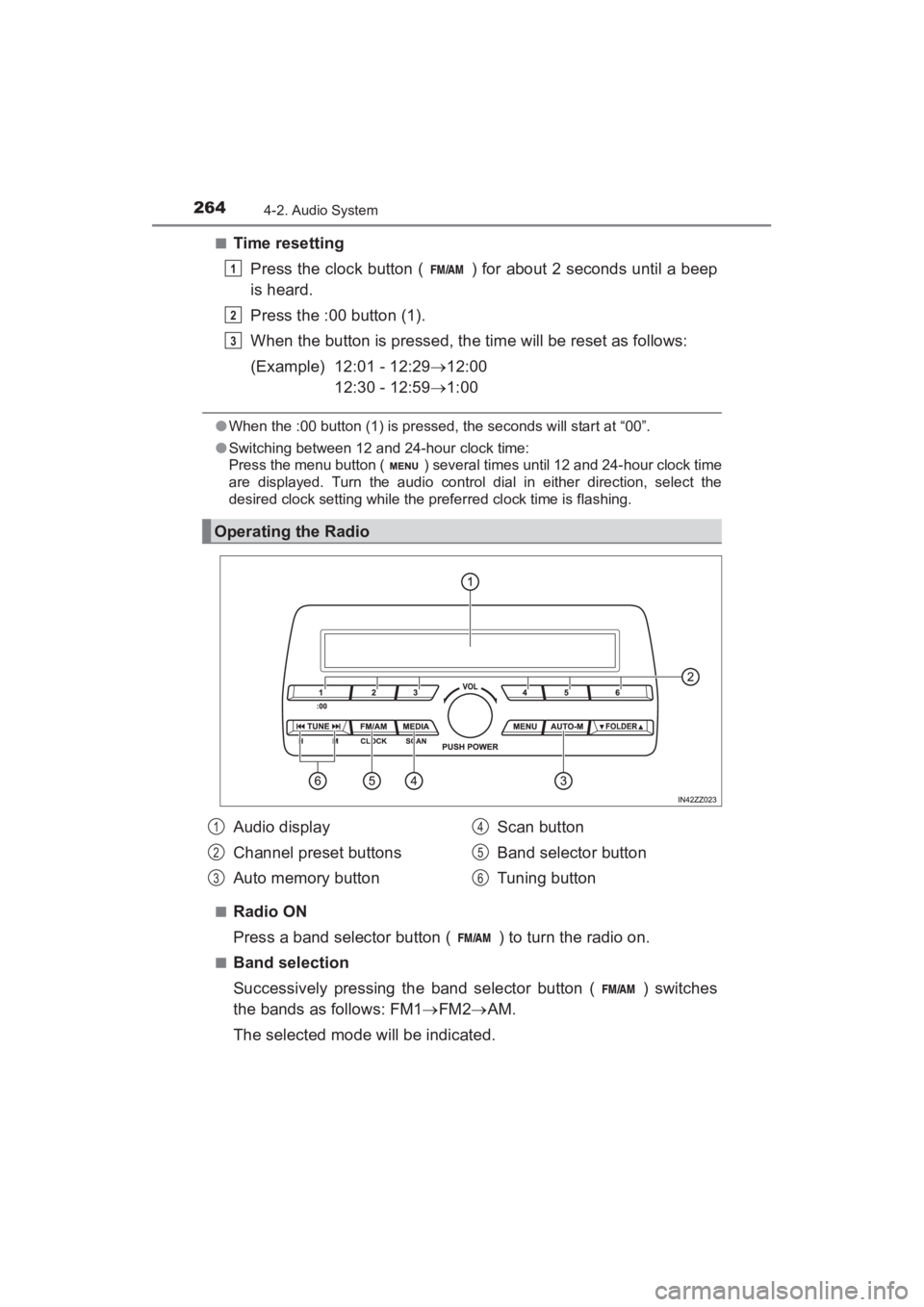
Operating the Radio
1
2
3
Audio display
Channel preset buttons
Auto memory button Scan button
Band selector button
Tuning button1
2
3
4
5
6
YARIS_SEDAN_OM_OM99M18z_(U).book Page 264 Monday, June 1, 2015 9:22 PM
Page 267 of 592
YARIS_SEDAN_OM_OM99M18z_(U)
2654-2. Audio System
4
Interior Features
■Tuning
The radio has the following tuning methods: Manual, Seek, Scan,
Preset channel, and Auto memory tuning. The easiest way to tune
stations is to set them on preset channels.
●Manual tuning
Select the station by pressing the tuning button ( , )
lightly.
● Seek tuning
Automatic search for radio stations starts when the tuning button
( , ) is pressed until a beep sound is heard. The
search stops when a station is found.
● Scan tuning
Press and hold the scan button ( ) to automatically sample
strong stations.
Scanning stops at each station for about 5 seconds. To hold a
station, press and hold the scan button ( ) again during this
interval.
● Preset channel tuning
The 6 preset channels can be used to store 6 AM and 12 FM sta-
tions.
To set a channel first select AM, FM1, or FM2. Tune to the
desired station.
Press a channel preset button for about 2 seconds until a beep
is heard. The preset channel number or station frequency will
be displayed. The station is now held in the memory.
Repeat this operation for the other stations and bands you
want to store. To tune one in the memory, select AM, FM1, or
FM2 and then press its channel preset button. The station fre-
quency or the channel number will be displayed.
1
2
3
YARIS_SEDAN_OM_OM99M18z_(U).book Page 265 Monday, June 1, 2015 9:22 PM
Page 268 of 592
266
YARIS_SEDAN_OM_OM99M18z_(U)
4-2. Audio System
●Auto memory tuning
This is especially useful when driving in an area where the local
stations are not known.
Press and hold the auto memory button ( ) for about 2 sec-
onds until a beep is heard; the system will automatically scan
and temporarily store up to 6 stations with the strongest frequen-
cies in each selected band in that area.
After scanning is completed, the station with the strongest fre-
quency will be tuned and its frequency displayed. Press and
release the auto memory button ( ) to recall stations from
the auto-stored stations. One stored station will be selected each
time and its frequency and channel number will be displayed.
■Operating the Radio
●If the FM broadcast signal becomes weak, reception automatically changes
from STEREO to MONO for reduced noise.
● If you continue to press and hold the button, the frequency will continue
changing without stopping.
● If no stations can be tuned after scanning operations, “A” will be displayed.
YARIS_SEDAN_OM_OM99M18z_(U).book Page 266 Monday, June 1, 2015 9:22 PM
Page 278 of 592
276
YARIS_SEDAN_OM_OM99M18z_(U)
4-2. Audio System
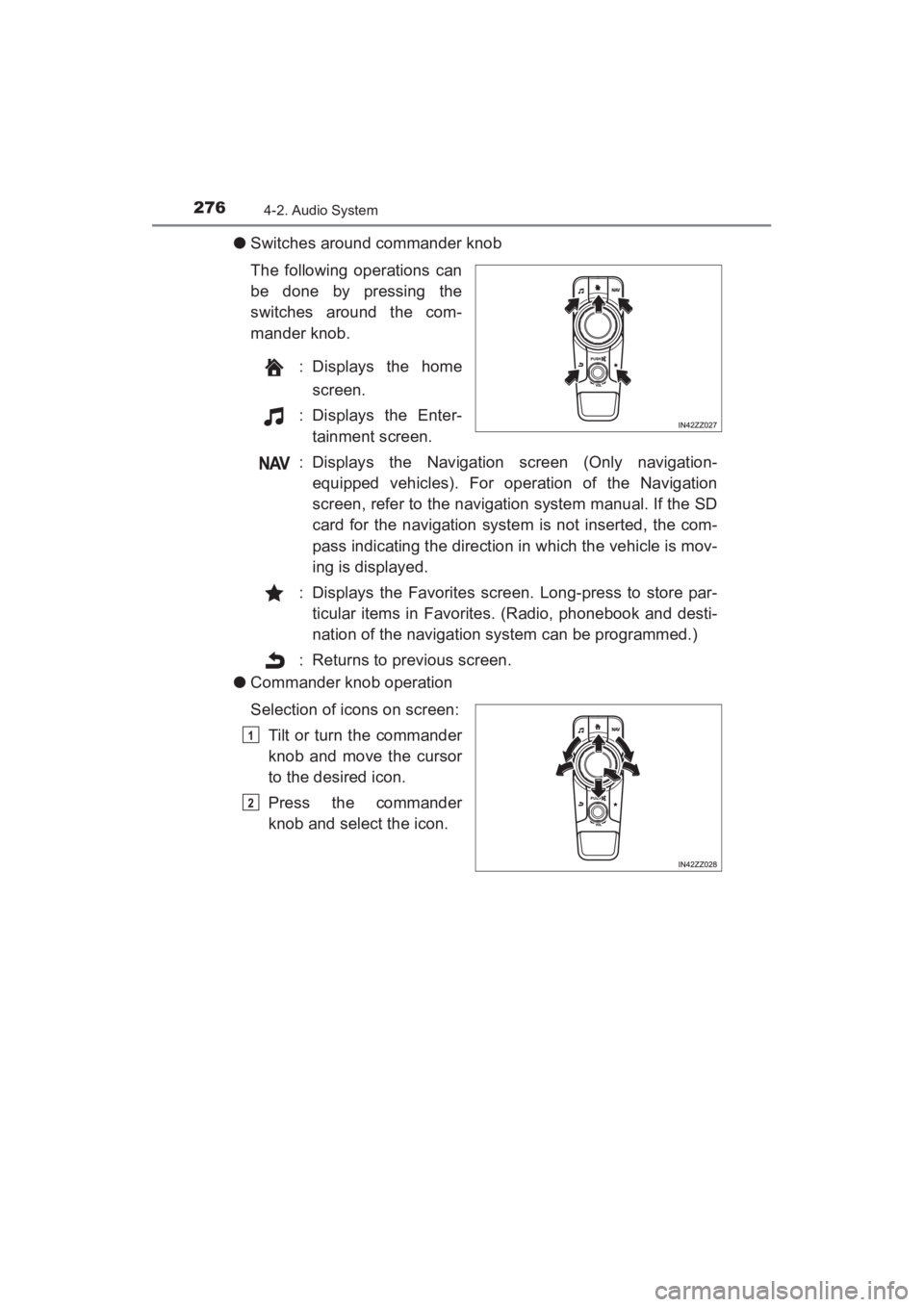
●Switches around commander knob
The following operations can
be done by pressing the
switches around the com-
mander knob.
: Displays the homescreen.
: Displays the Enter- tainment screen.
: Displays the Navigation screen (Only navigation- equipped vehicles). For operation of the Navigation
screen, refer to the navigation system manual. If the SD
card for the navigation system is not inserted, the com-
pass indicating the direction in which the vehicle is mov-
ing is displayed.
: Displays the Favorites screen. Long-press to store par- ticular items in Favorites. (Radio, phonebook and desti-
nation of the navigation system can be programmed.)
: Returns to previous screen.
● Commander knob operation
Selection of icons on screen:
Tilt or turn the commander
knob and move the cursor
to the desired icon.
Press the commander
knob and select the icon.
1
2
YARIS_SEDAN_OM_OM99M18z_(U).book Page 276 Monday, June 1, 2015 9:22 PM
Page 281 of 592
YARIS_SEDAN_OM_OM99M18z_(U)
2794-2. Audio System
4
Interior Features
■Return to previous screen
Touch the .
■Displaying the home screen
Touch the .
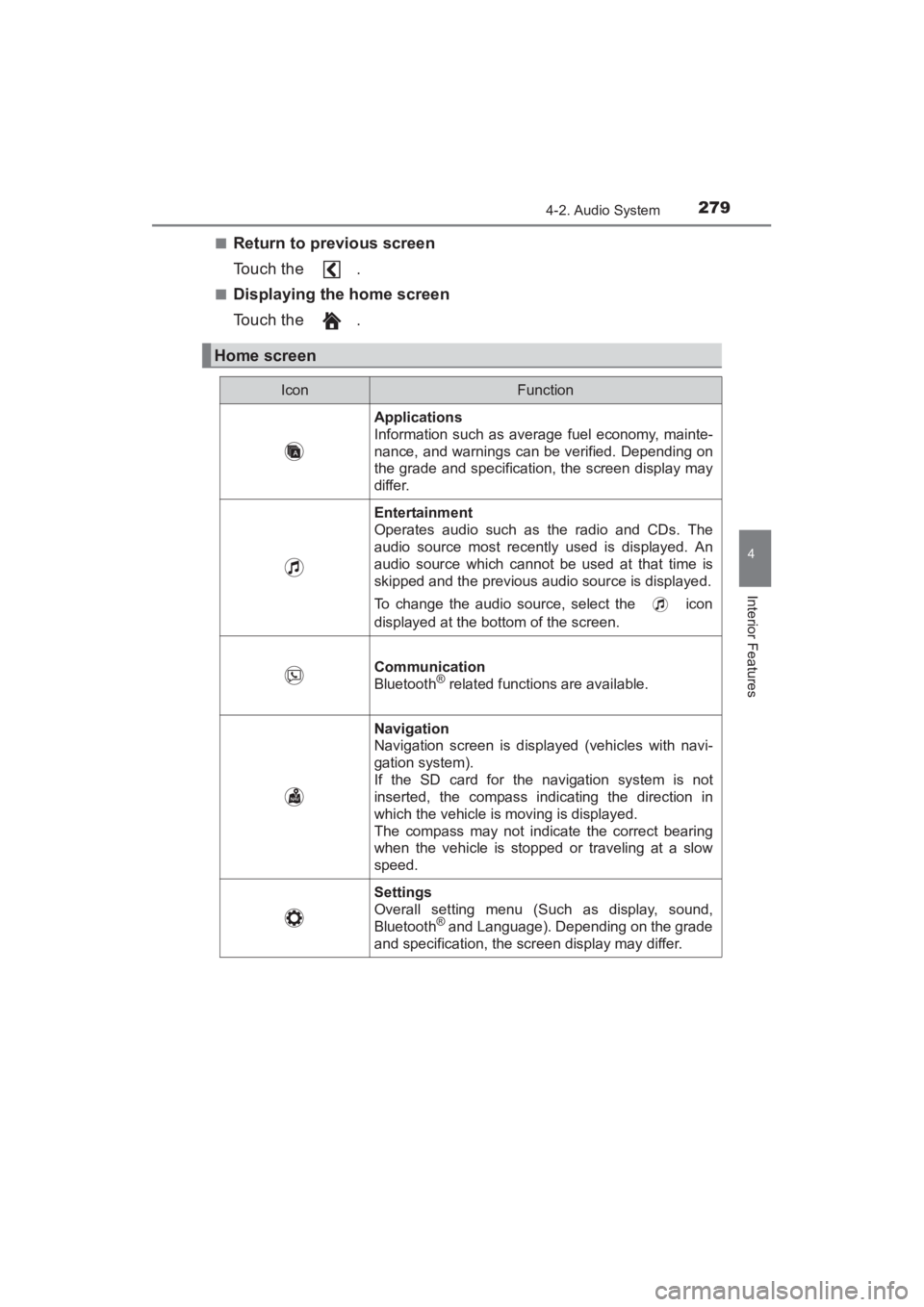
Home screen
IconFunction
Applications
Information such as average fuel economy, mainte-
nance, and warnings can be verified. Depending on
the grade and specification, the screen display may
differ.
Entertainment
Operates audio such as the radio and CDs. The
audio source most recently used is displayed. An
audio source which cannot be used at that time is
skipped and the previous audio source is displayed.
To change the audio source, select the icon
displayed at the bottom of the screen.
Communication
Bluetooth® related functions are available.
Navigation
Navigation screen is displayed (vehicles with navi-
gation system).
If the SD card for the navigation system is not
inserted, the compass indicating the direction in
which the vehicle is moving is displayed.
The compass may not indicate the correct bearing
when the vehicle is stopped or traveling at a slow
speed.
Settings
Overall setting menu (Such as display, sound,
Bluetooth
® and Language). Depending on the grade
and specification, the screen display may differ.
YARIS_SEDAN_OM_OM99M18z_(U).book Page 279 Monday, June 1, 2015 9:22 PM
Page 284 of 592
282
YARIS_SEDAN_OM_OM99M18z_(U)
4-2. Audio System
●ALC (Automatic volume adjustment)
The automatic level control (ALC) is a feature that automatically
adjusts audio volume and sound quality according to the vehicle
speed. The volume increases in accordance with the increase in
vehicle speed, and decreases as vehicle speed decreases.
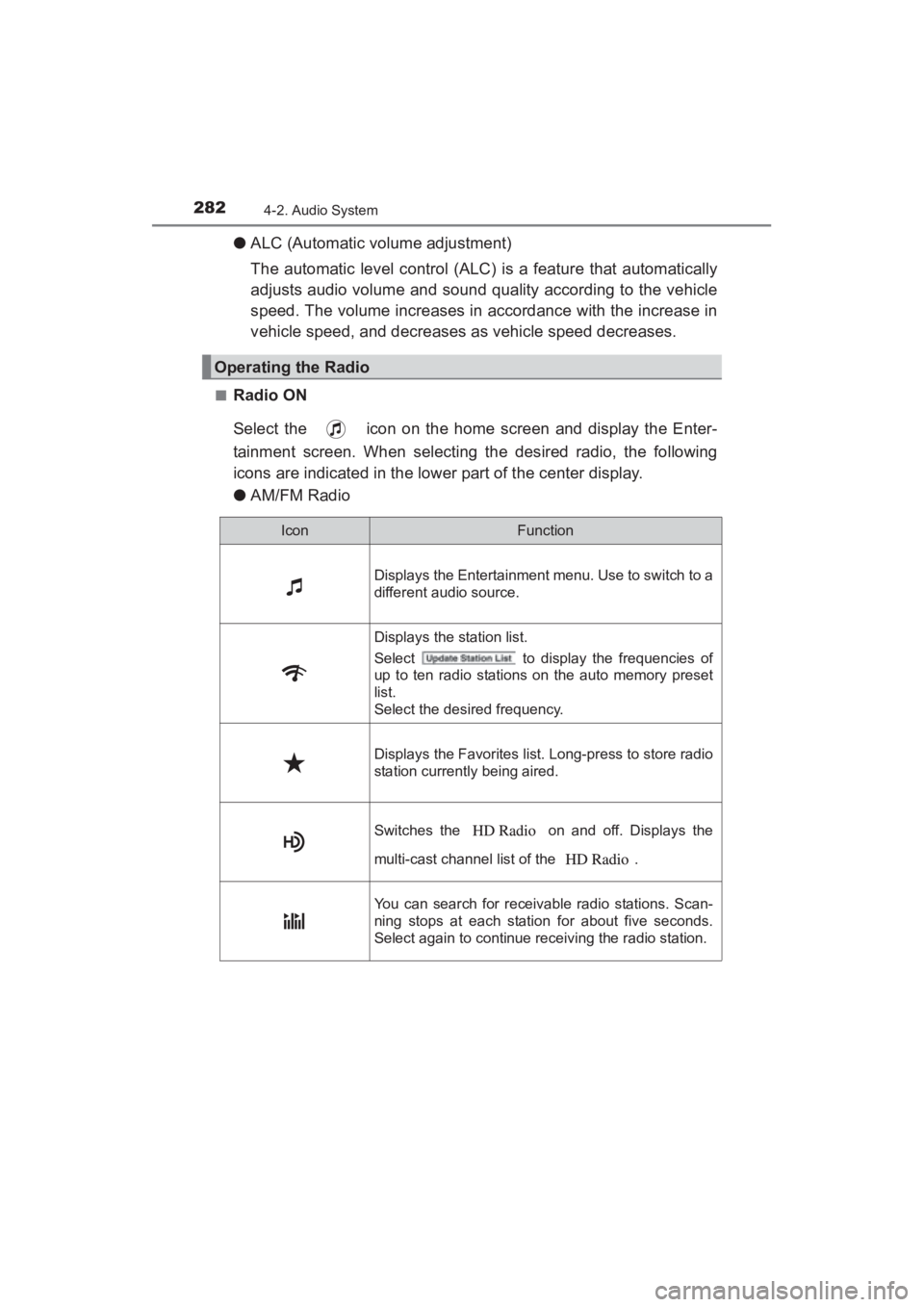
■Radio ON
Select the icon on the home screen and display the Enter-
tainment screen. When selecting the desired radio, the following
icons are indicated in the lower part of the center display.
●AM/FM Radio
Operating the Radio
IconFunction
Displays the Entertainment menu. Use to switch to a
different audio source.
Displays the station list.
Select to display the frequencies of
up to ten radio stations on the auto memory preset
list.
Select the desired frequency.
Displays the Favorites list. Long-press to store radio
station currently being aired.
Switches the on and off. Displays the
multi-cast channel list of the .
You can search for receivable radio stations. Scan-
ning stops at each station for about five seconds.
Select again to continue receiving the radio station.
YARIS_SEDAN_OM_OM99M18z_(U).book Page 282 Monday, June 1, 2015 9:22 PM
Page 285 of 592
YARIS_SEDAN_OM_OM99M18z_(U)
2834-2. Audio System
4
Interior Features
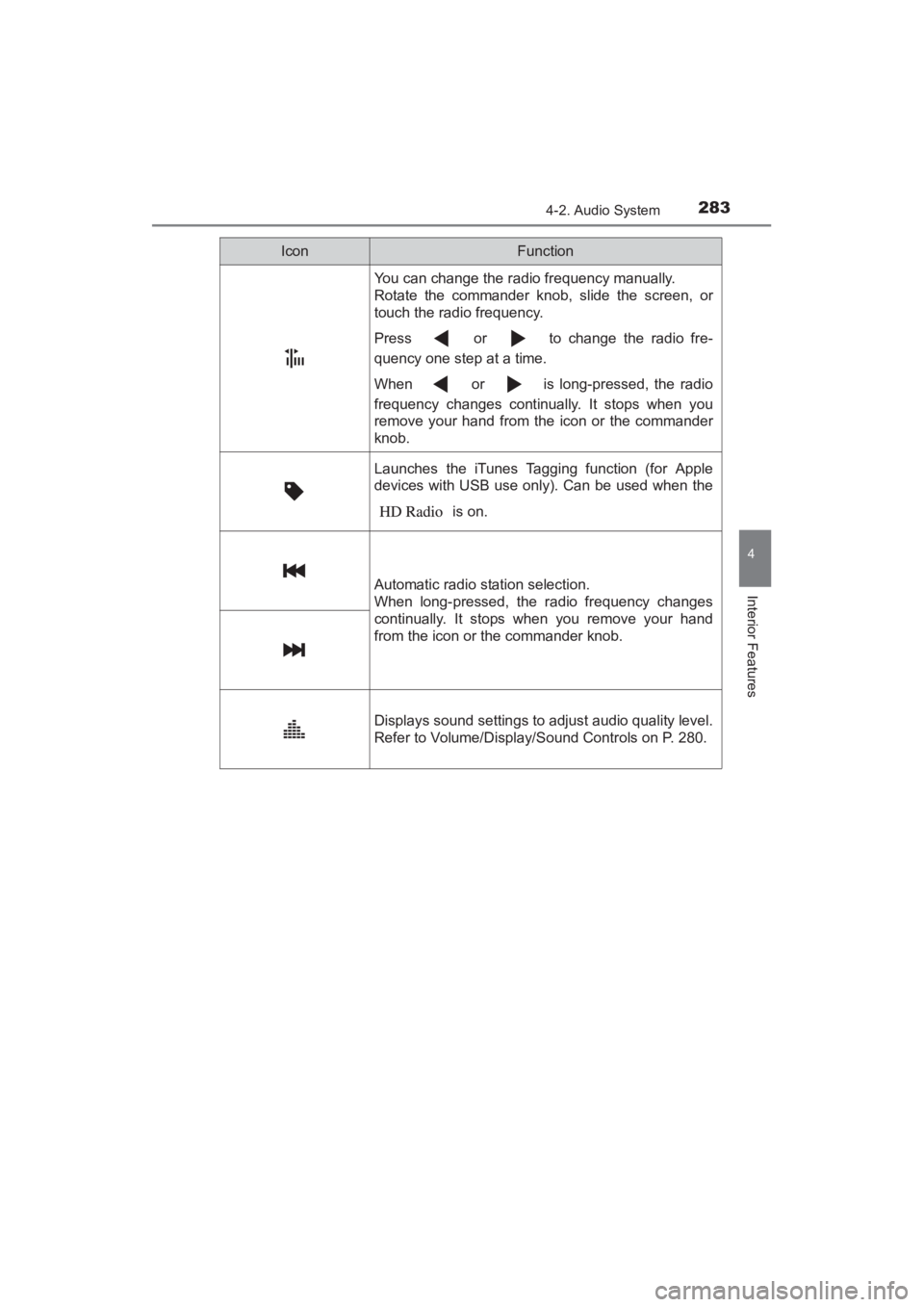
You can change the radio frequency manually.
Rotate the commander knob, slide the screen, or
touch the radio frequency.
Press or to change the radio fre-
quency one step at a time.
When or is long-pressed, the radio
frequency changes continually. It stops when you
remove your hand from the icon or the commander
knob.
Launches the iTunes Tagging function (for Apple
devices with USB use only). Can be used when the is on.
Automatic radio station selection.
When long-pressed, the radio frequency changes
continually. It stops when you remove your hand
from the icon or the commander knob.
Displays sound settings to adjust audio quality level.
Refer to Volume/Display/Sound Controls on P. 280.
IconFunction
YARIS_SEDAN_OM_OM99M18z_(U).book Page 283 Monday, June 1, 2015 9:22 PM
Page 286 of 592
284
YARIS_SEDAN_OM_OM99M18z_(U)
4-2. Audio System
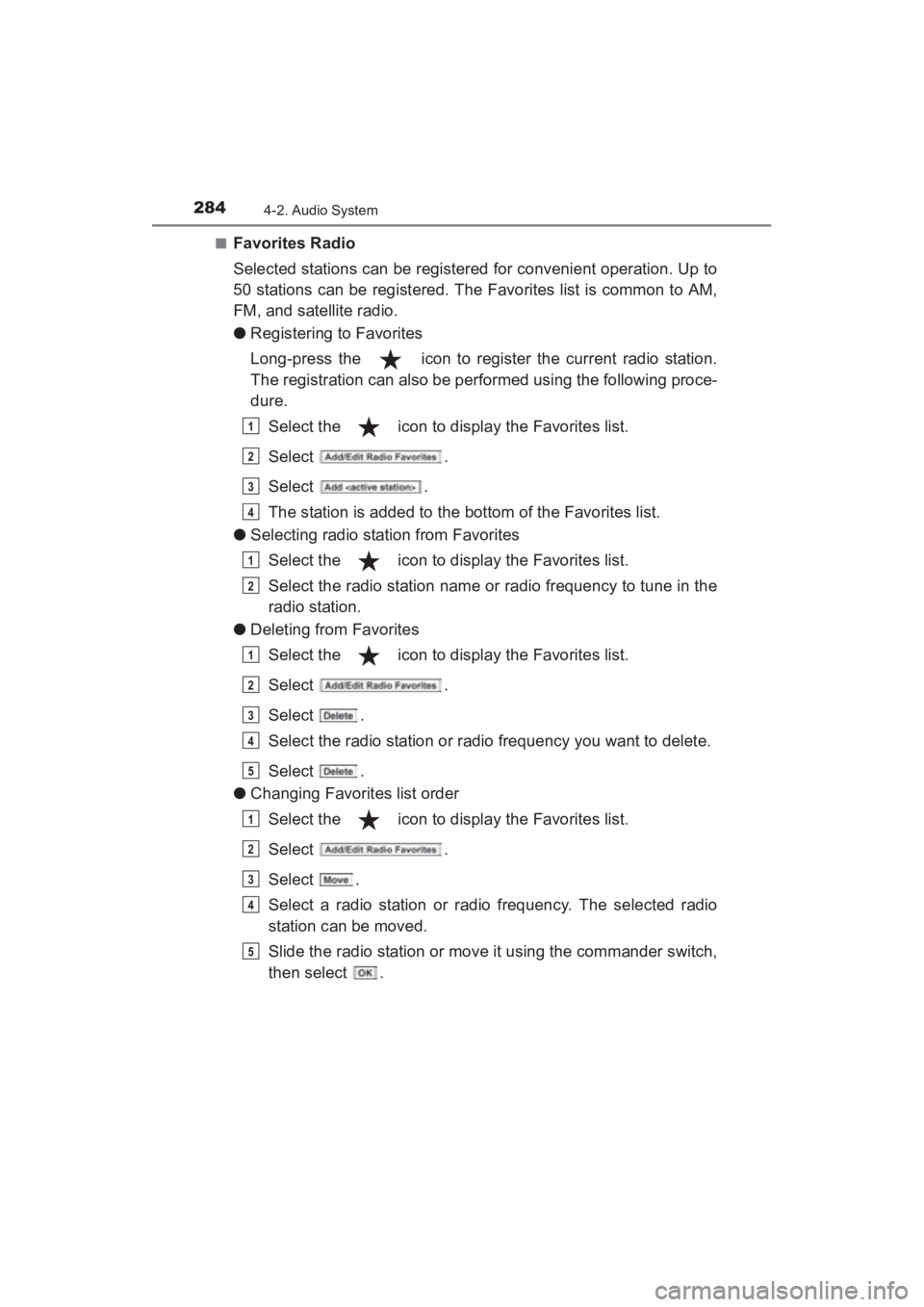
■Favorites Radio
Selected stations can be registered for convenient operation. Up to
50 stations can be registered. The Favorites list is common to AM,
FM, and satellite radio.
●Registering to Favorites
Long-press the icon to register the current radio station.
The registration can also be performed using the following proce-
dure.
Select the icon to display the Favorites list.
Select .
Select .
The station is added to the bottom of the Favorites list.
● Selecting radio station from Favorites
Select the icon to display the Favorites list.
Select the radio station name or radio frequency to tune in the
radio station.
● Deleting from Favorites
Select the icon to display the Favorites list.
Select .
Select .
Select the radio station or radio frequency you want to delete.
Select .
● Changing Favorites list order
Select the icon to display the Favorites list.
Select .
Select .
Select a radio station or radio frequency. The selected radio
station can be moved.
Slide the radio station or move it using the commander switch,
then select .
1
2
3
4
1
2
1
2
3
4
5
1
2
3
4
5
YARIS_SEDAN_OM_OM99M18z_(U).book Page 284 Monday, June 1, 2015 9:22 PM
Page 287 of 592
YARIS_SEDAN_OM_OM99M18z_(U)
2854-2. Audio System
4
Interior Features
■Radio Broadcast Data System (RBDS) (if equipped)
●Radio text information display
Radio text information sent from a broadcasting station is dis-
played in the center display.
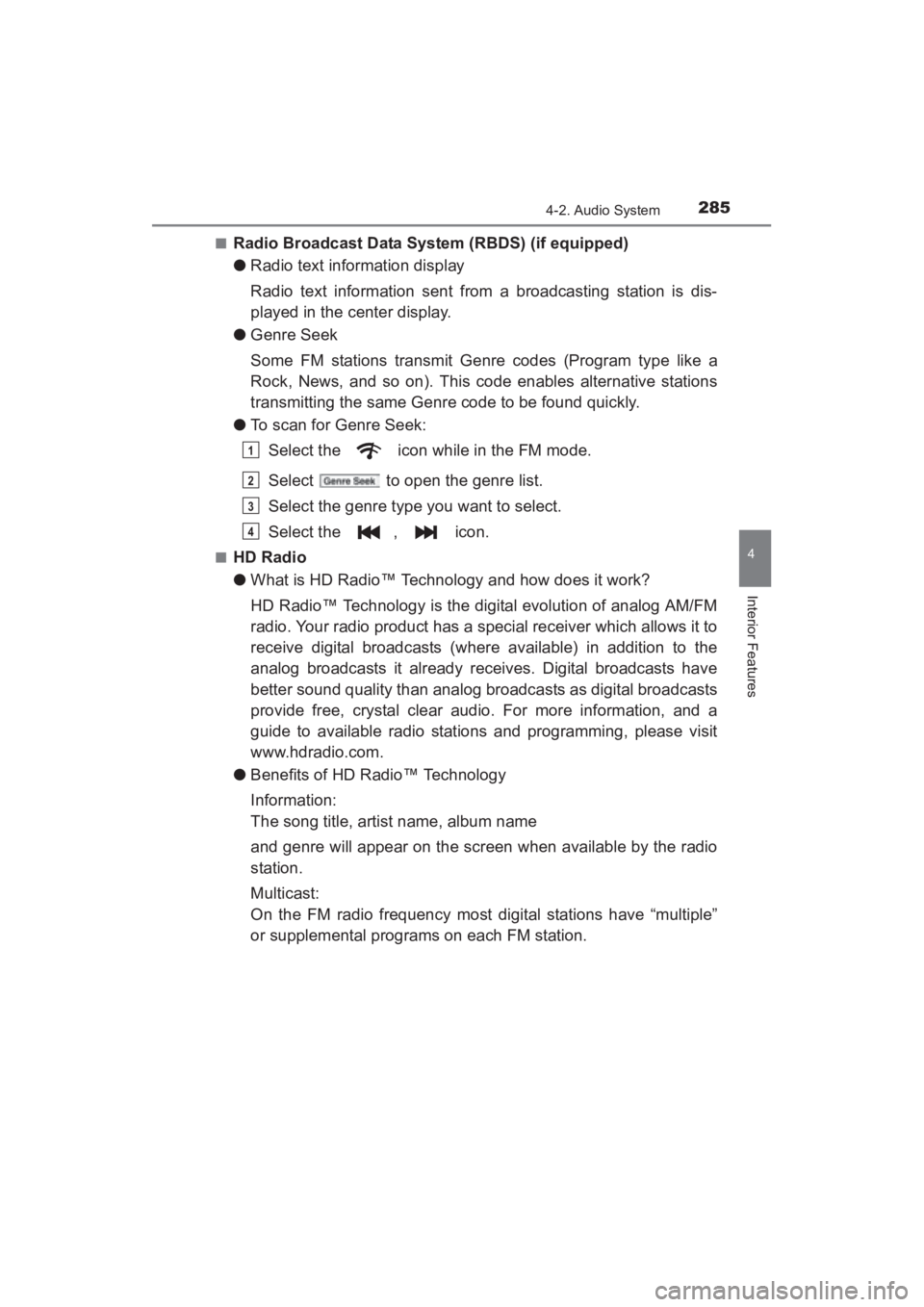
● Genre Seek
Some FM stations transmit Genre codes (Program type like a
Rock, News, and so on). This code enables alternative stations
transmitting the same Genre code to be found quickly.
● To scan for Genre Seek:
Select the icon while in the FM mode.
Select to open the genre list.
Select the genre type you want to select.
Select the , icon.
■HD Radio
●What is HD Radio™ Technology and how does it work?
HD Radio™ Technology is the digital evolution of analog AM/FM
radio. Your radio product has a special receiver which allows it to
receive digital broadcasts (where available) in addition to the
analog broadcasts it already receives. Digital broadcasts have
better sound quality than analog broadcasts as digital broadcasts
provide free, crystal clear audio. For more information, and a
guide to available radio stations and programming, please visit
www.hdradio.com.
● Benefits of HD Radio™ Technology
Information:
The song title, artist name, album name
and genre will appear on the screen when available by the radio
station.
Multicast:
On the FM radio frequency most digital stations have “multiple”
or supplemental programs on each FM station.
1
2
3
4
YARIS_SEDAN_OM_OM99M18z_(U).book Page 285 Monday, June 1, 2015 9:22 PM