radio TOYOTA YARIS 2016 Owner's Manual
[x] Cancel search | Manufacturer: TOYOTA, Model Year: 2016, Model line: YARIS, Model: TOYOTA YARIS 2016Pages: 592, PDF Size: 10.44 MB
Page 288 of 592
286
YARIS_SEDAN_OM_OM99M18z_(U)
4-2. Audio System
●Listening to HD Radio™ Technology
If icon turns on by selecting a radio station which is an
broadcasting station, the analog broadcast is
switched to an broadcast automatically after a few
seconds and then received.
If the broadcast is stopped and changed to an analog
broadcast, press down to turn off .
YARIS_SEDAN_OM_OM99M18z_(U).book Page 286 Monday, June 1, 2015 9:22 PM
Page 289 of 592
YARIS_SEDAN_OM_OM99M18z_(U)
2874-2. Audio System
4
Interior Features
●Multicast channel selection (FM)
If multi-cast channels are available for an broadcast
currently being received, the multi-cast channel list is displayed.
Select the desired radio station.
● iTunes Tagging (for Apple devices with USB use only)
By tagging a song currently being aired, the song can be easily
purchased from the iTunes Store. Up to 100 tags can be stored.
Select the icon. The tag is stored in the audio unit.
Connect the device via USB. The tag is sent to the connected
device automatically.
Synchronize the device with iTunes. The tagged song can now
be purchased from the iTunes Store.
■Operating the Radio
●If the battery is disconnected, your Favorites list will be not deleted.
● Radio text information is a function of FM radio. Text information is not dis-
played in the following:
• During reception
• Not an RBDS broadcast
• RBDS broadcast, but radio text is no t transmitted from the radio station
● To change the desired genre, select the icon.
Ex.)
89.3 is currently being received. With Rock selected as the Genre, the
radio stations broadcasting Rock are at the following frequencies.
98.3
*1, 98.7, 104.3*1, 107.1
*1Radio stations with good reception
The frequency changes as follows each time is pressed.
89.3 →98.3 →104.3→ 98.3
●Only one Genre can be selected.
● It may not be possible to receive any station even if the Genre Seek function
is used.
● If a program in the selected genre is not broadcast to a region, reception is
not possible even if the Genre Seek function is used.
● The Genre Seek function searches for genre code (program type) which FM
analog broadcasts transmit. specialty programs (HD2-HD8) can-
not be searched because they are not FM analog broadcasts.
1
2
3
YARIS_SEDAN_OM_OM99M18z_(U).book Page 287 Monday, June 1, 2015 9:22 PM
Page 290 of 592
288
YARIS_SEDAN_OM_OM99M18z_(U)
4-2. Audio System
●If radio stations which are selected by scanning using the Genre Seek func-
tion are broadcasting stations, they are changed from analog
broadcasts to broadcdiffer.
● Both AM and FM can be used.
● Because iTunes Tagging only supports purchasing from the iTunes Store,
direct downloading from the equipped vehicle audio is not possible.
● If the available memory for the connected device is insufficient, the tag is not
sent.
● If an error occurs while the tag is being sent, reconnect the device.
● If an analog broadcast is received once and is received while HD1
is selected, the audio unit switches to the station automatically.
● When the icon is illuminated, there could be a noticeable difference in
sound quality and volume when a change from digital to analog signals
occurs. If the sound quality and volume become noticeably diminished or
cut off, select the icon to turn off ( icon is not illumi-
nated).
● Once an analog broadcast is received when HD1 is selected from the
Favorite channels, it is switched to automatically. If the radio
reception conditions are poor, or HD is off, switching to broadcasts
is not possible.
● When an HD specialty channel (HD2 to HD8) is selected from the Favorite
channels, “Signal Lost” is displayed and no audio is output until is
received. If the radio reception condi tions are poor, “Signal Lost” continues
to be displayed.
● If the icon is not illuminated, information such as song titles of the
station are received, however, the audio output is analog.
YARIS_SEDAN_OM_OM99M18z_(U).book Page 288 Monday, June 1, 2015 9:22 PM
Page 291 of 592
YARIS_SEDAN_OM_OM99M18z_(U)
2894-2. Audio System
4
Interior Features
■What is satellite radio?
With over 130 channels, SiriusXM Satellite Radio brings you more
of what you love. Get channels and channels of commercial-free
music, plus sports, news, talk, entertainment and more.
●Commercial-free music from nearly every genre-rock to pop, hip-
hop to country, jazz, classical and more. Plus live performances
and artist-dedicated channels.
● Live sports Play-by-Play & Expert Talk-every NFL game, every
NASCAR
® race, 24/7 sports talk, college sports and more.
● Exclusive entertainment, comedy and talk-The biggest names,
compelling talk, hilarious comedy.
● World-class news plus local traffic and weather.
Sign up for SiriusXM Satellite Radio today!
■How to Activate Satellite Radio
You must call SiriusXM to activate your service. Activation is free
and takes only a few minutes.
SiriusXM service uses an ID code to identify your radio. This code
is needed to activate SiriusXM service, and report any problems.
Please have the following information ready:
●Radio ID (8-digit electronic serial no - See below for how to find
your ESN)
● Valid credit card information (may not be required at initial sign-
up)
Be sure you are parked outside with a clear view of open sky, you
will be instructed to turn on your radio (in SiriusXM mode and tuned
to channel 184 (Sirius)/1 (XM and SiriusXM)). Activation typically
takes only 2-5 minutes.
■Displaying the Radio ID (ESN)
When channel 0 is selected, the radio ID is displayed. Use the
PREVIOUS or NEXT channel buttons to select channel 0.
Operating the Satellite Radio (if equipped)
YARIS_SEDAN_OM_OM99M18z_(U).book Page 289 Monday, June 1, 2015 9:22 PM
Page 292 of 592
290
YARIS_SEDAN_OM_OM99M18z_(U)
4-2. Audio System
■SiriusXM operation
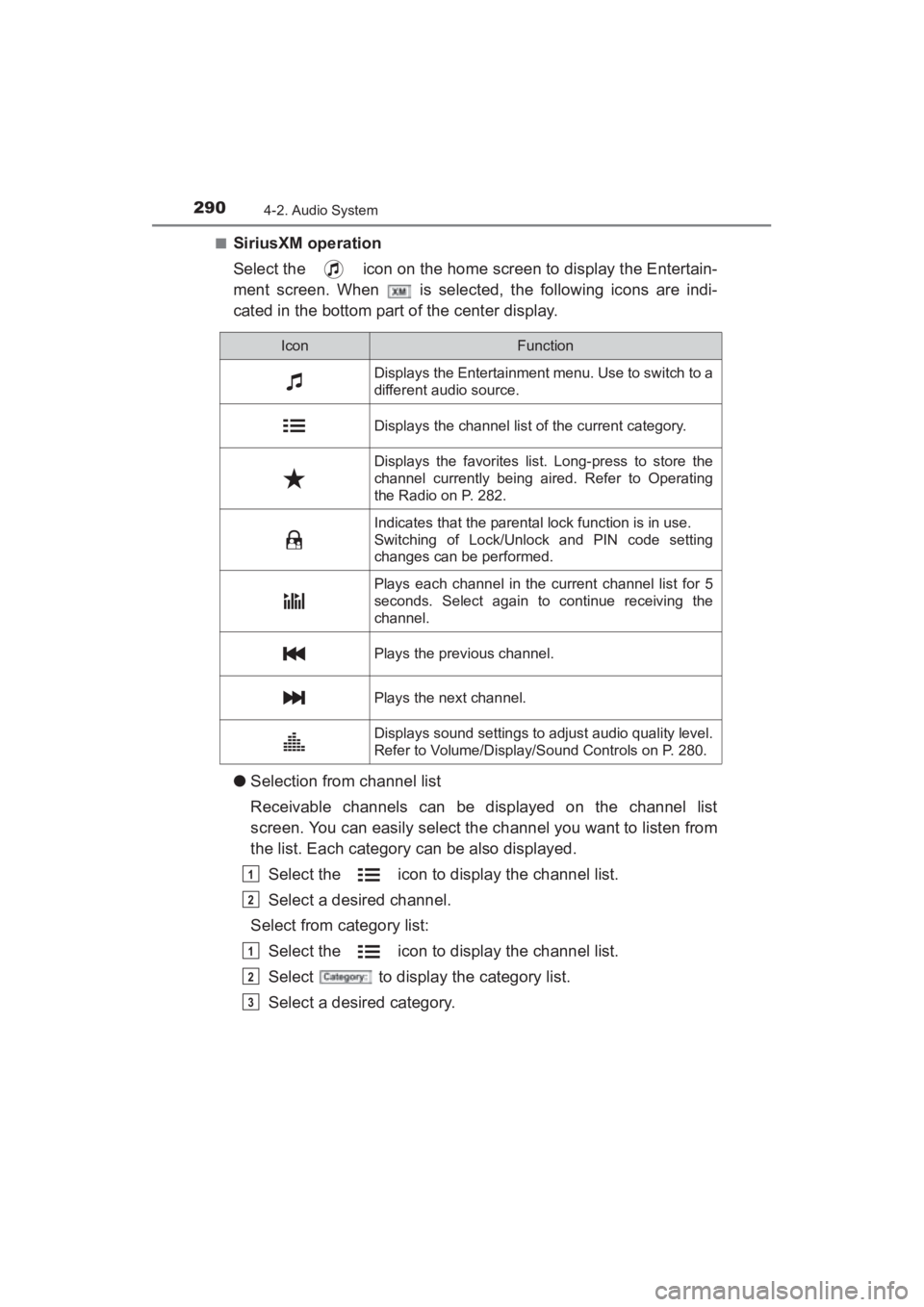
Select the icon on the home screen to display the Entertain-
ment screen. When is selected, the following icons are indi-
cated in the bottom part of the center display.
●Selection from channel list
Receivable channels can be displayed on the channel list
screen. You can easily select the channel you want to listen from
the list. Each category can be also displayed.
Select the icon to display the channel list.
Select a desired channel.
Select from category list:
Select the icon to display the channel list.
Select to display the category list.
Select a desired category.
IconFunction
Displays the Entertainment menu. Use to switch to a
different audio source.
Displays the channel list of the current category.
Displays the favorites list. Long-press to store the
channel currently being aired. Refer to Operating
the Radio on P. 282.
Indicates that the parental lock function is in use.
Switching of Lock/Unlock and PIN code setting
changes can be performed.
Plays each channel in the current channel list for 5
seconds. Select again to continue receiving the
channel.
Plays the previous channel.
Plays the next channel.
Displays sound settings to adjust audio quality level.
Refer to Volume/Display/Sound Controls on P. 280.
1
2
1
2
3
YARIS_SEDAN_OM_OM99M18z_(U).book Page 290 Monday, June 1, 2015 9:22 PM
Page 293 of 592
YARIS_SEDAN_OM_OM99M18z_(U)
2914-2. Audio System
4
Interior Features
■Parental lock
If a channel is locked, the channel is muted.
To use the parental lock function, the PIN code must be initialized
first.
By using the session lock, the parental lock can be enabled or dis-
abled during the current drive cycle (from when the ignition is
switched on to switched off). When the session lock is on, the
parental lock is available. When the session lock is off, the parental
lock is temporarily cancelled.
When canceling the parental lock or session lock, or when chang-
ing the PIN code, PIN code input is required.
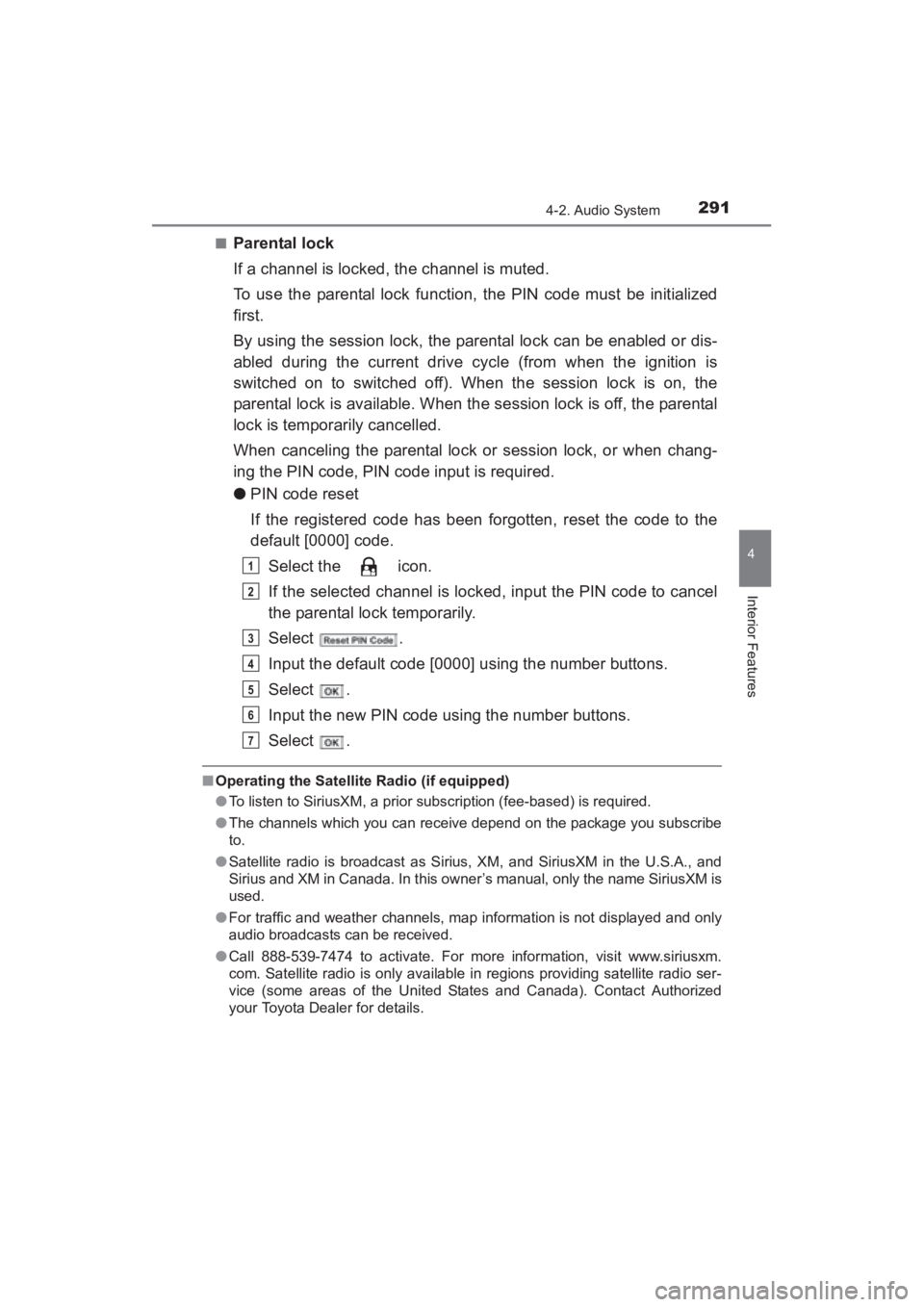
●PIN code reset
If the registered code has been forgotten, reset the code to the
default [0000] code.
Select the icon.
If the selected channel is locked, input the PIN code to cancel
the parental lock temporarily.
Select .
Input the default code [0000] using the number buttons.
Select .
Input the new PIN code using the number buttons.
Select .
■Operating the Satellite Radio (if equipped)
●To listen to SiriusXM, a prior subscription (fee-based) is required.
● The channels which you can receive depend on the package you subscribe
to.
● Satellite radio is broadcast as Sirius, XM, and SiriusXM in the U.S.A., and
Sirius and XM in Canada. In this owner’s manual, only the name SiriusXM is
used.
● For traffic and weather channels, map information is not displayed and only
audio broadcasts can be received.
● Call 888-539-7474 to activate. For more information, visit www.siriusxm.
com. Satellite radio is only available in regions providing satellite radio ser-
vice (some areas of the United States and Canada). Contact Authorized
your Toyota Dealer for details.
1
2
3
4
5
6
7
YARIS_SEDAN_OM_OM99M18z_(U).book Page 291 Monday, June 1, 2015 9:22 PM
Page 300 of 592
298
YARIS_SEDAN_OM_OM99M18z_(U)
4-2. Audio System
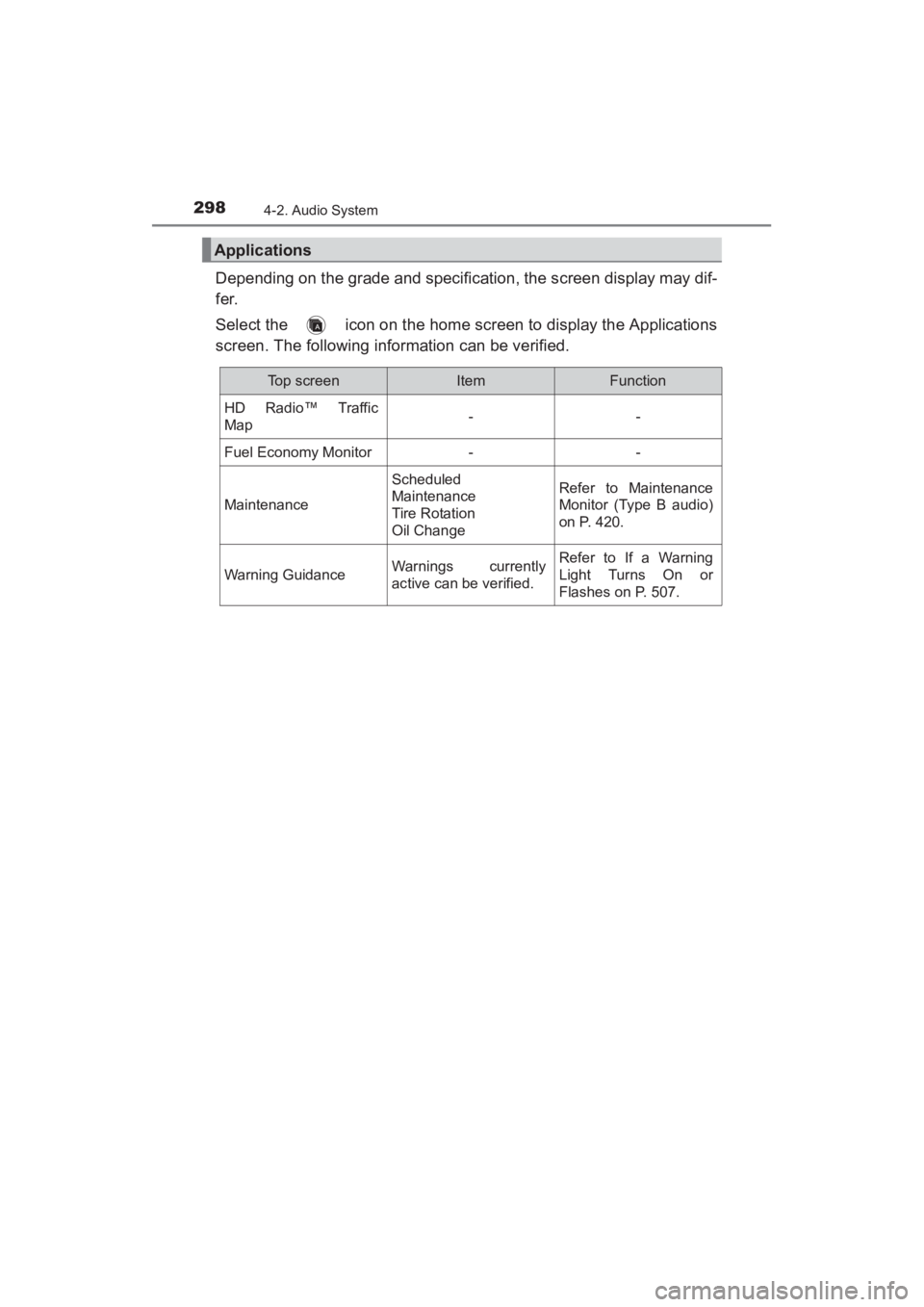
Depending on the grade and specification, the screen display may dif-
fer.
Select the icon on the home screen to display the Applications
screen. The following information can be verified.
Applications
Top screenItemFunction
HD Radio™ Traffic
Map--
Fuel Economy Monitor--
Maintenance
Scheduled
Maintenance
Tire Rotation
Oil ChangeRefer to Maintenance
Monitor (Type B audio)
on P. 420.
Warning GuidanceWarnings currently
active can be verified.Refer to If a Warning
Light Turns On or
Flashes on P. 507.
YARIS_SEDAN_OM_OM99M18z_(U).book Page 298 Monday, June 1, 2015 9:22 PM
Page 302 of 592
300
YARIS_SEDAN_OM_OM99M18z_(U)
4-2. Audio System
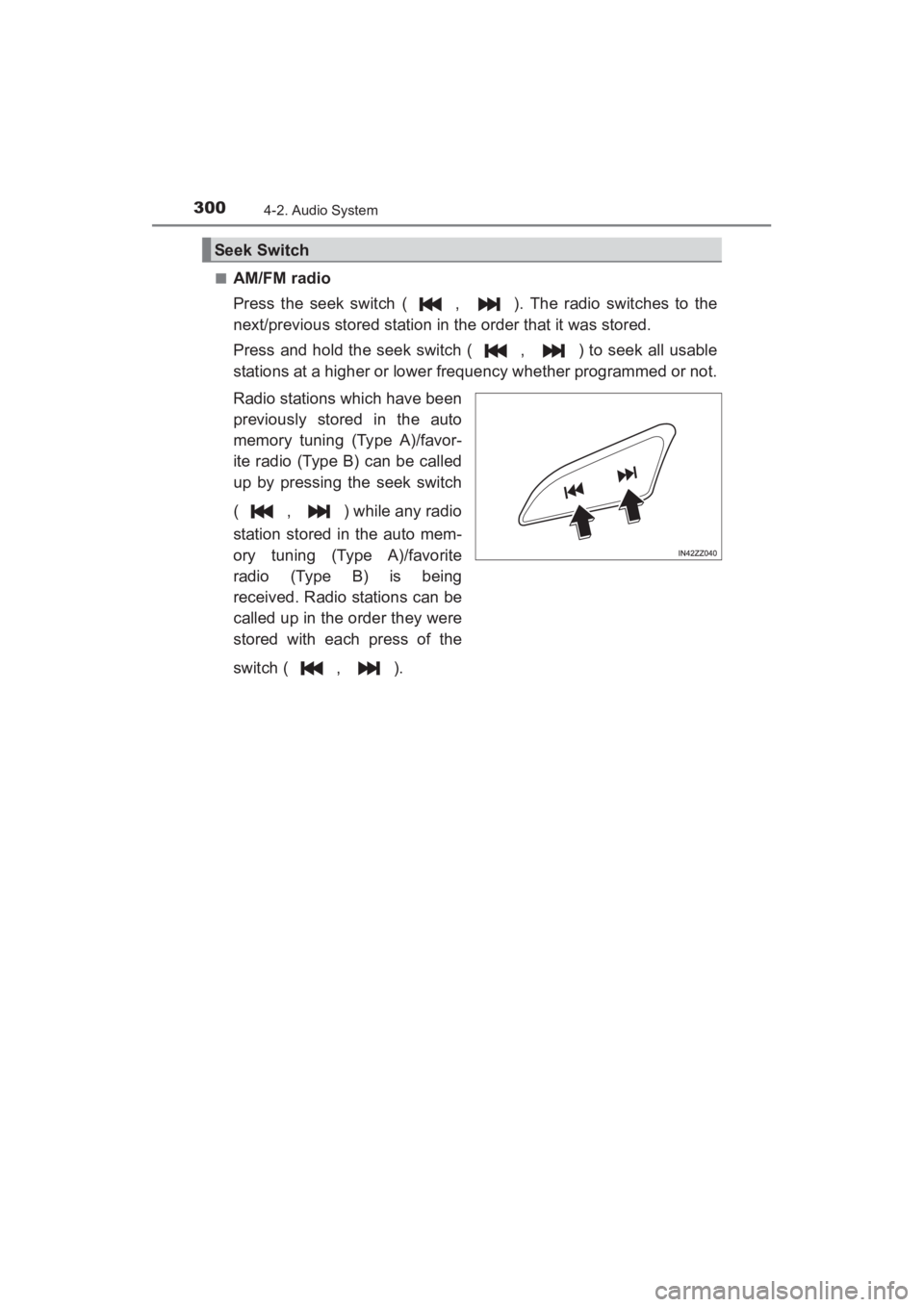
■AM/FM radio
Press the seek switch ( , ). The radio switches to the
next/previous stored station in the order that it was stored.
Press and hold the seek switch ( , ) to seek all usable
stations at a higher or lower frequency whether programmed or not.
Radio stations which have been
previously stored in the auto
memory tuning (Type A)/favor-
ite radio (Type B) can be called
up by pressing the seek switch
( , ) while any radio
station stored in the auto mem-
ory tuning (Type A)/favorite
radio (Type B) is being
received. Radio stations can be
called up in the order they were
stored with each press of the
switch ( , ).
Seek Switch
YARIS_SEDAN_OM_OM99M18z_(U).book Page 300 Monday, June 1, 2015 9:22 PM
Page 303 of 592
YARIS_SEDAN_OM_OM99M18z_(U)
3014-2. Audio System
4
Interior Features
■USB Audio/Bluetooth® Audio /CD
Press the seek switch ( ) to skip forward to the beginning of
the next track.
Press the seek switch ( ) within a few seconds after playback
begins to track down to the beginning of the previous track.
Press the seek switch ( ) after a few seconds have elapsed to
start playback from the beginning of the current track. Press and
hold the seek switch ( , ) to continuously switch the
tracks up or down.
■Pandora®/Aha™/Stitcher™ Radio (Type B)
Press the seek switch ( ) to skip forward to the beginning of
the next track.
Press and hold the seek switch ( ) to evaluate the playback of
the current song as “Like”.
Press and hold the seek switch ( ) to evaluate the playback of
the current song as “Dislike”.
YARIS_SEDAN_OM_OM99M18z_(U).book Page 301 Monday, June 1, 2015 9:22 PM
Page 326 of 592
324
YARIS_SEDAN_OM_OM99M18z_(U)
4-3. Bluetooth®
Bluetooth®
■Bluetooth® Hands-Free outline
When a Bluetooth
® device (mobile phone) is connected to the vehi-
cle’s Bluetooth® unit via radio wave transmission, a call can be
made or received by pressing the talk button, pickup button, or
hang-up button on the audio remote control switch, or by operating
the center display. For example, even if a device (mobile phone) is
in your coat pocket, a call can be made without taking the device
(mobile phone) out and operating it directly.
■Bluetooth® audio outline
When a portable audio unit equipped with the Bluetooth
® communi-
cation function is paired to the vehicle, you can listen to music
stored on the paired portable audio device from the vehicle’s speak-
ers. It is not necessary to connect the portable audio device to the
vehicle’s external input terminal. After programming, operate the
vehicle audio control panel to play/ stop the audio.
■Applicable Bluetooth® specification (Recommended)
Type A: Ver. 2.0
Type B: Ver. 1.1/1.2/2.0 + EDR/2.1 + EDR/3.0 (conformity)
■ Bluetooth® audio outline
● For your safety, a device can be paired only when the vehicle is parked. If
the vehicle starts to move, the pairing procedure will end. Park the vehicle in
a safe place before pairing.
● The communication range of a Bluetooth
® equipped device is about 32 ft.
(10 m) or less.
● Basic audio operation is available using voice commands even if Bluetooth
®
is not connected.
YARIS_SEDAN_OM_OM99M18z_(U).book Page 324 Monday, June 1, 2015 9:22 PM