reset TOYOTA YARIS 2016 User Guide
[x] Cancel search | Manufacturer: TOYOTA, Model Year: 2016, Model line: YARIS, Model: TOYOTA YARIS 2016Pages: 592, PDF Size: 10.44 MB
Page 217 of 592
YARIS_SEDAN_OM_OM99M18z_(U)
2153-11. Cruise Control
3
When Driving
Activate the cruise control system by pressing the ON switch. The
cruise main indicator light (Amber) illuminates.
Accelerate to the desired speed, which must be more than 16 mph
(25 km/h).
Set the cruise control by pressing the SET or SET switch at
the desired speed. The cruise control is set at the moment the SET or SET switch is pressed. Release the accelerator pedal
simultaneously. The cruise set indicator light (Green) illuminates.
● The cruise control speed setting cannot be performed under the following
conditions:
• Manual transaxle: The shift lever is in the neutral position.
• Automatic transaxle: The selector lever is in the P or N position.
• The parking brake is applied.
● Release the SET or SET switch at the desired speed, otherwise the
speed will continue increasing while the SET switch is pressed and held,
and continue decreasing while the SET switch is pressed and held
(except when the accelerator pedal is depressed).
● On a steep grade, the vehicle may momentarily slow down while ascending,
or speed up while descending.
● Cruise control will cancel if the vehicle speed decreases below 13 mph (21
km/h) when cruise is activated, such as when climbing a steep grade.
● Cruise control may cancel at about 9 mph (15 km/h) below the preset
speed, such as when climbing a long, steep grade.
To S e t S p e e d
1
2
3
YARIS_SEDAN_OM_OM99M18z_(U).book Page 215 Monday, June 1, 2015 9:22 PM
Page 218 of 592
216
YARIS_SEDAN_OM_OM99M18z_(U)
3-11. Cruise Control
Follow either of these procedures.
■To increase speed using cruise control switch
Press the SET switch and hold it. Your vehicle will accelerate.
Release the switch at the speed you want.
Press the SET switch and release it immediately to adjust the
preset speed. Multiple operations will increase the preset speed
according to the number of times it is operated.
●Increasing speed with a single SET switch operation
Meter display for vehicle speed indicated in mph: 1 mph (1.6 km/h)
Meter display for vehicle speed indicated in km/h: 1 km/h (0.6
mph)
■To increase speed using accelerator pedal
Depress the accelerator pedal to accelerate to the desired speed.
Press the SET or SET switch and release it immediately.
Accelerate if you want to speed up temporarily when the cruise control
is on. Greater speed will not interfere with or change the set speed.
Take your foot off the accelerator to return to the set speed.
Press the SET switch and hold it. The vehicle will gradually slow.
Release the switch at the speed you want.
Press the SET switch and release it immediately to adjust the pre-
set speed. Multiple operations will decrease the preset speed accord-
ing to the number of times it is operated.
● Decreasing speed with a single SET switch operation
Meter display for vehicle speed indicated in mph: 1 mph (1.6 km/h)
Meter display for vehicle speed indicated in km/h: 1 km/h (0.6 mph)
To Increase Cruising Speed
To Decrease Cruising Speed
YARIS_SEDAN_OM_OM99M18z_(U).book Page 216 Monday, June 1, 2015 9:22 PM
Page 233 of 592
YARIS_SEDAN_OM_OM99M18z_(U)
2313-13. Rear View Monitor
3
When Driving
Picture quality adjustment can be done while the shift lever is in
reverse (R).
There are four settings which can be adjusted including, brightness,
contrast, tint, and color. When adjusting, pay sufficient attention to the
vehicle surroundings.Select the icon on the screen to display the tabs.
Select the desired tab item.
Adjust the brightness, contrast, tint, and color using the slider.
If you need to reset, press the reset button.
Select the icon on the screen to close the tab.
Picture Quality Adjustment
WARNING
■Always adjust the picture quality of the rear view monitor while the
vehicle is stopped
Do not adjust the picture quality of the rear view monitor while driving the
vehicle. Adjusting the picture quality of the rear view monitor such as bright-
ness, contrast, color, and tint while driving the vehicle is dangerous as it
could distract your attention from the vehicle operation which could lead to
an accident.
1
2
3
4
YARIS_SEDAN_OM_OM99M18z_(U).book Page 231 Monday, June 1, 2015 9:22 PM
Page 264 of 592
262
YARIS_SEDAN_OM_OM99M18z_(U)
4-2. Audio System
●ALC (Automatic volume adjustment)
The automatic level control (ALC) changes the audio volume auto-
matically according to the vehicle speed. The faster the vehicle
speed, the higher the volume increases. ALC has ALC OFF and
ALC LEVEL 1 to 7 modes. At ALC LEVEL 7, the amount that the
volume can increase is at the maximum. Select the mode according
to the driving conditions.
● BEEP (Audio operation sound)
The setting for the operation sound when pressing and holding a
button can be changed. The initial setting is ON. Set to OFF to
mute the operation sound.
● BT SETUP mode (if equipped)
Music and other audio such as voice data recorded on portable
audio devices and mobile phones available on the market which
are equipped with the Bluetooth
® transmission function can be lis-
tened to via wireless transmission over the vehicle’s speakers.
Using the BT SETUP mode, these devices can be programmed to
the Bluetooth
® unit or changed ( →P. 327).
● 12Hr< >24Hr (12 Hr/24 Hr time adjustment)
Rotating the audio control dial switches the display between 12 and
24-hour clock time ( →P. 263).
If not operated for several seconds, the display returns to the previous dis-
play. To reset bass, treble, fade, and balance, press the menu button ( )
for 2 seconds.
The unit will beep and “CLEAR” will be displayed.
YARIS_SEDAN_OM_OM99M18z_(U).book Page 262 Monday, June 1, 2015 9:22 PM
Page 266 of 592
264
YARIS_SEDAN_OM_OM99M18z_(U)
4-2. Audio System
■Time resettingPress the clock button ( ) for about 2 seconds until a beep
is heard.
Press the :00 button (1).
When the button is pressed, the time will be reset as follows:
(Example) 12:01 - 12:29 →12:00
12:30 - 12:59 →1:00
●When the :00 button (1) is pressed, the seconds will start at “00”.
● Switching between 12 and 24-hour clock time:
Press the menu button ( ) several times until 12 and 24-hour clock time
are displayed. Turn the audio control dial in either direction, select the
desired clock setting while the preferred clock time is flashing.
■
Radio ON
Press a band selector button ( ) to turn the radio on.
■Band selection
Successively pressing the band selector button ( ) switches
the bands as follows: FM1 →FM2 →AM.
The selected mode will be indicated.
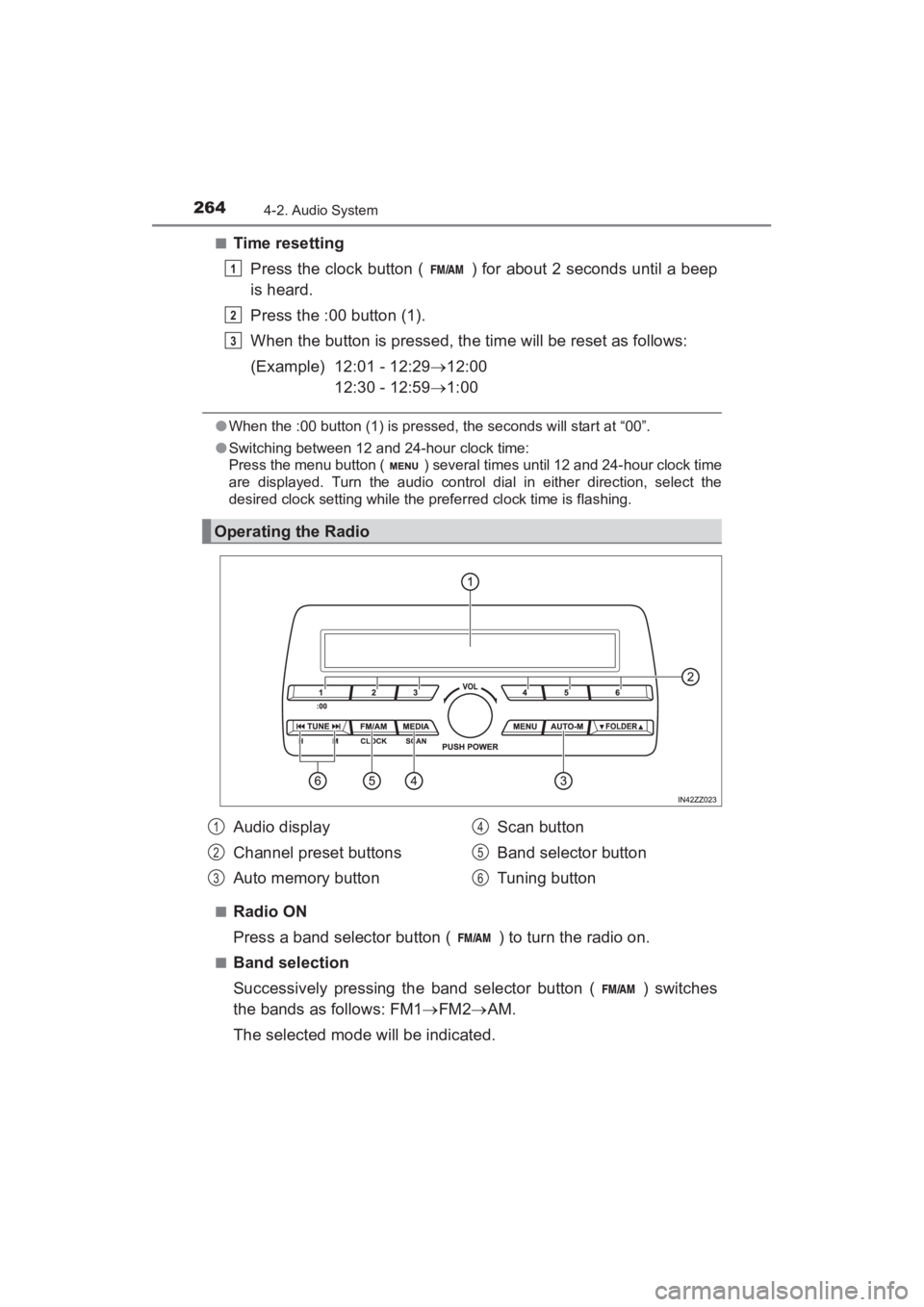
Operating the Radio
1
2
3
Audio display
Channel preset buttons
Auto memory button Scan button
Band selector button
Tuning button1
2
3
4
5
6
YARIS_SEDAN_OM_OM99M18z_(U).book Page 264 Monday, June 1, 2015 9:22 PM
Page 267 of 592
YARIS_SEDAN_OM_OM99M18z_(U)
2654-2. Audio System
4
Interior Features
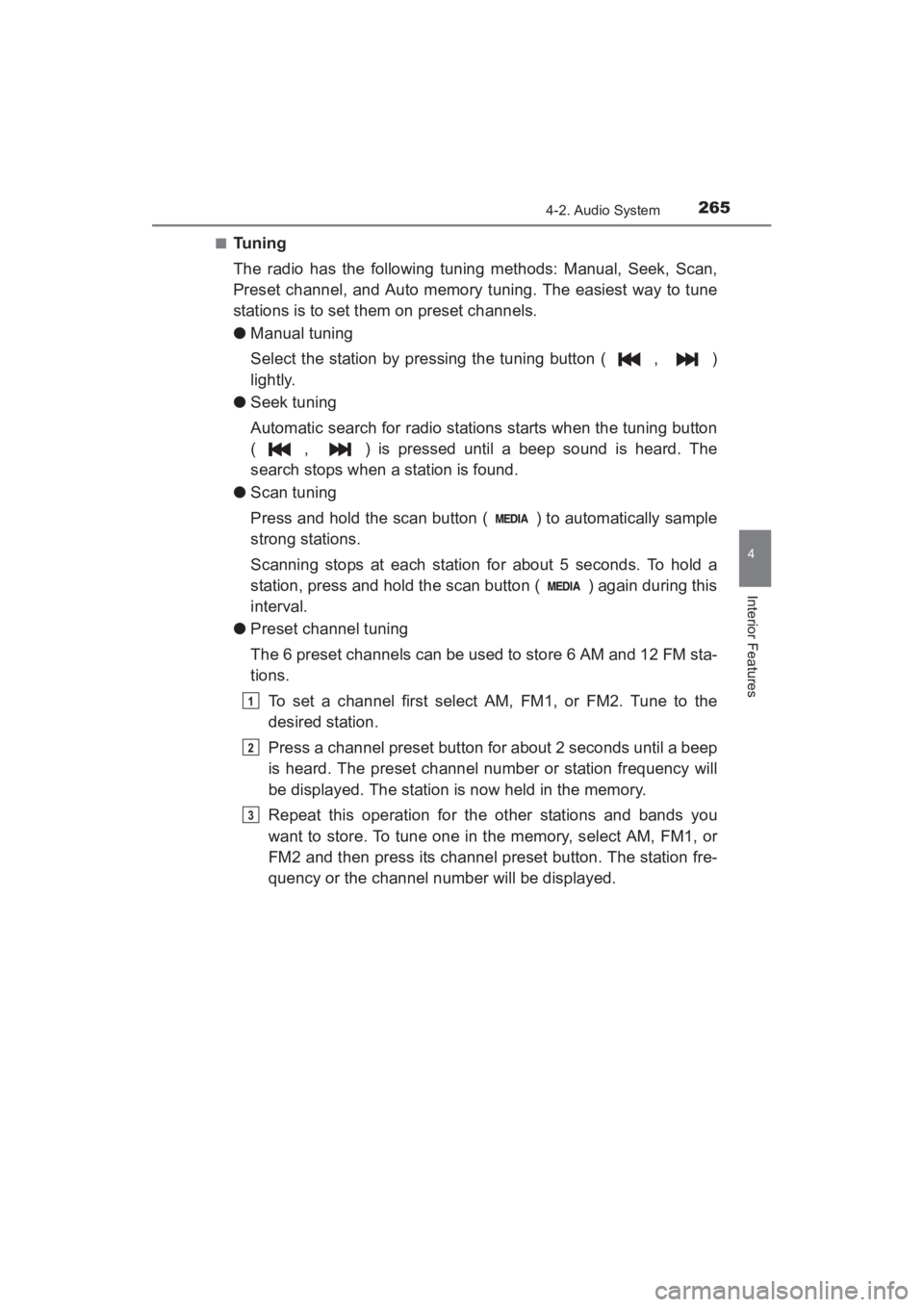
■Tuning
The radio has the following tuning methods: Manual, Seek, Scan,
Preset channel, and Auto memory tuning. The easiest way to tune
stations is to set them on preset channels.
●Manual tuning
Select the station by pressing the tuning button ( , )
lightly.
● Seek tuning
Automatic search for radio stations starts when the tuning button
( , ) is pressed until a beep sound is heard. The
search stops when a station is found.
● Scan tuning
Press and hold the scan button ( ) to automatically sample
strong stations.
Scanning stops at each station for about 5 seconds. To hold a
station, press and hold the scan button ( ) again during this
interval.
● Preset channel tuning
The 6 preset channels can be used to store 6 AM and 12 FM sta-
tions.
To set a channel first select AM, FM1, or FM2. Tune to the
desired station.
Press a channel preset button for about 2 seconds until a beep
is heard. The preset channel number or station frequency will
be displayed. The station is now held in the memory.
Repeat this operation for the other stations and bands you
want to store. To tune one in the memory, select AM, FM1, or
FM2 and then press its channel preset button. The station fre-
quency or the channel number will be displayed.
1
2
3
YARIS_SEDAN_OM_OM99M18z_(U).book Page 265 Monday, June 1, 2015 9:22 PM
Page 283 of 592
YARIS_SEDAN_OM_OM99M18z_(U)
2814-2. Audio System
4
Interior Features
●Brightness adjustment
Adjust the center display brightness using the slider.
● Contrast adjustment
Adjust the center display contrast using the slider.
● Display setting reset
All of the screen setting values can be reset to their initial set-
tings.
Select .
Select .
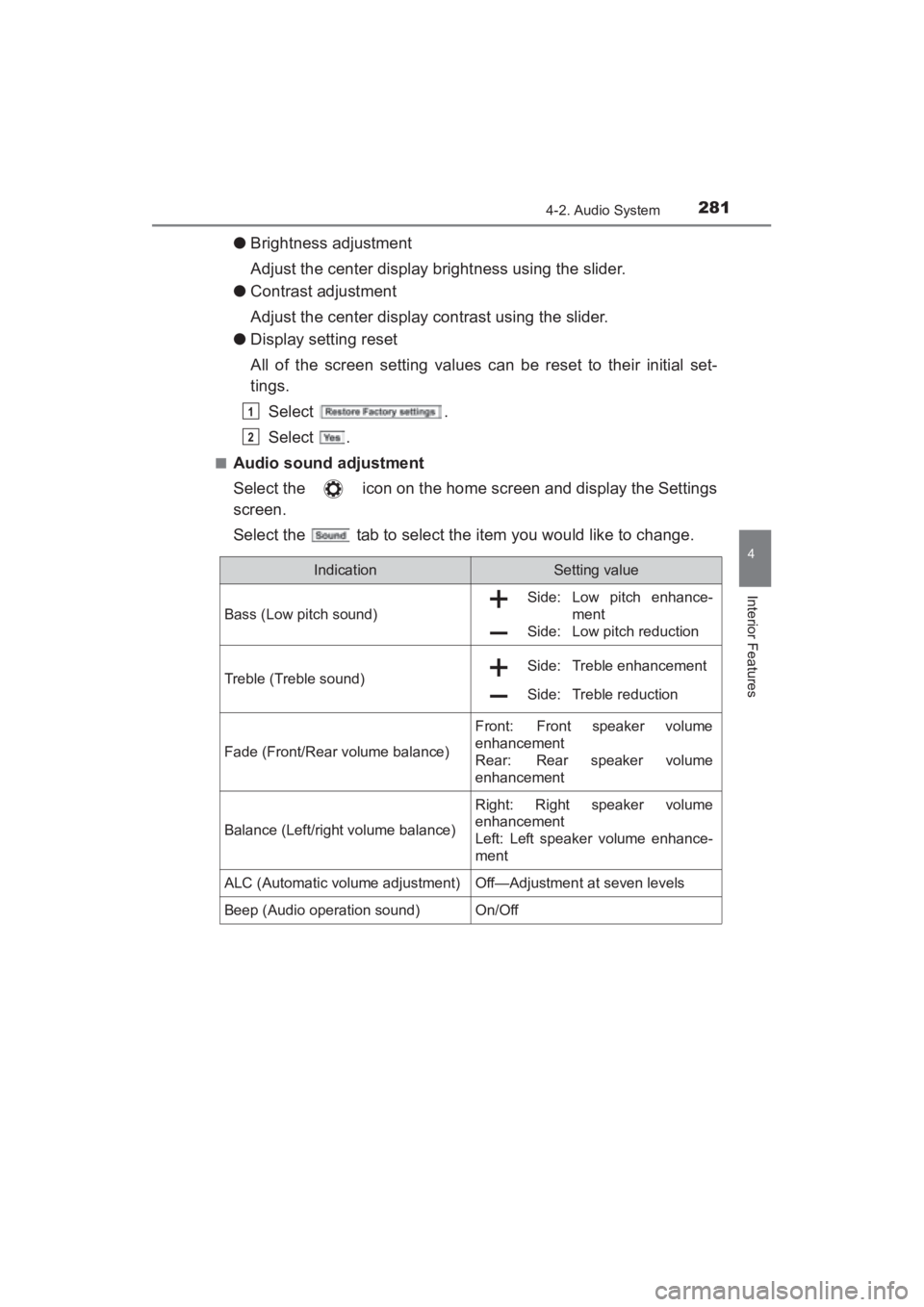
■Audio sound adjustment
Select the icon on the home screen and display the Settings
screen.
Select the tab to select the item you would like to change.
1
2
IndicationSetting value
Bass (Low pitch sound)
Side: Low pitch enhance- ment
Side: Low pitch reduction
Treble (Treble sound) Side: Treble enhancement
Side: Treble reduction
Fade (Front/Rear volume balance)
Front: Front speaker volume
enhancement
Rear:
Rear speaker volume
enhancement
Balance (Left/right volume balance)
Right: Right speaker volume
enhancement
Left: Left speaker volume enhance-
ment
ALC (Automatic volume adjustment)Off—Adjustment at seven levels
Beep (Audio operation sound)On/Off
YARIS_SEDAN_OM_OM99M18z_(U).book Page 281 Monday, June 1, 2015 9:22 PM
Page 284 of 592
282
YARIS_SEDAN_OM_OM99M18z_(U)
4-2. Audio System
●ALC (Automatic volume adjustment)
The automatic level control (ALC) is a feature that automatically
adjusts audio volume and sound quality according to the vehicle
speed. The volume increases in accordance with the increase in
vehicle speed, and decreases as vehicle speed decreases.
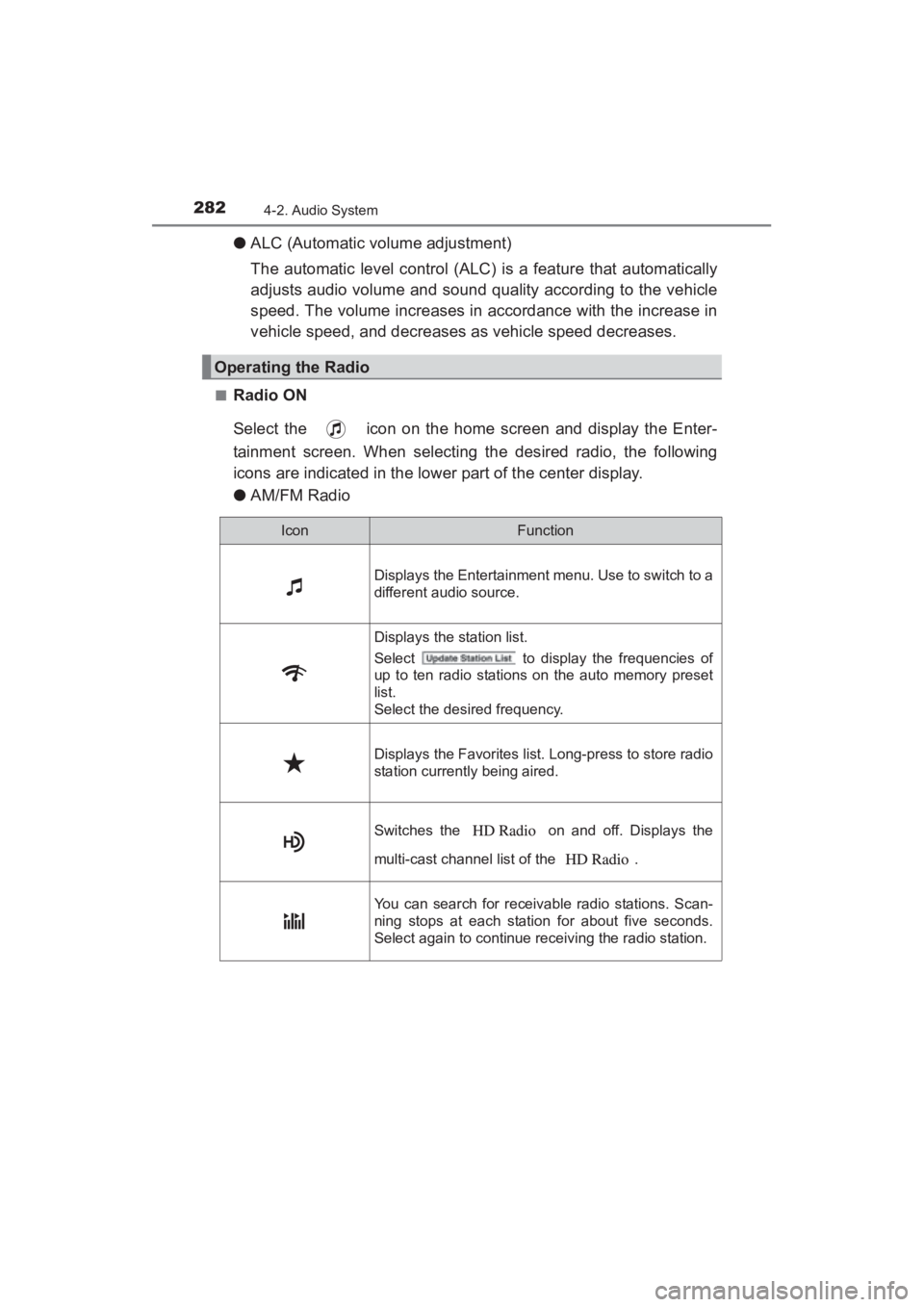
■Radio ON
Select the icon on the home screen and display the Enter-
tainment screen. When selecting the desired radio, the following
icons are indicated in the lower part of the center display.
●AM/FM Radio
Operating the Radio
IconFunction
Displays the Entertainment menu. Use to switch to a
different audio source.
Displays the station list.
Select to display the frequencies of
up to ten radio stations on the auto memory preset
list.
Select the desired frequency.
Displays the Favorites list. Long-press to store radio
station currently being aired.
Switches the on and off. Displays the
multi-cast channel list of the .
You can search for receivable radio stations. Scan-
ning stops at each station for about five seconds.
Select again to continue receiving the radio station.
YARIS_SEDAN_OM_OM99M18z_(U).book Page 282 Monday, June 1, 2015 9:22 PM
Page 293 of 592
YARIS_SEDAN_OM_OM99M18z_(U)
2914-2. Audio System
4
Interior Features
■Parental lock
If a channel is locked, the channel is muted.
To use the parental lock function, the PIN code must be initialized
first.
By using the session lock, the parental lock can be enabled or dis-
abled during the current drive cycle (from when the ignition is
switched on to switched off). When the session lock is on, the
parental lock is available. When the session lock is off, the parental
lock is temporarily cancelled.
When canceling the parental lock or session lock, or when chang-
ing the PIN code, PIN code input is required.
●PIN code reset
If the registered code has been forgotten, reset the code to the
default [0000] code.
Select the icon.
If the selected channel is locked, input the PIN code to cancel
the parental lock temporarily.
Select .
Input the default code [0000] using the number buttons.
Select .
Input the new PIN code using the number buttons.
Select .
■Operating the Satellite Radio (if equipped)
●To listen to SiriusXM, a prior subscription (fee-based) is required.
● The channels which you can receive depend on the package you subscribe
to.
● Satellite radio is broadcast as Sirius, XM, and SiriusXM in the U.S.A., and
Sirius and XM in Canada. In this owner’s manual, only the name SiriusXM is
used.
● For traffic and weather channels, map information is not displayed and only
audio broadcasts can be received.
● Call 888-539-7474 to activate. For more information, visit www.siriusxm.
com. Satellite radio is only available in regions providing satellite radio ser-
vice (some areas of the United States and Canada). Contact Authorized
your Toyota Dealer for details.
1
2
3
4
5
6
7
YARIS_SEDAN_OM_OM99M18z_(U).book Page 291 Monday, June 1, 2015 9:22 PM
Page 338 of 592
336
YARIS_SEDAN_OM_OM99M18z_(U)
4-3. Bluetooth®
Input the PIN code of your Bluetooth® audio device by press-
ing channel preset buttons 1 to 4 while “PIN 0000” is dis-
played.
Press channel preset button 1 to input the first digit, 2 for the
second, 3 for the third, and 4 for the forth. For example, if the
PIN code were “4213” press channel preset button 1 four
times (1, 2, 3, 4), button 2 twice (1, 2), button 3 once (1), and
button 4 three times (1, 2, 3). If the “PIN 0000” display disap-
pears before finishing the PIN code input, repeat the proce-
dure from Step 1.
Some devices accept only a particular pairing code (Usually, “0000”
or “1234”).
If pairing cannot be completed, refer to the owner’s manual of your
mobile device, and try those numbers if necessary.
Press the audio control dial while the input PIN code is dis-
played. “PAIRING” flashes on the audio display.
Operate the Bluetooth
® audio device and set it to the pairing
mode while “PAIRING” is flashing.
When the pairing is completed, and “PAIR SUCCESS”
are displayed after about 10-30 seconds, after which “PAIR
SUCCESS” continues to be displayed for three seconds, and
then the unit returns to the normal display.
3
4
5
6
YARIS_SEDAN_OM_OM99M18z_(U).book Page 336 Monday, June 1, 2015 9:22 PM