battery TOYOTA YARIS 2016 Owner's Manual
[x] Cancel search | Manufacturer: TOYOTA, Model Year: 2016, Model line: YARIS, Model: TOYOTA YARIS 2016Pages: 592, PDF Size: 10.44 MB
Page 236 of 592
234
YARIS_SEDAN_OM_OM99M18z_(U)
4-1. Climate Control System
Operating Tips
●Operate the climate control system with the engine running.
● To prevent the battery from being discharged, do not leave the fan
control dial on for a long period of time with the ignition switched
ON when the engine is not running.
● Clear all obstructions such as leaves, snow and ice from the hood
and the air inlet in the cowl grille to improve the system efficiency.
● Use the climate control system to defog the windows and dehumid-
ify the air.
● The recirculate mode should be used when driving through tunnels
or while in a traffic jam, or when you would like to shut off outside
air for quick cooling of the interior.
● Use the outside air position for ventilation or windshield defrosting.
● If the vehicle has been parked in direct sunlight during hot weather,
open the windows to let warm air escape, then run the climate con-
trol system.
● Run the air conditioner about 10 minutes at least once a month to
keep internal parts lubricated.
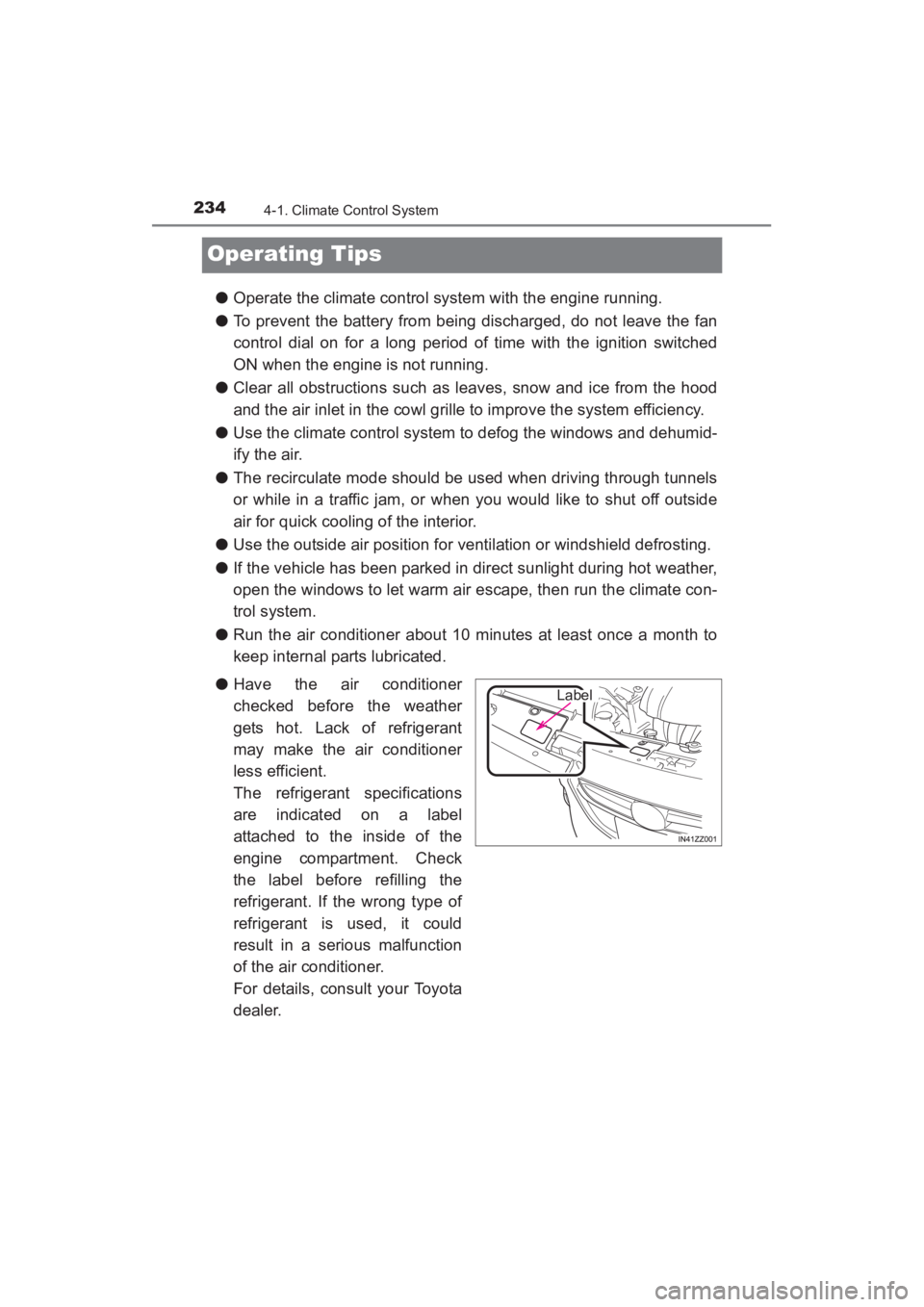
● Have the air conditioner
checked before the weather
gets hot. Lack of refrigerant
may make the air conditioner
less efficient.
The refrigerant specifications
are indicated on a label
attached to the inside of the
engine compartment. Check
the label before refilling the
refrigerant. If the wrong type of
refrigerant is used, it could
result in a serious malfunction
of the air conditioner.
For details, consult your Toyota
dealer.
Label
YARIS_SEDAN_OM_OM99M18z_(U).book Page 234 Monday, June 1, 2015 9:22 PM
Page 247 of 592
245
YARIS_SEDAN_OM_OM99M18z_(U)
4-2. Audio System
4
Interior Features
Operating Tips for Audio System
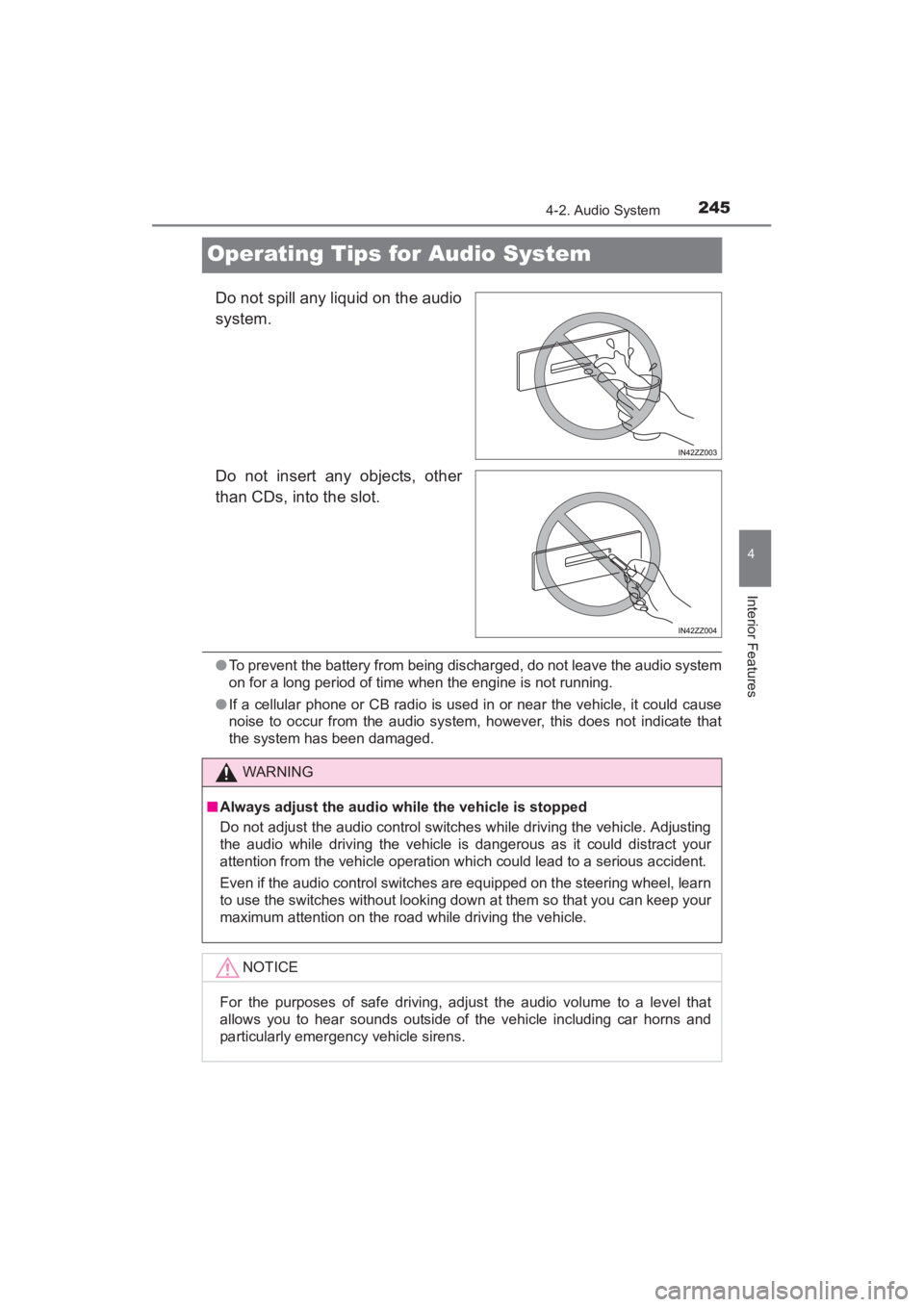
Do not spill any liquid on the audio
system.
Do not insert any objects, other
than CDs, into the slot.
●To prevent the battery from being discharged, do not leave the audio system
on for a long period of time when the engine is not running.
● If a cellular phone or CB radio is used in or near the vehicle, it could cause
noise to occur from the audio system, however, this does not indicate that
the system has been damaged.
WARNING
■ Always adjust the audio while the vehicle is stopped
Do not adjust the audio control switches while driving the vehicle. Adjusting
the audio while driving the vehicle is dangerous as it could distract your
attention from the vehicle operation which could lead to a serious accident.
Even if the audio control switches are equipped on the steering wheel, learn
to use the switches without looking down at them so that you can keep your
maximum attention on the road while driving the vehicle.
NOTICE
For the purposes of safe driving, adjust the audio volume to a level that
allows you to hear sounds outside of the vehicle including car horns and
particularly emergency vehicle sirens.
YARIS_SEDAN_OM_OM99M18z_(U).book Page 245 Monday, June 1, 2015 9:22 PM
Page 260 of 592
258
YARIS_SEDAN_OM_OM99M18z_(U)
4-2. Audio System
NOTICE
●Remove the iPod when it is not in use. Because the iPod is not designed
to withstand excessive changes in temperature inside the cabin, it could
be damaged or the battery may deteriorate due to the excessive tempera-
ture or humidity inside the cabin if it is left in the vehicle.
● If data in the iPod is lost while it is connected to the unit, Toyota cannot
guarantee recovery of any lost data.
● If the iPod battery is deteriorated, the iPod may not recharge and playback
may not be possible when it is connected to the unit.
● For details on using the iPod, refer to the iPod instruction manual.
● When connecting the iPod to a USB port, all commands are made from
the audio unit. iPod control is not possible.
YARIS_SEDAN_OM_OM99M18z_(U).book Page 258 Monday, June 1, 2015 9:22 PM
Page 289 of 592
YARIS_SEDAN_OM_OM99M18z_(U)
2874-2. Audio System
4
Interior Features
●Multicast channel selection (FM)
If multi-cast channels are available for an broadcast
currently being received, the multi-cast channel list is displayed.
Select the desired radio station.
● iTunes Tagging (for Apple devices with USB use only)
By tagging a song currently being aired, the song can be easily
purchased from the iTunes Store. Up to 100 tags can be stored.
Select the icon. The tag is stored in the audio unit.
Connect the device via USB. The tag is sent to the connected
device automatically.
Synchronize the device with iTunes. The tagged song can now
be purchased from the iTunes Store.
■Operating the Radio
●If the battery is disconnected, your Favorites list will be not deleted.
● Radio text information is a function of FM radio. Text information is not dis-
played in the following:
• During reception
• Not an RBDS broadcast
• RBDS broadcast, but radio text is no t transmitted from the radio station
● To change the desired genre, select the icon.
Ex.)
89.3 is currently being received. With Rock selected as the Genre, the
radio stations broadcasting Rock are at the following frequencies.
98.3
*1, 98.7, 104.3*1, 107.1
*1Radio stations with good reception
The frequency changes as follows each time is pressed.
89.3 →98.3 →104.3→ 98.3
●Only one Genre can be selected.
● It may not be possible to receive any station even if the Genre Seek function
is used.
● If a program in the selected genre is not broadcast to a region, reception is
not possible even if the Genre Seek function is used.
● The Genre Seek function searches for genre code (program type) which FM
analog broadcasts transmit. specialty programs (HD2-HD8) can-
not be searched because they are not FM analog broadcasts.
1
2
3
YARIS_SEDAN_OM_OM99M18z_(U).book Page 287 Monday, June 1, 2015 9:22 PM
Page 305 of 592
YARIS_SEDAN_OM_OM99M18z_(U)
3034-2. Audio System
4
Interior Features
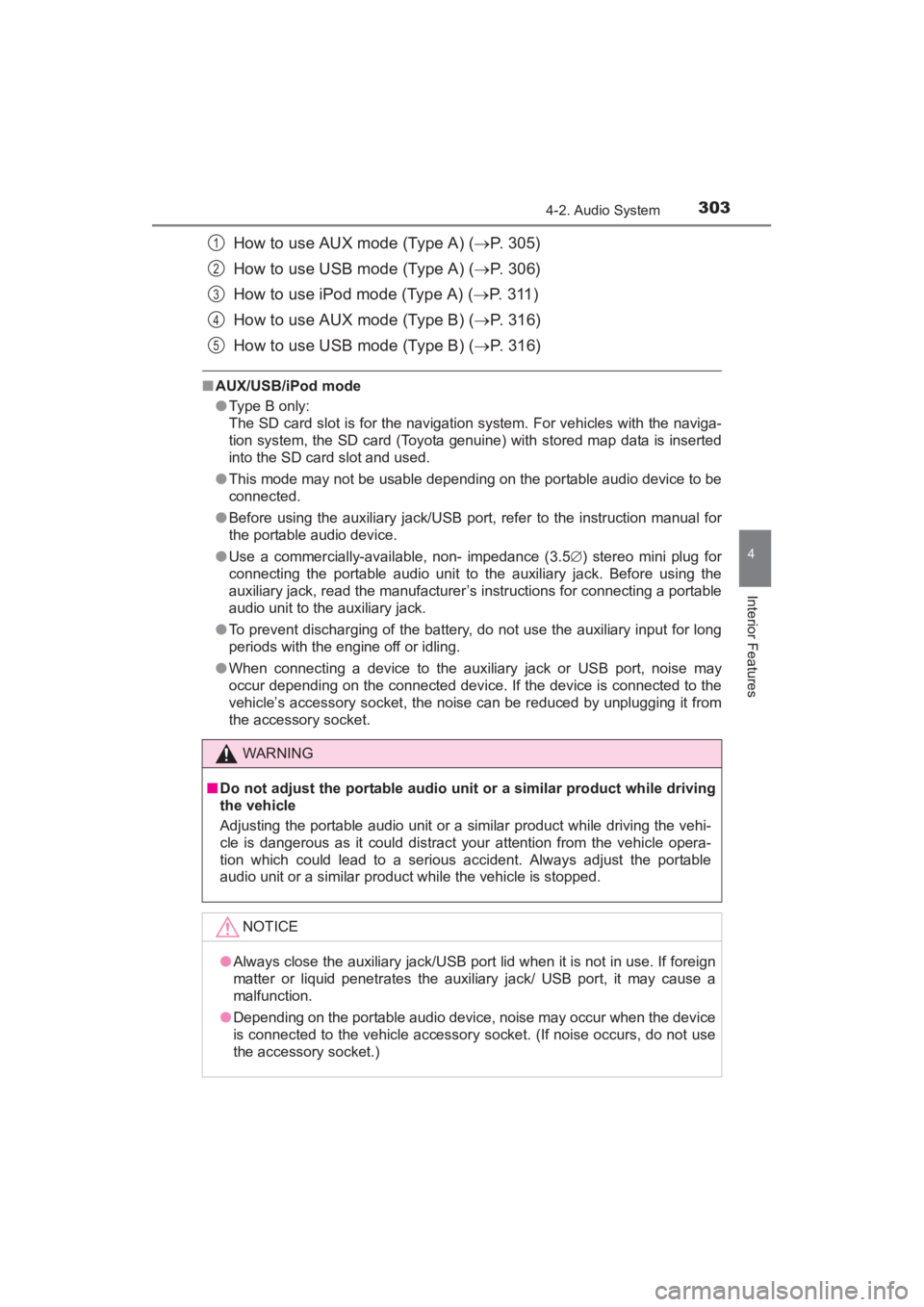
How to use AUX mode (Type A) (→P. 305)
How to use USB mode (Type A) ( →P. 306)
How to use iPod mode (Type A) ( →P. 3 1 1 )
How to use AUX mode (Type B) ( →P. 316)
How to use USB mode (Type B) ( →P. 316)
■AUX/USB/iPod mode
●Type B only:
The SD card slot is for the navigation system. For vehicles with the naviga-
tion system, the SD card (Toyota genuine) with stored map data is inserted
into the SD card slot and used.
● This mode may not be usable depending on the portable audio device to be
connected.
● Before using the auxiliary jack/USB port, refer to the instruction manual for
the portable audio device.
● Use a commercially-available, non- impedance (3.5 ∅) stereo mini plug for
connecting the portable audio unit to the auxiliary jack. Before using the
auxiliary jack, read the manufacturer’s instructions for connecting a portable
audio unit to the auxiliary jack.
● To prevent discharging of the battery, do not use the auxiliary input for long
periods with the engine off or idling.
● When connecting a device to the auxiliary jack or USB port, noise may
occur depending on the connected device. If the device is connected to the
vehicle’s accessory socket, the noise can be reduced by unplugging it from
the accessory socket.
WARNING
■Do not adjust the portable audio unit or a similar product while driving
the vehicle
Adjusting the portable audio unit or a similar product while driving the vehi-
cle is dangerous as it could distract your attention from the vehicle opera-
tion which could lead to a serious accident. Always adjust the portable
audio unit or a similar product while the vehicle is stopped.
NOTICE
●Always close the auxiliary jack/USB port lid when it is not in use. If foreign
matter or liquid penetrates the auxiliary jack/ USB port, it may cause a
malfunction.
● Depending on the portable audio device, noise may occur when the device
is connected to the vehicle accessory socket. (If noise occurs, do not use
the accessory socket.)
1
2
3
4
5
YARIS_SEDAN_OM_OM99M18z_(U).book Page 303 Monday, June 1, 2015 9:22 PM
Page 386 of 592
384
YARIS_SEDAN_OM_OM99M18z_(U)
4-3. Bluetooth®
Bluetooth® Audio (Type A)
■Applicable Bluetooth® specification (Recommended)
Ver. 2 .0
■Response profile
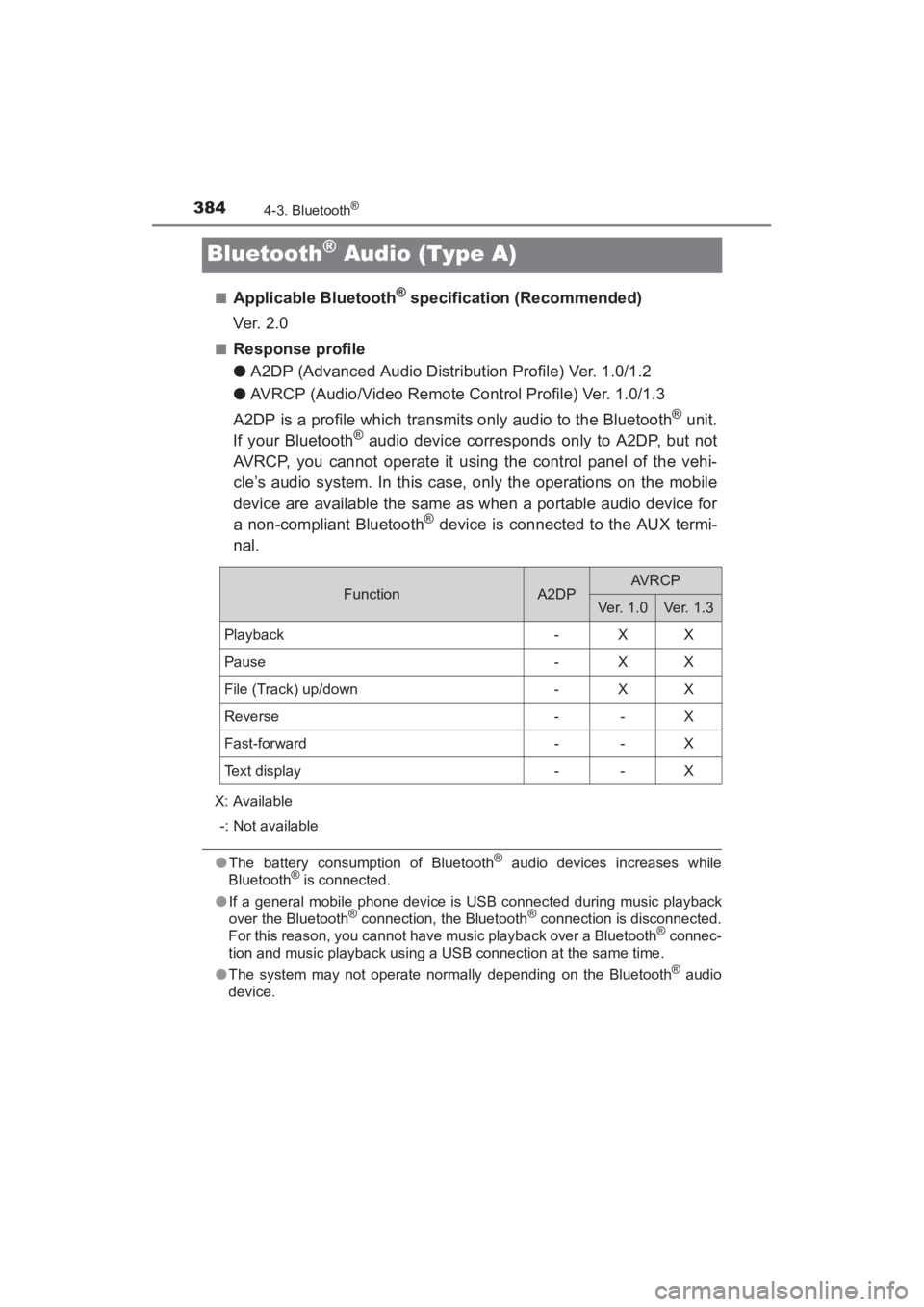
● A2DP (Advanced Audio Distribution Profile) Ver. 1.0/1.2
● AVRCP (Audio/Video Remote Control Profile) Ver. 1.0/1.3
A2DP is a profile which transmits only audio to the Bluetooth
® unit.
If your Bluetooth® audio device corresponds only to A2DP, but not
AVRCP, you cannot operate it using the control panel of the vehi-
cle’s audio system. In this case, only the operations on the mobile
device are available the same as when a portable audio device for
a non-compliant Bluetooth
® device is connected to the AUX termi-
nal.
X: Available
-: Not available
● The battery consumption of Bluetooth® audio devices increases while
Bluetooth® is connected.
● If a general mobile phone device is USB connected during music playback
over the Bluetooth
® connection, the Bluetooth® connection is disconnected.
For this reason, you cannot have music playback over a Bluetooth® connec-
tion and music playback using a USB connection at the same time.
● The system may not operate normally depending on the Bluetooth
® audio
device.
FunctionA2DPAVRCP
Ver. 1.0Ve r. 1 . 3
Playback-XX
Pause-XX
File (Track) up/down-XX
Reverse--X
Fast-forward--X
Text display--X
YARIS_SEDAN_OM_OM99M18z_(U).book Page 384 Monday, June 1, 2015 9:22 PM
Page 391 of 592
YARIS_SEDAN_OM_OM99M18z_(U)
3894-3. Bluetooth®
4
Interior Features
●The battery consumption of Bluetooth® audio devices increases while
Bluetooth® is connected.
● If a general mobile phone device is USB connected during music playback
over the Bluetooth
® connection, the Bluetooth® connection is disconnected.
For this reason, you cannot have music playback over a Bluetooth® connec-
tion and music playback using a USB connection at the same time.
● The system may not operate normally depending on the Bluetooth
® audio
device.
■
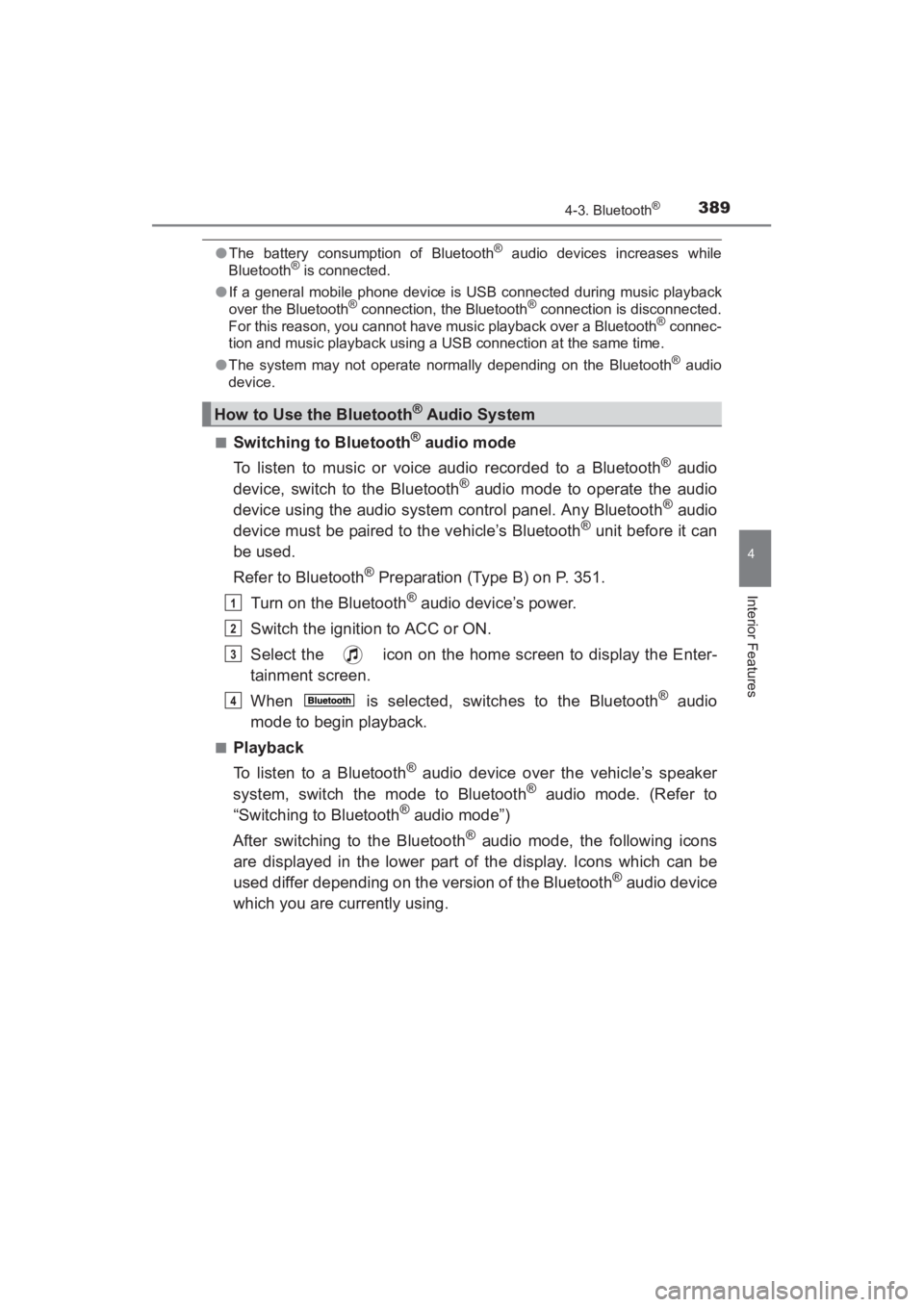
Switching to Bluetooth® audio mode
To listen to music or voice audio recorded to a Bluetooth
® audio
device, switch to the Bluetooth® audio mode to operate the audio
device using the audio system control panel. Any Bluetooth® audio
device must be paired to the vehicle’s Bluetooth® unit before it can
be used.
Refer to Bluetooth
® Preparation (Type B) on P. 351.
Turn on the Bluetooth
® audio device’s power.
Switch the ignition to ACC or ON.
Select the icon on the home screen to display the Enter-
tainment screen.
When is selected, switches to the Bluetooth
® audio
mode to begin playback.
■Playback
To listen to a Bluetooth
® audio device over the vehicle’s speaker
system, switch the mode to Bluetooth® audio mode. (Refer to
“Switching to Bluetooth® audio mode”)
After switching to the Bluetooth
® audio mode, the following icons
are displayed in the lower part of the display. Icons which can be
used differ depending on the version of the Bluetooth
® audio device
which you are currently using.
How to Use the Bluetooth® Audio System
1
2
3
4
YARIS_SEDAN_OM_OM99M18z_(U).book Page 389 Monday, June 1, 2015 9:22 PM
Page 394 of 592
392
YARIS_SEDAN_OM_OM99M18z_(U)
4-3. Bluetooth®
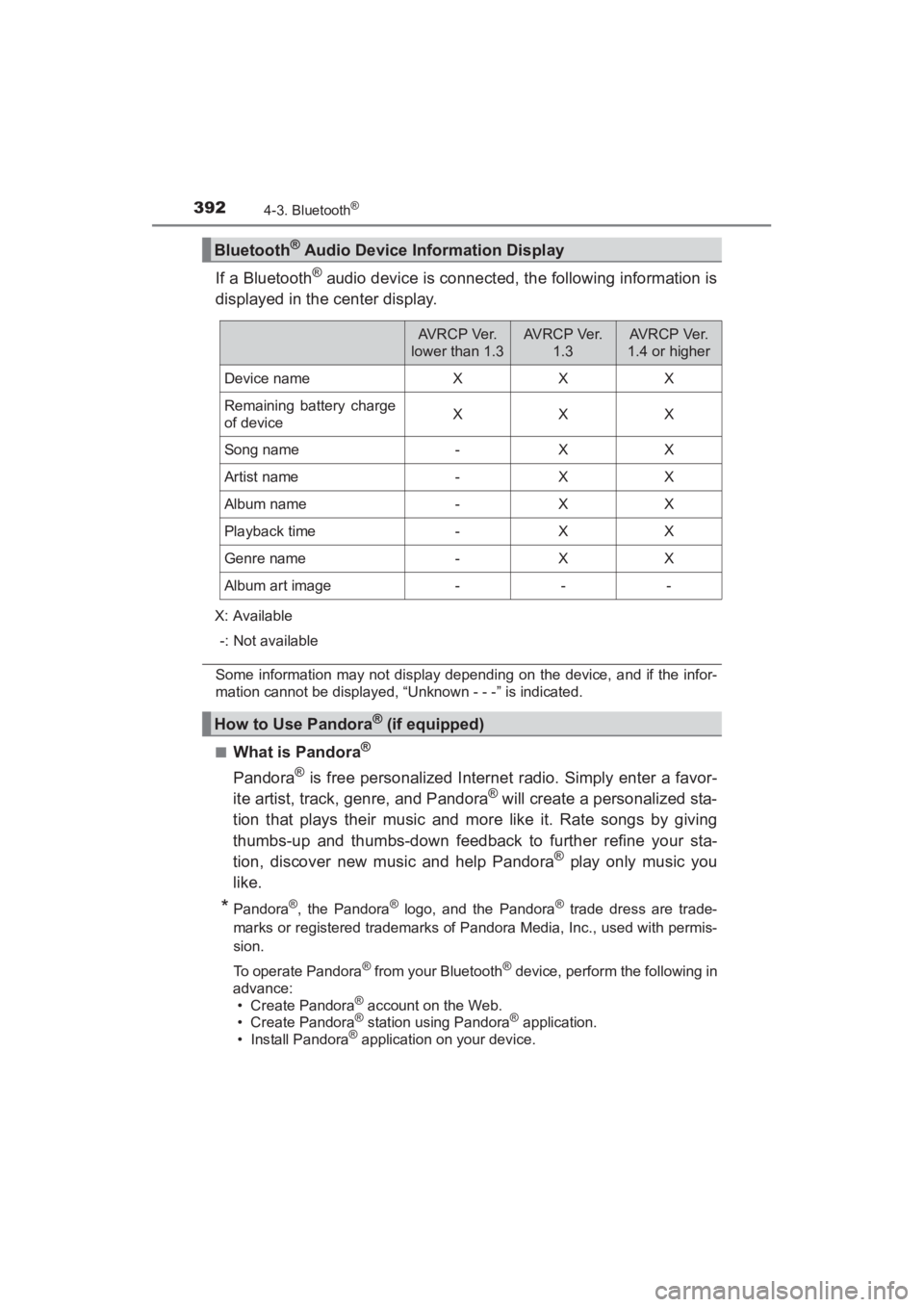
If a Bluetooth® audio device is connected, the following information is
displayed in the center display.
X: Available
-: Not available
Some information may not display depending on the device, and if the infor-
mation cannot be displayed, “Unknown - - -” is indicated.
■
What is Pandora®
Pandora® is free personalized Internet radio. Simply enter a favor-
ite artist, track, genre, and Pandora® will create a personalized sta-
tion that plays their music and more like it. Rate songs by giving
thumbs-up and thumbs-down feedback to further refine your sta-
tion, discover new music and help Pandora
® play only music you
like.
*Pandora®, the Pandora® logo, and the Pandora® trade dress are trade-
marks or registered trademarks of P andora Media, Inc., used with permis-
sion.
To operate Pandora
® from your Bluetooth® device, perform the following in
advance: • Create Pandora
® account on the Web.
• Create Pandora® station using Pandora® application.
• Install Pandora® application on your device.
Bluetooth® Audio Device Information Display
AVRCP Ver.
lower than 1.3AV R C P Ve r. 1.3AV R C P Ve r.
1.4 or higher
Device nameXXX
Remaining battery charge
of deviceXXX
Song name-XX
Artist name-XX
Album name-XX
Playback time-XX
Genre name-XX
Album art image---
How to Use Pandora® (if equipped)
YARIS_SEDAN_OM_OM99M18z_(U).book Page 392 Monday, June 1, 2015 9:22 PM
Page 406 of 592
404
YARIS_SEDAN_OM_OM99M18z_(U)
4-3. Bluetooth®
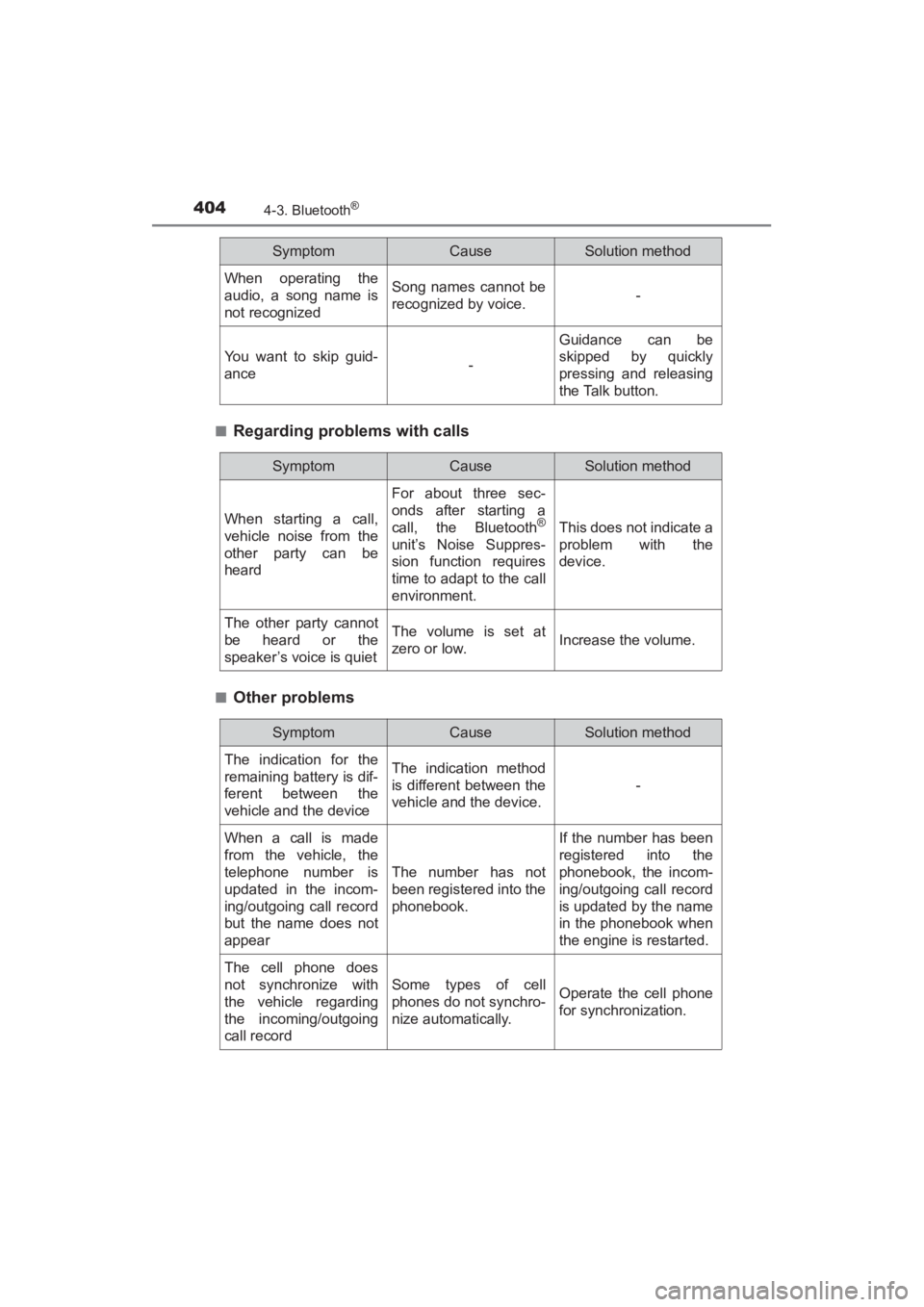
■Regarding problems with calls
■Other problems
When operating the
audio, a song name is
not recognizedSong names cannot be
recognized by voice.-
You want to skip guid-
ance-
Guidance can be
skipped by quickly
pressing and releasing
the Talk button.
SymptomCauseSolution method
SymptomCauseSolution method
When starting a call,
vehicle noise from the
other party can be
heard
For about three sec-
onds after starting a
call, the Bluetooth
®
unit’s Noise Suppres-
sion function requires
time to adapt to the call
environment.
This does not indicate a
problem with the
device.
The other party cannot
be heard or the
speaker’s voice is quietThe volume is set at
zero or low.Increase the volume.
SymptomCauseSolution method
The indication for the
remaining battery is dif-
ferent between the
vehicle and the deviceThe indication method
is different between the
vehicle and the device.
-
When a call is made
from the vehicle, the
telephone number is
updated in the incom-
ing/outgoing call record
but the name does not
appear
The number has not
been registered into the
phonebook.
If the number has been
registered into the
phonebook, the incom-
ing/outgoing call record
is updated by the name
in the phonebook when
the engine is restarted.
The cell phone does
not synchronize with
the vehicle regarding
the incoming/outgoing
call record
Some types of cell
phones do not synchro-
nize automatically.Operate the cell phone
for synchronization.
YARIS_SEDAN_OM_OM99M18z_(U).book Page 404 Monday, June 1, 2015 9:22 PM
Page 410 of 592
408
YARIS_SEDAN_OM_OM99M18z_(U)
4-4. Interior Equipment
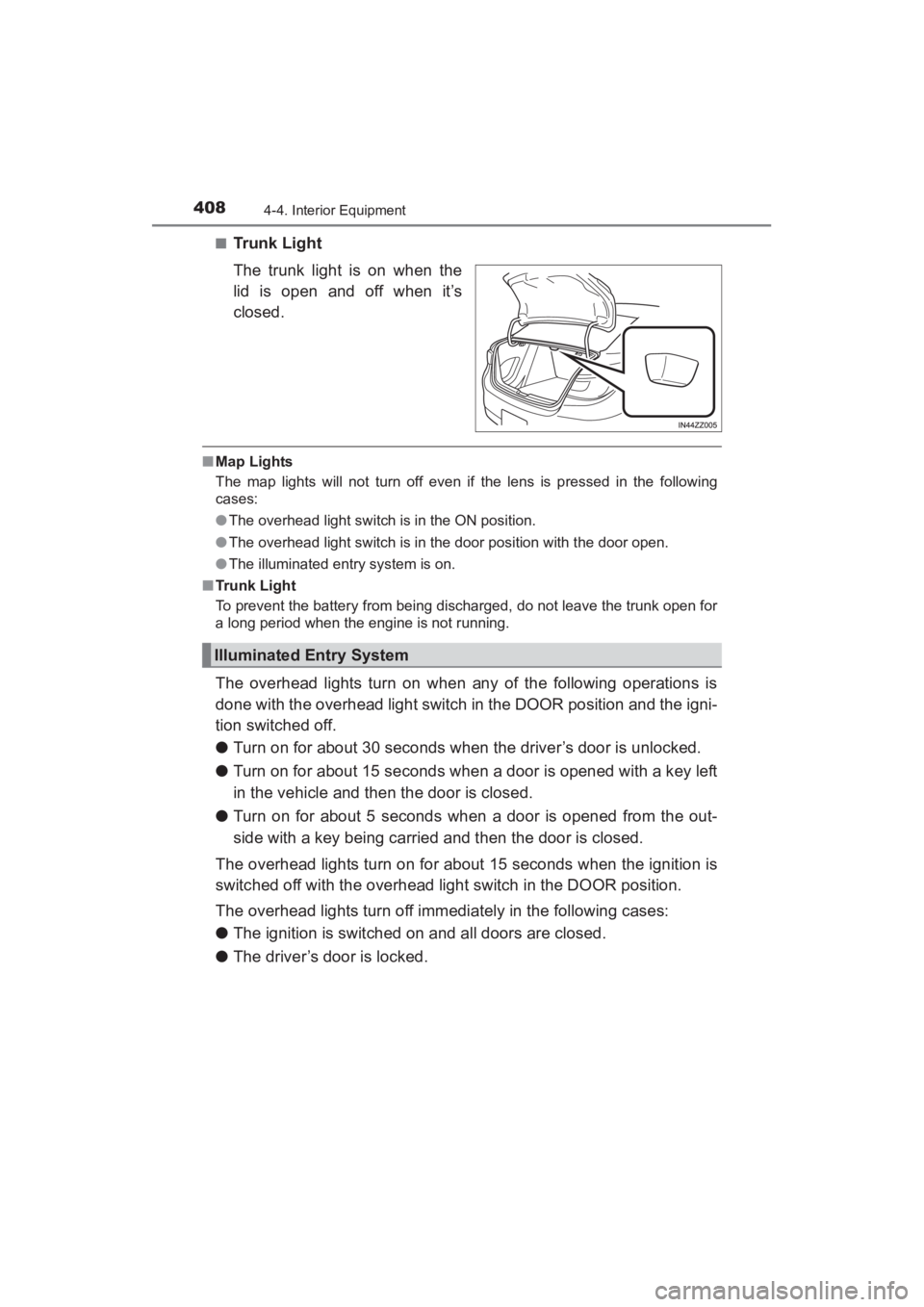
■Trunk Light
The trunk light is on when the
lid is open and off when it’s
closed.
■Map Lights
The map lights will not turn off even if the lens is pressed in the following
cases:
●The overhead light switch is in the ON position.
● The overhead light switch is in the door position with the door open.
● The illuminated entry system is on.
■ Trunk Light
To prevent the battery from being discharged, do not leave the trunk open for
a long period when the engine is not running.
The overhead lights turn on when any of the following operations is
done with the overhead light switch in the DOOR position and the igni-
tion switched off.
● Turn on for about 30 seconds when the driver’s door is unlocked.
● Turn on for about 15 seconds when a door is opened with a key left
in the vehicle and then the door is closed.
● Turn on for about 5 seconds when a door is opened from the out-
side with a key being carried and then the door is closed.
The overhead lights turn on for about 15 seconds when the ignition is
switched off with the overhead light switch in the DOOR position.
The overhead lights turn off immediately in the following cases:
● The ignition is switched on and all doors are closed.
● The driver’s door is locked.
Illuminated Entry System
YARIS_SEDAN_OM_OM99M18z_(U).book Page 408 Monday, June 1, 2015 9:22 PM