phone TOYOTA YARIS 2016 Owner's Manual
[x] Cancel search | Manufacturer: TOYOTA, Model Year: 2016, Model line: YARIS, Model: TOYOTA YARIS 2016Pages: 592, PDF Size: 10.44 MB
Page 345 of 592
YARIS_SEDAN_OM_OM99M18z_(U)
3434-3. Bluetooth®
4
Interior Features
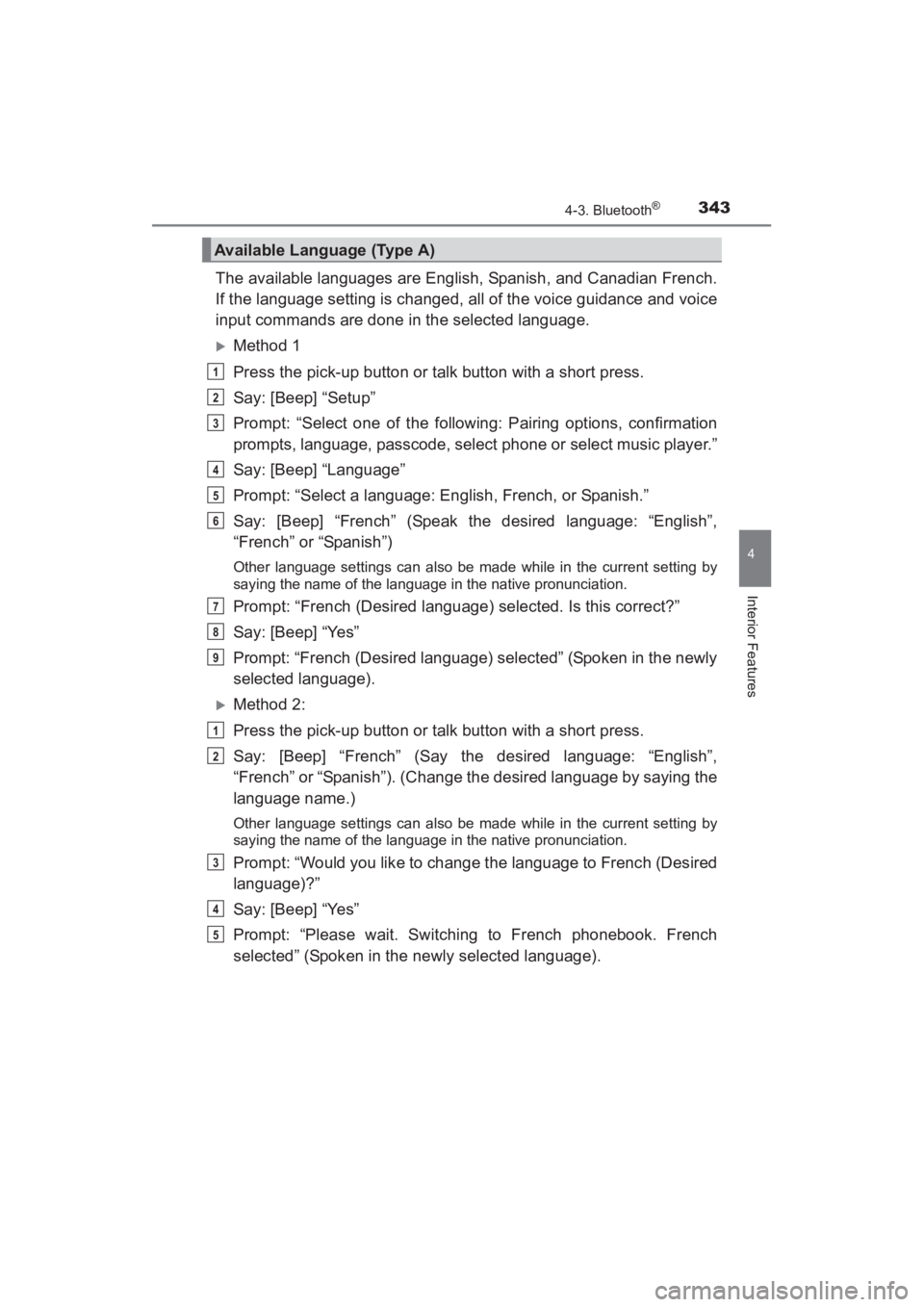
The available languages are English, Spanish, and Canadian French.
If the language setting is changed, all of the voice guidance and voice
input commands are done in the selected language.
XMethod 1
Press the pick-up button or talk button with a short press.
Say: [Beep] “Setup”
Prompt: “Select one of the following: Pairing options, confirmation
prompts, language, passcode, select phone or select music player.”
Say: [Beep] “Language”
Prompt: “Select a language: English, French, or Spanish.”
Say: [Beep] “French” (Speak the desired language: “English”,
“French” or “Spanish”)
Other language settings can also be made while in the current setting by
saying the name of the language in the native pronunciation.
Prompt: “French (Desired language) selected. Is this correct?”
Say: [Beep] “Yes”
Prompt: “French (Desired language) selected” (Spoken in the newly
selected language).
XMethod 2:
Press the pick-up button or talk button with a short press.
Say: [Beep] “French” (Say the desired language: “English”,
“French” or “Spanish”). (Change the desired language by saying the
language name.)
Other language settings can also be made while in the current setting by
saying the name of the language in the native pronunciation.
Prompt: “Would you like to change the language to French (Desired
language)?”
Say: [Beep] “Yes”
Prompt: “Please wait. Switching to French phonebook. French
selected” (Spoken in the newly selected language).
Available Language (Type A)
1
2
3
4
5
6
7
8
9
1
2
3
4
5
YARIS_SEDAN_OM_OM99M18z_(U).book Page 343 Monday, June 1, 2015 9:22 PM
Page 346 of 592
344
YARIS_SEDAN_OM_OM99M18z_(U)
4-3. Bluetooth®
■Available Language (Type A)
●If the language setting is changed, dev ice registration is maintained.
● Phonebook records are not cleared, but each language has a separate
phonebook. Therefore, entries created in one language will need to be re-
entered in the phonebook of the new language.
● Do these steps before you start driving. These less used functions are too
distracting to undertake while driving until you are fully familiar with the sys-
tem.
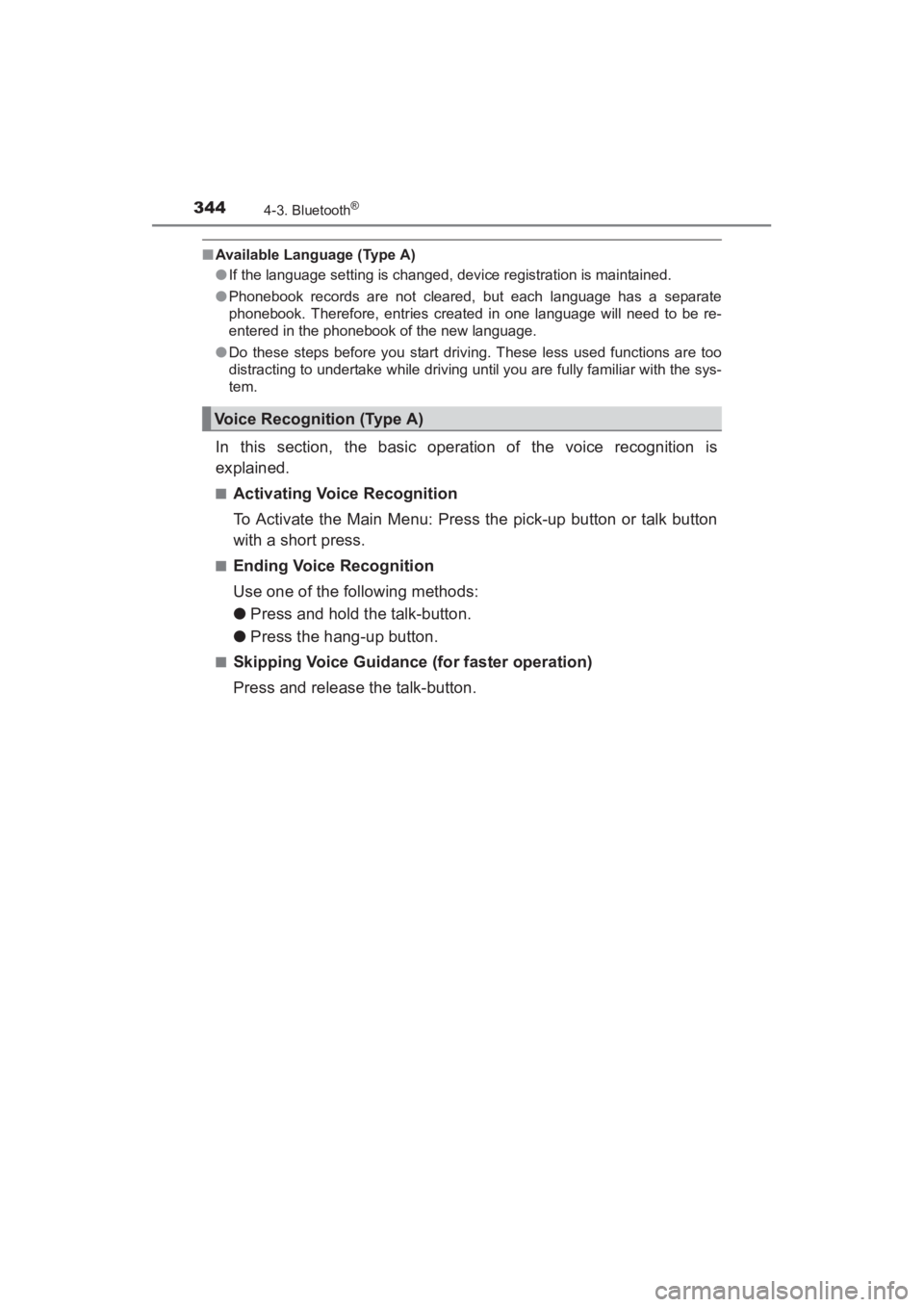
In this section, the basic operation of the voice recognition is
explained.
■Activating Voice Recognition
To Activate the Main Menu: Press the pick-up button or talk button
with a short press.
■Ending Voice Recognition
Use one of the following methods:
● Press and hold the talk-button.
● Press the hang-up button.
■Skipping Voice Guidance (for faster operation)
Press and release the talk-button.
Voice Recognition (Type A)
YARIS_SEDAN_OM_OM99M18z_(U).book Page 344 Monday, June 1, 2015 9:22 PM
Page 347 of 592
YARIS_SEDAN_OM_OM99M18z_(U)
3454-3. Bluetooth®
4
Interior Features
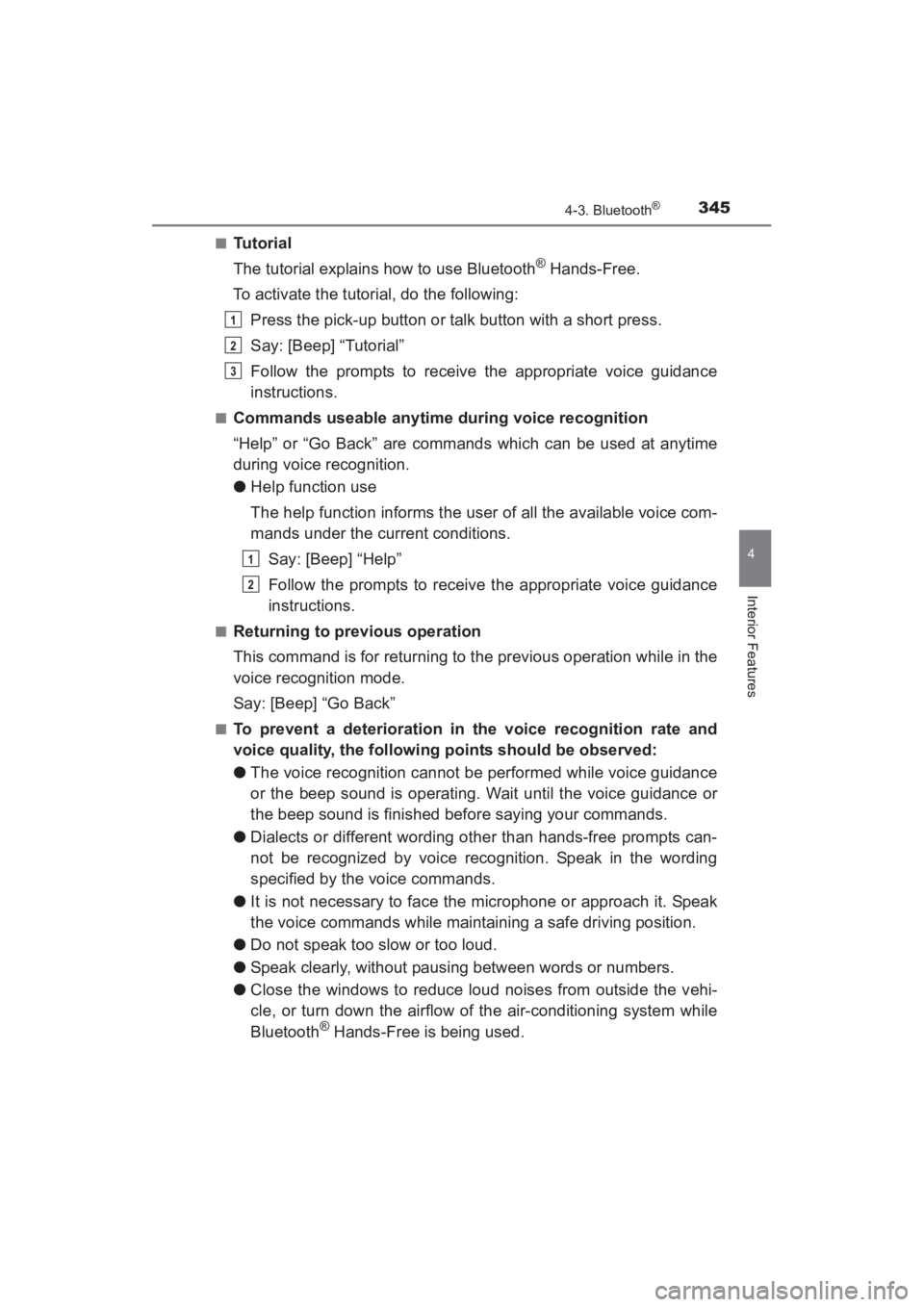
■Tu t o r i a l
The tutorial explains how to use Bluetooth
® Hands-Free.
To activate the tutorial, do the following:
Press the pick-up button or talk button with a short press.
Say: [Beep] “Tutorial”
Follow the prompts to receive the appropriate voice guidance
instructions.
■Commands useable anytime during voice recognition
“Help” or “Go Back” are commands which can be used at anytime
during voice recognition.
●Help function use
The help function informs the user of all the available voice com-
mands under the current conditions.
Say: [Beep] “Help”
Follow the prompts to receive the appropriate voice guidance
instructions.
■Returning to previous operation
This command is for returning to the previous operation while in the
voice recognition mode.
Say: [Beep] “Go Back”
■To prevent a deterioration in the voice recognition rate and
voice quality, the following points should be observed:
●The voice recognition cannot be performed while voice guidance
or the beep sound is operating. Wait until the voice guidance or
the beep sound is finished before saying your commands.
● Dialects or different wording other than hands-free prompts can-
not be recognized by voice recognition. Speak in the wording
specified by the voice commands.
● It is not necessary to face the microphone or approach it. Speak
the voice commands while maintaining a safe driving position.
● Do not speak too slow or too loud.
● Speak clearly, without pausing between words or numbers.
● Close the windows to reduce loud noises from outside the vehi-
cle, or turn down the airflow of the air-conditioning system while
Bluetooth
® Hands-Free is being used.
1
2
3
1
2
YARIS_SEDAN_OM_OM99M18z_(U).book Page 345 Monday, June 1, 2015 9:22 PM
Page 348 of 592
346
YARIS_SEDAN_OM_OM99M18z_(U)
4-3. Bluetooth®
●Make sure the vents are not directing air up towards the micro-
phone.
■Voice Recognition (Type A)
●The Bluetooth® Hands-Free system is operable several seconds after the
ignition is switched to ACC or ON (requires less than 15 seconds).
● When operating the audio unit or the A/C while using Bluetooth
® Hands-
Free, the beep sounds or voice guidance (audio unit)/cannot be heard.
● If the voice recognition performance is not satisfactory.
● Refer to Voice Recognition Learning Function (Speaker Enrollment) (Type
A) on P. 348.
Refer to Troubleshooting on P. 401.
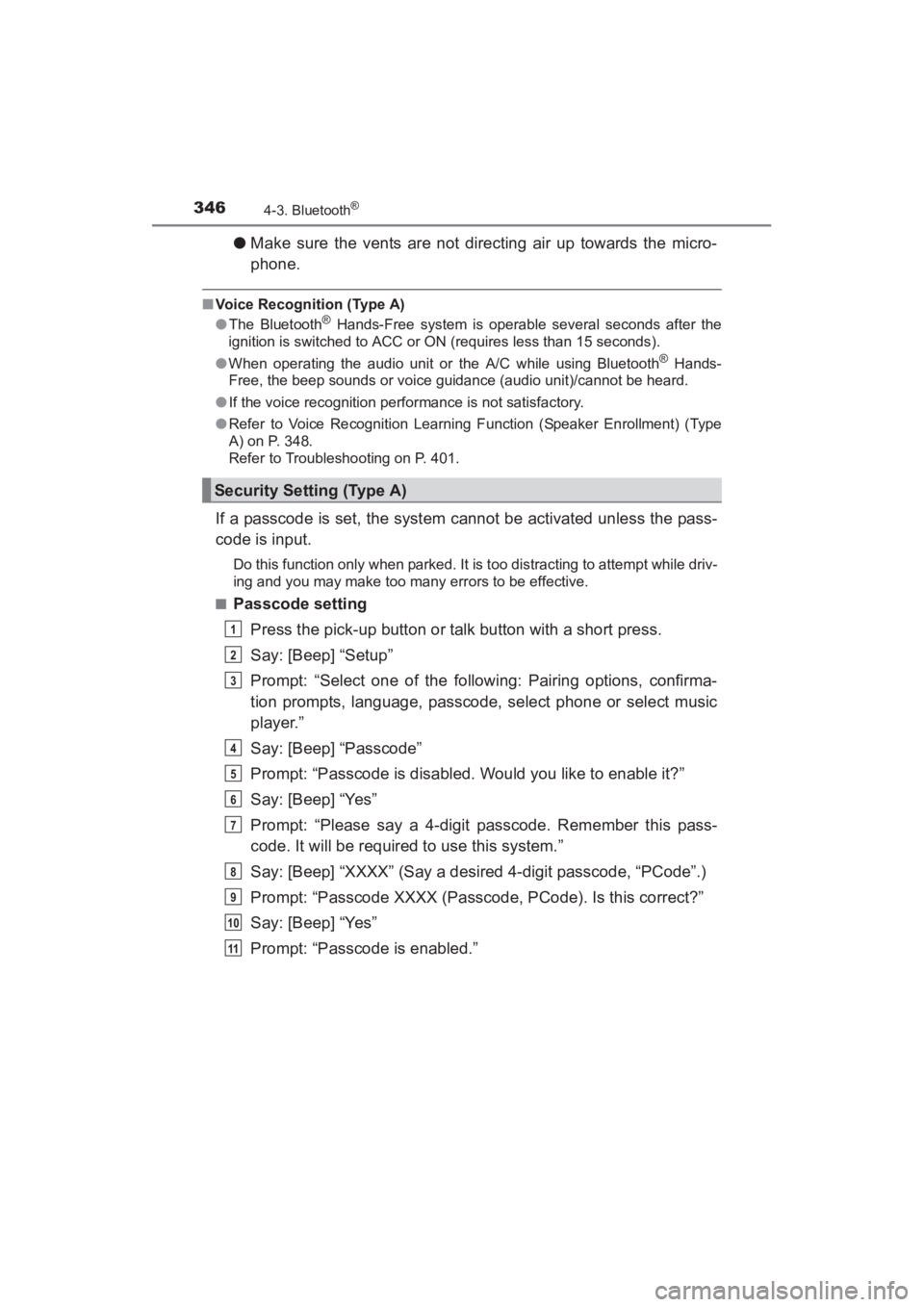
If a passcode is set, the system cannot be activated unless the pass-
code is input.
Do this function only when parked. It is too distracting to attempt while driv-
ing and you may make too many errors to be effective.
■
Passcode setting
Press the pick-up button or talk button with a short press.
Say: [Beep] “Setup”
Prompt: “Select one of the following: Pairing options, confirma-
tion prompts, language, passcode, select phone or select music
player.”
Say: [Beep] “Passcode”
Prompt: “Passcode is disabled. Would you like to enable it?”
Say: [Beep] “Yes”
Prompt: “Please say a 4-digit passcode. Remember this pass-
code. It will be required to use this system.”
Say: [Beep] “XXXX” (Say a desired 4-digit passcode, “PCode”.)
Prompt: “Passcode XXXX (Passcode, PCode). Is this correct?”
Say: [Beep] “Yes”
Prompt: “Passcode is enabled.”
Security Setting (Type A)
1
2
3
4
5
6
7
8
9
10
11
YARIS_SEDAN_OM_OM99M18z_(U).book Page 346 Monday, June 1, 2015 9:22 PM
Page 349 of 592
YARIS_SEDAN_OM_OM99M18z_(U)
3474-3. Bluetooth®
4
Interior Features
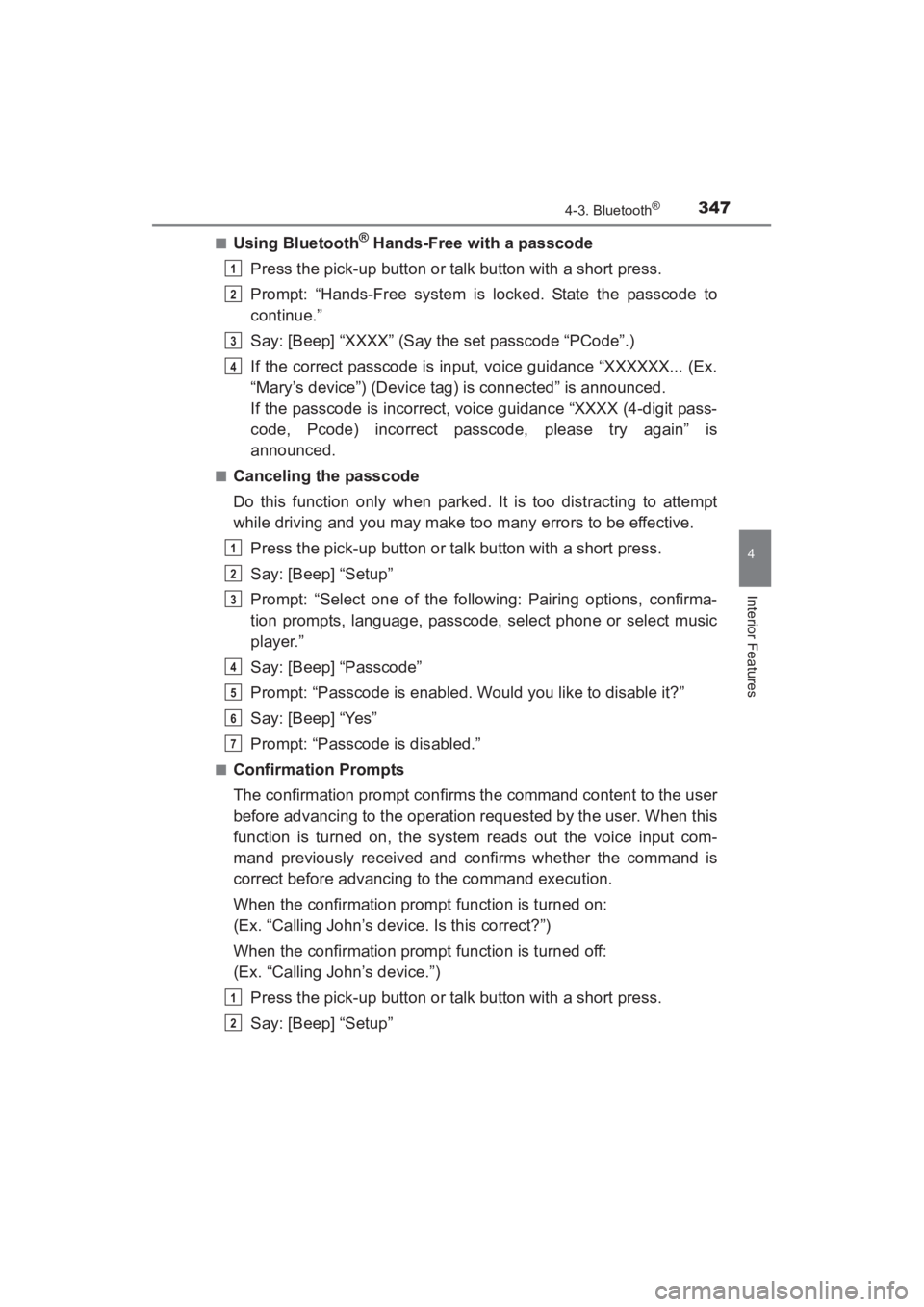
■Using Bluetooth® Hands-Free with a passcode
Press the pick-up button or talk button with a short press.
Prompt: “Hands-Free system is locked. State the passcode to
continue.”
Say: [Beep] “XXXX” (Say the set passcode “PCode”.)
If the correct passcode is input, voice guidance “XXXXXX... (Ex.
“Mary’s device”) (Device tag) is connected” is announced.
If the passcode is incorrect, voice guidance “XXXX (4-digit pass-
code, Pcode) incorrect passcode, please try again” is
announced.
■Canceling the passcode
Do this function only when parked. It is too distracting to attempt
while driving and you may make too many errors to be effective. Press the pick-up button or talk button with a short press.
Say: [Beep] “Setup”
Prompt: “Select one of the following: Pairing options, confirma-
tion prompts, language, passcode, select phone or select music
player.”
Say: [Beep] “Passcode”
Prompt: “Passcode is enabled. Would you like to disable it?”
Say: [Beep] “Yes”
Prompt: “Passcode is disabled.”
■Confirmation Prompts
The confirmation prompt confirms the command content to the user
before advancing to the operation requested by the user. When this
function is turned on, the system reads out the voice input com-
mand previously received and confirms whether the command is
correct before advancing to the command execution.
When the confirmation prompt function is turned on:
(Ex. “Calling John’s device. Is this correct?”)
When the confirmation prompt function is turned off:
(Ex. “Calling John’s device.”)
Press the pick-up button or talk button with a short press.
Say: [Beep] “Setup”
1
2
3
4
1
2
3
4
5
6
7
1
2
YARIS_SEDAN_OM_OM99M18z_(U).book Page 347 Monday, June 1, 2015 9:22 PM
Page 350 of 592
348
YARIS_SEDAN_OM_OM99M18z_(U)
4-3. Bluetooth®
Prompt: “Select one of the following: Pairing options, confirma-
tion prompts, language, passcode, select phone or select music
player.”
Say: [Beep] “Confirmation prompts”
Prompt: “Confirmation prompts are on/off. Would you like to turn
confirmation prompts off/on?”
Say: [Beep] “Yes”
Prompt: “Confirmation prompts are off/on.”
If the confirmation prompt function is turned off when making an emergency
call, the system reads out and confirms the command before executing it.
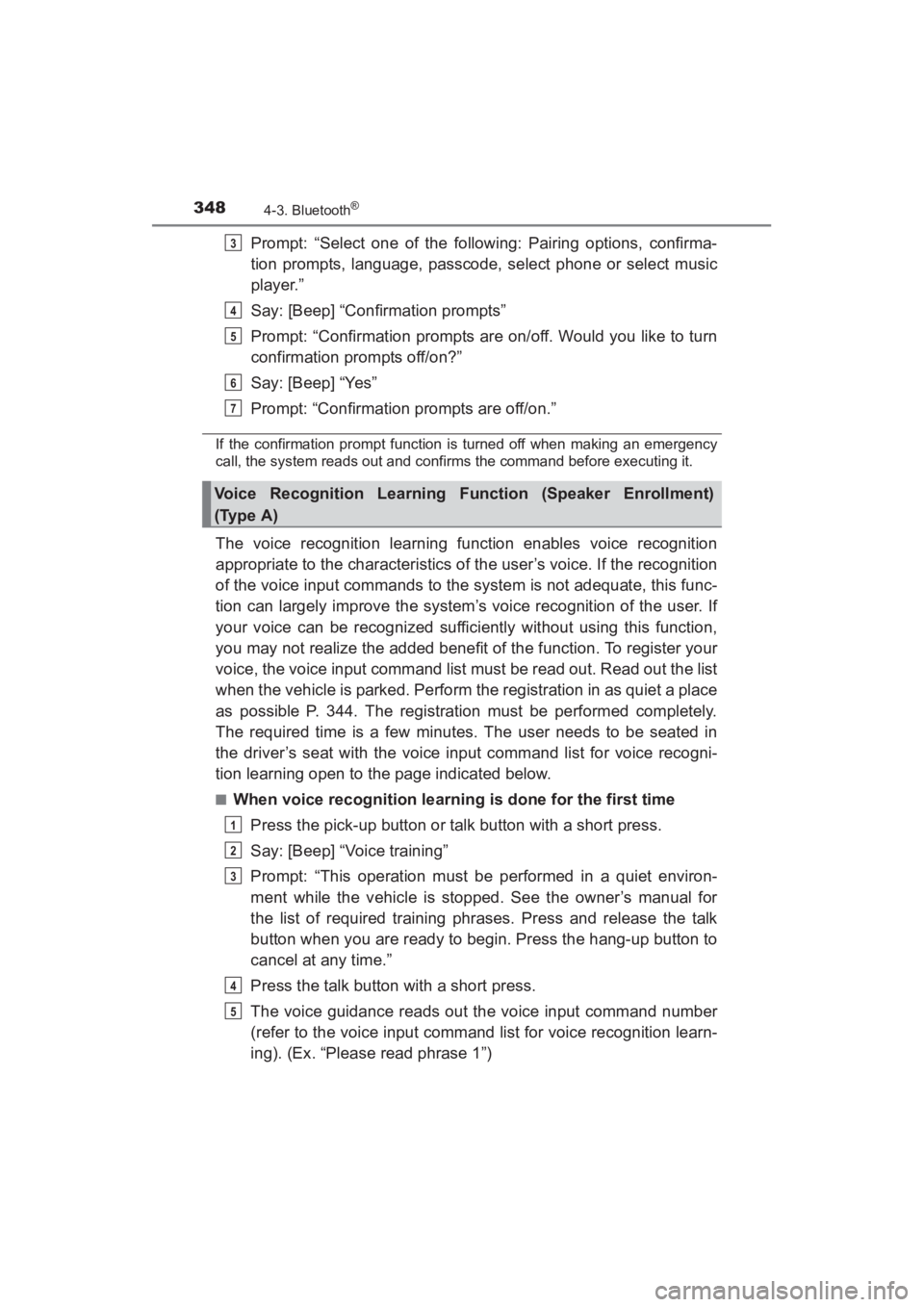
The voice recognition learning function enables voice recognition
appropriate to the characteristics of the user’s voice. If the recognition
of the voice input commands to the system is not adequate, this func-
tion can largely improve the system’s voice recognition of the user. If
your voice can be recognized sufficiently without using this function,
you may not realize the added benefit of the function. To register your
voice, the voice input command list must be read out. Read out the list
when the vehicle is parked. Perform the registration in as quiet a place
as possible P. 344. The registration must be performed completely.
The required time is a few minutes. The user needs to be seated in
the driver’s seat with the voice input command list for voice recogni-
tion learning open to the page indicated below.
■When voice recognition learning is done for the first timePress the pick-up button or talk button with a short press.
Say: [Beep] “Voice training”
Prompt: “This operation must be performed in a quiet environ-
ment while the vehicle is stopped. See the owner’s manual for
the list of required training phrases. Press and release the talk
button when you are ready to begin. Press the hang-up button to
cancel at any time.”
Press the talk button with a short press.
The voice guidance reads out the voice input command number
(refer to the voice input command list for voice recognition learn-
ing). (Ex. “Please read phrase 1”)
Voice Recognition Learning Function (Speaker Enrollment)
(Type A)
3
4
5
6
7
1
2
3
4
5
YARIS_SEDAN_OM_OM99M18z_(U).book Page 348 Monday, June 1, 2015 9:22 PM
Page 352 of 592
350
YARIS_SEDAN_OM_OM99M18z_(U)
4-3. Bluetooth®
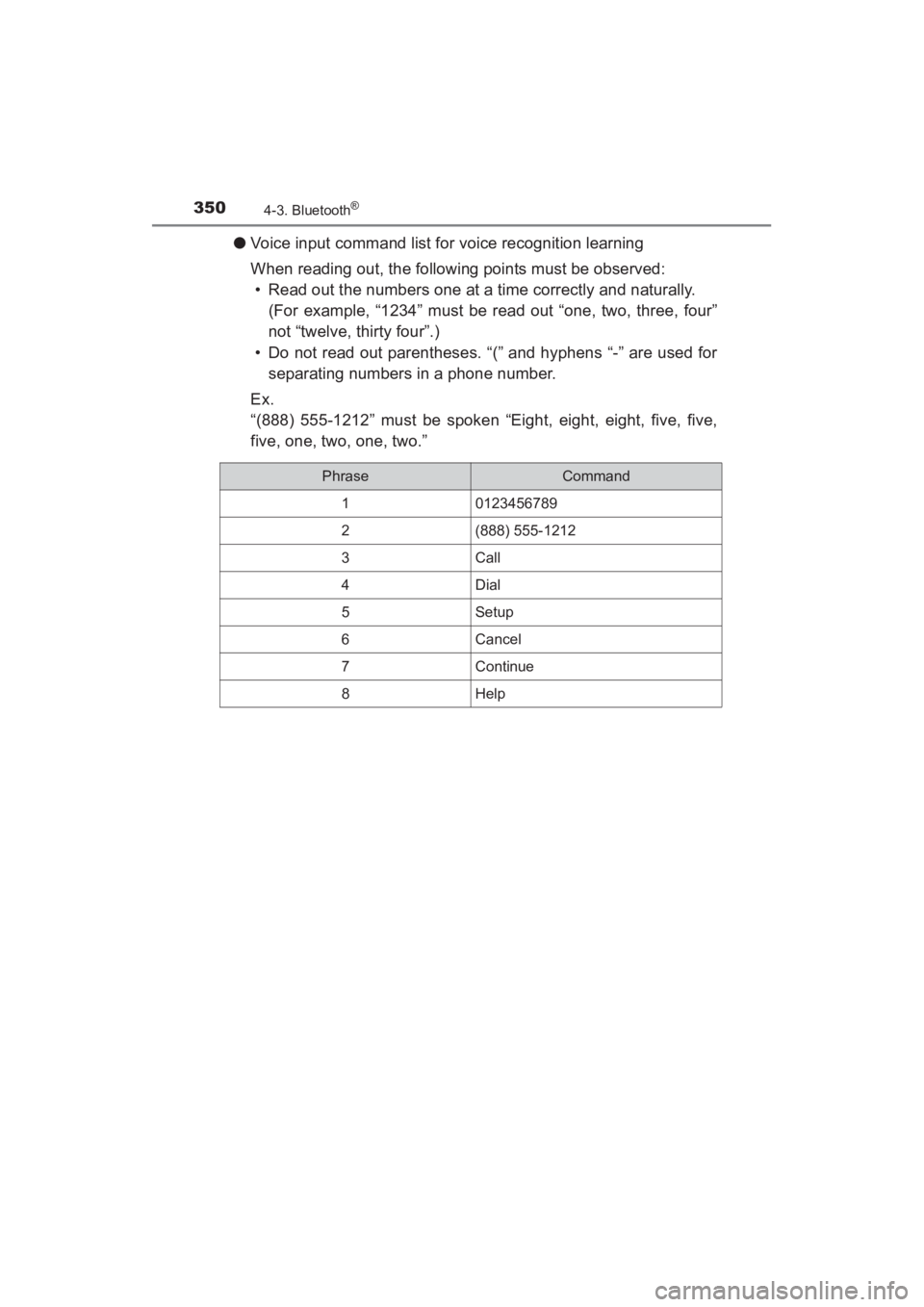
●Voice input command list for voice recognition learning
When reading out, the following points must be observed:
• Read out the numbers one at a time correctly and naturally.
(For example, “1234” must be read out “one, two, three, four”
not “twelve, thirty four”.)
• Do not read out parentheses. “(” and hyphens “-” are used for separating numbers in a phone number.
Ex.
“(888) 555-1212” must be spoken “Eight, eight, eight, five, five,
five, one, two, one, two.”
PhraseCommand
10123456789
2(888) 555-1212
3Call
4Dial
5Setup
6Cancel
7Continue
8Help
YARIS_SEDAN_OM_OM99M18z_(U).book Page 350 Monday, June 1, 2015 9:22 PM
Page 353 of 592
![TOYOTA YARIS 2016 Owners Manual YARIS_SEDAN_OM_OM99M18z_(U)
3514-3. Bluetooth®
4
Interior Features
●Voice recognition learning on/off
Press the pick-up button or talk button with a short press.
Say: [Beep] “Voice training”
Pr](/img/14/60787/w960_60787-352.png "TOYOTA YARIS 2016 Owners Manual YARIS_SEDAN_OM_OM99M18z_(U)
3514-3. Bluetooth®
4
Interior Features
●Voice recognition learning on/off
Press the pick-up button or talk button with a short press.
Say: [Beep] “Voice training”
Pr")
YARIS_SEDAN_OM_OM99M18z_(U)
3514-3. Bluetooth®
4
Interior Features
●Voice recognition learning on/off
Press the pick-up button or talk button with a short press.
Say: [Beep] “Voice training”
Prompt: “Enrollment is enabled/ disabled. Would you like to
disable/ enable or retrain?”
Say: [Beep] “Disable” or “Enable”
When “Disable” is spoken, the voice recognition learning is
turned off. When “Enable” is spoken, the voice recognition
learning is turned on.
Prompt: “Speaker Enrollment is disabled/enabled.”
■Voice Recognition Learning Funct ion (Speaker Enrollment) (Type A)
● If an error occurred in the voice recognition learning, re-learning can be
done by pressing the talk button with a short press.
● The applicable phrase appears in the audio display.
● After user voice registration is completed, voice guidance “Speaker enroll-
ment is complete” is announced.
■
Device pairing
To use Bluetooth
® audio and Hands-Free, the device equipped with
Bluetooth® has to be paired to the unit using the following proce-
dure. A maximum of seven devices including Bluetooth® audio
devices and hands-free mobile phones can be paired.
● Pairing Procedure
Select the icon on the home screen and display the
Settings screen.
Select the tab.
Select .
Turn the Bluetooth
® setting on.
Select to display the message and switch to the
device operation.
Using your device, perform a search for the Bluetooth
® device
(Peripheral device).
Select “Toyota” from the device list searched by the device.
Bluetooth® Preparation (Type B)
1
2
3
4
5
6
1
2
3
4
5
6
7
YARIS_SEDAN_OM_OM99M18z_(U).book Page 351 Monday, June 1, 2015 9:22 PM
Page 354 of 592
352
YARIS_SEDAN_OM_OM99M18z_(U)
4-3. Bluetooth®
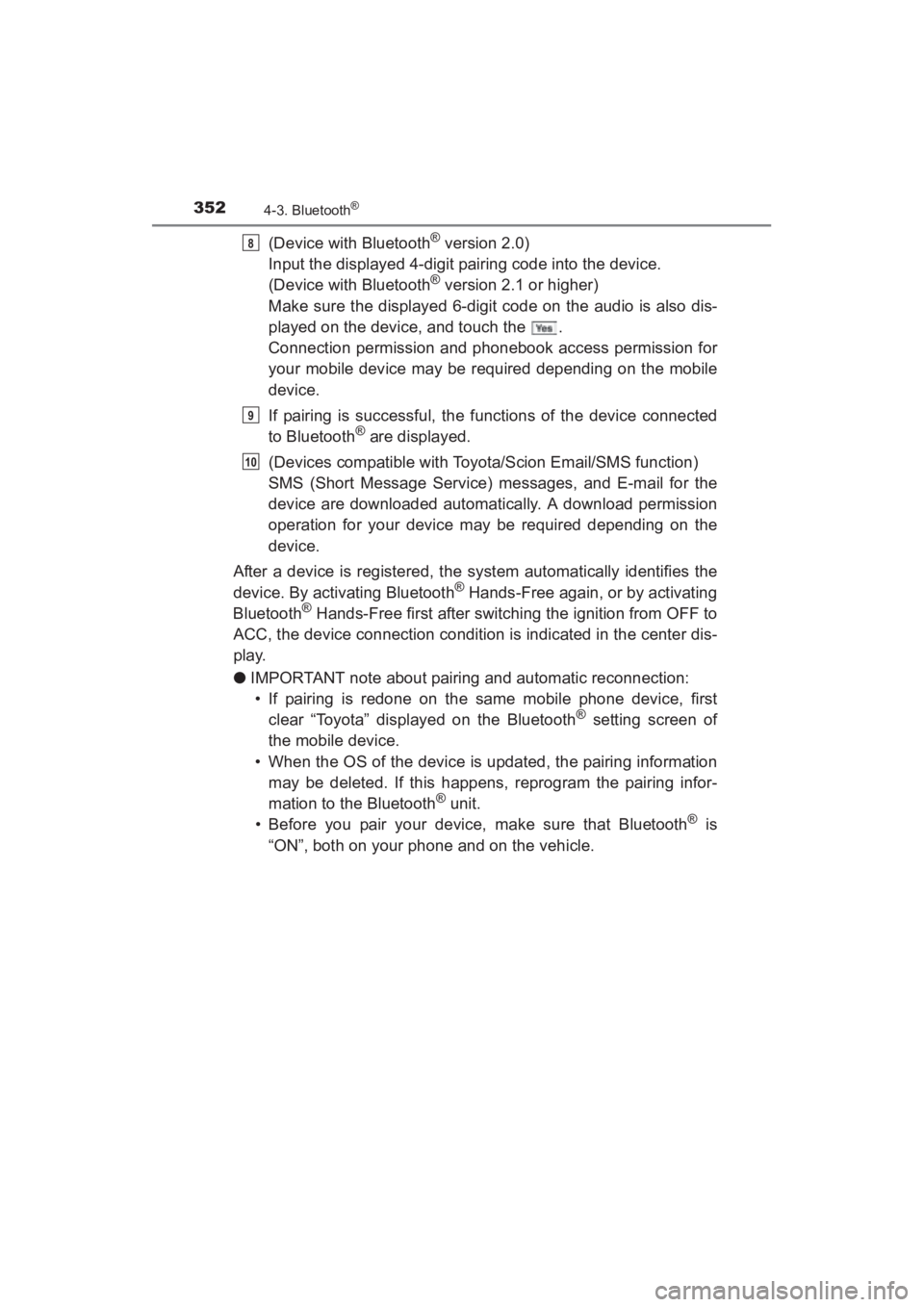
(Device with Bluetooth® version 2.0)
Input the displayed 4-digit pairing code into the device.
(Device with Bluetooth
® version 2.1 or higher)
Make sure the displayed 6-digit code on the audio is also dis-
played on the device, and touch the .
Connection permission and phonebook access permission for
your mobile device may be required depending on the mobile
device.
If pairing is successful, the functions of the device connected
to Bluetooth
® are displayed.
(Devices compatible with Toyota/Scion Email/SMS function)
SMS (Short Message Service) messages, and E-mail for the
device are downloaded automatically. A download permission
operation for your device may be required depending on the
device.
After a device is registered, the system automatically identifies the
device. By activating Bluetooth
® Hands-Free again, or by activating
Bluetooth® Hands-Free first after switching the ignition from OFF to
ACC, the device connection condition is indicated in the center dis-
play.
● IMPORTANT note about pairing and automatic reconnection:
• If pairing is redone on the same mobile phone device, first
clear “Toyota” displayed on the Bluetooth
® setting screen of
the mobile device.
• When the OS of the device is updated, the pairing information may be deleted. If this happens, reprogram the pairing infor-
mation to the Bluetooth
® unit.
• Before you pair your device, make sure that Bluetooth® is
“ON”, both on your phone and on the vehicle.
8
9
10
YARIS_SEDAN_OM_OM99M18z_(U).book Page 352 Monday, June 1, 2015 9:22 PM
Page 357 of 592
YARIS_SEDAN_OM_OM99M18z_(U)
3554-3. Bluetooth®
4
Interior Features
■Bluetooth® Preparation (Type B)
The Bluetooth® system may not operate for 1 or 2 minutes after the ignition is
switched to ACC or ON. However, this does not indicate a problem. If the
Bluetooth
® system does not connect automatically after 1 or 2 minutes have
elapsed, make sure that the Bluetooth® setting on the device is normal and
attempt to reconnect the Bluetooth® device from the vehicle side.
When Call history and messages are downloaded automatically, each auto-
matic download setting must be on.
Refer to Communication Settings on P. 382.
● The following functions can be used for the Hands-free or audio.
• Hands-free: Phone calls and E-mail/ SMS
• Audio: Bluetooth
® audio, Pandora®, Aha™, Stitcher™ radio
The Bluetooth® Hands-Free System applies to the following lan-
guages:
● English
● Spanish
● French
Refer to Settings on P. 295.
Available Language (Type B)
YARIS_SEDAN_OM_OM99M18z_(U).book Page 355 Monday, June 1, 2015 9:22 PM